Disclosure: As an Amazon Associate, reviewstook.com earns from qualifying purchases. Links to Amazon on this page are affiliate links; they cost you nothing extra.
Check privacy laws before recording the cabin.
This guide is built from Amazon product listings and maker specs, not our own testing, so confirm compatibility, features, local laws and current price on each product page.
Prices are approximate and were shown on Amazon.com on November 1, 2026; check the current price.
Last updated: November 1, 2026.
Quick Picks
| Product | Type | Best for |
|---|---|---|
| REDTIGER VP40 4-Channel 360 Dash Cam | 4-channel 360 dash cam | full-car coverage |
| IIWEY N6 PRO 4K STARVIS 2 4-Channel Dash Cam | 4-channel 360 dash cam | full-car coverage |
| PRUVEEO 360 4-Channel Dash Cam | 4-channel 360 dash cam | full-car coverage |
| 360-View 4-Channel Dash Cam (Front, Rear, Left, Right, Inside) | 4-channel 360 dash cam | full-car coverage |
| Vantrue N5S 4-Channel 360 Dash Cam (2.7K) | 4-channel 360 dash cam | full-car coverage |
| IIWEY N7 PRO 4K 4-Channel 360 Dash Cam | 4-channel 360 dash cam | full-car coverage |
Our Picks
Top pickBest for full-car coverage
1. REDTIGER VP40 4-Channel 360 Dash Cam
A REDTIGER VP40 4-Channel 360 Dash Cam (4-channel 360 dash cam), per the listing. It showed at about $210 on Amazon.com on November 1, 2026.
Good for: full-car coverage. Watch out: Higher price.
Best for full-car coverage
2. IIWEY N6 PRO 4K STARVIS 2 4-Channel Dash Cam
An IIWEY N6 PRO 4K STARVIS 2 4-Channel Dash Cam (4-channel 360 dash cam), per the listing. It showed at about $200 on Amazon.com on November 1, 2026.
Good for: full-car coverage. Watch out: Higher price.
Best for full-car coverage
3. PRUVEEO 360 4-Channel Dash Cam
A PRUVEEO 360 4-Channel Dash Cam (4-channel 360 dash cam), per the listing. It showed at about $130 on Amazon.com on November 1, 2026.
Good for: full-car coverage. Watch out: Check storage limits.
Best for full-car coverage
4. 360-View 4-Channel Dash Cam (Front, Rear, Left, Right, Inside)
A 360-View 4-Channel Dash Cam (Front, Rear, Left, Right, Inside) (4-channel 360 dash cam), per the listing. It showed at about $100 on Amazon.com on November 1, 2026.
Good for: full-car coverage. Watch out: Lesser-known brand.
Best for full-car coverage
5. Vantrue N5S 4-Channel 360 Dash Cam (2.7K)
A Vantrue N5S 4-Channel 360 Dash Cam (2.7K) (4-channel 360 dash cam), per the listing. It showed at about $380 on Amazon.com on November 1, 2026.
Good for: full-car coverage. Watch out: High price.
Best for full-car coverage
6. IIWEY N7 PRO 4K 4-Channel 360 Dash Cam
An IIWEY N7 PRO 4K 4-Channel 360 Dash Cam (4-channel 360 dash cam), per the listing. It showed at about $150 on Amazon.com on November 1, 2026.
Good for: full-car coverage. Watch out: Lesser-known brand.
Best Picks by Category
These labels come from the price, star rating and number of ratings shown on each Amazon listing on November 2, 2026. They summarize listing data and are not hands-on test results.
- Top rated: 360-View 4-Channel Dash Cam (Front, Rear, Left, Right, Inside) — 4.3 out of 5 from 1,721 ratings, about $100.
- Most reviewed: PRUVEEO 360 4-Channel Dash Cam — 3,679 ratings averaging 4.2 out of 5.
- Best value: 360-View 4-Channel Dash Cam (Front, Rear, Left, Right, Inside) — the lowest-priced pick with a 4.3 rating and at least 200 ratings, about $100.
- Lowest price: 360-View 4-Channel Dash Cam (Front, Rear, Left, Right, Inside) — about $100, rated 4.3 out of 5.
- Premium option: Vantrue N5S 4-Channel 360 Dash Cam (2.7K) — about $380, rated 4.1 out of 5.
Price, Rating and Review Comparison
The table sorts the picks by price and adds the star rating and the number of ratings, which shows how much feedback sits behind each average. Prices change often, so confirm the current price on Amazon.
| Product | Price | Rating | Ratings | Price tier |
|---|---|---|---|---|
| 360-View 4-Channel Dash Cam (Front, Rear, Left, Right, Inside) | $100 | 4.3 / 5 | 1,721 | Budget |
| PRUVEEO 360 4-Channel Dash Cam | $130 | 4.2 / 5 | 3,679 | Budget |
| IIWEY N7 PRO 4K 4-Channel 360 Dash Cam | $150 | 4.2 / 5 | 2,261 | Mid-range |
| IIWEY N6 PRO 4K STARVIS 2 4-Channel Dash Cam | $200 | 4.2 / 5 | 959 | Mid-range |
| REDTIGER VP40 4-Channel 360 Dash Cam | $210 | 4.3 / 5 | 227 | Mid-range |
| Vantrue N5S 4-Channel 360 Dash Cam (2.7K) | $380 | 4.1 / 5 | 2,219 | Premium |
How Much Feedback Backs Each Rating
A high average from a handful of ratings is weaker evidence than a slightly lower average from thousands. Here is how the sample size looks for each pick.
- REDTIGER VP40 4-Channel 360 Dash Cam: 227 ratings, a moderate sample behind its 4.3 average.
- IIWEY N6 PRO 4K STARVIS 2 4-Channel Dash Cam: 959 ratings, a moderate sample behind its 4.2 average.
- PRUVEEO 360 4-Channel Dash Cam: 3,679 ratings, a large sample behind its 4.2 average.
- 360-View 4-Channel Dash Cam (Front, Rear, Left, Right, Inside): 1,721 ratings, a large sample behind its 4.3 average.
- Vantrue N5S 4-Channel 360 Dash Cam (2.7K): 2,219 ratings, a large sample behind its 4.1 average.
- IIWEY N7 PRO 4K 4-Channel 360 Dash Cam: 2,261 ratings, a large sample behind its 4.2 average.
How to Choose
Channels
Front only, front and rear, or 360 with side cameras.
Video quality
Look for a good night sensor, not just 4K.
Storage and parking
Use a high-endurance card. Parking mode needs a hardwire kit.
Why Drivers for Hire Look at Four Channels
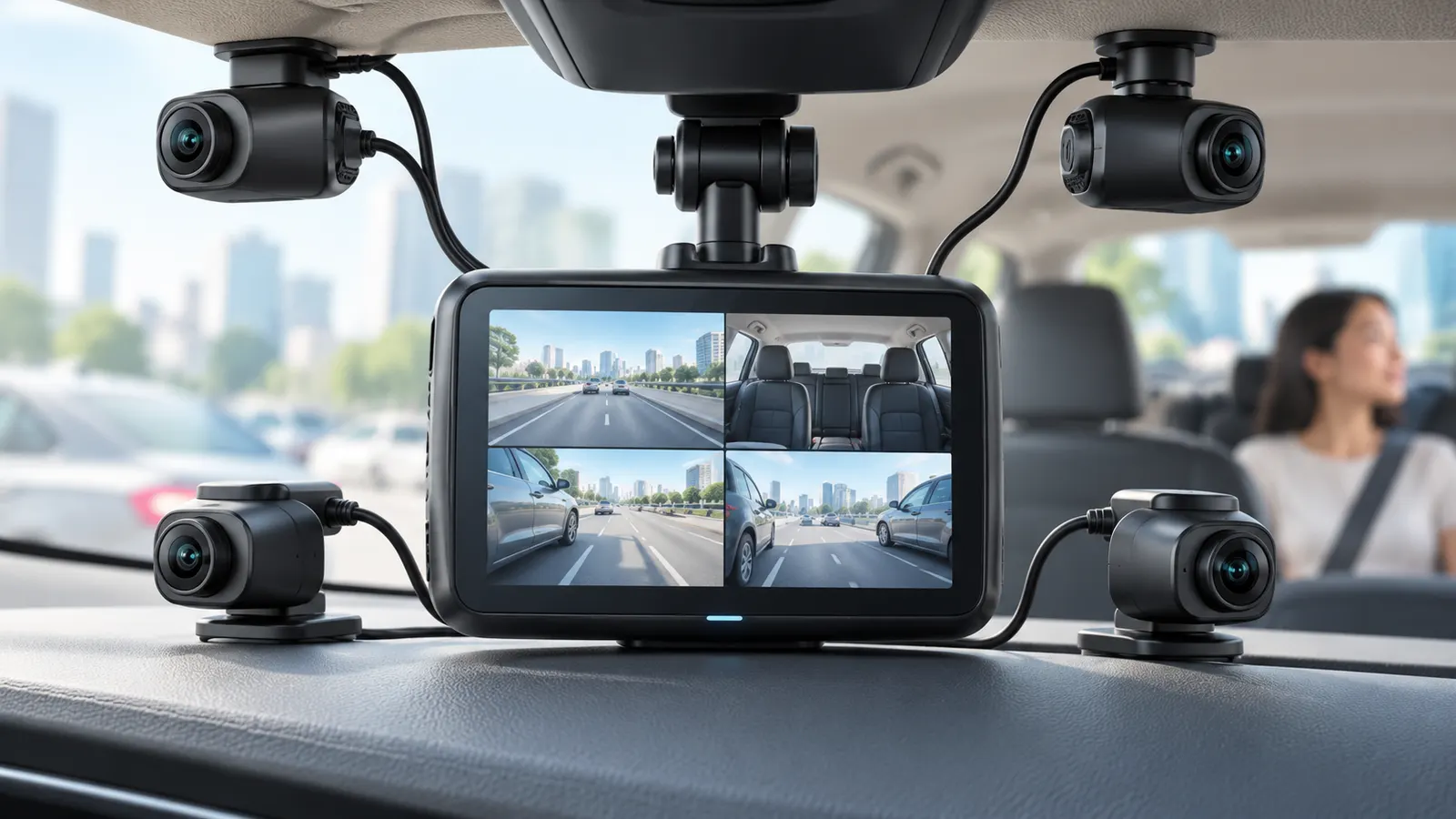
A single front camera shows what happens ahead of the car, but a rideshare or taxi driver deals with events on every side and inside the cabin. A four-channel system adds more views, typically front, rear, a cabin view and an additional side or surround view, depending on the product. The point is to document disputes that a front-only camera cannot settle, such as a passenger disagreement, a door-edge scrape in a pickup zone, a side-swipe in traffic or a claim about damage in the back seat.
Before buying, list the situations you want covered. If your main worry is collision evidence, the front and rear views matter most. If you worry about passenger incidents, the cabin view and its night performance matter. If you drive in dense pickup areas, the side views help show who touched whom. Match the channel layout to those needs, because each extra camera adds cables, storage use and cost.
Check how the views are stored. Some systems record each channel to its own file, while others combine channels into a single stitched video. Separate files are easier to review and share, and a combined view can be simpler to watch. Check the product page for how the system writes video, how many channels record at the same time and what resolution applies to each channel, since the stated resolution often applies to only one camera. Take these details from the listing and the manual rather than from the headline.
Cabin Recording, Privacy and Passenger Notice
Recording passengers raises legal and ethical questions that differ by location. Rules about video and audio recording inside a vehicle vary, and many places treat audio more strictly than video. Some require notice or consent from people being recorded, and some ride platforms have their own policies about cameras in the vehicle. Check local law, and read the rules of any platform or company you drive for before installing a cabin camera.
If recording is allowed, tell passengers clearly. A visible sticker or sign on the window or door, placed where people see it before they get in, is a common practice. Be open about it if someone asks. Consider turning off audio recording if the law or platform rules are unclear, since many dash cams let you disable the microphone. Think about the privacy of your passengers, and treat footage with care.
Plan how you will handle the recordings. Store them securely, share them only for a legitimate reason, such as an insurance claim, a platform report or a request from the authorities, and delete footage you no longer need. Do not post passenger footage online. If you run a taxi company with several drivers, write down a policy for who can access the footage and how long it is kept. If in doubt, ask a legal professional familiar with local rules, as this guide cannot give legal advice.
Night and Cabin Video: What to Check
Much rideshare work happens at night, so low-light performance matters as much as resolution. A cabin camera that records a dark interior needs infrared lighting or a sensitive sensor. Check whether the listing mentions infrared LEDs for the cabin view, and whether that light can be switched off if it distracts you or reflects off glass. Reflection from the windshield or windows can wash out a cabin image, so think about camera angle and placement.
Exterior views at night depend on the sensor and lens quality, and on how the camera handles headlight glare and bright signs. Features such as wide dynamic range or similar exposure control are meant to help with contrast, but their effect varies. Do not assume that a higher resolution number gives clearer plates at night. Test your camera after installing it by recording a short drive at dusk and at night, then reviewing the footage on a screen.
Check frame rate too, because smoother video can help show motion, while a lower rate may blur fast-moving details. Check the field of view of each lens: a very wide view captures more context but makes distant detail smaller. Clean the windshield and the lenses regularly, because film and fingerprints cause haze at night. If you drive in rain, check how the rear camera is protected from water, and look for a water-resistant rating on any exterior camera.
Installation, Wiring and Power for Long Shifts
A four-camera system has more cables than a single dash cam, so plan the routing before you begin. Typical systems include a front unit, a rear camera, a cabin camera and an additional camera, connected by cables that run along the headliner and trim. Measure the distance from the front unit to the rear camera in your vehicle, and compare it with the cable length on the listing. A longer vehicle may need an extension cable.
Power matters for long shifts. Plugging into a cigarette lighter socket is simple, but the socket may stay live or switch off with the ignition depending on the vehicle. A hardwire kit connects the camera to the fuse box for continuous power, enabling parking features and cleaner cable runs, and includes a low-voltage cutoff to protect your car battery. If you are not confident with wiring, have a professional install it. A mistake can drain the battery or damage electrical parts.
Heat is a concern in parked cars. Check the operating temperature range and whether the camera uses a battery or a capacitor for backup power. Capacitors are generally considered more tolerant of heat than batteries, but check the maker’s specification. Mount the front unit behind the mirror where it does not block your view, and follow local rules about windshield placement. Secure cables so they do not hang loose or interfere with airbags or pedals. Keep a short test routine: after installation, check every channel for angle, focus and date stamp.
Managing Footage and Keeping Evidence Usable
Four channels fill storage quickly, so decide how you will handle the data. Check the largest memory card size the camera supports, and use a high-endurance card made for constant recording, as ordinary cards can wear out. Format the card in the camera on a regular schedule as the manual advises, and replace it before it fails. A corrupted card at the wrong moment can mean lost evidence.
Loop recording overwrites old footage, so learn how to lock an important clip. Most cameras have an emergency or protect button, and many also lock footage when they detect an impact. After any incident, protect the relevant files at once, then copy them to a computer or a cloud service as soon as it is practical. Keep an unedited copy. Note the date, time and location, because a timestamp and, where available, a GPS stamp help show when and where an event happened.
Check how you will review video. Some systems use a small screen, some a phone app over wireless connection and some require removing the card. Test the process before you need it. Confirm that the date and time are set correctly, because wrong timestamps weaken evidence. Check the warranty and support terms on the listing, since a camera used for hours each day will wear more than one used occasionally. Replace a camera that drops frames, freezes, loses a channel or runs hot to the touch.
Platform Rules and Company Requirements
Before you buy any camera for ride work, find out whether your platform or fleet has its own rules. Some ride platforms, taxi companies and leasing programs publish policies on in-car recording, and a few ask drivers to display a notice or follow certain steps. Others leave it to local law. The rules differ by city, state and country, so what applies to a driver in one place may not apply in another.
Start with the written terms of the platform you drive for, then look at your local recording laws, which often treat audio differently from video. Some places require consent from everyone in the vehicle before audio is recorded, while others require only one party. Because the rules for passengers can be stricter than those for the road, many drivers keep audio off and post a clear notice that video is in use.
- Read the platform’s current policy on cameras and passenger recording.
- Check local law on audio and cabin video before enabling either.
- Post a visible notice if your jurisdiction or platform calls for one.
- Ask an insurer or fleet manager if a camera changes your coverage terms.
This guide cannot say what your area requires. A quick check now is cheaper than a dispute later, and a camera that cannot be used the way you planned is not a good purchase.
Is a Four-Channel System Actually Necessary?
Four channels sound like the safe answer, but they are not right for every driver. A single front camera records what happens ahead, which covers many collisions. A dual setup adds the rear or cabin. Four channels, as in the 360 systems listed here, add side views or a combined interior view, which can matter when disputes involve events beside the car or inside it.
The question is how much risk and complexity you want. More channels mean more cameras to mount, more cable to route and more video to store and review. They also mean more chance that something stops working, and a failed channel can go unnoticed if you do not check. If you drive mostly highways, a front and rear pair may be enough. If you work in dense traffic, at night or with frequent passengers, side and cabin views can supply context the other angles miss.
Consider how you would use the footage. If you only need a record of road events, fewer channels keep things simple. If you want to document passenger interactions, a cabin view is relevant, subject to the rules above. Pay for the views you will look at, not just the number on the box.
Heat, Cold and Reliability on Long Shifts
Dash cams live in one of the harshest places in a car. A parked vehicle in summer sun can reach very high interior temperatures, and winter can bring freezing mornings. Electronics and batteries handle these swings with varying success. Many dash cams use capacitors instead of batteries because they tolerate heat better, and the listing or manual may say which one a model uses.
Heat also matters during operation. A four-channel camera processes several video streams at once, and the unit can run warm even in moderate weather. Good airflow around the camera, a mounting spot out of direct sun and a sunshade when parked all help. If a camera runs hot to the touch, throttles or reboots, treat it as a warning rather than a quirk.
Storage cards take a beating too. Constant rewriting wears them out, and heat speeds that up. Cards rated for high endurance are made for this workload, and replacing them on a schedule is better than waiting for a failure. Format the card in the camera periodically and check that recordings are being saved. Reliability is not just about the camera body, but about the whole chain of power, card, mount and cable.
Total Cost, Warranty and Support
The sticker price is only part of what a four-channel system costs. Add a high-endurance memory card, a hardwire kit if you plan to record while parked, extra cable or tools for routing, and possibly professional installation. If you drive for a living, a camera that fails mid-year costs more than a slightly higher purchase price, so think about how long you expect it to last.
Warranty and support deserve more weight for a device in use many hours a day. Read the stated warranty period and what it covers, and look at how the maker handles returns and firmware updates. Some brands maintain apps and update software for years, while others leave buyers without help. Buyer feedback about customer service often tells you more than a spec list.
Compare what comes in the box. Some kits include rear and interior cameras, cables and mounts, while others need extras. Add up the real total before comparing models. Also keep the resale and replacement angle in mind: a well-known model with a clear support path is easier to replace or repair than an obscure one. Spend where failure would hurt, which is usually the camera itself, the card and the power wiring.
Frequently Asked Questions
Is a dash cam legal?
Laws vary by place. Check windshield-mount and audio-recording rules.
Do I need a hardwire kit?
For parking mode, yes.
What card?
A high-endurance microSD card.
Do I have to tell passengers they are being recorded?
Rules differ by location and platform. Many drivers display a visible notice, but you should check local law and your platform's policy.
Should I record audio inside the cabin?
Audio is often regulated more strictly than video. If you are unsure of the rules, turn the microphone off or seek legal advice.
Will a hardwire kit drain my car battery?
A proper kit includes a voltage cutoff to protect the battery, but installation matters. Have a professional fit it if you are not comfortable with wiring.
How much storage do four channels need?
It depends on resolution and bitrate for each channel, so check the manual. Use a card size the camera supports and a high-endurance type.
Can I use the footage for an insurance claim?
Often yes, though acceptance depends on the insurer and local rules. Keep an unedited copy and note the date and time.
Does the cabin camera work in the dark?
Many use infrared lighting, but performance varies. Check the listing and test the footage at night after installing.
Where should the front camera be mounted?
Usually behind the rearview mirror, out of your line of sight. Follow local rules on windshield placement.
Do I need a G-sensor and loop recording on a dash cam?
Both are common and useful. Loop recording overwrites the oldest video so the card never fills, and a G-sensor locks the footage around an impact so it is not overwritten. Check that the camera protects locked clips and how much space it reserves for them.
Can a four-channel dash cam record while the car is parked?
Many can, usually through a hardwire kit or a separate power source, but the details vary by model. Parked recording draws power and can affect the car battery if not set up carefully. Check the manual for parking mode options and voltage cutoff settings.
How often should I replace the memory card in a dash cam?
There is no single schedule. Cards wear out from constant rewriting, and heat speeds it up, so heavy daily use shortens their life. Many drivers replace them periodically, use a high-endurance card and check recordings regularly. Replace a card at once if the camera reports errors.
Will a dash cam work in extreme heat or cold?
It depends on the model. Cameras with capacitors tend to handle temperature swings better than those with small batteries, and good airflow and shade help. Check the operating temperature range in the listing or manual and avoid leaving the unit in direct sun when parked.
Bottom Line
360-view cams cover more angles but cost more and need more wiring.
More Cameras Guides
- Best Premium Dash Cams
- Best Truck Dash Cams
- Best Cellular Game Cameras for Remote Photos
- Best WiFi Game Cameras with Apps
- Best 4K Game Cameras for Hunting
- Best Instant Film Cameras for Gifts and Parties
- Best Instax Mini and Wide Cameras for Beginners
- Best Reusable 35mm Point-and-Shoot Film Cameras