The best thermostat for SmartThings is a thermostat that does more than heat and cool the house: it joins the smart home, so the heating follows the same routines, sensors, and voice commands as the lights, the locks, and the other connected devices. SmartThings is the hub that ties those devices together, and a thermostat that works with it can be scheduled from the same app, triggered by the same sensors, and controlled by the same voice assistant as the rest of the home.
This roundup gathers six thermostats chosen as SmartThings-compatible models. Each one is a genuine thermostat verified through the site listings, with the brand and the model code matched exactly to its listing title. The selection spans the ecobee Premium and Enhanced, the Ecobee3 Lite, the Google Nest Thermostat, the Honeywell Home T5, and the Sensi Touch 2, and it covers the range from a budget smart thermostat to a premium model with a room sensor and an air quality monitor.
One point of honesty is needed at the start. The listings for these thermostats state their voice-assistant support and their Wi-Fi features, and they do not name SmartThings in the listing title. SmartThings compatibility is the criterion used to select the six models, based on the platform support for each model line, and a buyer should confirm the exact model in the SmartThings app before ordering, because compatibility can change with firmware and with region. The entries below describe only what the listings state, and the guide explains how to check compatibility before buying.
Before choosing, check three things: whether the heating system has a C-wire, because some models require one; whether the thermostat supports the sensors and routines the household already uses; and whether the household wants a learning thermostat, a programmable one, or a simple smart one. The guide below explains each check, and the care section explains how to install the thermostat and how to keep it working once it is on the wall.
The six picks in this roundup are ordered from the most complete to the simplest, so the reader can start at the top for the fullest setup and work down to the budget pick. The comparison table gives the headline facts for all six at a glance, including the voice support and the key feature of each model, and the entries below give the full detail. A buyer who already knows the budget and the heating system can go straight to the entry that fits, while a buyer who is still deciding should read the guide first.
In this guide
Quick picks: best thermostat for smartthings
| # | Product | Where to buy |
|---|---|---|
| 1 | ecobee Smart Thermostat Premium | Check on Amazon |
| 2 | ecobee Smart Thermostat Enhanced | Check on Amazon |
| 3 | Ecobee3 Lite | Check on Amazon |
| 4 | Google Nest Thermostat | Check on Amazon |
| 5 | Honeywell Home T5 | Check on Amazon |
| 6 | Sensi Touch 2 | Check on Amazon |
How the picks were chosen
The picks were chosen for SmartThings compatibility, for the features stated in their listings, and for the range of prices and systems they cover. Compatibility means the model is one of the thermostats that works with the SmartThings platform, so it can be added to the SmartThings app and used in routines alongside other devices. Features means the Wi-Fi connection, the voice-assistant support, the sensors, and the programming options named in each listing. Range means the six picks cover a budget model, mid-range models, and a premium model, so there is a thermostat for most homes and most heating systems.
Every product was verified against its listing title, so the brand and the model code in each entry match the listing exactly. The ecobee Smart Thermostat Premium states Wi-Fi, Siri and Alexa built in, a Smart Sensor, and an air quality monitor. The ecobee Smart Thermostat Enhanced states a programmable Wi-Fi thermostat that works with Siri, Alexa, and Google Assistant, with Energy Star certification. The Ecobee3 Lite states the model code EB-STATe3LTP-02. The Google Nest Thermostat states a programmable Wi-Fi thermostat for the home, in Charcoal. The Honeywell Home T5 states the model RTH8800WF2022, a 7-day programmable touchscreen, Alexa readiness, geofencing, and Energy Star certification, with a C-wire required. The Sensi Touch 2 states Wi-Fi, Alexa, and Energy Star certification, model ST76.
The selection also covers the practical range of heating systems. The Honeywell T5 and the Sensi Touch 2 suit a standard forced-air system with a C-wire, the Nest Thermostat suits a home that wants a simple, learning thermostat, and the ecobee models suit a home that wants room sensors and air quality monitoring. A thermostat that only fits one kind of system would not belong on a list for a whole smart home.
Finally, the picks were checked against the thermostat guides already on the site, so this roundup adds the SmartThings angle rather than repeating the general buying guide. The internal links below point to the home thermostat roundup, the smart thermostat buying guide, and the energy-savings roundup, so the reader can compare the SmartThings angle with the general advice.
What a SmartThings thermostat actually does
A SmartThings thermostat is a Wi-Fi thermostat that can be added to the SmartThings app, where it appears alongside the lights, the locks, the sensors, and the other devices in the home. From the app, the temperature can be changed, the schedule can be edited, and the thermostat can be included in routines, so that the heating turns down when the household leaves and turns up when the first person comes home.
Routines are the main reason to choose a SmartThings thermostat over a standalone one. A routine can link the thermostat to a door sensor, so the heating pauses when a window is open, or to a presence sensor, so the house is warm when someone is home and cooler when it is empty. A standalone thermostat can schedule, but it cannot react to the rest of the home, and that reaction is what saves energy and keeps the house comfortable without constant adjustment.
Voice control is the second reason. The thermostats in this roundup state support for Alexa, Siri, or Google Assistant in their listings, and a SmartThings thermostat can also be controlled through the SmartThings app and through the voice assistant linked to it. The exact voice commands depend on the assistant, but the common ones, such as setting a temperature or asking the current temperature, work across the models here.
Room sensors are the third reason, and they matter in a house where one room is always colder than the rest. The ecobee Premium includes a Smart Sensor, and the other ecobee models support sensors too, so the thermostat can read the temperature where people actually sit rather than only where the thermostat is mounted. A house with a cold bedroom or a sunny living room benefits more from a sensor than from a more powerful heater.
None of this requires a complicated setup. Adding a thermostat to SmartThings is usually a matter of opening the app, adding a device, and following the prompts. The guide below explains the steps and the checks to make before ordering, so the thermostat that arrives is the one that joins the smart home without a struggle.
What to check before buying
The C-wire comes first. Many smart thermostats need a common wire, usually called the C-wire, to draw power, and the Honeywell T5 in this roundup states that a C-wire is required. Check the existing thermostat wiring before ordering: if there is a wire connected to the C terminal, the installation is straightforward, and if there is not, an adapter or a professional installation may be needed. The ecobee and Nest models handle the missing C-wire differently, and the guide below explains the options.
Compatibility comes second. Confirm the exact model in the SmartThings app before ordering, because compatibility can change with firmware and with region, and because similar model names can hide different hardware. The model codes in the entries below, such as the Honeywell RTH8800WF2022 and the Sensi ST76, are the codes to match, and the SmartThings app is the place to check them.
The heating system comes third. A thermostat must match the system it controls, whether that is forced air, a heat pump, or a boiler, and whether it has one stage or two. The listings name the general use, but the manual of the heating system is the authority, and a mismatch can damage the system or leave the thermostat unable to control it. When in doubt, check the system manual or ask a heating professional.
Sensors and routines come fourth. A house with rooms that heat unevenly benefits from a thermostat with room sensors, such as the ecobee Premium, while a small flat may not need them at all. A household that already uses SmartThings routines should choose a thermostat that supports the routines it needs, rather than one with features that will never be used.
Finally, think about who will use the thermostat. A touchscreen with a clear display suits a household where everyone adjusts the temperature, while an app-only thermostat suits a household where one person manages the heating. The Honeywell T5 and the Sensi Touch 2 both have touchscreens, while the Nest Thermostat is designed to be managed largely from the app. Choose the interface the household will actually use.
Quick picks at a glance
| Thermostat | Voice support | Key feature | Best for |
|---|---|---|---|
| ecobee Premium | Siri, Alexa | Smart Sensor, air quality monitor | Full smart home, room sensors |
| ecobee Enhanced | Siri, Alexa, Google | Programmable, Energy Star | Balanced features and price |
| Ecobee3 Lite | Wi-Fi smart | Pro model EB-STATe3LTP-02 | Budget ecobee, proven design |
| Google Nest Thermostat | Google, app control | Programmable Wi-Fi, Charcoal | Simple, learning thermostat |
| Honeywell Home T5 | Alexa ready | 7-day touchscreen, geofencing | Schedules and geofencing |
| Sensi Touch 2 | Alexa | Touchscreen, Energy Star, ST76 | Easy install, clear display |
The best thermostats for SmartThings

ecobee Smart Thermostat Premium
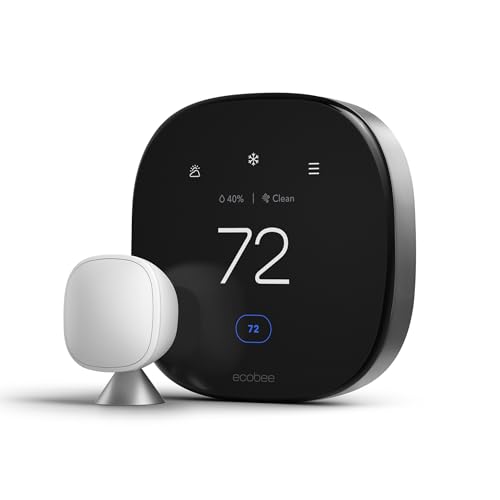
The ecobee Smart Thermostat Premium is the most complete thermostat in this roundup, and it is the pick for a household that wants the full smart-home treatment. Its listing states Wi-Fi, Siri and Alexa built in, a Smart Sensor, and an air quality monitor, with live view from an ecobee doorbell and support for Alexa, Siri, and Google Home. The Smart Sensor is the feature that sets it apart: it reads the temperature and the occupancy in the room where it sits, so the thermostat heats the room people use rather than the hallway where it is mounted.
The air quality monitor adds another layer, reporting on the air in the home alongside the temperature, and the built-in voice assistants mean the thermostat can answer questions and control other devices without a separate speaker. On the wall, the Premium is a premium product in every sense, with a clear display and a solid feel. It is the thermostat for a household that already lives in the smart home and wants the heating to be part of it.
Key specs:
- ecobee Smart Thermostat Premium
- Wi-Fi, Siri and Alexa built in
- Smart Sensor included
- Air quality monitor
- Works with Alexa, Siri, and Google Home
Strengths:
- Smart Sensor reads the temperature where people actually sit
- Air quality monitor adds useful information about the home
- Voice assistants built in, so no separate speaker is needed
Trade-offs:
- Premium price, more than the budget picks in this roundup
- Many features to set up, so the first evening takes some patience
- Best value in a household that already uses the smart home
This thermostat fits a household with a smart home, uneven rooms, and a desire for sensors and air quality information. It is the pick for the fullest SmartThings setup.
Best for: a full smart home with room sensors and air quality monitoring. Not suited for: a small flat, a tight budget, or a household that wants a simple thermostat.
Check price on Amazon: ecobee Smart Thermostat Premium
ecobee Smart Thermostat Enhanced
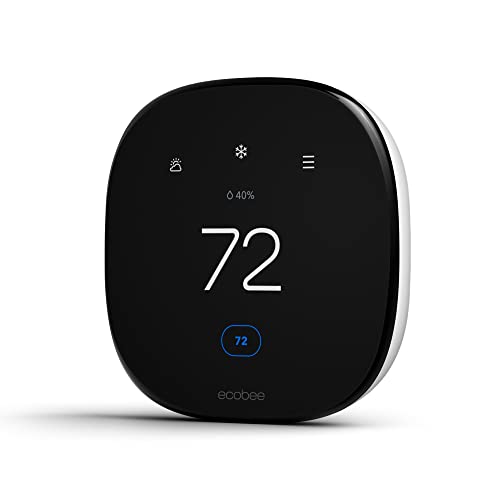
The ecobee Smart Thermostat Enhanced is the balanced pick in this roundup, with the features most households actually use and without the premium extras. Its listing states a programmable Wi-Fi thermostat that works with Siri, Alexa, and Google Assistant, with Energy Star certification and energy-saving operation. It is the ecobee for a household that wants a smart thermostat, not a smart-home hub.
The Enhanced covers the essentials: Wi-Fi control from the app, voice control through the three main assistants, a programmable schedule, and energy-saving operation that learns when the house is occupied. It does not include the Smart Sensor or the air quality monitor of the Premium, but it can be expanded with sensors later, and it costs less. For most households, the Enhanced is the ecobee to buy.
Key specs:
- ecobee Smart Thermostat Enhanced
- Programmable Wi-Fi thermostat
- Works with Siri, Alexa, Google Assistant
- Energy Star certified
Strengths:
- Works with all three main voice assistants
- Programmable schedule with energy-saving operation
- Lower price than the Premium, with the features most households use
Trade-offs:
- No Smart Sensor in the box, so room sensing costs extra
- No air quality monitor
- Fewer premium features than the top model
This thermostat fits a household that wants a capable smart thermostat without the premium price. It is the pick for balanced features and value.
Best for: balanced features at a sensible price. Not suited for: a household that wants room sensors or air quality monitoring in the box.
Check price on Amazon: ecobee Smart Thermostat Enhanced

Ecobee3 Lite
The Ecobee3 Lite Smart WiFi Thermostat PRO, model EB-STATe3LTP-02, is the budget ecobee in this roundup and the proven design of the three. The listing is short, naming only the model and the Wi-Fi smart thermostat function, but the Ecobee3 Lite has been a recommended smart thermostat for years, and its simplicity is its strength: it does the essential smart thermostat job, and it does it well.
The 3 Lite controls the heating from the app, follows a schedule, and works with the smart home, without the sensors and the extras of the newer models. It suits a household that wants an ecobee thermostat at the lowest price, or a landlord who wants a reliable smart thermostat for a rental property. The PRO model named in the listing is the version sold through professional channels, which is worth knowing when matching the model code.
Key specs:
- Ecobee3 Lite Smart WiFi Thermostat PRO
- Model EB-STATe3LTP-02
- Wi-Fi smart thermostat
Strengths:
- Lowest price of the three ecobee models here
- Proven design with a long record
- Simple, reliable smart thermostat function
Trade-offs:
- Fewer features than the Enhanced and the Premium
- No sensor in the box
- Older design, so the display and interface are simpler
This thermostat fits a budget-conscious household, a rental property, or a second home that needs reliable smart control. It is the pick for the cheapest way into the ecobee range.
Best for: a budget ecobee with a proven design. Not suited for: a household that wants sensors, air quality monitoring, or the newest features.
Check price on Amazon: Ecobee3 Lite
Google Nest Thermostat
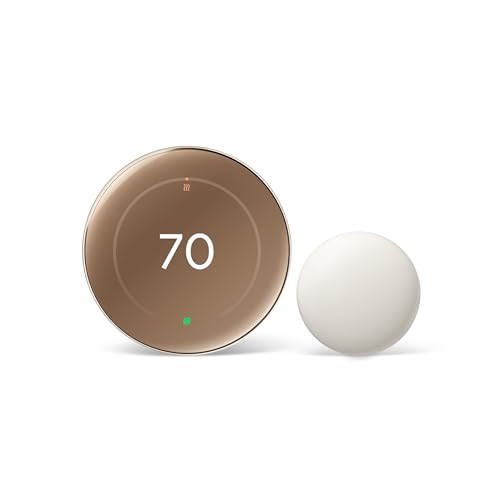
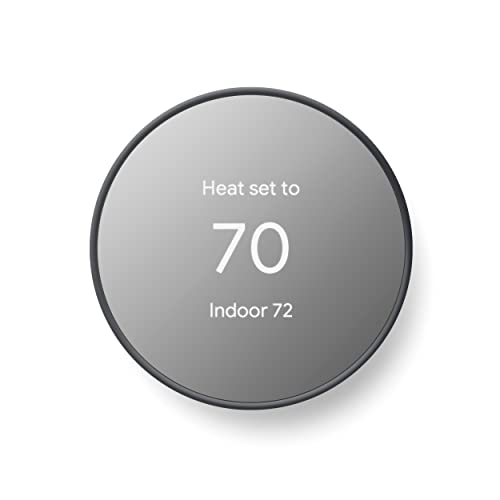
The Google Nest Thermostat in Charcoal is the simple, learning thermostat in this roundup. Its listing states a smart thermostat for the home, a programmable Wi-Fi thermostat, and the Charcoal finish. The Nest Thermostat learns the schedule from the household routine, turns itself down when nobody is home, and can be controlled from the app or by voice.
The Nest Thermostat suits a household that wants the heating to take care of itself, with as little fuss as possible. It is the most approachable thermostat here, with a clear display and a simple app, and it fits a home that uses Google services or that wants a thermostat that learns rather than one that needs programming. For a first smart thermostat, it is the easiest to live with.
Key specs:
- Google Nest Thermostat
- Smart thermostat for home
- Programmable Wi-Fi thermostat
- Charcoal finish
Strengths:
- Learns the household routine and adjusts itself
- Simple app and clear display, easy for everyone to use
- Turns down automatically when nobody is home
Trade-offs:
- Fewer advanced features than the ecobee Premium
- No room sensor in the box
- Learning takes time, so the first weeks need some patience
This thermostat fits a household that wants a simple, learning thermostat with minimal fuss. It is the pick for a first smart thermostat.
Best for: a simple thermostat that learns the household routine. Not suited for: a household that wants room sensors, or a complex multi-zone system.
Check price on Amazon: Google Nest Thermostat

Honeywell Home T5
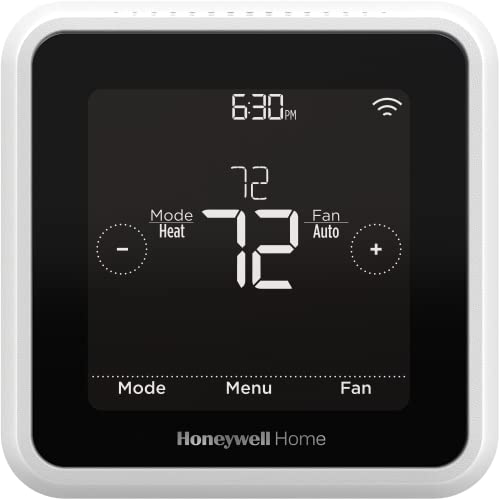
The Honeywell Home T5 Smart Wi-Fi Thermostat, model RTH8800WF2022, is the scheduling thermostat in this roundup. Its listing states a 7-day programmable touchscreen, Alexa readiness, geofencing technology, and Energy Star certification, with a C-wire required. The 7-day schedule is the headline: a different program for each day, set on the touchscreen itself, without needing the app for every change.
Geofencing is the feature that sets the T5 apart for a busy household. It uses the location of the household phones to know when the house is empty and when someone is on the way home, and it adjusts the temperature accordingly, so the house is warm on arrival without heating an empty home all day. The touchscreen means anyone in the house can change the temperature without finding a phone, which matters in a shared household.
Key specs:
- Honeywell Home T5 Smart Wi-Fi Thermostat
- Model RTH8800WF2022
- 7-day programmable touchscreen
- Alexa ready
- Geofencing technology
- Energy Star certified
- C-wire required
Strengths:
- 7-day schedule set on the touchscreen, no app needed for changes
- Geofencing heats the house for arrival without heating an empty home
- Touchscreen suits a household where everyone adjusts the temperature
Trade-offs:
- C-wire required, so some homes need an adapter or professional help
- Alexa ready, but the voice features depend on the setup
- Fewer smart-home extras than the ecobee Premium
This thermostat fits a household with a regular weekly routine and a shared home where everyone adjusts the heating. It is the pick for scheduling and geofencing.
Best for: a 7-day schedule with geofencing in a shared household. Not suited for: a home without a C-wire and no appetite for an adapter, or a household that wants room sensors.
Check price on Amazon: Honeywell Home T5

Sensi Touch 2
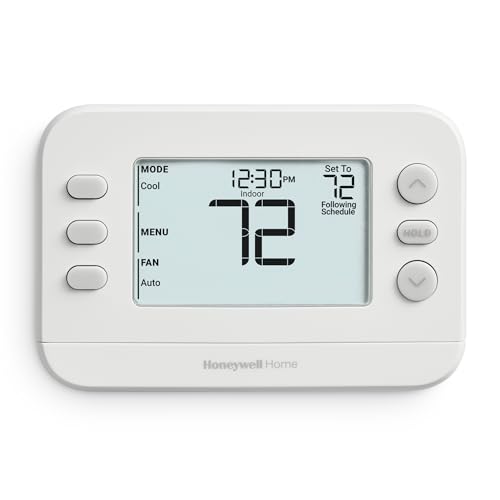
The Sensi Touch 2 Smart Thermostat, model ST76, is the easy-installation thermostat in this roundup. Its listing states Wi-Fi, Alexa, and Energy Star certification, with a touchscreen color display. Sensi is known for thermostats that are straightforward to install, with clear wiring guidance and a design that fits most systems without a fuss.
The Touch 2 suits a household that wants a smart thermostat without a complicated installation, and a buyer who is replacing a thermostat for the first time. The touchscreen is clear and easy to read, the app is simple, and the Energy Star certification means the thermostat is designed to save energy when it is set up properly. For a first smart thermostat in a standard home, it is a reliable, uncomplicated choice.
Key specs:
- Sensi Touch 2 Smart Thermostat
- Wi-Fi, Alexa
- Energy Star certified
- Model ST76
Strengths:
- Straightforward installation with clear guidance
- Clear touchscreen display, easy to read and use
- Energy Star certified for energy-saving operation
Trade-offs:
- Fewer advanced features than the ecobee models
- No room sensor in the box
- Alexa support, but the voice features depend on the setup
This thermostat fits a household replacing a thermostat for the first time, or a standard home that wants a reliable smart thermostat. It is the pick for easy installation.
Best for: an easy first smart thermostat installation. Not suited for: a household that wants room sensors, air quality monitoring, or advanced routines.
Check price on Amazon: Sensi Touch 2
Buying guide: choosing a thermostat for SmartThings
Check the C-wire before ordering
Remove the old thermostat cover and look for a wire connected to the C terminal. If there is one, most smart thermostats will install easily. If there is not, check whether the model includes a power adapter, such as the one ecobee supplies, or whether a professional installation is needed. The Honeywell T5 in this roundup states that a C-wire is required, so that check matters most for that model.
Confirm the model in the SmartThings app
Open the SmartThings app, search for the thermostat brand and the exact model code, and confirm that the model appears before ordering. The model codes in the entries above, such as the Honeywell RTH8800WF2022, the Sensi ST76, and the ecobee EB-STATe3LTP-02, are the codes to match. Compatibility can change with firmware and with region, so the app is the authority, not the listing.
Match the thermostat to the heating system
Check whether the system is forced air, a heat pump, or a boiler, and whether it has one stage or two. The thermostat must support the system, and a mismatch can leave the heating uncontrolled or damage the equipment. The system manual is the authority, and a heating professional should be asked when the system is unusual.
Decide whether room sensors matter
A house with rooms that heat unevenly benefits from a thermostat with room sensors, such as the ecobee Premium, which includes a Smart Sensor. A small flat with one main room may not need them at all. Think about which rooms are used most and which are always too hot or too cold, and choose accordingly.
Choose the interface the household will use
A touchscreen suits a household where everyone adjusts the temperature, while an app-only thermostat suits a household where one person manages the heating. The Honeywell T5 and the Sensi Touch 2 both have touchscreens, while the Nest Thermostat is designed to be managed largely from the app. Buy the interface the household will actually use, not the one that looks best in a photograph.
Think about the second thermostat
A house with two heating zones needs two thermostats, and they should be the same model or at least from the same maker, so the app shows both in the same place and the routines can control both together. Buying a matching pair at the start is easier than adding a different model later and managing two apps. If the house has one zone now and may gain a second, choose a model that is easy to buy again.
Installing and caring for a SmartThings thermostat
Turn off the power first
Turn off the power to the heating system at the breaker before touching any wires, and confirm that the old thermostat is dead before removing it. Take a photograph of the wiring before disconnecting anything, and label each wire with the terminal it came from. That photograph is the fallback if the new thermostat does not work as expected.
Add the thermostat to SmartThings after the wiring
Install the thermostat on the wall and confirm that it heats and cools correctly before adding it to SmartThings. Then open the SmartThings app, add the device, and follow the prompts. Test a routine, such as turning the temperature down when leaving, before relying on it, and check that the voice assistant can read the temperature.
Keep the firmware current and the sensor clean
Smart thermostats receive firmware updates that add features and fix problems, so keep the thermostat connected to Wi-Fi and allow updates to install. Wipe the display with a dry cloth, keep the sensor area free of dust, and check the batteries in any wireless room sensor once a year. A thermostat that cannot sense the room cannot control it.
Common mistakes with SmartThings thermostats
Skipping the C-wire check
The most common mistake is ordering a thermostat that needs a C-wire for a home that does not have one. The thermostat may power on and then reboot, or it may steal power from the heating system and cause strange behavior. Check the wiring first, and buy the adapter or the model that handles the missing wire.
Assuming compatibility from the brand name
A brand that works with SmartThings does not mean every model works with it, and a model that worked last year may need a firmware update to work now. Confirm the exact model code in the SmartThings app before ordering, and do not rely on the brand name alone.
Putting the thermostat in the wrong place
A thermostat in direct sunlight, above a radiator, or in a draught will read the wrong temperature and heat the house wrongly. It belongs on an interior wall, away from heat sources and draughts, at about chest height, where it reads the temperature of the room people use.
Setting a schedule and forgetting it
A schedule that fitted last winter may not fit this one, especially if the household routine has changed. Review the schedule when the seasons change, and check the routines in the SmartThings app at the same time, so the heating follows the household as it is now rather than as it was.
Forgetting the heating system manual
A thermostat is only part of the heating system, and the system manual states what the thermostat must support, including the number of heating and cooling stages. Buying a thermostat without checking the manual can leave the system running on one stage when it has two, which wastes energy and wears the equipment. Read the manual first, and keep it with the thermostat instructions.
Our recommendation
For most households, the ecobee Smart Thermostat Enhanced is the recommendation, because it works with all three main voice assistants, follows a programmable schedule, and costs sensibly without the premium extras. Buyers who want the fullest smart-home setup should choose the ecobee Smart Thermostat Premium, with its Smart Sensor and air quality monitor, and buyers on the tightest budget should choose the Ecobee3 Lite.
For a household that wants the heating to learn its routine, the Google Nest Thermostat is the pick, and for a household with a regular weekly schedule, the Honeywell Home T5 is the answer, with its 7-day touchscreen program and geofencing. The Sensi Touch 2 is the pick for a first installation, because it is straightforward to fit and easy to use. Whichever thermostat fits, check the C-wire, confirm the exact model in the SmartThings app, and test a routine before relying on it, because a thermostat that joins the smart home properly is the one that saves energy without being noticed.
A last word on timing: the best moment to fit a smart thermostat is before the heating season starts, when there is time to test the wiring, the app, and the routines without pressure. A thermostat fitted in a hurry on the first cold evening is the one that gets set to a fixed temperature and forgotten, which wastes the features that justified buying it. Fit it early, set the schedule, test a routine, and let the smart home do the work.
Related reading on Reviewstook: see our guides to thermostats for the home, smart thermostat buying guide, thermostats for energy savings for more on this topic.
Frequently asked questions
What is a SmartThings thermostat?
It is a Wi-Fi thermostat that can be added to the SmartThings app, where it appears alongside the lights, locks, and sensors in the home. From the app, the temperature can be changed, the schedule edited, and the thermostat included in routines that react to the rest of the home.
Do I need a C-wire for a smart thermostat?
Many smart thermostats need a C-wire to draw power, and the Honeywell T5 in this roundup states that one is required. Check the existing thermostat wiring for a wire on the C terminal before ordering. If there is none, an adapter or a professional installation may be needed.
How do I check SmartThings compatibility?
Open the SmartThings app, search for the thermostat brand and the exact model code, and confirm that the model appears. The model codes in the entries above, such as the Honeywell RTH8800WF2022 and the Sensi ST76, are the codes to match. Compatibility can change with firmware and region, so the app is the authority.
What is a room sensor for?
A room sensor reads the temperature and the occupancy in the room where it sits, so the thermostat can heat the room people use rather than only the hallway where it is mounted. The ecobee Premium includes a Smart Sensor, and it suits a house where rooms heat unevenly.
Can a smart thermostat really save energy?
It can, by heating only when the house is occupied, by following a schedule, and by reacting to routines such as geofencing. The savings depend on the house, the system, and the schedule, and a thermostat that is set up properly saves more than one that is left on a fixed temperature all day.
Is the Google Nest Thermostat hard to install?
It is designed to be straightforward, with clear guidance in the app, but the wiring must be checked first, especially for a C-wire. Turn off the power at the breaker before touching any wires, photograph the existing wiring, and ask a professional if the system is unusual.
Can I control the thermostat by voice?
Yes, through the voice assistants named in each listing, such as Alexa, Siri, or Google Assistant, and through the SmartThings app. The exact commands depend on the assistant, but setting a temperature and asking the current temperature are the common ones.
What happens if the Wi-Fi goes down?
The thermostat keeps heating and cooling on its last schedule, because the schedule lives on the device rather than in the cloud. Remote control and voice control stop working until the Wi-Fi returns, but the house stays warm. The touchscreen still works, so the temperature can be changed by hand in the meantime.