This site is reader-supported, and when you buy through links on our pages we may earn an affiliate commission. That support keeps our home technology guides independent and reader-focused, and it never decides which products earn a place in this roundup.
A thermostat is the smallest appliance in your house and the one with the largest say over your energy bill. Heating and cooling together account for roughly half of a typical home’s energy use, and every degree of setback, every hour the system runs against an empty house, every bedroom that bakes while the living room stays comfortable traces back to the small box on the wall and how intelligently it makes decisions. The old mercury dial made exactly one decision, badly. A modern smart thermostat makes thousands, and the gap between a well-chosen one and a poor one shows up in comfort long before it shows up in the utility statement.
The good news is that the category has settled into a handful of genuinely strong designs. The bad news is that thermostats are not like phones or laptops, where any model works anywhere. A thermostat has to speak your heating system’s language: it needs the right wires behind the wall, the right staging logic for your furnace or heat pump, and the right answer to awkward questions about auxiliary heat, humidifiers, and dual-fuel setups. Picking the best thermostat for your home therefore starts with compatibility, not features, and this guide is organised that way on purpose.
Below you will find six picks that cover the realistic spread of American homes. There is a learning flagship that builds its own schedule, a sensor-driven model built for houses where one hallway reading cannot represent three floors, a dependable mid-range option with remote sensors in the box, a budget smart thermostat that keeps the essentials, a simpler sibling for people who want app control without the learning behaviour, and — deliberately — one honest non-smart dial for households that want a thermostat to be a thermostat. Each pick is positioned by what it is good at and who it suits, because the right answer depends on your wiring, your system, and how much automation you actually want.
Quick comparison
| Thermostat | Type | Character | Best suited to |
|---|---|---|---|
| Google Nest Learning Thermostat (4th gen) | Learning smart | Builds its own schedule, polished hardware, Matter support | Set-and-forget households with conventional systems |
| ecobee Smart Thermostat Premium | Sensor smart | Room sensor included, air quality monitoring, strong heat pump support | Multi-room homes with hot and cold spots |
| Honeywell Home X8S | Sensor smart | Room sensor included, clear scheduling, broad compatibility | Families who want control without learning behaviour |
| Amazon Smart Thermostat | Budget smart | Core smart features at an entry-level position | Alexa homes and first smart thermostat buyers |
| Google Nest Thermostat | Programmable smart | Simpler interface, schedules you set yourself, Matter support | Smaller homes and straightforward systems |
| Honeywell Home T87K Round | Non-smart dial | No Wi-Fi, no programming, no app — a dial and nothing else | Rental simplicity, workshops, and smart-home sceptics |
One warning before the details: every smart pick in this guide assumes you either have a C-wire at the wall or a workable way to add one. That single wire is the most common reason a thermostat purchase goes wrong, so the buying guide below deals with it early and in depth. If you take one thing from this article, take the habit of pulling your current thermostat off its base and photographing the wires before you order anything.
In this guide
What to look for in a home thermostat
Compatibility comes first: know your system type
Thermostats are sold by the systems they can control, and the vocabulary matters. The easiest homes run a conventional forced-air setup: a gas or oil furnace plus a separate air conditioner, wired with standard low-voltage (24V) cabling. Nearly every thermostat in this guide handles that arrangement. Heat pumps complicate things because the thermostat must manage reversing valves and, critically, auxiliary or emergency heat — the expensive electric strips or backup furnace that should only run when the pump genuinely cannot keep up. A thermostat with poor heat pump logic can quietly burn money all winter by calling for auxiliary heat too eagerly. If you have a heat pump, look for explicit heat pump support with adjustable auxiliary heat lockout settings, which the ecobee and Honeywell picks here handle particularly well.
Other systems narrow the field fast. Millivolt systems, found on some gas fireplaces and older wall heaters, and line-voltage systems for electric baseboard heat (120V or 240V) are not compatible with the smart thermostats in this guide at all; they need specialist controls. Radiator and boiler systems with two wires can often work with smart models but usually need a C-wire solution added. Dual-fuel systems, multi-stage furnaces, and homes with whole-house humidifiers, dehumidifiers, or ventilators need a thermostat with the right accessory terminals — again, a point in ecobee’s favour, and a reason to read the compatibility checker on the manufacturer’s site with your exact equipment model numbers in hand before buying.
The C-wire question, answered properly
The C-wire, or common wire, delivers continuous 24V power from your HVAC transformer to the thermostat. Older thermostats ran on batteries or stole tiny sips of power from the heating circuit, but a Wi-Fi radio, a colour screen, and a room full of sensors want steady power, and steady power wants a C-wire. Without one, some smart thermostats will still install and appear to work, then develop the classic symptoms weeks later: the furnace short-cycling to feed the thermostat’s power-stealing, a screen that flickers, a unit that reboots when the air conditioner starts, or a battery that drains far faster than promised.
Check what you have before anything else. Thermostat cables often contain spare conductors that were never connected, so a five-wire cable with only four wires in use is a gift: the fifth becomes your C-wire once you land it on the C terminal at the furnace control board as well as at the wall. If no spare exists, your options are a manufacturer power adapter — Google sells a Nest Power Connector, ecobee includes a Power Extender Kit in the box with several models, and generic C-wire adapter kits exist — or having an installer pull a new cable run. The adapter route is a legitimate half-hour job for a confident DIYer who switches the furnace power off first and photographs every terminal before touching it. What you should not do is install a smart thermostat on a marginal power setup and hope; intermittent power problems are maddening to diagnose because they imitate equipment failures.
Learning thermostats versus programmable ones
These two philosophies divide the smart market. A learning thermostat, a category the Nest name created, watches your adjustments for the first week or two and assembles a schedule from your behaviour: when you wake, when you leave, when you come home, what temperatures you actually choose at those times. It then refines that schedule with occupancy sensing, turning the system down when the house empties unexpectedly. The appeal is real for households whose routines are regular but whose patience for programming seven days of setpoints is not. The risk is equally real: a learning thermostat trained by a chaotic household, or by one member who constantly fiddles, can learn a schedule nobody wanted, and shift workers often find the learning logic working against them.
A programmable smart thermostat takes the opposite deal. You set the schedule — or accept a sensible default and adjust it — and the thermostat simply executes it faithfully, adding smart extras like geofencing, remote app control, and sensor averaging on top. The Honeywell X8S and the standard Nest Thermostat sit in this camp. For many homes this is honestly the better arrangement: the schedule reflects deliberate choices rather than inferred habits, guests and holidays are easier to handle, and everyone in the house can predict what the heating will do. Our practical advice is to choose based on self-knowledge. If nobody in your home will ever open the scheduling screen, buy the learner. If someone will, buy the programmable and spend fifteen minutes setting it up properly.
Room sensors and the one-thermostat problem
Every thermostat measures temperature exactly where it is mounted, which is usually a hallway — a location chosen for wiring convenience in 1974, not for representing your bedroom at midnight. Room sensors exist to correct that single point of failure. Small wireless pucks placed in the rooms you care about report their temperatures back, and the thermostat can then average several rooms or prioritise one room at a time: the living room during the evening, the nursery at night, the home office during work hours. For two-storey homes where upstairs bakes in summer while the thermostat sits smugly downstairs, this is the single most valuable feature in the category, worth more than any screen or voice assistant.
The picks here divide cleanly on sensors. ecobee builds its whole approach around them, includes one SmartSensor in the Premium’s box, and sells more in pairs. The Honeywell X8S also includes a room sensor in the box, so it can prioritise the rooms you choose at the times you choose them. Google’s Nest temperature sensors work with the Learning Thermostat but are sold separately and offer scheduling by sensor rather than true averaging in all modes. Amazon’s thermostat leans on Alexa devices with built-in temperature sensing in some setups, which is clever but less consistent. If uneven temperatures are your main complaint, buy into a sensor ecosystem deliberately rather than treating sensors as an accessory you might add later.
Matter, Thread, and why the logo on the box matters now
For a decade, smart thermostats forced a platform bet: a model might work with Alexa but not HomeKit, or with Google Home but not SmartThings, and changing platforms could orphan your wall hardware. Matter, the cross-industry standard built on IP networking, is steadily dissolving that problem. A Matter-certified thermostat can join any major platform’s ecosystem, respond to local control even when the internet is down, and stay useful if you switch phone ecosystems later. The current Nest Learning Thermostat and Nest Thermostat both support Matter over Wi-Fi, and ecobee has added Matter support to its recent models, while Honeywell’s platform strength remains its deep Alexa, Google, and HomeKit integrations through its own ecosystem.
Our buying advice is simple: if two thermostats otherwise tie, choose the one with Matter, because a thermostat is a ten-year purchase and platform flexibility compounds in value over that span. Do not, however, pay a large premium for Matter alone or replace a working thermostat to get it — the standard governs how the thermostat talks to your smart home, not how well it heats your house, and HVAC control quality still matters more.
Staging, humidity, and the quiet features that matter in year three
Beyond the headline features, a second tier of capabilities separates thermostats that merely work from thermostats that keep proving themselves. Multi-stage control is the most important of them. Many modern furnaces and heat pumps have two or more levels of output — a gentle first stage for mild weather and a full-power stage for real cold — and a thermostat that understands staging runs the system longer at low output, which is quieter, more even, and usually cheaper than blasting on and off at full power. If your equipment is multi-stage and your thermostat treats it as single-stage, you paid for sophistication you never use. Check that any pick supports your stage count, which is another detail the compatibility checker will confirm from your wire letters.
Humidity control is the second sleeper feature. In humid climates, a thermostat that can overcool slightly to wring moisture from the air, or better, one that drives a whole-house dehumidifier or humidifier through accessory terminals, changes how a house feels at a given temperature — and comfortable-at-a-higher-setpoint is a genuine air conditioning saving. The ecobee Premium leads this guide here, with the X8S offering respectable humidity sensing and control on supported systems. Then there are the protective alerts: freeze warnings before pipes are at risk, filter change reminders based on actual runtime rather than calendar guesses, and fault notifications when the system runs but the temperature refuses to move — the signature of a failing furnace caught days before it becomes a no-heat emergency on the coldest night of the year. None of these features photograph well, and all of them earn their keep.
Screens, controls, and living with the thing
You will interact with this device on the wall far more than with its app, so the physical interface deserves weight. The Nest Learning Thermostat’s rotating ring remains the most satisfying control in the category — turning a dial to change temperature feels right in a way tapping a glass slab never quite does. ecobee answers with a large, legible touchscreen and a built-in speaker and microphone for Alexa in the Premium. The X8S display is plainer than the flagships’ but its menus are the easiest for a non-technical household member to navigate without instructions. Consider also what the thermostat does at rest: motion-activated displays that wake as you approach are genuinely pleasant, and a screen that stays dark at night matters if the thermostat sits outside a bedroom door.
Finally, think about who else must live with your choice. A thermostat that only one person in the house can operate is a thermostat that will be fought over, overridden, or quietly resented. Voice control through whichever assistant your home already uses, simple manual override at the wall, and a hold function that guests can understand all reduce friction. The best thermostat for a home is rarely the one with the longest feature list; it is the one whose behaviour the whole household finds predictable.

1. Google Nest Learning Thermostat (4th gen) — the set-and-forget flagship
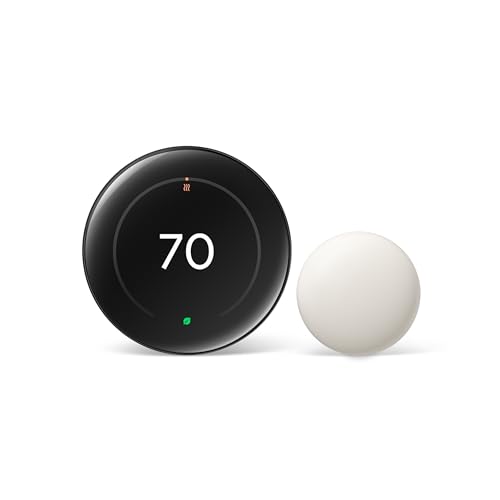
The fourth-generation Nest Learning Thermostat is the most considered piece of wall hardware in this guide, and the learning behaviour that made the original famous is still its centre of gravity. During the first week it watches every adjustment you make, notes the pattern underneath them, and builds a schedule that usually matches a household’s real life better than the schedule that household would have programmed from theory. Leave for work at an unusual hour and its occupancy sensing trims the setback in real time. Come home early on a Friday and it learns that too, eventually. For the large class of homeowners who want lower bills and stable comfort without ever thinking about heating as a hobby, this remains the benchmark.
The hardware has matured alongside the software. The current model is larger and brighter than its predecessors, with a borderless display that shows the temperature, weather, or a clock face as you approach, and the machined metal ring still turns with a precision that makes every rival’s interface feel like an apology. It supports Matter over Wi-Fi, works with Google Home and other major platforms, and pairs with Nest temperature sensors if your hallway reading does not reflect your bedroom. Its energy reports and seasonal suggestions are genuinely useful rather than decorative, particularly the gentle nudges that find a degree or two of setback you will never feel.
Strengths: genuine learning that removes scheduling effort; the best physical control in the class; Matter support future-proofs the platform choice; excellent occupancy-based setbacks; temperature sensors available for problem rooms; energy history that explains itself in plain language.
Trade-offs: it sits at a premium position in the range, and the sensors that multi-room homes need are sold separately. The learning logic frustrates households with irregular or shift-based routines, who may spend weeks correcting it. It also wants a C-wire or Google’s power connector for reliable operation, despite older marketing that suggested otherwise — budget the small extra effort at install.
Who it suits: households with regular routines, conventional furnace-and-AC or heat pump systems, and no appetite for programming. If your home has severe room-to-room temperature differences, compare it carefully against the ecobee below before deciding, and check price on Amazon.

2. ecobee Smart Thermostat Premium — the sensor-driven problem solver
Where Nest asks “what schedule does this household live by?”, ecobee asks a better question for many homes: “which room are we actually trying to keep comfortable?” The Smart Thermostat Premium ships with a SmartSensor in the box, and its whole control philosophy revolves around averaging or prioritising the rooms you choose, at the times you choose them. Put the sensor in the nursery overnight and the system heats to the nursery’s reality, not the hallway’s. Add sensors to the upstairs bedrooms and the classic two-storey summer problem — a freezing ground floor under a sweltering landing — shrinks from a daily grievance to a managed compromise.
The Premium also carries the strongest HVAC credentials in this guide. Its accessory terminals handle humidifiers, dehumidifiers, and ventilators that rival thermostats ignore. Its heat pump controls include the auxiliary heat lockouts and compressor protection settings that heat pump owners should insist on. The built-in air quality monitor watches for the volatile compounds and particulates that make a house feel stuffy, and the unit doubles as a smart speaker with Alexa built in, plus a hub for ecobee’s optional home security sensors. Software support has historically been long and generous, and Matter support on recent ecobee models softens the old platform lock-in concern.
Strengths: room sensor included and central to the design; best-in-class accessory and heat pump control; air quality monitoring built in; occupancy-aware sensor weighting; a Power Extender Kit in the box solves many no-C-wire installs without extra purchases; crisp, informative display and app.
Trade-offs: the feature depth that delights tinkerers can overwhelm anyone who wanted a simple dial replacement, and the initial setup asks more questions than Nest’s does. The built-in voice assistant will not appeal to households avoiding always-listening microphones, though it can be muted. Its schedule must be built by you — there is occupancy intelligence, but no true learning of your temperature habits.
Who it suits: multi-storey and multi-room homes with uneven temperatures, heat pump owners who need proper auxiliary heat discipline, and anyone whose system includes a humidifier or ventilator. For problem houses, this is the strongest pick in the guide, and you can check price on Amazon.

3. Honeywell Home X8S — premium sensors and scheduling, without the surprises
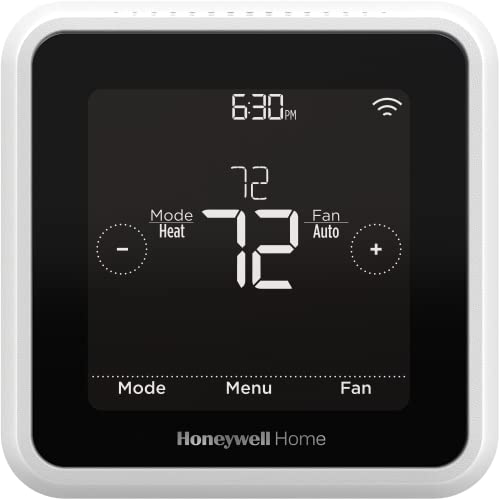
The X8S is what happens when a company that has made thermostats for a century builds its premium smart model to be sensible. It does not learn your habits behind your back, and it does not want to be your smart speaker. What it does is execute a schedule you design, average temperatures across the wireless room sensor included in the box, and integrate with Alexa, Google Assistant, and HomeKit without drama. The clean white finish disappears on most walls, and for a great many homes that restraint is not a compromise; it is the entire job description, done reliably by a brand your HVAC technician will not sigh at.
The included room sensor is the headline. Placed in the bedroom, the nursery, or the upstairs landing, it lets the X8S heat and cool to the room you actually occupy instead of the hallway where the thermostat happens to sit, and additional sensors can extend that picture to more rooms over time. Scheduling is equally grown-up: geofencing through the app, per-sensor priorities by time block, and a vacation mode that behaves the way you would expect. Compatibility is a Honeywell strong suit — the X8S covers the conventional and heat pump systems that make up most of the housing stock, and Resideo’s compatibility documentation is the most honest in the business about edge cases like millivolt systems it cannot run.
Strengths: room sensor included in the box and central to the design; clear, learnable interface for the whole household; wide platform support including HomeKit; dependable scheduling with geofencing; premium build and finish; backed by the deepest installer network in the industry.
Trade-offs: no learning behaviour, so the first week’s setup is on you. The design is functional rather than sculptural — a tidy white unit that disappears on the wall, which some will count as a strength. It requires a C-wire or an adapter for most installs, and its app, while capable, lacks the polish and insight of Google’s energy reporting.
Who it suits: families who want sensor-based comfort with predictable, self-authored schedules; mixed households where one person programmes and everyone else just wants the dial to make sense; HomeKit homes that ecobee’s extras do not tempt. A steady premium-midrange choice — check price on Amazon.

4. Amazon Smart Thermostat — the budget smart pick
Amazon’s thermostat, built with Resideo’s engineering underneath, answers a fair question: how much of the smart thermostat experience is essential, and what does the essential part cost? The answer it gives is a clean, minimal wall unit with app and Alexa control, scheduling, geofencing through Alexa routines and hunches, and compatibility with the conventional systems most homes run — positioned at the budget end of the smart category. For a first smart thermostat, or for secondary zones and rental properties you own, that restraint is exactly right.
The Alexa integration is the differentiator. If your home already runs on Echo speakers, the thermostat joins that household brain natively: voice changes are instant, Alexa can act on temperature hunches when the house empties, and Echo devices with temperature sensors can inform its picture of the home in a loose approximation of a sensor network. The trade is ecosystem gravity. Without Alexa in your life, this thermostat is a competent but plain programmable model competing against the more flexible Nest Thermostat below, and its advanced reporting and accessory support are thin compared with the ecobee and Honeywell picks above.
Strengths: the most accessible entry point into smart control; seamless for Alexa households; clean design and simple installation for standard systems; energy dashboards through the Alexa app; a sensible choice for landlords standardising across properties.
Trade-offs: it needs a C-wire or adapter kit, with no adapter in the box. There is no included room sensor and no learning behaviour. Heat pump support exists but the fine-grained auxiliary heat controls that cold-climate heat pump owners want are limited, and households outside the Alexa ecosystem get a noticeably thinner product.
Who it suits: Alexa-centred homes, first-time smart thermostat buyers, and anyone upgrading a simple system where the premium picks would be over-specified. It covers the fundamentals honestly at its tier — check price on Amazon.

5. Google Nest Thermostat — the simpler Google option
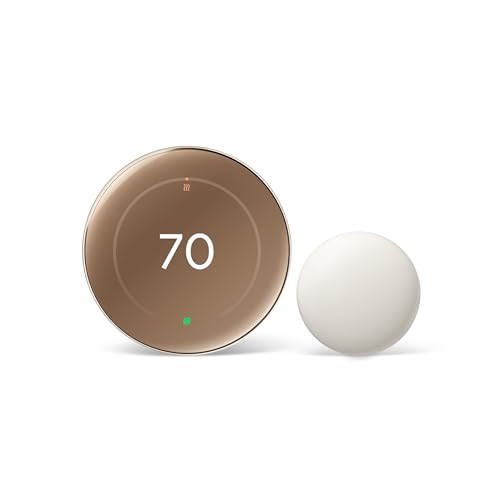
Not to be confused with the Learning Thermostat above it, the plain Nest Thermostat is Google’s programmable model: you set the schedule, it keeps it, and the mirrored display and swipe-and-tap side controls keep the hardware interaction minimal. It supports Matter over Wi-Fi, works with Nest temperature sensors, and brings Google Home’s energy reporting and Savings Finder suggestions to a mid-range position. Think of it as the pick for people who like Google’s ecosystem and industrial design but prefer to author their own schedule — or whose routines are too irregular for learning to model.
In daily use the distinction between the two Nest models is mostly about temperament. The Learning Thermostat fades into the background and manages you; the Nest Thermostat waits for instructions and manages the house. Its interface is the least intuitive of the six picks for guests, since the touch strip on the side is not self-explanatory, and it is fussier about power than its sibling — Google is explicit that some systems need the Nest Power Connector, and we would treat that connector as effectively required shopping for any install without a C-wire. Within those limits it is a tidy, modern thermostat that suits smaller homes with straightforward single-stage systems particularly well.
Strengths: Matter support and Google Home integration at a mid-range tier; temperature sensor support; clean mirrored design; useful energy-saving suggestions; quick, guided setup through the Google Home app.
Trade-offs: no learning behaviour; side touch controls confuse first-time users; limited support for complex multi-stage and accessory-heavy systems compared with ecobee and Honeywell; power connector frequently required in practice.
Who it suits: smaller homes and apartments with conventional systems, Google Home households, and buyers who want a modern smart thermostat without paying the learning flagship’s premium — check price on Amazon.

6. Honeywell Home T87K Round — the honest non-smart dial
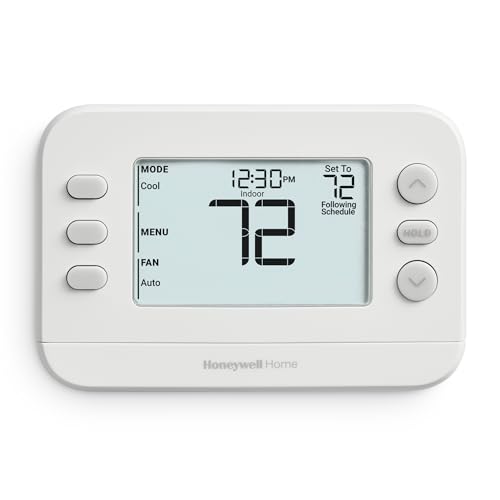
Let us be completely clear about what this pick is, because it breaks the pattern of the guide: the T87K is not a smart thermostat. It has no Wi-Fi, no app, no schedule, no screen, and no interest in learning anything. It is the modern descendant of the most famous thermostat design ever made — the round dial introduced in the 1950s — and it does one thing: you turn the ring to the temperature you want, and the heating or cooling holds it there. We include it deliberately, because a meaningful number of homes are best served by exactly that, and pretending otherwise would make this guide less honest.
There are real cases for the dial. A workshop, garage-adjacent studio, or rental where tenants rotate and nobody will maintain an app account. A household member for whom touchscreens are a barrier rather than a convenience. A second zone that simply needs to not freeze. The T87K installs on basic low-voltage systems in minutes, asks for nothing — no account, no firmware, no network — and will very likely outlast every smart device in this article. What it cannot do is save money through scheduling, and on a primary home system that absence costs real energy over a winter; the setback you never programme is money left on the table every single night.
Strengths: absolute simplicity that any person can operate instantly; no network, account, or software to maintain; iconic design that suits period homes; trivial installation on compatible low-voltage systems; durability measured in decades.
Trade-offs: no programming means no automatic setbacks, so it is the wrong primary thermostat for energy-conscious households. No remote control, no sensors, no reporting, and compatibility is limited to straightforward systems — it is not a heat pump sophisticate.
Who it suits: secondary zones, rentals, workshops, and anyone who has considered a smart thermostat and honestly concluded they want a dial. For a main home, buy one of the five models above and let this be your reminder that simple is a feature — check price on Amazon.
Before you buy: a five-minute compatibility audit
Everything in this section happens before money changes hands, and it prevents nearly every thermostat return. First, switch your system off at the breaker or the furnace switch — thermostat wires are low voltage, but the furnace control board shares a cabinet with line voltage, and caution costs nothing. Pull the thermostat off its wall plate; most lift up or unsnap. Photograph the wires and their terminal letters exactly as they are. You are looking for the wire count, the terminal labels (R, W, Y, G, C, O/B are the common alphabet), and whether any wire is tucked unused into the wall.
Second, identify your system honestly. A furnace plus air conditioner is conventional. A heat pump — an outdoor unit that runs in winter — means you need heat pump support and should care about auxiliary heat settings. Electric baseboards mean none of the smart picks apply. A boiler with radiators and only two wires means you are in adapter territory. Third, check for the C-wire: a wire landed on a C terminal, or a spare conductor in the cable, settles the question in your favour; anything else means ordering the manufacturer’s power adapter alongside the thermostat, not after a failed Saturday install.
Fourth, run the manufacturer’s online compatibility checker with your wire letters and equipment type. Google, ecobee, and Resideo all maintain them, and they are conservative in the right direction. Finally, if your photograph shows anything unusual — jumper wires you cannot explain, more than one transformer, a communicating proprietary system from brands like Carrier Infinity or Lennox iComfort — stop and involve an installer, because proprietary communicating systems often cannot accept a standard smart thermostat at all, and discovering that after purchase helps no one.
Installation realities nobody mentions in the ads
Most smart thermostat installs genuinely take under an hour, but the hour goes better with foreknowledge. The wall plate screws into holes that rarely match the old thermostat’s, so expect to patch or use the trim plate included in the box — every pick here includes one, and using it is not an admission of defeat. Label the wires with the stickers provided before disconnecting anything, because wire colours in real houses are a folk tradition rather than a standard; the letter on the terminal is the truth, the insulation colour is a rumour. At the furnace end, if you are landing a spare wire on the C terminal or fitting a power adapter, the control board lives behind a panel near the blower, its terminals are labelled with the same alphabet, and the furnace door usually has a safety switch that cuts power when open — which is why the system appears dead until the door is refitted, a moment that has panicked many first-time installers.
Verify the install before you celebrate it. A cheap standalone thermometer placed beside the new thermostat for a day will tell you whether its sensor reads true; a degree of offset is adjustable in the settings of most smart models, and knowing about it beats wondering why the house feels wrong at a displayed 72. Run one full heating call and one full cooling call while you are home to hear them, confirm the outdoor unit and blower start and stop together, and check that the thermostat’s equipment history records the cycles sensibly. This twenty minutes of scepticism catches the mislanded wire and the misunderstood setting while the ladder is still out.
After the hardware, give the software a fair settling period. A learning thermostat needs a week or two of normal life before its schedule means anything, so judge it in week three, not day two. Sensor-based systems need a day of readings before their averages make sense, and the sensors themselves should sit at breathing height on an interior wall, away from sunlight, lamps, televisions, and supply vents — a sensor on top of a bookshelf next to a warm router will lie to your heating system with total confidence. Check your auxiliary heat behaviour on the first genuinely cold night if you run a heat pump: the thermostat’s history screen should show auxiliary heat as a rare guest, not a resident.
Getting the savings you were promised
A smart thermostat’s hardware saves nothing by itself; the savings live in setbacks, and setbacks live or die on whether the household tolerates them. The widely cited guidance from energy agencies suggests that turning the thermostat back seven to ten degrees for eight hours a day — while you sleep or while the house is empty — trims heating and cooling costs by around a tenth, and every pick above the dial in this guide can execute that automatically. The craft is in choosing setbacks your household will not override. A night setback that wakes someone cold at 5 a.m. will be defeated within a week, and a defeated setback saves exactly nothing, so start modestly — three or four degrees — and deepen it once nobody has complained for a fortnight.
Heat pump households need one extra piece of discipline: avoid large manual temperature jumps. When you raise the setpoint sharply on a cold morning, many systems interpret the gap as a call for auxiliary heat and fire the expensive backup strips. Programmable recovery features in the ecobee and Honeywell picks ramp the temperature gradually using the pump alone, which is slower and dramatically cheaper. This single behaviour difference is worth more across a winter than any headline efficiency claim, and it is the strongest technical argument for heat pump owners to buy from the top half of this guide rather than the bottom.
Zoned systems and homes with more than one thermostat
A meaningful minority of homes — larger houses, homes with additions, and most houses with separate upstairs and downstairs systems — run two or more thermostats, and they deserve a different buying conversation. If your zones are independent systems, simply buy the same thermostat model for each. A matched set means one app, one set of habits for the household, sensors that can be reassigned as needs change, and no zone controlled by a forgotten interface nobody understands. Mixing a learning thermostat on one floor with a programmable on another is a reliable recipe for one of them being permanently overridden.
True zoned systems, where one furnace or heat pump feeds several zones through motorised dampers, need more care. The zone panel between the thermostats and the equipment has its own compatibility requirements, and some smart thermostats expect to talk to equipment directly in ways a zone panel mediates. Resideo’s and ecobee’s documentation both address zoned installs explicitly, and this is the one scenario where we recommend an installer conversation before purchase regardless of your DIY confidence — not because the wiring is dangerous, but because a mismatched zone panel can produce behaviour, like one zone’s call for heat triggering another’s cooling, that is miserable to debug from first principles.
Second homes and part-time residences form their own special case. The priorities invert: remote visibility matters more than learning, freeze alerts matter more than schedules, and a thermostat that reports a furnace failure to your phone in another state is worth more than any interface elegance. Every smart pick in this guide reports and alerts adequately, but choose the platform whose app you will actually check, and set the low-temperature alert the day you install it, not after the first cold snap.
Matching the pick to the household
Advice compresses better by household than by feature, so here is the guide’s reasoning applied to the homes we hear about most. The young family in a two-storey colonial, cold nursery and roasting master bedroom, should buy the ecobee Premium and put its included sensor in the nursery on day one; nothing else in the guide attacks their actual problem as directly. The retired couple in a single-storey ranch with a heat pump, comfortable with a smartphone but not with tinkering, should buy the Nest Learning Thermostat and let it learn, gaining the gentle recovery behaviour that keeps auxiliary heat honest without anyone studying settings. The landlord standardising six similar rentals should buy the Amazon Smart Thermostat for its price position and single-app management, while keeping one T87K in the truck for the tenant who will defeat anything smarter.
The shift-working nurse, home at hours no algorithm predicts, should buy the Honeywell X8S, programme three honest schedules for her rotations, and ignore every learning claim in the category. The gadget-comfortable owner of a small, well-insulated condo with a simple system should buy the standard Nest Thermostat, enjoy the design, and spend the savings against the flagship on almost anything else. And the owner of the rambling farmhouse with a boiler, two zones, and a humidifier should slow down entirely: ecobee hardware, an installer’s hour for the zone and accessory wiring, and sensors in the rooms that have been cold since 1998. None of these households is buying wrong when they buy differently — they are buying for different houses, which is the entire point.
Utility rebates and demand-response programs
One of the least advertised facts in this category is that your utility may pay for part of your thermostat. Many electric and gas utilities offer rebates on qualifying smart thermostats — sometimes instant at a utility-run online marketplace, sometimes as a bill credit after proof of installation — because every setback you automate is capacity the grid does not have to build. The amounts vary by region and change by season, so the practical move is to check your utility’s rebate page before choosing between two otherwise equal picks; eligibility lists tend to cover the major platforms in this guide, and a rebate can quietly move a flagship into a mid-range household’s reach.
Utilities also run demand-response programs, which pay households — usually in bill credits or seasonal incentives — for allowing small, temporary thermostat adjustments during peak grid events: a degree or two warmer for an hour on the hottest afternoon of the year. The smart picks here can enrol in such programs through their platforms, and participation is genuinely voluntary in the ways that matter: events are limited, notice is given, and you can override any adjustment at the wall, accepting that overrides may affect the incentive. For most households the lived experience is a handful of barely noticeable afternoons per summer. Households with medical needs, home workers in heat-sensitive situations, or anyone who simply dislikes the arrangement should skip enrolment without guilt — the rebate and the program are separate decisions.
A note on placement: the best thermostat in the wrong spot
If you are replacing a thermostat in its existing location, spare a thought for whether that location deserved the job. Thermostats belong on interior walls, roughly five feet from the floor, away from direct sunlight, supply vents, kitchens, lamps, and exterior doors — because every one of those influences teaches the thermostat a fiction about your home. A thermostat baked by afternoon sun will overcool the whole house chasing its own sunbeam. One above a supply vent will satisfy itself in minutes and leave the bedrooms unconditioned. Relocating a thermostat means moving low-voltage wire, which is sometimes a ten-minute job through an accessible wall cavity and sometimes a project for an installer — but if your current thermostat’s behaviour has never made sense, its location is a likelier culprit than its brand, and room sensors, discussed above, are the pragmatic alternative when the wire cannot move.
Ownership over ten years: privacy, support, and failure
A thermostat is infrastructure, and infrastructure should be judged on its boring years. Three ownership questions deserve a minute before purchase. The first is privacy: learning thermostats and sensor systems necessarily know when your home is occupied, and voice-enabled models like the ecobee Premium contain microphones. Every pick here lets you mute microphones and limit data sharing to a degree, but households with strong feelings should read the current privacy policy of the platform they are joining, because they are joining one — that is the honest framing of any smart thermostat purchase.
The second is software longevity. A thermostat’s hardware will happily work for fifteen years; its app support is the real lifespan. Google, ecobee, and Resideo have all supported their thermostat platforms for many years, but the industry also has a history of orphaned products when services shut down. Matter support partially insures against this — a Matter thermostat whose maker’s cloud vanished tomorrow would still be controllable locally through another platform — which is one more reason it earns its tiebreaker status in this guide. The third question is failure behaviour, and here the news is good: if a smart thermostat dies, it dies as a thermostat, not as a catastrophe. The system simply stops calling for heat or cooling until the unit is replaced or the wires are bridged by someone who knows how, and keeping your old thermostat in a drawer, labelled, is a zero-cost insurance policy we recommend to everyone.
Frequently asked questions
Do I really need a C-wire for a smart thermostat?
In practice, yes for most models and most homes. Some thermostats will run without one by sipping power from your heating circuit, and some include adapter kits that synthesise a C-wire from existing conductors, but a true C-wire at the wall is the only arrangement that is boringly reliable across every season. Check for a spare wire in your cable first — it is there surprisingly often — and otherwise order the manufacturer’s power adapter with the thermostat rather than discovering the problem mid-install.
Will a smart thermostat work with my heat pump?
The ecobee Premium, Honeywell X8S, and Nest Learning Thermostat all support heat pumps, including auxiliary heat management. What separates them is how carefully they control the backup heat: look for adjustable auxiliary heat lockout temperatures and gradual recovery, which prevent the expensive backup strips from running when the pump could have coped. If your system is dual-fuel or unusually configured, confirm it in the manufacturer’s compatibility checker before ordering, and skip the budget picks, whose heat pump controls are comparatively basic.
Learning or programmable — which saves more?
Neither, inherently. Savings come from setbacks actually happening, and the two styles fail differently: learning models fail when a household’s routine is too irregular to learn, and programmable models fail when nobody ever programmes them. Households with steady routines and no interest in settings should buy the learner; households with shift work, frequent guests, or a member who enjoys control should buy the programmable and spend fifteen minutes on the schedule. The honest answer is to choose against your household’s actual failure mode.
Can one thermostat fix hot and cold rooms?
It can reduce the problem, not abolish it. A thermostat with room sensors — the ecobee Premium or Honeywell X8S — heats and cools to the rooms you prioritise, which genuinely fixes the common case of a badly placed hallway thermostat. But if a room is cold because its duct is undersized, its insulation is thin, or its door stays shut against the return air path, no thermostat can manufacture heat that never arrives. Sensors first, then look at balancing dampers, door undercuts, and insulation if the gap persists.
What is Matter, and should it change my choice?
Matter is the smart home standard that lets a thermostat work across Google Home, Alexa, Apple Home, and SmartThings without platform lock-in, with local control that survives internet outages. Both current Nest models support it and recent ecobee models have added it. Treat Matter as a tiebreaker between otherwise equal picks — valuable insurance on a device you will own for a decade — rather than a reason to pay significantly more or to replace a thermostat that already works.
best cameras for hunting and fishing videos com
The bottom line
For most homes the decision resolves into a short sequence: confirm your wiring and system type, decide whether your household will programme a schedule or needs one learned, and then choose sensors if your rooms disagree with your hallway. The Nest Learning Thermostat is the easiest ownership experience in the category, the ecobee Premium is the most capable tool for difficult houses, and the Honeywell X8S splits the difference with uncommon good sense — while the Amazon and standard Nest models serve smaller, simpler homes well, and the T87K stands ready for everyone who wants none of this. Whatever you choose, the thermostat that gets installed this weekend, on a proper C-wire, with setbacks your household actually keeps, will outperform the perfect model still sitting in a comparison tab — so pick the one that fits your wires and your temperament, and let your house start quietly costing less to keep comfortable.