Disclosure: As an Amazon Associate, reviewstook.com earns from qualifying purchases. Links to Amazon on this page are affiliate links; they cost you nothing extra. Listing details such as price and availability change often, so check the current Amazon listing before you buy.
Carpet is where robot vacuums show their differences. A flat floor asks very little of a machine, but a plush rug hides dirt in the fibres, resists the wheels and can swallow a weak brush whole. If most of your home is carpeted, you need a robot built for it, not a model that simply claims to handle carpet in the small print.
This guide covers the best robot vacuums for carpet available now from iRobot, Dyson, Dreame, Samsung and Roborock. We focus on what actually matters on soft floors: brush design, how a robot copes with pile height and thresholds, what happens to mop hardware on a rug, and how much upkeep you take on. You will also find notes on how to prepare a room so a robot has the best chance of doing a good job.
Quick Comparison
| Product | Best for | Main point | Link |
|---|---|---|---|
| iRobot Roomba s9+ 9550 | Wall-to-wall carpet | D-shaped body with a corner brush and bagged dock | Check on Amazon |
| Dyson 360 Vis Nav | Thick rugs and large rooms | Wide brush bar and camera navigation | Check on Amazon |
| Dreame X40 Ultra | Carpet mixed with hard floor | Mop lifting and a full wash-and-dry dock | Check on Amazon |
| Samsung Bespoke Jet Bot AI+ VR50T95735W | Smart homes with many objects on the floor | Object recognition and a clean station | Check on Amazon |
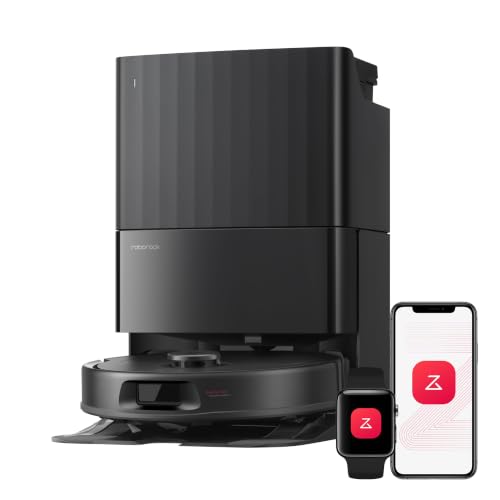
| Roborock Q Revo | Rugs on a mostly hard-floor plan | Mop adjusts when it meets carpet | Check on Amazon |
In this guide
How These Options Were Chosen
These recommendations come from manufacturer listings and published specifications, not from our own use. We have not used these products ourselves, so we do not describe how deep a given machine cleans a particular rug. What we did was look for features that matter on soft floors: a strong main brush, a design that does not leave mop pads dragging over fibres, a dock that cuts the emptying chore and a record of app and parts support.
The Best Robot Vacuums for Carpet You Can Buy Now
iRobot Roomba s9+ 9550
The Roomba s9+ is the carpet-minded model in the iRobot range. Its body is D-shaped, with a flat front that is meant to get into corners, and it has a corner brush to sweep dust toward the main brushes. The Clean Base handles emptying into a sealed bag.
For a house with wall-to-wall carpet in the bedrooms and living room, this is a sound all-round choice. The iRobot app supports schedules, room selection and keep-out zones, and it works with common voice assistants.
The trade-off is the dock and its ongoing bag supply, plus a premium position in the range. It has no mopping, so skip it if you want a combined vacuum and mop for a mixed home.
Dyson 360 Vis Nav
Dyson approached the robot the way it approaches upright vacuums: a brush bar that spans nearly the whole width of the machine. That wide head is intended to cope with carpet and with fine dust at the edges of the machine, and it is paired with camera and sensor navigation.
It is a natural fit for homes with thick rugs, where a wider cleaning path means fewer passes. Control is through the MyDyson app, with room-by-room options.
The cautions are that it is a large, premium robot and does not have a self-emptying station in the way the others here do, so you will empty the bin yourself. Check the listing for its height to be sure it clears your furniture. Skip it if you want mopping or a hands-off dock.
Dreame X40 Ultra
The X40 Ultra is aimed at homes that mix carpet and hard floor. Its mop pads lift away from carpet, and the maker lists features for climbing thresholds and edges. At the dock, it empties the bin, washes the pads and dries them.
That combination is useful if your carpet rooms connect to a tile kitchen, because the robot can cross the boundary in one run without dragging a wet pad over the fibres. The app handles maps, zones and room order.
It is a large, advanced machine, and the dock needs a good spot. Skip it if your home is entirely carpeted, as you would be paying for mopping you will not use.
Samsung Bespoke Jet Bot AI+ VR50T95735W
Samsung’s Jet Bot AI+ relies on object recognition to avoid things on the floor, which matters on carpet because cables, toys and socks are easy to miss and easy to tangle in a brush. It pairs with a Clean Station that empties the bin.
It suits a family home with kids or pets where the floor changes through the day, and it fits neatly into the SmartThings ecosystem if you already use Samsung devices.
The trade-off is tying yourself to one ecosystem for the best experience. Skip it if you do not use Samsung apps, or if you want a mopping system, as this model is focused on vacuuming.
Roborock Q Revo
The Q Revo is a vacuum-and-mop robot with a dock that empties, washes and dries. For carpet, the point to note is that the mop adjusts when the robot meets a rug, so the pads do not drag over it.
It makes sense in a home with a few rugs on hard floor rather than wall-to-wall carpet. The app supports mapping, no-go zones and carpet-specific settings.
If your home is mostly thick carpet, a robot with a stronger carpet focus is a better match. Skip this one if mopping is of no interest to you.
Best for Wall-to-Wall Carpet
The Roomba s9+ is the safest pick for a house where nearly every room is carpeted. Its design, corner brush and sealed bag all point at soft floors, with no mop hardware in the way.
Best for Thick Rugs
The Dyson 360 Vis Nav, with its wide brush bar, is the model to consider for deep rugs in large rooms. Just plan to empty the bin yourself.
Best for Carpet Next to Tile
The Dreame X40 Ultra handles both. Its mop lifting and threshold-climbing features are meant for homes where carpet meets hard floor in the same corridor.
Best for Cluttered Family Floors
The Samsung Jet Bot AI+ and its object recognition lower the risk of a cable or toy being pulled into the brush. Even so, tidy up the obvious items first.
How to Choose a Robot Vacuum for Carpet
Begin with how much of your home is carpeted. If it is nearly all of it, pick a vacuum-focused robot with a strong brush and skip the mop. If carpet is only part of it, a vacuum-and-mop station that lifts its pads is a reasonable compromise.
Pile height and high-pile rugs
Low and medium pile are within reach of most robots. High-pile and shag are harder, because the fibres can wrap around brushes and slow the wheels. Check the maker’s guidance on maximum pile height, and test a new robot on a small area first. Long rug fringes should be tucked away before each run.
Thresholds and rug edges
A robot has to climb from hard floor onto a rug, and a tall edge can stop it. Look for the climb height the maker lists, and add a low ramp or a rug grip where needed. Thin rugs that curl at the edges are a common cause of stuck robots.
Brush design and cleaning
On carpet, a robot should have a brush that can agitate the fibres, and it should be easy to remove for cleaning. Hair wraps on carpet are more common, so look for a design that makes snipping easy.
Bin or dock
Carpet traps more dirt, so bins fill sooner. A self-emptying dock helps, though it adds supplies. Plan for the cost of bags and filters.
Suction claims and what they mean on carpet
Makers quote suction in different units, so one number rarely compares cleanly with another. On carpet, the combination of brush agitation, wheel traction and a good seal between the brush chamber and the floor tends to matter more. Read the feature description of the brush and the carpet modes, and treat large headline figures with caution.
Preparing a room for a carpet run
Give the robot a fair chance. Pick up cables, shoes and toys, flip up the fringes of any rugs and close doors to rooms you do not want cleaned. If you have a pet that sheds, a quick pass with the robot every day keeps the load light, and it keeps hair from packing deep into the pile where a robot cannot reach.
Battery and runtime on large carpeted areas
Carpet makes the motor work harder than a smooth floor does, so a robot may need to return to charge before it finishes a large home. Models with a mapping feature can resume where they left off, which is worth looking for if you have a big open plan. Follow the maker’s battery instructions and avoid leaving the robot unused in a deeply discharged state for long periods.
Common mistakes are expecting a robot to deep clean the way a full-size vacuum does, leaving cords on the floor and forgetting to empty the bin before long runs.
Installation, Safety and Legal Notes
Follow the maker’s instructions for dock placement and charging. Keep the dock away from stairs and on a stable surface, and let the robot learn the layout with a first supervised run. Use only approved batteries and chargers, and never open a battery pack. If the dock needs new wiring or an outlet, hire a licensed electrician.
Robots with cameras and object recognition store images or maps in an app, so review the privacy settings and check the rules in your area if you live in a shared building.
Care and Troubleshooting
| Problem | Likely cause | What to do |
|---|---|---|
| Robot stalls on a rug | Tall edge or loose fringe | Tuck the fringe, add a grip or block the rug |
| Weak pickup on carpet | Hair wrapped on the brush or full filter | Cut the hair away and clean the filter |
| Mop pad wet on carpet | Carpet mode off | Turn on carpet detection in the app |
Check the brush weekly, the filter monthly and the wheels whenever the robot sounds different.
Navigation and Mapping in Carpeted Homes
A robot that cleans carpet well but wanders aimlessly will still leave dirty patches. How it finds its way around matters, and the sensing methods on the models in this guide fall into a few families. Laser-based systems spin a small turret to measure distance to walls and furniture, and they work in dim rooms. Camera-based systems recognize the room visually, which can help with identifying objects but may perform less well in the dark. Many current models combine sensors, including bump detection, cliff sensors and optical wheel tracking, so one weak sense is backed up by another.
On carpet specifically, wheel slip is a hidden issue. Thick pile can let wheels sink or slip, so the robot’s estimate of how far it has traveled drifts from reality. A robot with outward-facing sensors can correct for that by re-checking landmarks, while one relying only on wheel counting may miss strips along the walls. If a maker describes how the robot tracks position, notice whether it uses more than wheel data.
Maps are useful for more than looking pretty in an app. They let you set up zones and rules that suit a carpeted home:
- Room-by-room cleaning, so you can send the robot to the living room carpet only.
- No-go areas around fringed rugs, pet bowls or a tangle of charging cables.
- Different suction levels per room, such as a stronger setting for carpet and a quieter one for hard floors.
- Scheduled runs for when you are out, with carpet rooms cleaned first while the bin is empty.
Carpet detection is the most relevant feature of all. The robot senses the change in surface and raises suction, spins the brush differently or lifts any mop pad. On a hybrid model such as the Dreame X40 Ultra or Roborock Q Revo, turn this on and confirm in the app how the mop behaves when it meets a rug. Do not assume the feature is active by default.
Cords, Fringe, Socks and Other Obstacles
Carpeted homes tend to be soft furnished homes, which means more things that can snag a robot. Rug fringe, charging cables, curtains that pool on the floor, socks and pet toys are the usual culprits. A robot caught on a cord stops, and in the worst case it drags the cable or pulls a lamp off a table.
Models with obstacle recognition, a feature the Samsung Jet Bot AI+ is aimed at, try to see and steer around small objects rather than bump into them. This works well for large items, but cables and pet waste can still be hard to detect, so do not rely on it entirely. Read what the maker says about the types of objects it is meant to detect, and what happens when the robot cannot decide.
A few habits go a long way:
- Tuck rug fringe under the rug edge or use a no-go line to keep the robot away from it.
- Bundle cables in a cable tray or lift them off the floor before a run.
- Use rug tape or a non-slip underlay on small rugs so they do not slide or curl up.
- Close doors to rooms with lots of clutter and add them to a restricted list.
Noise, Scheduling and Living With the Robot
Carpet changes the sound of robot cleaning. Soft surfaces absorb some noise from wheels and brushes, but a high suction mode can still be loud, and the motor works harder on carpet. If you work from home or have a sleeping baby, check whether the model offers a quiet mode or a scheduler with do-not-disturb hours. Maker noise figures are measured under specific conditions, so use them to compare models of the same brand rather than as promises of silence.
Self-emptying docks add their own noise. The dock pulls dust from the robot’s bin in a short loud burst, which some users find startling. A scheduled run when no one is home avoids this. Also leave space around the dock for the robot to enter and exit, and keep the dock on a hard surface or a mat if possible so the robot sees a clear path.
Connected features raise privacy questions that are worth a few minutes. Many robots use an app and cloud service to store maps and receive updates. Cameras on some models can capture images of your home. Read the privacy statement, see whether there is a local-only mode, and consider turning off any camera features you do not need. Keep the firmware updated, since updates often add navigation improvements and security fixes.
A Maintenance Routine That Keeps Carpet Performance Up
Carpet is hard on a robot’s consumables, so a regular routine keeps it working as designed. Hair, fibers and dust build up faster than on hard floors, and performance drops quietly as they accumulate.
- After every few runs: remove the main brush and cut away wrapped hair and thread with scissors or the supplied tool.
- Weekly: empty the bin if you have no self-emptying dock, and tap or rinse the filter as the manual allows.
- Every couple of weeks: wipe the cliff sensors, charging contacts and camera or laser window with a dry soft cloth.
- Monthly: check wheels for hair on the axles, and spin the side brush to confirm it moves freely.
- As needed: replace brushes, filters and dock bags on the schedule the maker suggests.
If the robot begins missing spots, stops at the same place or reports an error, the first checks are the sensors, wheels and brush. Most of these problems clear with a clean. Keep the manual or the app help section for error codes, and note the warranty terms in case a motor or battery fails.
Why Carpet Is the Hardest Test a Robot Vacuum Faces
Hard floors ask a robot to collect what lies on a surface. Carpet asks it to extract what has sunk into a forest of fibres, while climbing that forest on small wheels, spending battery far faster, and coping with pile that changes height from room to room. That is the arena for the five machines in this guide — the iRobot Roomba s9+, the Dyson 360 Vis Nav, the Dreame X40 Ultra, the Samsung Bespoke Jet Bot AI+ and the Roborock Q Revo — and it explains why carpet performance separates robots more sharply than any other measure. Suction figures alone do not settle it. What matters is the combination of airflow, brush design and behaviour: whether the brush agitates the pile or skates over it, whether the robot recognises carpet and raises its effort there, and whether it can sustain that effort across a whole carpeted floor rather than fading as the battery falls.
Pile height redraws the map of a home for a robot. Low, dense pile and fitted carpet with a firm backing are the friendly case: the robot rides stably, the brush engages, and pickup is strong. Medium pile asks more of the wheels and the brush motor, and begins to sort robots by design intent. Deep, soft, high-pile carpet and plush rugs remain the frontier — some robots climb and clean them slowly, others treat them as obstacles, and a shaggy statement rug can defeat almost anything with wheels. Honest matching matters: measure your deepest pile, compare it with each maker’s guidance, and weight the reviews in this guide toward the machines whose strengths align with the carpet you actually own.
Brush design and the hair question
On carpet, the brush is where cleaning happens, and the five picks take different approaches. Rubber extractors and dual-brush arrangements resist hair wrap and keep working between maintenance sessions, which is why they feature in homes with pets and long hair. Traditional bristle-and-blade brushes can agitate certain piles beautifully but collect a wound collar of hair that throttles them until it is cut away. Neither approach is wrong; they simply set different maintenance rhythms. What is universal is the schedule: on carpet, in a home with shedding — human or animal — the brush, its end caps and the front caster collect debris faster than the same robot would on hard floors, and a monthly few minutes with the robot upside down is the price of the performance described everywhere else in this guide.
How the Five Picks Divide the Carpet Brief
The Roomba s9+ was built as iRobot’s carpet flagship, with a wide cleaning path, strong extraction and a self-emptying base that suits homes where carpet is the main floor and the bin fills with pile debris and hair at a pace that would make manual emptying a daily chore. It is the traditionalist’s answer: maximum carpet intent in a proven shape. The Dyson 360 Vis Nav takes a different route to the same problem, bringing the company’s suction-first engineering and full-width brush bar to bear, in a machine whose whole design argues that carpet cleaning is a power problem first and a navigation problem second.
The Dreame X40 Ultra represents the modern flagship synthesis: powerful carpet vacuuming with the full self-maintaining dock ecosystem, mop hardware that keeps out of carpet’s way, and the obstacle intelligence to survive a family floor. The Samsung Bespoke Jet Bot AI+ leans into recognition and mapping, aiming to be the robot that understands a cluttered, carpeted home best and plans accordingly, with a clean station handling the debris it gathers. The Roborock Q Revo brings the same flagship ideas to a friendlier position in the range, with a spinning-mop dock system and strong all-round performance that makes it the value-conscious way into serious carpet-plus-hard-floor automation.
Mixed homes: carpet here, hard floor there
Few homes are carpet end to end, and the transitions define daily satisfaction. Watch how each machine handles the border: mop pads that lift clear of pile, carpet detection that raises suction on entry and relaxes it on exit, and maps that let you set different behaviour per room. In a home that is carpet upstairs and hard floor downstairs, remember the robot lives on one floor unless someone carries it; many households solve this with scheduled sessions per floor and a human elevator service twice a week, or eventually with a second, simpler robot for the lesser floor. Thresholds between carpeted rooms and tiled bathrooms are the usual sticking points, so check the saddles in your own doorways against the climbing ability described for each pick.
Habits That Keep a Carpet Robot Performing
Carpet hides debris from the robot as well as from you, so preparation pays double. Keep cords, tassels and rug fringe out of the cleaning path — fringe is the classic robot trap, and tucking it under the rug or setting a keep-out zone ends the feud permanently. Shake small rugs outdoors occasionally even when the robot tends them, because a robot maintains a rug’s surface better than it deep-cleans its base. Let the robot finish full sessions rather than interrupting it mid-map, and keep its sensors and charging contacts wiped clean, since carpet dust is fine, static-prone and fond of coating exactly the surfaces the robot navigates by.
Set expectations by depth of clean. A robot on carpet is a maintenance cleaner of real ability: run several times a week, it keeps pile lifted, surface debris gone and the interval between deep cleans with a full-size vacuum stretching comfortably. It does not replace that deep clean forever, especially on thick pile or in homes with heavy shedding. Choose the s9+ or the Dyson for maximum carpet extraction intent, the Dreame or Samsung for intelligence layered over power, and the Roborock Q Revo for the balanced flagship at a gentler commitment — and whichever takes up residence, let frequency do the heavy lifting, because on carpet, a good robot run often beats a great robot run rarely.
Testing a Carpet Robot Honestly in Your Own Home
Specifications cannot tell you how a robot will treat your carpet, but a structured first fortnight can. Begin with the map: run the mapping pass with doors open and the floors in their normal state, then check the map against reality, naming rooms and marking the known hazards — fringe, cable nests, the low-clearance sofa the robot will optimistically attempt. In the first week, run the robot on your most representative carpet at a time when you can observe one full session without hovering. Watch the transitions: how it mounts the rug from the hard floor, whether it raises its effort audibly on pile, whether it covers in orderly lines or wanders, and how it behaves at the room’s edges where carpet meets skirting and debris concentrates.
Keep a simple scorecard for the fortnight, because memory flatters and forgets in equal measure. Note the sessions completed without rescue, the spots that needed a second pass, the state of the brush at week’s end, and how often the bin or base needed attention. In a pet home, note the hair story specifically: what the robot gathers daily, what remains for the weekly full-size vacuum, and whether that division feels like the partnership promised. Every machine in this guide should settle into a rhythm inside two weeks; a robot still needing daily rescue at day fourteen is telling you something about the match between its design and your floors, and it is better heard early.
Rugs: the special case inside the carpet case
Rugs deserve their own policy, because they concentrate every carpet difficulty into one rectangle: pile changes, edges to climb, fringe to trap, and a tendency to travel across the floor under a determined robot. Secure the corners if a light rug creeps, tuck or zone-out the fringe, and consider a thin non-slip underlay, which improves both the rug’s behaviour and the robot’s cleaning by holding the surface still under the brush. Very plush or shaggy rugs should be tested under supervision first, and some households simply lift the statement rug for robot days or assign it permanently to the full-size vacuum. That is not defeat; it is the correct division of labour, and the robot’s daily command of the fitted carpet around it is unaffected.
Colour and pattern play a quieter role. Very dark rugs can trouble the cliff sensors of some robots, which read darkness as a drop, and high-contrast patterns occasionally confuse navigation. The fixes are the usual mundane ones: adjust the lighting for scheduled runs, clean the sensors, use the app’s settings for the problem area where offered. If a beloved rug and a chosen robot genuinely cannot agree, believe the evidence of your own fortnight rather than any review, including this one.
Noise, Schedules and Living Alongside the Machine
Carpet work is a robot’s loudest work, because the brush is engaged and the suction rises, and the household’s schedule should be built with that honesty. Run carpet sessions when the house is empty, or in the rooms nobody is trying to hold a conversation in, and let quieter hard-floor work fill the occupied hours in mixed homes. Night running suits some households and not others; a robot on carpet below a bedroom is a presence, whatever the brochures imply, and most families settle on daytime, out-of-the-house sessions as the backbone of the week.
Frequency remains the master variable. Carpet releases its debris slowly, and a robot that runs four or five times a week keeps the pile in a state that a twice-weekly deep effort cannot match, because each session removes what has surfaced since the last. Set the schedule generously, let the self-emptying bases in this list absorb the increased debris volume, and reserve your own vacuuming for the monthly deep pass and the stairs. That division — robot for frequency, full-size machine for depth, human for stairs and judgement — is the mature form of carpet care in a robot household, and all five picks here are built to hold up their third of it.
When the answer is not a robot
The honest boundary of the category deserves a paragraph. A home dominated by deep, soft, high-pile carpet throughout, with thresholds and level changes between every room, asks more of wheeled robots than the current generation reliably gives, and a superb conventional vacuum may serve it better for now. A home where the carpet is being replaced by hard floors within the year should buy for the future floor, not the present one. And a household that simply enjoys vacuuming — they exist, and carpet is often why — needs no automation argument at all. For the great middle of carpeted homes, though, where the floors are low to medium pile, the rooms are connected and the shedding is real, the five machines in this guide offer a genuine change in who does the work, and the fortnight test will show you exactly how genuine, in your own rooms, on your own pile.
The Carpet Robot as Part of a Whole Cleaning System
No robot in this guide lives alone, and the households happiest with theirs have usually arranged the full system around it, whether deliberately or by drift. The robot owns frequency: the several-times-a-week passes that keep pile lifted and surface debris from ever becoming a visible layer. The full-size vacuum owns depth: the monthly slow clean, the stairs, the upholstery, the edges a robot’s shape cannot reach. The human owns judgement: the rug that gets lifted, the spill that gets blotted before the robot spreads it, the brush check that takes three minutes and buys a month of performance. Each third of that system is light work. It is only when one part is asked to do another’s job — the robot expected to deep-clean, the human still vacuuming daily out of habit and distrust — that the arrangement sours.
Seen that way, the five picks here are not competing to be your only vacuum. They are competing to be the tireless third of a system that leaves carpet cleaner, more of the time, for less of your life than any arrangement without them. Choose the one whose strengths face your pile, your pets and your floor plan, set its schedule generously, keep its brush honest, and let the system settle. The carpet will tell you it worked, every day, underfoot.
Carpet Robot Economics: The Honest Ledger
A carpet flagship charges its owner in a predictable currency: dock bags or bin emptyings scaled to the debris carpet generates, brushes and filters on their cycles, and eventually a battery. Against that ledger stands the returned time and the raised baseline — carpet that looks freshly vacuumed on a Wednesday, not only on the Saturday it was done. Households that run the numbers coldly usually find the exchange favourable wherever carpet is extensive and life is busy, and unfavourable only where carpet is token: a single rug does not need a flagship, and this guide’s honesty about that is deliberate. Buy the automation your carpet area justifies.
The second economic truth is about longevity of satisfaction. Carpet robots age in software as much as in hardware: maps improve, obstacle libraries grow, and a well-kept machine often cleans more cleverly in its second year than its first. Keep the firmware current, the sensors clean and the wear parts fresh, and the flagship you chose from this list should still be the hardest-working appliance in the house long after its box is forgotten. That is the real purchase — not a gadget season, but years of Thursdays on which the carpet simply looks after itself.
The Fortnight After the Fortnight
By the end of the first month, a well-matched carpet robot has usually changed one more thing that nobody predicted: the household’s standard. Visitors are received without the apologetic once-over of the carpet. The dog’s favourite corner stops being a visible feature. The full-size vacuum, brought out monthly, comes out to a carpet that needs depth rather than rescue, and the job takes half the time it used to. Owners describe the sensation as the carpet looking after itself, which is not literally true — the robot, the schedule and the three-minute brush check are doing it — but feels true, and the feeling is the product. Keep the rhythm through the shedding seasons, adjust the schedule when the house changes, and the five machines in this guide will hold that standard quietly, for years, one unremarkable and immaculate Thursday at a time.
The sound of a well-kept carpet
There is a small diagnostic worth learning: a carpet robot in good order sounds unhurried. Its brush turns freely, its wheels run true, and its passes have a steady, purposeful note. A robot that begins to sound strained — a labouring brush, a clicking wheel, a whine where none used to be — is asking for its three-minute inspection before the next run, and nearly always the cause is the familiar one: hair at the brush ends, debris in the caster, a filter due for attention. Catch it at the sound stage and the fix is trivial; ignore it and the same cause writes itself into performance, into coverage, and eventually into a service call that a pair of scissors and a free minute would have prevented. Listen to the machine the way you would listen to a car, kindly and early, and it will repay the attention in years.
Keeping faith with the schedule
The last discipline is the simplest to state and the easiest to let slip: do not quietly shrink the schedule when life gets busy, because busy weeks are precisely when the robot earns its keep. A household under pressure sheds its own vacuuming first, and the robot’s generous timetable is the insurance policy against exactly that week. Protect the runs, forgive the occasional obstacle report, empty and maintain on the rhythm the machine asks, and the carpet standard survives the school term, the work deadline and the new puppy alike. Consistency, in robot ownership, is not a personality trait; it is a setting — and it is set once, in the app, by a household that understood what it was buying.
Frequently Asked Questions
Can a robot vacuum clean thick carpet?
It can maintain it, but it will not replace a full-size vacuum for deep cleaning.
Will a mop damage my carpet?
Models with carpet detection lift or stop the mop on rugs. Turn that feature on in the app.
Is a D-shaped robot better?
The flat front helps in corners, but carpet performance depends mostly on the brush and wheels.
How high a threshold can a robot cross?
It varies by model. Check the climbing height in the listing and measure your own thresholds.
Do I need a self-emptying dock for carpet?
It is helpful, since carpet traps more dirt and fills bins sooner.
How often should I run it?
A few times a week suits most carpeted rooms, and daily if you have pets.
Should I move furniture before the first run?
It helps. Lift chair legs clear of the path where you can and make sure the robot can fit under sofas, otherwise it may get wedged.
Can a robot handle shag or very long pile?
This is the hardest case, since long fibres tangle brushes. Try a small patch first and watch how it copes.
Do robot vacuums with LiDAR work better on carpet?
LiDAR helps with navigation and mapping, not carpet cleaning itself. Carpet results depend more on brush design, suction and wheel traction. Good navigation does help the robot cover the whole room without missing strips or repeating areas.
Will a robot vacuum eat rug fringe or cords?
It can. Fringe and loose cables can wrap around brushes and stall the robot. Tuck fringe under the rug, lift cables off the floor, or set a no-go zone in the app. Obstacle detection helps but may not catch thin cords.
How loud are robot vacuums on carpet?
Carpet absorbs some noise, but high suction modes are still audible and self-emptying docks add a short loud burst. Look for quiet modes and scheduling, and compare maker noise figures only between models measured the same way.
How often should I clean a robot vacuum brush?
Check the main brush every few runs in homes with pets or long hair, and sooner if the robot sounds strained. Cut off wrapped hair, clear the ends of the brush and follow the maker’s instructions for replacement.
Bottom Line
For carpet, brush design and threshold handling matter more than extra features. The Roomba s9+ is the dependable all-carpet pick, the Dyson 360 Vis Nav suits thick rugs, the Dreame X40 Ultra and Roborock Q Revo bridge carpet and hard floor, and the Samsung Jet Bot AI+ is a smart pick for cluttered homes. Choose by how much of your home is soft underfoot.
Related Guides
- Best Robot Vacuums and Mops for Hard Floors and Tile
- Best Robot Vacuums for Hardwood, Tile and Hard Floors
- Best Mop Vacuums: Wet-Dry Cleaners That Vacuum and Mop