Where to buy
Check the latest price, availability and delivery on Amazon. Orders are placed on Amazon. We may earn a commission from qualifying purchases.
- Best for small spaces overall: Beelink SER5 MAX Mini PC, Ryzen 7 7735HS, Radeon 680M, 24GB RAM — Check on Amazon
- Best for a multi-monitor desk: ACEMAGIC Mini Gaming PC, Ryzen 7 7735HS, Radeon 680M, Windows 11 Pro — Check on Amazon
- Best small footprint under budget: GMKtec NucBox M6 Mini PC, Ryzen 5 6600H, Radeon 660M, 16GB DDR5 — Check on Amazon
- Best tower if the floor can take it: abytespark Gaming PC, GTX 1660 Super, 16GB RAM, 1TB NVMe SSD — Check on Amazon
- Best upgrade path on the floor: STGAubron Gaming PC, Ryzen 5 5500, RX 580 8GB, keyboard and mouse included — Check on Amazon
- Best value tower for a floor corner: STGAubron Gaming PC, Core i7, RX 580 8GB, 16GB RAM — Check on Amazon
Read the full guide ↓
Disclosure: As an Amazon Associate, reviewstook.com earns from qualifying purchases. Links to Amazon on this page are affiliate links; they cost you nothing extra. Listing details such as price and availability change often, so check the current Amazon listing before you buy.
A small-space gaming PC is really two purchases in one: the computer, and the patch of room it has to live in. Get the second one wrong and even a good machine disappoints — fans straining inside a closed TV cabinet, a tower wedged so tightly against a wall that its exhaust has nowhere to go, a mini PC balanced on a stack of books because nobody measured the shelf. So this guide grades the same six verified prebuilt machines under $500 first on installation — what class of space each one honestly fits, where its heat goes, where its cables and power supply live — and only then on the gaming hardware inside. Three of the six are mini PCs, small enough to pick up with one hand. Three are full-size towers, and this guide will not pretend otherwise: a tower in a small room is a floor machine, placed under or beside the desk, and judged on whether your floor plan can take it, never as a shelf or desktop item.
One honesty point has to come before any measurements, because it shapes how you should shop. The research behind this guide documents no manufacturer dimensions, weights or noise figures for any of these six listings, and no VESA bracket or monitor-mount is documented for any of them either. Rather than invent numbers, this guide grades each machine by its form-factor class — mini PC versus full-size tower — states plainly where a listing documents nothing, and sends you to the live Amazon listing for the exact figures before you order. That is also why the five-step measuring checklist below sits ahead of the reviews: in a small room, the tape measure is a buying tool, not an afterthought. What the research does document is the hardware, and the gaming honesty is the same as everywhere in this price tier: there is no new prebuilt with a current-generation graphics card under $500. What the money buys is the previous generation done properly — GTX 1660 Super and RX 580 towers, Radeon 680M and 660M mini PCs — which means fast esports play, older AAA games handled well at 1080p, and the newest releases at low-to-medium settings, sometimes with upscaling. It does not mean playable ray tracing or native 1440p in demanding games, whatever a listing headline implies.
The room itself gets a vote in every verdict below. A mini PC sips power and gives off little heat, so it can live on a shallow shelf, a bookcase or a TV stand and stay close to silent doing it. A tower with a discrete graphics card moves real air and dumps real heat, so it needs open space around its vents and a floor spot with a cable route up to the desk. And one rule applies to all six without exception: none of them belongs inside a sealed cabinet, a closed drawer or any compartment whose door shuts on it. Fans need air that can leave. The picks, the checklist, the detailed installation-first reviews, a comparison table, the choosing advice and the mistakes that waste money in small rooms are all below.
In this guide
Quick Picks
Short on time, or comparing several options at once? Each row below names the space and the buyer it suits, with a link to the listing.
| Space / buyer type | Pick | Why it stands out | Link |
|---|---|---|---|
| Best for small spaces overall | Beelink SER5 MAX, Ryzen 7 7735HS | The strongest mini-PC graphics in the guide in a near-silent box that fits almost anywhere | Check on Amazon |
| Best for a multi-monitor desk | ACEMAGIC Mini Gaming PC, Ryzen 7 7735HS | Triple 4K display support and 2.5G Ethernet from one small box on the desk | Check on Amazon |
| Best small footprint under budget | GMKtec NucBox M6, Ryzen 5 6600H | A finished mini PC in a budget tier, leaving room in the budget for the shelf or monitor it lives with — check price on Amazon | Check on Amazon |
| Best tower if the floor can take it | abytespark Gaming PC, GTX 1660 Super | The strongest graphics card in this guide, in a full-size tower that belongs on the floor | Check on Amazon |
| Best upgrade path on the floor | STGAubron Gaming PC, Ryzen 5 5500 / RX 580 | A modern AM4 platform with keyboard and mouse in the box — check price on Amazon | Check on Amazon |
| Best value tower for a floor corner | STGAubron Gaming PC, Core i7 / RX 580 | Discrete graphics in a budget tier — check price on Amazon if you verify the CPU on delivery | Check on Amazon |
How These Picks Were Chosen
Installation came first, and it was graded on five things. Form-factor class: is this a mini PC that can share a shelf with books, or a full-size tower whose only honest home is the floor? Documented size: where a listing or maker page publishes real dimensions, they count — and where it publishes none, this guide says so instead of estimating, which is the case for all six machines here. The power supply’s address: a tower’s supply sits inside its case, while a mini PC’s external adapter is a second object that needs its own home near the machine, and a small room has to plan for both. Cable drop: every pick needs power, a display cable and usually Ethernet or USB runs, and the honest question is whether those cables can fall naturally from the machine to the desk and wall socket without crossing the room. And heat: how much air the machine moves, where that air exits, and whether the spot you have in mind lets it escape — which is why the sealed-cabinet refusal runs through this whole guide.
On mounting, the discipline is strict. No VESA bracket, wall mount or behind-monitor fitting is documented for any of the six listings in the research behind this guide, so no pick below is credited with one. If a listing’s live page shows a bracket in the box, treat that as a bonus you confirmed yourself, not a promise from this page — and until you have confirmed it, plan on a shelf, a desk surface or the floor. The same restraint applies to size and noise: the mini PCs are graded as the small, quiet class they are, the Beelink is described as close to silent because the research supports that much, and no decibel figure is printed for any machine because none is documented.
Underneath the installation grading, the prebuilt rules from the base guide still apply in full. Every machine here is a real Amazon listing sold new, with Windows installed, in this guide’s budget tier in the United States; barebones kits that need memory, storage and an operating system bought separately were excluded, because a kit is not a prebuilt and does not answer this search. Pricing varies, so check price on Amazon before ordering — most importantly for the STGAubron Ryzen tower, whose pricing moves often, so confirm it fits this guide’s budget on the live listing. Support for these small brands runs through the seller’s Amazon storefront and the warranty terms on the listing, with Amazon’s return window as the first and strongest protection, so the delivery-week routine matters: run the machine hard, check temperatures and stability, and confirm the delivered configuration matches what you ordered. We did not use these machines ourselves; we worked from maker listings, specification pages and price histories, and where a listing hides something that matters — an unnamed CPU generation, an unpublished power supply — the review says so.
Measure Before You Buy: The Five-Step Checklist
Do these five steps in order, before any of the six listings gets your money. They take twenty minutes and they prevent nearly every small-space disappointment.
Step 1 — Measure the spot. Take the actual space you have — the shelf, the TV-stand bay, the gap beside the desk, the floor patch under it — and measure its width, depth and height with a tape, not an estimate. Then open the live Amazon listing for the machine you are considering and read its published dimensions there, because the research behind this guide documents no dimensions for any of these six and this page will not guess them. If a listing’s figures leave no clearance on any side, the spot fails here, at step one, before heat or cables even enter the discussion. For the three towers, measure the floor, not the desk: their spot is a floor rectangle with room to slide the case in and out for cleaning and cable access.
Step 2 — Check the ventilation clearance. Whatever spot survived step one needs moving air. Leave open space on every side a fan breathes through, keep exhaust vents pointed at open room rather than at a wall or the underside of a shelf, and never let the machine’s intake sit flush against fabric, books or a cabinet back. This step is where the sealed cabinet dies: a compartment with a closing door is not a home for any computer in this guide, mini or tower, because the air inside it heats up and stays. If your only available spot is enclosed, the honest options are to leave the door permanently open and treat it as a shelf, or to choose a different spot — not to hope the machine tolerates it.
Step 3 — Give the power supply an address. A tower’s power supply lives inside its case, so its address is simply the wall socket its cord must reach — check that the cord can get there without an extension lead stretched across a walkway. A mini PC’s external adapter is a separate brick that also has to live somewhere: on the floor behind the stand, on the shelf beside the machine, somewhere it can shed its own small amount of heat and not hang by its cable. The listings in this set do not document adapter sizes, so plan a generous home for the brick and confirm the arrangement on the live listing. A power strip buried behind furniture, with the brick wedged against soft furnishings, fails this step.
Step 4 — Plan the cable drop. Count the runs before you order: display cable from machine to monitor or TV, power from socket to machine, Ethernet if you wire it (and for gaming you should, where the room allows), plus keyboard, mouse and any USB devices. Each run should fall in a short, natural line. A mini PC on a high shelf with cables dangling down the wall is a cable-management problem you bought yourself; a tower on the floor wants its display and USB cables to rise to the desk without tension, with enough slack to pull the case out for cleaning. If a run needs an unusually long cable, price that cable into the purchase now rather than discovering it on delivery night.
Step 5 — Then order. Only now — spot measured against the live listing’s figures, air confirmed, brick housed, cables planned — does the order make sense. Keep the same discipline on arrival: set the machine up in its planned spot, run your most demanding game for a long session, and check that temperatures, fan noise and stability are what the room can live with while Amazon’s return window is still open. A small-space setup that survives step five and a hard first week is a setup that works for years.
The 6 Best Prebuilt Gaming PCs for Small Spaces Under $500
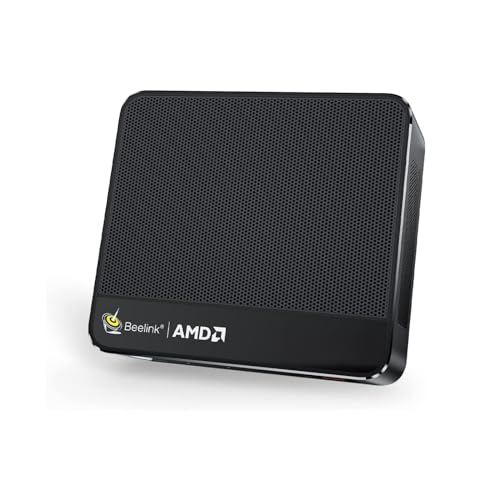
Beelink SER5 MAX Mini PC — Ryzen 7 7735HS, Radeon 680M, 24GB RAM
Who it suits: The buyer whose gaming PC has to disappear into the room — a living-room TV stand, a shallow shelf, a dorm desk — and who wants the strongest small footprint in this guide.
On installation, this is the easiest machine here to place well. It belongs to the mini-PC class: a box you can pick up with one hand, set on almost any flat surface, and forget about. The research behind this guide documents no dimensions for this listing, so measure your spot against the live listing’s figures at checklist step one — but as a class, machines like this fit where a tower cannot even be considered, and its external power adapter is the only second object to house, on the shelf beside it or the floor behind the stand. Heat is the other half of its placement story: it draws little power, gives off little heat, and the research describes it as staying close to silent, which in a small room is an installation feature as much as a comfort one — a machine you can sit near a TV or a bed without hearing it work. Airflow still matters: give its vents open room on every side, and do not seal it in a cabinet, however tempting a closed TV unit makes that look.
The gaming hardware is why it leads rather than merely fitting. The Ryzen 7 7735HS and its Radeon 680M integrated graphics are roughly in the class of an older entry-level discrete card: esports titles run fast, older AAA games sit comfortably at 1080p, and modern releases manage at low-to-medium settings. The 24GB of memory is a configuration chosen with integrated graphics in mind, since the 680M borrows its video memory from system RAM, and the 500GB SSD is a fast PCIe 4.0 drive with a second slot available when the library outgrows it. Check price on Amazon — it sits at the premium end of this budget tier. Beelink is also one of the more established names in this class, with a real storefront and support channel, which counts for something in a category full of anonymous sellers.
- Radeon 680M graphics — the strongest integrated graphics in this guide, in the smallest class of machine.
- 24GB RAM suits integrated graphics well; fast PCIe 4.0 storage with a second drive slot.
- Close to silent and power-sipping, from one of the category’s established brands.
Honest limitation: The 24GB of LPDDR5 is soldered to the board and the graphics can never be upgraded; when the 680M ages out of new games, the machine’s gaming career ends and its second career — media, office, home server — begins.
Choose it if the room is genuinely small and you want the most gaming the mini-PC class offers in this budget tier. Skip it if you expect to swap in a stronger graphics card in a few years — no mini can, and that job belongs to the towers below.

ACEMAGIC Mini Gaming PC — Ryzen 7 7735HS, Radeon 680M, Windows 11 Pro
Who it suits: The buyer running a small multi-monitor desk, who wants one small box to drive the screens, the network and the evening’s gaming.
Its installation grade starts from the same mini-PC class as the Beelink — a hand-sized box for a desk corner, a shelf or a stand, with an external adapter to house and vents to keep in open air, and no dimensions documented in the research, so the live listing’s figures are the ones to measure against. Where it separates itself is the cable plan. Support for three 4K displays at once means a two- or three-monitor desk runs from this one small machine, with every display cable dropping a short distance from the same box instead of from a tower on the floor; and 2.5-gigabit Ethernet gives a wired run worth making, because a fast, stable connection is the one cable a gaming setup should never skip when the router is reachable. Wi-Fi 6 covers the rooms where it is not. For a compact desk that doubles as a workstation, that connectivity turns a small footprint into a tidy one.
The gaming core matches the Beelink’s: the same Ryzen 7 7735HS and Radeon 680M graphics, 24GB of RAM and a 512GB SSD, so the play experience is the same class — strong esports, comfortable older AAA at 1080p, modern titles at low-to-medium settings. Around that core it adds Windows 11 Pro rather than Home, bringing drive encryption, remote desktop hosting and better update control, which suits a machine that will also be the household’s always-on computer. Check price on Amazon to confirm it fits this guide’s budget. Support runs through ACEMAGIC’s US storefront on Amazon, so the standard routine applies: put the machine through its paces in the first two weeks, while the return window is open.
- Triple 4K display support and 2.5G Ethernet — the best connectivity here, and the tidiest cable plan for a small desk.
- Same 680M gaming core as the Beelink — check price on Amazon — with Windows 11 Pro.
- Equally at home running a multi-monitor desk by day and the household network after hours.
Honest limitation: The memory and graphics are fixed for the life of the machine, and ACEMAGIC sells several configurations under closely related listings — confirm in the listing’s configuration selector that you are buying the 7735HS with 24GB before you order.
Choose it if one small machine has to cover a multi-screen desk, network duties and gaming. Skip it if you want the simplest purchase from the most established mini-PC brand — that is the Beelink above.

GMKtec NucBox M6 Mini PC — Ryzen 5 6600H, Radeon 660M, 16GB DDR5
Who it suits: The buyer with a small spot and a smaller total budget, who would rather leave money for the monitor, shelf or games than spend the whole budget on the box.
As an installation it is the same friendly proposition as the other two minis: desk, shelf or stand, an external adapter to give a home to, open air around the vents, and no sealed compartments. No dimensions are documented for it in the research, so the live listing supplies the numbers for your step-one measurement. Its placement advantage is subtler than size: it is the most open machine in this guide. Its DDR5 memory is socketed rather than soldered, and it carries two SSD slots, so the two upgrades a small machine eventually wants — more memory, more storage — happen with the box staying exactly where it sits, instead of a replacement rearranging your whole setup. USB4 and dual 2.5-gigabit Ethernet round out a specification that reads like a small workstation which also games, and gives it a genuine second career in a home lab when its gaming days end.
It is positioned in a budget tier, as one of the least expensive complete machines in this guide — check price on Amazon — leaving more of the budget for the rest of the setup. What that saving costs is graphics. The Ryzen 5 6600H’s Radeon 660M is a class below the 680M pair — esports and older games play well at 1080p, lighter modern titles manage at low settings, and demanding new releases are beyond comfortable reach. Buy it for the games it plays well, not the ones it nearly plays. It ships with Windows 11 Pro installed, and GMKtec sells it through its own Amazon storefront. One ordering warning matters: GMKtec also sells barebones variants of its mini PCs — no memory, no storage, no operating system — under similar names, so check that the configuration in your cart is the complete 16GB machine with Windows, because a barebones kit at a tempting price is not a prebuilt and would blow the budget once completed.
- A budget-tier position makes it one of the least expensive complete machines in this guide — check price on Amazon.
- Socketed DDR5 and dual SSD slots: the most upgradeable mini in the guide, upgraded in place.
- Windows 11 Pro, USB4 and dual 2.5G Ethernet give it a strong second career.
Honest limitation: The Radeon 660M is the weakest graphics in this guide, and barebones variants of the same model must not be confused with the complete machine at checkout.
Choose it if the spot is small and you would rather spend the savings on the screen you will stare at for five years. Skip it if today’s biggest releases are the point — both the 680M minis and the towers outgun it clearly.

abytespark Gaming PC — GTX 1660 Super, 16GB RAM, 1TB NVMe SSD
Who it suits: The buyer whose small room still has a floor patch beside or under the desk, and who wants the strongest gaming hardware in this guide more than a disappearing footprint.
Grade this one as furniture, not as a desktop. It is a full-size tower, and in a small room its honest home is on the floor — under the desk if the desk’s underside is open, beside it if not — with its display and USB cables rising to the desk in one planned run and enough slack to pull the case out for cleaning. It does not belong on the desk itself, where it would consume the workspace the room cannot spare, and it certainly does not belong in a cabinet: its four RGB case fans exist to move air, and a discrete graphics card under load exhausts real heat that needs open room to escape into. The power supply is internal, so there is no brick to house; the installation questions are simply floor space, airflow and cable reach. Measure the floor rectangle against the live listing’s published dimensions before ordering, because the research documents none for this listing.
What that floor space buys is the best gaming in the guide. The GeForce GTX 1660 Super is the strongest graphics card in any new prebuilt in this budget tier — a discrete card with 6GB of GDDR6, a clear class above the RX 580 towers and well above any integrated graphics — backed by 16GB of RAM and a full 1TB NVMe SSD, double the storage of the other towers here, which matters when modern games routinely take 50–100GB each. Built-in Wi-Fi and Windows 11 Home complete a finished machine: unbox, place, plug in, sign in. Check price on Amazon to confirm it fits this guide’s budget. Support is the small-brand pattern — abytespark sells through its Amazon storefront, so seller messaging and the listing’s warranty terms are your route, and the return window is the safety net that matters.
- The GTX 1660 Super’s 6GB of GDDR6 is the most graphics power any new prebuilt offers for this money.
- A full 1TB NVMe SSD — twice the game storage either STGAubron tower offers.
- Sold new with Windows 11 Home installed and Wi-Fi built in; internal power supply, no brick to place.
Honest limitation: The “Core i7” is an i7-7700, a quad-core chip from 2017 on a finished platform — there is no meaningful CPU upgrade path, so treat the tower as a strong appliance with a three-to-four-year gaming life, and read its processor field closely before ordering.
Choose it if your floor can take a tower and you want the best frames in this budget tier in this guide. Skip it if the machine truly has to live on a shelf or stand — that is what the three minis above are for.
STGAubron Gaming PC — Ryzen 5 5500, RX 580 8GB, Keyboard and Mouse Included
Who it suits: The first-time owner with floor space for a tower, who wants the one machine here that can grow into something faster over the years — and who will check price on Amazon before buying.
The installation story is the tower story again, with one small-space bonus. It is a full-size tower: floor placement, open air around the vents, cables rising to the desk, no cabinets and no desktop perching. The bonus is completeness — the listing includes an RGB keyboard and mouse in the box, which for a small setup is worth more than it sounds, because it means the desk needs no separate peripheral shopping and no extra delivery cluttering a tight room before the machine can be used at all. Wi-Fi 6 and Bluetooth 5.2 are built in, so the only wired runs are power, the display cable and an Ethernet line if you choose one. As with the abytespark, the power supply is inside the case; unlike it, this supply’s wattage is unpublished, which matters later, when upgrades are planned.
The hardware argument is the platform. A Ryzen 5 5500 — a modern six-core Zen 3 chip on AM4, one of the best-supported sockets ever made — pairs with a Radeon RX 580 8GB, 16GB of DDR4 and a 512GB SSD. Today that plays 1080p well; over the years the tower can take a faster Ryzen CPU, more memory and a much stronger graphics card, the only pick among the towers here that can honestly grow into a mid-range machine. Two conditions come with it, stated plainly. First, price: pricing for this listing varies, so check price on Amazon and confirm it fits this guide’s budget before ordering, and walk away when it sits in a higher tier. Second, the RX 580 is a 2017 design that AMD now services on a legacy driver cadence, so new-game optimizations arrive slowly or not at all. Support runs through STG USA’s Amazon storefront; stress-test early and keep the box until the return window closes.
- A current Ryzen 5 5500 on the AM4 socket — the one tower here that can honestly grow faster over time.
- Keyboard and mouse included, Wi-Fi 6 and Bluetooth 5.2 built in: complete out of the box, nothing extra to house.
- The RX 580’s 8GB of video memory holds up better in texture-heavy games than the 4GB and 6GB cards common in this tier.
Honest limitation: Pricing for this listing varies, so confirm it fits this guide’s budget on Amazon before buying; the RX 580 is on legacy driver support and the power supply’s wattage is unpublished, which any future GPU upgrade must reckon with.
Choose it if the floor spot is permanent and you want a platform that can grow — check price on Amazon first. Skip it if you want the fastest option right now — the abytespark is faster today, and the minis need no floor at all.

STGAubron Gaming PC — Core i7, RX 580 8GB, 16GB RAM
Who it suits: The bargain hunter with a floor corner to spare, who wants discrete graphics at a price that leaves money over — and who will spend five minutes verifying the machine when it arrives.
On installation it matches its sibling: a full RGB tower that lives on the floor, breathes into open room, and reaches the desk with its cables. Nothing about its placement is exotic, and that is part of its appeal — a straightforward floor machine with room inside to add storage and swap the graphics card later, in a room where the floor corner costs less than desk space. Wi-Fi 6 and Bluetooth are built in and Windows 11 Home is installed, so it arrives as a finished computer rather than a project. Measure the floor spot against the live listing’s dimensions, as with every pick here, since the research documents no measurements for this listing.
The value case is genuine: a Radeon RX 580 8GB, 16GB of RAM and a 512GB SSD, positioned in a budget tier — check price on Amazon — while leaving headroom in the budget for a monitor arm, a bigger library or the first savings toward an upgrade. As a route into PC gaming for a teenager, a second household machine, or a dedicated esports and back-catalog box, the arithmetic is attractive. The weakness sits in the headline itself: the listing says “Core i7” without naming a generation, and its documented clock speed — up to 3.9GHz — suggests an older chip. Depending on which i7 actually ships, this is either a sensible gaming processor or the bottleneck of the whole machine. So treat it as a verify-on-delivery purchase: when it arrives, open Task Manager or any free system-info tool, read the exact CPU model, and decide inside the return window whether what you received matches what you thought you were paying for. Coverage of this listing family has also been mixed on reliability, which reinforces the same routine — stress-test in week one, keep all packaging, and let Amazon’s return process be your warranty until the machine has earned your trust.
- Discrete RX 580 graphics and 16GB of RAM in a budget tier, with budget to spare — check price on Amazon.
- A full-size case with spare room for another drive now and a different graphics card later.
- Windows 11 Home already installed and Wi-Fi 6 already fitted: it arrives ready, not as a project.
Honest limitation: The Core i7 generation is unspecified in the listing, and that single unknown decides whether this is a bargain or a bottleneck — verification on delivery is part of the purchase, not an optional extra.
Choose it if you find it in a budget tier on Amazon — check price on Amazon — and the delivery-day CPU check sounds like a fair trade for the saving. Skip it if you want certainty without homework — choose a named configuration instead, or take a mini and skip the floor entirely.
Comparison Table
| Product | Type | Where it lives | Best use | Link |
|---|---|---|---|---|
| Beelink SER5 MAX, Ryzen 7 7735HS | New mini PC | Shelf, TV stand or desk; adapter beside it | Quiet, tiny 680M gaming for small spaces and TVs | Check on Amazon |
| ACEMAGIC Mini Gaming PC, Ryzen 7 7735HS | New mini PC | Desk corner driving up to three displays | Windows 11 Pro, 2.5G Ethernet, triple 4K displays | Check on Amazon |
| GMKtec NucBox M6, Ryzen 5 6600H | New mini PC | Shelf or desk; upgrades happen in place | Finished and upgradeable, in a budget tier — check price on Amazon | Check on Amazon |
| abytespark Gaming PC, GTX 1660 Super | New tower | Floor, under or beside the desk | Strongest graphics and biggest SSD in a finished tower | Check on Amazon |
| STGAubron Gaming PC, Ryzen 5 5500 / RX 580 | New tower | Floor, in a permanent spot | Modern platform that can be upgraded for years | Check on Amazon |
| STGAubron Gaming PC, Core i7 / RX 580 | New tower | Floor corner | Discrete graphics in a budget tier, if you verify the CPU — check price on Amazon | Check on Amazon |
How to Choose a Prebuilt Gaming PC for a Small Space
- Decide desk or floor before you decide anything else. That single answer splits this guide in half. If the machine must live on the desk, a shelf or a TV stand, you are shopping the three minis, and the choice among them is about graphics and connectivity. If a floor patch beside or under the desk is available, the towers come into play, and with them a full class more graphics power. Shoppers whose space is tighter still — a purpose-built compact machine rather than a mini or a tower — should look at Best Small Form Factor Gaming PC Under $500 as well.
- Measure the spot, then read the live listing’s dimensions. The research behind this guide documents no measurements for any of these six listings, and listing photographs — a mini PC beside a coffee cup, a tower on an empty desk — are designed to flatter. Your tape measure plus the figures on the live Amazon page are the only honest sources. If the numbers leave no breathing room on any side, the spot fails, however good the deal looks.
- Never plan around a mount you have not confirmed. No VESA bracket or behind-monitor fitting is documented for any pick in this guide. If a tidy mounted setup is the dream, check the live listing’s box contents yourself before ordering, and until a bracket is confirmed in writing, budget for a shelf. Readers set on the smallest possible footprint should also compare Best Mini PC For Small Spaces Under $500, where the machines are smaller still.
- Among the minis, choose on graphics and connections, not size. All three occupy the same class of footprint, so the real differences are inside: the Radeon 680M pair (Beelink, ACEMAGIC) play a class above the NucBox M6’s 660M, the ACEMAGIC adds triple-display support and Windows 11 Pro for a working desk, and the M6 counters with socketed memory, dual SSD slots and a budget-tier position that leaves room for the rest of the setup. Pick the one whose strengths match the room’s job.
- Among the towers, choose on what the floor space is buying. The abytespark buys the strongest graphics and the biggest SSD today, on a platform that cannot grow. The STGAubron Ryzen tower buys a future — an AM4 platform that can take years of upgrades — but check price on Amazon first and confirm it fits this guide’s budget; in a higher tier it competes with stronger hardware and loses. The second STGAubron is positioned in a lower tier, at the cost of a delivery-day CPU check. All three exhaust real heat, so the floor spot needs open air on every side the case breathes through.
- Give heat and noise their due in a small room. You will sit closer to this machine than a tower-under-a-desk in a big office, and you will share air with it. The minis sip power and the Beelink stays close to silent; the towers move more air and warm a small room noticeably during long sessions. Neither is a defect — but a bedroom setup argues for a mini, and a tower argues for a spot where its exhaust is not aimed at the bed, the sofa or the back of the desk.
- Plan the brick and the cable drop before the box arrives. A mini PC’s external adapter needs a home with air around it, not a tangle behind the TV. A tower’s cables need slack to rise from floor to desk and to let the case slide out for cleaning. And wire Ethernet if the room allows it: for gaming, a cable dropped neatly along the skirting board beats a wireless signal fighting through walls.
- Keep the delivery-week routine. Small-brand prebuilts are supported through the seller’s Amazon storefront and the warranty terms on the listing, so Amazon’s return window is your strongest protection. In the first two weeks: confirm the delivered configuration matches the listing (the exact CPU in the unnamed-i7 tower, the 7735HS/24GB variant in the ACEMAGIC’s selector, the complete machine rather than a barebones kit in the GMKtec’s case), then run your most demanding games in the machine’s real spot and check temperatures and stability there — a setup that overheats on the desk will not improve in month three.
- Leave room in the budget for the room. A top-of-budget PC on a dim, slow monitor is a worse experience than a lower-tier PC on a good 1080p high-refresh one, and in a small space the shelf, the monitor arm and the cable tidy are part of the machine’s real cost. The NucBox M6’s budget-tier position is a feature here, not a compromise — it leaves room for the rest of the setup out of the same envelope.
Common Buying Mistakes
- Putting any of these machines inside a sealed cabinet, a closed TV unit or a drawer. Fans need air that can leave; a compartment with a shut door slowly cooks the computer inside it, mini PCs included. If the furniture is enclosed, the door stays open permanently or the machine lives elsewhere.
- Trusting listing photographs for size. A mini PC photographed in a hand and a tower photographed on an empty desk tell you nothing measurable. No dimensions are documented for these six in our research — measure your spot and read the live listing’s figures.
- Assuming a VESA bracket or monitor mount is in the box. None is documented for any pick here. Confirm it on the live listing yourself, or plan on a shelf.
- Perching a full-size tower on the desk in a small room. It eats the workspace, puts fan noise at ear height and vents warm air at you. Towers in this guide are floor machines; if the floor cannot take one, buy a mini instead.
- Forgetting the power brick’s home. A mini PC is two objects — the box and its adapter — and the adapter wedged behind a TV or buried in a cable pile runs hot and looks worse than the machine it feeds. Plan its address at checklist step three, not on delivery night.
- Blocking the vents you just paid to clear. A mini pushed flush against a wall, a tower slid tight into a corner, books stacked against an intake — each quietly undoes step two of the checklist. Leave open space on every side a fan breathes through.
- Ordering the STGAubron Ryzen tower without checking the live price first. Its pricing varies, so check price on Amazon and confirm it fits this guide’s budget before buying — in a higher tier, stronger hardware competes for the same money. However perfect its floor spot is, confirm the tier before you order.
- Skipping the delivery-day checks. The exact CPU in an unnamed-“i7” tower, the configuration variant selected on a mini PC’s listing, a barebones kit mistaken for a complete machine — all are five-minute checks inside the return window and expensive surprises outside it.
- Spending the whole budget on the computer and nothing on the setup — then judging the PC by the experience a dim monitor, a dangling cable run and a rattling shelf give it.
Final Recommendation
- Most small-space buyers: Beelink SER5 MAX.
- Small multi-monitor desks: ACEMAGIC Mini Gaming PC.
- Tightest total budget, monitor included: GMKtec NucBox M6.
- Floor space available, most performance today: abytespark Gaming PC with the GTX 1660 Super.
- Floor space available, upgrades planned: STGAubron Ryzen 5 5500 tower — check price on Amazon and confirm it fits the budget.
- Floor corner, lowest tower price: STGAubron Core i7 / RX 580 tower, with the CPU verified on delivery.
Our top two for small spaces at this budget are the Beelink SER5 MAX, for the strongest mini-PC graphics in a near-silent box that fits almost anywhere a flat surface exists, and the abytespark tower, for buyers whose floor can take it and who want a full class more graphics for the same money. Between them they cover the two honest shapes this search takes: a machine that disappears into the room, or a machine the room makes floor space for. If the desk has to drive several screens, take the ACEMAGIC; if the whole setup including a monitor has to come out of the same budget, take the NucBox M6. First-time PC owners should also read Best Prebuilt Gaming PC For Beginners Under $500, and anyone planning to broadcast their play Best Prebuilt Gaming PC For Streaming Under $500. Whichever you choose, run the five-step checklist first — in a small room, measuring is the difference between a setup that works for years and a return label.
Frequently Asked Questions
Can I mount one of these mini PCs behind my monitor?
Not on the evidence of these listings. No VESA bracket or behind-monitor mount is documented for any of the six machines in the research behind this guide, so plan on a shelf, a desk surface or a stand. If the live Amazon listing for a specific machine shows a bracket in its box contents, treat that as a welcome extra you confirmed yourself — and still leave the vents in open air, because a mounted mini with its exhaust against a panel runs hot.
Can I keep the PC inside my TV cabinet with the door closed?
No — and this applies to the mini PCs just as much as the towers. A sealed compartment traps the machine’s own exhaust, the air inside heats up, and the computer spends its life breathing that heat back in. A cabinet with the door left permanently open is a shelf and can work for a mini; a tower needs open room air regardless. If the door has to close, the PC has to live somewhere else.
Is a full-size tower ever the right answer for a small room?
Yes, when the room has a floor patch to give it. A tower under or beside the desk uses space that is otherwise wasted, and in return it delivers the strongest graphics in this guide and — in the STGAubron Ryzen’s case — the only real upgrade path. What a tower cannot do is shrink: it will not fit a shelf, a stand or a desktop in a room that is already tight, and pretending otherwise is how small setups go wrong.
Which of these is quietest?
The Beelink SER5 MAX is the pick the research supports calling close to silent, and the mini PCs as a class run far quieter than the towers, which move more air to cool discrete graphics cards. No decibel figures are published for these listings in our research, so treat that as a class judgement rather than a measurement — and note that placement changes what you hear: a tower on the floor is quieter at your ears than the same tower on the desk.
How much storage do I need, and where does it live?
Modern games commonly take 50–100GB each, so the 500–512GB drives in most of these machines hold perhaps five to eight large titles plus Windows. The abytespark’s 1TB is a genuine advantage; the SER5 MAX has a second drive slot and the NucBox M6 has two SSD slots, so their storage grows in place without moving the machine. On the ACEMAGIC, plan on rotating games or adding an external drive — and give that drive a planned home too, rather than another object dangling off the desk.
Will one of these do 1440p gaming in a small living-room setup?
Not natively in demanding games — this entire tier is a 1080p tier, and a bigger screen does not change what the hardware can render. Esports and older titles upscale to a 1440p or 4K TV presentably, which is why the minis work well in living rooms, but buyers whose goal is native 1440p should read Best Prebuilt Gaming PC For 1440p Gaming Under $500 for what that search actually turns up, and be ready to step up a tier, as Best Prebuilt Gaming PC Under $700 shows.
At $500, is new or renewed the smarter buy?
Every pick in this guide is sold new, which in this budget tier buys a maker’s warranty and hardware with no previous life — usually the right call for a machine that has to be placed once and trusted. The renewed route, reseller-converted business desktops, can put more raw graphics in your hands for the budget, at the cost of shorter refurbisher warranties and hardware that varies from unit to unit. If you shop renewed, verify the exact CPU and GPU on delivery and buy only where a clear guarantee backs the sale.


