Where to buy
Check the latest price, availability and delivery on Amazon. Orders are placed on Amazon. We may earn a commission from qualifying purchases.
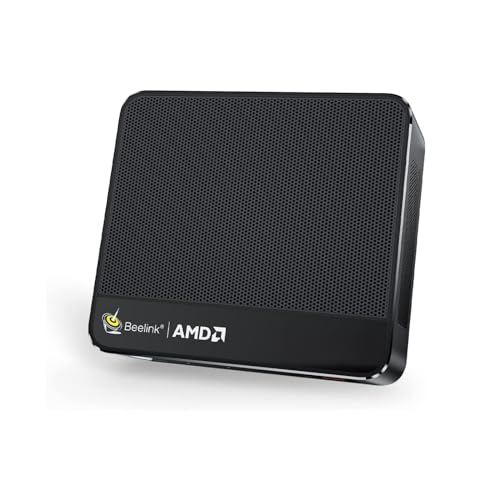
- Best for small spaces overall: Beelink SER5 MAX Mini PC, Ryzen 7 7735HS, Radeon 680M, 24GB RAM, 500GB SSD — Check on Amazon
- ACEMAGIC Mini Gaming PC, Ryzen 7 7735HS, Radeon 680M, 24GB RAM, 512GB SSD — Check on Amazon
- GMKtec NucBox M6 Mini PC, Ryzen 5 6600H, Radeon 660M, 16GB DDR5, 512GB SSD — Check on Amazon
- abytespark Gaming PC, GTX 1660 Super 6GB, 16GB RAM, 1TB NVMe SSD — Check on Amazon
See 2 more Amazon options
- STGAubron Gaming PC, Ryzen 5 5500, Radeon RX 580 8GB, 16GB RAM, 512GB SSD — Check on Amazon
- STGAubron Gaming PC, Core i7, Radeon RX 580 8GB, 16GB RAM, 512GB SSD — Check on Amazon
Read the full guide ↓
Disclosure: As an Amazon Associate, reviewstook.com earns from qualifying purchases. Links to Amazon on this page are affiliate links; they cost you nothing extra. Listing details such as price and availability change often, so check the current Amazon listing before you buy.
A small room changes the question. In a studio flat, a dorm room, a box bedroom or a shared house, a gaming PC does not get a dedicated corner of the world — it gets whatever is left after the bed, the wardrobe, the desk and the laundry basket have taken theirs. So this guide grades six machines that all cost under $500 on the axis that decides whether they can actually live with you: the installation. How much room does the machine claim? Where can it sit? Where does its power supply live? Where do its cables fall, and where does its heat go, in a room that is certainly small? The spec sheet still matters — a PC that fits beautifully but cannot play your games is furniture, not a gaming machine — but in a small space it is the second question, not the first.
The six picks split into two honest families. Three are mini PCs built around AMD’s Radeon 680M and 660M integrated graphics: boxes in the palm-of-the-hand class that can sit on a shelf, tuck beside a TV or disappear behind a monitor, sip power and make very little noise. Three are towers carrying previous-generation discrete graphics cards — a GTX 1660 Super and two RX 580s — which are faster at games but are furniture in the literal sense: each needs a real footprint, open air around its vents, and tolerance from anyone sharing the room for fan noise and warm exhaust. Neither family is the other’s failure. The minis trade frame rate for invisibility; the towers trade space for speed and, in one case, an upgrade path. The mistake this guide exists to prevent is buying one family’s machine while picturing the other’s footprint.
The honesty rules of the $500 budget still apply, and small rooms do not soften them. No new PC under $500 carries a current-generation graphics card. A PlayStation 5 or Xbox Series X at the same money plays the newest releases at higher settings than anything here — the PC case in this tier rests on breadth: it is also a computer, its games are cheaper over time, online play needs no subscription, and it mods, streams and works. Nothing in this guide does playable ray tracing or native 1440p in demanding games. What $500 buys is 1080p gaming done properly — and, for the readers of this guide, done in a footprint the room can spare. One warning before the picks: sellers in this segment are casual about dimensions, and several of these listings have changed configuration over time. Where our research documented a machine’s size class, we say so; where it did not pin an exact measurement, the review says plainly that the figures must come from the live listing — and the checklist further down shows you exactly what to measure.
In this guide
Quick Picks
Short on time, or comparing several options at once? Each row below names a space first and the product that suits it, with a link to the listing.
| Your space | Pick | Why it stands out | Link |
|---|---|---|---|
| Best for small spaces overall | Beelink SER5 MAX, Radeon 680M | The strongest mini here — tiny, quiet, and small enough to disappear behind a monitor | Check on Amazon |
| Best for multi-monitor desks and living rooms | ACEMAGIC Mini Gaming PC, Radeon 680M | Triple 4K display outputs and a 2.5G LAN port in a palm-sized box that hides behind a screen or TV | Check on Amazon |
| Best when the budget must fund the setup too | GMKtec NucBox M6, Radeon 660M | Positioned toward the lower end of this budget tier, leaving room in the budget for a monitor, a shelf and the games — check price on Amazon | Check on Amazon |
| Best tower, if the room can give it a patch of floor | abytespark Gaming PC, GTX 1660 Super | The strongest graphics card in this guide and a full 1TB of storage, in a full-size case | Check on Amazon |
| Best tower that improves in place | STGAubron, Ryzen 5 5500 / RX 580 | A modern AM4 platform in the same footprint — upgrades arrive as parts, not as a second machine | Check on Amazon |
| Best bargain tower for a measured corner | STGAubron, Core i7 / RX 580 | Discrete graphics and 16GB of RAM, positioned as the lowest tower option in this tier — if the CPU checks out | Check on Amazon |
How These Picks Were Chosen
The starting point is the same six machines our main $500 guide recommends, verified from the same listings — this variant introduces no new products or specifications. What changes is the grading. On top of the base tests — the whole machine, delivered, able to play games the day it arrives, at or under $500, with that budget treated as a cap rather than a promise — this guide applied four space tests to every pick.
The first test is footprint class. Is this a machine that occupies a shelf, or a machine that occupies furniture? Mini PCs and towers are not points on one scale; they are different commitments of room, and each review states its pick’s class plainly rather than hiding behind the word “compact”. The second test is placement honesty. A machine only earns a placement claim — behind a monitor, beside a TV, on a bookshelf — if its documented design supports it. Our research did not record exact dimensions for these listings, and no mounting bracket is documented in the box for any pick here, so a suggested placement is a placement of class — a box small enough to sit behind a screen — and the exact fit must be confirmed against the live listing’s measurements before you commit a shelf to it. A centimetre is the whole ballgame in a tight nook, and a guide for small spaces that invented measurements would be worse than useless.
The third test is the hidden footprint. The listed size of a PC is the beginning of its space claim, not the end. Every mini PC here runs from an external power adapter, and that brick is a second object that needs a home — on the shelf, behind the monitor, on the floor by the socket — with its cable reaching the machine without tension. Behind every machine there is a cable drop: display, power, network and peripherals all bend and fall somewhere, and a box pushed flush against a wall strangles its own cables and blocks its own vents. The fourth test follows: heat and noise at the distance your ears and skin actually sit. In a small room the PC is rarely more than an arm’s length away, and a tower under load is a small fan heater; a mini’s modest power draw and near-silence are, in a shared bedroom, worth real frame rate. A sealed cabinet fails every machine in this guide — towers cook in them quickly, and even a mini throttles when its vents breathe their own exhaust.
The 6 Best Gaming PCs for Small Spaces Under $500
Beelink SER5 MAX Mini PC — Ryzen 7 7735HS, Radeon 680M, 24GB RAM, 500GB SSD
Who it suits: The small-room buyer who wants the most gaming a disappearing machine can do — a dorm desk, a studio shelf, a shared bedroom corner.
Start with the installation, because that is this pick’s whole argument. The SER5 MAX is a mini PC in the class our base guide describes as small enough to disappear behind a monitor: it can sit on a shelf beside the screen, stand on the sliver of desk a tower would laugh at, or tuck behind the display itself, out of sight entirely. Its exact dimensions were not pinned in our research, so confirm them on the live listing before promising it a specific nook — but its form-factor class is not in doubt, and in a small room that class is transformative: the entire computer takes less room than the keyboard in front of it. Two residents still need planning: the external power brick, which wants a home on the same shelf or behind the same monitor with its cable slack rather than stretched, and the short cable bundle that drops behind the desk, out of the walkway and off the floor.
Heat and noise are where the class earns its keep at close quarters. This is a low-power machine that sips electricity compared with any tower, and the base guide describes it as near-silent — in a shared bedroom or a studio where the desk is two steps from the bed, that behaviour matters every evening. It still breathes through small vents, so give it open air on its vented sides: behind a monitor is fine, sealed inside a cabinet is not, because a mini with no airflow throttles to protect itself and your games pay for it. Inside, the reason this mini tops the guide is its integrated graphics. The Radeon 680M in its Ryzen 7 7735HS is roughly in the performance class of an older entry-level discrete card like the GTX 1050 Ti — esports titles at smooth, high frame rates at 1080p, indie games without compromise, older big releases at medium settings, recent heavy games at low settings with upscaling helping. The 24GB of memory is generous for the class and matters doubly because integrated graphics borrow system memory; storage is a 500GB PCIe 4.0 SSD. Check the current price on Amazon, and it is backed by a real brand warranty.
The limitation is structural and permanent, so it gets plain words: the memory is soldered LPDDR5 and can never be upgraded, and the graphics are part of the processor, so they cannot be upgraded either. Storage can grow; performance cannot. What you buy is a finished appliance, exactly as fast in five years as on day one — with the small-room upside that it will never need a bigger case or a second box. If your library is esports, indie and the last decade’s classics, this is the lowest-footprint way to spend $500 in this guide.
- Mini-PC class footprint — small enough to disappear behind a monitor, with a short, tidy cable drop.
- Radeon 680M integrated graphics — the strongest in any mini here; esports at high frame rates, older AAA at medium.
- 24GB of memory — important because the graphics share it — and near-silent, low-heat running for shared rooms.
- New and warrantied — check price on Amazon.
Honest limitation: The RAM is soldered and the graphics can never be upgraded — the performance you buy is the performance it keeps for life, and its exact dimensions must be confirmed on the live listing before you commit a shelf or bracket.
Choose it if space, quiet and tidiness lead your decision and your library is esports, indie and older games. Skip it if you want new AAA releases at high settings or any upgrade path at all — that is what the towers below are for.

ACEMAGIC Mini Gaming PC — Ryzen 7 7735HS, Radeon 680M, 24GB RAM, 512GB SSD
Who it suits: The multi-monitor desk squeezed into a corner, the living-room setup that must hide behind the TV, and the streamer who needs a small second machine — anyone whose space problem is really a cabling problem.
This ACEMAGIC mini PC shares its processor and Radeon 680M graphics with the Beelink above, so its gaming story is the same and this review will not pretend otherwise: esports at high frame rates at 1080p, older AAA at medium settings, recent heavy games at low with upscaling, ray tracing not on the menu. Where it earns its own place in a small-space guide is everything that plugs into it. Unusually at this size and tier, it offers triple 4K display outputs and a 2.5-gigabit LAN port — a combination that solves the two setups that defeat ordinary small PCs. The first is the multi-monitor desk: one palm-sized box driving a main screen and two side screens with no docking station squatting on the desk; the dock is a hidden footprint in most small setups, and this machine deletes it. The second is the living room: the box can sit behind a TV as a couch-gaming and media machine, its cables dropping straight down behind the screen, or work beside a main rig as a streaming second machine. It runs Windows 11 Pro, carries 24GB of memory and a 512GB SSD, and you should check the current price on Amazon before you buy, because pricing in this segment can vary by configuration.
Its installation profile is the mini profile, with the class homework attached. The external power brick needs its planned home — behind the TV stand, on the shelf beside the box — not a dangling afterthought straining the port. The box needs air on its vented sides; behind a TV is a good home only if the gap behind the screen is open at the top, because a sealed TV cabinet is the one placement this guide refuses for every pick. A short Ethernet run to a nearby router also removes the Wi-Fi compromises from a machine that may sit in a signal-shadowed corner. The limitations are the class limitations, plus one of its own. Its graphics are fixed for life — when the 680M stops being enough, the whole machine is replaced, not upgraded. And this listing hosts multiple configurations under one page, so confirm in the selector and again at checkout that the machine in your basket is the 7735HS with 24GB.
- Triple 4K display outputs — a three-screen desk with no docking station taking up room.
- 2.5-gigabit LAN for a short wired run — the reliable connection for a box tucked behind a TV.
- Same Radeon 680M graphics as the Beelink, with Windows 11 Pro, 24GB RAM and a 512GB SSD.
- Positioned in the upper part of this budget tier — check price on Amazon.
Honest limitation: Performance is fixed for life, and the listing hosts several configurations — the wrong variant is one careless click away, so the selector check is part of the installation.
Choose it if you run multiple monitors, a living-room setup or a second streaming machine in a tight corner. Skip it if a single screen and the simplest possible purchase matter more — the Beelink is the simpler buy, and the towers are the upgradable ones.

GMKtec NucBox M6 Mini PC — Ryzen 5 6600H, Radeon 660M, 16GB DDR5, 512GB SSD
Who it suits: The buyer whose $500 has to cover more than the PC — a monitor, a shelf, maybe a desk itself — or whose room is so small that the best gaming PC is the one that leaves the most of the room, and the budget, untouched.
The NucBox M6 is the smallest commitment in this guide in every sense. It is a true mini PC, in the palm class that sits on a shelf, beside a monitor or on top of a stack of books and is forgotten — and it is positioned toward the lower end of this budget tier, which changes what a small-space purchase even is. A budget that leaves headroom after this machine for a decent 1080p monitor, a wall shelf or a monitor arm is, for many small rooms, a better finished setup than a budget spent entirely on a tower and whatever screen and surface already exist: unspent budget has a way of becoming the furniture that makes the whole installation work. Its exact dimensions were not pinned in our research, so confirm them on the live listing before promising it a specific nook; its class, though, is unambiguous. Its external power brick is the usual mini-PC companion and needs a shelf corner of its own.
What the M6 gives back for its size is rare in this tier, and it is a space feature as much as a specification: its 16GB of DDR5 sits in proper sockets rather than being soldered, so memory can grow inside the same tiny footprint, and it carries dual SSD slots so storage can grow too. A machine that improves without changing its address is exactly how a small-space PC should age. Around that sit dual 2.5-gigabit network ports, Wi-Fi 6E, Bluetooth 5.2 and a USB4 port — connectivity beyond its tier, useful in odd corners where the router, the screen and the box are never quite where you would choose. The honest cost is graphics. The Radeon 660M is a step below the 680M in the two minis above: esports titles at 1080p at reduced settings, indie games in full, older AAA at low settings — that is its territory, and modern demanding releases are outside it. Heat and noise follow the class pattern: modest power draw, little noise at desk distance, and the same rule about air — give its vents open room, never a sealed cabinet.
Two cautions complete the picture. Watch the related GMKtec listings for barebones versions — the identical box sold without memory, storage or Windows, in forms that only look like bargains until the missing parts are added up; confirm the 16GB, the SSD and the operating system are all in the configuration before you order. And keep the expectation set where this review put it: this is a machine for the games that do not need a graphics card, bought as a lower-tier option that leaves the rest of a small setup properly funded. Judged as that, it is excellent value; judged as a top-of-budget gaming PC that merely sits lower in the tier, it will disappoint — the 680M minis above are that machine.
- Positioned toward the lower end of this budget tier — check price on Amazon; it leaves more budget headroom for the monitor, shelf and games a small setup still needs.
- Socketed DDR5 memory and dual SSD slots — it grows inside the same footprint, unusually for a mini PC.
- Dual 2.5G LAN, Wi-Fi 6E and USB4 — connectivity beyond its tier for awkward corners.
- Palm-class box with the mini class’s low heat and noise at desk distance.
Honest limitation: The Radeon 660M is the weakest graphics hardware here — esports and indie at 1080p, older AAA at low settings, and modern AAA effectively beyond it.
Choose it if the same $500 also has to buy your screen and setup, or your library is light on purpose. Skip it if gaming performance is the whole point of the purchase — spend the full $500 on the 680M minis or find floor space for a tower.

abytespark Gaming PC — GTX 1660 Super 6GB, 16GB RAM, 1TB NVMe SSD
Who it suits: The small-room buyer who can give a tower one honest patch of floor or the end of a desk — and wants the strongest gaming hardware under $500 in exchange for that patch.
Start with the space truth, because everything else about this machine is good news. This is a tower: a standard gaming case with four RGB fans, and it will take the footprint of a tower — on the desk it claims the depth of the desk, and on the floor it claims a rectangle beside it, plus clearance behind for the cable drop and open air above and behind for exhaust. Our research did not record this listing’s exact dimensions, and the configuration under this ASIN has drifted before, so take the measurements from the live listing and measure your space before ordering. What the room gets in return is the best gaming hardware in this guide. The GTX 1660 Super is the strongest graphics card here: with 6GB of GDDR6 memory it runs esports titles at high frame rates, handles the big back-catalogue releases at high settings, and plays recent demanding games at medium settings, dipping to low with upscaling on the heaviest. Around it sit 16GB of RAM and a full 1TB NVMe SSD — double the storage of the other towers here, which matters in a small room more than it sounds: a filled 512GB drive means an external drive or a second purchase, and that also has to live somewhere. Check the current price on Amazon — it is not only the strongest pick here, but also positioned competitively among the towers in this guide.
Its power supply lives inside the case, one of the tower format’s few genuine space virtues: no brick to house, just a wall socket within cord reach of its patch of floor. The costs are heat and noise, and in a small room both are roommates. Four fans moving air through a gaming case are audible at desk distance under load, and the machine exhausts its heat into the room it sits in — in a small bedroom in summer, that is a comfort decision, not a specification. Placement is the tool you have: the floor behind the desk is a quieter home than ear height beside the monitor, because sound falls with distance. What placement cannot fix is a sealed cabinet: pushed flush into a corner or closed inside furniture, this machine will cook itself, and this guide refuses that installation outright.
The remaining honest cost is the platform. The documented configuration’s processor is a Core i7-7700, a chip dating from 2017. The “Core i7” in the title is technically true and practically misleading: a four-core processor on a platform with no upgrade path, which in the most CPU-demanding modern games, not the graphics card, sets your ceiling. A future graphics-card swap stays possible; a meaningful processor upgrade does not, because it drags a new motherboard and memory along with it. Buy it as a strong 1080p machine for esports and the last several years of games — not as a foundation to build on for a decade. Small-brand listings can drift in configuration under the same page, so check the processor model in the specification table before ordering, and again in Windows the day it arrives.
- The GTX 1660 Super 6GB is the strongest graphics hardware in this guide — the right card for 1080p.
- 1TB NVMe SSD — twice the storage of the other towers; no external drive needs a home later.
- Internal power supply — no brick to house; one cord to one socket.
- Check price on Amazon — 16GB of RAM and that card make it a strong performance pick for this tier.
Honest limitation: It is a full tower with a tower’s footprint, heat and fan noise; the exact dimensions are not in our research, so measure from the live listing — and the 2017 four-core i7 platform cannot be upgraded.
Choose it if the room can give one patch of floor or desk end and gaming performance leads. Skip it if the machine must vanish, the room is shared with a light sleeper, or you plan to upgrade the processor later — the STGAubron below is built the other way around.
STGAubron Gaming PC — Ryzen 5 5500, Radeon RX 580 8GB, 16GB RAM, 512GB SSD
Who it suits: The small-room buyer choosing the tower family with a long memory: one footprint, bought once, that gets faster over the years instead of being replaced by a second, equally bulky machine.
Space-wise this is the same commitment as any tower in this guide — a case with RGB fans that needs a desk end or a floor spot with ventilation clearance and room behind for its cables — and our research did not pin this listing’s exact dimensions, so take them from the live listing and check them against your corner before you buy. Its power supply is internal, so the planning is one socket within cord reach; its heat and noise are the tower class’s, managed by the same placement logic as the pick above — floor over desk height, open air over enclosure, never a sealed cabinet. What distinguishes this machine is what happens inside that footprint over time. It is built on AMD’s AM4 platform around a Ryzen 5 5500, a modern six-core processor, and that makes it the only pick under $500 whose space can appreciate: when funds allow, more memory, bigger storage and one day a much better graphics card drop into the same case, on the same shelf, without a new machine arriving and an old one needing disposal in a home with no storage cupboard to hide it in.
As it arrives, the trade runs the other way from the abytespark. Its graphics card, the Radeon RX 580 with 8GB of memory, sits a step behind the 1660 Super: an older design that handles esports titles well and older AAA games at medium settings, but asks for low settings and upscaling in recent releases; the generous 8GB of VRAM ages kindly in texture-heavy games. The rest is segment-standard done properly: 16GB of DDR4, a 512GB SSD, Wi-Fi 6, Bluetooth 5.2, Windows 11 Home — and an RGB keyboard and mouse included in the box, worth real money and real desk space to a first-time buyer, because no separate peripheral purchases pile up beside it.
This pick comes with two conditions, both stated openly. The first is budget discipline: this listing does not always sit within this guide’s budget, and it can sit well above it for long stretches. So the rule is simple and non-negotiable: when it sits within this budget, check the current price on Amazon and it is one of the two best towers in the guide; when it sits above this budget, close the tab, because at that point the next tier’s far better machines come into reach. The second condition is the age of the RX 580’s product line: AMD has moved the RX 500 series onto a legacy driver cadence, so new-game optimisations arrive slowly or not at all. Today’s library plays fine on it; tomorrow’s day-one releases are not what this card is for. Bought when it sits within this budget, as a platform first and a graphics card second, it is the smartest long-term use of one patch of floor in this guide.
- Ryzen 5 5500 on AM4 — a modern six-core platform that improves inside the same footprint.
- The RX 580 8GB covers esports and older AAA at 1080p today, its generous VRAM kind to texture settings.
- Keyboard and mouse included — a genuine saving of money and desk clutter for a first setup.
- Internal power supply and standard tower placement — one socket, no brick.
Honest limitation: Two limits in one — the RX 580 sits on a legacy driver cadence and wants low settings in recent games, and the listing only earns its place when it sits within this budget; it frequently sits above it.
Choose it if a graphics-card upgrade in a year or two is a realistic plan and you can find it within this budget. Skip it if today’s listing sits above this budget, or maximum performance right now is the point — that is the abytespark above.

STGAubron Gaming PC — Core i7, Radeon RX 580 8GB, 16GB RAM, 512GB SSD
Who it suits: The bargain hunter with a measured corner and a hard-capped budget, who wants a discrete-graphics tower positioned lowest among the towers in this guide — and who is willing to do ten minutes of verification work to earn the saving.
Its space profile is the tower profile, stated without decoration: a full-size case that needs a desk end or a patch of floor, clearance on its vented sides, and a cable drop behind it that is not strangled against a wall. Our research did not record this listing’s dimensions, so measure from the live listing and against your corner; the power supply is internal, so one socket within cord reach is the whole power plan; and the heat and noise are the class’s — warm exhaust into a small room, fans audible under load, a sealed cabinet refused. Within that profile, its virtue is predictability: unlike its Ryzen sibling, this listing tends to live near this budget rather than only visiting it — with the same configuration also listed on Newegg’s STG storefront — so check the current price on Amazon, and the buyer with a fixed ceiling can plan the corner and the cables in advance.
On paper, what fills that corner is a lot of machine for the money: an RX 580 8GB graphics card — the same card as the Ryzen STGAubron above, with the same honest profile of esports strength and older-AAA competence at 1080p — plus 16GB of RAM, a 512GB SSD, Wi-Fi 6 and Windows 11 Home. If the machine that arrives matches that paper, it is the cheapest route in this guide to a real graphics card in a real tower. For a first PC in a small room, or a second PC for a kids’ room or a LAN corner, that arithmetic is hard to argue with.
This pick carries the guide’s biggest caveat, printed at full size rather than buried in a footnote: the listing does not specify which Core i7 it contains. “Core i7” is a brand that spans more than a decade of processors, from chips that would bottleneck the RX 580 badly to chips that pair with it perfectly, and this listing leaves the generation unstated, describing the processor only by a maximum clock speed of up to 3.9GHz. The vagueness tells its own story — sellers with a modern processor say its name loudly. So this pick arrives with a checking routine attached, not merely a caution. When the machine arrives, open Windows Task Manager or Settings first and read the exact processor model. Then run your most demanding game inside the return window; if the CPU turns out to be an early-generation part that cannot feed the graphics card, send it back and buy the Ryzen-based STGAubron instead. Coverage of this listing family reports mixed reliability, which is precisely why the in-window stress test is part of the deal. Bought with open eyes and checked on arrival, it is a fair bargain for a measured corner; bought on faith in the words “Core i7”, it becomes the trap this guide exists to warn you about — badge and all.
- A discrete RX 580 8GB and 16GB of RAM positioned as the guide’s lowest tower option — check price on Amazon.
- Wi-Fi 6 and a 512GB SSD are in the box; nothing essential is absent from the spec.
- A real tower case with an internal power supply — the graphics card and storage can be replaced later.
- Consistently positioned near this budget tier — the corner can be planned around it.
Honest limitation: The Core i7’s generation is never stated, so the processor could be anything from adequate to badly outdated — only the delivered machine, checked on arrival, settles which.
Choose it if the budget is hard-capped, the corner is measured, and you will verify the CPU model within the return window. Skip it if you want certainty straight out of the box — the Ryzen 5 5500 version above names its processor, and that certainty is worth paying for.
Comparison Table
| Product | Graphics | Installation profile | Link |
|---|---|---|---|
| Beelink SER5 MAX | Radeon 680M (integrated) | Mini class — disappears behind a monitor; external brick to house; near-silent | Check on Amazon |
| ACEMAGIC Mini Gaming PC | Radeon 680M (integrated) | Mini class — triple 4K outputs delete the dock; hides behind a screen or TV; external brick | Check on Amazon |
| GMKtec NucBox M6 | Radeon 660M (integrated) | Mini class — smallest commitment; grows inside its footprint; external brick | Check on Amazon |
| abytespark Gaming PC | GTX 1660 Super 6GB (discrete) | Full tower — desk end or floor patch, open air required; internal power supply, no brick | Check on Amazon |
| STGAubron, Ryzen 5 5500 | RX 580 8GB (discrete) | Full tower — one footprint that appreciates; internal power supply, no brick | Check on Amazon |
| STGAubron, Core i7 | RX 580 8GB (discrete) | Full tower — the measured-corner bargain; internal power supply; verify the CPU on arrival | Check on Amazon |
Measure Before You Buy: The Five-Step Checklist
Every disappointment in a small-space purchase is a measurement that was skipped. Work through these five steps in order, before any money moves — they are the difference between a PC that lives with you and a PC that lives in your way.
- Step 1 — Measure the spot. Tape measure, not eyeballs. Record the width, depth and height of the exact place the machine will live: the shelf, the desk end, the patch of floor, the gap behind the TV. Then read the candidate listing’s dimensions on its live page — our research graded these picks by form-factor class rather than pinning measurements, because listings change — and set the two sets of numbers side by side. If the listing’s figures leave no room to spare, the spot and the machine do not match.
- Step 2 — Reserve ventilation clearance. A PC is not finished at its case walls. Keep open air on every vented side and above every exhaust: a tower pushed flush into a corner or closed into a cabinet will overheat and throttle, and a mini breathing its own exhaust in a sealed TV unit does the same thing more quietly. If the only available spot is enclosed furniture with no airflow, the honest answer is to change the spot — not to buy and hope.
- Step 3 — Give the power supply an address. Every mini PC in this guide runs from an external power brick, and the brick is a second object with its own size: decide where it lives — on the shelf, behind the monitor, on the floor by the socket — before the box arrives, with its cable reaching the machine slack, not stretched, because a brick dangling by its cord strains the port it feeds. Towers keep their power supply inside the case, so their address is simpler: a wall socket within the cord’s honest reach, without an extension lead trailing across a walkway.
- Step 4 — Walk the cable drop. Stand at the spot and trace every cable with your eyes: display cable to the screen, power to the socket, Ethernet if you are wiring it, keyboard, mouse, headset. Where do they bend, and where do they fall? A machine shoved hard against a wall bends its cables at angles they resent; a desk against a wall wants the drop behind it, out of sight and out of the footpath.
- Step 5 — Then order, and verify on arrival. Only now does the order happen — and the installation is not finished when the box lands. Confirm the delivered configuration against the listing inside the return window: the exact processor model, the memory size, the storage size and the graphics hardware, all readable in Windows Settings and Task Manager within five minutes. This matters most for the Core i7 STGAubron, whose listing does not state the processor generation. Keep the packaging until the machine has proved itself in its new home.
How to Choose a Gaming PC for a Small Space
- Decide which resource is scarcer: room or frames. That single answer sorts this guide. Room scarcer: a mini PC, accepting integrated graphics and a fixed performance ceiling. Frames scarcer, with one honest patch of floor available: a tower, accepting heat, noise and furniture.
- Refuse the sealed cabinet for everything. There is no pick in this guide — tower or mini — that belongs in enclosed furniture without airflow. If the cabinet is the only spot, vent it, move the machine, or change the plan; do not let the furniture choose a PC for you.
- Respect the budget line. Positioning in this segment can shift between tiers. The Ryzen STGAubron is a buy when it sits within this budget and a skip when it sits above it; the NucBox M6, positioned toward the lower end of this tier, is a different, better purchase for a small setup than the same box would be at the top of the tier — its lower positioning also leaves headroom for the shelf and screen that complete a small setup. Check the current price on Amazon for each pick, and patience is a specification at this budget.
- Be honest about your library. Esports, indie and a decade of back catalogue: every pick in this guide serves you well. This year’s biggest releases at high settings: nothing at $500 does, in any footprint — that is a console’s game, or a bigger budget’s.
Common Buying Mistakes
- Buying a tower for a room that only has a shelf. Measure first; the footprint class decision comes before the graphics decision in a small home.
- Forgetting the power brick. Buyers plan for the box and discover a second, brick-shaped object with nowhere to go, dangling by its cable. Plan its home when you plan the PC’s.
- Sealing any PC — tower or mini — inside a closed cabinet or TV unit. No airflow means throttling at best; this guide refuses the installation for all six picks.
- Pushing the machine flush against the wall and strangling the cable drop. Cables need bend room behind the box, and vents need the same wall gap.
- Buying a mini PC while planning to upgrade its graphics card later. Integrated graphics are built into the processor; the upgrade path does not exist, by design.
- Treating the abytespark as a foundation. Bought as-is it is a fine machine; as a base for processor upgrades it is a dead end.
- Paying above this guide’s budget for a machine whose whole case rests on costing less. Several listings here can drift far above the line, and an RX 580 tower positioned in the next tier is a bargain at no specification.
- Ordering the wrong variant off a multi-configuration listing — the barebones mini with no memory, storage or Windows, or the tower with half the advertised RAM.
- Skipping the delivery check. Nothing then stands between a bargain and an angry story: exact CPU model, memory size and storage size take five minutes in Windows, inside the return window.
Final Recommendation
- Most small rooms: Beelink SER5 MAX — the strongest mini, near-silent, gone behind the monitor.
- Multi-monitor desk or living room: ACEMAGIC Mini Gaming PC — triple displays, no dock, hides behind the TV.
- Budget must fund the whole setup: GMKtec NucBox M6 — the pick that leaves money for the screen and the shelf.
- One patch of floor, maximum performance: abytespark Gaming PC, GTX 1660 Super.
- One patch of floor, long-term plan: STGAubron, Ryzen 5 5500 / RX 580 — only when it sits within this budget.
- Measured corner, hard-capped budget: STGAubron, Core i7 / RX 580 — with the delivery check, non-negotiably.
The small-space answer under $500 depends on which resource is scarcer in your home: room, or frames. If it is room — and for the readers of this guide it usually is — the Beelink SER5 MAX is the pick: the strongest integrated graphics in the guide in a box that disappears behind a monitor and runs quietly enough for a shared bedroom, with the ACEMAGIC as its multi-screen and living-room rival and the GMKtec M6 as the value play that leaves money for the shelf and the screen. If it is frames, and the room can give one honest patch of floor with open air around it, the abytespark tower’s GTX 1660 Super out-games every mini here, and the Ryzen STGAubron turns the same footprint into a platform that improves instead of being replaced. First-time buyers should also see Best Gaming PC For Beginners Under $500; those planning a dedicated small-form-factor project should compare Best Small Form Factor Gaming PC Under $500 and the wider mini field in Best Mini Gaming PC Under $500; and anyone who can stretch should read Best Gaming PC Under $700 before deciding. Whatever you choose: measure the space, read the listing’s dimensions, plan the brick, the cables and the breathing room — then order, and keep the box until the machine has proved itself.
Frequently Asked Questions
Can a gaming PC really work in a small room?
Yes — if the machine is chosen for the room and not just the budget. The three mini PCs here occupy a shelf or the space behind a monitor and run quietly at low power, which suits dorms, studios and shared bedrooms. The three towers game harder but need a desk end or a patch of floor with open air. What does not work, in any room, is a fast machine installed badly: sealed in a cabinet, strangled against a wall, or bought for a shelf it does not fit.
Is a mini PC or a tower better for a small space?
For the space itself, a mini PC — smaller, quieter, cooler, and finished the day it is installed. For performance and future upgrades, a tower: the discrete cards here are faster than any integrated graphics, and parts can be replaced one at a time. Either choice is defensible; the failure is picking one and expecting it to behave like the other. Decide whether room or frames is scarcer in your home, and the choice makes itself.
Does the power brick count as part of the footprint?
Yes, and forgetting it is the classic small-space own goal. Every mini PC here runs from an external adapter: the box may vanish behind the monitor, but the brick still needs a home on the shelf, the desk or the floor, with its cable reaching the PC without tension. Towers keep their power supply inside the case — one of the few space arguments in the tower’s favour.
Can I put a gaming PC inside a TV cabinet or closed desk unit?
No — not any PC in this guide. Towers exhaust serious heat and will throttle or worse in enclosed furniture; minis are gentler but still breathe through small vents and slow down when they rebreathe their own exhaust. If the cabinet is the only spot, leave its door open in use at minimum, and prefer an open shelf: placement is part of the specification.
How do I know a PC will fit my shelf or desk?
Measure the spot with a tape measure, then read the exact dimensions from the candidate’s live Amazon listing and compare the two sets of numbers, leaving room behind for cables and above and beside for air. Our research graded these picks by form-factor class — mini or tower — rather than pinning measurements, because listings change; the listing’s specification table at the moment you order is the authority. Never judge fit from a product render.
Can these PCs play the latest AAA games?
Most of them, at the settings this guide names: low-to-medium at 1080p on the discrete-card towers, with upscaling helping; low settings on the 680M minis; the 660M mini is best kept to lighter games. A minority of the newest, heaviest releases will be a poor experience on all six, in any room size.
What should I check when the PC arrives?
Four things: the exact processor model, the memory size, the storage size and the graphics hardware — all readable in Windows Settings and Task Manager within five minutes. Check them against the listing you ordered from, run your most demanding game, and finish all of it inside the return window. This matters most for the Core i7 STGAubron, whose listing does not state the processor generation, but it is good practice for every machine in this segment — and check the physical fit in its spot at the same time, while returning it is still easy.


