Where to buy
Check the latest price, availability and delivery on Amazon. Orders are placed on Amazon. We may earn a commission from qualifying purchases.
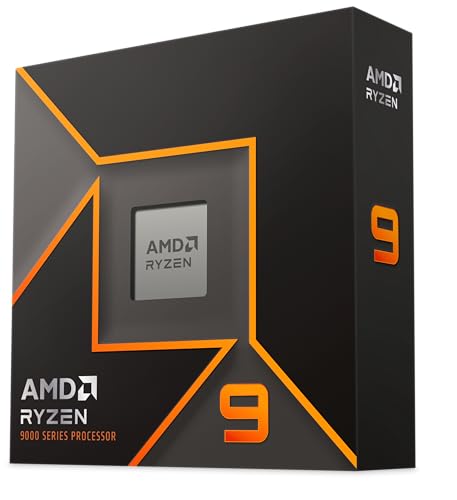
- Best streaming build: AMD Ryzen 9 9900X, 12-Core — Check on Amazon (graphics card: GIGABYTE GeForce RTX 5070 Ti WINDFORCE SFF 16G)
- Best prebuilt for streaming: Skytech King 95, Ryzen 7 9800X3D, RTX 5070 Ti — Check on Amazon
- Best recording storage for the money: iBUYPOWER Y40 PRO, Ryzen 9 7900X, RTX 5070 Ti — Check on Amazon
- The flagship gaming build: AMD Ryzen 7 9800X3D — Check on Amazon
See 2 more Amazon options
- Best build that fits with the licence paid: GIGABYTE GeForce RTX 5070 WINDFORCE OC SFF 12G — Check on Amazon
- The RTX 5080 build, priced honestly: GIGABYTE GeForce RTX 5080 WINDFORCE OC SFF 16G — Check on Amazon
Read the full guide ↓
Disclosure: As an Amazon Associate, reviewstook.com earns from qualifying purchases. Links to Amazon on this page are affiliate links; they cost you nothing extra. Listing details such as price and availability change often, so check the current Amazon listing before you buy.
A streaming PC does two jobs that fight over the same hardware. The game wants every core and every watt of graphics card you own; the broadcast wants a slice of both, taken continuously, for hours, without ever being allowed to stutter. So before any pick in this guide is graded on how it plays, it is graded on how it encodes — because at $2,500 the difference between a good streaming build and a disappointing one is rarely the frame rate. It is whether the machine can hold a clean broadcast while the game is at its heaviest.
The workflow this guide grades against is the real one. On Twitch, the working standard is a constant-bitrate stream around 6,000 kbps, usually at 1080p60. YouTube accepts higher bitrates, carries 1440p streams, and takes AV1-encoded live video today; Twitch’s AV1 route runs through its Enhanced Broadcasting programme rather than the standard ingest. A modern streaming build therefore wants three things: a hardware encoder that produces a clean picture at Twitch’s ceiling, enough CPU left over after the game to run OBS, a browser, chat and voice without breaking a sweat, and storage that can swallow hours of local recording. Every pick below is scored on those three axes first, and on raw gaming pace second.
The second thing to know is the market. Parts pricing is volatile right now — memory kits, flagship SSDs and the RTX 5070 Ti class of graphics card all sit high in their bands, and the graphics card is the line that moves most. The consequence runs through all six picks. The do-it-yourself builds are specified line by line, and because card pricing swings so much, whether a build fits this budget can turn on the card’s price on the day you order — check the current price on Amazon for every line before you commit. And two of the six picks are finished prebuilt PCs, because the big system builders source graphics cards outside the retail market, and their machines can undercut the equivalent parts lists while including the Windows licence the parts lists still have to pay for. If you are comparing complete one-box streamers rather than builds, see Best Streaming PC Under $2500; this guide is for buyers deciding what to assemble, or whether to assemble at all.
In this guide
Quick Picks
Short on time, or comparing several options at once? Each row below names a streamer type and the path that suits it, with a link to the anchor listing. Prices change often, so check the current price on Amazon on each linked listing; each review shows its full specification.
| Streamer type | Pick | Why it stands out | Link |
|---|---|---|---|
| Best streaming build | Ryzen 9 9900X + RTX 5070 Ti build | Twelve cores for the supporting cast and a dual-block encoder for the broadcast; check price on Amazon | Check on Amazon |
| Best prebuilt for streaming | Skytech King 95 | The flagship pairing assembled, with a published 850W Gold PSU; check the current price on Amazon — but only 1TB for recordings | Check on Amazon |
| Best recording room | iBUYPOWER Y40 PRO | Twelve cores and 2TB of storage with Windows included — check the current price on Amazon | Check on Amazon |
| Best if gaming comes first | Ryzen 7 9800X3D + RTX 5070 Ti build | The same dual encoder as the top pick, behind the fastest gaming CPU; check price on Amazon | Check on Amazon |
| Best complete-and-legal total | Ryzen 7 7800X3D + RTX 5070 build | Fits the budget with the Windows licence paid — but its single encoder block is shared between stream and recording | Check on Amazon |
| The RTX 5080 question | RTX 5080 corner-cut build | Sits over this budget — and its encoder is the same arrangement as the 5070 Ti’s, so the extra money buys no better broadcast | Check on Amazon |
How These Picks Were Chosen
Encoder first. Every graphics card in this guide was graded on its hardware encoding block before its gaming pace was considered, because that block is what your viewers actually see. The RTX 5070 Ti and RTX 5080 carry two NVENC encoder blocks of the current generation plus AV1 encoding: one block can carry the live stream while the second records a high-quality local copy, and neither touches the cores the game is using. The plain RTX 5070 carries a single block with AV1 — entirely capable of a clean Twitch or YouTube broadcast, but the stream and any local recording share that one block, and that sharing is graded as this set’s one real encoder compromise. No pick in this guide is credited with an encoder its silicon does not have: there is no Intel processor in the set, so there is no Quick Sync anywhere in it, and the basic display graphics built into the AMD processors is never treated as a streaming encoder. Software x264 encoding appears only as an emergency fallback, never as a plan — on every pick here, the hardware encoder is the correct tool and the CPU’s job is everything else.
Simultaneous load second. A streaming PC is never running one program. It is running the game, OBS, a browser with dashboards and chat, a voice app and whatever the game itself spawns in the background, all at once, for the length of a session. That is why the twelve-core builds grade above the eight-core gaming flagship for this angle even though the flagship is the faster games machine: cores the game does not need are exactly the cores the broadcast’s supporting cast lives on. Memory is graded the same way — 32GB is the working standard here, enough for game plus production software, and where a pick’s storage will fill with recordings, the review says so and counts the fix as machine plus drive rather than hiding it.
Price honesty third, and it works the same way as in the base guide this variant is built from. Every DIY build below is a complete machine specified line by line — CPU, graphics card, motherboard, memory, storage, power supply, cooler, case — and each review states whether its specification includes the Windows licence or leaves it to add. The shared platform under the DIY builds — MSI B650 Gaming Plus WiFi, a 32GB Patriot Viper Venom DDR5-6000 CL30 kit, a 2TB Samsung 990 Pro, MSI’s MAG A850GL 850W Gold power supply, a Thermalright Peerless Assassin 120 SE and a Fractal Design North case — is the same under each build, so you can see exactly what each CPU and card choice changes. Prices for every line move too often to print here: check the current price on Amazon for each part before you order. Where a build’s fit depends on catching a graphics card at a favourable price, the review says so at full size. Prebuilt picks are graded on their specification and their position in this budget band, never on a printed price.
The Encoder Map: What Actually Encodes Your Stream in Each Pick
Five of the six picks encode identically, and it is worth understanding why that flattens the ranking. The RTX 5070 Ti in picks 1 through 4 and the RTX 5080 in pick 6 all expose two current-generation NVENC blocks with AV1 encode. In OBS terms that means: the live stream goes out on NVENC at a constant 6,000 kbps for Twitch, or at a higher bitrate with AV1 for YouTube; a local recording can run simultaneously on the second block at much higher quality without either encode queueing behind the other; and frame generation, where a game offers it, is a local presentation feature — it changes what you see on your monitor, not what the encoder sends your viewers, and it is credited nowhere in this guide as a streaming feature. The plain RTX 5070 in pick 5 has the same AV1 support on a single NVENC block: one encode at a time gets the hardware’s full attention, so a stream plus a high-quality local recording means the two share — workable, and graded as the set’s one encoder compromise rather than a disqualification.
What is not on the map matters as much. No pick here has an Intel processor, so no pick has Quick Sync as a reserve encoder; if you have read streaming guides that assign the broadcast to integrated graphics, that arrangement does not exist in this set, and nothing in these reviews pretends otherwise. The AMD processors’ built-in display graphics is likewise never assigned an encoding role — it is a display output, not a broadcast engine. And x264 software encoding is treated throughout as the fallback you use for one evening if a driver misbehaves, not a configuration: the twelve-core builds could carry a light x264 encode, but doing so spends exactly the headroom that makes them good streaming machines, so the OBS section below routes every pick to its hardware encoder.
The 6 Best Gaming PC Builds for Streaming Under $2,500
1. The Twelve-Core Streaming Build — Ryzen 9 9900X + RTX 5070 Ti
Who it suits: Streamers whose broadcast is a production, not an afterthought — OBS scenes with browser sources, alerts, a chat dashboard, voice processing — layered over demanding games, on one machine.
This is the base guide’s creator build re-graded for the broadcast, and it takes the top spot for a reason that has nothing to do with gaming leaderboards. The Ryzen 9 9900X sits lower in its band than the eight-core gaming flagship below it — check the current price on Amazon. Its twelve Zen 5 cores are the simultaneous-load story of this guide: while the RTX 5070 Ti’s encoder blocks carry the stream and the recording, the cores the game leaves spare absorb OBS’s compositing, the browser sources, the dashboards and the voice app, and they do it without the micro-contention that shows up on a stream as a stutter nobody can reproduce afterwards. The card is GIGABYTE’s WINDFORCE SFF RTX 5070 Ti 16G — check price on Amazon; the platform is the shared one — B650 board, 32GB of DDR5-6000 CL30, 2TB 990 Pro, 850W Gold, Peerless Assassin, Fractal North. Specified line by line, this is the most direct route in this guide to a dual-encoder 5070 Ti machine with no weak line in it, sitting in the upper part of this budget band once every part is counted — check the current price on Amazon for each line before you order. The 2TB drive earns its place here specifically: a streamer records locally as insurance against a dropped connection, and 2TB is the difference between an archive and a weekly deletion chore.
The conditions are the market’s, and they are stated plainly. This build’s fit inside the budget depends on the graphics card’s price on the day — when in-stock 5070 Ti cards sit at the top of their band, the same parts list can push past the ceiling, so check price on Amazon before ordering any line. The parts specification also excludes the Windows licence, which the prebuilts below include and this build leaves to add. And 32GB, while the correct specification for game-plus-production today, is where a growing creator eventually pushes: the 64GB configuration means a second kit, a planned later purchase that sits outside this guide’s budget — the board has the slots waiting, and the review does not pretend the upgrade is free.
- Twelve Zen 5 cores sitting lower in their band than the gaming flagship chip — the set’s best simultaneous-load headroom.
- Dual NVENC blocks plus AV1: stream and high-quality local recording run independently of the game and of each other.
- 2TB of fast storage as standard — the recording archive is part of the specification, not an afterthought.
Honest limitation: The parts specification excludes the Windows licence, and the build’s fit depends on the graphics card’s price on the day — at the top of the card’s current band the parts alone can pass this budget — and the 64GB memory step creators eventually want does not fit this budget at current memory pricing.
Choose it if your stream runs a real production stack on the same machine as the game. Skip it if the machine only ever plays — pick 4’s cache buys more frames for the same encoder, and the cores you are paying for here will idle.
2. The Flagship Spec, Assembled — Skytech King 95
Who it suits: Streamers who want the gaming flagship’s specification — 9800X3D and 5070 Ti, dual encoder and all — working this week, without entering the retail graphics card hunt at all.
The King 95 configuration verified for this guide pairs a Ryzen 7 9800X3D with an RTX 5070 Ti 16GB, 32GB of DDR5-5600, a 1TB Gen4 NVMe drive, a published 850W Gold ATX 3 power supply, a 360mm liquid cooler, Wi-Fi and Windows 11. Check the current price on Amazon — this pick belongs in this guide while its live price sits inside the budget band. For a streamer the specification reads well where it matters: the card’s dual NVENC blocks and AV1 support are the same encoder arrangement as the top pick’s, the eight X3D cores hold game frames at high refresh while the broadcast runs, and the power supply — the line prebuilts most often hide — is published at exactly the class a builder would specify, which keeps a future card swap a simple plan rather than an investigation. Set against the DIY flagship in pick 4, whose parts at current retail card pricing run well past this budget before its licence, the Skytech delivers the same CPU-and-card pairing, licensed and assembled, without the retail card hunt.
Two streaming-specific disciplines apply. The first is storage: 1TB is half what the DIY builds carry, and a machine that records every session locally will fill it — treat a second drive as a near-term, priced-in purchase (machine plus drive), not a surprise. The second is configuration drift: the King 95 name covers a family of configurations, including a 2TB, DDR5-6000 variant positioned higher in the range, and Skytech notes the graphics card brand may vary — verify the model number against the specification above on the live listing before ordering. The pick also qualifies only while its live price sits inside this budget: above the ceiling it belongs to the under-$3,000 conversation. Its Wi-Fi, finally, changes nothing about the wired-Ethernet rule in the OBS section below — a broadcast goes on a cable.
- The flagship pairing — 9800X3D and dual-encoder RTX 5070 Ti — assembled, licensed and liquid-cooled.
- A published 850W Gold ATX 3 power supply: upgrade headroom stated rather than hidden.
- Positioned inside this budget band at its live price — well below assembling the same specification from parts at current retail GPU pricing.
Honest limitation: Storage is 1TB where the DIY builds carry 2TB — the recording archive outgrows it first — and the pick qualifies only while its live price stays inside the budget; above that it is over budget.
Choose it if you want the flagship streaming specification this month without the GPU-price hunt. Skip it if the live listing shows list price, or if you record everything and refuse to budget the second drive.

3. The Recording-Room Prebuilt — iBUYPOWER Y40 PRO
Who it suits: Streamers who record as much as they broadcast — VOD editors, clip farmers, anyone whose footage archive is a working asset — and who want twelve cores and 2TB in one box with one warranty.
Inside the Y40 PRO sit a Ryzen 9 7900X, an RTX 5070 Ti 16GB, 32GB of DDR5 and a 2TB NVMe SSD, with Windows 11 Home installed — check the current price on Amazon. Read that specification as a streamer: the encoder arrangement is the set’s joint-best — dual NVENC blocks plus AV1, so the broadcast and the local recording never queue behind each other; the 7900X’s twelve cores give the production stack the same headroom that puts the 9900X build on top of this guide; and the 2TB drive is the largest recording room in the set alongside the DIY builds, double the King 95’s. Once the included licence is counted, it also undercuts the DIY flagship’s parts route — and when it is discounted it is simply the most accessible route in this guide to a dual-encoder 5070 Ti machine.
The compromises are specific rather than fatal. The memory is DDR5-5200 rather than the 6000 CL30 kit a builder picks — a small, real step behind best practice that a stream will not show a viewer, but a builder should know it is there. The 7900X leans creator in the same way the 9900X does, which for this angle is a virtue, but pure gamers should note it trails the X3D chips in cache-sensitive titles. And iBUYPOWER’s listing material does not publish the power supply’s wattage, so no upgrade headroom is claimed for this machine anywhere in this guide — confirm it on the live listing before planning a card swap around it. If the saving has evaporated when you check the live price, the balance of this pick evaporates with it, and the DIY routes above it become the recommendation again.
- Dual NVENC plus AV1 with twelve cores and 2TB — the complete streaming specification in one box.
- Windows included, positioned in the lower half of this budget band — check the current price on Amazon.
- One warranty and no assembly — the practical pick for a first serious streaming machine.
Honest limitation: Memory is DDR5-5200 instead of the tier’s 6000 best practice, and the power supply wattage is not published in the verified listing material — upgrade planning starts with a live-listing check, not a number from this guide.
Choose it if recording room and core headroom matter more than choosing your own board and power supply. Skip it if its live price has climbed back toward its parts value, or if a published PSU is a condition of your purchase.

4. The Gaming Flagship Build — Ryzen 7 9800X3D + RTX 5070 Ti
Who it suits: Player-streamers whose channel is the game itself — high-refresh competitive and simulation titles where the audience is watching the play — and who stream a comparatively light production stack.
Nothing about this build’s broadcast is second-best, and the review should be clear about that before it explains the ranking. The graphics card is the same GIGABYTE WINDFORCE SFF RTX 5070 Ti that pick 1 carries — check price on Amazon: dual NVENC blocks, AV1 encode, 16GB of memory. Your viewers get an identical stream from this machine and from the twelve-core build. What differs is everything around the encode. The Ryzen 7 9800X3D brings 96MB of L3 cache through its second-generation 3D V-Cache and tops CPU-bound gaming charts in independent testing — the quality that decides frame rates exactly where high-refresh and simulation titles live. Paired with the shared platform, the parts sit in the upper part of this budget band — check the current price on Amazon for each line. For a streamer whose OBS is a game capture, a webcam and alerts, eight fast cores are genuinely enough, and the cache is worth real frames every session.
It ranks fourth for this angle on two honest counts. The first is headroom: the heavier the production around the game — browser sources, dashboards, voice chains, a second scene collection — the more the twelve-core builds’ spare capacity is worth, and this machine has less of it to give. The second is the calendar, and it is the same condition as pick 1’s, only larger: at the top of the card’s current band, this parts list runs well over the budget before a Windows licence is added. So this is a build to assemble on the day the card’s price behaves, or to replace with picks 2 and 3, which deliver the same encoder and the same CPU from a warehouse shelf today. Graded purely as a games machine it would lead this guide — readers weighing that version of the question should see Best Gaming PC Build Under $2500 — but a streaming guide grades the whole workload.
- The strongest gaming processor on sale, its 96MB of L3 cache at the top of the gaming-CPU tier.
- An identical broadcast to pick 1’s: dual NVENC blocks plus AV1 on the same card.
- Every line is a named, checkable Amazon listing — check the current price on Amazon for each part.
Honest limitation: The specification is parts only, before the Windows licence; at the top of the card’s current band the parts alone run well over this budget, and eight cores leave less simultaneous-load headroom for a heavy production stack than the twelve-core picks.
Choose it if the game is the show and your streaming stack is light. Skip it if you are ordering every part this week at page prices — that version is an over-budget build, and picks 2 and 3 exist precisely for you.
5. The Build That Fits With the Licence Paid — Ryzen 7 7800X3D + RTX 5070
Who it suits: Streamers building a whole setup on the $2,500 — tower, screen, and the kit in the costing section below — who would rather have money left over than a second encoder block.
Every other DIY path in this guide fits the budget only by catching a card at a favourable price or deferring the licence. This one simply fits. The Ryzen 7 7800X3D is the previous generation’s gaming champion with the same 96MB of stacked cache — check the current price on Amazon. GIGABYTE’s WINDFORCE OC SFF RTX 5070 sits in the middle tier of this set’s cards — check price on Amazon. On the shared platform the parts sit comfortably inside the budget, and with the Windows licence paid the finished machine still leaves headroom in the budget — which for a streamer is not spare change: it is the microphone-first kit money, kept outside every pick’s price in the costing section below, that the other builds assume you have already spent.
The streaming compromise is precise and should be chosen knowingly. The plain RTX 5070 carries a single NVENC block — with AV1 encode, so a YouTube AV1 broadcast or a Twitch stream at 6,000 kbps is fully within its hardware — but the live stream and a simultaneous high-quality local recording share that one block, where the 5070 Ti picks run them independently. The practical disciplines follow: record at the stream’s settings rather than at archival quality, or record selectively, and watch the encoding-lag counter in the OBS section. The card’s 12GB of memory is also the first specification in this build that will age, where the Ti’s 16GB is the tier’s insurance. What the platform gives back is upgrade honesty: board, 850W power supply and case all outclass the card deliberately, so this machine’s future is a card swap into the dual-encoder tier, not a rebuild.
- The only DIY path that fits with the Windows licence paid — with kit money left over.
- AV1 encode on board: a single NVENC block still covers Twitch’s standard and YouTube’s AV1 route.
- Platform deliberately outclasses the GPU, making the future dual-encoder upgrade a swap, not a rebuild.
Honest limitation: One encoder block, shared between the stream and any local recording — the set’s one real encoder compromise — and the 5070’s 12GB of VRAM will age before anything else in the build.
Choose it if the budget must also buy the screen and the microphone. Skip it if you record every session at archival quality while you stream — that workflow is what the second NVENC block in picks 1–4 is for.

6. The RTX 5080 Build — Included So You Can See the Math
Who it suits: Nobody streaming on this budget, this month — and the review exists so that claim is a comparison rather than an opinion. If you arrived believing a bigger card makes a better broadcast, this is the section that separates the two ideas with the specification.
Start with the encoder, because for this angle it settles the question before price does. The RTX 5080’s encoding arrangement — dual current-generation NVENC blocks with AV1 — is the same arrangement the RTX 5070 Ti picks in this guide already carry. The stream your viewers receive from a 5080 is, encoder for encoder, the stream they receive from a 5070 Ti: same blocks, same codecs, same Twitch ceiling, same YouTube AV1 route. What the 5080’s extra money buys is game rendering — higher resolutions and settings on your own monitor — which is a legitimate thing to want and a different thing from a better broadcast. Now the price of buying it anyway. GIGABYTE’s WINDFORCE OC SFF is the most accessible RTX 5080 line verified for the base guide — check the current price on Amazon — and even that card sits at the top of the graphics-card price bands. Give the build that card and the most accessible strong CPU here, the 7800X3D, on the shared platform, and the build lands over budget before a licence. Delete the case entirely and it is still over, with nowhere to put the machine. The card would have to drop far below its current band — well under the 5070 Ti tier’s positioning — for this build to exist at $2,500.
So the streaming verdict is the base guide’s verdict with an extra edge: at this budget the 5080 build does not merely cost too much, it spends the excess on the one axis this angle does not grade. If the card is genuinely the point — native 4K play on your own screen, with the stream as a passenger — the honest budget for it right now is about $3,000, and Best Gaming PC Build Under $3000 is where this parts list belongs. If the broadcast is the point, every part of that gap is better spent inside picks 1 to 5, or not spent at all.
- Encoder-identical to the 5070 Ti picks: dual NVENC plus AV1 — the premium buys rendering, not broadcast quality.
- Even the most accessible verified RTX 5080 line still puts the build over this budget on a disciplined platform — check price on Amazon.
- Even with the case deleted outright, the build sits past the ceiling — before a licence is bought.
Honest limitation: This pick misses the budget deliberately, and the comparison above is exactly why it is published. Its link is the one to watch, not a recommendation to buy at $2,500 — and even at $3,000, its streaming output matches the cheaper cards in this guide.
Choose it if your real ceiling is about $3,000 and native 4K gaming, not the stream, is the priority. Skip it if $2,500 is a hard limit, or if the broadcast is what the money is for.

Comparison Table
| Pick | Type | Encoder | Price position | Best use | Link |
|---|---|---|---|---|---|
| 9900X + RTX 5070 Ti build | DIY parts list | Dual NVENC + AV1 | Upper band in parts — check price on Amazon | A full production stack over demanding games | Check on Amazon |
| Skytech King 95 | Prebuilt | Dual NVENC + AV1 | Inside the band at its live price — check price on Amazon; 1TB storage | The flagship spec assembled, licence included | Check on Amazon |
| iBUYPOWER Y40 PRO | Prebuilt | Dual NVENC + AV1 | Lower half of the band — check the current price on Amazon; 2TB storage | Recording-heavy streaming at the lowest verified total | — |
| 9800X3D + RTX 5070 Ti build | DIY parts list | Dual NVENC + AV1 | Upper band in parts; over budget at the top of the card’s band — check price on Amazon | High-refresh play with a light streaming stack | Check on Amazon |
| 7800X3D + RTX 5070 build | DIY parts list | Single NVENC + AV1 | Comfortably inside the band, licence included — check price on Amazon | A complete setup — tower, screen and kit money | — |
| RTX 5080 corner-cut build | DIY parts list | Dual NVENC + AV1 | Over budget even on the most accessible 5080 line — check price on Amazon | Documenting why the 5080 needs a $3,000 budget | — |
Setting Up OBS on Any of These Builds
The encoder choice is the same on all six picks: NVENC, the hardware encoder on the graphics card — never x264 as a plan, and never the processor’s display graphics, which has no encoding role in any machine here. Set a constant bitrate of about 6,000 kbps for Twitch with a two-second keyframe interval, which Twitch’s ingest expects; for YouTube, raise the bitrate to what your upload honestly sustains and use AV1 where your setup supports it, since every card in this guide encodes it. On the dual-block picks (1, 2, 3, 4 and 6), assign the local recording to the second block at a higher quality setting than the stream — that separation is what you paid for. On pick 5’s single block, record at the stream’s own settings or record selectively, because the stream and the recording share one encoder.
OBS reports three counters, and each one accuses a different part of the machine. Rendering lag means the graphics card is saturated by the game and OBS cannot composite its scene: the fix is to cap the game’s frame rate a little below its uncapped peak and trim the heaviest settings, leaving the card a margin — a stream that drops frames so the game can render frames nobody sees is the wrong trade on every pick here. Encoding lag means the encoder block itself is overcommitted: on the dual-block picks, check that the recording has not been pointed at the stream’s block; on pick 5, lower the recording’s ambition first, since one block is doing both jobs. Network lag — dropped frames with both other counters clean — is the connection, and its fix is not a setting: run a cable. Every pick in this guide, including the two prebuilts with Wi-Fi on their specification sheets, streams over wired Ethernet, because a broadcast is an upload that cannot buffer its way out of a wireless dropout. Before your first real session, rehearse the whole arrangement at full load for an hour — game, scenes, recording, the lot — and read the three counters afterwards; every problem this section names is cheaper to meet in rehearsal than in front of an audience.
What the Rest of the Stream Costs
No pick’s price in this guide includes a single piece of streaming kit, and this section deliberately quotes no prices for any of it — kit prices are their own research, and folding them into a machine’s total is how budgets quietly lie. What can be given honestly is the order to buy in, because it is the order your audience notices. Microphone first. Viewers forgive a soft picture for an evening; they leave over bad audio in minutes, and the microphone is the largest quality jump available to any streamer at any machine budget — it matters more than the difference between any two picks in this guide. Lighting second: a plain, steady light on your face does more for a webcam image than a camera upgrade does, because the camera you already own is mostly starved of light, not of resolution. Webcam third, once it is lit — many streamers find the camera they have is suddenly adequate. A capture card last, and only for console play: every pick in this guide captures its own gameplay internally through OBS, so a capture card buys a PC streamer nothing at all; it enters the list only when a console becomes a second source. If you are also furnishing the desk itself, pick 5 is the path written for you — it is the one build here that finishes with money deliberately left over for exactly this list.
How to Choose a Streaming Build Under $2,500
- Grade the encoder before the frame rate. Your viewers see the encoder’s output, not your monitor’s. Dual NVENC blocks let the stream and the recording run independently; a single block, as in pick 5, means they share — a workable compromise that should be chosen knowingly, not discovered live.
- Count cores for the whole workload. The game is one tenant. OBS, browser sources, chat, dashboards and voice all pay rent too, which is why the twelve-core picks lead a streaming guide while trailing in pure gaming charts.
- Price the whole machine, licence included. The DIY specifications here are parts; a retail Windows licence and the cooler both sit outside the headline parts list, and a total that omits them is a down payment, not a build. The prebuilts include the licence — count that when you compare.
- Check the card’s current price, not its launch price. The RTX 5070 Ti’s launch pricing is history; the card now sits far higher in its band. Check the current price on Amazon on the day you order, and do the same with any list you copy from anywhere.
- Give recordings a home. Local recording is a streamer’s insurance policy, and it eats storage at a rate gaming never does. The 2TB picks hold an archive; the King 95’s 1TB should be budgeted as machine plus a second drive from the start.
- Value a published power supply. The DIY builds and the King 95 state an 850W Gold unit — headroom you can plan a card swap around. The Y40 PRO’s wattage is unpublished in the verified material; verify it live before an upgrade plan depends on it.
- Wire the broadcast. However the machine connects for everything else, the stream goes over Ethernet. No pick in this guide is exempt, including the two with Wi-Fi in their specifications.
- Compare against prebuilts before ordering parts. Right now the finished machines undercut their equivalent parts lists by a wide margin with licences included, because builders source cards outside the retail spike. That will flip when retail prices normalize — check on the day, not from habit.
- Keep the 16GB VRAM floor for a four-year card. The one exception in this guide, pick 5’s 12GB card, spends its saving on the rest of the setup and says so. A card bought mainly for its encoder should still be a card you can keep.
Common Buying Mistakes
- Paying the RTX 5080 premium for a “better stream.” Its encoder arrangement is the 5070 Ti’s; the extra money buys rendering your viewers never receive, well over this budget.
- Encoding with x264 while a hardware encoder idles. On every pick here the NVENC blocks are faster and cleaner at streaming bitrates; software encoding spends the CPU headroom the production stack needs.
- Streaming over Wi-Fi because the specification sheet lists it. A dropped wireless frame is a dropped broadcast frame; the cable is the cheapest reliability upgrade in this entire guide.
- Recording everything at maximum quality onto a 1TB drive. The King 95 is an excellent streaming machine whose archive discipline has to be planned — or its second drive budgeted — from day one.
- Letting the game saturate the graphics card. An uncapped frame rate starves OBS’s compositing and shows up as rendering lag; cap the game and the stream gets the margin.
- Copying a parts list priced at a card’s launch price and ordering it at current prices — a large error on the 5070 Ti alone this year.
- Assuming a prebuilt’s specification from its name. The King 95 is a family of configurations and the Y40 PRO’s power supply is unpublished; verify the model number and the lines that matter on the live listing.
- Buying the camera before the microphone and the light. The audience hears you every second and sees a small window; the kit order in this guide is the order they notice.
- Budgeting memory from memory. A 32GB DDR5 kit priced at today’s spiked levels against its historical norm quietly breaks any total written from last year’s prices — the spike is in the platform lines, not just the card.
Final Recommendation
- Most streamers: the Ryzen 9 9900X + RTX 5070 Ti build — twelve cores under the production, two encoder blocks over it.
- Streaming this week, no parts hunt: the Skytech King 95 while its live price sits inside the budget, with a second drive budgeted; or the iBUYPOWER Y40 PRO if recording room matters more.
- The game is the show: the Ryzen 7 9800X3D build — the same broadcast, behind the fastest gaming CPU.
- Building the whole setup: the Ryzen 7 7800X3D + RTX 5070 build, and spend the leftover on the microphone first.
- Set on an RTX 5080: raise the budget to about $3,000 — and know the stream itself gains nothing from the step.
Our top two for a streaming-first $2,500 are the twelve-core DIY build and the King 95, and the choice between them is the calendar again: the same dual-encoder card and a flagship-class CPU, once as a parts list priced inside a spiked retail market and once as a finished machine from a builder who never paid the spike. If you can catch the 5070 Ti at a favourable price, build the 9900X machine — you will know every line in it, and its core headroom is the specification a growing channel grows into. If you are ordering now, the King 95 delivers the pairing with the licence included while its live price stays in band, and the Y40 PRO’s 2TB and its position low in the band make it the value pick when it is discounted. First-time builders should start with Best Gaming PC Build For Beginners Under $2500; buyers comparing finished towers rather than builds should see Best Gaming PC Under $2500 and Best Prebuilt Gaming PC Under $2500; and anyone whose desk cannot take a full tower should check Best Gaming PC Build For Small Spaces Under $2500 before ordering a case. Check the price of every line on the day — graphics card first, memory second — set the encoder before the first broadcast, and run the cable.
Frequently Asked Questions
Can one PC really game and stream well at this budget?
Yes — this is the budget where the one-box arrangement stops being a compromise. The dual NVENC blocks in five of the six picks take the broadcast and the recording entirely off the processor, and the twelve-core builds leave the production stack its own headroom besides. The single-block pick, the RTX 5070 build, still streams cleanly; its discipline is about simultaneous recording, not about whether it can broadcast.
Does AV1 encoding matter for a streamer today?
On YouTube, yes — it accepts AV1 live streams now, and at equal bitrate AV1 holds detail better than older codecs in high-motion scenes. On Twitch, the standard ingest is still the ~6,000 kbps constant-bitrate stream, with AV1 arriving through Enhanced Broadcasting rather than the default route. Every card in this guide encodes AV1, so the capability is not a reason to choose between them; the number of encoder blocks is.
Why does the 9900X build outrank the 9800X3D build in a streaming guide?
Because the broadcast grades a different workload than the game does. Both builds carry the identical card and therefore produce an identical stream; the difference is that the 9900X’s twelve cores — positioned lower in its band than the X3D chip — absorb OBS, browser sources and voice processing with more room to spare, while the 9800X3D’s cache buys frame rate the audience only partly sees. In the base guide’s gaming-first ranking at Best Gaming PC Build Under $2500 the order reverses, correctly.
Will an RTX 5080 make my stream look better than a 5070 Ti?
No. Both cards expose the same dual-NVENC, AV1-capable encoder arrangement, and a stream is encoded output — your viewers receive the encoder’s picture, not the rendering pipeline’s. The 5080’s premium buys higher resolution and settings on your own monitor. It also sits over this budget on this platform even on its most accessible verified line, as pick 6 shows.
Do I need a second PC or a capture card to stream?
Not for PC gaming on any pick here — OBS captures the game on the same machine, and the encoder headroom in this guide exists precisely so a second box is unnecessary. A capture card enters the picture only when a console becomes a source. A second PC is a scaling step for very large productions, not an entry requirement at this budget.
How much storage does a streamer actually need?
More than a gamer, because recordings accumulate at a steady hourly rate and VODs are kept, not deleted. The 2TB picks — both DIY 5070 Ti builds, the Y40 PRO and the 5070 build — hold a working archive comfortably. The King 95’s 1TB is its one undersized line for this angle: budget the second drive with the machine rather than discovering the limit mid-season.
Should I use x264 software encoding on the twelve-core builds?
Only as an emergency fallback. The cores could carry a light software encode, but every hour spent doing so is headroom taken from the game and the production stack — while a dedicated hardware block sits available, producing a cleaner picture at Twitch’s bitrate for free. Set NVENC, keep x264 for the evening a driver misbehaves, and spend the cores on everything else. Resolution-focused builders working from the same budget should also see Best Gaming PC Build For 1440p Gaming Under $2500, and tighter ceilings are covered in Best Gaming PC Build Under $1500 and Best Budget Gaming PC Under $2500.


