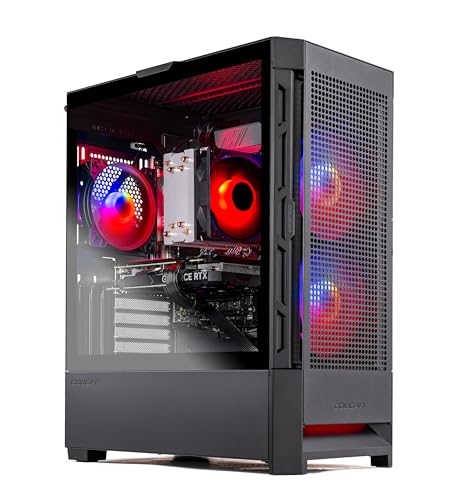
Where to buy
Check the latest price, availability and delivery on Amazon. Orders are placed on Amazon. We may earn a commission from qualifying purchases.
- Best all-round first streaming PC: Skytech Blaze4 Mini, Ryzen 7 5700, RTX 4060 Ti — Check on Amazon
- Thermaltake LCGS Quartz i1460, Core i5-14400F, RTX 5060 — Check on Amazon
- CyberPowerPC Gamer Xtreme VR GXiVR8040A14, Core i7-13700F, RTX 4060 Ti 16GB — Check on Amazon
- Skytech Archangel, Core i5-14400F, RTX 4060, 32GB RAM, 2TB SSD — Check on Amazon
See 2 more Amazon options
- CyberPowerPC Gamer Xtreme VR GXiVR8060A24, Core i5-13400F, RTX 4060 — Check on Amazon
- Skytech Nebula, Ryzen 5 5600X, RTX 4060 Ti — Check on Amazon
Read the full guide ↓
Disclosure: As an Amazon Associate, reviewstook.com earns from qualifying purchases. Links to Amazon on this page are affiliate links; they cost you nothing extra. Listing details such as price and availability change often, so check the current Amazon listing before you buy.
A gaming PC and a streaming PC are not graded on the same specification, and the difference matters more than most first-streamer guides admit. A gaming PC is judged on the frames it renders. A streaming PC is judged on two jobs run at the same time: rendering the game for you, and compressing that game into a clean broadcast for everyone watching — while a browser full of chat, alerts and dashboards competes for the same memory and processor. The component that decides whether those two jobs help or hurt each other is not the graphics card’s gaming speed. It is the encoder chip sitting on the graphics card: a small, dedicated block of silicon whose only job is turning gameplay into video. When a machine has a good one, streaming costs almost no gaming performance. When it does not, the processor inherits the compression work, and the stream and the game start taking frames from each other.
Here is the honest headline for this budget: at this budget, every machine in this guide carries a proper modern hardware encoder, and that single fact is what the step up from the cheaper streaming tiers actually buys. Cheaper streaming guides are full of compromises — integrated graphics encoders that soften at Twitch bitrates, older encoder generations with no AV1, processors asked to compress video in software while also running the game. None of that applies here. All six picks below pair an RTX 4060, 4060 Ti or 5060 with a dedicated NVENC encoder that supports AV1, so one-machine game streaming at 1080p60 is an honest expectation on every one of them. What separates the six is everything around that encoder: how much processor is left over for the rest of the streaming stack, how much memory the game and OBS have to share, how much storage your recordings get, and how each listing is positioned between sale events. Check the live price on Amazon before you buy, because prebuilt listings move often.
The Streaming Workflow This Guide Assumes
Before the picks, the working setup they are graded against — because “good for streaming” means nothing until the workload is named. The baseline is a single PC doing everything: the game renders on the same machine that runs OBS, a browser with chat and stream dashboards, a voice application, and a local recording saved alongside the live broadcast for later editing. Output is 1080p60. On Twitch, that means H.264 video at roughly 6,000 kbps with constant bitrate — the platform’s practical ceiling for most broadcasters, and a tight enough budget that encoder quality genuinely shows. On YouTube, the same machines can push higher bitrates, stream at 1440p, and broadcast in AV1, which delivers a visibly cleaner picture at a given bitrate; every pick here has the AV1 hardware for it. Twitch’s own AV1 path runs through its Enhanced Broadcasting programme rather than the standard ingest, so for most new streamers Twitch still means H.264 — and the encoder sections below grade both codecs, not just the fashionable one.
Two limits should be set down plainly. First, 4K streaming is a platform question, not a hardware one: no mainstream service builds its live experience around 4K broadcasts, so no pick here is graded on it. Second, a two-PC setup — one machine for gaming, one for encoding — is a legitimate professional arrangement, but it is not what an entry-level budget at this tier is for, and no pick here is graded as half of one. If your plan is a dedicated streaming rig fed by a capture card from a separate gaming PC or a console, the kit section near the end explains where a capture card actually belongs in the budget.
In this guide
Quick Picks
Short on time, or comparing several options at once? Each row below names a streaming situation and the product that suits it, with a link to the listing.
| Streamer type | Pick | Why it stands out | Link |
|---|---|---|---|
| Best all-round first streaming PC | Skytech Blaze4 Mini, Ryzen 7 5700, RTX 4060 Ti | The strongest encoder-and-graphics pairing here when its price behaves — check price on Amazon | Check on Amazon |
| Best encoder generation | Thermaltake LCGS Quartz i1460, RTX 5060 | The newest NVENC generation in the guide, at a fair price without waiting for a sale | Check on Amazon |
| Best for heavy multitaskers | CyberPowerPC GXiVR8040A14, RTX 4060 Ti 16GB | A 16-core processor and double the graphics memory, when it appears in deal coverage — check price on Amazon | Check on Amazon |
| Best for recording and VOD work | Skytech Archangel, 32GB RAM, 2TB SSD | Double memory and double storage: the streaming stack and the recording archive both fit | Check on Amazon |
| Best reason to spend less | CyberPowerPC GXiVR8060A24, RTX 4060, DDR5 | A real NVENC streaming machine that leaves budget for kit — check price on Amazon | Check on Amazon |
| Best for patient price-watchers | Skytech Nebula, Ryzen 5 5600X, RTX 4060 Ti | Same encoder class as the top pick — the value lives in its sale pricing, not its everyday pricing — check price on Amazon | Check on Amazon |
How These Picks Were Chosen
The first filter was the encoder, and it was applied before gaming performance was even considered. Every pick had to carry a dedicated NVIDIA hardware encoder from a current generation — the block called NVENC — with AV1 support, because AV1 is where YouTube live and high-quality local recording are heading and because an encoder without it dates a streaming machine faster than any other single specification. That filter is what separates this tier from the ones below it: integrated-graphics encoders, older Turing- and Pascal-generation blocks and software encoding all fell away, and what remained was a set of machines whose broadcasts are compressed by dedicated silicon while the processor and graphics cores get on with the game.
The second filter graded what happens around the encoder, because a stream is never just an encoder. OBS, the game, a browser running chat and dashboards, a voice app and a recording being written to disk all draw on the same processor cores, the same system memory and the same storage. So each pick was also scored on simultaneous load: processor cores from six to sixteen across this set, system memory from the 16GB floor to the Archangel’s 32GB, and storage from 1TB to 2TB — with recording space treated as a streaming specification in its own right, since a 1TB drive shared with a game library fills faster than new streamers expect. Configurations that would force a first-month upgrade on a working streamer scored down, however strong their headline card.
We did not use these products ourselves. We read the maker listings and specification pages and compared encoders, graphics cards, processors, memory, storage and power supplies, reusing the verified listing research behind this batch’s sibling guides at this tier. Two disciplines from those guides carry over unchanged. Prices move, never promise: prebuilt listings swing widely between sale events, and two of these six spend part of the year above the price that makes them sensible, so check price on Amazon for each pick before you order. And encoder claims are stated exactly, never generously: every graphics card in this guide carries a single NVENC block. Dual-encoder configurations exist on higher desktop cards further up the price ladder; none of these six has one. What a single modern NVENC block does — and it is plenty — is encode a high-quality stream, or a stream and a recording, without touching the cores that render the game.
The Encoder Is the Streaming Specification
One section of background earns its place before the reviews, because it explains every ranking that follows. NVENC is NVIDIA’s dedicated video-encoding hardware: a fixed-function block on the graphics card, separate from the cores that render games, whose sole task is compressing video. Because it is separate, asking it to encode a 1080p60 broadcast barely registers on the game’s performance — this is the entire technical basis of one-PC streaming, and it is why the graphics card’s encoder generation matters to a streamer in a way it never does to a pure gamer. The RTX 4060 and 4060 Ti carry the Ada-generation NVENC: one encoder block, with H.264 for Twitch today and AV1 for YouTube live and local recordings. The RTX 5060 in the Thermaltake carries the newer Blackwell-generation block, with the same codec list and the generation’s refinements. All six picks encode AV1; all six are single-encoder machines; and all six will produce a cleaner Twitch picture at 6,000 kbps than any software or integrated-graphics encoder at this end of the market, because the dedicated block is simply better at squeezing quality out of a tight bitrate than a processor core moonlighting as an encoder.
What the encoder does not do is worth the same emphasis. It does not make a weak graphics card strong: the game still has to render before there is anything to broadcast, and the 4060-class picks are graded on that rendering honestly in their reviews. It does not fix a bad upload connection — dropped frames caused by the network are the most common streaming fault, and no hardware here can cure an unstable line, which is why the setup section insists on wired Ethernet. And frame generation, which several of these cards advertise, is a gaming feature, not a streaming one: it interpolates extra frames for your monitor, it does not reduce input latency, and your broadcast is encoded from the rendered frames regardless.
The 6 Best Entry Level Gaming PCs for Streaming Under $1200
Skytech Blaze4 Mini — Ryzen 7 5700, RTX 4060 Ti 8GB, 16GB DDR4, 1TB SSD
Who it suits: The first-time streamer who wants one machine that games and broadcasts at full quality from day one, and is willing to time the purchase to this listing’s price cycle.
For streaming, the Blaze4 Mini’s specification reads like the checklist this guide was built from. The RTX 4060 Ti brings the Ada-generation NVENC encoder — a single dedicated block with AV1 — alongside the strongest gaming card in this set, so the game renders at full 1080p quality while the encoder compresses the broadcast without borrowing anything from the rendering cores. Behind it, the Ryzen 7 5700’s eight cores are the right shape for the streaming stack: OBS, a browser carrying chat and dashboards, a voice app and a local recording all run concurrently with the game, and eight cores absorb that company without the hitching a smaller processor shows mid-broadcast. The 650W Gold power supply and 1TB SSD complete a machine with no cut corners a streamer will meet in the first year. And the price story is the best in the guide when it behaves: when this listing drops in a sale, it becomes budget-tier money for this tier’s encoder and card together — check price on Amazon.
The qualifications are the platform’s, and a streamer should hear them before buying. The 5700 runs on AMD’s finished AM4 platform with DDR4 memory: no meaningful processor upgrade path exists inside this case, so when the machine eventually ages, the honest sequence is a graphics card first and a platform replacement later. Sixteen gigabytes of system memory is the guide’s floor rather than a luxury — adequate for the game-plus-OBS-plus-browser stack as described, but the first specification a heavy multitasker will feel, and the reason the Archangel’s 32GB exists further down. The card’s 8GB of graphics memory is the second ceiling, setting texture choices in the heaviest games sooner than the 16GB pick below. Skytech also notes the graphics card brand may vary between units; the model, memory and encoder are the contracted specification, the badge on the cooler is not. None of it dents the recommendation at the right price. Caught on sale, this is the most complete first streaming PC in the guide. Sitting at full price, read the next review first.
- Ada-generation NVENC with AV1, on the strongest gaming card in this set.
- Eight-core Ryzen 7 5700: the streaming stack runs beside the game without fighting it.
- Strong value when it drops in a sale — check price on Amazon for the current listing.
Honest limitation: The AM4/DDR4 platform is a dead end for processor upgrades, 16GB of memory is the working floor for a streaming stack rather than headroom, and the value case depends on catching it well below its everyday price.
Choose it if you catch it on sale and want the complete one-PC streaming package. Skip it if it is at full price on buying day — the RTX 5060 build below is the better full-price streaming purchase.

Thermaltake LCGS Quartz i1460 — Core i5-14400F, RTX 5060 8GB, 16GB DDR4, 1TB NVMe SSD
Who it suits: The streamer buying on an ordinary day, who wants the newest encoder generation and the longest support runway rather than the sharpest sale price.
Every other pick in this guide encodes on a 40-series card. This one encodes on the RTX 5060, whose Blackwell-generation NVENC is the newest encoder hardware here — the same AV1 and H.264 codec support as the Ada block, in the generation that will receive driver attention the longest. For a streamer, that longevity is the argument: encoder behaviour is refined through drivers, OBS support tracks current hardware first, and this is the machine whose broadcast stack stays current the longest. Thermaltake builds it around a Core i5-14400F with ten cores — comfortable headroom for OBS and the browser stack beside the game — with 16GB of DDR4 3600 memory, a 1TB NVMe drive and a 600W Gold-rated supply. It is priced fairly without depending on a sale event — check price on Amazon — which makes it the most dependable recommendation in the guide: a fair price on any Tuesday, in a category where half the listings only make sense during promotions.
The honest qualifications mirror the gaming ones, plus one of streaming’s own. The 5060’s gaming performance trades blows with the 4060 Ti rather than clearly beating it, so what the newer generation buys is time and encoder currency, not a faster game. Its advertised multi frame generation is a monitor feature — smoother-looking motion in supported titles — that does not reduce input latency and does nothing for the broadcast, which is encoded from rendered frames either way; buy the card for its encoder and native rendering, and let the generated frames be a bonus. The platform is a halfway house, LGA1700 with DDR4 rather than DDR5, and 16GB of memory is the same streaming floor as the top pick. The 8GB graphics-memory ceiling applies here too. What this machine offers instead is certainty: no price timing, no deal hunting, the current encoder generation, and a ten-core processor that will not be the reason a stream stutters.
- Blackwell-generation NVENC with AV1: the newest encoder in this guide.
- Ten-core Core i5-14400F leaves real headroom for OBS, chat and dashboards.
- Fair everyday pricing without depending on a sale event — check price on Amazon.
Honest limitation: Gaming performance is a trade with the 4060 Ti rather than a clear win, frame generation does nothing for the broadcast, and the DDR4 platform and 8GB of graphics memory are the same ceilings as the cheaper picks.
Choose it if you are buying at full price and value the longest encoder and driver runway. Skip it if the Blaze4 Mini is sitting near its low — the stronger card and encoder pairing is the better deal then.

CyberPowerPC Gamer Xtreme VR GXiVR8040A14 — Core i7-13700F, RTX 4060 Ti 16GB, 16GB DDR5, 1TB NVMe SSD
Who it suits: The streamer whose broadcasts run heavy — multiple browser sources, scene collections, a recording, a full chat stack — and who intends to keep the machine for years without opening it.
Two numbers explain this machine to a streamer. The first is sixteen cores: the Core i7-13700F is the strongest processor in this guide by a wide margin, and simultaneous load is precisely where that shows. OBS scenes with browser sources, alert overlays, a chat dashboard, voice processing and a local recording all draw on the processor while the game runs; on this machine, that entire stack sits in the shadow of a chip with capacity to spare, which makes it the calmest broadcast platform here under load. The second number is 16GB — of graphics memory, double every other pick. The 4060 Ti’s Ada NVENC encoder with AV1 is the same block as the top pick’s, but the larger frame buffer means texture settings in heavy games stay where the developers put them, at 1440p as well as 1080p, for years longer. It appears in Amazon deal coverage inside this budget from time to time — check price on Amazon.
The catch is entirely its everyday pricing, which sits outside this budget and outside the argument. This is a deal-only pick and the review will not soften it. On a deal day, a heavy multitasker gets the strongest streaming stack in the guide. At full price, the same buyer is paying a premium over the Thermaltake’s newer encoder generation for capacity they may not use. Fairness also requires the counter-argument: most new streamers’ actual stacks — one game, OBS, one browser — run perfectly well on the cheaper picks, and the 16GB of graphics memory is insurance against future games rather than a present-tense improvement to tonight’s broadcast. The DDR5 platform is the modern one and the processor headroom is real; neither rescues the value at the wrong price. Verify the model number — GXiVR8040A14 — against the listing before ordering, since CyberPowerPC sells closely related configurations under similar names.
- Sixteen-core Core i7-13700F: the most simultaneous-load headroom in this guide.
- RTX 4060 Ti with 16GB of graphics memory and the Ada NVENC/AV1 encoder.
- Appears in Amazon deal coverage — inside budget when the deal is live; check price on Amazon.
Honest limitation: Deal-dependent: at its everyday pricing it leaves this budget entirely, and its processor and memory advantages only pay off for genuinely heavy streaming stacks.
Choose it if you catch it inside this budget on a deal day and run — or plan to run — a demanding multi-source broadcast. Skip it if it is outside this budget on buying day; wait, or take the Thermaltake.

Skytech Archangel — Core i5-14400F, RTX 4060 8GB, 32GB DDR5, 2TB SSD
Who it suits: The streamer who records everything — full sessions kept for editing, clips and VOD uploads — and whose real bottleneck is space, not frames.
Streaming quietly doubles a PC’s appetite for two resources, and this is the only pick that doubles both. The first is system memory: game, OBS, browser, chat and voice all resident at once is exactly the workload where 16GB stops being a floor and starts being a negotiation, and the Archangel’s 32GB of DDR5 ends the negotiation outright. The second is storage. A high-quality local recording of a long session is a large file; a streamer who keeps a month of them, beside a modern game library, will fill a 1TB drive with a speed that surprises every beginner. The Archangel’s 2TB SSD is the recording archive and the games library in one, with no second-drive errand in the machine’s first years. The encoder is the RTX 4060’s Ada NVENC with AV1 — the same dedicated block as the 4060 Ti picks, since the encoder does not shrink with the card’s gaming tier — driven by a ten-core Core i5-14400F and a 650W Gold supply. Its pricing sits at this budget’s ceiling on ordinary days and drops meaningfully in sales — check price on Amazon.
The trade is the same one its gaming coverage states, restated for streamers: the step-up money buys capacity, not graphics class. The RTX 4060 renders a notch below the 4060 Ti picks — at 1080p that notch is small and at 1440p it leans on upscaling — and no amount of system memory or storage lifts the rendering ceiling. Its encoder, however, is not a notch below anything here: for the broadcast itself, this machine’s stream quality matches the top pick’s, and for the recording workflow around the broadcast it is better equipped than any of them. The 8GB graphics-memory limit applies in full. So the question is what your streaming actually consists of. If it is live-first, light on recording, and ambitious about 1440p gaming, buy the card instead. If it is record-everything, edit-later, with a library that grows weekly, this is the machine that removes the friction — and when it drops in a sale it does so for budget-tier money.
- 32GB DDR5 and a 2TB SSD: the streaming stack and the recording archive both fit, with room to spare.
- The RTX 4060’s Ada NVENC/AV1 encoder matches the pricier picks for the broadcast itself.
- Sale pricing brings the capacity build into the tier below’s money on deal days — check price on Amazon.
Honest limitation: The money buys capacity, not graphics class — the RTX 4060 and its 8GB of memory are budget-tier rendering hardware, and 1440p gaming means upscaling even though 1440p streaming output is fine.
Choose it if recording, editing and a big library are the centre of your streaming life. Skip it if you stream live, record rarely, and would rather have the stronger card.

CyberPowerPC Gamer Xtreme VR GXiVR8060A24 — Core i5-13400F, RTX 4060 8GB, 16GB DDR5, 1TB SSD
Who it suits: The new streamer who does not need to spend the whole budget to broadcast properly — and would rather put the difference toward a microphone, which will improve their stream more than any component in this guide.
This is the pick that argues against the guide’s own budget, and for streaming the argument is strong. The GXiVR8060A24 pairs the RTX 4060 — carrying the same Ada-generation NVENC encoder with AV1 as its 4060 Ti siblings — with a ten-core Core i5-13400F, 16GB of DDR5 memory and a 1TB PCIe Gen4 SSD, and it sits well under this budget on Amazon — check price on Amazon. Read that as a streamer: the broadcast this machine produces at 1080p60 is, encoder for encoder, the same broadcast the top pick produces, because the compression hardware is identical and the processor has cores to spare for OBS and the browser. What the money left unspent buys is the part of streaming beginners chronically underfund — the microphone and lighting in the kit section below, which an audience notices in the first ten seconds, long before they could tell a 4060 from a 4060 Ti. Its platform is also the modern one: DDR5 memory on LGA1700, where several pricier picks still run DDR4.
Its limits are rendering limits, and they should be stated as plainly as its virtues. The RTX 4060 is one class below the 4060 Ti: at 1080p it plays and streams the current catalogue properly, but at 1440p it leans on upscaling in demanding games, and its 8GB of graphics memory sets texture choices sooner. A streamer gaming at 1080p — which is where a first setup paired with a first monitor will live — gives up almost nothing; a streamer who already owns a 1440p high-refresh display should buy one of the cards above instead. The price discipline from its gaming coverage applies unchanged: while it stays well under the budget it is the smartest streaming money in the guide, and if its price drifts up toward the ceiling it becomes a worse version of the Thermaltake, which is then the correct purchase. One buying habit matters here: confirm the model number GXiVR8060A24 on the listing, because this brand reuses similar names across configurations, and the encoder-and-DDR5 combination is the specific thing you are paying for.
- The same Ada NVENC/AV1 broadcast as the top picks, for budget-tier money — check price on Amazon.
- Ten-core processor and DDR5 platform: the streaming stack has room, on a modern base.
- Leaves a real share of the budget for the microphone and lighting that audiences actually notice.
Honest limitation: One graphics class below the 4060 Ti picks — 1440p gaming leans on upscaling, 8GB of graphics memory sets texture limits sooner, and the value evaporates if the listing drifts up toward the budget ceiling.
Choose it if you stream at 1080p and want budget left for the kit that makes a stream sound professional. Skip it if you already game on a 1440p display — spend the budget on the card that feeds it.
Skytech Nebula — Ryzen 5 5600X, RTX 4060 Ti 8GB, 16GB DDR4, 1TB NVMe SSD
Who it suits: The patient streamer — willing to watch a price rather than buy on a date — who wants the 4060 Ti’s encoder and card, and whose broadcast stack is a simple one.
On the specifications a streamer reads first, the Nebula matches the top pick: the same RTX 4060 Ti with its Ada NVENC and AV1 encoder, 16GB of memory, a 1TB NVMe drive and a 600W Gold power supply. Its broadcasts will look like the Blaze4 Mini’s broadcasts, because the compression hardware is identical. The difference sits behind the encoder. The Ryzen 5 5600X is a six-core processor — two cores fewer than the top pick’s 5700 — and cores are what the rest of the streaming stack eats: OBS’s scene compositing, the browser, voice processing, the recording. For a straightforward setup — one game, OBS, chat — six cores are sufficient and this machine streams honestly. For a growing stack of browser sources and overlays, it is the first processor in this guide that will make its owner think about closing things before going live, and that is the honest reason it ranks last for streaming despite the equal card.
The second reason is its price history, the most volatile of the six: this listing swings widely between sale events. That turns the advice blunt. When it drops in a sale, buy it without regret. Near its everyday price, buy it only if the Blaze4 Mini is out of stock or at full price, since the eight-core machine is the better streaming platform at the same money. When it sits above this budget, close the tab. The AM4/DDR4 platform caveat applies exactly as it does to the top pick — a finished platform with no processor upgrade path worth the name — and the 8GB graphics-memory ceiling is the same.
- The 4060 Ti’s Ada NVENC/AV1 encoder, at its best in sale pricing — check price on Amazon.
- Full-size case and a 600W Gold supply: an ordinary, workable first streaming tower.
- Entirely sufficient for a simple one-game, one-browser streaming stack.
Honest limitation: Six processor cores are the tightest simultaneous-load budget in this guide, and the price is the most volatile here, swinging widely between sales, on the same finished AM4/DDR4 platform as the top pick.
Choose it if it is sitting at a sale price and your streaming setup is a lean one. Skip it if it is near or above this budget’s ceiling, or your broadcasts already run heavy with sources and overlays.

Comparison Table
| Product | Encoder | Best streaming use | Link |
|---|---|---|---|
| Skytech Blaze4 Mini | Ada NVENC + AV1 (RTX 4060 Ti) | Strongest all-round one-PC stream, when caught near its low | Check on Amazon |
| Thermaltake LCGS Quartz i1460 | Blackwell NVENC + AV1 (RTX 5060) | Newest encoder generation at a fair everyday price | Check on Amazon |
| CyberPowerPC GXiVR8040A14 | Ada NVENC + AV1 (RTX 4060 Ti 16GB) | Heavy multi-source stacks and long keeping, on deal days | Check on Amazon |
| Skytech Archangel | Ada NVENC + AV1 (RTX 4060) | Recording-heavy streaming: 32GB RAM, 2TB archive | Check on Amazon |
| CyberPowerPC GXiVR8060A24 | Ada NVENC + AV1 (RTX 4060) | The same broadcast for budget-tier money — kit budget intact | Check on Amazon |
| Skytech Nebula | Ada NVENC + AV1 (RTX 4060 Ti) | Top-tier encoder for patient buyers with a lean setup | Check on Amazon |
Set Up OBS Once, Correctly
Every pick in this guide can produce a professional broadcast, and most bad first streams are settings, not hardware. Work through this once, in order, and the machine you bought will do the rest. First, the encoder: in OBS, choose the NVIDIA NVENC encoder — H.264 for Twitch, AV1 for YouTube live or for local recordings where your editing software accepts it. Never choose the software x264 encoder on these machines; it spends processor cores that the game and the rest of the stack are using, to produce a picture the dedicated block produces better for free. Set rate control to constant bitrate — around 6,000 kbps for Twitch — with a two-second keyframe interval, which the platforms expect. Use the quality-oriented preset your card sustains without complaint; on a single-encoder card that is also recording, step the preset down one notch rather than letting the recording and the stream fight over the same block.
Second, learn the three counters in the OBS Stats dock, because each one names a different problem with a different fix, and confusing them wastes whole evenings. Rendering lag means the graphics card is saturated by the game and OBS cannot composite its scene: cap the game’s frame rate, or lower its settings, until the counter clears — the encoder cannot broadcast frames the renderer never finished. Encoding lag means the encoder block itself is overloaded: drop the preset a step, or reduce the output resolution, and if you are streaming and recording simultaneously, let the recording use a lighter setting rather than mirroring the stream at maximum quality. Dropped frames, in the Stats dock’s network sense, are neither of those: they are your connection, and the fix is not in OBS at all. Which leads to the rule that outranks every setting in this section: stream on a wired Ethernet connection. Every pick in this guide ships with Wi-Fi, and Wi-Fi is fine for downloading games; for pushing a constant 6,000 kbps upstream for three hours, a cable is the difference between a stable broadcast and a dropped-frame counter that climbs all evening. Run the cable.
Third, the load discipline that keeps one PC honest. The game, OBS, a browser and a recording are four workloads sharing one processor and one pool of memory; the picks above were graded on exactly this. Keep the browser to the tabs the broadcast needs, and record to the same fast SSD the games live on — all six picks have one — rather than to a slow external drive. Finally, verify the delivered configuration when the machine arrives: check the graphics card model and memory, the system memory and the drive size in Windows against the listing and the model number, because prebuilt listings sell in families and the time to discover a wrong configuration is the first evening, not the first stream.
What $1,200 Does Not Include
A streaming PC is the centre of a setup, not the whole of it, and the honest budget conversation includes the kit — in the order an audience notices it. First, a microphone. Viewers forgive ordinary video for hours; they leave bad audio in seconds, and a decent dedicated microphone is the highest-value purchase in streaming after the PC itself. Second, lighting: a simple, steady light on your face does more for a webcam picture than any camera upgrade, because webcams fail in dim rooms, not bright ones. Third, a webcam, if your format puts you on screen at all — many successful formats do not, and this is the item to defer if money is tight. Fourth, and only for a specific workflow, a capture card: it exists to bring a signal from another device — a console, or a separate gaming PC — into the streaming machine. For the one-PC setup this guide assumes, a capture card does nothing at all, and beginners regularly buy one believing otherwise. None of these items is inside any pick’s price above, and this guide states no prices for them, because the base research documents none — cost them separately, in that order, and notice that the spend-less CyberPowerPC leaves room in the budget envelope for the top of that list while the ceiling-priced picks do not. That arithmetic is a genuine part of choosing a streaming PC, and it is why the spend-less pick ranks where it does.
How to Choose an Entry Level Gaming PC for Streaming Under $1200
- Read the encoder before the frame rates. For a streaming machine the NVENC generation and its AV1 support decide broadcast quality and longevity; every pick here passes, and anything without a modern dedicated encoder should not be on a streamer’s shortlist at any price.
- Count the whole stack, not just the game. OBS, a browser, chat, voice and a recording share the processor and memory with the game. Six cores and 16GB is a workable floor; more of both is what heavy, multi-source broadcasts actually consume.
- Treat recording storage as a streaming specification. If you keep sessions for editing, 2TB is a feature, not a luxury — and a 1TB drive shared with a game library is a scheduled problem.
- Decide your resolution honestly. Streaming output at 1080p60 is the working standard for this tier on every pick. If you also game at 1440p, that — not the streaming — is what justifies the stronger cards.
- Set a walk-away price for every listing. Two picks here are only good purchases below specific numbers, and the most volatile listing in the guide swings widely between sales. Write your number down before the sale banners start negotiating.
- Budget the kit with the PC. A microphone improves a stream more than a graphics tier does. If the ceiling-priced pick leaves nothing for audio, the cheaper pick plus the microphone is the better broadcast.
- Plan the cable. Wired Ethernet is part of the streaming specification. If the PC’s home cannot be reached by a cable run, solve that before blaming any hardware for dropped frames.
- Match the machine to the broadcast you actually run. One game, OBS and chat run beautifully on the cheaper picks. Scene-heavy, multi-source, record-everything streaming is what the top of this budget is for.
Common Buying Mistakes
- Choosing a streaming PC by gaming benchmarks alone, then discovering the encoder — the part that makes the broadcast — was never compared.
- Believing a card has two encoders because the marketing was generous. Every card in this guide has a single NVENC block; it is enough, but plan stream-plus-recording settings around one block, not two.
- Encoding in software. Selecting x264 in OBS on a machine with NVENC spends the processor the game needs and produces a worse picture at Twitch bitrates.
- Streaming over Wi-Fi because the listing advertised fast wireless, then chasing settings for a week to fix what is actually the connection.
- Buying a capture card for a one-PC setup, where it has no signal to capture and no job to do.
- Spending the whole budget on the tower and nothing on the microphone — the one component every viewer hears, on every stream, from the first second.
- Paying the average or high price for a listing famous for its low. The Nebula and the 16GB CyberPowerPC are bargains on their good days and mistakes on their bad ones.
- Assuming more money in the tower fixes a soft picture, when the actual cause is a 6,000 kbps Twitch ceiling being asked to carry a fast game at maximum settings — a settings problem, not a hardware one.
Final Recommendation
- Most first-time streamers at this ceiling: Skytech Blaze4 Mini, when it is priced near its low.
- Buying today at full price: Thermaltake LCGS Quartz i1460.
- Heavy, multi-source broadcasts: CyberPowerPC GXiVR8040A14 when it appears in deal pricing — check price on Amazon.
- Record-everything streamers: Skytech Archangel.
- Sensible 1080p streamers: CyberPowerPC GXiVR8060A24 — and spend the change on a microphone.
- Patient price-watchers with a lean setup: Skytech Nebula when it drops in a sale.
Our top two for a first streaming PC at this ceiling are the Blaze4 Mini, for the strongest card-and-encoder pairing this money reaches when its price behaves, and the Thermaltake Quartz, for the newest encoder generation at a fair price on any day of the year. But the recommendation this guide most wants a new streamer to hear is the arithmetic one: every machine here broadcasts through a modern NVENC encoder with AV1, so the differences that will actually shape your first year are the microphone you can or cannot afford after the tower, the storage your recordings live on, and whether your price timing was disciplined. Streamers whose needs are simpler can step down to Best Entry Level Gaming PC For Streaming Under $800 without giving up real encoding hardware, and those already planning a heavier setup can look at Best Entry Level Gaming PC For Streaming Under $1500. Decide the workflow first, set a walk-away price for the listing you choose, run the Ethernet cable, and check the live price before you order.
Frequently Asked Questions
Can one PC really game and stream at the same time at this budget?
Yes — that is precisely what this tier buys, and the reason is the encoder. Each pick compresses its broadcast on a dedicated NVENC block that sits apart from the cores rendering the game, so a 1080p60 stream costs very little gaming performance. The limits are the honest ones stated through the guide: keep the streaming stack’s other demands — browser tabs, scene sources, recording settings — within the processor and memory the pick provides, cap the game’s frame rate if OBS reports rendering lag, and use a wired connection. Streamers coming from the tier below can compare the difference in Best Entry Level Gaming PC Under $800.
What is NVENC, and why does it matter more than the processor for streaming?
NVENC is the dedicated video-encoding hardware built into NVIDIA graphics cards. Encoding is the work of turning gameplay into the compressed video a platform broadcasts, and doing it on a fixed-function block means the processor and the rendering cores are left alone to run the game and the rest of the streaming stack. Software encoding on the processor can match the picture only by spending cores a one-PC setup does not have spare, and at Twitch’s roughly 6,000 kbps ceiling the modern NVENC block produces the cleaner picture besides. It is the first specification a streaming-PC buyer should check, ahead of processor model and ahead of gaming benchmarks.
Do these PCs support AV1 streaming?
Yes — every pick carries an encoder with AV1 support, the Ada-generation block in the RTX 4060 and 4060 Ti machines and the newer Blackwell block in the RTX 5060 machine. Where AV1 helps today is YouTube live, which accepts it and rewards it with a cleaner picture at a given bitrate, and local recording, where it stores high-quality sessions efficiently. On Twitch, standard broadcasts remain H.264, with AV1 arriving through the platform’s Enhanced Broadcasting programme — so for most new streamers, Twitch quality is decided by the H.264 encoder, which is why this guide grades both codecs rather than only the newer one. Dedicated streaming machines built around exactly this question are compared in Best Streaming PC Under $1200.
Should I build a second PC just for streaming?
Not at this budget, and not for the workflow most beginners run. A second PC made sense when encoders were weak; a single modern NVENC block handles a 1080p60 broadcast so cheaply that the second machine’s cost — a whole computer, plus the capture card to connect it — buys almost nothing until a channel’s production is genuinely complex. Spend the money in the order the kit section gives: microphone, lighting, then the rest. If a console is your game source, the arrangement differs — the console plays, this PC captures and broadcasts — and one of these machines serves that role well, with the capture card costed separately.
How much storage does streaming actually need?
More than gaming alone, because recordings accumulate. A high-quality local recording of a long session is a large file, and a streamer who records everything and edits later can fill the space beside a modern game library within a season on a 1TB drive. That is why the Archangel’s 2TB is graded as a streaming feature rather than a luxury, and why the 1TB picks carry the honest note that a second drive is a likely first-year purchase for record-heavy streamers. Live-only streamers who keep nothing can ignore this entirely — the same drive that serves a gamer serves them.
Is $1,200 overkill for a first streaming PC?
It can be, and this guide’s own ranking says so: the spend-less CyberPowerPC carries the same class of encoder as the ceiling-priced picks and broadcasts a 1080p60 stream of the same quality, leaving money for the microphone that audiences notice more. Spend the full budget when the reasons are real — 1440p gaming alongside the stream, a heavy multi-source broadcast, recording everything, or a deliberate keep-it-for-years purchase like the 16GB pick. Beginners still deciding how much machine their format needs may also find Best Entry Level Gaming PC For Beginners Under $1200 useful, and buyers short on desk space can check Best Entry Level Gaming PC For Small Spaces Under $1200.
- Best Entry Level Gaming PC Under $800
- Best Entry Level Gaming PC Under $1500
- Best Entry Level Gaming PC For Beginners Under $1200
- Best Entry Level Gaming PC For Streaming Under $800
- Best Entry Level Gaming PC For 1440p Gaming Under $1200
- Best Streaming PC Under $1200
- Best Budget Gaming PC Under $1200
- Best 1080p Gaming PC Under $1200
- Best Prebuilt Gaming PC Under $1200


