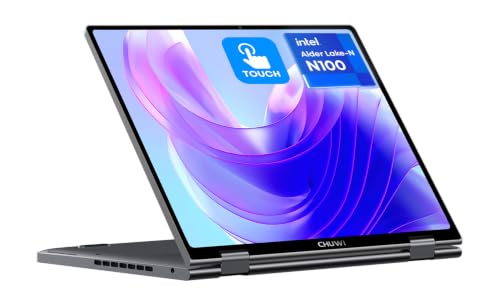
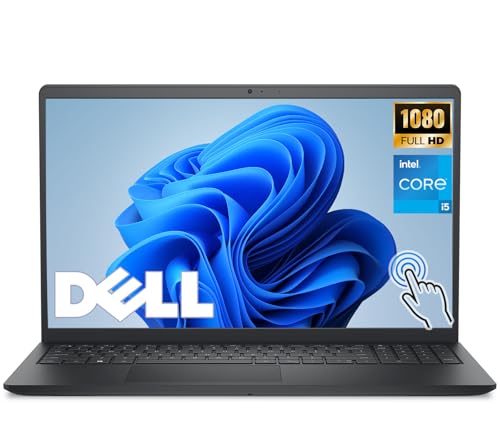
The best types of laptops are the six kinds that cover almost every buyer: the ultrabook, the gaming laptop, the 2-in-1 convertible, the Chromebook, the business laptop, and the budget laptop. Each type is built for a different kind of work, and the wrong type is the most common laptop mistake, because a laptop that is perfect for one buyer is wrong for another. This guide explains each type and gives one pick for it: an Apple MacBook Air for the ultrabook, an ASUS ROG Strix G16 for gaming, a Lenovo Yoga 7i for the 2-in-1, an Acer Chromebook Spin 314 for the Chromebook, a Lenovo V15 Gen 5 for business, and an Acer Aspire Go 15 for budget.
A laptop type is not a brand and not a price, it is a shape and a purpose. An ultrabook is thin, light, and quiet, made to carry everywhere and to last a working day on battery. A gaming laptop is thick, fast, and cool, made to run games and heavy software without slowing down. A 2-in-1 folds into a tablet, a Chromebook runs the web and nothing else, a business laptop is built for the office, and a budget laptop does the basics for the least money. The buyer who knows the type first will choose well, while the buyer who shops by brand alone will often buy the wrong machine.
The six laptops in this guide were chosen so that each one shows its type clearly. The MacBook Air with the M5 chip is the ultrabook: a 13.6-inch screen, 16GB of unified memory, and a 512GB SSD in a thin body. The ASUS ROG Strix G16 is the gaming laptop: a 16-inch 165Hz screen, an RTX 5060 graphics card, and an Intel Core i7-14650HX processor. The Lenovo Yoga 7i is the 2-in-1: a 14-inch OLED touchscreen that folds flat, with a Yoga Pen. The Acer Chromebook Spin 314 is the Chromebook: a 14-inch touchscreen running Chrome OS. The Lenovo V15 Gen 5 is the business laptop: a 15.6-inch machine with an Intel Core i7-13620H and Windows 11 Pro. The Acer Aspire Go 15 is the budget laptop: a 15.6-inch machine with an Intel Core 3 processor for everyday work.
This guide covers six best types of laptops, and every pick states its brand, its model, and its key parts in the listing title, so a buyer can tell exactly which machine is in the box. The comparison table below gives the short version, and the sections after it give the detail for each type, including who each one fits and where each one falls short. The buying guide after the picks explains how to match a type to the work, so a buyer who is still unsure can decide from the work first and the machine second.
A laptop type also deserves a word about trade-offs, because every type gives something up to gain something else. An ultrabook gives up power and ports to gain thinness and battery life, a gaming laptop gives up thinness and quiet to gain speed, a 2-in-1 gives up a little sturdiness to gain a touchscreen, a Chromebook gives up Windows software to gain simplicity and price, a business laptop gives up flash to gain reliability, and a budget laptop gives up speed to gain affordability. There is no best type in general, only a best type for the work in hand.
In this guide
Quick picks: best types of laptops
| # | Product | Where to buy |
|---|---|---|
| 1 | Apple MacBook Air 13-inch Laptop with M5 chip | Check on Amazon |
| 2 | ASUS ROG Strix G16 2025 Gaming Laptop | Check on Amazon |
| 3 | Lenovo Yoga 7i 2-in-1 Laptop | Check on Amazon |
| 4 | Acer Chromebook Spin 314 CP314-2HN-30V1 | Check on Amazon |
| 5 | Lenovo V15 Gen 5 Business Laptop | Check on Amazon |
| 6 | Acer Aspire Go 15 AI Ready Laptop | Check on Amazon |
How the picks were chosen for the best types of laptops
The picks were chosen from the product listings returned by the site product search, and only genuine laptops made the list, one for each of the six types. Each listing title was checked for the brand, the model, and the processor, and a laptop was only linked when all three matched the listing. Tablets, desktops, and accessories were not counted as picks, because the article is about laptop types, and neither were renewed or used listings, because a type guide should show machines a buyer can order new.
The first filter was that each pick had to show its type clearly. The ultrabook pick had to be thin and light with a modern chip, the gaming pick had to have a dedicated graphics card and a fast screen, the 2-in-1 pick had to have a touchscreen that folds, the Chromebook pick had to run Chrome OS, the business pick had to have a business processor and Windows 11 Pro, and the budget pick had to cover everyday work at a low specification. A laptop that blurred two types, such as a gaming machine with a touchscreen, was not chosen, because the guide needs each type to be easy to recognise.
The second filter was the listing itself. Every pick is a new listing from a known laptop brand: Apple, ASUS, Lenovo, or Acer. Listings whose titles named a different processor, a different screen size, or a different model were excluded, and listings that were bundles of a laptop with unrelated extras were treated with care: the Lenovo V15 Gen 5 listing notes a bundle, but the laptop itself is the V15 Gen 5 with the stated processor, so it was kept. The result is six laptops that a buyer can order with confidence that the machine in the box matches the machine in the title.
The third filter was variety. The six types cover the whole market, from a Chromebook that runs the web to a gaming laptop that runs the heaviest software, and the picks were chosen to span that range without overlap. A buyer who reads the guide should be able to place themselves in one type, and only one, and then look at the pick for that type. If two picks suited the same buyer, the guide would have failed, so each pick was checked against the others for a distinct purpose.
What the six types of laptops are
The ultrabook is the thin and light laptop, made to carry everywhere and to last a working day. It has a modern processor, a bright screen, and a solid-state drive, and it trades raw power and ports for thinness, silence, and battery life. The MacBook Air in this guide is the ultrabook pick, with a 13.6-inch Liquid Retina display, 16GB of unified memory, and a 512GB SSD, and it suits a buyer who works on the move and values a light bag over a fast graphics card.
The gaming laptop is the fast laptop, made to run games and heavy software without slowing down. It has a dedicated graphics card, a fast processor, and a high-refresh screen, and it trades thinness, quiet, and battery life for speed. The ASUS ROG Strix G16 in this guide is the gaming pick, with an RTX 5060 graphics card, an Intel Core i7-14650HX processor, and a 165Hz screen, and it suits a buyer who plays games or edits video and needs the power to do it well.
The 2-in-1 convertible is the flexible laptop, made to work as a laptop and as a tablet. It has a touchscreen that folds flat, often with a pen, and it suits a buyer who takes notes by hand, sketches, or presents to a room. The Lenovo Yoga 7i in this guide is the 2-in-1 pick, with a 14-inch OLED touchscreen, a Yoga Pen, and an Intel Core Ultra 5 processor, and it suits a student, a teacher, or a designer who wants one device for typing and for drawing.
The Chromebook, the business laptop, and the budget laptop complete the set. A Chromebook runs Chrome OS and the web, which makes it simple, fast to start, and hard to break, and the Acer Chromebook Spin 314 in this guide is the Chromebook pick. A business laptop is built for the office, with a business processor, a full set of ports, and Windows 11 Pro, and the Lenovo V15 Gen 5 in this guide is the business pick. A budget laptop does everyday work for the least money, with a modest processor and enough memory for browsing, documents, and video, and the Acer Aspire Go 15 in this guide is the budget pick.
How to match a laptop type to the work
Match the type to the work first, and the brand second, because the work decides the type. A buyer who writes, browses, and emails all day needs an ultrabook or a budget laptop, and nothing more. A buyer who plays games or edits video needs a gaming laptop, because no other type has the graphics card for it. A buyer who takes notes by hand needs a 2-in-1, a buyer who lives in the browser needs a Chromebook, and a buyer who works in an office with company software needs a business laptop with Windows 11 Pro. The work is the test, and the type is the answer.
Battery life and weight are the second test. An ultrabook and a Chromebook last longest and weigh least, which suits a buyer who carries the machine all day. A gaming laptop and a business laptop are heavier and need charging sooner, which suits a buyer who works at a desk. A buyer who works away from a socket should weigh battery life heavily, because a fast laptop that dies at noon is worse than a slow one that lasts until five.
Software is the third test, and it decides between a Chromebook and everything else. A Chromebook runs Chrome OS, which means the browser, web apps, and Android apps, but not Windows software, so a buyer who needs a specific Windows program should not buy one. A business laptop runs Windows 11 Pro, which suits company software and domain joining, while a gaming laptop and an ultrabook run Windows 11 Home or macOS, which suit personal software and creative work. Check the software first, because the wrong operating system cannot be fixed by a faster processor.
Price is the final test, and it follows the type. A budget laptop and a Chromebook cost the least, an ultrabook and a business laptop cost more, and a gaming laptop and a 2-in-1 cost the most for their class. The buyer should set the type first and then the budget, because a cheap gaming laptop is a bad gaming laptop, while a good budget laptop is a good laptop for its work. The picks in this guide show what each type looks like at a sensible specification, and the buyer should compare within the type, not across types.
Quick picks at a glance
| Laptop | Type | Key parts | Best for |
|---|---|---|---|
| MacBook Air 13 M5 | Ultrabook | M5, 16GB, 512GB | Carrying everywhere |
| ASUS ROG Strix G16 | Gaming | RTX 5060, i7-14650HX | Gaming and video |
| Lenovo Yoga 7i | 2-in-1 | Ultra 5, 14-inch OLED touch | Notes and drawing |
| Acer Chromebook Spin 314 | Chromebook | i3-N305, 8GB, Chrome OS | Web and school work |
| Lenovo V15 Gen 5 | Business | i7-13620H, 16GB, 512GB | Office work |
| Acer Aspire Go 15 | Budget | Core 3 N355, 8GB | Everyday basics |
The best types of laptops
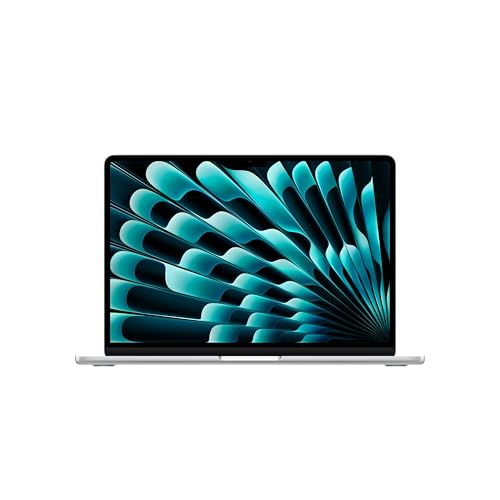
Apple MacBook Air 13-inch Laptop with M5 chip (Ultrabook)
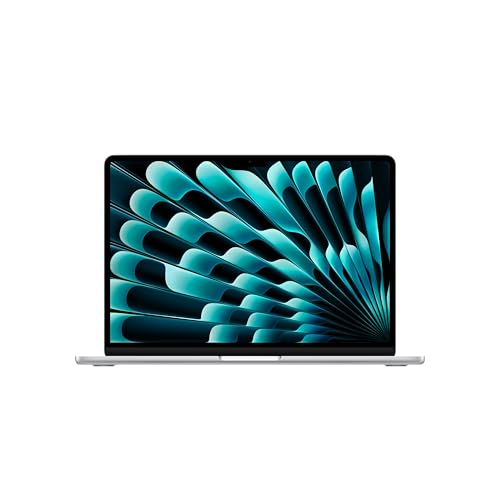
The Apple MacBook Air 13-inch with the M5 chip is the ultrabook pick in this guide, and it is the laptop to choose when the work is writing, browsing, and email, and the machine has to travel. The listing title states the brand, the 13-inch size, the M5 chip, the 13.6-inch Liquid Retina display, the 16GB of unified memory, the 512GB SSD, the 12MP Center Stage camera, Touch ID, and Wi-Fi 7, in silver. That is the most complete specification of any title in this guide, and it tells the buyer exactly which machine is in the box.
An ultrabook is defined by what it leaves out as much as by what it includes, and the MacBook Air leaves out the fan, the weight, and the bulk. It is thin, light, and silent, with a bright screen and a battery that lasts a working day, and it suits a buyer who carries the machine everywhere and works in cafes, trains, and meeting rooms. The M5 chip and 16GB of memory keep everyday work fast, and the 512GB SSD holds a working library of documents, photos, and music.
Key specs:
- Chip: Apple M5
- Memory: 16GB unified memory
- Storage: 512GB SSD
- Display: 13.6-inch Liquid Retina
- Extras: Touch ID, Wi-Fi 7, 12MP Center Stage camera
Strengths:
- Thin, light, and silent with no fan
- 16GB memory and 512GB SSD suit everyday work
- Bright 13.6-inch Liquid Retina display
Trade-offs:
- No dedicated graphics card for gaming
- macOS does not run Windows software
- Thin design means fewer ports
The MacBook Air fits the buyer who works on the move and values a light bag over raw power. It is the pick for a writer, a student, or a professional who carries the laptop everywhere and wants it to last the working day.
Best for: carrying everywhere and working on the move. Not suited for: gaming or heavy video editing that needs a dedicated graphics card.
Check price on Amazon: Apple MacBook Air 13-inch Laptop with M5 chip


ASUS ROG Strix G16 (2025) Gaming Laptop (Gaming)
The ASUS ROG Strix G16 (2025) is the gaming pick in this guide, and it is the laptop to choose when the work is games, video editing, or any software that needs a graphics card. The listing title states the brand, the ROG Strix G16 name, the 2025 year, the 16-inch FHD+ 165Hz screen, the NVIDIA GeForce RTX 5060 graphics card, the Intel Core i7-14650HX processor, the 16GB of DDR5 memory, the 1TB Gen 4 SSD, Wi-Fi 7, and Windows 11 Home, with the model code G615JMR-AS74. That is a complete gaming specification, and it tells the buyer exactly which machine is in the box.
A gaming laptop is built around its graphics card, and the RTX 5060 is the part that makes this machine a gaming laptop rather than a fast office laptop. The 165Hz screen keeps motion smooth, the i7-14650HX processor keeps the game logic fast, and the 16GB of DDR5 memory and 1TB SSD keep loading times short. The trade-off is the one every gaming laptop makes: the machine is thicker, heavier, and louder than an ultrabook, and the battery lasts a shorter time, because power is spent on speed.
Key specs:
- Graphics: NVIDIA GeForce RTX 5060
- Processor: Intel Core i7-14650HX
- Memory: 16GB DDR5
- Storage: 1TB Gen 4 SSD
- Display: 16-inch FHD+ 165Hz
Strengths:
- RTX 5060 graphics card runs games well
- 165Hz screen keeps motion smooth
- 1TB SSD and 16GB DDR5 keep loading fast
Trade-offs:
- Thicker and heavier than an ultrabook
- Battery life is shorter under load
- Fan noise rises during gaming
The ASUS ROG Strix G16 fits the gamer and the video editor who need a graphics card. It is the pick for a buyer who plays games, edits video, or runs 3D software, and who works mostly at a desk with a power socket nearby.
Best for: gaming, video editing, and heavy software. Not suited for: carrying all day or working away from a socket.
Check price on Amazon: ASUS ROG Strix G16 2025 Gaming Laptop

Lenovo Yoga 7i 2-in-1 Laptop (2-in-1 Convertible)
The Lenovo Yoga 7i 2-in-1 is the convertible pick in this guide, and it is the laptop to choose when the work mixes typing with handwriting, sketching, or presenting. The listing title states the brand, the Yoga 7i name, the 2-in-1 design, the Intel Core Ultra 5 226V processor, the 14-inch OLED touchscreen, the 16GB of RAM, the 1TB SSD, and the Yoga Pen, with a WUXGA OLED display, Wi-Fi 7, a fingerprint reader, and Windows 11 Home. The touchscreen and the pen are the features that make it a 2-in-1 rather than an ordinary laptop.
A 2-in-1 earns its keep when the screen folds flat and the keyboard disappears, turning the machine into a tablet for notes, a sketchpad for drawing, or a stand for presenting. The OLED touchscreen gives deep blacks and bright colours, which suit photo work and video, and the Yoga Pen lets the buyer write directly on the screen. The trade-off is that a folding hinge and a touchscreen add weight and cost, and the machine is a little less sturdy than a laptop that never folds.
Key specs:
- Processor: Intel Core Ultra 5 226V
- Display: 14-inch OLED touchscreen
- Memory: 16GB RAM
- Storage: 1TB SSD
- Extras: Yoga Pen, fingerprint reader, Wi-Fi 7
Strengths:
- Touchscreen folds flat for notes and drawing
- OLED display gives deep blacks and bright colours
- Yoga Pen included for handwriting
Trade-offs:
- Folding hinge adds weight and cost
- Touchscreen uses more battery than a plain screen
- Less sturdy than a laptop that never folds
The Lenovo Yoga 7i fits the student, teacher, or designer who wants one device for typing and for drawing. It is the pick for taking notes by hand, sketching ideas, or presenting to a room without carrying a second device.
Best for: notes, drawing, and presenting with one device. Not suited for: a buyer who never uses a touchscreen or a pen.
Check price on Amazon: Lenovo Yoga 7i 2-in-1 Laptop

Acer Chromebook Spin 314 CP314-2HN-30V1 (Chromebook)
The Acer Chromebook Spin 314 CP314-2HN-30V1 is the Chromebook pick in this guide, and it is the laptop to choose when the work lives in the browser. The listing title states the brand, the Chromebook Spin 314 name, the model code CP314-2HN-30V1, the convertible design, the Intel Core i3-N305 processor, the 14-inch WUXGA IPS touchscreen with Corning Gorilla Glass, the 8GB of LPDDR5 memory, the 128GB eMMC storage, Wi-Fi 6E, and Chrome OS. The model code is the detail that matters, because it pins the exact machine.
A Chromebook is the simplest laptop type, and that simplicity is its strength. It starts in seconds, updates itself, and is hard to break with a bad download, because almost everything runs in the browser. The Spin 314 adds a touchscreen that folds flat, so it works as a tablet for reading and video, and the Gorilla Glass screen resists scratches. The trade-off is software: a Chromebook runs Chrome OS, not Windows, so a buyer who needs a specific Windows program should not buy one.
Key specs:
- Processor: Intel Core i3-N305
- Memory: 8GB LPDDR5
- Storage: 128GB eMMC
- Display: 14-inch WUXGA IPS touchscreen
- System: Chrome OS, Wi-Fi 6E
Strengths:
- Chrome OS starts fast and updates itself
- Touchscreen folds flat for reading and video
- Gorilla Glass resists scratches
Trade-offs:
- Chrome OS does not run Windows software
- 128GB eMMC storage is small for local files
- i3-N305 suits web work, not heavy software
The Acer Chromebook Spin 314 fits the buyer who lives in the browser. It is the pick for school work, web browsing, email, and video, and for a household that wants a simple laptop that is hard to break.
Best for: web, school, and email work. Not suited for: a buyer who needs Windows software.
Check price on Amazon: Acer Chromebook Spin 314 CP314-2HN-30V1

Lenovo V15 Gen 5 Business Laptop (Business)
The Lenovo V15 Gen 5 is the business pick in this guide, and it is the laptop to choose when the work is the office: documents, spreadsheets, email, and video calls, day after day. The listing title states the brand, the V-Series V15 Gen 5 name, the Intel Core i7-13620H processor, the 16GB of memory and 512GB of storage, the DDR5 memory, the 15.6-inch FHD screen, the numeric keypad, Ethernet, HDMI, the fingerprint reader, Wi-Fi 6, and Windows 11 Pro, in black. Windows 11 Pro is the detail that marks it as a business machine.
A business laptop is built for reliability and for the office, and the V15 Gen 5 shows it in the details. The numeric keypad suits figures and spreadsheets, the Ethernet port suits a wired office network, the HDMI port suits a meeting-room screen, and the fingerprint reader suits a quick, secure login. The i7-13620H processor and 16GB of DDR5 memory keep office software fast, and the 512GB SSD holds a working library of documents. The trade-off is that a business laptop is plain: it is not thin, not light, and not made for games.
Key specs:
- Processor: Intel Core i7-13620H
- Memory: 16GB DDR5
- Storage: 512GB
- Display: 15.6-inch FHD
- System: Windows 11 Pro, with numeric keypad and fingerprint reader
Strengths:
- Windows 11 Pro suits office software
- Numeric keypad suits figures and spreadsheets
- Ethernet and HDMI suit office and meeting rooms
Trade-offs:
- Plain design, not thin or light
- No dedicated graphics card for gaming
- Business focus means fewer consumer extras
The Lenovo V15 Gen 5 fits the office worker who needs a reliable machine for documents, spreadsheets, and calls. It is the pick for a small business, a home office, or a worker whose company software needs Windows 11 Pro.
Best for: office work and business software. Not suited for: gaming, travel, or creative work that needs a bright OLED screen.
Check price on Amazon: Lenovo V15 Gen 5 Business Laptop


Acer Aspire Go 15 AI Ready Laptop (Budget)
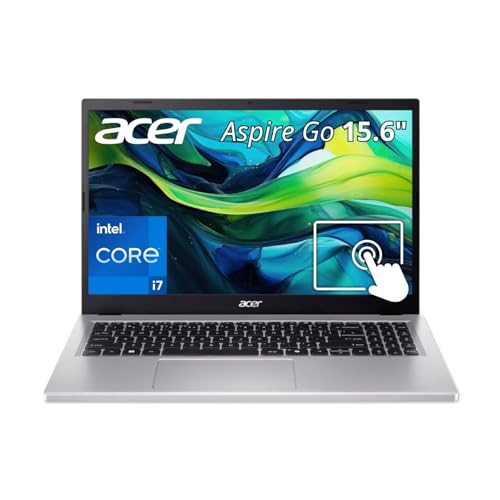
The Acer Aspire Go 15 is the budget pick in this guide, and it is the laptop to choose when the work is the basics and the budget is the limit. The listing title states the brand, the Aspire Go 15 name, the AI Ready label, the 15.6-inch FHD IPS display, the Intel Core 3 N355 processor, the 8GB of DDR5 memory, the 128GB UFS storage, Wi-Fi 6, and Windows 11 Home in S Mode, with the model code AG15-32P-352Z. That is a modest specification, and it is honest about it: this machine does everyday work and nothing more.
A budget laptop earns its keep by doing the basics well and by costing little. The Aspire Go 15 browses the web, writes documents, plays video, and handles email, which is what most households actually need from a laptop, and the 15.6-inch FHD IPS screen is large and clear enough for comfortable work. The trade-off is speed and storage: the Core 3 processor and 128GB of storage suit light work, not heavy software, and the Windows 11 Home in S Mode limits the buyer to apps from the Microsoft Store until S Mode is switched off.
Key specs:
- Processor: Intel Core 3 N355
- Memory: 8GB DDR5
- Storage: 128GB UFS
- Display: 15.6-inch FHD IPS
- System: Windows 11 Home in S Mode
Strengths:
- Large 15.6-inch FHD IPS screen
- 8GB DDR5 memory suits everyday work
- Low specification keeps the cost down
Trade-offs:
- 128GB storage is small for a large library
- Core 3 processor suits light work only
- S Mode limits software until switched off
The Acer Aspire Go 15 fits the buyer who needs a laptop for the basics and wants to spend the least. It is the pick for a second laptop, a household spare, a student on a tight budget, or anyone whose work is browsing, documents, and video.
Best for: everyday basics on a tight budget. Not suited for: gaming, video editing, or heavy software.
Check price on Amazon: Acer Aspire Go 15 AI Ready Laptop
Buying guide for the best types of laptops
List the work before looking at machines
Write down what the laptop will actually do, hour by hour, before looking at a single listing. Browsing, documents, and email need an ultrabook, a Chromebook, or a budget laptop. Games and video editing need a gaming laptop. Handwritten notes need a 2-in-1. Office software needs a business laptop with Windows 11 Pro. A buyer who lists the work first will find the type chooses itself, and the machine follows. A buyer who shops by brand first will often buy a fast machine for slow work, or a slow machine for fast work.
Check the software the work needs
Software decides the operating system, and the operating system decides the type. A Chromebook runs Chrome OS and the web, which suits school and browsing but not Windows software. A business laptop runs Windows 11 Pro, which suits company software. A MacBook runs macOS, which suits creative work and Apple households but not Windows programs. List the programs the work needs, check which system runs them, and let that answer choose the type.
Weigh weight and battery against power
A laptop is a compromise between power and portability, and the buyer has to choose which matters more. An ultrabook and a Chromebook are light and last longest, which suits a buyer who carries the machine all day. A gaming laptop is heavy and needs charging sooner, which suits a buyer who works at a desk. A buyer who works away from a socket should weigh battery life heavily, because a fast laptop that dies at noon is worse than a slow laptop that lasts until five.
Buy memory and storage for two years ahead
A laptop that fits today work may not fit in two years, because software grows heavier and files grow larger. Sixteen gigabytes of memory is the sensible minimum for a machine that should last, and 512GB of storage is the sensible minimum for a working library, while 8GB and 128GB suit only light work or a second machine. The picks in this guide show the range: the ultrabook, gaming, 2-in-1, and business picks all have 16GB and 512GB or more, while the Chromebook and budget picks have 8GB and 128GB for lighter work.
Compare inside the type, not across types
A gaming laptop will always beat an ultrabook on speed and lose on weight, and an ultrabook will always beat a gaming laptop on battery and lose on graphics, so comparing across types tells the buyer nothing. Compare two ultrabooks, or two gaming laptops, or two Chromebooks, and judge them on the details that matter inside the type: the screen, the memory, the storage, and the battery. The type is the decision; the model is the detail.
Using and caring for a laptop
Keep the machine cool and the vents clear
A laptop lasts longest when it can breathe. Use it on a hard, flat surface, keep the vents clear of cloth and cushions, and do not use it on a bed or a sofa where the vents are blocked. A machine that runs hot slows down to protect itself, and a machine that runs hot for years wears out sooner. A desk, a table, or a lap desk is the right place; a duvet is not.
Charge the battery with sense
A laptop battery wears out with heat and with time spent at full charge, so the kindest routine is to keep the machine between a fifth and four-fifths charged when it sits on a desk, and to let it run on battery when it travels. Avoid leaving the machine plugged in and fully charged in a hot room for weeks, and avoid running the battery to empty every day. A battery that is treated gently lasts years longer than one that is not.
Update the system and keep a backup
Updates fix security holes and keep the machine fast, so install them when they arrive and restart when asked. A backup is just as important: a laptop holds documents, photos, and work that cannot be replaced, and a single drive is a single point of failure. Copy the important files to an external drive or a cloud service once a week, because a backup is the only real protection a laptop has.
Clean the screen and keyboard gently
A screen that is wiped with a rough cloth will scratch, and a keyboard that is sprayed with cleaner will fail. Wipe the screen with a soft, dry microfibre cloth, and use a slightly damp cloth only for stubborn marks, never spraying liquid directly onto the screen. Turn the machine upside down and tap it gently once a month to clear dust from the keyboard, and keep food and drink away from the keys.
Common mistakes when choosing a laptop type
Buying by brand instead of by type
The most common mistake is choosing a brand first and a type second, and ending up with a gaming laptop for email or an ultrabook for video editing. A brand makes every type, and a good brand makes a bad choice just as happily as a good one. List the work first, find the type that fits it, and only then compare brands inside that type.
Buying a Chromebook for Windows software
A Chromebook is a fine machine for the web, and a bad machine for Windows software, because it runs Chrome OS and cannot run Windows programs. A buyer who needs a specific Windows application should not buy a Chromebook, no matter how good the price looks. Check the software list before buying, and if any program needs Windows, buy a Windows laptop.
Buying too little memory and storage
A laptop with 8GB of memory and 128GB of storage is fine for light work today, and too little for the same work in two years, because software and files only grow. A buyer who plans to keep the machine for years should choose 16GB of memory and 512GB of storage, which is what the ultrabook, gaming, 2-in-1, and business picks in this guide offer. Saving money on memory is the most expensive saving a buyer can make.
Ignoring weight and battery life
A laptop that is perfect on a desk can be a burden in a bag, and a laptop that is fast for an hour can be useless for a working day. A buyer who carries the machine should lift it before buying, or check the weight in the listing, and should ask how long the battery lasts for ordinary work rather than for video playback. Weight and battery are the qualities that decide whether a laptop is loved or left at home.
Final recommendation
For most buyers, the type is the decision and the pick is the detail, so start from the work. A buyer who writes, browses, and travels should choose the ultrabook type, and the MacBook Air with the M5 chip is the pick that shows it best. A buyer who games or edits video should choose the gaming type, and the ASUS ROG Strix G16 is the pick. A buyer who takes notes by hand should choose the 2-in-1 type, and the Lenovo Yoga 7i is the pick.
A buyer who lives in the browser should choose the Chromebook type, and the Acer Chromebook Spin 314 is the pick. A buyer who works in an office should choose the business type, and the Lenovo V15 Gen 5 is the pick. A buyer on the tightest budget should choose the budget type, and the Acer Aspire Go 15 is the pick, because it does the basics for the least money.
Whatever the type, the rule is the same: list the work first, check the software it needs, buy memory and storage for two years ahead, and compare inside the type rather than across types. A laptop is a purchase that lasts for years, and the right type is the one that still fits the work in two years time.
Related reading on Reviewstook: see our guides to best laptops, best gaming laptops, best Chromebooks, best 2-in-1 laptops for more on this topic.
Frequently asked questions about the types of laptops
What are the main types of laptops?
The main types are the ultrabook, the gaming laptop, the 2-in-1 convertible, the Chromebook, the business laptop, and the budget laptop. An ultrabook is thin and light, a gaming laptop is fast with a graphics card, a 2-in-1 folds into a tablet, a Chromebook runs the web on Chrome OS, a business laptop runs office software on Windows 11 Pro, and a budget laptop does everyday work for the least money.
Which type of laptop is best for students?
It depends on the course. A 2-in-1 like the Lenovo Yoga 7i suits handwritten notes and sketching, a Chromebook like the Acer Chromebook Spin 314 suits web research and essays, and an ultrabook like the MacBook Air suits carrying between lectures. A student who needs specific Windows software for a course should choose a Windows laptop, and a student who plays games should look at a gaming laptop.
Can a Chromebook replace a Windows laptop?
It can, if the work lives in the browser. A Chromebook runs web apps, email, documents, and video well, and it starts fast and updates itself. It cannot run Windows software, so a buyer who needs a specific Windows program, a desktop photo editor, or a Windows-only game should buy a Windows laptop instead. Check the software list before deciding.
What is the difference between a 2-in-1 and an ordinary laptop?
A 2-in-1 has a touchscreen that folds flat, so it works as a laptop and as a tablet, often with a pen for handwriting and drawing. An ordinary laptop has a fixed screen and no touch. The 2-in-1 suits notes, sketching, and presenting, while the ordinary laptop suits typing and is usually a little sturdier and cheaper for the same parts.
How much memory and storage should a laptop have?
Sixteen gigabytes of memory and 512GB of storage is the sensible minimum for a machine that should last two years or more, because software and files only grow. Eight gigabytes and 128GB suit light work, a second machine, or a Chromebook that keeps files in the cloud. The ultrabook, gaming, 2-in-1, and business picks in this guide all have 16GB and 512GB or more.