The best i9 gaming laptops are the ones that pair the fastest Intel processor with graphics that can keep up. An Intel Core i9 processor has the cores and the speed for the most demanding games, and when it is paired with an RTX graphics card, the result is a laptop that plays modern titles at high settings and still has power left for streaming, recording, and editing. The six laptops in this guide were picked because their listing titles state the exact brand, model, processor, graphics, memory, and storage, and every listing was checked in full before it was linked.
The i9 in this guide is the i9-14900HX, a 14th generation processor with 24 cores, and it is the processor in every laptop here. That matters, because an i9 laptop with an older i9 is a different machine from one with the newest i9, and the titles in this guide state the 14900HX plainly. The graphics range from the RTX 4060 to the RTX 4080, the memory is 16GB or 32GB, and the displays range from 144Hz FHD+ to 240Hz QHD+.
An i9 gaming laptop is not a cheap laptop, and it is not meant to be. It is bought by a gamer who wants the best performance, a creator who edits video, and anyone who wants a laptop that will still be fast in five years. The six laptops in this guide cover the main needs, from the all-round Katana 15 HX to the desktop-replacement Alienware M18 R2.
This guide covers six i9 gaming laptops: two MSI models for all-round and competitive gaming, a Lenovo Legion for the best display, an Alienware for the most power, an MSI Raider for a balanced machine, and an ASUS ROG Strix for ROG fans. All six have an Intel Core i9-14900HX processor, all six are sold as new listings, and all six have their processor, graphics, memory, and storage stated in the listing title, so the comparison is honest.
In this guide
Quick picks: best i9 gaming laptops
| # | Product | Where to buy |
|---|---|---|
| 1 | MSI Katana 15 HX i9 gaming laptop | Check on Amazon |
| 2 | Lenovo Legion 5 15IRX10 i9 gaming laptop | Check on Amazon |
| 3 | MSI Crosshair 16 HX i9 gaming laptop | Check on Amazon |
| 4 | Alienware M18 R2 i9 gaming laptop | Check on Amazon |
| 5 | MSI GE68HX Raider i9 gaming laptop | Check on Amazon |
| 6 | ASUS ROG Strix G16 i9 gaming laptop | Check on Amazon |
How the picks were chosen for the best i9 gaming laptops
Every laptop below started as a listing returned by the reviewstook.com product lookup, and every listing was checked the same way. First, the title had to name the exact brand and the exact model, including every number and letter, because an MSI Katana 15 HX is not an MSI Katana GF66, and a Lenovo Legion 5 15IRX10 is not a Lenovo Legion 5i. Second, the title had to state the Intel Core i9 processor, because a laptop with a Core i7 or a Core Ultra 9 is a different machine, and a buyer must know which one is being linked.
The laptops were also checked for the numbers that decide gaming performance. The processor decides how fast the game logic runs, and every laptop here has the i9-14900HX. The graphics decide how good the game looks, and the laptops here have RTX 4060, 4070, 5070, and 4080 graphics. Memory decides how many apps can stay open, and the laptops here have 16GB or 32GB. The display decides how smooth the game looks, and the laptops here have 144Hz to 240Hz displays.
One more check shaped the list: the laptop must be a gaming laptop with an i9 processor, not a laptop with a different processor. Listings for laptops with Core i7, Core Ultra 9, Ryzen 9, and older i9 processors were left out, because a buyer who wants an i9-14900HX laptop wants that processor. The six laptops below are all i9-14900HX gaming laptops, sold as new listings, with the model, the processor, the graphics, the memory, and the storage stated in the title.
What an i9 gaming laptop is, and who should buy one
An i9 gaming laptop is a laptop with an Intel Core i9 processor and a dedicated graphics card, made for playing modern games at high settings. The i9 processor has many cores and high speeds, so it handles game logic, streaming, and recording at once, and the graphics card renders the game world in high detail. The laptop has a fast display, a good keyboard, and cooling that can handle the heat of both chips working hard.
An i9 gaming laptop suits a gamer who plays modern titles, a streamer who plays and broadcasts at once, a creator who edits video, and anyone who wants a laptop that will still be fast in five years. It is the right choice when the games are demanding, when the laptop must do several things at once, and when the buyer wants the best performance that can be bought. It is not the right choice for a buyer who plays light games, because an i5 or i7 laptop would do, and it is not the right choice for a buyer who wants a light laptop, because an i9 gaming laptop is heavy.
The six laptops in this guide cover the main uses. The MSI Katana 15 HX is the pick for all-round gaming, the Lenovo Legion 5 is the pick for the best display, the MSI Crosshair 16 HX is the pick for competitive gaming, the Alienware M18 R2 is the pick for a desktop replacement, the MSI GE68HX Raider is the pick for a balanced machine, and the ASUS ROG Strix G16 is the pick for ROG fans.
What makes a good i9 gaming laptop
The processor is the first test, and it is the one that defines this guide. Every laptop here has the Intel Core i9-14900HX, a 14th generation processor with 24 cores, so they all have the same processing power. A laptop with an older i9, like the i9-12900H, is slower, and a laptop with a Core Ultra 9 is a different chip, so the titles were checked to make sure every laptop here has the 14900HX.
The graphics card is the second test. Graphics decide how good the game looks and how fast it runs, and the laptops here range from the RTX 4060 to the RTX 4080. The RTX 4080 in the Alienware M18 R2 is the most powerful here, the RTX 5070 in the Katana, Legion, and Crosshair is the newest mid-range card, the RTX 4070 in the Raider is a solid performer, and the RTX 4060 in the ROG Strix G16 is the entry level here. Buy the graphics that match the games: the most demanding games need the fastest card.
Memory, storage, display, and cooling decide the rest. Memory decides how many apps can stay open, and 32GB is better than 16GB for streaming and editing. Storage decides how many games the laptop can hold, and 1TB is the minimum here, with 2TB better for a large library. The display decides how smooth the game looks, and 240Hz is smoother than 144Hz. Cooling decides whether the laptop can sustain its speed, because an i9 that overheats will slow down.
Quick picks at a glance
| Laptop | Processor and graphics | Display and memory | Best for |
|---|---|---|---|
| MSI Katana 15 HX | i9-14900HX, RTX 5070 | 15.6 inch 165Hz QHD+ | Best all-round pick |
| Lenovo Legion 5 15IRX10 | i9-14900HX, RTX 5070 | 15.1 inch WQXGA OLED | Best display pick |
| MSI Crosshair 16 HX | i9-14900HX, RTX 5070 | 16 inch QHD+ 240Hz | Fastest display pick |
| Alienware M18 R2 | i9-14900HX, RTX 4080 | 18 inch QHD+ 165Hz | Most powerful pick |
| MSI GE68HX Raider | i9-14900HX, RTX 4070 | 16 inch 144Hz FHD+ | Best balanced pick |
| ASUS ROG Strix G16 | i9-14900HX, RTX 4060 | 16 inch QHD 240Hz | Best ROG pick |
The best i9 gaming laptops

MSI Katana 15 HX Gaming Laptop
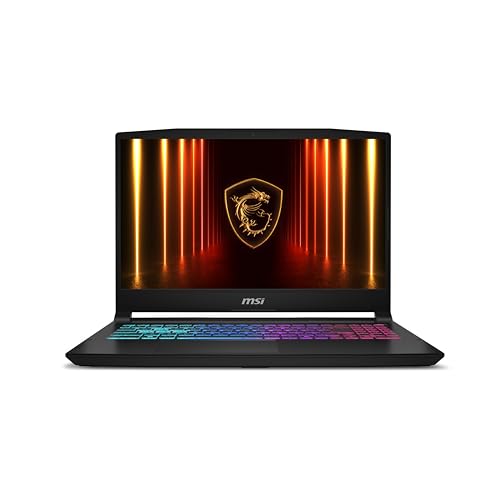
The MSI Katana 15 HX is the all-round i9 gaming laptop in this guide, and it is the laptop for a buyer who wants the newest i9 and RTX 5070 graphics at a sensible size. It is an MSI Katana 15 HX 15.6 inch 165Hz QHD+ gaming laptop with an Intel Core i9-14900HX processor, NVIDIA GeForce RTX 5070 graphics, 32GB of DDR5 memory, a 1TB NVMe SSD, an RGB keyboard, and Windows 11 Home, model B14WGK-016US. The i9-14900HX is a 14th generation processor with 24 cores, the RTX 5070 handles modern games at high settings, and the 165Hz QHD+ display shows them smoothly.
The Katana 15 HX suits a gamer who plays modern titles, a creator who edits video, and anyone who wants a 15.6 inch laptop that does everything. Its 32GB of memory keeps games and apps open at once, its 1TB SSD holds a library of games, and its QHD+ display is sharper than Full HD. It is the laptop for i9 gaming at a sensible size.
Key specs:
- MSI Katana 15 HX
- Intel Core i9-14900HX
- NVIDIA GeForce RTX 5070
- 32GB DDR5, 1TB NVMe SSD
- 15.6 inch 165Hz QHD+, RGB keyboard, Win 11 Home
Strengths:
- i9-14900HX with 24 cores for games and work
- RTX 5070 handles modern games at high settings
- 165Hz QHD+ display is sharper than Full HD
Trade-offs:
- A 15.6 inch laptop that is heavier than an ultrabook
- A gaming design with a loud fan under load
- 32GB is plenty, but the battery life is short
The Katana 15 HX fits a gamer who plays modern titles, a creator who edits video, and anyone who wants a 15.6 inch laptop that does everything.
Best for: i9 gaming at a sensible size. Not suited for: a buyer who wants the lightest laptop, or the longest battery life.
Check price on Amazon: MSI Katana 15 HX i9 gaming laptop

Lenovo Legion 5 15IRX10 Gaming Laptop
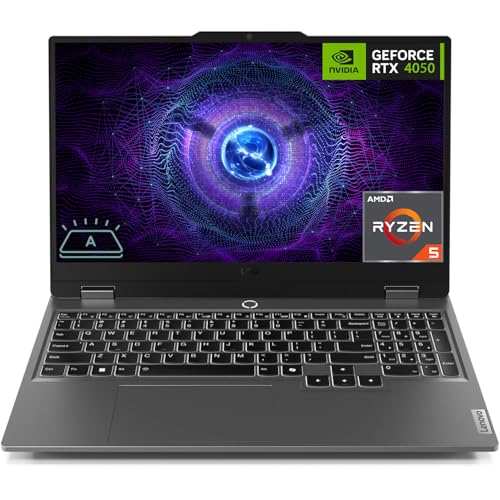
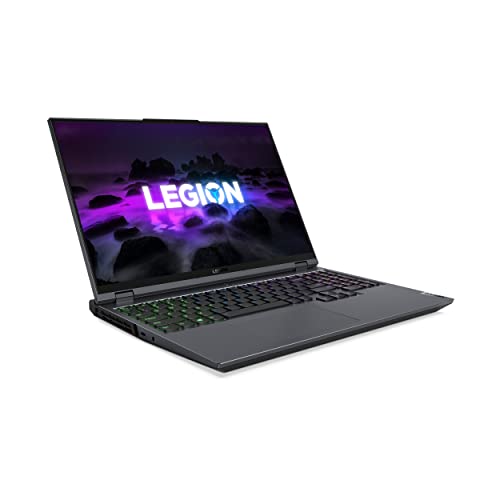
The Lenovo Legion 5 15IRX10 is the OLED pick in this guide, and it is the laptop for a buyer who wants the best display. It is a Lenovo Legion 5 15IRX10 15.1 inch WQXGA OLED gaming laptop with an Intel Core i9 14th Gen 14900HX processor, NVIDIA GeForce RTX 5070 8GB GDDR7 graphics, 32GB of DDR5 RAM, a 1TB NVMe M.2 SSD, Gigabit LAN, and 2×2 WiFi 7. The OLED display shows perfect blacks and vivid colours, the RTX 5070 handles modern games, and WiFi 7 is the fastest wireless available.
The Legion 5 suits a gamer who cares about the picture, a creator who needs accurate colours, and anyone who watches films on the laptop. Its OLED display is the best screen here, its i9-14900HX handles games and work, and its WiFi 7 keeps online games fast. It is the laptop for the best display in this guide.
Key specs:
- Lenovo Legion 5 15IRX10
- Intel Core i9 14th Gen 14900HX
- NVIDIA GeForce RTX 5070 8GB GDDR7
- 32GB DDR5 RAM, 1TB NVMe M.2 SSD
- 15.1 inch WQXGA OLED, Gigabit LAN, 2×2 WiFi 7
Strengths:
- OLED display with perfect blacks and vivid colour
- WiFi 7, the fastest wireless available
- i9-14900HX and RTX 5070 for games and work
Trade-offs:
- An OLED display can show burn-in with static images
- A 15.1 inch laptop that is heavier than an ultrabook
- A gaming design with a short battery life
The Legion 5 fits a gamer who cares about the picture, a creator who needs accurate colours, and anyone who watches films on the laptop.
Best for: the best display in this guide. Not suited for: a buyer who leaves static images on screen for hours, or who wants the lightest laptop.
Check price on Amazon: Lenovo Legion 5 15IRX10 i9 gaming laptop

MSI Crosshair 16 HX Gaming Laptop
The MSI Crosshair 16 HX is the fast display pick in this guide, and it is the laptop for a buyer who plays competitive games. It is an MSI Crosshair 16 HX 16 inch QHD+ 240Hz gaming laptop with an Intel Core i9 14900HX processor, NVIDIA GeForce RTX 5070 graphics, 16GB of DDR5 memory, 2TB of storage, a 4-zone RGB backlit keyboard, and Windows 11. The 240Hz display refreshes four times faster than a standard screen, so fast games look smoother, and the 2TB of storage holds a large library of games.
The Crosshair 16 HX suits a competitive gamer, a buyer who plays fast shooters, and anyone who wants the smoothest display here. Its 240Hz QHD+ display is the fastest here, its i9-14900HX and RTX 5070 handle competitive games at high frame rates, and its 2TB of storage means games never need deleting. It is the laptop for competitive gaming.
Key specs:
- MSI Crosshair 16 HX
- Intel Core i9 14900HX
- NVIDIA GeForce RTX 5070
- 16GB DDR5, 2TB storage
- 16 inch QHD+ 240Hz, 4-zone RGB backlit keyboard, Win 11
Strengths:
- 240Hz display, the fastest here
- 2TB of storage, the most here
- i9-14900HX and RTX 5070 for competitive games
Trade-offs:
- 16GB of memory is less than the 32GB models here
- A 16 inch laptop that is heavier than a 15 inch one
- A gaming design with a short battery life
The Crosshair 16 HX fits a competitive gamer, a buyer who plays fast shooters, and anyone who wants the smoothest display here.
Best for: competitive gaming. Not suited for: a buyer who needs 32GB of memory, or the lightest laptop.
Check price on Amazon: MSI Crosshair 16 HX i9 gaming laptop

Alienware M18 R2 Gaming Laptop
The Alienware M18 R2 is the biggest laptop in this guide, and it is the laptop for a buyer who wants a desktop replacement. It is an Alienware M18 R2 gaming laptop with an 18 inch QHD+ 165Hz 3ms display, an Intel Core i9-14900HX processor, 32GB of DDR5 RAM, a 1TB SSD, NVIDIA GeForce RTX 4080 12GB GDDR6 graphics, Windows 11 Home, and onsite service, in Dark Metallic Moon. The 18 inch display is the largest here, the RTX 4080 is the most powerful graphics here, and the onsite service means a technician comes to the buyer.
The M18 R2 suits a gamer who wants the biggest screen and the fastest graphics, a creator who edits 4K video, and anyone who wants a laptop that replaces a desktop. Its 18 inch display shows more of the game, its RTX 4080 handles the most demanding titles, and its 32GB of memory keeps everything open. It is the laptop for a desktop replacement.
Key specs:
- Alienware M18 R2
- Intel Core i9-14900HX
- NVIDIA GeForce RTX 4080 12GB GDDR6
- 32GB DDR5 RAM, 1TB SSD
- 18 inch QHD+ 165Hz 3ms display, Win 11 Home, onsite service
Strengths:
- RTX 4080, the most powerful graphics here
- 18 inch display, the largest here
- Onsite service from Alienware
Trade-offs:
- An 18 inch laptop that is heavy to carry
- The most powerful laptop here, with the cost to match
- A gaming design with a short battery life
The M18 R2 fits a gamer who wants the biggest screen and the fastest graphics, a creator who edits 4K video, and anyone who wants a desktop replacement.
Best for: a desktop replacement. Not suited for: a buyer who travels light, or who wants the cheapest laptop.
Check price on Amazon: Alienware M18 R2 i9 gaming laptop

MSI GE68HX Raider Gaming Laptop
The MSI GE68HX Raider is the feature-packed pick in this guide, and it is the laptop for a buyer who wants the newest wireless and lighting. It is an MSI GE68HX Raider 16 inch 144Hz FHD+ gaming laptop with a 14th Gen Intel 24-core i9-14900HX processor, GeForce RTX 4070 graphics, 32GB of DDR5 RAM, a 1TB SSD, RGB backlighting, Wi-Fi 7, and Windows 11 Home. The 24-core i9 handles games and work, the RTX 4070 handles modern titles, and Wi-Fi 7 is the fastest wireless available.
The GE68HX Raider suits a gamer who wants a balanced laptop, a buyer who uses Wi-Fi 7 at home, and anyone who likes RGB lighting. Its 16 inch display is a good size for gaming, its 32GB of memory keeps games and apps open, and its Wi-Fi 7 keeps online games fast. It is the laptop for a balanced i9 gaming machine.
Key specs:
- MSI GE68HX Raider
- 14th Gen Intel 24-core i9-14900HX
- GeForce RTX 4070
- 32GB DDR5 RAM, 1TB SSD
- 16 inch 144Hz FHD+, RGB backlit, Wi-Fi 7, Win 11 Home
Strengths:
- 24-core i9 handles games and work
- Wi-Fi 7, the fastest wireless available
- RGB backlighting for a gaming look
Trade-offs:
- RTX 4070 is slower than the RTX 5070 and 4080 here
- FHD+ display is less sharp than QHD+
- A 16 inch laptop that is heavier than a 15 inch one
The GE68HX Raider fits a gamer who wants a balanced laptop, a buyer who uses Wi-Fi 7, and anyone who likes RGB lighting.
Best for: a balanced i9 gaming machine. Not suited for: a buyer who wants the sharpest display, or the fastest graphics.
Check price on Amazon: MSI GE68HX Raider i9 gaming laptop

ASUS ROG Strix G16 Gaming Laptop
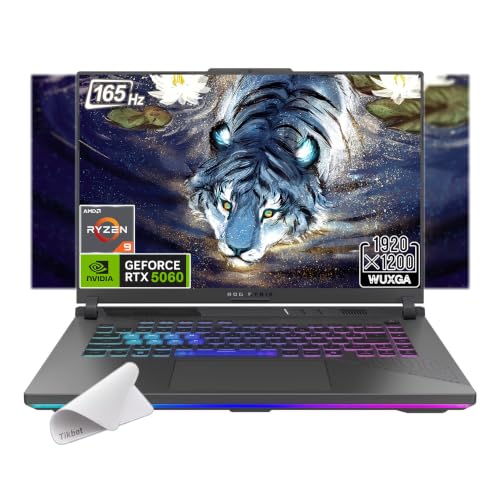
The ASUS ROG Strix G16 is the ROG pick in this guide, and it is the laptop for a buyer who wants the ASUS ROG design and a sharp display. It is an ASUS ROG Strix G16 gaming laptop with a 16 inch Nebula Display, 16:10 QHD 240Hz, GeForce RTX 4060 graphics, an Intel Core i9-14900HX processor, 16GB of DDR5-5600 memory, a 1TB PCIe SSD, Wi-Fi 6E, and Windows 11, model G614JVR-ES94. The Nebula display is sharp and smooth, the i9-14900HX handles games and work, and the ROG design is made for gamers.
The ROG Strix G16 suits a gamer who likes the ROG brand, a buyer who wants a sharp 240Hz display, and anyone who wants an ASUS laptop. Its QHD 240Hz display is sharp and smooth, its i9 processor handles the most demanding games, and its 1TB SSD holds a good library of games. It is the laptop for ROG fans with a sharp display.
Key specs:
- ASUS ROG Strix G16
- Intel Core i9-14900HX
- GeForce RTX 4060
- 16GB DDR5-5600, 1TB PCIe SSD
- 16 inch Nebula QHD 240Hz, Wi-Fi 6E, Win 11, G614JVR-ES94
Strengths:
- Nebula QHD 240Hz display is sharp and smooth
- i9-14900HX handles the most demanding games
- ROG design made for gamers
Trade-offs:
- RTX 4060 is the slowest graphics here
- 16GB of memory is less than the 32GB models here
- Wi-Fi 6E is slower than Wi-Fi 7
The ROG Strix G16 fits a gamer who likes the ROG brand, a buyer who wants a sharp 240Hz display, and anyone who wants an ASUS laptop.
Best for: ROG fans with a sharp display. Not suited for: a buyer who wants the fastest graphics, or 32GB of memory.
Check price on Amazon: ASUS ROG Strix G16 i9 gaming laptop
Buying guide for the best i9 gaming laptops
The processor: why the i9-14900HX matters
The i9-14900HX is a 14th generation Intel processor with 24 cores, and it is the fastest mobile i9 that can be bought in these laptops. It handles game logic, streaming, recording, and editing at once, without slowing down. An older i9, like the i9-12900H, has fewer cores and lower speeds, and it will feel slower in demanding games and in work.
Check the processor in the listing title before buying, because the same model name can be sold with different processors. The laptops in this guide all state i9-14900HX plainly, and the listings for laptops with older i9 processors or with Core Ultra 9 chips were left out. Buy the 14900HX, because it is the processor that will still be fast in five years.
Graphics: RTX 4060, 4070, 5070, or 4080
Graphics decide how good the game looks, and the laptops here range from the RTX 4060 to the RTX 4080. The RTX 4080 in the Alienware M18 R2 is the most powerful here, and it handles the most demanding games at the highest settings. The RTX 5070 in the Katana, Legion, and Crosshair is the newest mid-range card, and it handles modern games well. The RTX 4070 in the Raider is a solid performer, and the RTX 4060 in the ROG Strix G16 is the entry level here.
Buy the graphics that match the games: the most demanding games need the fastest card, and light games run well on any of them. A faster graphics card also helps with video editing and 3D work, so a creator should buy the fastest card the budget allows. Do not buy a laptop for the processor alone, because the graphics matter as much.
Display: refresh rate and resolution
The display decides how smooth the game looks, and the laptops here range from 144Hz FHD+ to 240Hz QHD+. A 240Hz display refreshes four times faster than a standard 60Hz screen, so fast games look smoother, and the Crosshair 16 HX and ROG Strix G16 here have 240Hz displays. A QHD+ display is sharper than FHD+, and the Katana, Legion, Crosshair, M18 R2, and ROG Strix G16 here have QHD displays.
An OLED display, like the one on the Lenovo Legion 5 here, shows perfect blacks and vivid colours, and it is the best display for films and for games with dark scenes. Buy the display that matches the games: competitive games need a high refresh rate, and story games need a sharp, colourful display. A fast display with a slow graphics card is wasted, so balance the two.
Memory and storage: 16GB or 32GB, 1TB or 2TB
Memory decides how many apps can stay open, and 32GB is better than 16GB for a gamer who streams, records, and edits. Four of the six laptops here have 32GB, and two have 16GB. A gamer who only plays games can live with 16GB, and a gamer who streams and edits needs 32GB. Memory cannot be added later on most gaming laptops, so buy the memory that will be needed for the whole life of the machine.
Storage decides how many games the laptop can hold, and modern games are large, often over 100GB each. A 1TB SSD holds about ten large games, and a 2TB SSD holds about twenty, so the Crosshair 16 HX with 2TB is the pick for a large library. Buy 1TB as a minimum, and 2TB when the library is large.
Cooling and weight: the trade-offs of power
An i9 gaming laptop makes a lot of heat, and the cooling must handle it, or the processor will slow down. A laptop with good cooling sustains its speed for hours, and a laptop with poor cooling throttles after minutes. The laptops in this guide are all made for gaming, with fans and heatpipes that handle the heat, but they are loud under load, and that is the price of power.
Weight is the other trade-off: an i9 gaming laptop is heavy, from the 15.6 inch Katana to the 18 inch M18 R2, and it is not a laptop for carrying all day. Buy an i9 gaming laptop for a desk, not for a bag, and carry it only when it must be moved. A buyer who travels light should buy a thinner laptop with a slower processor.
Using and caring for an i9 gaming laptop
Keep the laptop cool and clean
Keep the laptop on a hard, flat surface, because a soft surface like a bed blocks the vents and makes the laptop overheat. Use a cooling pad when gaming for hours, because it lifts the laptop and helps the air flow. Clean the vents every few months with compressed air, because dust blocks them and makes the laptop hotter and louder.
A laptop that runs hot will slow down, and a laptop that is kept cool will keep its speed. Check the temperatures with a monitor, and write them down, because a laptop that slowly gets hotter over months is a laptop that needs cleaning. A clean laptop is a fast laptop.
Look after the battery
An i9 gaming laptop has a short battery life, because the processor and the graphics card use a lot of power. Use it plugged in for gaming, because the battery alone will not last long, and the laptop will slow down on battery to save power. Keep the battery charged between 20 and 80 percent when it is stored, because that is the range that ages it least.
If the laptop will not be used for weeks, charge it to about half and store it in a cool, dry place. Do not store it empty, and do not store it fully charged for months, because both extremes age the battery. A battery that is treated well keeps its capacity for years.
Update the drivers and the games
Update the graphics drivers when new ones appear, because they fix bugs and improve performance in new games. Update Windows as well, because it fixes security problems and improves the laptop. Turn on automatic updates, and restart the laptop when it asks, because a laptop that is never restarted slows down over time.
Back up the game saves and the important files, because a laptop can be lost, stolen, or broken, and the data is worth more than the machine. Use a cloud backup or an external drive, and check that the backup works, because a backup that has never been tested is not a backup.
Common mistakes when buying an i9 gaming laptop
Buying an older i9 by mistake
The most common mistake is buying a laptop with an older i9 processor, like the i9-12900H, and thinking it is the same as the i9-14900HX. It is not: the 14900HX has more cores and higher speeds, and it will feel faster in demanding games and in work. Check the processor in the listing title before buying, and look for the full number, 14900HX, not just i9.
The second mistake is buying a laptop with a Core Ultra 9 processor and thinking it is an i9. The Core Ultra 9 is a different chip with a different name, and it is not an i9-14900HX. The listings for laptops with Core Ultra 9 chips were left out of this guide, and the six laptops here all have the i9-14900HX.
Buying too little memory or storage
The third most common mistake is buying a laptop with 16GB of memory and discovering later that it cannot hold the game, the stream, and the browser at once. Memory cannot be added later on most gaming laptops, so buy 32GB when the laptop will be used for streaming and editing. The Katana, Legion, M18 R2, and Raider in this guide have 32GB, and they are the safe choice.
The fourth mistake is buying a laptop with too little storage and discovering that only a few games fit. Modern games are large, and a 1TB SSD holds about ten of them. Buy 2TB when the library is large, like the Crosshair 16 HX here, or be ready to delete games often.
Using the laptop on a soft surface
The fifth most common mistake is using the laptop on a bed or a sofa, where the soft surface blocks the vents and the laptop overheats. An i9 gaming laptop makes a lot of heat, and it needs air to cool it. Use it on a hard, flat surface, or on a cooling pad, and keep the vents clear.
The sixth mistake is expecting a long battery life from an i9 gaming laptop. The battery lasts a few hours at most, and less when gaming, because the processor and the graphics card use a lot of power. Use it plugged in for gaming, and carry the charger, because the battery alone will not last a long session.
Final recommendation
For most buyers, the MSI Katana 15 HX is the best all-round choice in this guide. It has the i9-14900HX processor, RTX 5070 graphics, 32GB of memory, a 1TB SSD, and a 165Hz QHD+ display, in a 15.6 inch body that is easy to carry. It is the laptop for i9 gaming at a sensible size.
For the best display, buy the Lenovo Legion 5, with its OLED screen and WiFi 7. For competitive gaming, buy the MSI Crosshair 16 HX, with its 240Hz display and 2TB of storage. For the most power, buy the Alienware M18 R2, with its RTX 4080 and 18 inch display. For a balanced machine, buy the MSI GE68HX Raider, with its Wi-Fi 7 and RGB lighting. For ROG fans, buy the ASUS ROG Strix G16, with its Nebula QHD 240Hz display.
Whichever laptop is chosen, check the processor is the i9-14900HX, buy enough memory and storage for the whole life of the machine, and use it on a hard surface with the charger plugged in. An i9 gaming laptop is bought once and used for years, and the right one is the one that fits the games, the work, and the desk.
Related reading on Reviewstook: see our guides to computer programming laptops, gaming laptops with long battery life, 2-in-1 laptops for work for more on this topic.
Frequently asked questions about i9 gaming laptops
What is the difference between the i9-14900HX and older i9 processors?
The i9-14900HX is a 14th generation Intel processor with 24 cores, and it is faster than older i9 processors like the i9-12900H, which has fewer cores and lower speeds. The 14900HX handles game logic, streaming, and recording at once without slowing down. Check the full processor number in the listing title before buying, because i9 alone does not say which generation it is.
How much RAM does an i9 gaming laptop need?
A gamer who only plays games can live with 16GB, and a gamer who streams, records, and edits needs 32GB. Memory cannot be added later on most gaming laptops, so buy the memory that will be needed for the whole life of the machine. Four laptops in this guide have 32GB, and two have 16GB.
Is the RTX 4060 enough for modern games?
The RTX 4060 handles modern games at good settings, and it is the entry level graphics card in this guide, in the ASUS ROG Strix G16. The RTX 4070 and 5070 handle games at higher settings, and the RTX 4080 in the Alienware M18 R2 handles the most demanding games at the highest settings. Buy the graphics that match the games, because the most demanding titles need the fastest card.
Do I need a 240Hz display for gaming?
A 240Hz display is smoother than a 144Hz display, and it helps in fast competitive games, where every frame matters. The MSI Crosshair 16 HX and ASUS ROG Strix G16 in this guide have 240Hz displays. A 144Hz display is enough for story games and casual play, and a 165Hz display, like the one on the Katana 15 HX, is a good middle ground.
How long does the battery last on an i9 gaming laptop?
An i9 gaming laptop has a short battery life, a few hours at most, and less when gaming, because the processor and the graphics card use a lot of power. Use it plugged in for gaming, because the battery alone will not last a long session, and the laptop will slow down on battery to save power. Carry the charger, and use the laptop on a hard surface with good airflow.