The best computer programming laptops are the ones that make the work disappear: fast compiles, a keyboard that types all day, a screen that shows a lot of code, and a battery that lasts through a working session. Programming is not like gaming, where one number decides everything. A programming laptop needs a fast processor for compiling, enough memory to run an editor, a browser, and a test server at once, and a keyboard that stays comfortable after thousands of keystrokes. The laptop that does all of that, quietly and for hours, is the laptop a programmer keeps.
The choice is mostly between two worlds. A MacBook Pro is the standard for many developers: a fast, efficient chip, a superb screen, and a Unix system underneath that runs the same tools as the server. A ThinkPad is the Windows and Linux standard: a great keyboard, a rugged build, and a machine that can be opened, upgraded, and repaired. Both are excellent for programming, and the right one depends on the tools already used and the system the code will run on. Every laptop in this guide was picked because its listing title states its exact brand, model, and chip, and it is sold as a new listing.
This guide covers the proven programming laptops: three MacBook Pro models with M2 Pro, M3 Pro, and M4 Pro chips, two Lenovo ThinkPads built for work, and a Dell XPS 15 for Windows development. All six have at least 16GB of memory and a fast solid-state drive, so there is a match for a student, a professional, and a developer who also edits video alike.
In this guide
Quick picks: best computer programming laptops
| # | Product | Where to buy |
|---|---|---|
| 1 | Apple 2023 MacBook Pro M3 Pro | Check on Amazon |
| 2 | Apple 2024 MacBook Pro M4 Pro | Check on Amazon |
| 3 | Apple 2023 MacBook Pro M2 Pro | Check on Amazon |
| 4 | Lenovo ThinkPad L16 Gen 2 | Check on Amazon |
| 5 | Lenovo ThinkPad T16 Ultra 5 225U | Check on Amazon |
| 6 | Dell XPS 15 9530 | Check on Amazon |
How the picks were chosen for the best computer programming laptops
Every laptop below started as a listing returned by the reviewstook.com product lookup, and every listing was checked the same way. First, the title had to name the exact brand, model, and chip, including every number in the chip name, because a MacBook Pro with an M3 Pro chip is not the same machine as one with an M4 Pro chip, and a ThinkPad L16 Gen 2 is not a ThinkPad L16. Second, the title had to state the memory and storage, because a programming laptop with 8GB of memory is not enough for modern development. Third, the listing had to be a new product, not a used or renewed one, since a used laptop can arrive with a worn battery or a tired keyboard.
Processor, memory, and keyboard were judged from the listing title. A modern multi-core processor compiles faster, and more cores help when the build runs in parallel. Sixteen gigabytes of memory is the minimum for an editor, a browser, and a test server together, and 32GB is better for large projects, virtual machines, or containers. The keyboard matters more for programming than for almost any other use, because it is used for hours a day, and a good keyboard is the difference between a laptop that is pleasant and one that aches.
No laptop was included on the strength of a brand name alone, and no specification was taken from anywhere except the listing itself. Laptops whose titles named a chip that does not exist, or whose titles were for a user guide or a sticker rather than a laptop, were left out. Where a laptop ships in more than one configuration, the configuration named in the listing title is the configuration described.
MacBook Pro, ThinkPad, or XPS: which programming laptop fits the way you code
The MacBook Pro is the choice for a developer who works with Apple tools, or who wants the longest battery life and the quietest machine. Its Apple silicon chip compiles quickly while using little power, its screen is the best in this guide, and its Unix system runs the same command-line tools as a Linux server. The M2 Pro is the affordable entry, the M3 Pro is the middle, and the M4 Pro is the fastest. All three are excellent, and the choice is about budget rather than capability.
The ThinkPad is the choice for a developer who works on Windows or Linux, or who wants a machine that can be repaired and upgraded. Its keyboard is the best in this guide, with deep travel and a firm feel, and its build is made to survive years of daily carrying. The L16 is the larger, more affordable workhorse, and the T16 is the premium model with a better screen and a longer battery. Both run the same tools, and both will last.
The Dell XPS 15 is the Windows choice for a developer who also wants a beautiful screen and a premium design. Its large display shows more code at once, its processor handles heavy compiles, and its Thunderbolt ports connect to anything. It suits a developer who works at a desk with an external monitor and wants a machine that looks as good as it performs.
What makes a laptop good for programming
The processor decides how fast the code compiles. A modern multi-core chip with high single-core speed compiles quickly, and more cores help when the build system runs jobs in parallel. The difference between a good processor and a great one is measured in seconds per compile, and those seconds add up to hours over a week. A chip that is efficient matters too, because a laptop that stays cool and quiet is easier to work on than one whose fans scream during every build.
Memory decides how much can run at once. An editor, a browser with documentation open, a test server, and a database together can use more than 16GB, and a machine that runs out of memory slows down sharply as it swaps to the drive. Sixteen gigabytes is the minimum for programming now, 32GB is the comfortable size for professional work, and the memory should be fast as well as large, because slow memory bottlenecks everything.
The keyboard and the screen decide the daily experience. A keyboard with good travel and a firm feel types accurately for hours, while a shallow keyboard causes mistakes and fatigue. A screen with high resolution shows more lines of code, and a bright screen with good colour is easier on the eyes. A 14-inch screen is portable, a 16-inch screen shows more, and an external monitor at the desk is the best upgrade of all.
Quick picks at a glance
| Product | Chip and memory | Screen and storage | Best for |
|---|---|---|---|
| Apple 2023 MacBook Pro M3 Pro | M3 Pro, 11-core CPU, 18GB | 14.2 inch XDR, 512GB SSD | Apple development |
| Apple 2024 MacBook Pro M4 Pro | M4 Pro, 14-core CPU, 24GB | 16.2 inch XDR, 512GB SSD | Fastest MacBook |
| Apple 2023 MacBook Pro M2 Pro | M2 Pro, 10-core CPU, 16GB | 14.2 inch XDR, 512GB SSD | Best value MacBook |
| Lenovo ThinkPad L16 Gen 2 | Ultra 7 255U, 32GB DDR5 | 16 inch FHD+, 1TB SSD | Windows development |
| Lenovo ThinkPad T16 | Ultra 5 225U, 32GB DDR5 | 16 inch display, 1TB SSD | Premium ThinkPad |
| Dell XPS 15 9530 | i7-13620H, 32GB DDR5 | 15.6 inch FHD+, 1TB SSD | Premium Windows |
The best computer programming laptops

Apple 2023 MacBook Pro Laptop M3 Pro 14.2-Inch Space Black
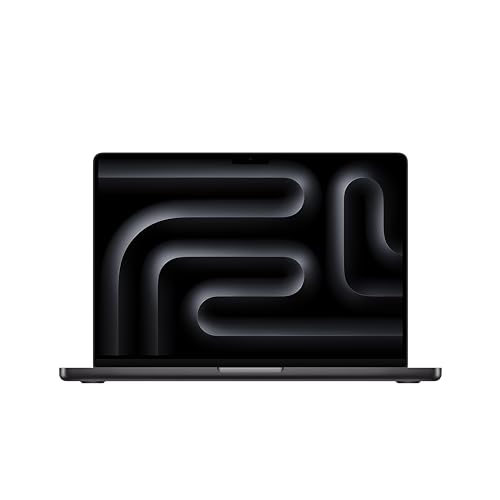
The Apple 2023 MacBook Pro with the M3 Pro chip is the middle MacBook in this guide, and it is the laptop for a developer who wants the MacBook Pro experience without the highest price. It has an M3 Pro chip with an 11-core CPU and a 14-core GPU, built for Apple Intelligence, a 14.2 inch Liquid Retina XDR display, 18GB of unified memory, and 512GB of SSD storage, in Space Black. The M3 Pro compiles quickly, the 14.2 inch screen shows a lot of code, and the 18GB of unified memory handles an editor, a browser, and a test server together.
The MacBook Pro M3 Pro suits a developer who works with Apple tools, a student who needs a machine that lasts the degree, and a professional who wants a quiet laptop with a long battery. Its Apple silicon chip is fast and efficient, its screen is the best in this guide, and its Unix system runs the same tools as the server. It is the laptop for a developer who wants a MacBook Pro that does everything well.
Key specs:
- Apple 2023 MacBook Pro, M3 Pro chip
- 11-core CPU, 14-core GPU
- 14.2-inch Liquid Retina XDR display
- 18GB unified memory, 512GB SSD storage
- Space Black, built for Apple Intelligence
Strengths:
- M3 Pro chip compiles quickly and quietly
- Superb 14.2 inch Liquid Retina XDR display
- Long battery life for a working day
Trade-offs:
- 18GB of memory is less than the 24GB models here
- 512GB storage fills fast with large projects
- Ports are limited to USB-C and HDMI
The MacBook Pro M3 Pro fits a developer who works with Apple tools, a student who needs a machine for the degree, and a professional who wants a quiet, long-lasting laptop. It is the laptop for Mac development.
Best for: Apple development with a great screen and long battery. Not suited for: a developer who needs Windows-only tools, or a large project that needs 32GB of memory.
Check price on Amazon: Apple 2023 MacBook Pro M3 Pro

Apple 2024 MacBook Pro Laptop M4 Pro 16.2-Inch Silver
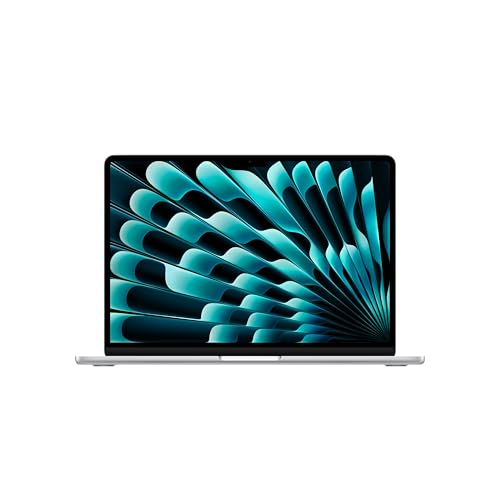
The Apple 2024 MacBook Pro with the M4 Pro chip is the fastest MacBook in this guide, and it is the laptop for a developer who compiles large projects and wants the quickest build times. It has an M4 Pro chip with a 14-core CPU and a 20-core GPU, built for Apple Intelligence, a 16.2 inch Liquid Retina XDR display, 24GB of unified memory, and 512GB of SSD storage, in Silver. The M4 Pro is the newest chip here, and its 24GB of memory handles large projects, virtual machines, and containers without slowing down.
The MacBook Pro M4 Pro suits a professional developer, a team lead who builds large codebases, and a creator who also edits video. Its 16.2 inch screen shows more code at once than the 14 inch models, its 24GB of memory is the comfortable size for professional work, and its battery lasts through a working day. It is the laptop for a developer who wants the fastest MacBook Pro available.
Key specs:
- Apple 2024 MacBook Pro, M4 Pro chip
- 14-core CPU, 20-core GPU
- 16.2-inch Liquid Retina XDR display
- 24GB unified memory, 512GB SSD storage
- Silver, built for Apple Intelligence
Strengths:
- Fastest chip in this guide for compiling
- 24GB of memory for large projects
- Large 16.2 inch screen shows more code
Trade-offs:
- The most expensive laptop in this guide
- 16.2 inch size is heavier than the 14 inch models
- 512GB storage is the minimum for large projects
The MacBook Pro M4 Pro fits a professional developer, a large codebase, and a creator who also edits video. It is the laptop for the fastest MacBook Pro.
Best for: large projects and fast compiles on a Mac. Not suited for: a student on a budget, or a developer who needs Windows-only tools.
Check price on Amazon: Apple 2024 MacBook Pro M4 Pro
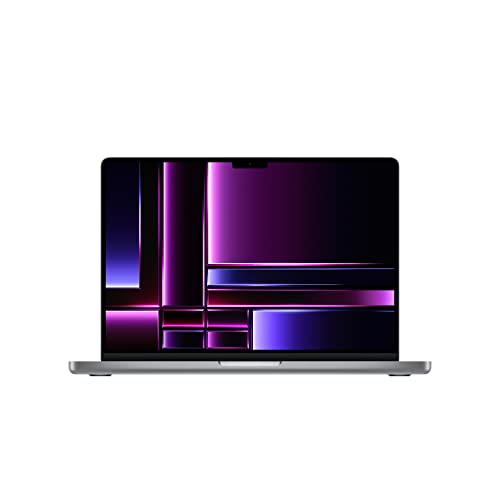
Apple 2023 MacBook Pro Laptop M2 Pro 14.2-Inch Space Gray
The Apple 2023 MacBook Pro with the M2 Pro chip is the affordable MacBook in this guide, and it is the laptop for a developer who wants a MacBook Pro for less. It has an M2 Pro chip with a 10-core CPU and a 16-core GPU, a 14.2 inch Liquid Retina XDR display, 16GB of unified memory, and 512GB of SSD storage, in Space Gray, and it works with iPhone and iPad. The M2 Pro is the previous generation, but it is still fast for compiling, and it costs less than the M3 Pro and M4 Pro models.
The MacBook Pro M2 Pro suits a student, a developer on a budget, and a user who wants a MacBook Pro without paying for the newest chip. Its 14.2 inch screen is the same superb display as the newer models, its 16GB of memory is enough for most development, and its battery lasts the working day. It is the laptop for a MacBook Pro at the best value.
Key specs:
- Apple 2023 MacBook Pro, M2 Pro chip
- 10-core CPU, 16-core GPU
- 14.2-inch Liquid Retina XDR display
- 16GB unified memory, 512GB SSD storage
- Space Gray, works with iPhone and iPad
Strengths:
- Best value MacBook Pro in this guide
- Same superb 14.2 inch display as newer models
- Long battery life and a quiet machine
Trade-offs:
- M2 Pro is slower than the M3 Pro and M4 Pro
- 16GB of memory is the minimum for professional work
- Previous generation chip
The MacBook Pro M2 Pro fits a student, a developer on a budget, and a user who wants a MacBook Pro for less. It is the laptop for Mac development at the best value.
Best for: Mac development on a budget. Not suited for: a large project that needs 32GB of memory, or a developer who wants the newest chip.
Check price on Amazon: Apple 2023 MacBook Pro M2 Pro

Lenovo ThinkPad L16 Gen 2 Business AI Laptop Ultra 7 255U
The Lenovo ThinkPad L16 Gen 2 is the Windows workhorse in this guide, and it is the laptop for a developer who works on Windows or Linux and wants a machine that can be opened, upgraded, and repaired. It is a 16 inch Full HD Plus business AI laptop with an Intel Core Ultra 7 255U processor, 32GB of DDR5 memory, a 1TB solid-state drive, HDMI, a fingerprint reader, a backlit keyboard, Wi-Fi 6E, and a long battery life, running Windows 11 Pro. The 32GB of memory is the comfortable size for professional development, and the 1TB drive holds tools, libraries, and projects.
The ThinkPad L16 Gen 2 suits a professional developer, a student who needs a machine for the degree, and a user who wants the ThinkPad keyboard. Its 16 inch screen shows a lot of code, its fingerprint reader unlocks the machine quickly, and its 7-in-1 USB-C hub bundle in the listing connects everything at the desk. It is the laptop for Windows and Linux development with a great keyboard.
Key specs:
- 16 inch Full HD Plus business laptop
- Intel Core Ultra 7 255U
- 32GB DDR5 memory, 1TB SSD
- HDMI, fingerprint reader, backlit keyboard
- Wi-Fi 6E, Windows 11 Pro
- Gen 2 model
Strengths:
- 32GB of memory for professional development
- ThinkPad keyboard, the best in this guide
- 1TB drive holds tools and projects
Trade-offs:
- Full HD Plus screen, not as sharp as the MacBook XDR
- Business design is plainer than the MacBook
- Heavier than the 14 inch models
The ThinkPad L16 Gen 2 fits a professional developer on Windows or Linux, a student who needs a machine for the degree, and a user who wants the best keyboard. It is the laptop for Windows development.
Best for: Windows and Linux development with a great keyboard. Not suited for: a developer who needs Apple tools, or a user who wants the sharpest screen.
Check price on Amazon: Lenovo ThinkPad L16 Gen 2

Lenovo ThinkPad T16 Ultra 5 225U 32GB Business Laptop
The Lenovo ThinkPad T16 is the premium ThinkPad in this guide, and it is the laptop for a developer who wants the T series build and a machine designed for programming. It has an Intel Ultra 5 225U processor, 32GB of DDR5 memory, a 1TB solid-state drive with a docking station, a 16 inch large display, a backlit keyboard, and a fingerprint reader, and the listing title states it is designed for everyday productivity and programming. The T16 is the ThinkPad for a professional, with a better screen and a longer battery than the L series.
The ThinkPad T16 suits a professional developer, a team member who needs a premium business laptop, and a user who codes all day. Its 32GB of memory handles large projects, its 16 inch display shows a lot of code, and its docking station in the listing connects the desk setup with one cable. It is the laptop for a ThinkPad that is also a programming machine.
Key specs:
- 16 inch large display business laptop
- Intel Ultra 5 225U
- 32GB DDR5 RAM, 1TB SSD
- Docking station included
- Backlit keyboard and fingerprint reader
- Designed for everyday productivity and programming
Strengths:
- Premium T series build for professional use
- 32GB of memory for large projects
- Docking station connects the desk with one cable
Trade-offs:
- Ultra 5 processor is slower than the Ultra 7
- Business design is plainer than the MacBook
- 16 inch size is heavier than a 14 inch model
The ThinkPad T16 fits a professional developer, a team member who needs a premium business laptop, and a user who codes all day. It is the laptop for a premium ThinkPad programming machine.
Best for: professional programming on a premium ThinkPad. Not suited for: a developer who needs Apple tools, or a student on a tight budget.
Check price on Amazon: Lenovo ThinkPad T16 Ultra 5 225U

Dell XPS 15 9530 Business Laptop i7-13620H 32GB
The Dell XPS 15 9530 is the Windows premium laptop in this guide, and it is the laptop for a developer who wants a beautiful screen and a powerful Windows machine. It is a 15.6 inch Full HD Plus business laptop with an Intel 10-core i7-13620H processor, 32GB of DDR5 memory, a 1TB solid-state drive, a backlit keyboard, a fingerprint reader, Thunderbolt 4, Wi-Fi 6, and Windows 11 Pro with AI Copilot, in Silver. The XPS line is Dell premium design, with a large screen, a solid build, and a machine that looks as good as it performs.
The XPS 15 9530 suits a developer who works on Windows, a creator who also edits video, and a user who wants a premium laptop with a large screen. Its 32GB of memory handles large projects, its 10-core processor compiles quickly, and its Thunderbolt 4 ports connect to anything at the desk. It is the laptop for Windows development with a premium design.
Key specs:
- 15.6 inch Full HD Plus business laptop
- Intel 10-core i7-13620H
- 32GB DDR5 RAM, 1TB SSD
- Backlit keyboard, fingerprint reader
- Thunderbolt 4, Wi-Fi 6, Windows 11 Pro
- XPS 15 9530 model, silver
Strengths:
- Premium XPS design with a large screen
- 32GB of memory for large projects
- Thunderbolt 4 for a full desk setup
Trade-offs:
- Full HD Plus screen, not as sharp as the MacBook XDR
- Windows only, no macOS
- Premium price for a Windows laptop
The Dell XPS 15 9530 fits a developer who works on Windows, a creator who also edits video, and a user who wants a premium laptop. It is the laptop for Windows development with a premium design.
Best for: Windows development with a premium design. Not suited for: a developer who needs Apple tools, or a student on a tight budget.
Check price on Amazon: Dell XPS 15 9530
Buying guide
Choose the system: macOS, Windows, or Linux
The operating system should match the tools and the target. A developer who builds for Apple platforms needs a Mac. A developer who builds for Windows needs Windows. A developer who deploys to Linux servers can use any of the three, because the tools run everywhere, but a Mac or a Linux machine is closest to the server. The system should be chosen for the work, not for the brand, because switching systems later means relearning tools and rebuying software.
Think about the team as well. A developer who works alone can choose freely, but a developer who joins a team should match the team system, because shared scripts, shared tools, and shared knowledge are worth more than a personal preference. The laptop is a tool for the job, and the job includes the people it is done with.
Processor, memory, and storage: the three numbers that matter
The processor should be a modern multi-core chip, and the memory should be at least 16GB, with 32GB for professional work. Storage should be at least 512GB, because a development environment with tools, libraries, and a few projects fills a small drive fast, and 1TB is the comfortable size. The drive should be a fast NVMe solid-state drive, because a slow drive makes every compile and every test run slower.
Do not buy a laptop with memory or storage that cannot be upgraded if the work will grow. A machine that is enough today may not be enough in two years, and a laptop with soldered memory cannot grow. Check whether the memory and the drive can be replaced, and favour a machine that can, especially if the budget is tight and the laptop must last.
Keyboard, screen, and battery
The keyboard is the most-used part of a programming laptop, so it deserves attention. Keys should have clear travel and a firm bottom, the layout should be standard, and the backlight should be even. A keyboard that is cramped or shallow will cause mistakes and fatigue over a long day. If possible, type on the keyboard before buying, or buy from a seller with easy returns.
The screen should be bright, sharp, and large enough to show a lot of code. A 14-inch screen is portable, a 16-inch screen is better for long sessions, and a high resolution shows more lines. Battery life matters for a laptop that leaves the desk: a machine that lasts eight hours or more through a working day is far more useful than one that needs a charger by lunch.
Ports and the desk setup
A programming laptop needs ports for the desk setup: a monitor, a keyboard, a mouse, and an external drive. Thunderbolt or USB-C ports with a dock can connect everything through one cable, which keeps the desk tidy. Check that the laptop has the ports needed, or that a dock exists for it, because a laptop with too few ports is a laptop that lives with a tangle of adapters.
An external monitor is the best upgrade for a programming laptop. A large monitor shows the editor, the browser, and the terminal side by side, and it saves the neck from hunching over a small screen. The laptop screen is for travel; the desk monitor is for work. A good stand that raises the laptop to eye level helps too, because a laptop on a desk is always too low.
Setting up and everyday care
Setting up the development environment
On the first boot, update the system and install the development tools: the editor, the version control, the language runtimes, and the terminal. Use a package manager rather than installing tools one by one, because a package manager keeps them updated and removes them cleanly. Set up a backup before the first project, because a laptop without a backup is a disaster waiting for a deadline.
Keep the system clean. Uninstall the trial software that is not wanted, because it slows the machine and nags for payment. Keep the drive at least a tenth free, because a full drive slows down and the system needs room for updates. A second drive or a cloud copy is the place for old projects that are not needed every day.
Keeping the laptop cool and the battery healthy
A laptop that compiles all day makes heat, and heat shortens the life of the battery and the fans. Use the laptop on a hard, flat surface, not on a bed or a sofa, because soft surfaces block the vents. A stand that lifts the back edge improves airflow and can lower temperatures noticeably. Clean the vents every few months with short bursts of compressed air.
The battery lasts longest when it is not held at full charge all day. Most systems have a battery care mode that limits charging when the laptop stays plugged in, and that mode is worth turning on for a desk machine. If the laptop will be stored for weeks, leave the battery around half charged rather than full or empty.
Backing up the work
Code should live in version control, with the remote copy as the backup. A commit at the end of every working session means the work survives a stolen laptop, a failed drive, or a spilled coffee. The whole machine should also be backed up, because the environment, the settings, and the documents are worth as much as the code.
Test the backup by restoring a file from it. A backup that has never been tested is a hope, not a backup. The restore should be quick and the file should be intact. If it is not, fix the backup now, while there is time, rather than discovering the problem when the data is already gone.
Common mistakes to avoid
Buying 8GB of memory to save money
Eight gigabytes of memory was enough a few years ago, but an editor, a browser, and a test server together can use more than that, and a laptop that runs out of memory slows down sharply. Sixteen gigabytes is the minimum for programming now, and it is the cheapest upgrade a laptop can have. If the memory is soldered, it cannot be fixed later, so the choice must be right at purchase.
Choosing the laptop for gaming instead of coding
A gaming laptop is fast, but it is heavy, loud, and short on battery, and its keyboard and screen are made for games rather than for code. A programming laptop should be quiet, light, and long-lived on battery, with a great keyboard and a sharp screen. The graphics card matters little for programming, so the money is better spent on memory, storage, and the screen.
Ignoring the keyboard
A programmer types all day, and a bad keyboard is a daily frustration that no processor can fix. A shallow, cramped keyboard causes mistakes and fatigue, while a good keyboard with clear travel types accurately for hours. The keyboard should be tried before buying, or bought from a seller with easy returns, because it is the part of the laptop that is touched most.
Skipping the backup
A laptop without a backup is a disaster waiting for a deadline. Code should be in version control with a remote copy, and the whole machine should be backed up regularly. The backup takes minutes to set up and hours to regret skipping. Test the restore before it is needed, because a backup that cannot be restored is not a backup.
Our recommendation
For most programmers, the MacBook Pro with the M3 Pro chip is the right buy: fast compiles, a superb screen, a quiet machine, and a battery that lasts the working day. If the work is on Windows or Linux, the Lenovo ThinkPad T16 is the pick, with the best keyboard in this guide and a machine built to last. If the budget is tight, the MacBook Pro with the M2 Pro or the ThinkPad L16 Gen 2 does the same job for less. The laptop that compiles fast, types well, and lasts the day is the laptop that will still be doing the job in five years.
Buy the laptop for the system the code will run on, with 16GB of memory at least, and set up version control and a backup on the first day. A programming laptop is a tool for years, and the right one disappears into the work.
Related reading on Reviewstook: see our guides to the best programming laptops under 1000, the best programming laptops for students under 1000, the best programming laptops for work under 1000 for more on this topic.
Frequently asked questions
How much memory does a programming laptop need?
Sixteen gigabytes is the minimum for modern development, because an editor, a browser, and a test server together use more than 8GB. Thirty-two gigabytes is better for large projects, virtual machines, or containers. If the memory is soldered and cannot be upgraded, buy the larger size now, because it cannot be fixed later.
Is a MacBook Pro or a ThinkPad better for programming?
Both are excellent, and the choice depends on the work. A MacBook Pro is better for Apple development, for battery life, and for a quiet machine, and its Unix system matches most servers. A ThinkPad is better for Windows or Linux development, for a great keyboard, and for a machine that can be repaired and upgraded. The system the code will run on should decide.
Do I need a powerful graphics card for programming?
No, for most programming. The processor, the memory, and the storage decide how fast the work goes, and the graphics card matters only for game development, machine learning, or video work. A laptop with an integrated graphics chip is enough for web, app, and systems programming, and the money is better spent on memory and a better screen.
Can a programming laptop also be used for gaming?
Yes, but it is not the best tool for it. A MacBook Pro plays some games well and others not at all, because many games are not made for Mac. A ThinkPad or an XPS with a discrete graphics card plays more games, but a dedicated gaming laptop is faster. A programming laptop that also games is a compromise on both, so the gaming should be light if the laptop is bought for code.