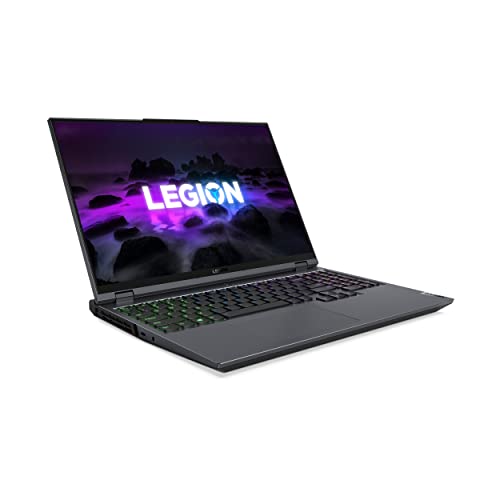
The best 1000 dollar laptops gaming Linus viewers ask about are the ones that spend the money on the graphics card first. A $1000 gaming laptop is a balancing act: the budget covers a real GPU, a fast display, and enough memory and storage, but not all of them at the top level, so the buyer must choose where the money goes. The six laptops in this guide cover the main choices: RTX 3050, 4050, and 4060 graphics, 144Hz and 165Hz displays, and 8GB and 16GB of memory.
A $1000 gaming laptop matters because it is the price where a laptop stops being a compromise and starts being a real gaming machine. A laptop at this price plays modern games at 1080p, runs school and office work without strain, and lasts through years of use, and the buyer who spends wisely gets the most for the money. The class is the one Linus Tech Tips returns to again and again, because it is where most gamers actually buy.
The laptops in this guide cover the main uses. The Lenovo LOQ is the best all-round pick, the Acer Nitro V is the display pick, the MSI Thin A15 is the performance pick, the ASUS TUF Gaming A16 is the durable pick, the HP Victus 15 is the entry pick, and the Alienware 15 is the premium pick. All six are gaming laptops, and all six are sold as new listings.
This guide covers six best 1000 dollar laptops for gaming: one Lenovo, one Acer, one MSI, one ASUS, one HP, and one Alienware. All six have dedicated NVIDIA graphics, all six have fast displays, and all six state their processor, GPU, memory, and storage in the listing title. The comparison table below gives the short version, and the sections after it give the detail.
In this guide
Quick picks: best 1000 dollar laptops gaming linus
| # | Product | Where to buy |
|---|---|---|
| 1 | Lenovo LOQ gaming laptop RTX 4050 Ryzen 5 | Check on Amazon |
| 2 | Acer Nitro V gaming laptop RTX 4050 Intel i5 | Check on Amazon |
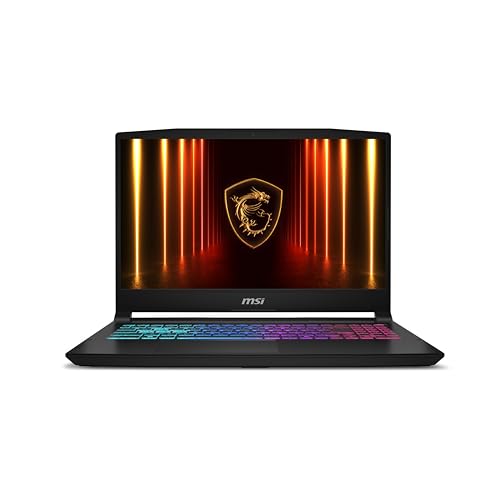
| 3 | MSI Thin A15 gaming laptop RTX 4060 Ryzen 9 | Check on Amazon |
| 4 | ASUS TUF Gaming A16 laptop RTX 4050 Ryzen 7 | Check on Amazon |
| 5 | HP Victus 15 gaming laptop RTX 3050 Intel i5 | Check on Amazon |
| 6 | Alienware 15 gaming laptop RTX 4050 Core 7 | Check on Amazon |
How the picks were chosen for the best 1000 dollar laptops gaming linus
Every laptop below started as a listing returned by the reviewstook.com product lookup, and every listing was checked the same way. First, the title had to name the exact brand and the exact model, including every processor and GPU, because a Lenovo LOQ with an RTX 4050 is not a LOQ with an RTX 5060, and an Acer Nitro V with an RTX 4050 is not a Nitro V with an RTX 5050. Second, the title had to state the display, the memory, and the storage, because those decide the use.
The laptops were also checked for the details that decide real use. The GPU decides the games, and the laptops here have RTX 3050, 4050, and 4060 graphics, with the 4060 the fastest. The display decides the smoothness, and the laptops here have 144Hz, 145Hz, and 165Hz panels. The memory decides the multitasking, and the laptops here have 8GB and 16GB, with the 16GB models covering more. The storage decides the library, and the laptops here have 512GB and 1TB SSDs.
One more check shaped the list: the laptop must be a gaming laptop, not a business laptop, a Chromebook, or a laptop accessory. Listings for office laptops, Chromebooks, and accessories were left out, because a buyer searching for the best 1000 dollar laptops for gaming wants a gaming laptop. The six laptops below are all gaming laptops, sold as new listings, with the brand, the model, and the specs stated in the title.
What a 1000 dollar gaming laptop is, and who should buy one
A $1000 gaming laptop is a laptop with a dedicated graphics card, a fast display, and enough memory and storage for modern games, at a price most gamers can reach. It is faster than an integrated-graphics laptop and cheaper than a flagship, and it is the class where the buyer gets the most gaming for the money. A $1000 gaming laptop plays modern games at 1080p, and it runs school and office work without strain.
A $1000 gaming laptop suits any gamer who wants a real gaming machine without paying flagship money. It is the right choice when the games are modern titles at 1080p, when the work is school or office tasks, and when the laptop must last for years. It is not the right choice for a gamer who wants 4K gaming, because that needs a bigger budget, and it is not the right choice for a buyer who only browses the web.
The six laptops in this guide cover the main buyers. The all-round and performance picks are for the gamer who wants the most for the money, the display pick is for the gamer who plays fast games, and the durable pick is for the gamer who carries the laptop every day. The entry pick is for the gamer who wants the lowest cost, and the premium pick is for the gamer who wants the Alienware name.
A $1000 gaming laptop also suits a student who games and studies on one machine, because the same laptop that plays games also runs the coursework. The buyer who spends the money on the GPU first gets the best gaming, and the buyer who checks the display, the memory, and the storage gets the best laptop. The right laptop is the one that fits the games and the work.
What makes a good 1000 dollar gaming laptop
The GPU is the first test, and it decides the games. An RTX 4060 handles demanding games better than an RTX 4050, and an RTX 4050 handles them better than an RTX 3050, so a buyer who plays demanding games should look for the fastest GPU the budget allows. The laptops here have RTX 3050, 4050, and 4060 graphics, and a buyer should check the GPU in the title before buying.
The display is the second test. A 165Hz display shows motion more smoothly than a 144Hz display, and an IPS panel gives better viewing angles, so a buyer who plays fast games should look for a high refresh rate. The laptops here have 144Hz, 145Hz, and 165Hz displays, and the Alienware here has a taller 1920×1200 panel, and a buyer should check the display in the title before buying.
Memory and storage are the third test. 16GB of memory covers multitasking better than 8GB, and a 1TB SSD holds more games than a 512GB SSD, so a buyer who keeps many games should look for both. The laptops here have 8GB and 16GB of memory and 512GB and 1TB SSDs, and a buyer should check both in the title before buying, because they decide the library and the multitasking.
The processor is the fourth test. A Ryzen 9 or Core 7 processor handles heavy work better than a Ryzen 5 or Core i5, but the GPU matters more for games, so a buyer should spend on the GPU first and the processor second. The laptops here have Ryzen 5, Ryzen 7, Ryzen 9, Core i5, and Core 7 processors, and a buyer should check the processor in the title before buying.
Quick picks at a glance
| Laptop | GPU and CPU | Use | Best for |
|---|---|---|---|
| Lenovo LOQ | RTX 4050, Ryzen 5, 144Hz | Gaming and school work | Best all-round laptop |
| Acer Nitro V | RTX 4050, i5, 165Hz | Fast games, competitive play | Best display laptop |
| MSI Thin A15 | RTX 4060, Ryzen 9, 1TB | Demanding games, big library | Best performance laptop |
| ASUS TUF A16 | RTX 4050, Ryzen 7, 16 inch | Daily carry, bigger screen | Best durable laptop |
| HP Victus 15 | RTX 3050, i5, 144Hz | Esports, lighter games | Best entry laptop |
| Alienware 15 | RTX 4050, Core 7, 165Hz | Esports, premium build | Best premium laptop |
The best 1000 dollar gaming laptops


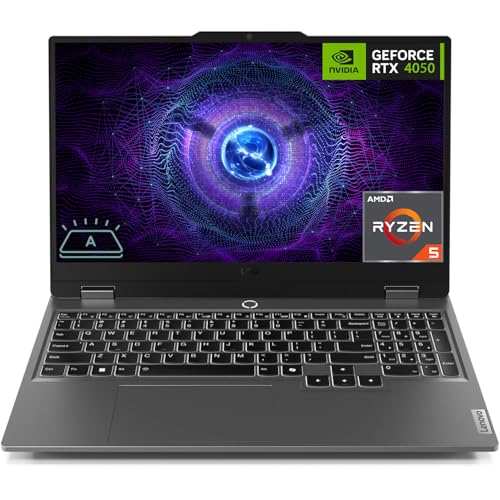
Lenovo LOQ Gaming Laptop, GeForce RTX 4050, AMD Ryzen 5 7235HS Processor | 15.6" 144Hz FHD Display, 16GB DDR5, 512GB SSD, Wi-Fi 6, Ethernet, USB-C, HDMI, Backlit Keyboard, Windows 11 Home
The Lenovo LOQ Gaming Laptop is the best all-round pick in this guide, and it is the pick for a gamer who wants a balanced $1000-class laptop. It is a Lenovo LOQ with a GeForce RTX 4050, an AMD Ryzen 5 7235HS processor, a 15.6 inch 144Hz FHD display, 16GB of DDR5 memory, a 512GB SSD, Wi-Fi 6, Ethernet, USB-C, HDMI, a backlit keyboard, and Windows 11 Home. The RTX 4050 handles modern games at 1080p, and the 144Hz display keeps motion smooth.
The LOQ suits a gamer who wants the most balanced laptop at this price. The Ryzen 5 processor covers gaming and school work, the 16GB of DDR5 memory covers multitasking, and the 512GB SSD holds the games. It is the laptop for a buyer who wants a $1000 gaming laptop that does everything well.
Key specs:
- Lenovo LOQ Gaming Laptop
- GeForce RTX 4050, Ryzen 5 7235HS
- 15.6" 144Hz FHD display
- 16GB DDR5, 512GB SSD
- Wi-Fi 6, Ethernet, USB-C, HDMI, Windows 11 Home
Strengths:
- Balanced RTX 4050 and Ryzen 5 pairing
- 144Hz display keeps motion smooth
- 16GB DDR5 and 512GB SSD cover games and work
Trade-offs:
- A 512GB SSD that fills up with big games
- An RTX 4050, not a 4060
- A 15.6 inch screen, not a larger one
The LOQ fits a gamer who wants a balanced $1000 gaming laptop for games and school work.
Best for: a balanced $1000 gaming laptop. Not suited for: a gamer who wants a 4060, or a larger screen.
Check price on Amazon: Lenovo LOQ gaming laptop RTX 4050 Ryzen 5


Acer Nitro V Gaming Laptop | Intel Core i5-13420H Processor | NVIDIA GeForce RTX 4050 Laptop GPU | 15.6" FHD IPS 165Hz Display | 8GB DDR5 | 512GB Gen 4 SSD | Wi-Fi 6 | Backlit KB | ANV15-52-586Z
The Acer Nitro V Gaming Laptop is the display pick in this guide, and it is the pick for a gamer who wants the fastest screen here. It is an Acer Nitro V with an Intel Core i5-13420H processor, an NVIDIA GeForce RTX 4050 laptop GPU, a 15.6 inch FHD IPS 165Hz display, 8GB of DDR5 memory, a 512GB Gen 4 SSD, Wi-Fi 6, a backlit keyboard, model ANV15-52-586Z. The 165Hz display is the fastest here, and the IPS panel gives good viewing angles.
The Nitro V suits a gamer who plays fast games and wants the smoothest screen. The 165Hz display suits competitive play, the RTX 4050 handles modern games at 1080p, and the Gen 4 SSD loads games fast. It is the laptop for a buyer who puts the display first.
Key specs:
- Acer Nitro V Gaming Laptop
- Intel Core i5-13420H, RTX 4050
- 15.6" FHD IPS 165Hz display
- 8GB DDR5, 512GB Gen 4 SSD
- Wi-Fi 6, backlit keyboard, ANV15-52-586Z
Strengths:
- 165Hz display, the fastest here
- Gen 4 SSD loads games fast
- IPS panel gives good viewing angles
Trade-offs:
- 8GB of memory, the least here
- An RTX 4050, not a 4060
- A 512GB SSD that fills up with big games
The Nitro V fits a gamer who plays fast games and wants the smoothest 165Hz display.
Best for: the fastest display at this price. Not suited for: a gamer who wants 16GB of memory, or a 4060.
Check price on Amazon: Acer Nitro V gaming laptop RTX 4050 Intel i5

MSI Thin A15 AI 15.6” 144Hz FHD Gaming Laptop: AMD Ryzen R9-8945HS, NVIDIA Geforce RTX 4060, 16GB DDR5, 1TB NVMe SSD, WiFi 6E, Win 11: Black B8VF-270US
The MSI Thin A15 AI Gaming Laptop is the performance pick in this guide, and it is the pick for a gamer who wants the strongest GPU here. It is an MSI Thin A15 with an AMD Ryzen 9 8945HS processor, an NVIDIA GeForce RTX 4060, 16GB of DDR5 memory, a 1TB NVMe SSD, Wi-Fi 6E, and Windows 11, in black, model B8VF-270US. The RTX 4060 is the fastest GPU in this guide, and the 1TB SSD is the largest here.
The Thin A15 suits a gamer who wants the most performance at this price. The RTX 4060 handles demanding games better than the 4050 models, the Ryzen 9 processor covers heavy multitasking, and the 1TB SSD holds a large game library. It is the laptop for a buyer who wants the strongest $1000-class laptop here.
Key specs:
- MSI Thin A15 AI Gaming Laptop
- Ryzen 9 8945HS, RTX 4060
- 15.6” 144Hz FHD display
- 16GB DDR5, 1TB NVMe SSD
- Wi-Fi 6E, Windows 11, B8VF-270US
Strengths:
- RTX 4060, the fastest GPU here
- 1TB SSD, the largest here
- Ryzen 9 processor covers heavy multitasking
Trade-offs:
- A thin chassis that can run warm
- A 144Hz display, not 165Hz
- A 15.6 inch screen, not a larger one
The Thin A15 fits a gamer who wants the strongest GPU and the largest SSD at this price.
Best for: the most performance at this price. Not suited for: a gamer who wants a 165Hz display, or a cooler chassis.
Check price on Amazon: MSI Thin A15 gaming laptop RTX 4060 Ryzen 9

ASUS TUF Gaming A16 Laptop: AMD Ryzen 7 7445HS, 16" Full HD+ 145Hz Display, NVIDIA GeForce RTX 4050, 16GB DDR5 RAM, 512GB SSD, Backlit Keyboard, Windows 11
The ASUS TUF Gaming A16 Laptop is the durable pick in this guide, and it is the pick for a gamer who wants a tough laptop with a bigger screen. It is an ASUS TUF Gaming A16 with an AMD Ryzen 7 7445HS processor, a 16 inch Full HD+ 145Hz display, an NVIDIA GeForce RTX 4050, 16GB of DDR5 RAM, a 512GB SSD, a backlit keyboard, and Windows 11. The 16 inch display is the largest here, and the TUF line is built for durability.
The TUF A16 suits a gamer who carries the laptop every day and wants it to last. The 16 inch display gives more room than the 15.6 inch models, the Ryzen 7 processor covers gaming and work, and the 16GB of DDR5 memory covers multitasking. It is the laptop for a buyer who wants a bigger screen and a tough build.
Key specs:
- ASUS TUF Gaming A16 Laptop
- Ryzen 7 7445HS, RTX 4050
- 16" Full HD+ 145Hz display
- 16GB DDR5 RAM, 512GB SSD
- Backlit keyboard, Windows 11
Strengths:
- 16 inch display, the largest here
- TUF build made for daily carrying
- Ryzen 7 and 16GB DDR5 cover gaming and work
Trade-offs:
- A 145Hz display, not 165Hz
- A 512GB SSD that fills up with big games
- An RTX 4050, not a 4060
The TUF A16 fits a gamer who carries the laptop daily and wants a bigger screen and a tough build.
Best for: a bigger screen and a durable build. Not suited for: a gamer who wants a 165Hz display, or a 4060.
Check price on Amazon: ASUS TUF Gaming A16 laptop RTX 4050 Ryzen 7


HP Victus Gaming 15 Laptop: 15.6" FHD 144Hz Display • Intel 8-Core i5-13420H • NVIDIA GeForce RTX 3050 • 8 GB DDR4 SDRAM • 512 GB NVMe SSD • Win11 Home • Wi-Fi 6 • Backlit Keyboard
The HP Victus Gaming 15 Laptop is the entry pick in this guide, and it is the pick for a gamer who wants the lowest-cost way into the $1000 class. It is an HP Victus 15 with a 15.6 inch FHD 144Hz display, an Intel 8-core i5-13420H processor, an NVIDIA GeForce RTX 3050, 8GB of DDR4 SDRAM, a 512GB NVMe SSD, Windows 11 Home, Wi-Fi 6, and a backlit keyboard. The RTX 3050 handles esports and lighter games well, and the 144Hz display keeps motion smooth.
The Victus suits a gamer who plays esports titles and lighter games and wants to spend less. The 8-core i5 processor covers gaming and school work, the 144Hz display suits fast games, and the 512GB SSD holds the essentials. It is the laptop for a buyer who wants the entry point to $1000 gaming laptops.
Key specs:
- HP Victus Gaming 15 Laptop
- Intel 8-Core i5-13420H, RTX 3050
- 15.6" FHD 144Hz display
- 8 GB DDR4 SDRAM, 512 GB NVMe SSD
- Win11 Home, Wi-Fi 6, backlit keyboard
Strengths:
- Entry point to the $1000 class
- 144Hz display suits fast games
- 8-core i5 covers gaming and school work
Trade-offs:
- RTX 3050, the weakest GPU here
- 8GB of DDR4, the least memory here
- A 512GB SSD that fills up with big games
The Victus fits a gamer who plays esports and lighter games and wants the lowest-cost entry.
Best for: the entry point to $1000 gaming laptops. Not suited for: a gamer who wants a 4050 or 4060, or 16GB of memory.
Check price on Amazon: HP Victus 15 gaming laptop RTX 3050 Intel i5

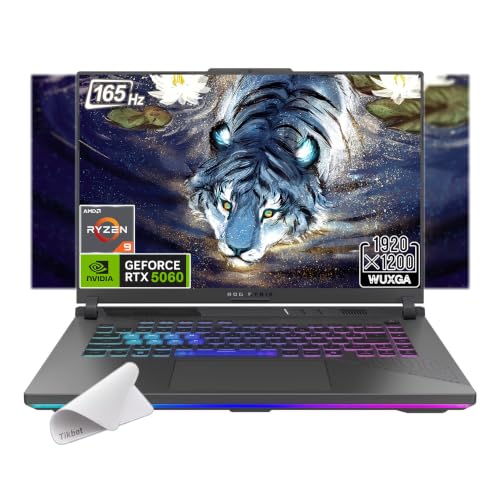
Alienware 15 Gaming Laptop, RTX 4050, Intel Core 7 240H, Windows 11 Home | WUXGA 1920×1200 Display, 165Hz, 16GB DDR5 RAM, 1TB SSD, NVIDIA GeForce, Wi-Fi 6, Esports Ready, DA15260
The Alienware 15 Gaming Laptop is the premium pick in this guide, and it is the pick for a gamer who wants the Alienware name and the tallest display here. It is an Alienware 15 with an RTX 4050, an Intel Core 7 240H processor, and Windows 11 Home, with a WUXGA 1920×1200 display at 165Hz, 16GB of DDR5 RAM, a 1TB SSD, NVIDIA GeForce graphics, Wi-Fi 6, and an esports-ready design, model DA15260. The 1920×1200 display is taller than the usual 1080p panel, and the 165Hz refresh suits fast games.
The Alienware 15 suits a gamer who wants a premium brand and a taller screen. The 165Hz display is the fastest here alongside the Nitro V, the 1TB SSD holds a large library, and the 16GB of DDR5 memory covers multitasking. It is the laptop for a buyer who wants the Alienware build at this price.
Key specs:
- Alienware 15 Gaming Laptop
- RTX 4050, Intel Core 7 240H
- WUXGA 1920×1200 display, 165Hz
- 16GB DDR5 RAM, 1TB SSD
- Wi-Fi 6, esports ready, DA15260
Strengths:
- 1920×1200 display, taller than 1080p
- 165Hz refresh suits fast games
- 1TB SSD holds a large library
Trade-offs:
- A premium brand at a premium build
- An RTX 4050, not a 4060
- A 15 inch screen, not a 16 inch one
The Alienware 15 fits a gamer who wants a premium brand and a taller 165Hz display.
Best for: a premium brand with a taller display. Not suited for: a gamer who wants a 4060, or a 16 inch screen.
Check price on Amazon: Alienware 15 gaming laptop RTX 4050 Core 7
Buying guide for the best 1000 dollar gaming laptops
Spend on the GPU first
Start with the graphics card, because it decides the games. An RTX 4060 handles demanding games better than an RTX 4050, and an RTX 4050 handles them better than an RTX 3050, so a buyer who plays demanding games should look for the fastest GPU the budget allows. The MSI Thin A15 here has the RTX 4060, and it is the performance pick for that reason. Check the GPU in the title before buying, because it decides the games.
The GPU also decides how long the laptop stays useful, because a faster GPU plays new games for longer. A buyer who buys the fastest GPU now will not need to upgrade soon, and a buyer who buys the slowest will feel the limit first. Spend on the GPU first, and the rest second.
Display: 144Hz, 145Hz, or 165Hz
A fast display shows motion smoothly, and a buyer who plays fast games should look for a high refresh rate. A 165Hz display suits competitive play, and a 144Hz display suits most games, so a buyer should check the refresh rate in the title before buying. The Nitro V and the Alienware here have 165Hz displays, and they are the display picks for fast games.
The display size matters too. A 16 inch display gives more room than a 15.6 inch one, and the TUF A16 here has the largest screen. A buyer who wants more room should look for a 16 inch display, and a buyer who wants a smaller laptop should look for 15.6 inches. Check the size in the title before buying.
Memory: 8GB or 16GB
Memory decides the multitasking, and a buyer who keeps many tabs and apps open should look for 16GB. 8GB covers gaming and light work, and 16GB covers gaming with a browser, a chat app, and a stream open at once, so a buyer who multitasks should look for 16GB. The LOQ, Thin A15, TUF A16, and Alienware here have 16GB, and the Nitro V and Victus here have 8GB.
The memory type matters too. DDR5 is faster than DDR4, and the laptops here mostly use DDR5, with the Victus using DDR4. Check the memory in the title before buying, because it decides the multitasking. A buyer who multitasks should buy 16GB.
Storage: 512GB or 1TB
Storage decides the game library, and a buyer who keeps many games should look for 1TB. A 512GB SSD holds the essentials, and a 1TB SSD holds a large library, so a buyer with many games should look for 1TB. The Thin A15 and the Alienware here have 1TB SSDs, and the others here have 512GB SSDs. Check the storage in the title before buying, because it decides the library.
The SSD speed matters too. A Gen 4 SSD loads games faster than a Gen 3 one, and the Nitro V here has a Gen 4 SSD. A buyer who wants fast loading should check the SSD type in the title. The storage decides how many games fit and how fast they load.
Processor: Ryzen or Intel
The processor decides the work, and a buyer who edits video or runs heavy apps should look for a faster one. A Ryzen 9 or Core 7 handles heavy work better than a Ryzen 5 or Core i5, but the GPU matters more for games, so a buyer should spend on the GPU first. The Thin A15 here has a Ryzen 9, and the Alienware here has a Core 7, and they are the work picks.
The processor also decides the battery life, because a more efficient chip lasts longer away from the wall. A buyer who carries the laptop should check the processor in the title, because it decides the work and the battery. The processor is the second priority after the GPU.
Using and caring for a gaming laptop
Set the laptop up and update it
Set the laptop up on the first day, and update the drivers, because a new laptop needs the latest graphics driver to play games well. Install the games, check the display settings, and set the refresh rate to the highest the panel supports, because a 165Hz display set to 60Hz will not show its speed. A laptop that is set up right will play games well from the start.
After setting it up, check the storage, because a 512GB SSD fills up fast with big games. Install the games that are played most, and leave room for updates, because a full SSD runs slower. Take the time to set it up right.
Keep the laptop cool
A gaming laptop gets warm under load, and it needs air to stay cool. Use it on a hard surface, not on a bed or a cushion, because the vents need room to breathe. A laptop that is kept cool will run faster and last longer, and one that is smothered will slow down and wear out.
Clean the vents now and then, because dust blocks the airflow. Blow the dust out gently, and check that the fans still spin freely. A clean laptop will stay cool, and a dusty one will overheat.
Look after the battery for the long term
A gaming laptop battery lasts longer when it is not kept at full charge all the time, so a buyer who plays plugged in should check the battery settings. Use the laptop on battery for light work, and plug it in for games, because the GPU needs wall power for full speed. A battery that is treated well will last for years.
Store the laptop in a sleeve when carrying it, because a laptop that is knocked around will suffer. A buyer who carries the laptop every day should use a padded sleeve, and a buyer who leaves it on a desk should keep it dust-free. A little care keeps the laptop working.
Common mistakes when buying a 1000 dollar gaming laptop
Buying a business laptop instead of a gaming laptop
Business laptops, Chromebooks, and office laptops appear in the same search results as gaming laptops, and a buyer in a hurry can buy one by mistake. A business laptop has no dedicated GPU, and a Chromebook cannot play the games, no matter how good the listing looks. Check the title for the GPU before buying, and look for RTX 3050, 4050, or 4060 in the title.
The same care applies to laptops with integrated graphics. An integrated GPU shares memory with the processor, and it cannot play modern games well. Buy a laptop with a dedicated GPU, and check the GPU in the title before buying.
Spending on the processor instead of the GPU
A buyer who spends on the fastest processor and the slowest GPU will get a laptop that works fast and plays slow. The GPU decides the games, and the processor decides the work, so a buyer should spend on the GPU first. The laptops here put the GPU first, with the RTX 4060 in the performance pick, and a buyer should do the same.
The same mistake happens with the display. A buyer who buys a 60Hz display with a fast GPU will not see the speed, because the display cannot show it. Check the refresh rate in the title before buying, because the display decides the smoothness.
Buying 8GB when the work needs 16GB
A buyer who multitasks with 8GB of memory will feel the limit, because the browser, the chat app, and the game will fight for memory. A buyer who keeps many tabs open should buy 16GB, and a buyer who plays one game at a time can buy 8GB. Check the memory in the title before buying, because it decides the multitasking.
The same care applies to the storage. A buyer with many games will fill a 512GB SSD fast, and should look for 1TB. Check the storage in the title before buying, because it decides the library.
Forgetting the display refresh rate
A buyer who forgets the refresh rate will buy a laptop that cannot show the GPU speed. A 165Hz display shows motion more smoothly than a 144Hz one, and a 60Hz display shows it worst of all, so a buyer who plays fast games should look for a high refresh rate. Check the display in the title before buying, because it decides the smoothness.
The same care applies to the display size. A buyer who wants more room should look for a 16 inch display, and a buyer who wants a smaller laptop should look for 15.6 inches. Check the size in the title before buying.
Our recommendation for the best 1000 dollar gaming laptop
The best 1000 dollar gaming laptop for most gamers is the Lenovo LOQ Gaming Laptop, because it is a balanced machine with a GeForce RTX 4050, an AMD Ryzen 5 7235HS processor, a 15.6 inch 144Hz FHD display, 16GB of DDR5 memory, and a 512GB SSD. It suits gaming and school work, it covers the essentials without a weak spot, and it is the laptop for a buyer who wants a $1000 gaming laptop that does everything well. A buyer shopping for a $1000 gaming laptop should start there.
A gamer who wants the fastest display should buy the Acer Nitro V with its 165Hz panel, a gamer who wants the most performance should buy the MSI Thin A15 with its RTX 4060 and 1TB SSD, and a gamer who wants a bigger screen and a tough build should buy the ASUS TUF Gaming A16. A gamer who wants the lowest-cost entry should buy the HP Victus 15, and a gamer who wants the premium brand should buy the Alienware 15.
Whichever laptop is chosen, spend on the GPU first, check the display refresh rate, and match the memory and storage to the games and the work. The right laptop is the one that plays the games well and lasts for years.
Related reading on Reviewstook: see our guides to best gaming laptop under 1000, best gaming laptop for students under 1000, best lightweight gaming laptop under 1000 for more on this topic.
Frequently asked questions about 1000 dollar gaming laptops
What GPU should a 1000 dollar gaming laptop have?
It should have a dedicated NVIDIA GPU, and at this price that means an RTX 3050, 4050, or 4060. An RTX 4060 handles demanding games better than an RTX 4050, and an RTX 4050 handles them better than an RTX 3050, so a buyer who plays demanding games should look for the fastest GPU the budget allows. The MSI Thin A15 here has the RTX 4060, and it is the performance pick.
A laptop with integrated graphics cannot play modern games well, because the GPU shares memory with the processor. Check the GPU in the title before buying, and look for RTX 3050, 4050, or 4060 in the title.
Is 8GB of memory enough for a gaming laptop?
8GB covers gaming and light work, and 16GB covers gaming with a browser, a chat app, and a stream open at once. A buyer who multitasks should buy 16GB, and a buyer who plays one game at a time can buy 8GB. The LOQ, Thin A15, TUF A16, and Alienware here have 16GB, and the Nitro V and Victus here have 8GB.
The memory type matters too. DDR5 is faster than DDR4, and the laptops here mostly use DDR5. Check the memory in the title before buying, because it decides the multitasking.
Should I buy a 144Hz or a 165Hz display?
A 165Hz display shows motion more smoothly than a 144Hz display, and a buyer who plays fast games should look for 165Hz. A 144Hz display suits most games, and it is the standard at this price, so a buyer who plays slower games can buy 144Hz. The Nitro V and the Alienware here have 165Hz displays, and the others here have 144Hz or 145Hz.
The display size matters too. A 16 inch display gives more room than a 15.6 inch one, and the TUF A16 here has the largest screen. Check the display in the title before buying.
Is a 512GB SSD enough for a gaming laptop?
A 512GB SSD holds the essentials, and a 1TB SSD holds a large library, so a buyer with many games should look for 1TB. Modern games are large, and a 512GB SSD fills up fast, so a buyer who keeps many games should buy 1TB. The Thin A15 and the Alienware here have 1TB SSDs, and the others here have 512GB SSDs.
The SSD speed matters too. A Gen 4 SSD loads games faster than a Gen 3 one, and the Nitro V here has a Gen 4 SSD. Check the storage in the title before buying, because it decides the library.
Can a 1000 dollar laptop play modern games?
It can at 1080p, because the RTX 3050, 4050, and 4060 in this guide handle modern games at that resolution. A $1000 gaming laptop plays modern titles, runs school and office work, and lasts for years, and it is the class where most gamers actually buy. A buyer who wants 4K gaming needs a bigger budget, because that needs a faster GPU.
The settings matter too. A $1000 laptop plays modern games at medium to high settings at 1080p, and a buyer who wants the highest settings should look for the RTX 4060. Check the GPU in the title before buying, because it decides the games.