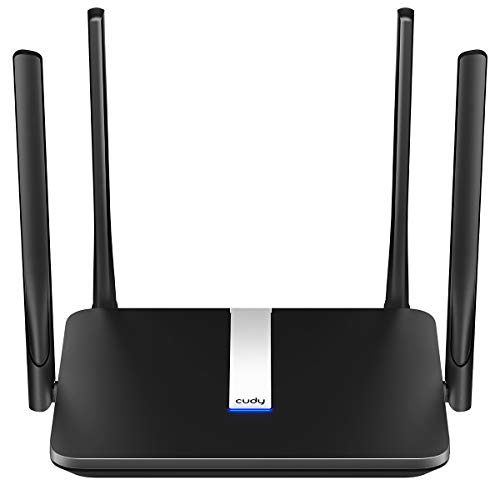
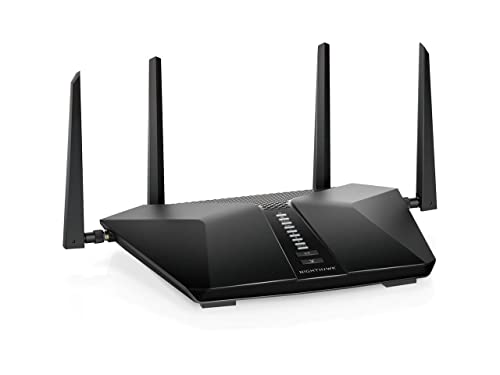
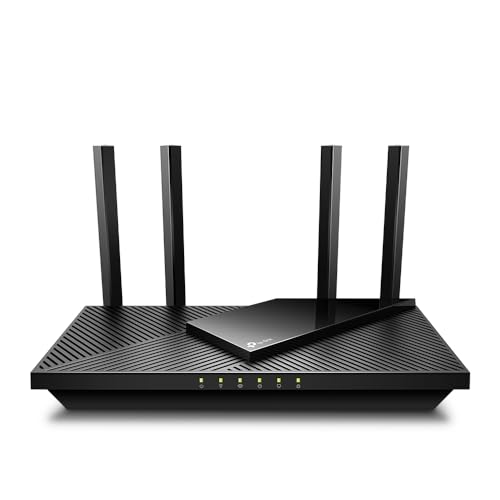
The best dual band WiFi routers are the ones that keep every device in the house connected at once: the phones, the laptops, the televisions, and the smart home, on two bands that do not fight each other. A dual band router broadcasts on 2.4GHz for range and on 5GHz for speed, and a good one moves each device to the band that suits it. The six routers in this guide were picked because their listing titles state the exact brand, model, Wi-Fi generation, and band, and every listing was checked in full before it was linked.
Dual band is the standard that matters most in a home router. A single band router crowds every device onto one frequency, and the result is slow video and dropped calls. A dual band router splits the load: the 2.4GHz band reaches the far rooms and the garden, while the 5GHz band carries fast video and gaming near the router. The newest routers in this guide add Wi-Fi 7, which is faster still, but the dual band design is what makes them work in a real home.
This guide covers six dual band routers: four from TP-Link, one from ASUS, and one from NETGEAR. Between them they cover a budget AC1200 router, a mid-range Wi-Fi 6 router, a fast AX5400 router for streaming, and a Wi-Fi 7 router for the future. All six are dual band, all six are sold as new listings, and all six have their model stated in the listing title, so the comparison is honest.
In this guide
Quick picks: best dual band wifi routers
| # | Product | Where to buy |
|---|---|---|
| 1 | TP-Link Archer AX21 WiFi 6 router | Check on Amazon |
| 2 | TP-Link Archer BE400 WiFi 7 router | Check on Amazon |
| 3 | TP-Link Archer AX73 WiFi 6 router | Check on Amazon |
| 4 | ASUS RT-AX1800S WiFi 6 router | Check on Amazon |
| 5 | NETGEAR Nighthawk R6700AX router | Check on Amazon |
| 6 | TP-Link Archer A6 AC1200 router | Check on Amazon |
How the picks were chosen for the best dual band WiFi routers
Every router below started as a listing returned by the reviewstook.com product lookup, and every listing was checked the same way. First, the title had to name the exact brand and the exact model, including every number and letter, because a TP-Link Archer AX21 is not a TP-Link Archer AX73, and an ASUS RT-AX1800S is not an ASUS RT-AX3000S. Second, the title had to state dual band, because a single band router is a different product, and a tri-band router such as the TP-Link Archer BE600 is a different class as well. Third, the listing had to be a new product, not a used or renewed one, since a used router can arrive with worn ports or old firmware.
The routers were also checked for the features that decide home Wi-Fi. The Wi-Fi generation matters: Wi-Fi 6 is the current standard for most homes, Wi-Fi 7 is the newest and fastest, and Wi-Fi 5 is the older standard that still works well for basic use. The ports matter as well: Gigabit ports are the minimum for fast wired devices, and 2.5G ports, like the ones on the Archer BE400, are better for a fast internet connection. Coverage in square feet and the number of devices supported were also checked, because a router for a small flat is not the same as a router for a large house.
One more check shaped the list: the router must be a router, not an accessory. Listings for mesh add-on nodes sold alone, range extenders, and travel routers were left out, because a buyer needs the main router itself. The six routers below are all complete dual band routers, sold as new listings, with the model and the band stated in the title.
What a dual band WiFi router is, and who should buy one
A dual band WiFi router broadcasts two wireless networks at once: one on the 2.4GHz band and one on the 5GHz band. The 2.4GHz band travels further and passes through walls better, so it suits devices far from the router and smart home gadgets. The 5GHz band is faster but shorter in range, so it suits video streaming, gaming, and video calls near the router. A good dual band router lets each device use the band that suits it, and it keeps the two bands from crowding each other.
A dual band router suits any home with more than a few devices. A flat with phones, a laptop, and a television needs one, and a house with a family, a home office, and smart home devices needs one even more. It is the right choice when the current router drops connections, when video buffers, or when the far rooms get no signal. It is not the right choice for a very large house with thick walls, where a mesh system works better, but for most homes a single dual band router is enough.
The six routers in this guide cover the main uses. The TP-Link Archer A6 is the budget pick for a small home. The Archer AX21 and the ASUS RT-AX1800S are the mid-range Wi-Fi 6 picks for a family. The Archer AX73 is the fast pick for streaming and gaming. The NETGEAR Nighthawk R6700AX is the reliable pick for a home that needs steady coverage. The Archer BE400 is the Wi-Fi 7 pick for the future.
What makes a good dual band WiFi router
Speed is the first test, and it is stated as a combined number such as AX1800, AX5400, or BE6500. That number is the sum of the speeds on both bands, and it is a useful comparison between routers of the same generation, but it is not the speed any single device will see. A router with a higher number handles more devices at once, and it is the better choice for a busy home. The Archer AX73 at AX5400 is the fastest Wi-Fi 6 router here, while the Archer BE400 at BE6500 is the fastest overall.
Coverage is the second test, and it is stated in square feet in the listing titles. The Archer BE400 covers up to 2,400 square feet, and the Nighthawk R6700AX covers up to 1,500 square feet. Coverage depends on the walls and the layout, so the number is a guide, not a promise. A router placed in the centre of the home covers more than a router hidden in a corner, and that placement matters as much as the number.
The ports and the software decide the rest. Gigabit ports are the minimum for wired devices such as a desktop or a television, and 2.5G ports are better for a fast internet plan. EasyMesh and OneMesh let a router join a mesh network later, which is useful if the house grows. Parental controls, a built-in VPN, and network security, like the ones on the ASUS RT-AX1800S, matter for a family home. The routers below were picked because they cover these needs at different sizes and budgets.
Quick picks at a glance
| Router | Wi-Fi and speed | Bands and coverage | Best for |
|---|---|---|---|
| TP-Link Archer AX21 | WiFi 6, AX1800 | Dual band, Gigabit | Family homes |
| TP-Link Archer BE400 | WiFi 7, BE6500 | Dual band, 2,400 sq. ft. | Future-proof pick |
| TP-Link Archer AX73 | WiFi 6, AX5400 | Dual band, long range | Streaming pick |
| ASUS RT-AX1800S | WiFi 6, AX1800 | Dual band, AiMesh | Secure family pick |
| NETGEAR Nighthawk R6700AX | WiFi 6, 1.8 Gbps | Dual band, 1,500 sq. ft. | Reliable pick |
| TP-Link Archer A6 | WiFi 5, AC1200 | Dual band, Gigabit | Budget pick |
The best dual band WiFi routers


TP-Link Archer AX21 WiFi 6 Router
The TP-Link Archer AX21 is the family router in this guide, and it is the router for a home that wants fast Wi-Fi 6 without paying for the newest standard. It is an AX1800 WiFi 6 router, dual band, with Gigabit ports, Easy Mesh support, and Alexa compatibility. Its V5 version is the current model, and it covers a family home with phones, laptops, and televisions at once.
The Archer AX21 suits a family home, a home office, and a flat with many devices. Its Wi-Fi 6 handles many connections at once, its Gigabit ports connect a desktop or a television by cable, and its Easy Mesh support lets a second node be added later if the home grows. It is the router for most homes.
Key specs:
- TP-Link Archer AX21 V5
- AX1800 WiFi 6, dual band
- Gigabit ports
- Easy Mesh support
- Works with Alexa
Strengths:
- Wi-Fi 6 handles many devices at once
- Gigabit ports for wired devices
- Easy Mesh lets the network grow later
Trade-offs:
- AX1800 is slower than the AX5400 models here
- No 2.5G ports for a very fast plan
- Coverage is for a family home, not a large house
The Archer AX21 fits a family home, a home office, and a flat with many devices. It is the router for most homes.
Best for: a family home that needs reliable Wi-Fi 6. Not suited for: a very large house, or a gigabit-plus internet plan that needs 2.5G ports.
Check price on Amazon: TP-Link Archer AX21 WiFi 6 router

TP-Link Archer BE400 WiFi 7 Router
The TP-Link Archer BE400 is the future-proof router in this guide, and it is the router for a home that wants the newest Wi-Fi. It is a BE6500 dual-band WiFi 7 router with dual 2.5Gbps ports, a USB 3.0 port, coverage up to 2,400 square feet, support for 90 devices, a quad-core CPU, HomeShield security, and Private IoT for smart home gadgets. It is the fastest and the most capable router here.
The Archer BE400 suits a large house, a home with many smart gadgets, and a buyer with a fast internet plan. Its 2.5G ports use the full speed of a fast plan, its 90-device support covers a house full of smart home gear, and its Wi-Fi 7 keeps the network fast for years. It is the router for a home that wants the best available now.
Key specs:
- TP-Link Archer BE400
- BE6500 dual-band WiFi 7
- Dual 2.5Gbps ports, USB 3.0
- Covers up to 2,400 sq. ft., 90 devices
- Quad-core CPU, HomeShield, Private IoT
Strengths:
- Fastest router here with WiFi 7
- 2.5G ports for a fast internet plan
- Covers up to 2,400 sq. ft. and 90 devices
Trade-offs:
- Needs Wi-Fi 7 devices to show the full difference
- The most advanced router here, so setup takes longer
- Costs more than a Wi-Fi 6 router
The Archer BE400 fits a large house, a home with many smart gadgets, and a buyer with a fast internet plan. It is the router for the future.
Best for: a large, busy home that wants Wi-Fi 7. Not suited for: a small flat with older devices, or a slow internet plan.
Check price on Amazon: TP-Link Archer BE400 WiFi 7 router
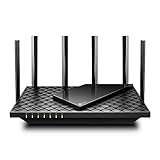

TP-Link Archer AX73 WiFi 6 Router
The TP-Link Archer AX73 is the fast streaming router in this guide, and it is the router for a home that streams video and plays games at the same time. It is an AX5400 WiFi 6 router, dual band, with Gigabit ports, made for streaming and long range coverage. Its AX5400 speed is the highest Wi-Fi 6 speed here, and it handles several 4K streams at once without buffering.
The Archer AX73 suits a streaming household, a gaming setup, and a home where several people watch video at once. Its long range coverage reaches the far rooms, its Gigabit ports connect a console or a television by cable, and its Wi-Fi 6 handles the whole household together. It is the router for a busy, fast home.
Key specs:
- TP-Link Archer AX73
- AX5400 WiFi 6, dual band
- Gigabit ports
- Long range coverage
- Made for streaming
Strengths:
- Fastest Wi-Fi 6 speed here at AX5400
- Long range coverage for far rooms
- Handles several 4K streams at once
Trade-offs:
- No 2.5G ports for a very fast plan
- Wi-Fi 6, not Wi-Fi 7
- Larger than the budget models
The Archer AX73 fits a streaming household, a gaming setup, and a home where several people watch video at once. It is the router for fast streaming.
Best for: streaming and gaming in a busy home. Not suited for: a small flat that needs only basic Wi-Fi, or a home that wants Wi-Fi 7.
Check price on Amazon: TP-Link Archer AX73 WiFi 6 router

ASUS RT-AX1800S Dual Band WiFi 6 Router
The ASUS RT-AX1800S is the secure router in this guide, and it is the router for a family home that wants protection built in. It is a dual band WiFi 6 extendable router with subscription-free network security, parental control, a built-in VPN, AiMesh compatibility, and support for gaming, streaming, and smart home use. Its security does not need a monthly payment, which sets it apart.
The RT-AX1800S suits a family home, a home office, and a buyer who wants a VPN built into the router. Its parental controls schedule the children internet time, its AiMesh support lets a second node be added later, and its built-in VPN protects the connection when working away. It is the router for a safe home network.
Key specs:
- ASUS RT-AX1800S
- Dual band WiFi 6
- Subscription-free network security
- Parental control, built-in VPN
- AiMesh compatible
Strengths:
- Network security with no subscription
- Parental controls and a built-in VPN
- AiMesh lets the network grow later
Trade-offs:
- AX1800 is slower than the AX5400 models here
- No 2.5G ports
- Setup has more options than a basic router
The RT-AX1800S fits a family home, a home office, and a buyer who wants a VPN built into the router. It is the router for a safe home.
Best for: a family home that wants security and parental controls. Not suited for: a home that needs the fastest Wi-Fi 6 speed, or 2.5G ports.
Check price on Amazon: ASUS RT-AX1800S WiFi 6 router

NETGEAR Nighthawk R6700AX WiFi 6 Router
The NETGEAR Nighthawk R6700AX is the reliable router in this guide, and it is the router for a home that wants steady coverage without fuss. It is a Nighthawk WiFi 6 router with up to 1,500 square feet of coverage, 1.8 Gbps speed, support for 20 devices, and four Gigabit ports. Its Nighthawk design is made for reliable performance, and its setup is simple.
The R6700AX suits a small to medium home, a family with a handful of devices, and a buyer who wants a router that just works. Its four Gigabit ports connect a desktop, a television, a console, and a storage drive at once, its 1,500 square feet of coverage suits a flat or a small house, and its 20-device support covers a typical family. It is the router for reliable everyday Wi-Fi.
Key specs:
- NETGEAR Nighthawk R6700AX
- WiFi 6, up to 1.8 Gbps
- Up to 1,500 sq. ft., 20 devices
- 4x Gigabit ports, dual band
- AX1800 speed
Strengths:
- Reliable Nighthawk performance
- Four Gigabit ports for wired devices
- Simple setup for a family home
Trade-offs:
- 1,500 sq. ft. coverage suits a small home, not a large house
- 20 devices is fewer than the Archer BE400
- No 2.5G ports
The R6700AX fits a small to medium home, a family with a handful of devices, and a buyer who wants a router that just works. It is the router for reliable Wi-Fi.
Best for: a small home that wants steady, simple Wi-Fi 6. Not suited for: a large house, or a home with dozens of smart devices.
Check price on Amazon: NETGEAR Nighthawk R6700AX router

TP-Link Archer A6 AC1200 Gigabit Router
The TP-Link Archer A6 is the budget router in this guide, and it is the router for a small home that needs solid dual band Wi-Fi at a low cost. It is an AC1200 Gigabit dual band WiFi router with MU-MIMO, four antennas, OneMesh support, and an access point mode. Its AC1200 speed is the Wi-Fi 5 standard, which is enough for browsing, video, and calls in a small home.
The Archer A6 suits a small flat, a student home, and a buyer who wants a spare router. Its four antennas give good coverage for its size, its MU-MIMO handles several devices at once, and its OneMesh support lets it join a mesh network later. It is the router for basic Wi-Fi done well.
Key specs:
- TP-Link Archer A6
- AC1200 Gigabit dual band
- MU-MIMO, 4 antennas
- OneMesh and AP mode
- Long range coverage
Strengths:
- Low cost for a dual band Gigabit router
- Four antennas for good coverage
- OneMesh support for later growth
Trade-offs:
- Wi-Fi 5, not Wi-Fi 6 or Wi-Fi 7
- AC1200 is the slowest speed here
- Fewer features than the Wi-Fi 6 models
The Archer A6 fits a small flat, a student home, and a buyer who wants a spare router. It is the router for basic Wi-Fi.
Best for: a small home or a budget buy. Not suited for: a busy family home with many devices, or 4K streaming on several screens at once.
Check price on Amazon: TP-Link Archer A6 AC1200 router
Buying guide for the best dual band WiFi routers
Choose the Wi-Fi generation for the home
Wi-Fi 6 is the right generation for most homes today. It handles many devices at once, it is fast enough for 4K video and gaming, and it is the standard in the Archer AX21, the Archer AX73, the ASUS RT-AX1800S, and the Nighthawk R6700AX. Wi-Fi 7, in the Archer BE400, is faster and handles more devices, but it needs Wi-Fi 7 devices to show the full difference, and it costs more. Wi-Fi 5, in the Archer A6, is the older standard, and it is fine for basic use, but it struggles in a busy home.
Buy the generation that matches the devices in the home. A home with new phones and laptops benefits from Wi-Fi 6 or Wi-Fi 7, while a home with older devices will not see the difference. Do not buy Wi-Fi 7 for devices that cannot use it, and do not buy Wi-Fi 5 for a home with twenty devices.
Match the coverage to the home size
Coverage is stated in square feet, and it should match the home. A small flat needs only 1,500 square feet of coverage, which the Nighthawk R6700AX provides, while a large house needs 2,400 square feet, which the Archer BE400 provides. A router that is too weak for the house leaves dead zones, and a router that is too strong for a flat wastes money.
Placement matters as much as coverage. Put the router in the centre of the home, on a shelf at waist height, away from metal and thick walls. A router in a corner covers half the home poorly, and a router on the floor loses signal to the furniture. Test the signal in the far rooms after setup, and move the router if a room is weak.
Ports, mesh, and future growth
Check the ports before buying. Four Gigabit ports, like the ones on the Nighthawk R6700AX, connect a desktop, a television, a console, and a storage drive at once. A 2.5G port, like the ones on the Archer BE400, connects a fast internet plan or a fast storage drive. A router with only Fast Ethernet ports, like the Archer A54, a related model, is too slow for modern use, and it should be avoided.
Mesh support matters for growth. EasyMesh on the TP-Link routers and AiMesh on the ASUS router let a second node be added later if the house grows or the walls block the signal. A router without mesh support cannot grow, and it must be replaced when the home outgrows it. Buy a router that can grow with the home.
Security and parental controls
A home router is the front door of the home network, so its security matters. The ASUS RT-AX1800S has subscription-free network security built in, and the Archer BE400 has HomeShield, which protects the network from intrusions. A router with built-in security is worth more than a router without it, because it protects every device at once.
Parental controls matter for a family home. The ASUS RT-AX1800S has parental control scheduling, and the Archer BE400 has HomeShield controls. Set a strong admin password, change the default Wi-Fi password, and update the firmware when the maker releases an update, because an old firmware is the most common way a home network is attacked.
Buying a router that is really dual band
Check the listing title for the words dual band before buying, because a single band router is a different product, and a tri-band router such as the Archer BE600 is a different class with a higher cost. A dual band router states both bands in the title, and the models in this guide all do. A router that only states one band, or that hides the band in the fine print, should be checked carefully.
Also check the listing for the words that show a used or renewed sale, and do not buy those listings. A used router can arrive with worn ports or old firmware, and its settings may still hold the previous owner network. Every router in this guide is a new listing, with the exact model in the title.
Using and caring for a dual band WiFi router
Place it well, and give it air
Put the router in the centre of the home, on a shelf, with its antennas upright and spread apart. Keep it away from metal objects, mirrors, and thick walls, because those block the signal. Do not put it in a closed cabinet or behind the television, because the heat builds up and the signal weakens. A router that can breathe and see the rooms works better than one that is hidden.
Keep the router firmware updated, because updates fix security holes and improve stability. Check for updates every few months, and install them when they appear. A router with old firmware is slower and less safe than one that is kept current.
Separate the bands when it helps
Most dual band routers can broadcast one network name for both bands, and the router moves each device to the best band. That works well for most homes. But a smart home device that only works on 2.4GHz can struggle with a combined name, and in that case it helps to give the two bands separate names, so the device can be put on the 2.4GHz band directly.
Check the connected devices now and then, and remove the ones that are no longer used. A router that serves twenty devices works harder than one that serves ten, and the Archer BE400, which supports up to 90 devices, is the best choice for a home with many smart gadgets.
Restart it when it slows down
A router that has run for months without a restart can slow down, because its memory fills with old connections. Restart it once a month, or set a scheduled restart in the router settings if the model supports it. A restart takes a minute, and it clears the old connections.
Keep the router clean and dry, and do not stack books or boxes on it, because the vents need air. A router that overheats drops connections and shortens its own life. If the router feels hot to the touch, move it to a cooler spot with more air.
Common mistakes when buying a dual band WiFi router
Buying on the headline speed alone
The headline speed, such as AX5400 or BE6500, is the sum of both bands, and no single device will ever see that speed. A buyer who chooses only on that number can end up with a fast router that still drops connections in the far rooms, because coverage matters more than speed. Match the coverage to the home first, and the speed second.
A related mistake is buying Wi-Fi 7 for devices that cannot use it. The Archer BE400 is the fastest router here, but a home with only Wi-Fi 6 devices will not see the full difference. Buy the generation that matches the devices, not the newest number on the box.
Hiding the router in a corner
A router in a corner, on the floor, or behind the television covers half the home poorly, and no router can fix bad placement. Put the router in the centre, at waist height, with its antennas up. A well placed budget router covers a home better than a badly placed flagship.
Also check the internet plan. A router cannot deliver more speed than the plan provides, so a gigabit router on a slow plan will not make the internet faster. Check the plan speed first, and buy a router that matches it.
Forgetting the ports
A router with only Fast Ethernet ports is too slow for modern wired devices, and a router with too few ports leaves devices unplugged. Check the ports in the listing title: Gigabit is the minimum, and 2.5G is better for a fast plan. The Archer A54, a related model, has Fast Ethernet ports, and it is the reason that model is not in this guide.
Count the wired devices before buying: a desktop, a television, a console, and a storage drive need four ports. The Nighthawk R6700AX has four Gigabit ports, which covers a typical home. Buy a router with enough ports, or budget for a switch.
Buying a used router by accident
Routers are often sold used or renewed, and a used router can arrive with worn ports, old firmware, or the previous owner settings still in place. Read the full listing title before buying, and do not buy a listing that describes the router as used or renewed. Every router in this guide is a new listing, with the exact model in the title.
Check the warranty and the returns policy as well. A new router with a return option is worth more than a cheap used router with no returns, because a Wi-Fi problem only shows up after the router has run for a few days.
Final recommendation
For most homes, the TP-Link Archer AX21 is the router to buy: it is a Wi-Fi 6 dual band router with Gigabit ports, EasyMesh support, and a fair size for a family home, and it covers the essentials without the cost of Wi-Fi 7. It suits a flat or a house with a family, a home office, and streaming in the evening.
For a fast home with streaming and gaming, the TP-Link Archer AX73 is the stronger choice, with AX5400 speed and long range coverage. For the future, the TP-Link Archer BE400 is the Wi-Fi 7 pick, with 2.5G ports and coverage up to 2,400 square feet. For a budget home, the TP-Link Archer A6 is the AC1200 pick, and for a reliable home, the NETGEAR Nighthawk R6700AX and the ASUS RT-AX1800S are the steady choices. Any of the six routers in this guide is a sound buy for dual band Wi-Fi, as long as the coverage matches the home.
Related reading on Reviewstook: see our guides to the best long range wireless routers, the best mesh network routers, the best routers compatible with Xfinity for more on this topic.
Frequently asked questions about the best dual band WiFi routers
What does dual band mean on a WiFi router?
Dual band means the router broadcasts on two frequencies at once: 2.4GHz for range and 5GHz for speed. The 2.4GHz band reaches far rooms and passes through walls, while the 5GHz band carries fast video and gaming near the router. A dual band router lets each device use the band that suits it.
Is Wi-Fi 6 better than Wi-Fi 5 for a home router?
Yes, for a busy home. Wi-Fi 6 handles many devices at once, it is faster, and it uses the airtime better than Wi-Fi 5. A home with phones, laptops, televisions, and smart home devices benefits from Wi-Fi 6. Wi-Fi 5 is fine for basic use, but it struggles when many devices are connected at once.
How much coverage does a dual band router provide?
It depends on the model and the home. The NETGEAR Nighthawk R6700AX in this guide covers up to 1,500 square feet, and the TP-Link Archer BE400 covers up to 2,400 square feet. Walls, floors, and metal objects reduce the range, so placement matters as much as the number. A router in the centre of the home covers more than one hidden in a corner.
Can a dual band router handle many devices at once?
Yes. A dual band router splits the devices between two bands, so it handles more than a single band router. The TP-Link Archer BE400 in this guide supports up to 90 devices, and the Nighthawk R6700AX supports 20 devices. A home with many smart gadgets should choose a router with a high device count.
Do I need Wi-Fi 7, or is Wi-Fi 6 enough?
Wi-Fi 6 is enough for most homes today. Wi-Fi 7 is faster and handles more devices, but it needs Wi-Fi 7 devices to show the full difference, and it costs more. Buy Wi-Fi 7 if the home has new devices and a fast internet plan, and buy Wi-Fi 6 if the home is happy with its current speed.
Why does my router slow down in the far rooms?
The 5GHz band is fast but short in range, so far rooms fall back to the slower 2.4GHz band, and thick walls reduce the signal further. Move the router to the centre of the home, put it at waist height, and check whether a mesh node would help. A dual band router with EasyMesh or AiMesh can add a node later if the home needs it.