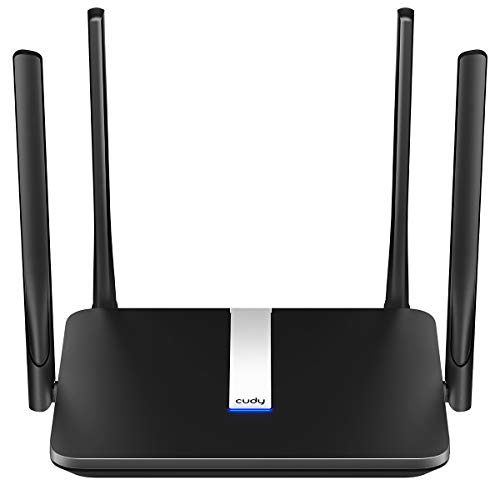
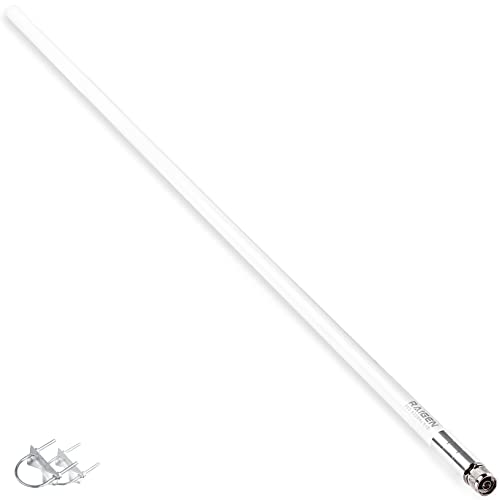
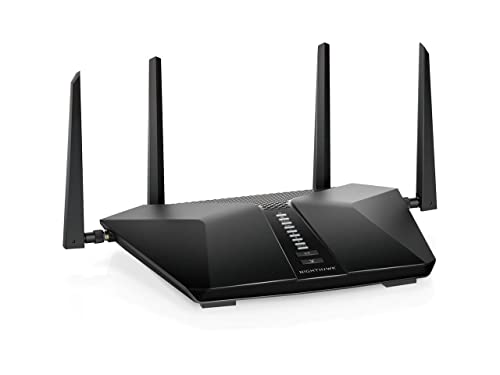
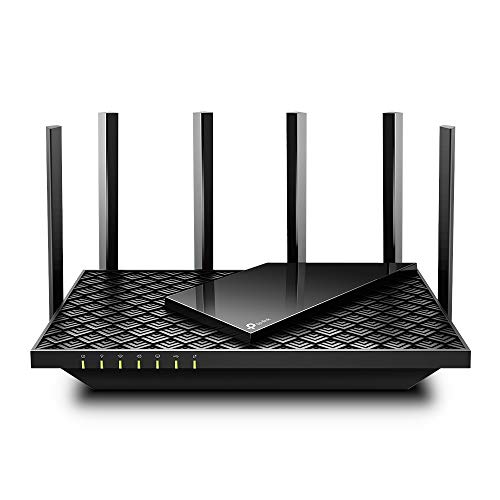
A long range wireless router is the answer to the dead zones that plague big homes: the bedroom where video calls freeze, the garden office where the signal drops, and the far corner where the Wi-Fi bars vanish. The routers below are chosen for coverage first, with the antennas, the radios, and the technologies that push a signal further and keep it strong through walls. They are all proper routers, not extenders or access points, which means each one replaces your existing router and runs the whole network by itself.
Range is not just about power. It is about the Wi-Fi standard, the number of antennas, and the technologies that aim the signal where it is needed. Wi-Fi 6 and Wi-Fi 7 routers use beamforming to focus the signal toward your devices rather than broadcasting it evenly in all directions, and they handle many devices at once without slowing down. The routers below are all Wi-Fi 6 or Wi-Fi 7, which is the current standard for a home with phones, laptops, televisions, and smart devices all competing for bandwidth.
A note on coverage claims before the list. Router makers quote coverage in square feet, and those numbers are measured in open space, not in a house with walls, floors, and furniture. A router rated for 2,500 square feet will cover a 2,500 square foot open plan easily, but a house with thick walls and multiple floors will need more. Treat the numbers as a guide for comparing routers, not as a promise for your specific home, and place the router centrally and high up for the best real-world range.
In this guide
Quick picks: best long range wireless routers
| # | Product | Where to buy |
|---|---|---|
| 1 | TP-Link AX5400 WiFi 6 Router (Archer AX73) | Check on Amazon |
| 2 | TP-Link AX6000 Wi-Fi 6 Dual Band Router (Archer AX80) | Check on Amazon |
| 3 | MSI Radix AXE6600 WiFi 6E Tri-Band Gaming Router, AI QoS, RGB, 1.8GHz Quad-Core Processor, MU-MIMO, Tri Band Gigabit Wir | Check on Amazon |
| 4 | TP-Link AX1800 WiFi 6 Router (Archer AX21 V5) | Check on Amazon |
| 5 | NETGEAR Nighthawk WiFi 6 Router R6700AX, Up to 1,500 sq ft, 1.8 Gbps | Check on Amazon |
| 6 | NETGEAR Nighthawk 5-Stream AX5 WiFi 6 Router (RAX43) AX4200 Wireless Speed (Up to 4.2 Gbps) | Check on Amazon |
| 7 | NETGEAR Nighthawk WiFi 7 Router , Up to 2,500 sq ft, 9.3 Gbps | Check on Amazon |
Quick comparison
| # | Product | Best for |
|---|---|---|
| 1 | TP-Link AX5400 WiFi 6 Router Archer AX73 | Wi-Fi 6 router with long range coverage |
| 2 | TP-Link AX6000 Wi-Fi 6 Dual Band Router Archer AX80 | AX6000 router with 2.5 Gbps port and 8K streaming |
| 3 | MSI Radix AXE6600 WiFi 6E Tri-Band Gaming Router | Tri-band Wi-Fi 6E gaming router with AI QoS |
| 4 | TP-Link AX1800 WiFi 6 Router Archer AX21 V5 | Budget Wi-Fi 6 router with EasyMesh |
| 5 | NETGEAR Nighthawk WiFi 6 Router R6700AX | Nighthawk router covering up to 1,500 sq ft |
| 6 | NETGEAR Nighthawk 5-Stream AX5 WiFi 6 Router RAX43 | Nighthawk router with 2,000 sq ft coverage |
| 7 | NETGEAR Nighthawk WiFi 7 Router | Wi-Fi 7 Nighthawk covering up to 2,500 sq ft |
The table above is a shortcut, not a verdict. Two products can look close on a spec line and feel very different in daily use, so use it to narrow the field to two or three candidates, then read those full sections before deciding.
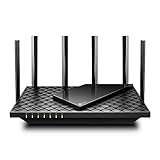

1. TP-Link AX5400 WiFi 6 Router Archer AX73
The TP-Link Archer AX73 is the long range router that gives this article its name, with AX5400 Wi-Fi 6 speeds and a design built around coverage. The dual band gigabit connection handles streaming, gaming, and video calls at the same time, and the long range design means the signal reaches the far rooms of a house that a basic router cannot. It is a straightforward, well-priced Wi-Fi 6 router for a home that needs range without paying for flagship features.
On paper, the headline facts are straightforward: AX5400 WiFi 6 dual band speeds; Dual band gigabit wireless internet router; Long range coverage design; Built for streaming and gaming; TP-Link Archer reliability. None of that makes it the right pick for everyone, but it does define the audience clearly. If those headline facts match what you actually need day to day, this is a shortlist candidate rather than a curiosity. If they do not match, the rest of this section will make that obvious quickly, and you can move on to the next pick without losing anything.
What stands out
- AX5400 WiFi 6 dual band speeds
- Dual band gigabit wireless internet router
- Long range coverage design
- Built for streaming and gaming
- TP-Link Archer reliability
The coverage is the point, and the AX73 is built to push a signal further than the budget routers, with antennas and radios tuned for range. The AX5400 speed is fast enough for 4K streaming and online gaming, and the gigabit ports keep wired devices fast as well. For a big home on a sensible budget, this is the router to start with.
Before you buy, it is worth checking the practical details that cause most returns. Confirm that the listing shows the exact model name and configuration you expect, because similar models often share a name and differ in one specification that matters. Check the size and the connections against your setup, and make sure you know what is included in the box and what is sold separately. Read the return policy before ordering, and when the product arrives, test it with your real setup in the first few days rather than leaving it in the box. A quick check at the start saves a return later, and it is the simplest way to be sure the product you receive is the one you meant to buy.
Trade-offs to weigh
It is a Wi-Fi 6 router, so it does not have the newest Wi-Fi 7 features or the 6GHz band that the tri-band models offer. The design is practical rather than striking, and it has fewer advanced features than the gaming routers below. If you want the latest standard, the Wi-Fi 7 models on this list are the upgrade.
Who it fits best
Best for big homes that need a reliable, long range Wi-Fi 6 router for streaming, gaming, and everyday use, at a sensible price.
Check price on Amazon: TP-Link AX5400 WiFi 6 Router (Archer AX73)
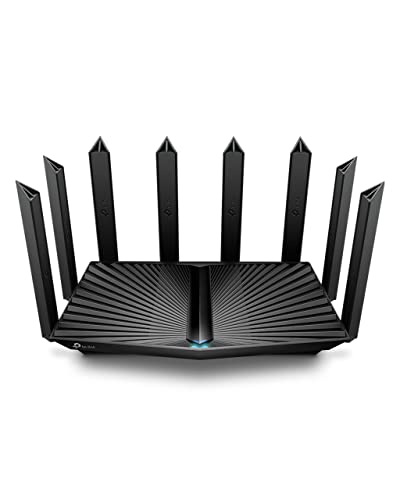
2. TP-Link AX6000 Wi-Fi 6 Dual Band Router Archer AX80
The TP-Link Archer AX80 is the faster TP-Link router on this list, with AX6000 Wi-Fi 6 speeds, a 2.5 Gbps WAN and LAN port, and support for 8K streaming. The 2.5 Gbps port matters if your internet connection is faster than gigabit, because a standard gigabit port would cap your speed, and it also gives a fast wired connection for a NAS or a gaming PC. The OneMesh support lets you add a mesh extender later if one router is not enough for your home.
On paper, the headline facts are straightforward: AX6000 Wi-Fi 6 dual band speeds; 2.5 Gbps WAN and LAN port; Built for 8K streaming; Wireless internet router for home; TP-Link OneMesh support. None of that makes it the right pick for everyone, but it does define the audience clearly. If those headline facts match what you actually need day to day, this is a shortlist candidate rather than a curiosity. If they do not match, the rest of this section will make that obvious quickly, and you can move on to the next pick without losing anything.
What stands out
- AX6000 Wi-Fi 6 dual band speeds
- 2.5 Gbps WAN and LAN port
- Built for 8K streaming
- Wireless internet router for home
- TP-Link OneMesh support
The 2.5 Gbps port is the standout, because it removes the gigabit bottleneck for fast internet connections and for wired devices. The AX6000 speed handles many devices at once, and the 8K streaming support means the router will not be the limit for the highest quality video. The OneMesh option gives you a path to expand coverage without replacing the router.
Before you buy, it is worth checking the practical details that cause most returns. Confirm that the listing shows the exact model name and configuration you expect, because similar models often share a name and differ in one specification that matters. Check the size and the connections against your setup, and make sure you know what is included in the box and what is sold separately. Read the return policy before ordering, and when the product arrives, test it with your real setup in the first few days rather than leaving it in the box. A quick check at the start saves a return later, and it is the simplest way to be sure the product you receive is the one you meant to buy.
Trade-offs to weigh
It is still a Wi-Fi 6 router, so it does not offer the 6GHz band or the newest Wi-Fi 7 features. The price is higher than the AX73, and the extra speed only matters if your internet connection and your devices can use it. If your connection is standard gigabit, the AX73 gives you nearly the same experience for less.
Who it fits best
Best for homes with a fast internet connection above gigabit speed, or with a wired NAS or gaming PC that benefits from a 2.5 Gbps port.
Check price on Amazon: TP-Link AX6000 Wi-Fi 6 Dual Band Router (Archer AX80)


3. MSI Radix AXE6600 WiFi 6E Tri-Band Gaming Router
The MSI Radix AXE6600 is the gaming router on this list, a tri-band Wi-Fi 6E machine with AI QoS, a 1.8GHz quad-core processor, and RGB lighting. The tri-band design adds a 6GHz band alongside the usual 2.4GHz and 5GHz bands, which gives gaming devices a fast, uncongested channel. The AI QoS prioritizes gaming traffic automatically, so a download on another device does not cause lag in your game, and the quad-core processor handles the routing work without slowing down.
On paper, the headline facts are straightforward: AXE6600 WiFi 6E tri-band speeds; AI QoS for gaming traffic; RGB lighting design; 1.8GHz quad-core processor; MU-MIMO and tri-band gigabit wireless. None of that makes it the right pick for everyone, but it does define the audience clearly. If those headline facts match what you actually need day to day, this is a shortlist candidate rather than a curiosity. If they do not match, the rest of this section will make that obvious quickly, and you can move on to the next pick without losing anything.
What stands out
- AXE6600 WiFi 6E tri-band speeds
- AI QoS for gaming traffic
- RGB lighting design
- 1.8GHz quad-core processor
- MU-MIMO and tri-band gigabit wireless
The 6GHz band is the advantage, because it is less crowded than the 5GHz band and it gives gaming devices a clean, fast connection. The AI QoS is genuinely useful, because it manages traffic without you having to configure anything. The quad-core processor keeps the router responsive even with many devices connected, and the RGB lighting suits a gaming setup.
Before you buy, it is worth checking the practical details that cause most returns. Confirm that the listing shows the exact model name and configuration you expect, because similar models often share a name and differ in one specification that matters. Check the size and the connections against your setup, and make sure you know what is included in the box and what is sold separately. Read the return policy before ordering, and when the product arrives, test it with your real setup in the first few days rather than leaving it in the box. A quick check at the start saves a return later, and it is the simplest way to be sure the product you receive is the one you meant to buy.
Trade-offs to weigh
The 6GHz band has a shorter range than 5GHz, so its advantage is speed rather than coverage, and older devices cannot use it at all. The gaming focus means you pay for features a non-gaming household will not use. If range is your only concern, the AX73 or the Nighthawk models may cover more ground for less money.
Who it fits best
Best for gamers who want a fast, uncongested 6GHz connection and automatic traffic prioritization, in a router built for a gaming setup.


4. TP-Link AX1800 WiFi 6 Router Archer AX21 V5
The TP-Link Archer AX21 is the budget router on this list, an AX1800 Wi-Fi 6 machine with gigabit ports, EasyMesh support, and Alexa compatibility. It is the router for a home that needs a solid, reliable Wi-Fi 6 upgrade without paying for flagship speeds, and its EasyMesh support means you can add a mesh node later if the coverage is not enough. The AX1800 speed is enough for streaming, video calls, and everyday browsing across a household of devices.
On paper, the headline facts are straightforward: AX1800 WiFi 6 dual band speeds; Dual band wireless internet router; Gigabit ports; EasyMesh support; Works with Alexa. None of that makes it the right pick for everyone, but it does define the audience clearly. If those headline facts match what you actually need day to day, this is a shortlist candidate rather than a curiosity. If they do not match, the rest of this section will make that obvious quickly, and you can move on to the next pick without losing anything.
What stands out
- AX1800 WiFi 6 dual band speeds
- Dual band wireless internet router
- Gigabit ports
- EasyMesh support
- Works with Alexa
The value is the story, because this is one of the cheapest ways to get a proper Wi-Fi 6 router, and it covers the essentials well. The EasyMesh support is a practical bonus, because it gives you a path to extend coverage without replacing the router. The Alexa compatibility lets you control the network with voice commands, which is a nice extra for a smart home.
Before you buy, it is worth checking the practical details that cause most returns. Confirm that the listing shows the exact model name and configuration you expect, because similar models often share a name and differ in one specification that matters. Check the size and the connections against your setup, and make sure you know what is included in the box and what is sold separately. Read the return policy before ordering, and when the product arrives, test it with your real setup in the first few days rather than leaving it in the box. A quick check at the start saves a return later, and it is the simplest way to be sure the product you receive is the one you meant to buy.
Trade-offs to weigh
The AX1800 speed is the lowest on this list, so a household with many heavy users or 4K streams on several televisions may find it limiting. The range is good for a budget router but not as far as the AX73 or the Nighthawk models. If you have a large home, you may need the mesh add-on to cover it fully.
Who it fits best
Best for smaller homes and apartments that want an affordable Wi-Fi 6 router, with the option to add mesh coverage later if needed.
Check price on Amazon: TP-Link AX1800 WiFi 6 Router (Archer AX21 V5)

5. NETGEAR Nighthawk WiFi 6 Router R6700AX
The NETGEAR Nighthawk R6700AX is the compact Nighthawk on this list, a Wi-Fi 6 router with speeds up to 1.8 Gbps, coverage for up to 1,500 square feet, and support for 20 devices. The four antennas are the coverage hardware, pushing the signal across a home, and the Nighthawk name carries a track record for routers that work reliably for years. It is the router for a medium home that needs solid coverage without the size and the price of the larger Nighthawk models.
On paper, the headline facts are straightforward: WiFi 6 router with up to 1.8 Gbps speeds; Covers up to 1,500 square feet; Supports 20 devices; 4 antennas for coverage; Reliable performance with easy setup. None of that makes it the right pick for everyone, but it does define the audience clearly. If those headline facts match what you actually need day to day, this is a shortlist candidate rather than a curiosity. If they do not match, the rest of this section will make that obvious quickly, and you can move on to the next pick without losing anything.
What stands out
- WiFi 6 router with up to 1.8 Gbps speeds
- Covers up to 1,500 square feet
- Supports 20 devices
- 4 antennas for coverage
- Reliable performance with easy setup
The Nighthawk reliability is the point, because this is a router you set up once and then forget about, and it keeps working. The four antennas give good coverage for a medium home, and the 20-device support covers a typical household of phones, laptops, and smart devices. The setup is straightforward, with a clear app and a simple interface.
Before you buy, it is worth checking the practical details that cause most returns. Confirm that the listing shows the exact model name and configuration you expect, because similar models often share a name and differ in one specification that matters. Check the size and the connections against your setup, and make sure you know what is included in the box and what is sold separately. Read the return policy before ordering, and when the product arrives, test it with your real setup in the first few days rather than leaving it in the box. A quick check at the start saves a return later, and it is the simplest way to be sure the product you receive is the one you meant to buy.
Trade-offs to weigh
The 1,500 square foot coverage is the smallest on this list, so a large home will need a bigger router or a mesh system. The 1.8 Gbps speed is solid but not the fastest here. If your home is large, the RAX43 or the Wi-Fi 7 Nighthawk below cover more ground.
Who it fits best
Best for medium homes that want a reliable, easy-to-set-up Nighthawk router with good coverage for a typical household of devices.
Check price on Amazon: NETGEAR Nighthawk WiFi 6 Router R6700AX, Up to 1,500 sq ft, 1.8 Gbps

6. NETGEAR Nighthawk 5-Stream AX5 WiFi 6 Router RAX43
The NETGEAR Nighthawk RAX43 is the larger Nighthawk on this list, a 5-stream AX5 Wi-Fi 6 router with speeds up to 4.2 Gbps and coverage for up to 2,000 square feet. The 5-stream design means the router can talk to more devices at once without slowing down, and the 4.2 Gbps speed is fast enough for multiple 4K streams, online gaming, and large downloads running together. It is the router for a big home with many devices and heavy usage.
On paper, the headline facts are straightforward: AX4200 wireless speed up to 4.2 Gbps; Covers up to 2,000 square feet; 5-stream WiFi 6 design; NETGEAR Nighthawk reliability; Fast speeds for streaming and gaming. None of that makes it the right pick for everyone, but it does define the audience clearly. If those headline facts match what you actually need day to day, this is a shortlist candidate rather than a curiosity. If they do not match, the rest of this section will make that obvious quickly, and you can move on to the next pick without losing anything.
What stands out
- AX4200 wireless speed up to 4.2 Gbps
- Covers up to 2,000 square feet
- 5-stream WiFi 6 design
- NETGEAR Nighthawk reliability
- Fast speeds for streaming and gaming
The speed and the coverage together are the advantage, because 4.2 Gbps and 2,000 square feet cover a large home and a busy household without strain. The 5-stream design handles many devices well, and the Nighthawk build quality is proven. For a home where the Wi-Fi is always in use, this is a router that keeps up.
Before you buy, it is worth checking the practical details that cause most returns. Confirm that the listing shows the exact model name and configuration you expect, because similar models often share a name and differ in one specification that matters. Check the size and the connections against your setup, and make sure you know what is included in the box and what is sold separately. Read the return policy before ordering, and when the product arrives, test it with your real setup in the first few days rather than leaving it in the box. A quick check at the start saves a return later, and it is the simplest way to be sure the product you receive is the one you meant to buy.
Trade-offs to weigh
It is larger and more expensive than the R6700AX, and the extra speed only matters if your internet connection and your devices can use it. The design is a classic Nighthawk, which is functional rather than subtle. If your home is smaller, the R6700AX gives you the same reliability for less.
Who it fits best
Best for large homes with many devices and heavy usage, who want a fast, long range Nighthawk router that covers up to 2,000 square feet.


7. NETGEAR Nighthawk WiFi 7 Router
The NETGEAR Nighthawk WiFi 7 router is the most capable router on this list, with speeds up to 9.3 Gbps, coverage for up to 2,500 square feet, a 2.5Gb port, and support for 100 devices. Wi-Fi 7 is the newest standard, with faster speeds, lower latency, and better handling of many devices at once, and this router is built to take advantage of all of it. The 2,500 square foot coverage is the widest here, and the 100-device support covers even a home full of smart devices.
On paper, the headline facts are straightforward: WiFi 7 router with up to 9.3 Gbps speeds; Covers up to 2,500 square feet; 2.5Gb router port; Supports 100 devices; Reliable performance with easy setup. None of that makes it the right pick for everyone, but it does define the audience clearly. If those headline facts match what you actually need day to day, this is a shortlist candidate rather than a curiosity. If they do not match, the rest of this section will make that obvious quickly, and you can move on to the next pick without losing anything.
What stands out
- WiFi 7 router with up to 9.3 Gbps speeds
- Covers up to 2,500 square feet
- 2.5Gb router port
- Supports 100 devices
- Reliable performance with easy setup
The coverage and the device support are the headline, because 2,500 square feet and 100 devices cover the largest homes and the most connected households. The 9.3 Gbps speed is far ahead of what most internet connections can deliver, which means the router will not be the bottleneck for years. The 2.5Gb port gives a fast wired connection for a NAS or a gaming PC.
Before you buy, it is worth checking the practical details that cause most returns. Confirm that the listing shows the exact model name and configuration you expect, because similar models often share a name and differ in one specification that matters. Check the size and the connections against your setup, and make sure you know what is included in the box and what is sold separately. Read the return policy before ordering, and when the product arrives, test it with your real setup in the first few days rather than leaving it in the box. A quick check at the start saves a return later, and it is the simplest way to be sure the product you receive is the one you meant to buy.
Trade-offs to weigh
Wi-Fi 7 is new, so most devices cannot use its fastest features yet, and the router costs more than the Wi-Fi 6 models. The full speed only matters if your internet connection is very fast. If your devices are Wi-Fi 6 or older, a Wi-Fi 6 router like the RAX43 gives you nearly the same experience for less money.
Who it fits best
Best for large, heavily connected homes that want the widest coverage, the most device support, and a router that will stay current for years.
Check price on Amazon: NETGEAR Nighthawk WiFi 7 Router , Up to 2,500 sq ft, 9.3 Gbps
Buying guide
Warranties, returns, and checking your purchase
Most products in this guide come with a manufacturer warranty, and the length and coverage vary by brand, so check the warranty terms before you buy rather than after something goes wrong. Keep the packaging until you have tested the product, because a return is much easier with the original box. When the product arrives, check that the model name, the configuration, and the included accessories match the listing, and test it with your real setup in the first few days. If anything is wrong, contact the seller promptly, because return windows are limited and the first week is the time to find problems.
Where to place your router
Placement matters more than any feature, because a router hidden in a corner behind a television will never cover a house well. Put the router centrally, high up, and out in the open, away from thick walls, metal objects, and other electronics. A router on a shelf in the middle of the house covers far more than the same router in a basement corner. If you can run a cable to a central spot, do it, because the placement is worth more than a more expensive router.
Wi-Fi 6 or Wi-Fi 7?
Wi-Fi 6 is the current standard and it is fast enough for almost any home, with better handling of many devices than Wi-Fi 5. Wi-Fi 7 is the newest standard, with faster speeds, lower latency, and even better handling of many devices, but most devices cannot use its fastest features yet. If you are buying for the next five years, Wi-Fi 7 is the forward-looking choice. If you want value now, Wi-Fi 6 is the sensible pick.
Dual-band, tri-band, and the 6GHz band
Dual-band routers use 2.4GHz and 5GHz, which is enough for most homes. Tri-band routers add a 6GHz band, which is faster and less crowded, but it has a shorter range and older devices cannot use it. The 6GHz band is best for devices near the router, while the 2.4GHz band reaches furthest through walls. If range is your priority, the 2.4GHz band does the heavy lifting, and a tri-band router helps most with speed rather than coverage.
Coverage claims versus your house
Router makers quote coverage in square feet measured in open space, and your house is not open space. Walls, floors, and furniture all reduce range, and thick walls reduce it a lot. Treat the coverage numbers as a way to compare routers, not as a promise for your home. If one router is not enough, a mesh system or a wired access point will cover the rest far better than a more powerful single router.
Antennas and beamforming
Antennas push the signal out, and more antennas generally mean better coverage, especially when they can be aimed. Beamforming is the technology that focuses the signal toward your devices rather than broadcasting it evenly, and it is included on all the routers here. Keep the antennas upright and spread apart for the best coverage, and do not hide the router behind a television or inside a cabinet.
When one router is not enough
A single router, however powerful, cannot cover a very large house or a house with thick walls and multiple floors. In that case, a mesh system is the answer: two or three nodes that work together as one network, with your devices moving between them automatically. Several routers here support mesh, including the TP-Link models with OneMesh and EasyMesh, so you can start with one router and add a node later if the coverage is not enough.
Frequently asked questions
How far can a long range router reach?
It depends on the router and the house. A router rated for 2,000 square feet will cover a 2,000 square foot open plan, but walls and floors reduce the range. In a typical house, a long range router covers the whole home from a central position, while a basic router leaves dead zones in the far rooms. Placement matters as much as the router itself.
Do I need Wi-Fi 7?
Not yet for most people, because most devices are Wi-Fi 6 or older and cannot use Wi-Fi 7’s fastest features. Wi-Fi 7 is the forward-looking choice if you are buying for the next five years, but a good Wi-Fi 6 router is fast enough for streaming, gaming, and video calls today, and it costs less.
What is the difference between a router and a mesh system?
A router is a single device that creates your Wi-Fi network, while a mesh system uses two or more nodes that work together to cover a larger area. A single long range router is enough for most homes, but a very large home or a house with thick walls needs a mesh system. Some routers here support mesh, so you can start with one and expand later.
Why is my Wi-Fi slow in some rooms?
The signal weakens with distance and through walls, especially the 5GHz band, which is faster but shorter range than 2.4GHz. Moving the router to a central, high position helps, and switching a far device to the 2.4GHz band can improve its connection. If the far rooms are still slow, a mesh node or a wired access point is the fix, not a more powerful router in the same corner.
How many devices can a router handle?
It depends on the router, but the models here support from 20 to 100 devices. A household with phones, laptops, televisions, and smart devices can easily have 30 or more connected, so check the device support before buying. Wi-Fi 6 and Wi-Fi 7 routers handle many devices better than older routers, because they are designed for crowded networks.
Conclusion
For most big homes, the TP-Link Archer AX73 is the best pick: long range coverage, AX5400 Wi-Fi 6 speeds, and a sensible price. If your internet connection is faster than gigabit, the Archer AX80 adds a 2.5 Gbps port. And if you want the widest coverage and a router that will stay current for years, the NETGEAR Nighthawk WiFi 7 covers up to 2,500 square feet and supports 100 devices.
Place the router centrally and high up before you judge its range, because placement matters more than any feature. If one router still leaves dead zones, add a mesh node rather than buying a more powerful router for the same corner, and your whole home will have fast, reliable Wi-Fi.