The best routers compatible with Xfinity solve two problems at once: they work with Comcast's network, and they stop the monthly rental fee for the Xfinity gateway. A modem router combo replaces the rented gateway entirely, which means one box, one setup, and no more rental charge on the bill. A standalone router works with your own modem or with the Xfinity gateway in bridge mode, which means better Wi-Fi, more control, and features the rented box does not offer. Either way, the right router pays for itself, usually within a year, and the Wi-Fi gets better at the same time.
The six routers below cover both approaches and the speeds most Xfinity plans actually deliver. There is the ARRIS SURFboard SBG8300 for gigabit plans on a budget, the NETGEAR Nighthawk C7000 for proven DOCSIS 3.0 value, the Motorola MG7700 for a compact combo with power boost, the TP-Link Archer AX80 for Wi-Fi 6 speed with your own modem, the ASUS RT-AX86U for gaming and mesh expansion, and the NETGEAR Nighthawk CAX80 for multi-gigabit plans with Wi-Fi 6. Every router in this guide is a complete router or modem router, not a part or an accessory, and every linked model was checked against its listing title for brand and model before it was included.
Before you buy, check three things: whether your Xfinity plan speed matches the modem, whether the device is on the approved list for your plan, and whether the Wi-Fi covers your home. A modem that is too slow for your plan, a device that is not approved for activation, or Wi-Fi that does not reach the far bedroom are the three most common ways a router purchase goes wrong. The best routers compatible with Xfinity in this guide were chosen for DOCSIS compatibility, honest speed ratings, straightforward setup, and the kind of reliable performance that keeps a household online without constant reboots.
In this guide
Quick picks: best routers compatible with xfinity
| # | Product | Where to buy |
|---|---|---|
| 1 | ARRIS SURFboard SBG8300 | Check on Amazon |
| 2 | NETGEAR Nighthawk C7000 | Check on Amazon |
| 3 | Motorola MG7700 | Check on Amazon |
| 4 | TP-Link Archer AX80 | Check on Amazon |
| 5 | ASUS RT-AX86U | Check on Amazon |
| 6 | NETGEAR Nighthawk CAX80 | Check on Amazon |
How the picks were chosen for the best routers compatible with Xfinity
Xfinity compatibility came first, and it was a hard requirement. Every modem router in this guide states approval for Comcast Xfinity in its listing, and every standalone router works with an Xfinity modem or gateway, which is the only thing a standalone router needs to be compatible. A device that only works with another provider, a device that needs a specific plan tier it cannot support, or a device that is discontinued and cannot be activated was excluded. Compatibility is not a feature to assume: it is the whole point of this guide, and it was verified in each listing before the pick was included.
Speed matching came second, because a modem must match the plan it serves. The DOCSIS 3.0 combos in this guide suit plans up to a gigabit, while the DOCSIS 3.1 combos suit gigabit and multi-gigabit plans with room to spare. The standalone routers were chosen for Wi-Fi 6 speed, 2.5G ports where stated, and coverage that suits a typical home. A router that is faster than the plan wastes money, and a modem that is slower than the plan wastes the speed you pay for, so each pick was matched to the plan tier it serves best.
Finally, we checked that every pick is a complete router or modem router sold as a new listing, with a brand and model that match the listing title exactly. Modem-only devices were excluded, because this guide is about routers, and accessories such as range extenders, cables, and mounting brackets were excluded too. Renewed listings were avoided in favour of new ones, except where the listing clearly states the model and its Xfinity approval. Speed, Wi-Fi standard, and port details were recorded from each listing, so the comparison table reflects what the seller states, and buyers should confirm the current specifications, including plan compatibility, on the product page before ordering.
Modem router combo or standalone router: which suits your home
A modem router combo replaces the Xfinity gateway with one box, which is the simplest setup and the fastest way to stop the rental fee. The SBG8300, the C7000, the MG7700, and the CAX80 in this guide are all combos, and they suit households that want one device, one setup, and no extra boxes. A combo is also the right choice if your current setup is just the rented gateway and nothing else, because it does the whole job in one step. The trade-off is flexibility: if the modem part becomes outdated, you replace the whole box, and if you want a mesh system later, a combo is harder to expand.
A standalone router works with your own modem or with the Xfinity gateway in bridge mode, and it suits households that want the best Wi-Fi and the most control. The Archer AX80 and the RT-AX86U in this guide are standalone routers, and they offer faster Wi-Fi, more features, and mesh expansion that a combo cannot match. A standalone router is also the right choice if you already own a good modem, because you keep the modem and only replace the part that decides Wi-Fi quality. The trade-off is complexity: two boxes instead of one, and a setup that needs bridge mode on the gateway if you keep it.
The practical lesson is to match the approach to your home, not to the marketing. If you rent the gateway and want the simplest change, buy a combo. If you already own a modem, or you want mesh Wi-Fi and advanced features, buy a standalone router and pair it with a modem you own or buy separately. Either way, check the plan speed first, because a combo that is too slow for your plan wastes the speed you pay for, and a standalone router cannot fix a modem that is too slow. The six routers in this guide cover both approaches, so there is a right choice here for every Xfinity household.
DOCSIS 3.0 or DOCSIS 3.1: which modem standard for your plan
DOCSIS 3.0 is enough for plans up to a gigabit, and it is the cheaper standard. The NETGEAR Nighthawk C7000 in this guide is a DOCSIS 3.0 combo, and it suits Xfinity plans in the mid-range, where the speed is well within what DOCSIS 3.0 can deliver. A DOCSIS 3.0 modem costs less than a DOCSIS 3.1 modem, and for a household on a 200, 400, or 600 megabit plan, it is the sensible choice. The limitation is headroom: a DOCSIS 3.0 modem will not keep up with a gigabit or multi-gigabit plan, so buy it for the plan you have, not the plan you might upgrade to.
DOCSIS 3.1 is the right choice for gigabit and multi-gigabit plans, and it is the standard to buy if you plan to upgrade. The SBG8300, the MG7700, and the CAX80 in this guide are DOCSIS 3.1 combos, and they handle gigabit speeds with room to spare, which means the modem will not be the bottleneck when the plan gets faster. DOCSIS 3.1 also handles busy networks better, which matters in a household with many devices streaming, gaming, and working at the same time. The premium over DOCSIS 3.0 is modest, and it buys years of headroom.
For most buyers, the decision is simple: check your plan speed, then buy the modem that matches it with headroom. A plan up to 600 megabits works well on DOCSIS 3.0, while a gigabit plan deserves DOCSIS 3.1, and a multi-gigabit plan needs it. Do not buy a DOCSIS 3.1 modem for a 200 megabit plan, because the extra speed is wasted, and do not buy a DOCSIS 3.0 modem for a gigabit plan, because the modem will cap the speed you pay for. Match the modem to the plan, and the router will do its job without becoming the bottleneck.
Wi-Fi 6, coverage, and the ports that actually matter
Wi-Fi 6 is the standard to buy in 2026, because it handles many devices better than Wi-Fi 5, and every router in this guide uses Wi-Fi 6 or the AC standard that preceded it. The CAX80, the Archer AX80, and the RT-AX86U in this guide are Wi-Fi 6 routers, which means they manage crowded networks, reduce lag for gaming and calls, and deliver faster speeds to modern phones and laptops. Older Wi-Fi 5 routers still work, but they struggle in a household with twenty or thirty connected devices, which is now normal. If you are buying a router to keep for years, buy Wi-Fi 6.
Coverage matters more than the headline speed, because a fast router that does not reach the far bedroom is useless there. The routers in this guide cover a typical home, and the CAX80 in particular is built for larger homes with multi-gigabit speeds. If your home is large or has thick walls, plan for mesh expansion: the RT-AX86U supports ASUS AiMesh, which lets you add a second node later, and a standalone router is easier to expand than a combo. Check the coverage in the listing against the size of your home, and buy a mesh-ready router if the house is large.
Ports matter more than most buyers expect. A 2.5G port, such as the one on the Archer AX80 and the RT-AX86U, lets a wired computer or a network drive use speeds above a gigabit, which matters on a gigabit or multi-gigabit plan. Four LAN ports are the minimum for a household with wired devices, and a USB port lets you share a drive or a printer on the network. Check the ports in the listing before you buy, because a router with too few ports means a switch on the desk, and a router without a 2.5G port wastes the speed of a multi-gigabit plan.
Quick picks at a glance
| Product | Type and standard | Speed and ports | Best for |
|---|---|---|---|
| ARRIS SURFboard SBG8300 | Combo, DOCSIS 3.1 | Gigabit, AC2350 | Value gigabit plans |
| NETGEAR Nighthawk C7000 | Combo, DOCSIS 3.0 | AC1900, 24×8 | Mid-range plans |
| Motorola MG7700 | Combo, DOCSIS 3.1 | Power Boost WiFi | Compact homes |
| TP-Link Archer AX80 | Standalone, Wi-Fi 6 | AX6000, 2.5G port | Wi-Fi 6 upgrade |
| ASUS RT-AX86U | Standalone, Wi-Fi 6 | AX5700, 2.5G port | Gaming and mesh |
| NETGEAR Nighthawk CAX80 | Combo, DOCSIS 3.1 | 6 Gbps, Wi-Fi 6 | Multi-gigabit plans |
The best routers compatible with Xfinity

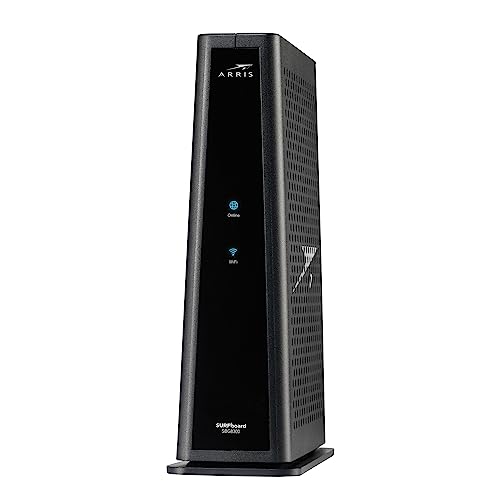
ARRIS SURFboard SBG8300 Cable Modem Router Combo
The ARRIS SURFboard SBG8300 is the value pick in this guide and the combo most Xfinity households should buy. The listing describes a cable modem router combo with fast DOCSIS 3.1 gigabit speeds and AC2350 WiFi, approved for Comcast Xfinity, Cox, Spectrum, and more. The SBG8300 replaces the rented gateway with one box, which means one setup, one device, and no more rental fee on the bill. It is the combo for a gigabit plan on a budget, and it is the simplest way to stop paying rent for a box you do not own.
Where the SBG8300 earns its place is the balance of speed and price. DOCSIS 3.1 handles gigabit plans with room to spare, and AC2350 WiFi covers a typical home with enough speed for streaming, gaming, and working from home at the same time. The combo design means there is nothing else to buy and nothing else to configure, which suits households that want the internet to work without becoming a hobby. For an Xfinity household on a gigabit plan that wants to stop the rental fee with the least fuss, the SBG8300 is the combo to buy.
Key specs:
- Cable modem router combo
- DOCSIS 3.1 gigabit speeds
- AC2350 WiFi
- Approved for Comcast Xfinity
- Works with Cox and Spectrum
Strengths:
- DOCSIS 3.1 handles gigabit plans with headroom
- One box replaces the rented gateway entirely
- AC2350 WiFi covers a typical home
Trade-offs:
- Wi-Fi 5 generation AC speeds, not Wi-Fi 6
- Combo design is harder to expand into mesh later
- No 2.5G port for multi-gigabit wired speeds
This combo fits Xfinity households on a gigabit plan who want to stop the rental fee with one simple box, without needing the latest Wi-Fi standard.
Best for: gigabit Xfinity plans that want a simple, affordable combo
Not suited for: multi-gigabit plans, large homes that need mesh, or buyers who want Wi-Fi 6
Check price on Amazon: ARRIS SURFboard SBG8300

NETGEAR Nighthawk AC1900 DOCSIS 3.0 WiFi Cable Modem Router Combo C7000
The NETGEAR Nighthawk C7000 is the proven pick in this guide and the combo for Xfinity plans that do not need gigabit speeds. The listing describes an AC1900 WiFi cable modem router combo with 24×8 DOCSIS 3.0 channels, for Xfinity from Comcast, Spectrum, and Cox. The C7000 has been on the market for years, and it has earned its place by working reliably on mid-range plans, with enough speed for streaming, gaming, and working from home. It is the combo for a household on a 200, 400, or 600 megabit plan that wants to stop the rental fee at the lowest price.
In daily use, the C7000 is the combo that disappears. The 24×8 channel bonding handles mid-range plans without strain, and AC1900 WiFi covers a typical home with enough speed for the devices most households actually own. The Nighthawk design is straightforward to set up, and the combo replaces the rented gateway in one step. For a household that does not need gigabit speeds and does not want to pay for them, the C7000 is the sensible choice, and the money saved over a DOCSIS 3.1 combo can go toward a better plan or a mesh node later.
Key specs:
- Cable modem router combo
- DOCSIS 3.0, 24×8 channels
- AC1900 WiFi
- For Xfinity from Comcast, Spectrum, and Cox
- Nighthawk design
Strengths:
- Proven design with years of reliable service
- Lowest price among the combos in this guide
- 24×8 channels handle mid-range plans easily
Trade-offs:
- DOCSIS 3.0 will not keep up with a gigabit plan
- Wi-Fi 5 generation AC speeds, not Wi-Fi 6
- Older design with fewer modern features
This combo fits Xfinity households on mid-range plans who want a proven, affordable combo and do not need gigabit or multi-gigabit speeds.
Best for: mid-range Xfinity plans that want proven value
Not suited for: gigabit or multi-gigabit plans, or buyers who want Wi-Fi 6
Check price on Amazon: NETGEAR Nighthawk C7000
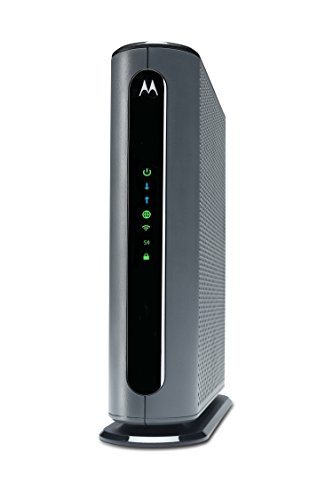
Motorola MG7700 Modem WiFi Router Combo With Power Boost
The Motorola MG7700 is the compact pick in this guide and the combo for households that want a small box with a strong signal. The listing describes a modem WiFi router combo with Power Boost, approved by Comcast Xfinity, Cox, and Spectrum, for cable plans. The MG7700 is smaller than the other combos in this guide, which suits a shelf, a desk, or a media cabinet, and the Power Boost feature is designed to extend the Wi-Fi signal further into the home. It is the combo for a household that wants a tidy setup without giving up coverage.
What makes the MG7700 work well is that Motorola built it for real homes, not for spec sheets. The Power Boost design pushes the Wi-Fi signal further, which helps in a home with thick walls or a router tucked in a corner, and the combo design means one box, one setup, and no rental fee. The approval for Xfinity, Cox, and Spectrum means it will activate without a fight, and the compact size means it fits where a larger combo will not. For a household that wants a small, strong combo for a gigabit plan, the MG7700 is the pick that fits the shelf and the budget.
Key specs:
- Modem WiFi router combo
- Power Boost for extended signal
- Approved by Comcast Xfinity, Cox, and Spectrum
- For cable plans
- Compact design
Strengths:
- Power Boost extends the Wi-Fi signal further
- Compact size fits a shelf or media cabinet
- Approved for Xfinity, Cox, and Spectrum
Trade-offs:
- Fewer details on speed in the listing than the other combos
- Compact size means fewer ports than a larger combo
- No Wi-Fi 6 in the listing
This combo fits Xfinity households who want a compact modem router with a strong signal, for a shelf, a desk, or a media cabinet.
Best for: compact setups that need a strong Wi-Fi signal
Not suited for: households that need many wired ports, or the latest Wi-Fi 6 speeds
Check price on Amazon: Motorola MG7700
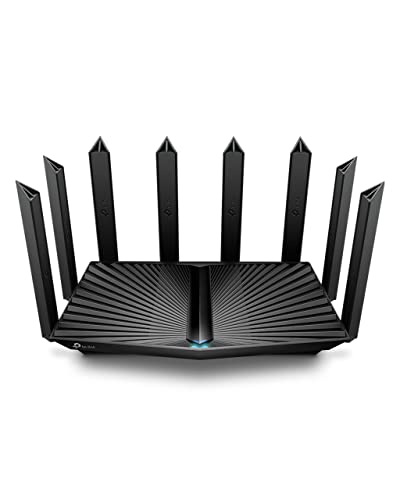
TP-Link AX6000 Wi-Fi 6 Dual Band Router Archer AX80
The TP-Link Archer AX80 is the standalone Wi-Fi 6 pick in this guide and the router for Xfinity households that already own a modem. The listing describes an AX6000 Wi-Fi 6 dual band router, the Archer AX80, with a 2.5 Gbps WAN and LAN port, 8K streaming support, and a wireless internet router design. The AX80 connects to your own modem or to the Xfinity gateway in bridge mode, and it replaces the gateway's Wi-Fi with faster, more reliable Wi-Fi 6. It is the router for a household that wants better Wi-Fi without replacing a modem that already works.
Where the Archer AX80 earns its place is the combination of Wi-Fi 6 speed and a 2.5 Gbps port at a fair price. The AX6000 rating means fast speeds on both bands, which suits a household with many devices streaming and gaming at the same time, and the 2.5 Gbps port lets a wired computer or drive use speeds above a gigabit on a fast plan. The dual band design keeps the 5 GHz band clear for demanding devices, and the setup is straightforward through the app. For an Xfinity household with a good modem that wants better Wi-Fi, the Archer AX80 is the upgrade that makes the biggest difference.
Key specs:
- AX6000 Wi-Fi 6 dual band router
- Archer AX80 model
- 2.5 Gbps WAN and LAN port
- 8K streaming support
- Standalone router, works with your own modem
Strengths:
- Wi-Fi 6 with AX6000 speeds for crowded homes
- 2.5 Gbps port for fast wired devices
- Fair price for a Wi-Fi 6 router with a 2.5G port
Trade-offs:
- Needs a separate modem, so it does not replace the gateway alone
- Standalone setup needs bridge mode if you keep the gateway
- No modem built in, so two boxes instead of one
This router fits Xfinity households who already own a modem and want faster Wi-Fi 6, with a 2.5 Gbps port for wired devices.
Best for: households with a good modem that want Wi-Fi 6 speed
Not suited for: households that want a single-box replacement for the gateway
Check price on Amazon: TP-Link Archer AX80

ASUS RT-AX86U AX5700 Dual Band WiFi 6 Extendable Gaming Router
The ASUS RT-AX86U is the gaming and mesh pick in this guide and the router for Xfinity households that want the most features. The listing describes an AX5700 dual band WiFi 6 extendable gaming router, with a 2.5G port, a gaming port, a mobile game mode, and port forwarding. The RT-AX86U connects to your own modem or to the Xfinity gateway in bridge mode, and it brings gaming features, strong parental controls, and AiMesh support, which lets you add a second ASUS router later to cover a large home. It is the router for a household that games, streams, and works from home on the same network.
In daily use, the RT-AX86U is the router that handles a busy household without breaking a sweat. The gaming port prioritises the connected device, which cuts lag for competitive gaming, and the mobile game mode does the same for phones. The 2.5G port gives a wired computer or console speeds above a gigabit, and the AiMesh support means the router can grow into a mesh system if the house is large. For an Xfinity household with gamers, streamers, and remote workers sharing one connection, the RT-AX86U is the router that keeps everyone happy at the same time.
Key specs:
- AX5700 dual band WiFi 6 router
- 2.5G port and dedicated gaming port
- Mobile game mode and port forwarding
- AiMesh extendable for mesh coverage
- Standalone router, works with your own modem
Strengths:
- Gaming port and mobile game mode cut lag for players
- AiMesh support lets the network grow into a mesh system
- 2.5G port for fast wired devices
Trade-offs:
- Needs a separate modem, so it does not replace the gateway alone
- Gaming features add cost if nobody in the house games
- Setup has more options than a basic router, which takes longer
This router fits Xfinity households with gamers and heavy users who want Wi-Fi 6, a gaming port, and mesh expansion for a large home.
Best for: gaming households that want Wi-Fi 6 and mesh expansion
Not suited for: households that want a single-box gateway replacement, or a basic setup
Check price on Amazon: ASUS RT-AX86U
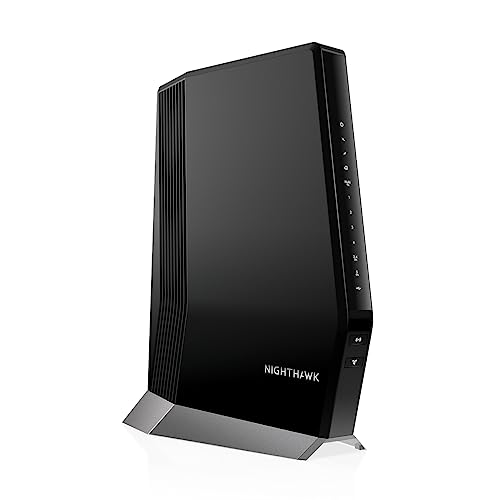
NETGEAR Nighthawk DOCSIS 3.1 Modem Router Combo CAX80
The NETGEAR Nighthawk CAX80 is the high-end pick in this guide and the combo for Xfinity multi-gigabit plans. The listing describes a DOCSIS 3.1 modem router combo with WiFi 6, 6 Gbps speeds, multi-gig support, reliable performance, and guided setup. The CAX80 replaces the rented gateway with one box that handles the fastest Xfinity plans, and its Wi-Fi 6 radios cover a large home with fast wireless. It is the combo for a household on a gigabit or multi-gigabit plan that wants the fastest speeds Xfinity offers, without renting the gateway to get them.
Where the CAX80 earns its premium is headroom. The 6 Gbps rating means the modem will not be the bottleneck on any current Xfinity plan, and the Wi-Fi 6 radios handle dozens of devices without slowing down. The multi-gig support means wired devices can use speeds above a gigabit, which matters for a home with a fast wired computer or a network drive. The guided setup walks through activation step by step, which makes the fastest combo in this guide also one of the easiest to install. For a household that pays for the fastest plan and wants the hardware to match, the CAX80 is the combo to buy.
Key specs:
- DOCSIS 3.1 modem router combo
- WiFi 6, 6 Gbps speeds
- Multi-gig support
- Guided setup
- Nighthawk design
Strengths:
- 6 Gbps rating handles any current Xfinity plan
- Wi-Fi 6 covers a large home with fast wireless
- Guided setup makes activation straightforward
Trade-offs:
- The most expensive combo in this guide
- More speed than a mid-range plan can use
- Large size needs shelf or desk space
This combo fits Xfinity households on gigabit or multi-gigabit plans who want the fastest combo available, with Wi-Fi 6 for a large home.
Best for: multi-gigabit Xfinity plans that need maximum speed
Not suited for: mid-range plans, small homes, or tight budgets
Check price on Amazon: NETGEAR Nighthawk CAX80
Buying guide
Check your plan speed first
Log into your Xfinity account and check the plan speed before you buy anything. A modem must match the plan: DOCSIS 3.0 suits plans up to a gigabit, while DOCSIS 3.1 suits gigabit and multi-gigabit plans. A modem that is too slow caps the speed you pay for, and a modem that is far faster than the plan wastes money. Buy the modem for the plan you have, with a little headroom for the next upgrade, and the router will do its job without becoming the bottleneck.
Confirm the device is approved for activation
Xfinity maintains an approved device list, and a modem that is not on it cannot be activated. Check the model number against the list before you order, and confirm the listing states approval for Comcast Xfinity. The combos in this guide all state Xfinity approval in their listings, which is why they were chosen. A device that is discontinued or not approved will not activate, no matter how good its specifications look.
Decide combo or standalone before you shop
A combo replaces the gateway with one box, which is the simplest change and the fastest way to stop the rental fee. A standalone router works with your own modem or with the gateway in bridge mode, and it offers better Wi-Fi, more features, and mesh expansion. Choose the approach first, then choose the model, because a combo and a standalone router solve different problems, and buying the wrong one means a return.
Place the router where the Wi-Fi can reach
A router in a corner, behind a TV, or in a basement cabinet will not cover the house, no matter how fast it is. Place the router centrally, high up, and away from thick walls and metal objects, and keep it out of an enclosed cabinet. If the house is large, plan for mesh expansion with a router that supports it, such as the RT-AX86U in this guide, rather than buying a single router and hoping it reaches.
Activate and return the rented gateway
After the new device is working, activate it on your Xfinity account, test the speed and the Wi-Fi in every room, and then return the rented gateway to an Xfinity store and get a receipt. The rental fee should drop from the next bill, and the receipt is your proof if it does not. Do not return the gateway before the new device works, because a failed activation with no gateway means no internet at all.
Setting up and everyday care
Set the router up carefully and it will run for years without attention. Connect the coaxial cable firmly, power the device on, and wait for the lights to settle before you start the activation, because a rushed setup is the most common cause of a failed activation. Use the guided setup in the app or the web interface, set a strong Wi-Fi password, and update the firmware when the setup offers it. A router that is set up properly on day one will not need constant reboots, and a strong password keeps neighbours and strangers off your network.
Keep the router clean and its firmware current. Dust the vents every few months, keep the router in open air rather than inside a closed cabinet, and check for firmware updates a few times a year, because updates fix security problems and improve stability. Reboot the router only when it actually misbehaves, not on a schedule, because a healthy router does not need regular reboots. If the Wi-Fi slows down over time, check for a neighbour's network on the same channel and move to a clearer one before you blame the router.
Common mistakes to avoid
Buying a modem that is too slow for the plan
A DOCSIS 3.0 modem on a gigabit plan caps the speed at what the modem can handle, which wastes the money spent on the faster plan. Check the plan speed, match the modem to it, and buy DOCSIS 3.1 for gigabit and multi-gigabit plans, because the modem should never be the bottleneck.
Skipping the approved device check
A modem that is not approved for Xfinity cannot be activated, no matter how good it looks on paper. Check the model number against the approved list before you order, and confirm the listing states Comcast Xfinity approval, because a return costs time and a week without a working network.
Hiding the router in a cabinet
A router in a closed cabinet, behind a TV, or in a basement will not cover the house, and no amount of speed will fix bad placement. Put the router centrally, high up, and in open air, and the Wi-Fi will reach further and run faster than the same router hidden away.
Returning the rented gateway too early
Return the gateway only after the new device is activated and working in every room, because a failed activation with no gateway means no internet at all. Test the speed, test the Wi-Fi, keep the receipt when you return the gateway, and check the next bill to confirm the rental fee is gone.
Our recommendation
If you want one combo for a gigabit Xfinity plan, buy the ARRIS SURFboard SBG8300 for its DOCSIS 3.1 speeds, AC2350 WiFi, and fair price. If you want the fastest combo available, buy the NETGEAR Nighthawk CAX80 instead, because its 6 Gbps rating and Wi-Fi 6 radios handle any current Xfinity plan. Both replace the rented gateway with one box, and the choice between them comes down to whether you need multi-gigabit headroom or the best value.
If your plan is mid-range, buy the NETGEAR Nighthawk C7000, because its proven design and low price are the best value for plans that do not need gigabit speeds. If you already own a good modem, buy the TP-Link Archer AX80 for Wi-Fi 6 speed at a fair price, or the ASUS RT-AX86U if you game and want mesh expansion. If you want a compact combo with a strong signal, buy the Motorola MG7700. Whichever router you choose, check the plan speed and the approved list before you order.
Related reading on Reviewstook: best Wi-Fi 6 router under 30, best Wi-Fi 6 router for home use under 30, and best Wi-Fi 7 router under 30
Frequently asked questions
What is the best router compatible with Xfinity in 2026?
There is no single best router, because the right router depends on your plan and your home. For a gigabit plan, the ARRIS SURFboard SBG8300 is the best value combo. For a multi-gigabit plan, the NETGEAR Nighthawk CAX80 is the fastest combo. For a mid-range plan, the Nighthawk C7000 is the best value, and for a household that already owns a modem, the TP-Link Archer AX80 is the best Wi-Fi 6 upgrade.
Do I need a modem router combo or a standalone router for Xfinity?
A combo replaces the rented Xfinity gateway with one box, which is the simplest change and the fastest way to stop the rental fee. A standalone router works with your own modem or with the gateway in bridge mode, and it offers better Wi-Fi, more features, and mesh expansion. Choose a combo for simplicity, and a standalone router if you already own a good modem or want mesh Wi-Fi.
Will any router work with Xfinity?
A standalone router works with Xfinity if it connects to an approved modem or to the Xfinity gateway in bridge mode, which is true of any standard router. A modem or modem router combo must be on Xfinity's approved device list to activate, so check the model number before you buy. The combos in this guide all state Comcast Xfinity approval in their listings.
Is DOCSIS 3.1 worth it for Xfinity?
Yes, if your plan is gigabit or faster, or if you plan to upgrade. DOCSIS 3.1 handles gigabit and multi-gigabit speeds with room to spare, while DOCSIS 3.0 caps out below gigabit. For a mid-range plan, DOCSIS 3.0 is enough and cheaper, but for a gigabit plan, DOCSIS 3.1 is the right choice, and it buys years of headroom.
How do I stop paying the Xfinity rental fee?
Buy an approved modem router combo, activate it on your Xfinity account, test that it works in every room, and then return the rented gateway to an Xfinity store and get a receipt. The rental fee should drop from the next bill. Do not return the gateway before the new device works, and keep the receipt until the fee disappears from the bill.
Can I use a mesh system with Xfinity?
Yes. A mesh system works with Xfinity if it connects to an approved modem or to the gateway in bridge mode. The ASUS RT-AX86U in this guide supports AiMesh, which lets you add a second ASUS router later to cover a large home. A standalone router is easier to expand into mesh than a combo, so choose a standalone router if your home is large.