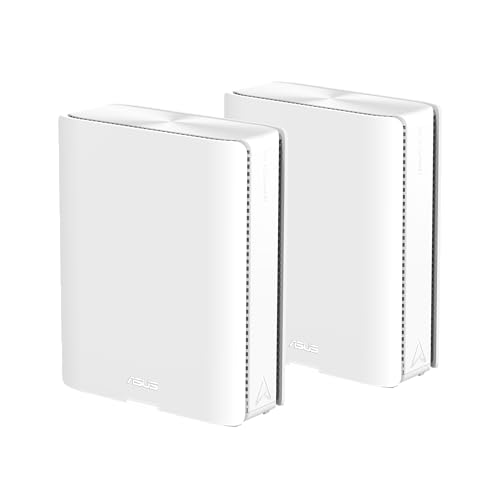
The best mesh network routers fix the one problem a single router cannot: dead zones. A traditional router broadcasts from one spot, and the signal fades through walls, floors, and distance until the far bedroom or the garden office barely connects. A mesh system spreads several units around the home that talk to each other, so your devices always connect to the nearest node and the WiFi follows you from room to room without dropping.
What makes a mesh router good is coverage, speed, and simplicity. Coverage decides how many units you need and how far the signal reaches, speed decides whether the system can keep up with your internet plan, and the number of bands decides whether the backhaul between units steals bandwidth from your devices. A dual-band system is fine for a small home, while a tri-band system with a dedicated backhaul band keeps speeds high in a large house with many devices.
This guide rounds up eight mesh network routers, covering the main situations: affordable dual-band systems for small homes, tri-band WiFi 6E systems for busy households, and WiFi 7 systems for the fastest internet plans and the largest homes. Every pick below comes from the same product search used across this site, with its exact model name and listed features, and the buying guide at the end covers coverage, bands, and placement so you can match a system to your home.
In this guide
Quick picks: best mesh network routers
| # | Product | Where to buy |
|---|---|---|
| 1 | TP-Link Deco X55 AX3000 WiFi 6 Mesh System 3-Pack | Check on Amazon |
| 2 | Amazon eero 6+ Mesh WiFi Router | Check on Amazon |
| 3 | Amazon eero 7 Dual-Band Mesh WiFi 7 Router | Check on Amazon |
| 4 | ASUS ZenWiFi BD4 WiFi 7 Mesh Router 3-Pack | Check on Amazon |
| 5 | Google Nest Wifi AC2200 Mesh WiFi System Router | Check on Amazon |
| 6 | NETGEAR Orbi 770 Series WiFi 7 Mesh System 3-Pack | Check on Amazon |
| 7 | TP-Link Deco XE75 AXE5400 Tri-Band WiFi 6E System 3-Pack | Check on Amazon |
| 8 | Amazon eero 6 Mesh WiFi Router | Check on Amazon |
How the best mesh network routers were chosen
Picks were chosen for whole-home mesh use first. That means a genuine mesh system with multiple units or a router designed to work with satellites, clear coverage ratings, and support for modern WiFi standards from WiFi 6 to WiFi 7. Both budget and premium systems were included, because a small flat and a large house have very different needs. Models with clear, verifiable feature lists were preferred over listings that hide behind vague claims, and every pick had to be a real mesh WiFi system with a stated coverage and speed, not a single router or a range extender.
Quick comparison
| # | Product | Best for |
|---|---|---|
| 1 | TP-Link Deco X55 AX3000 WiFi 6 Mesh System 3-Pack | WiFi 6, 3-pack, up to 6500 sq ft |
| 2 | Amazon eero 6+ Mesh WiFi Router | Mesh WiFi, gigabit plans, 1500 sq ft per unit |
| 3 | Amazon eero 7 Dual-Band Mesh WiFi 7 Router | WiFi 7, 2.5 Gbps plans, 1500 sq ft per unit |
| 4 | ASUS ZenWiFi BD4 WiFi 7 Mesh Router 3-Pack | WiFi 7, 3-pack, 6500 sq ft, 2.5G ports |
| 5 | Google Nest Wifi AC2200 Mesh WiFi System Router | AC2200, Google Home, 2200 sq ft, 1-pack |
| 6 | NETGEAR Orbi 770 Series WiFi 7 Mesh System 3-Pack | WiFi 7, 3-pack, 8000 sq ft, up to 11 Gbps |
| 7 | TP-Link Deco XE75 AXE5400 Tri-Band WiFi 6E System 3-Pack | Tri-band WiFi 6E, 3-pack, 7200 sq ft |
| 8 | Amazon eero 6 Mesh WiFi Router | Mesh WiFi, 900 Mbps plans, 1500 sq ft |
The table above is a shortcut, not a verdict. Two products can look close on a spec line and feel very different in daily use, so use it to narrow the field to two or three candidates, then read those full sections before deciding.

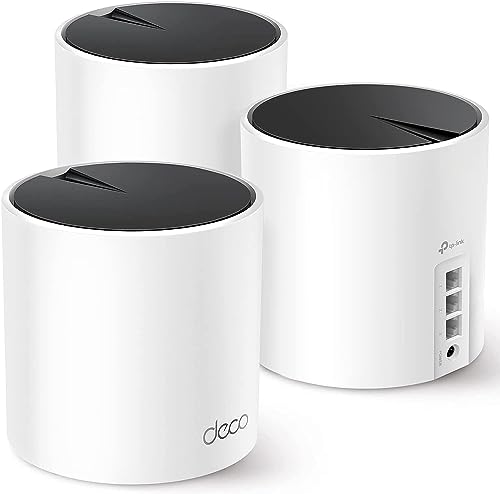
1. TP-Link Deco X55 AX3000 WiFi 6 Mesh System 3-Pack
The TP-Link Deco X55 is an AX3000 WiFi 6 mesh system in a 3-pack that covers up to 6500 square feet, replacing a wireless router and extender. It is the value whole-home pick in this guide, giving you three units, WiFi 6 speed, and coverage for a large house at a mid-range cost.
Verified specs
- AX3000 WiFi 6 mesh system, 3-pack
- Covers up to 6500 square feet
- Replaces wireless router and extender
- WiFi 6 speed for modern devices
Strengths
- Three units cover a large house for a fair cost
- WiFi 6 handles many devices at once
- Replaces a router and extender with one system
The Deco X55 is the mesh system for most homes. Three units cover up to 6500 square feet, which is enough for a large house, and WiFi 6 means the system handles phones, laptops, TVs, and smart home devices without slowing down. It is the best balance of coverage and cost in this guide.
Before you buy, it is worth checking the practical details that cause most returns. Confirm that the listing shows the exact model name and configuration you expect, because similar models often share a name and differ in one specification that matters. Check the size and the connections against your setup, and make sure you know what is included in the box and what is sold separately. Read the return policy before ordering, and when the product arrives, test it with your real setup in the first few days rather than leaving it in the box. A quick check at the start saves a return later, and it is the simplest way to be sure the product you receive is the one you meant to buy.
Trade-offs
- Dual-band design shares the backhaul with devices
- No WiFi 6E or WiFi 7 support
- Three units take up three sockets
The X55 is a dual-band system, so the backhaul between units shares bandwidth with your devices. For most homes that is fine, and the 6500 square foot coverage is generous. If you have a very fast internet plan or a very busy household, the tri-band Deco XE75 below is the step up.
Who it fits best
Large homes that want whole-home WiFi 6 coverage from three units at a fair cost.
Best for: Whole-home WiFi 6 coverage for a large house.
Not suited for: Very fast internet plans or households that need a dedicated backhaul band.
Check price on Amazon: TP-Link Deco X55 AX3000 WiFi 6 Mesh System 3-Pack

2. Amazon eero 6+ Mesh WiFi Router
The Amazon eero 6+ is a mesh WiFi router that supports internet plans up to a gigabit, with coverage up to 1500 square feet per unit and connections for many devices. It is the simple setup pick in this guide, with an app-guided install that takes minutes and a design that blends into a room.
Verified specs
- Mesh WiFi router
- Supports internet plans up to a gigabit
- Coverage up to 1500 square feet
- Connects many devices
Strengths
- App-guided setup takes minutes
- Gigabit plan support covers fast internet
- Small, discreet design fits any room
The eero 6+ is the mesh router for people who want WiFi to just work. The app walks you through setup in minutes, the small white unit disappears on a shelf, and gigabit support means it will not bottleneck a fast internet plan. Add more units to cover a larger home.
Before you buy, it is worth checking the practical details that cause most returns. Confirm that the listing shows the exact model name and configuration you expect, because similar models often share a name and differ in one specification that matters. Check the size and the connections against your setup, and make sure you know what is included in the box and what is sold separately. Read the return policy before ordering, and when the product arrives, test it with your real setup in the first few days rather than leaving it in the box. A quick check at the start saves a return later, and it is the simplest way to be sure the product you receive is the one you meant to buy.
Trade-offs
- One unit covers 1500 square feet, so large homes need more
- Dual-band design
- Advanced features need a subscription
A single eero 6+ covers a flat or a small house, but a large home needs two or three units, which adds cost. The subscription for advanced security features is also worth knowing about. For simple, reliable whole-home WiFi, though, the eero 6+ is hard to beat.
Who it fits best
Small homes and flats that want simple, reliable mesh WiFi with gigabit support and an easy app setup.
Best for: Simple mesh WiFi with an easy app setup.
Not suited for: Large homes that need many units, or buyers who want no subscription.
Check price on Amazon: Amazon eero 6+ Mesh WiFi Router

3. Amazon eero 7 Dual-Band Mesh WiFi 7 Router
The Amazon eero 7 is a dual-band mesh WiFi 7 router, the newest model, supporting internet plans up to 2.5 Gbps with coverage up to 1500 square feet per unit. It is the future-proof pick in this guide, bringing WiFi 7 speed to a simple eero setup for homes with very fast internet.
Verified specs
- Dual-band mesh WiFi 7 router, newest model
- Supports internet plans up to 2.5 Gbps
- Coverage up to 1500 square feet
- Mesh WiFi 7 design
Strengths
- WiFi 7 support for the fastest internet plans
- 2.5 Gbps plan support covers multi-gigabit connections
- Same simple eero app setup
The eero 7 is the mesh router for homes with very fast internet. WiFi 7 and 2.5 Gbps plan support mean the router will not bottleneck a multi-gigabit connection, and the eero app keeps setup as simple as the eero 6+. It is the most future-proof eero in this guide.
Before you buy, it is worth checking the practical details that cause most returns. Confirm that the listing shows the exact model name and configuration you expect, because similar models often share a name and differ in one specification that matters. Check the size and the connections against your setup, and make sure you know what is included in the box and what is sold separately. Read the return policy before ordering, and when the product arrives, test it with your real setup in the first few days rather than leaving it in the box. A quick check at the start saves a return later, and it is the simplest way to be sure the product you receive is the one you meant to buy.
Trade-offs
- Dual-band, so no dedicated backhaul band
- One unit covers 1500 square feet
- WiFi 7 benefits need WiFi 7 devices
WiFi 7 is only useful if your devices and your internet plan can use it, and most homes do not have multi-gigabit internet yet. If you do, the eero 7 is the right buy. If you do not, the eero 6+ gives you the same experience for less.
Who it fits best
Homes with multi-gigabit internet who want a simple, future-proof mesh WiFi 7 router.
Best for: Future-proof mesh WiFi 7 with 2.5 Gbps support.
Not suited for: Homes on standard internet plans or large homes that need many units.
Check price on Amazon: Amazon eero 7 Dual-Band Mesh WiFi 7 Router

4. ASUS ZenWiFi BD4 WiFi 7 Mesh Router 3-Pack
The ASUS ZenWiFi BD4 is a WiFi 7 mesh router in a 3-pack covering 6500 square feet, with 3.6 Gbps speed, two 2.5G ports, and subscription-free network security. It is the premium whole-home pick in this guide, combining WiFi 7, large coverage, and fast wired ports in one system.
Verified specs
- WiFi 7 mesh router, 3-pack
- Covers 6500 square feet, 3.6 Gbps
- Two 2.5G ports
- Subscription-free network security
Strengths
- Three units cover a large house with WiFi 7
- Two 2.5G ports give fast wired connections
- Network security included with no subscription
The ZenWiFi BD4 is the mesh system for a large, connected home. Three WiFi 7 units cover 6500 square feet, the 2.5G ports give wired devices real speed, and the subscription-free security means you are not paying monthly for features that should be included.
Before you buy, it is worth checking the practical details that cause most returns. Confirm that the listing shows the exact model name and configuration you expect, because similar models often share a name and differ in one specification that matters. Check the size and the connections against your setup, and make sure you know what is included in the box and what is sold separately. Read the return policy before ordering, and when the product arrives, test it with your real setup in the first few days rather than leaving it in the box. A quick check at the start saves a return later, and it is the simplest way to be sure the product you receive is the one you meant to buy.
Trade-offs
- Premium price for WiFi 7 and three units
- Three units take up three sockets
- WiFi 7 benefits need WiFi 7 devices
The BD4 is a premium system, and its price reflects it. If your home is large and your internet is fast, it is the right buy. If your home is small or your internet is standard, the Deco X55 gives you the same coverage for less.
Who it fits best
Large homes with fast internet who want WiFi 7 coverage, fast wired ports, and security without a subscription.
Best for: Premium WiFi 7 coverage for a large home.
Not suited for: Small homes or standard internet plans.
Check price on Amazon: ASUS ZenWiFi BD4 WiFi 7 Mesh Router 3-Pack

5. Google Nest Wifi AC2200 Mesh WiFi System Router
The Google Nest Wifi is an AC2200 mesh WiFi system router with 2200 square feet of coverage in a 1-pack. It is the Google ecosystem pick in this guide, working with Google Home and Google Assistant, and its simple design and app make it the easiest mesh router for a Google household.
Verified specs
- AC2200 mesh WiFi system router
- 2200 square feet coverage, 1-pack
- Google Home and Assistant integration
- Mesh WiFi router design
Strengths
- Works with Google Home and Assistant
- 2200 square feet from a single unit
- Simple app setup and management
The Nest Wifi is the mesh router for a Google home. It slots into the Google Home app alongside your speakers and displays, the setup is straightforward, and a single unit covers 2200 square feet, which is enough for a flat or a small house. Add points to extend coverage.
Before you buy, it is worth checking the practical details that cause most returns. Confirm that the listing shows the exact model name and configuration you expect, because similar models often share a name and differ in one specification that matters. Check the size and the connections against your setup, and make sure you know what is included in the box and what is sold separately. Read the return policy before ordering, and when the product arrives, test it with your real setup in the first few days rather than leaving it in the box. A quick check at the start saves a return later, and it is the simplest way to be sure the product you receive is the one you meant to buy.
Trade-offs
- WiFi 5 standard rather than WiFi 6 or 7
- Single unit covers 2200 square feet
- Older model with fewer modern features
The Nest Wifi is an older WiFi 5 model, and it shows next to the WiFi 6 and 7 systems here. For a Google household with standard internet, it still works well and integrates beautifully. For faster internet or a larger home, the newer systems are the better buy.
Who it fits best
Google households who want a simple mesh router that works with Google Home and covers a flat or small house.
Best for: A Google-integrated mesh router for small homes.
Not suited for: Fast internet plans or large homes that need WiFi 6 or 7.
Check price on Amazon: Google Nest Wifi AC2200 Mesh WiFi System Router

6. NETGEAR Orbi 770 Series WiFi 7 Mesh System 3-Pack
The NETGEAR Orbi 770 Series is a WiFi 7 mesh system in a 3-pack covering up to 8000 square feet, with speeds up to 11 Gbps and support for 100 devices. It is the maximum-coverage pick in this guide, built for very large homes with many devices and the fastest internet plans.
Verified specs
- WiFi 7 mesh system, 3-pack
- Covers up to 8000 square feet
- Speeds up to 11 Gbps
- Supports 100 devices
Strengths
- 8000 square feet of coverage from three units
- 11 Gbps speed for the fastest internet plans
- 100-device capacity suits a busy smart home
The Orbi 770 is the mesh system for a very large, very connected home. Eight thousand square feet of coverage, 11 Gbps of speed, and room for 100 devices mean it can handle a big house, a home office, and a smart home full of gadgets without breaking a sweat.
Before you buy, it is worth checking the practical details that cause most returns. Confirm that the listing shows the exact model name and configuration you expect, because similar models often share a name and differ in one specification that matters. Check the size and the connections against your setup, and make sure you know what is included in the box and what is sold separately. Read the return policy before ordering, and when the product arrives, test it with your real setup in the first few days rather than leaving it in the box. A quick check at the start saves a return later, and it is the simplest way to be sure the product you receive is the one you meant to buy.
Trade-offs
- Premium price for WiFi 7 and large coverage
- Three units take up space and sockets
- Overkill for a small home or standard internet
The Orbi 770 is overkill for most homes, and that is the point: it is built for the largest houses and the fastest plans. If your home is under 3000 square feet, the Deco X55 or the eero 6+ will serve you just as well for far less money.
Who it fits best
Very large homes with many devices and the fastest internet plans, who need maximum coverage and speed.
Best for: Maximum coverage and speed for a very large home.
Not suited for: Small homes, standard internet, or tight budgets.
Check price on Amazon: NETGEAR Orbi 770 Series WiFi 7 Mesh System 3-Pack


7. TP-Link Deco XE75 AXE5400 Tri-Band WiFi 6E System 3-Pack
The TP-Link Deco XE75 is an AXE5400 tri-band WiFi 6E system in a 3-pack, covering up to 7200 square feet. It is the tri-band pick in this guide, with a dedicated 6GHz band that keeps the backhaul between units separate from your devices, so speeds stay high even in a busy household.
Verified specs
- AXE5400 tri-band WiFi 6E system, 3-pack
- Covers up to 7200 square feet
- Tri-band design with 6GHz band
- WiFi 6E for modern devices
Strengths
- Tri-band design with a dedicated backhaul band
- 7200 square feet of coverage from three units
- WiFi 6E adds the fast 6GHz band
The Deco XE75 is the mesh system for a busy household. The tri-band design is the feature that matters: a dedicated 6GHz band carries traffic between units, so your devices get the full speed of the other bands. In a house with many devices, that makes a real difference.
Before you buy, it is worth checking the practical details that cause most returns. Confirm that the listing shows the exact model name and configuration you expect, because similar models often share a name and differ in one specification that matters. Check the size and the connections against your setup, and make sure you know what is included in the box and what is sold separately. Read the return policy before ordering, and when the product arrives, test it with your real setup in the first few days rather than leaving it in the box. A quick check at the start saves a return later, and it is the simplest way to be sure the product you receive is the one you meant to buy.
Trade-offs
- Tri-band systems cost more than dual-band
- 6GHz band has shorter range than 2.4GHz
- Three units take up three sockets
The 6GHz band is fast but short-range, which is why it works best as a backhaul between units that are close together. Place the units sensibly, within range of each other, and the XE75 delivers the fastest whole-home WiFi in this guide for the cost.
Who it fits best
Busy households with many devices who want tri-band WiFi 6E with a dedicated backhaul band and large coverage.
Best for: Tri-band WiFi 6E with a dedicated backhaul.
Not suited for: Small homes or anyone on a tight budget.
Check price on Amazon: TP-Link Deco XE75 AXE5400 Tri-Band WiFi 6E System 3-Pack
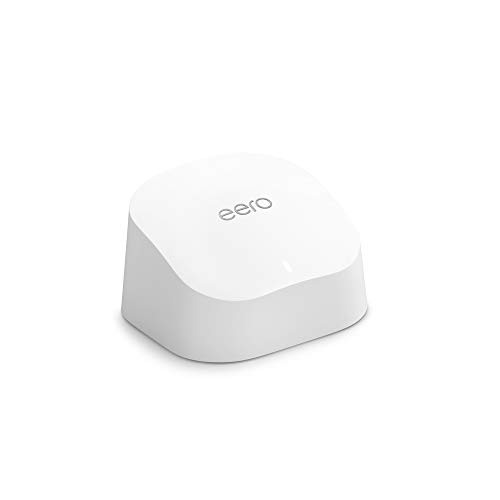
8. Amazon eero 6 Mesh WiFi Router
The Amazon eero 6 is a mesh WiFi router that supports internet plans up to 900 Mbps, with coverage up to 1500 square feet and connections for many devices. It is the budget eero pick in this guide, giving you the simple eero setup and mesh design at the lowest cost of the eero models here.
Verified specs
- Mesh WiFi router
- Supports internet plans up to 900 Mbps
- Coverage up to 1500 square feet
- Connects many devices
Strengths
- Lowest-cost eero mesh router in this guide
- Simple app-guided setup
- 900 Mbps support covers most internet plans
The eero 6 is the mesh router for a standard home. Nine hundred Mbps covers nearly every internet plan in use today, the setup takes minutes in the app, and the small design fits any room. For a flat or a small house, a single unit is often enough.
Before you buy, it is worth checking the practical details that cause most returns. Confirm that the listing shows the exact model name and configuration you expect, because similar models often share a name and differ in one specification that matters. Check the size and the connections against your setup, and make sure you know what is included in the box and what is sold separately. Read the return policy before ordering, and when the product arrives, test it with your real setup in the first few days rather than leaving it in the box. A quick check at the start saves a return later, and it is the simplest way to be sure the product you receive is the one you meant to buy.
Trade-offs
- 900 Mbps limit is lower than the eero 6+ gigabit support
- One unit covers 1500 square feet
- Dual-band design
The eero 6 is the budget eero, and its 900 Mbps limit is the trade. If your internet plan is faster than that, the eero 6+ is the better buy. If your plan is standard, the eero 6 gives you the same simple mesh experience for less.
Who it fits best
Budget buyers and small homes who want simple mesh WiFi with an easy app setup and standard internet speeds.
Best for: Budget mesh WiFi with a simple setup.
Not suited for: Gigabit internet plans or large homes that need many units.
Check price on Amazon: Amazon eero 6 Mesh WiFi Router
Buying guide
Warranties, returns, and checking your purchase
Most products in this guide come with a manufacturer warranty, and the length and coverage vary by brand, so check the warranty terms before you buy rather than after something goes wrong. Keep the packaging until you have tested the product, because a return is much easier with the original box. When the product arrives, check that the model name, the configuration, and the included accessories match the listing, and test it with your real setup in the first few days. If anything is wrong, contact the seller promptly, because return windows are limited and the first week is the time to find problems.
How many units do you need?
Start with your home’s size and layout. A single mesh unit covers 1500 to 2200 square feet, so a flat needs one, a small house needs two, and a large house needs three. Thick walls, multiple floors, and outdoor areas all add units. Buy the pack that matches your home rather than adding units later.
Dual-band or tri-band?
A dual-band system has two bands, 2.4GHz and 5GHz, and the backhaul between units shares bandwidth with your devices. A tri-band system adds a third band, usually 6GHz, dedicated to the backhaul, so your devices get full speed. For a small home, dual-band is fine; for a large or busy home, tri-band is worth it.
WiFi 6, 6E, or 7?
WiFi 6 handles many devices well and is the current standard. WiFi 6E adds the 6GHz band for faster speeds at short range. WiFi 7 is the newest standard, with the highest speeds and the lowest latency, but it needs WiFi 7 devices to shine. Buy the standard that matches your devices and your internet plan.
Placement matters more than specs
Place mesh units in the open, not inside cabinets or behind the television, and keep them within range of each other. A unit too far from the next one becomes a bottleneck, while a unit too close wastes coverage. The app will usually tell you if a unit is poorly placed, so follow its guidance.
Wired backhaul for the best speed
If you can run Ethernet cables between mesh units, do it: a wired backhaul frees all the WiFi bands for your devices and gives the most stable speeds. Many mesh systems, including the ZenWiFi BD4 in this guide, have 2.5G ports for exactly this. It is the single best upgrade for a mesh system.
How to use and care for your pick
Keep your mesh units in the open, away from thick walls and metal objects, and dust them now and then so the vents stay clear. Update the firmware when the app prompts you, since updates fix security issues and improve performance. Restart the system every month or two if speeds drop, and check the app for units that report a weak connection, which usually means they need moving closer. A mesh system that is placed well and kept updated runs for years without attention.
Common mistakes to avoid
The most common mistakes are placing mesh units too far apart, hiding them inside cabinets where the signal cannot escape, and buying a single unit for a large house and then wondering why the far rooms have no signal. Another is ignoring the app’s placement warnings, and another is buying a WiFi 7 system for a home with no WiFi 7 devices and a standard internet plan. Finally, many people never update the firmware, and then miss security fixes and performance improvements.
Final recommendation
For most homes, the TP-Link Deco X55 is the best mesh network router to buy first: three WiFi 6 units covering up to 6500 square feet at a fair cost. If you want the simplest setup, the Amazon eero 6+ gives you gigabit support and an app-guided install. For a busy household, the Deco XE75 adds a tri-band design with a dedicated backhaul, and for the largest homes with the fastest internet, the NETGEAR Orbi 770 covers 8000 square feet at up to 11 Gbps. Match the system to your home’s size, your internet plan, and your devices.
Frequently asked questions
How many mesh units do I need?
It depends on your home’s size and layout. One unit covers 1500 to 2200 square feet, so a flat needs one, a small house needs two, and a large house needs three. Thick walls and multiple floors add units, so buy the pack that matches your home.
Is mesh WiFi better than a single router?
For a home with dead zones, yes. A mesh system spreads units around the home so your devices always connect to the nearest node, while a single router fades with distance and walls. For a small flat, a single good router is enough; for a larger home, mesh wins.
What is the difference between dual-band and tri-band mesh?
A dual-band system has 2.4GHz and 5GHz bands, and the backhaul between units shares bandwidth with devices. A tri-band system adds a third band, usually 6GHz, dedicated to the backhaul, so devices get full speed. Tri-band is worth it in a large or busy home.
Do I need WiFi 7?
Only if your internet plan and your devices can use it. WiFi 7 gives the highest speeds and lowest latency, but it needs WiFi 7 devices and a very fast plan to shine. For most homes, WiFi 6 is enough, and WiFi 6E is the sweet spot for busy households.
Can I use mesh WiFi with my existing internet?
Yes. A mesh system connects to your modem or existing router and replaces your WiFi network. Most systems work with any internet provider, and the app guides you through setup in minutes.
Where should I place mesh units?
In the open, not inside cabinets or behind the television, and within range of each other. Place the main unit near the modem, and satellites halfway toward the areas with weak signal. The app will usually warn you if a unit is too far from the next one.
More from Reviewstook
If this guide helped, these related guides cover the rest of your setup: Best Long-Range Wireless Routers, Best WiFi Video Doorbell Cameras UK.
Conclusion
The best mesh network router is the one that matches your home’s size, your internet plan, and your devices. The picks in this guide cover budget dual-band systems, tri-band WiFi 6E, and WiFi 7 for the largest homes, so there is a mesh system here for every kind of household.
Start with the TP-Link Deco X55 if you want the best value whole-home coverage, or the Amazon eero 6+ if you want the simplest setup. Place the units in the open, within range of each other, and let the app guide you. Good mesh WiFi disappears into the background, and that is exactly what it should do.