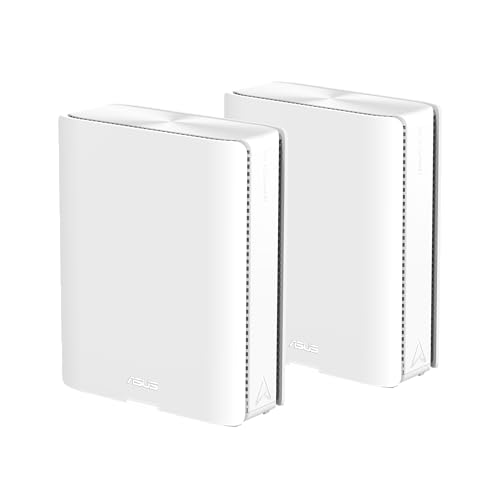
Disclosure: As an Amazon Associate, reviewstook.com earns from qualifying purchases. Links on this page are affiliate links; they cost you nothing extra. Prices and availability change often, so check the current Amazon listing before you buy.
The zenwifi be5000 pro is a name you may have met in a review headline, a comparison chart, or a shopping search — and then been unable to find as an actual product you can buy. This guide exists to save you the afternoon of confusion that usually follows. After careful checking of marketplace listings for this page, no product titled ZenWiFi BE5000 Pro could be verified at all. What does exist is a family of similarly named ASUS ZenWiFi mesh systems — the BD and BT lines among them — plus a genuinely flagship BQ16 Pro covered in a sibling guide. What follows is an honest map of that naming landscape, an explanation of how a phantom model name takes hold, and a practical method for choosing among the real systems without ever paying for a label that does not exist.
Let the central point land early, because everything else is commentary: do not buy anything that a seller has relabelled to match this search term. A differently named mesh system does not become a BE5000 Pro because a marketplace title was edited, a photograph was captioned creatively, or a bundle was assembled with the phrase tucked into its description. Model names in networking carry real information about radios, bands, and throughput classes, and the sections below teach you to read them — so that whether you eventually buy a ZenWiFi, another maker’s mesh, or nothing yet, you buy a verified thing with your eyes open.
Key Takeaways
- No verified listing carries the ZenWiFi BE5000 Pro name, so this page links to no product and recommends you treat any listing using the name with suspicion.
- ASUS mesh naming mixes a family word, a letter series, and a throughput-flavoured number; small letter changes signal genuinely different hardware, not trim levels.
- The real questions for a mesh purchase are coverage, backhaul design, band count, port speeds, and how your home is built — none of which a phantom name can answer.
- A flagship alternative does exist under a verifiable name: the BQ16 Pro, reviewed separately on this site with confirmed listings.
- Review coverage of a name is not proof of retail existence; review samples, regional variants, and renamed successors all create ghosts in search results.
- The buying method at the end of this guide — verify the exact title, match it to the maker’s own catalogue language, and only then compare — protects you on every networking purchase, not just this one.
In this guide
How does a product name become a ghost?
Ghost names are born innocently more often than cynically. A manufacturer briefs reviewers under a working title, then renames the product before launch; the early coverage keeps the old name alive for years. A model sells in one region under one designation and elsewhere under another, and search engines merge the conversations. A reviewer rounds a specification into a nickname — a throughput figure becomes part of the name in readers’ memory — and the nickname starts appearing in forum posts as if it were printed on a box. Then marketplaces complete the haunting: third-party sellers notice the search volume and begin sprinkling the ghost name into titles for neighbouring products, because the algorithm rewards the match even when the box says something else.
Networking gear is especially prone to this because its naming is genuinely hard to hold in the head. ZenWiFi alone spans multiple series letters and number families, sitting alongside the same maker’s ROG, ExpertWiFi, and plain RT router lines. A shopper who half-remembers a review is defenceless against a confident listing title. The defence this guide offers is procedural rather than encyclopaedic: you do not need to memorise the catalogue, you need a verification habit that works even when your memory of the catalogue is fuzzy. That habit is spelled out step by step later, and it is the most valuable thing on this page.
What do the ZenWiFi letters and numbers actually signal?
Read a ZenWiFi name as three stacked clues. The family word promises the mesh philosophy: multiple nodes presenting one network name, managed as a system, designed to look acceptable in a living room rather than like a science project. The letter series is the generation and radio story — which Wi-Fi standard the system speaks, how many bands it carries, and roughly where it sits in the maker’s hierarchy. The number is a throughput-flavoured figure that gestures at combined theoretical capacity across bands, a number useful for sorting a maker’s own range into tiers and nearly useless for predicting the speed in your hallway, because your hallway is governed by walls, distance, and your devices, not by arithmetic on a box.
Two practical consequences follow. First, a higher number in a different letter series is not automatically a better system for your home; band design and backhaul arrangements routinely matter more than the headline figure. Second, near-identical names deserve more suspicion, not less. When two listings differ by one letter, they are different products with different radios, and a seller who treats them as interchangeable in a title is telling you something about the seller. The verified sibling product illustrates the top of the range clearly: readers who want the flagship story told with confirmed listings should read ZenWiFi BQ16 Pro after this explainer, because that page can do what this one honestly cannot — point at a box you can actually buy.
Zenwifi Be5000 Pro: what to do if you came here ready to buy one
Pause and translate your intention into needs, because the name was only ever a shortcut for a set of hopes. Most shoppers chasing this term want some blend of the following: whole-home coverage that ends the dead zone in a bedroom or office, Wi-Fi 7 radios for longevity, enough throughput for a household of streams and calls, and a system that looks calm on a shelf. Every one of those hopes can be satisfied by real, verifiable products — including, at the flagship end, the quad-band system covered in the sibling guide. The translation exercise matters because needs can be compared across brands, while a ghost name can only be chased.
Write the needs down concretely. How many square feet, over how many floors, through what wall materials? Brick and concrete eat signal in a way plasterboard does not, and a system that sails through a timber-framed house may sulk in a masonry one. Where does the internet enter the home, and can a node live there? Which rooms hold the devices that matter most — the desk where video calls pay the mortgage, the television that streams in the evening, the console where latency is felt? A mesh decision made from those answers will age well even if model names churn again next year, as they certainly will.
How does mesh backhaul change the answer?
Every mesh node must talk back to the system, and that conversation — the backhaul — is where cheap disappointment hides. In a wireless-backhaul design, nodes share radio resources between serving your devices and relaying traffic, so a distant node can only serve what its link back can carry. Some systems dedicate a band to that relay, protecting device speeds at the cost of a radio you never see in the headline count. Others allow an Ethernet cable between nodes, turning the relay into a wire and transforming performance in houses that have or can accept cabling. When you compare real systems, ask the backhaul question before the throughput question: how does this design move traffic between nodes in a home built like mine?
This is also where the phantom-name problem does real damage. A shopper comparing a ghost’s imagined specification against a real system’s honest one will always find reality lacking, because ghosts are assembled from the best fragments of several products. Release yourself from that comparison. Judge candidate systems against your written needs and against each other, using verified titles and the maker’s own descriptions, and let the ghost keep its perfect, imaginary score sheet.
How to verify any networking product before buying
First, copy the exact model name from the maker’s own catalogue or support pages — the places where manuals and firmware live — rather than from a review or a listing. A real product leaves a paper trail of documentation; a ghost leaves only marketing echoes. Second, require the marketplace title to match that name character for character, including the series letters, and treat added words like the searched term as a warning when they appear in a seller’s title but nowhere in the maker’s materials. Third, check that the box contents, band description, and port layout described by the seller agree with the maker’s documentation; relabelled listings often betray themselves in these details because the underlying product cannot be disguised all the way down.
Fourth, be wary of bundles and refurbished listings using the ghost name, since both categories attract creative titling. Fifth, if a review convinced you the product exists, check the review’s own links and dates; you may find the trail leads to a differently named successor, which you can then evaluate honestly under its real name. This five-step habit takes ten minutes and generalises to televisions, monitors, and every other category where naming churns — a close cousin of the discipline this site applies to camera generations and mouse revisions elsewhere, and a habit worth more than any single recommendation.
What should you buy instead, by household type?
For a small flat with a fast connection and modest device count, a well-chosen dual-band or entry tri-band mesh from any reputable maker, verified by exact title, will feel like a miracle compared with a struggling single router — and broader shortlists such as best mesh WiFi system under 50 can frame the tier honestly. For a family house with simultaneous streams, calls, and gaming, prioritise a tri-band design with a thoughtful backhaul and place nodes with line-of-sight kindness toward each other. For a large or masonry home, plan for more nodes, consider Ethernet backhaul seriously, and look toward the flagship tier where the sibling BQ16 Pro guide lives. For a gaming-focused household, the gaming-mesh shortlist at best mesh WiFi system for gaming under 30 frames the latency conversation, while the Wi-Fi 7 router roundup at best WiFi 7 router under 30 suits smaller homes that need one strong hub rather than a system.
Notice what this section did not do: it did not crown a substitute BE5000 Pro, because substitution by vibes is how the ghost wins. It gave you tiers, questions, and verified places to continue reading. If your heart is set on the flagship ZenWiFi experience under a name that can be checked, the BQ16 Pro is the honest destination, and its guide carries the confirmed listings, images, and pack-size comparison that this page deliberately lacks.
How to set up a mesh system well, whichever real one you choose
Placement beats specifications in almost every home. Put the main node where the connection enters, elevated and in the open rather than inside a cabinet. Place satellite nodes halfway toward the dead zone — close enough to hold a strong link back, far enough to extend coverage usefully — and resist the beginner’s instinct to put a node inside the dead room itself, where it has no good signal to relay. Walk the home with a phone during the first evening, note where calls wobble, and adjust by metres rather than by hope. Most systems report node link quality in their app; treat a weak link reading as a placement instruction, not as a verdict on the hardware.
Then do the boring configuration once and properly. Update firmware before judging performance. Keep one network name for the whole system so devices roam as designed, and use band steering defaults unless you have a specific legacy device that objects. Set a guest network for visitors and smart gadgets if the system offers one, both for tidiness and for the mild security hygiene of separation. Finally, test the rooms that matter with the activities that matter — a call from the office chair, a stream on the television, a game on the console — because a speed test in the hallway beside the router is a measurement of the hallway, not of your life.
Common mistakes in this corner of the market
Buying by headline number is the first, and the ghost name feeds it: the bigger figure feels like progress even when it describes combined theoretical capacity your devices will never touch. Buying too few nodes for the building material is the second; masonry homes routinely need one more node than their floor area suggests. The third is burying nodes behind televisions and inside furniture, where metal and glass conspire against radios. The fourth is keeping an ancient modem-router’s wireless switched on alongside the new mesh, creating a double-network tangle that confuses roaming and troubleshooting alike — put the old box into bridge mode or retire its radios entirely, as your provider’s guidance allows.
The fifth mistake is the one this page exists to prevent: paying a premium for a name that cannot be verified, then discovering at unboxing that the box carries a different model designation and the seller’s title was the only place the ghost ever lived. Returns may rescue the money, but not the weekend. Ten minutes of verification, of the kind described above, is the cheapest insurance in home networking.
Final recommendation
Let the BE5000 Pro go. It is a search term, not a shopping list. Replace it with your written needs, verify every candidate by its exact maker-documented name, and choose among real systems — with the flagship ZenWiFi path honestly available under the BQ16 Pro name in the sibling guide, and sensible mesh tiers available at every level below it. You will end with a network that exists, which is the minimum and somehow the rarest virtue in this particular search.
What does the BE in modern Wi-Fi names actually stand for?
Part of the ghost’s plausibility comes from real naming conventions swirling around it. Wi-Fi generations carry technical designations — the newest generation is associated with the letters BE in many product families, echoing the earlier AX for Wi-Fi 6 and AC for Wi-Fi 5 — and makers weave those letters into model names to signal the generation at a glance. A shopper who has absorbed that pattern sees a name built from a family word, the generation letters, a round throughput number, and a Pro suffix, and the brain files it as obviously real, because it follows the grammar perfectly. Ghost names are usually grammatically perfect; that is exactly how they survive.
The lesson generalises beyond this one term. Marketing grammar can be imitated by anyone, including a marketplace seller with a spreadsheet of searched phrases, while documentation cannot be imitated cheaply. A real model accumulates weight: support pages, firmware release notes, manuals in several languages, accessory listings that name it, forum threads troubleshooting it by name across years. A ghost accumulates only echoes — articles repeating articles, titles repeating searches. When you investigate a name, weigh the documentation, not the echoes, and you will rarely be fooled. It is the same scepticism this site applies when a camera or mouse name sounds almost-but-not-quite like a verified model elsewhere in these guides.
How did this guide research the name, and how can you repeat it?
The method used here is reproducible in an evening. Marketplace listings for this family were checked through verified product data, searching both the full phrase and the maker’s name with the model fragment. The results consistently returned neighbouring, real systems — the BD and BT series among them — and never a product titled with the searched name. A second, broader search designed to catch regional or bundled variants returned the same neighbours wearing their own names. At that point the honest conclusion is the one this page prints: unverified, therefore prose-only, therefore no links. Contrast the flagship sibling, where the same process returned exact titles, pack variants, and official images within moments — reality, when it exists, is not usually shy.
You can run a home version of this check for any product. Search the maker’s support site for the exact name and look for a manual. Search for firmware or driver downloads under that name. Look for the name in the titles of products sold by the maker’s own storefront rather than by third parties. If all three come back empty while review sites and marketplace listings are plentiful, you are very likely looking at a ghost, a rename, or a region-locked curiosity — and in all three cases, the correct shopping move is to identify the real, documented product closest to your needs and buy that under its own name.
What if you already bought something under this name?
Do not panic, and do not assume the worst about the hardware. Many buyers in this situation own a perfectly good mesh system wearing a creative marketplace title; the box and the device labels carry the true model name, and that name — not the listing’s — is what firmware, support, and warranty will follow. Read the true name off the hardware, find its documentation, and evaluate the system you actually own on its merits against your needs. If it serves your home well, the ghost has cost you nothing but a story. If the true model is materially lesser than what the listing implied — different series, different band design — then you have a straightforward misdescription case for the marketplace’s returns process, and the screenshots of the original title are your evidence, so save them before contacting support.
Going forward, let the experience install the habit rather than the bitterness. Save the maker’s documented name alongside your receipt for every networking purchase. Photograph box labels when equipment arrives. These tiny rituals take a minute and convert any future naming dispute from an argument into a document check. The internet’s product names will keep churning — this family alone has generated enough near-identical designations to fill a page like this one — but a buyer with a verification habit shops in a calmer market than everyone else.
Frequently asked questions
Does the ZenWiFi BE5000 Pro exist at all?
No listing with that exact title could be verified for this guide, and the name does not resolve to a documented product in the way real models do. The ZenWiFi family is real and extensive, spanning several letter series, but this specific combination behaves like a ghost name — most plausibly a blend of review shorthand, regional naming, and marketplace title creativity. Shop the family by verified model names instead.
Is a similarly named ZenWiFi system the same product under another label?
No. In this maker’s naming, a change in the series letters signals different radios and a different product, not a regional alias you can safely assume. A BD-series or BT-series system may be excellent for your home, but it should be bought as itself, on its own verified merits — never as a stand-in for a name it does not carry.
Why do reviews and videos use the BE5000 Pro name?
Several innocent mechanisms produce this: pre-launch briefings under working titles, reviewers compressing a specification into the name, regional coverage being read globally, and older content never being updated after a rename. Less innocently, marketplace sellers adopt searched phrases into titles. Either way, review coverage is evidence that a phrase circulates, not proof that a matching box can be bought.
What is the closest real flagship alternative?
The ZenWiFi BQ16 Pro, a quad-band Wi-Fi 7 mesh system sold in one-pack and two-pack forms, is the verifiable flagship of the family and is covered with confirmed listings in the sibling guide linked throughout this page. Whether its tier is right for you depends on home size, building materials, and backhaul plans, which its guide discusses in detail.
How can I check a model name before any future purchase?
Find the name in the maker’s own support or catalogue materials, where manuals and firmware are published, then require an exact match in the seller’s title and a matching description of bands, ports, and contents. If any layer disagrees, stop and resolve the disagreement before paying. The method takes minutes and works in every category troubled by naming churn.
Will a mesh system fix slow internet from my provider?
No mesh can exceed the speed that enters your home, and it is worth separating the two problems before spending. If a wired connection at the main point is already slow, the provider or the plan is the bottleneck. Mesh fixes distribution — the difference between the fast hallway and the dead bedroom — and that distinction is exactly why the setup advice above starts with testing where it matters.
How should you compare real ZenWiFi systems once the ghost is gone?
With the phantom removed, the family’s real range becomes pleasantly legible. Sort candidate systems by band design first, because that decides how gracefully the mesh relays traffic in your home. Sort second by port provision, since wired backhaul and fast local devices live or die by it. Sort third by the extras you will actually use — guest networks, parental controls, multi-SSID tools, VPN support — and treat coverage figures as rough weather reports rather than promises, adjusting for your walls. Only then look at the headline throughput number, in its proper place as the least informative figure on the box.
Apply your written needs as the filter at every step. A system that wins the specification table but ships in a pack size your home cannot use has not won anything. A humbler system whose nodes land exactly where your dead zones live will feel, in daily use, like the flagship. Networking is a placement sport disguised as a shopping sport, and the ghost name thrived partly because it let shoppers skip the placement thinking. Your home, measured honestly, is the specification sheet that matters — square footage, wall materials, entry point, and the three rooms where your life actually happens online.
What does a good outcome look like a year from now?
It looks like nothing, which is the point. The network’s name is a word your family no longer says, because there is nothing to report. Calls are clean from the office chair, the far television streams without the opening-minutes wobble, and updates arrive and install without ceremony. When a friend complains about their dead zone, you find yourself giving placement advice instead of product advice, because you learned — partly from a ghost that wasted a little of your time — that homes are covered by geometry and verified hardware, not by names that sound impressive in a search bar. That is the durable value of this odd little explainer: it cannot sell you a router, so it sells you the habit that makes every future router purchase boring, in the best sense of the word.
What questions should you ask a seller before trusting a listing?
Three questions expose most relabelling in a single exchange. Ask for the exact model designation printed on the device’s own label, not the title’s version of it. Ask which band configuration the unit carries, in the seller’s own words, and compare the answer with the maker’s documentation for the claimed name. Ask whether the box is the maker’s retail packaging for that model. A legitimate seller answers all three without friction, because the answers are printed on the stock in front of them. Evasion, delay, or a reply that simply repeats the listing title back to you is information — treat it as a failed verification and walk away, however attractive the price looked. In a market where the same hardware circulates under creative titles, the willingness to be specific is the seller’s true credential.
Extend the same courtesy of scepticism to reviews you read elsewhere, including, in principle, this one. A trustworthy guide shows its working: what was checked, what could not be confirmed, and where the reader can verify independently. A guide that asserts a phantom product’s specifications in confident detail, complete with buying links to differently named hardware, has shown you its working too — believe what it shows. The health of your home network begins long before the hardware arrives, in the quality of the claims you allow into the decision.
How do regional variants and renames complicate the picture?
Manufacturers rename products across regions for regulatory, linguistic, and historical reasons, and they refresh models mid-life under adjusted designations that even enthusiasts struggle to track. A review filmed in one market can therefore describe a genuinely real product whose name simply does not exist in yours, and a shopper importing that name into a local search walks straight into the ghost’s parlour. The defence is to anchor on your own region’s maker catalogue: the support site that serves your country is the authority for what can be bought, serviced, and firmware-updated where you live. A name that exists only in another region’s documentation is a curiosity, not a shopping option, and grey-importing networking gear invites warranty and regulatory friction that dwarfs any novelty.
Successor renames create the mirror-image trap: the product you researched last year returns this year wearing a new designation, and old reviews keep recommending the retired name to fresh audiences. When a beloved model seems to vanish from every trustworthy storefront at once, suspect a rename before suspecting a conspiracy, and look for the maker’s own lineage language — the new model that replaces it is usually presented proudly as such. Either way, the habit holds: buy the name your region’s documentation supports today, and let the internet’s archives keep their ghosts.
A brief history of how mesh naming got this confusing
Home networking began with names a child could hold: one router, one box, one model number stamped on the bottom. Mesh changed the ontology. A product became a system — one, two, or three identical-looking units sold in shifting pack combinations — and makers reached for family names that could stretch across packs, generations, and radio configurations without breaking. Family names invite sub-names, sub-names invite letters, and letters invite numbers that promise order while delivering a private code. Add the industry’s habit of announcing products at trade shows under presentation titles, then quietly regularising them before retail, and the conditions for ghost names are fully assembled. The BE5000 Pro is less an anomaly than an inevitability of that system, and it will have siblings.
Understanding that inevitability should change how you read all networking coverage, not just this page. When a review praises a system, translate its name into the documented model before letting the praise attach to anything you can buy. When a comparison chart ranks five systems, check that all five names resolve to support pages. When a forum thread swears by a model, ask which region’s catalogue it lives in. These are thirty-second checks, and they convert the naming chaos from a trap into a texture — the harmless background noise of a category that grew faster than its own vocabulary. The shoppers who thrive in such categories are not the ones who memorise the code; they are the ones who refuse to spend until the code resolves into documentation.
What should you do with a network that mostly works?
Not every reader of a ghost-name explainer needs new hardware, and the most valuable advice on this page may be permission to stop shopping. If your current system covers your home, carries your household’s simultaneous load, and has not been a topic of complaint this month, then the correct purchase is no purchase — whatever the search results whisper about newer letters and larger numbers. Networking upgrades obey a ruthless diminishing-returns curve once coverage and stability are achieved, because the remaining bottlenecks migrate upstream to your provider, your devices, and the internet itself. Spend the money on the rooms the network serves: a better desk chair, a lamp for the office corner, a plant for the shelf where a node would have gone.
Diagnose before you replace, in the order of cheapness. Restart the system and watch whether the complaint was a state rather than a condition. Move one node by two metres and retest the dead room. Check whether the suffering device is elderly, because a single old laptop can libel a healthy network for years. Update firmware, then live a normal week before judging. Only when those steps leave a described, repeatable problem standing should a new system enter the conversation — and when it does, you now own the verification habit that will keep the purchase honest, plus a written description of the problem that any candidate must actually solve. That is a better inheritance from a ghost name than most real products ever leave behind.
How to read a mesh review without being misled by names
Reviews are written in the wild, where names arrive from briefings, firmware screens, pre-release packaging, and habit, and even careful reviewers occasionally carry a designation across from a sibling model or an earlier draft. Read reviews for their evidence rather than their labels: the photographs of the actual hardware, the band configuration described in the test setup, the app screenshots, the port layout visible in the pictures. Evidence survives renames; labels do not. When a review’s evidence describes a tri-band system while its headline names something grander, believe the evidence and go find the product the evidence describes — it is probably a fine system wearing its correct name somewhere in the maker’s catalogue, waiting to be bought honestly.
Apply the same evidence-first reading to comparison charts, which compress products into rows and are therefore where naming errors go to become permanent. A chart that lists a ghost has not necessarily lied about performance; it has mislabelled the performer. Your job as a reader is translation, not outrage: map each row to a documented model using the evidence in the row — bands, ports, pack options — and discard rows that refuse to map. What remains is a smaller, truer chart, and a shortlist you can actually shop. This is slow reading in a fast medium, and it is exactly the skill that separates buyers who end up with the network they researched from buyers who end up with a story about a network.
What should you tell friends and family who ask about this name?
Tell them the short, kind version: the name does not correspond to a product anyone could verify, the family it points at is real, and the way to buy is to choose a documented model by the needs of their home. Then tell them the part that will actually change their evening: where the nodes should go, why the far room struggles, and why the wired option matters in a house with thick walls. People remember placement advice for years and model names for a week, and the friend who fixes a dead zone with a moved node has done more good than the friend who forwards a shopping link. If this guide has a social purpose beyond its search purpose, it is that — converting a phantom product hunt into a household’s worth of working knowledge about the networks they already own or are about to buy under honest names.
What does this episode teach about searching for any product?
Search engines answer the question you typed, not the question you meant, and the gap between the two is where ghost names live. Type a remembered phrase and the results will organise themselves around the phrase — reviews that repeated it, listings that adopted it, forums that debated it — creating a hall of mirrors in which the phrase’s existence feels proven by its own reflections. The exit from the hall is always the same door: leave the search results and go to the maker’s own documentation, where products either have manuals or do not. Make that door your reflex for any purchase above trivial value, in any category, and the internet becomes a noticeably more honest place — not because it changed, but because you stopped asking it the one kind of question it cannot answer truthfully.
There is a gentler corollary for the recommendations you give others. When a friend describes a product by a name you cannot verify, resist the urge to simply forward a link to something similar; that is how ghosts reproduce, one helpful substitution at a time. Instead, hand them the verification habit along with the nearest documented alternative, labelled as an alternative. You will have given them less than a link and more than a product: a method that protects every purchase after yours. This guide has tried to model exactly that generosity at length, and if its method outlives its subject in your habits, the ghost will have done one honest day’s work in its unlife.
How should you write down your own network, once it works?
Close the loop the way this site closes every equipment story: with a record. Note the true model names of your system, the node positions that finally worked, the network names and which lane each device class lives on, and the date of the last firmware you accepted. Keep the record where household infrastructure facts live — with the meter readings and the boiler’s service history, not in a chat thread. When something changes in two years, that page of notes will tell you what your network is, as opposed to what the internet currently calls things, and the distinction will save you an evening exactly when evenings are scarce. Ghosts thrive in undocumented houses; a written record is a small exorcism you perform once and benefit from for as long as you live there.
A worked example: three households, three honest outcomes
Household one rents a two-bedroom flat, streams everything, and arrived here because a review headline promised a miracle router. Their dead zone is one bedroom, their walls are plasterboard, and their real answer is a modest verified mesh or a single strong router placed centrally — a conclusion they reach by translating the ghost into needs, and a few hundred pounds of flagship ambition stays in their pocket. Household two owns a three-storey masonry terrace where the office sits two floors and four brick walls from the router; their translation exercise ends, legitimately, at the flagship tier with a wired backhaul plan, and the BQ16 Pro sibling guide becomes their next read. Household three has a network that already works and a vague feeling that it should be newer; their honest outcome is a moved node, an updated firmware, and no purchase at all. Three readers, one ghost, three different correct answers — none of which is the ghost. That is what needs-first shopping looks like when it is working, and it is available for every product category whose naming has outrun its documentation.
Closing note: what this page is for
Pages like this one exist because search results reward confidence, and confidence is cheapest exactly where verification is hardest. A guide that admits a product cannot be found, explains the machinery that invented it, and teaches the reader to verify the next name themselves has done something rarer than a recommendation: it has made the reader harder to fool, permanently, in every aisle. Keep the habit, enjoy the family’s real systems if your home calls for them, and let the BE5000 Pro rest in the only place it ever truly existed — the search bar, where it can do no further harm.
One more distinction: announced, released, and buyable are different countries
Product life has three borders that shoppers habitually confuse. A product can be announced — shown on a stage, written into a press release, reviewed from a sample — without being released in your region, and released without being buyable through channels you would trust, and buyable without being supported with the firmware and documentation that make ownership sane. Ghost names often live in the first country while shoppers search for them in the third. When a name excites you, ask which country it currently inhabits, using the documentation test this guide taught: manuals and firmware mean the third country; stage photographs and echoes mean the first. Shopping across that border without noticing is how a household ends up owning a differently named substitute, an unsupported import, or a story. The border check takes minutes, and it is the last refinement of the verification habit — the habit itself being, as this page has argued from its first section, the real product on offer here.
Frequently revisited: the questions readers ask twice
Two questions return so often in this corner of the market that they deserve a second airing in plain words. The first is whether a bigger headline number in a real system’s name would have served the ghost-hunter better anyway — and the answer is that numbers sort a maker’s own shelves, nothing more; band design, backhaul, and placement decide evenings, and a modest verified system placed well will embarrass a flagship placed badly every night of the week. The second is whether waiting might conjure the ghost into existence as a future release — and the answer is that future releases arrive under documented names with manuals attached, at which point they stop being ghosts and start being products, reviewable and buyable like any other. Until that day, shop the present tense: it is fully stocked with real systems, honestly named, waiting to cover real homes.
The glossary this page wishes every shopper owned
Mesh: several nodes presenting one network, cooperating to cover a home. Node: one unit of that system. Backhaul: the traffic between nodes, wireless or wired, on which every far room’s speed depends. Band: a block of radio spectrum; more bands mean more lanes for devices and relay to share or separate. SSID: the network name your devices see. AiMesh: this maker’s platform language for nodes cooperating as one system, including across compatible models. Bridge mode: the setting that retires an old router’s ambitions so a new system can govern alone. Firmware: the software inside the hardware, whose updates are the documentation trail real products leave and ghosts never do. Keep this glossary open beside any listing you read, in this family or any other, and the listings will become measurably more honest — because most naming mischief depends on the reader not knowing which words carry weight and which are weather.
What a trustworthy networking page should always show you
Use this page’s own structure as the yardstick for every networking guide you read next. A trustworthy page names the exact model it can verify, shows you the evidence trail in plain language, separates what is confirmed from what is folklore, and refuses to earn money from the gap between the two. It teaches placement and diagnosis before it teaches shopping, because a moved node solves more evenings than a new box. It tells you when no purchase is the right purchase. And it leaves you with a method — verify the name, translate needs, test where life happens — that remains useful when its specific subject has been forgotten. Pages that do the opposite are easy to recognise once you have seen the pattern: confident specifications for unverifiable names, links that land on differently titled products, urgency where patience belongs. You now own the pattern. The ghost’s final gift is that you will spot its relatives on sight, in every category, for the rest of your shopping life — and walk past them, calmly, toward the documented thing your home actually needs.
A parting checklist for any name you meet next
Find it in the maker’s documentation. Match the seller’s title to it exactly. Check the bands, ports, and contents against the manual. Prefer the maker’s own storefront language over any marketplace flourish. Translate your hopes into needs and let the needs, not the name, generate the shortlist. Five steps, ten minutes, every category — pin them wherever you keep your household wisdom, and the next ghost that drifts through a search bar will find the door already closed.