The best computer hard drives are still the cheapest way to store a lot of data, because a hard drive gives you terabytes for the cost of a small SSD. Solid-state drives are faster, but they cost far more per terabyte, and for bulk storage, backups, media libraries, and NAS systems, a hard drive is the right tool. The seven drives below cover every use: everyday desktop storage, NAS systems that run around the clock, performance drives for gaming libraries, and enterprise drives for serious capacity.
The seven drives below come from the three companies that still make hard drives: Seagate, Western Digital, and Toshiba. There are desktop drives for everyday storage, NAS drives built to run 24 hours a day, a performance drive for a gaming library, and a 16TB enterprise drive for anyone who needs serious capacity. All seven are internal 3.5-inch drives, all seven use CMR recording, which matters for NAS use, and all seven are sold as new drives with matching model names.
Before the list, settle three practical questions. First, how much capacity do you need, because a 4TB drive fills faster than you expect, and an 8TB drive is the sensible starting point for a media library. Second, what will the drive do: a desktop drive is fine for a PC, but a NAS needs a NAS-rated drive built for 24-hour operation. Third, do you need CMR or is SMR acceptable, because CMR writes faster and is the right choice for NAS and RAID, while SMR is cheaper but slower under sustained writes.
In this guide
Quick picks: best computer hard drives
| # | Product | Where to buy |
|---|---|---|
| 1 | Seagate 8TB BarraCuda Internal Hard Drive | Check on Amazon |
| 2 | Western Digital 4TB WD Blue PC Internal Hard Drive HDD – 5400 RPM, SATA 6 Gb/s, 128 MB Cache, 3.5" – WD40EZZX | Check on Amazon |
| 3 | Seagate IronWolf Pro 8TB NAS Internal Hard Drive HDD – 3.5 Inch SATA 6Gb/s 7200 RPM 256MB Cache for RAID Network Attache | Check on Amazon |
| 4 | Western Digital 4TB WD Red Plus NAS Internal Hard Drive HDD – 5400 RPM, SATA 6 Gb/s, CMR, 256 MB Cache, 3.5" -WD40EFPX | Check on Amazon |
| 5 | TOSHIBA N300 Internal Hard Drive 8 Tb 7200 RPM 512 Mb 3.5" Serial, W129162310 (7200 RPM 512 Mb 3.5 Serial Ata Iii) | Check on Amazon |
| 6 | Western Digital 6TB WD_Black Performance Internal Hard Drive HDD – 7200 RPM, SATA 6 Gb/s, 256 MB Cache, 3.5" – WD6004FZB | Check on Amazon |
| 7 | Seagate Exos X18 16TB Enterprise HDD – CMR 3.5 Inch Hyperscale SATA 6Gb/s, 7200 RPM, 512e and 4Kn FastFormat, Low Latenc | Check on Amazon |
How the best computer hard drives were chosen
Each drive below is a current internal hard drive from Seagate, Western Digital, or Toshiba, chosen because it suits a real use case: desktop storage, NAS, gaming, or enterprise capacity. A drive qualified only if it is a genuine current model with a matching brand and model name, sold as a new internal drive, and available as a verified listing. Renewed and recertified drives, external drives, and SSDs did not qualify. The comparison weighs capacity, speed, CMR recording, workload rating, and value, because those are the things that decide whether a hard drive is right for your use.
Quick comparison
| # | Product | Best for |
|---|---|---|
| 1 | Seagate BarraCuda 8TB Internal Hard Drive | Everyday 8TB desktop drive, SATA 6Gb/s |
| 2 | Western Digital Blue 4TB PC Internal Hard Drive | Quiet 4TB desktop drive, 5400 RPM |
| 3 | Seagate IronWolf Pro 8TB NAS Internal Hard Drive | NAS-rated 8TB drive, 7200 RPM, CMR |
| 4 | Western Digital Red Plus 4TB NAS Internal Hard Drive | Quiet 4TB NAS drive, CMR, 5400 RPM |
| 5 | Toshiba N300 8TB NAS Hard Drive | Toshiba 8TB NAS drive, 7200 RPM, 512MB cache |
| 6 | Western Digital Black 6TB Performance Internal Hard Drive | Fast 6TB performance drive, 7200 RPM |
| 7 | Seagate Exos X18 16TB Enterprise Hard Drive | Enterprise 16TB drive, CMR, 7200 RPM |
The table above is a shortcut, not a verdict. Two products can look close on a spec line and feel very different in daily use, so use it to narrow the field to two or three candidates, then read those full sections before deciding.


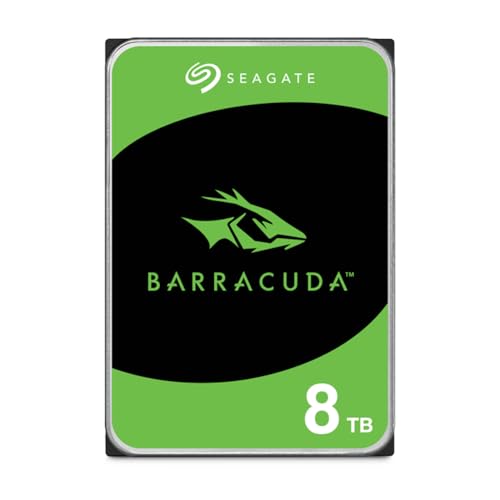
1. Seagate BarraCuda 8TB Internal Hard Drive
The Seagate BarraCuda 8TB is the everyday desktop hard drive: a 3.5-inch internal drive with 8TB of capacity, a SATA 6 Gb/s interface, and a design meant for ordinary PC storage, gaming libraries, and media collections. It is the drive you buy when you need a lot of space for not much money, and it does that job better than any other drive here. Eight terabytes holds a large game library, years of photos, or a serious media collection, and the BarraCuda has been Seagate’s desktop workhorse for years.
Verified specs
- 8TB capacity
- SATA 6 Gb/s interface
- Desktop HDD for everyday PC storage
- 3.5-inch internal drive
- Model ST8000DM004
Strengths
- 8TB of capacity for the cost of a small SSD
- Proven desktop design, widely used and well supported
- SATA interface works in any desktop PC
The capacity per dollar is the reason to buy the BarraCuda, because 8TB for this money is unmatched by any SSD, and the drive is a known quantity with years of use behind it. The SATA interface is the other win: it works in any desktop PC with a spare SATA port and a drive bay, with no adapters or special setup.
Before you buy, it is worth checking the practical details that cause most returns. Confirm that the listing shows the exact model name and configuration you expect, because similar models often share a name and differ in one specification that matters. Check the size and the connections against your setup, and make sure you know what is included in the box and what is sold separately. Read the return policy before ordering, and when the product arrives, test it with your real setup in the first few days rather than leaving it in the box. A quick check at the start saves a return later, and it is the simplest way to be sure the product you receive is the one you meant to buy.
Trade-offs
- Slower than an SSD, so not for your operating system
- Desktop-rated, not built for 24-hour NAS use
- 8TB is a lot, but a growing media library will fill it
A hard drive is slower than an SSD, so use the BarraCuda for storage and keep your operating system and favourite games on an SSD. It is also a desktop drive, not a NAS drive, so it is not built for running around the clock in a NAS enclosure.
Who it fits best
Desktop PC owners who need bulk storage for games, media, and backups at the lowest cost per terabyte.
Best for: Desktop users who want 8TB of cheap, reliable bulk storage.
Not suited for: NAS systems, which need a NAS-rated drive, and anyone who wants SSD speed.
Check price on Amazon: Seagate 8TB BarraCuda Internal Hard Drive
2. Western Digital Blue 4TB PC Internal Hard Drive
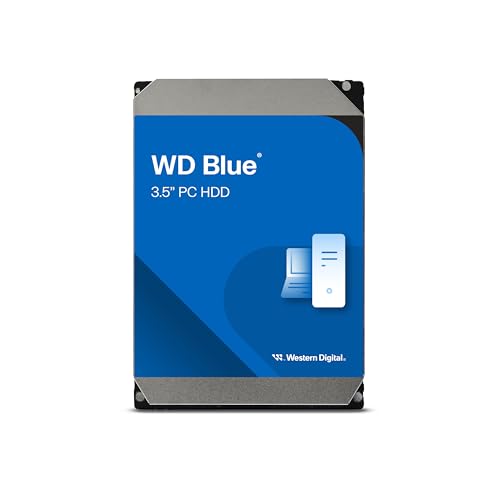
The Western Digital Blue 4TB is the quiet desktop drive: a 3.5-inch internal drive with 4TB of capacity, a 5400 RPM spindle speed, and a 128MB cache, built for everyday PC storage. The slower spindle speed is a feature, not a flaw: it makes the drive quieter and cooler than a 7200 RPM drive, which matters in a PC that sits on your desk. For documents, photos, and a modest media library, the WD Blue 4TB is the sensible, affordable pick.
Verified specs
- 4TB capacity
- 5400 RPM spindle speed
- SATA 6 Gb/s interface
- 128 MB cache
- 3.5-inch internal drive, model WD40EZZX
Strengths
- Quiet operation, thanks to the 5400 RPM spindle speed
- Runs cooler than faster drives, good for small cases
- Affordable entry point into multi-terabyte storage
The quiet operation is the reason to buy the WD Blue, because a 5400 RPM drive is noticeably quieter than a 7200 RPM drive, and in a PC on your desk, that matters every day. The cooler running is the other win: it puts less heat into a small case, which keeps the rest of your components cooler too.
Before you buy, it is worth checking the practical details that cause most returns. Confirm that the listing shows the exact model name and configuration you expect, because similar models often share a name and differ in one specification that matters. Check the size and the connections against your setup, and make sure you know what is included in the box and what is sold separately. Read the return policy before ordering, and when the product arrives, test it with your real setup in the first few days rather than leaving it in the box. A quick check at the start saves a return later, and it is the simplest way to be sure the product you receive is the one you meant to buy.
Trade-offs
- 5400 RPM is slower than 7200 RPM drives
- 4TB fills faster than 8TB for a media library
- Not rated for NAS or 24-hour use
The slower spindle speed means slower transfers than a 7200 RPM drive, so large file copies take longer, and 4TB is the smallest capacity on this list, which means it fills fastest. If you have a large media library, the 8TB BarraCuda above is the better buy.
Who it fits best
Desktop users who want quiet, affordable storage for documents, photos, and a modest media library.
Best for: Quiet desktop storage for documents and photos at an affordable price.
Not suited for: Large media libraries, which need 8TB or more, and NAS systems.
3. Seagate IronWolf Pro 8TB NAS Internal Hard Drive
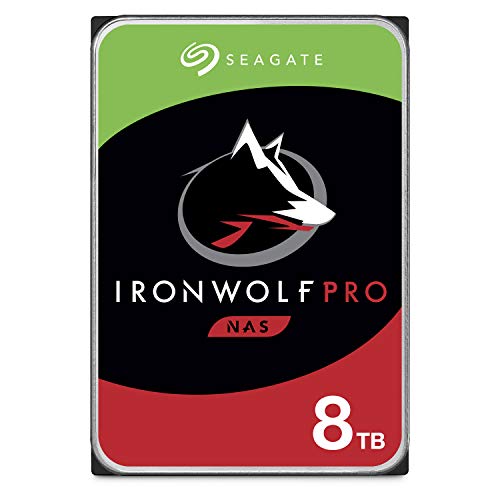
The Seagate IronWolf Pro 8TB is the NAS drive for a serious home or small-business NAS: an 8TB drive with a 7200 RPM spindle speed, a 256MB cache, and a design built to run 24 hours a day in a multi-bay enclosure. It uses CMR recording, which is the right choice for NAS and RAID, because it writes faster and more reliably than SMR under sustained loads. The IronWolf Pro is rated for heavier workloads than the standard IronWolf, which makes it the pick for a NAS that is always busy.
Verified specs
- 8TB capacity
- 7200 RPM spindle speed, 256MB cache
- NAS-optimised, 24/7 operation
- CMR recording, RAID-ready
- 3.5-inch internal drive
Strengths
- Built for 24/7 NAS operation in multi-bay enclosures
- CMR recording, the right choice for RAID and sustained writes
- 7200 RPM speed with a 256MB cache for responsive performance
The 24/7 rating is the reason to buy the IronWolf Pro, because a NAS drive never sleeps, and a desktop drive in a NAS will wear out faster. The CMR recording is the other win: it writes at full speed under sustained loads, where SMR drives slow down, which matters when you are backing up or rebuilding a RAID array.
Before you buy, it is worth checking the practical details that cause most returns. Confirm that the listing shows the exact model name and configuration you expect, because similar models often share a name and differ in one specification that matters. Check the size and the connections against your setup, and make sure you know what is included in the box and what is sold separately. Read the return policy before ordering, and when the product arrives, test it with your real setup in the first few days rather than leaving it in the box. A quick check at the start saves a return later, and it is the simplest way to be sure the product you receive is the one you meant to buy.
Trade-offs
- Louder than a desktop drive, thanks to the 7200 RPM speed
- Costs more than a desktop drive of the same capacity
- Overkill for a PC that is only on during the day
A NAS drive is louder than a desktop drive, so if your NAS sits in a living room, you will hear it, and it costs more than a desktop drive of the same size. But in a NAS, the extra cost buys reliability and speed that a desktop drive cannot match.
Who it fits best
NAS owners who need a reliable 8TB drive for a multi-bay enclosure that runs around the clock.
Best for: Home and small-business NAS systems that need 8TB of reliable, CMR storage.
Not suited for: Desktop PCs, where the BarraCuda is cheaper, and silent living-room setups.

4. Western Digital Red Plus 4TB NAS Internal Hard Drive
The Western Digital Red Plus 4TB is the quiet NAS drive: a 4TB drive with a 5400 RPM spindle speed, a 256MB cache, and CMR recording, built for a small NAS that runs around the clock. The slower spindle speed keeps it quiet and cool, which matters when the NAS sits in a living room, and the CMR recording means it handles RAID and sustained writes properly. For a two-bay home NAS that stores photos and backups, the Red Plus 4TB is the right drive.
Verified specs
- 4TB capacity
- 5400 RPM spindle speed, 256MB cache
- NAS-optimised, CMR recording
- Designed for 24/7 NAS operation
- 3.5-inch internal drive, model WD40EFPX
Strengths
- CMR recording, the right choice for NAS and RAID
- Quiet and cool, thanks to the 5400 RPM speed
- Designed for 24/7 operation in small NAS enclosures
The CMR recording is the key detail, because WD’s plain Red line uses SMR, which is slower under sustained writes, while the Red Plus uses CMR, which is the right choice for a NAS. The quiet operation is the other win: a 5400 RPM drive in a living-room NAS is far less noticeable than a 7200 RPM drive.
Before you buy, it is worth checking the practical details that cause most returns. Confirm that the listing shows the exact model name and configuration you expect, because similar models often share a name and differ in one specification that matters. Check the size and the connections against your setup, and make sure you know what is included in the box and what is sold separately. Read the return policy before ordering, and when the product arrives, test it with your real setup in the first few days rather than leaving it in the box. A quick check at the start saves a return later, and it is the simplest way to be sure the product you receive is the one you meant to buy.
Trade-offs
- 5400 RPM is slower than the 7200 RPM IronWolf Pro
- 4TB is modest for a growing media library
- Costs more than a desktop drive of the same size
The slower speed is the trade-off for quiet operation, so large transfers take longer than on the IronWolf Pro, and 4TB fills faster than 8TB. If your NAS is busy and you need speed, the IronWolf Pro above is the better pick, but for a quiet home NAS, the Red Plus is right.
Who it fits best
Home NAS owners who want a quiet, reliable 4TB drive for photos, backups, and media.
Best for: Quiet home NAS systems that need 4TB of CMR storage.
Not suited for: Busy NAS systems that need speed, and large media libraries.

5. Toshiba N300 8TB NAS Hard Drive
The Toshiba N300 8TB is the third option for NAS storage, and it is a strong one: an 8TB drive with a 7200 RPM spindle speed, a large 512MB cache, and a design built for 24-hour NAS operation. Toshiba is the third hard-drive maker, and the N300 is its NAS line, with CMR recording and a workload rating to match the Seagate and WD NAS drives. The large cache helps with bursty workloads, and the 8TB capacity suits a growing media library.
Verified specs
- 8TB capacity
- 7200 RPM spindle speed, 512MB cache
- NAS-optimised, 24/7 operation
- CMR recording
- 3.5-inch internal drive
Strengths
- Large 512MB cache helps with bursty NAS workloads
- 7200 RPM speed with CMR recording
- 8TB capacity at a competitive price for a NAS drive
The 512MB cache is the standout, because it is larger than the caches on the other NAS drives here, and it helps when the NAS handles many small requests at once. The 8TB capacity is the other win: it is enough for a serious media library without the cost of the enterprise drives.
Before you buy, it is worth checking the practical details that cause most returns. Confirm that the listing shows the exact model name and configuration you expect, because similar models often share a name and differ in one specification that matters. Check the size and the connections against your setup, and make sure you know what is included in the box and what is sold separately. Read the return policy before ordering, and when the product arrives, test it with your real setup in the first few days rather than leaving it in the box. A quick check at the start saves a return later, and it is the simplest way to be sure the product you receive is the one you meant to buy.
Trade-offs
- Toshiba has a smaller NAS ecosystem than Seagate or WD
- 7200 RPM means more noise than the WD Red Plus
- Availability can be patchier than the bigger brands
Toshiba’s NAS drives are less common than Seagate’s or WD’s, which means fewer user reports and sometimes patchier availability, but the drive itself is well specified. The 7200 RPM speed is louder than the Red Plus, so it suits a NAS in a cupboard or office more than a living room.
Who it fits best
NAS owners who want an 8TB drive with a large cache, and anyone building a NAS on a budget.
Best for: NAS systems that need 8TB with a large cache at a competitive price.
Not suited for: Silent living-room NAS setups, and buyers who want the biggest support ecosystem.

6. Western Digital Black 6TB Performance Internal Hard Drive
The Western Digital Black 6TB is the performance hard drive: a 6TB drive with a 7200 RPM spindle speed, a 256MB cache, and a design tuned for speed rather than silence. WD Black is the performance line, built for gaming libraries, video editing scratch space, and anywhere a hard drive needs to be fast. It is the drive you buy when you want a hard drive to feel as quick as a hard drive can feel, and 6TB is enough for a large game library.
Verified specs
- 6TB capacity
- 7200 RPM spindle speed, 256MB cache
- Performance drive for gaming libraries
- SATA 6 Gb/s interface
- 3.5-inch internal drive
Strengths
- Fastest desktop hard drive here, thanks to the 7200 RPM speed and large cache
- Built for gaming libraries and performance workloads
- WD Black reliability, with a strong track record
The speed is the reason to buy the WD Black, because a 7200 RPM drive with a 256MB cache loads games and large files noticeably faster than a 5400 RPM drive. The WD Black line is the other win: it has a long track record as the performance hard drive, and it is built for heavier use than the Blue line.
Before you buy, it is worth checking the practical details that cause most returns. Confirm that the listing shows the exact model name and configuration you expect, because similar models often share a name and differ in one specification that matters. Check the size and the connections against your setup, and make sure you know what is included in the box and what is sold separately. Read the return policy before ordering, and when the product arrives, test it with your real setup in the first few days rather than leaving it in the box. A quick check at the start saves a return later, and it is the simplest way to be sure the product you receive is the one you meant to buy.
Trade-offs
- Louder and warmer than the 5400 RPM drives
- 6TB is less than the 8TB BarraCuda for similar money
- Still far slower than any SSD
Performance has a cost: the WD Black is louder and warmer than the quiet drives, so it suits a PC with good airflow rather than a silent build. And 6TB is less capacity than the 8TB BarraCuda, so if capacity matters more than speed, the BarraCuda is the better buy.
Who it fits best
Gamers who want a fast hard drive for a large game library, and video editors who need fast scratch space.
Best for: Gaming libraries and performance workloads that need a fast 6TB hard drive.
Not suited for: Silent builds, where the WD Blue is quieter, and bulk storage, where the BarraCuda is cheaper per terabyte.

7. Seagate Exos X18 16TB Enterprise Hard Drive
The Seagate Exos X18 16TB is the enterprise drive: a 16TB hard drive with a 7200 RPM spindle speed, CMR recording, and a design built for datacentre workloads that run 24 hours a day. Sixteen terabytes is enough for a very large media library, a serious backup system, or a home server, and the enterprise rating means it is built to a higher standard than consumer drives. For anyone who needs the most capacity in a single drive, the Exos X18 is the pick.
Verified specs
- 16TB capacity
- 7200 RPM spindle speed, CMR recording
- Enterprise-class, hyperscale design
- SATA 6 Gb/s interface
- Built for 24/7 datacentre workloads
Strengths
- 16TB capacity, the most on this list by far
- Enterprise reliability, built for 24/7 workloads
- CMR recording with fast sustained writes
The capacity is the headline: 16TB in a single drive means fewer drives, fewer cables, and fewer points of failure, which matters in a home server or a large NAS. The enterprise build is the other win: it is rated for far heavier workloads than a consumer drive, so it lasts longer under constant use.
Before you buy, it is worth checking the practical details that cause most returns. Confirm that the listing shows the exact model name and configuration you expect, because similar models often share a name and differ in one specification that matters. Check the size and the connections against your setup, and make sure you know what is included in the box and what is sold separately. Read the return policy before ordering, and when the product arrives, test it with your real setup in the first few days rather than leaving it in the box. A quick check at the start saves a return later, and it is the simplest way to be sure the product you receive is the one you meant to buy.
Trade-offs
- Enterprise drive, so louder and warmer than consumer drives
- Most expensive drive on this list
- Overkill for a desktop PC that is only on during the day
An enterprise drive is built for a datacentre, not a living room, so it is louder and warmer than a consumer drive, and it costs more. But if you need 16TB in one drive and you will use it constantly, nothing else here comes close.
Who it fits best
Home server and large NAS owners who need maximum capacity in a single drive.
Best for: Home servers and large NAS systems that need 16TB of enterprise-grade storage.
Not suited for: Desktop PCs, where the BarraCuda is cheaper and quieter, and small NAS setups.
Buying guide
Warranties, returns, and checking your purchase
Most products in this guide come with a manufacturer warranty, and the length and coverage vary by brand, so check the warranty terms before you buy rather than after something goes wrong. Keep the packaging until you have tested the product, because a return is much easier with the original box. When the product arrives, check that the model name, the configuration, and the included accessories match the listing, and test it with your real setup in the first few days. If anything is wrong, contact the seller promptly, because return windows are limited and the first week is the time to find problems.
Capacity: how much do you really need?
A 4TB drive sounds large until you start storing games, photos, and video, and then it fills faster than you expect. Modern games are often over 100GB each, a photo library grows every year, and a media collection never shrinks. Eight terabytes is the sensible starting point for a media library or a game library, and 16TB is worth it for a home server or a serious backup system. Buy more capacity than you think you need, because adding a second drive later is more hassle than buying a bigger drive now.
CMR or SMR: why it matters
Hard drives record data in two ways: CMR, conventional magnetic recording, and SMR, shingled magnetic recording. CMR writes faster and more reliably under sustained loads, which makes it the right choice for NAS, RAID, and backups. SMR is cheaper, but it slows down badly when you write a lot of data at once, which is exactly what a NAS does. All seven drives here use CMR, which is why they cost a little more than the cheapest drives, and it is money well spent for NAS use.
NAS drives or desktop drives?
A NAS drive is built to run 24 hours a day in a multi-bay enclosure, with vibration tolerance and firmware tuned for RAID. A desktop drive is built for a PC that is on during the day and off at night. Using a desktop drive in a NAS works for a while, but it wears out faster and can drop out of a RAID array. If your drive will live in a NAS, buy a NAS drive: the IronWolf Pro, the Red Plus, or the N300 here. If it will live in a desktop PC, a desktop drive like the BarraCuda or the WD Blue is the right buy.
How to use and care for your pick
Keep the drive cool, because heat is the enemy of hard drives: make sure your case has airflow over the drive bays, and do not stack drives tightly without ventilation. Do not move a PC while the drive is spinning, because a hard drive has moving parts and a knock while it is running can damage it. Back up the drive, because a hard drive will fail eventually, and a backup is the only protection. If the drive starts clicking or making unusual noises, back it up immediately and replace it, because those sounds mean it is failing.
Common mistakes to avoid
The most common mistake is buying an SMR drive for a NAS, because it slows down badly under sustained writes and can drop out of a RAID array. The second mistake is buying too little capacity: a 4TB drive fills faster than you expect, and adding a second drive later is more hassle than buying an 8TB drive now. The third mistake is using a hard drive for your operating system, because an SSD is far faster and a hard drive makes the whole PC feel slow. Use an SSD for the system and a hard drive for storage, and each does the job it is best at.
Final recommendation
For most desktop users, the Seagate BarraCuda 8TB is the right drive: it is cheap, capacious, and proven. If you want quiet storage, the WD Blue 4TB is the pick, and if you want speed, the WD Black 6TB is the fastest desktop drive here. For a NAS, the IronWolf Pro 8TB is the best all-rounder, the Red Plus 4TB is the quiet pick, and the Toshiba N300 8TB is the value alternative. If you need maximum capacity, the Exos X18 16TB is the only drive here that offers it. Match the drive to the job, buy CMR, and buy more capacity than you think you need.
Frequently asked questions
What is the best hard drive for a PC?
For most desktop PCs, the Seagate BarraCuda 8TB is the best pick, because it offers 8TB of storage for the cost of a small SSD. If you want quiet operation, the WD Blue 4TB is the pick, and if you want speed for a game library, the WD Black 6TB is the fastest desktop drive here.
Are hard drives still worth it?
Yes, for bulk storage. A hard drive gives you terabytes for the cost of a small SSD, which makes it the cheapest way to store games, photos, video, and backups. An SSD is faster and is the right choice for your operating system and favourite games, but for bulk storage, a hard drive is still the best value.
What is the difference between CMR and SMR?
CMR, conventional magnetic recording, writes data in separate tracks and is fast under sustained writes, which makes it the right choice for NAS, RAID, and backups. SMR, shingled magnetic recording, overlaps tracks to fit more data, but it slows down badly when you write a lot at once. All seven drives here use CMR.
Do I need a NAS hard drive for my NAS?
Yes. A NAS drive is built to run 24 hours a day in a multi-bay enclosure, with vibration tolerance and firmware tuned for RAID. A desktop drive in a NAS will wear out faster and can drop out of a RAID array. The IronWolf Pro, Red Plus, and N300 here are all NAS drives.
How long do hard drives last?
A well-made hard drive typically lasts several years of normal use, and NAS and enterprise drives are rated for heavier workloads and longer lives. Heat, vibration, and knocks shorten a drive’s life, so keep it cool, keep it still, and back it up, because every hard drive fails eventually.
More from Reviewstook
If this guide helped, these related guides cover the rest of your setup: Best Bargain External SSDs, Best Small Graphics Cards, Best CPU Air Coolers Under 10000.
Conclusion
The best computer hard drives are not the fastest or the biggest: they are the ones that match the job. The BarraCuda 8TB is the best desktop drive, the WD Blue 4TB is the quiet pick, the WD Black 6TB is the fastest, the IronWolf Pro 8TB is the best NAS drive, the Red Plus 4TB is the quiet NAS pick, the N300 8TB is the value NAS alternative, and the Exos X18 16TB is the capacity king.
Buy CMR, buy more capacity than you think you need, and use an SSD for your operating system and a hard drive for storage. Get those three decisions right, and any of the seven drives here will serve you well for years.