Disclosure: As an Amazon Associate, reviewstook.com earns from qualifying purchases. Links on this page are affiliate links; they cost you nothing extra. Prices and availability change often, so check the current Amazon listing before you buy.
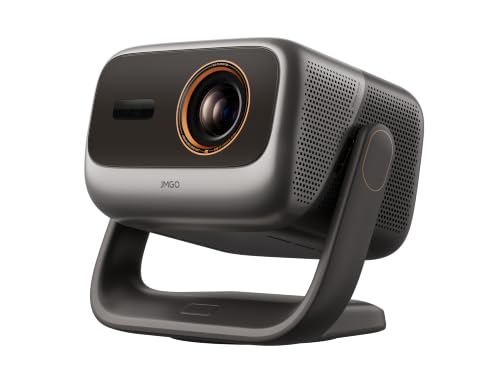
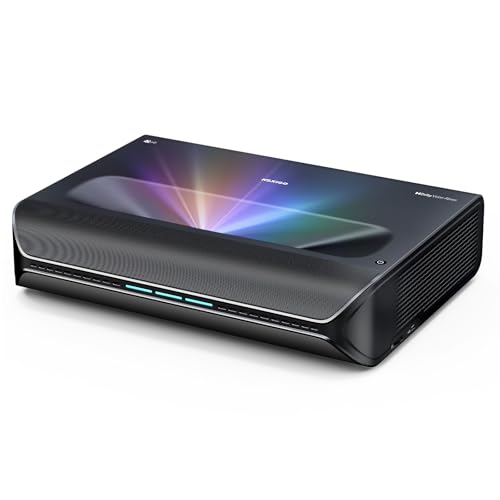
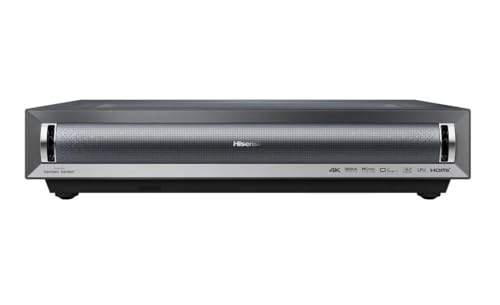
The px3 pro is Hisense’s ultra-short-throw triple-laser projector for people who want a cinema-sized picture without a cinema’s installation project: it sits on a credenza inches from the wall, throws an image measured in feet rather than inches, and carries the format badges — Dolby Vision, IMAX Enhanced, a high-refresh gaming mode — that used to require a flagship television. This review treats the PX3-PRO as the main subject it is, then places its two closest relatives where they honestly belong: the PX4 Pro, its brighter successor with an iris lens and a larger maximum image, and the PT1, a sibling ultra-short-throw model that trades some brightness for the same triple-laser, Google TV formula. By the end you should know whether laser TV, as this category likes to call itself, fits your room — and if it does, which of the three belongs in it.
First, the concept, because ultra-short-throw confuses newcomers. A conventional projector lives at the back of the room and needs a dark one; an ultra-short-throw projector uses a steep-angle lens to paint a huge image from a few inches away, which means no ceiling mount, no long cable runs, no shadows when someone stands up for a drink, and a setup that behaves more like placing a television than building a theatre. The trade-offs are equally physical: the projector and the wall or screen must be aligned with unusual precision, the image is at the mercy of your wall’s flatness unless you buy a proper screen, and ambient light is a sterner enemy than it is for a self-lit TV panel. Everything in this review flows from that bargain.
Key takeaways
- The PX3-PRO is the subject pick: a triple-laser 4K ultra-short-throw projector rated at 3,000 lumens for images from 80 to 150 inches, with Dolby Vision, Dolby Atmos support, IMAX Enhanced certification, Google TV, and a high-refresh mode aimed at gaming.
- The PX4 Pro is the successor alternative: brighter on paper at 3,500 ANSI lumens, a higher listed contrast figure with an iris lens, a larger 80-to-200-inch range, Devialet-tuned audio, and gaming features including a listed 1 ms low-latency claim and FreeSync Premium certification.
- The PT1 is the sibling alternative: the same triple-laser 4K and Google TV recipe at 2,500 lumens, adding 3D support, suited to more controlled light and smaller rooms.
- The screen decision matters as much as the projector decision: a dedicated ambient-light-rejecting screen transforms daytime performance, and no projector in this article should be judged on a bare textured wall.
- Ultra-short-throw rewards a fixed, dedicated spot. If your furniture or rental rules forbid a permanent credenza position a few inches from a clear wall, a television remains the honest answer.
In this guide
Quick picks: the three laser projectors in this review
- The subject: Hisense PX3-PRO — triple-laser 4K UST, 3,000 lumens, 80–150 inches, Dolby Vision and IMAX Enhanced, designed-for-Xbox gaming credentials. Check price on Amazon
- The successor: Hisense PX4 Pro — brighter, larger maximum image, iris lens, Devialet audio. Check price on Amazon
- The sibling: Hisense PT1 — triple-laser 4K UST at a gentler brightness, with 3D, for darker rooms. Check price on Amazon
How these picks were chosen: each projector was verified through this site’s Creators API check, its exact listing title matched to its official product image, before earning a link. No other projectors are linked in this article. Competing laser TVs from other brands are discussed in the buying-guide section as prose context, because a review that pretends rivals do not exist helps nobody — but links here are earned only by the three verified Hisense models that answer to this article’s subject.

Hisense PX3-PRO: does the laser TV formula work in a real living room?
Badge: The subject pick — triple-laser living-room cinema.
Mini spec box — Type: ultra-short-throw triple-laser projector · Resolution: 4K UHD · Brightness: 3,000 lumens per listing · Image size: 80–150 inches · Contrast: 3000:1 per listing · Formats: Dolby Vision, Dolby Atmos, IMAX Enhanced · Gaming: 240 high refresh rate per listing, Designed for Xbox · Platform: Google TV
Start with light, because light is the argument. Three thousand lumens from a triple-laser light source is a serious figure for a living-room device, and it buys the PX3-PRO a quality that older lamp projectors never had: watchability in a room that is merely shaded rather than blacked out. News, sport, and daytime streaming hold up with curtains drawn; films at night, with the room properly dim, are where the machine stops being a big television substitute and becomes the reason guests ask what they are looking at. The honest boundary is direct sunlight on the screen — no projector wins that fight, and the screen discussion below matters more than any lumen figure in deciding your daytime experience.
Triple laser is the second half of the picture story. Separate red, green, and blue laser sources produce a wide, saturated colour gamut without a colour wheel, and they hold their brightness over a lifespan measured in the tens of thousands of hours that lamp owners used to budget replacements against. Colour on well-mastered content is the PX3-PRO’s party piece: animated films and nature documentaries have a richness that reminds you why the format badges are on the box. Dolby Vision and IMAX Enhanced support mean the projector can interpret the premium HDR metadata and the expanded-aspect presentations that streaming services and discs increasingly carry, rather than merely accepting the signal.
Gaming is where the listing makes its boldest claims, and they deserve a careful read. The headline is a 240 high refresh rate figure, which in this class of projector refers to high-refresh input handling at lower resolutions rather than native 4K at that rate — the standard industry arrangement, and a genuinely useful one for fast games, because responsiveness at 1080p with a high refresh is what competitive play actually uses. The Designed for Xbox designation signals that the projector’s game mode, latency behaviour, and handshake with the console were validated as a package. For the living-room gamer — big screen, controller, sofa — this is one of the most complete gaming briefs in the UST class, provided your expectations are set by the physics above rather than by the largest number on the page.
Google TV handles the streaming side with the usual virtues: every major service, a sane home screen, voice search that mostly works, and no need for an external streamer unless you have a preferred ecosystem elsewhere. Sound is the built-in kind — competent, room-filling enough for casual viewing, and transparently the first upgrade path, because a picture this size eventually asks for audio with a soundbar or separates behind it. The projector supports the Dolby Atmos side of the equation as a signal to pass and process; what your room hears depends on what you connect, as it should.
Strengths
- Triple-laser colour and 3,000 listed lumens make it genuinely usable beyond a blacked-out theatre room.
- Dolby Vision and IMAX Enhanced support cover the premium formats streamers and discs actually ship.
- The gaming brief — high-refresh mode and Designed for Xbox validation — is unusually complete for the class.
Trade-offs
- Ultra-short-throw alignment is fussy: the projector, furniture, and screen must hold a precise relationship.
- Daytime performance depends heavily on a proper ambient-light-rejecting screen, an additional purchase to budget for.
- Built-in audio, while capable, will eventually feel small next to a 120-inch picture.
Best for: living-room cinema builders who want a huge image without mounting anything, and sofa gamers who value screen size. / Not suited for: rooms with uncontrolled direct sunlight, or anyone unwilling to give the projector a fixed, aligned home. Check price on Amazon

Hisense PX4 Pro: what does the successor add?
Badge: The successor alternative — brighter, bigger, with an iris.
Mini spec box — Type: ultra-short-throw RGB laser · Brightness: 3,500 ANSI lumens per listing · Image size: 80–200 inches · Contrast: 6500:1 per listing, iris lens · Formats: IMAX Enhanced, Dolby Vision, Dolby Atmos · Audio: Devialet · Gaming: 1 ms low latency claim and FreeSync Premium Certified per listing
The PX4 Pro is what a successor should be: the same idea, pushed where owners of the previous model asked for more. Brightness rises to a listed 3,500 ANSI lumens — note the ANSI qualifier, the more standardised measurement, which makes cross-shopping a little more honest. The maximum image grows to 200 inches, a size at which your limiting factor stops being the projector and becomes the wall itself, and an iris lens joins the design, mechanically adjusting light output to deepen contrast scene by scene; the listed contrast figure more than doubles the PX3-PRO’s, and while all manufacturer contrast numbers deserve a raised eyebrow, an iris is a real mechanism with a real effect on black levels in dark scenes.
Audio gets a named partner this time: Devialet tuning, which in practice means the built-in sound was voiced by a company whose entire reputation is small-box acoustics. It will not repeal the soundbar argument for a dedicated theatre, but for a clean living-room installation — the kind where visible speakers are negotiated away — it raises the built-in ceiling meaningfully. The gaming brief sharpens too, with a listed 1 ms low-latency claim and FreeSync Premium certification aimed at PC and console players who care about variable refresh behaviour. As with the model above, read refresh and latency claims as input-mode figures and judge them in the mode you will actually play in.
Who should pay the successor’s premium? Owners of brighter rooms, builders of genuinely huge screens beyond 150 inches, and film-first viewers who will notice the iris working in night scenes. Who should not: PX3-PRO owners, whose projector the PX4 Pro improves upon rather than replaces in kind, and buyers whose rooms top out at 120 inches in controlled light, where the older model’s abilities already cover the brief.
Strengths
- Higher listed brightness and an iris lens push both daytime usability and dark-scene contrast forward.
- The 80-to-200-inch range covers screen ambitions the PX3-PRO cannot reach.
- Devialet-tuned audio raises the quality of a no-external-speakers installation.
Trade-offs
- It sits at the flagship tier of the range; the improvements are real but so is the step up in commitment.
- At image sizes toward 200 inches, screen cost and wall requirements grow with the picture.
- Its gains matter least in exactly the controlled, mid-size rooms where the PX3-PRO already excels.
Best for: brighter rooms, very large screens, and film-first viewers who will use the iris and the extra light. / Not suited for: happy PX3-PRO owners, or mid-size rooms with good light control. Check price on Amazon

Hisense PT1: where does the sibling fit?
Badge: The sibling alternative — the same recipe at gentler brightness, with 3D.
Mini spec box — Type: ultra-short-throw triple-laser projector · Resolution: 4K UHD · Brightness: 2,500 lumens per listing · Image size: 80–150 inches · Contrast: 3000:1 per listing · Formats: IMAX Enhanced, Dolby Vision, Dolby Atmos, 3D · Gaming: 240 high refresh rate per listing · Platform: Google TV
The PT1 is best understood as the PX3-PRO’s formula tuned for the dedicated room rather than the bright living room. The triple-laser 4K engine, the Google TV platform, the 80-to-150-inch range, the premium format support — all present. Brightness steps down to a listed 2,500 lumens, which in a light-controlled room is no hardship at all: once the room is dark, contrast and colour carry the picture, and both are present here in the same measure as the subject model. The PT1 also keeps a feature the others’ listings do not emphasise — 3D support — which matters to the small but devoted audience with a shelf of 3D discs and no other modern way to play them.
Positioned honestly, the PT1 is the pick for a basement theatre, a dedicated media room, or any space where the lights go properly down and the screen sits at or below the middle of the size range. Its trade is explicit: give up some daylight versatility, keep the colour and the formats, and let the room do the rest. Buyers with bright, multi-purpose living rooms should read that trade as a warning rather than a bargain signal, because brightness is the one specification a dark room forgives and a bright room never does.
Strengths
- The full triple-laser colour and format story is intact for controlled-light rooms.
- 3D support serves a library that most new displays have abandoned.
- Google TV and the same size range keep the living experience identical to its brighter sibling.
Trade-offs
- At 2,500 listed lumens it asks for a darker room than the PX3-PRO does.
- It is the gentler instrument in every headline figure, which bright-room buyers will feel immediately.
- Like all UST models here, it still needs the aligned, fixed installation the category demands.
Best for: dedicated dark rooms, 3D library owners, and viewers at moderate screen sizes. / Not suited for: bright multi-purpose living rooms. Check price on Amazon
How do the three Hisense laser projectors compare?
On paper the ladder is tidy: PT1 at 2,500 lumens for dark rooms, PX3-PRO at 3,000 for the mainstream living room, PX4 Pro at 3,500 ANSI with an iris for brightness and contrast headroom, and a size ceiling that rises from 150 to 200 inches only at the top. In a room, the ladder blurs usefully: all three share the colour character of triple laser, the same platform, and the same installation demands, so the real questions are your room’s light, your screen’s size, and whether an iris-assisted black level is something your favourite films will show off. A buyer choosing between them is choosing a room as much as a projector, which is why the next section starts with walls and windows rather than with products. For broader context across brands, best gaming projectors, best ultra short throw projectors, and the projector buying guide widen the field properly.
How do you choose an ultra-short-throw projector for your room?
Begin with the wall, because the wall is half the product. Measure the image you actually want — most living rooms land between 100 and 120 inches, a size that feels cinematic without swallowing the wall’s other jobs — and confirm the wall is flat, because UST projection magnifies every ripple into a visible wave in straight lines and scrolling credits. If the wall is textured, bowed, or spoken for by shelving, a fixed-frame screen stops being an accessory and becomes the plan, and its cost belongs in the budget from day one. Ambient-light-rejecting screens designed for UST use a lenticular surface that catches light from below — the projector’s angle — and rejects light from above and the sides, which is why they transform daytime viewing; a plain white screen or wall cannot do that trick at any projector brightness.
Next, the furniture geometry. An ultra-short-throw projector sits a specific, small distance from the wall for each image size, and its height relative to the screen’s bottom edge is fixed by the lens design. That means a credenza of the right depth and height, stable enough that a bumped piece of furniture does not quietly skew the picture — because with UST, a few millimetres of movement is a visible geometry error. Households with enthusiastic toddlers or large dogs should think honestly about whether a precision optical instrument can live unmolested at ankle height; a television on a wall mount survives childhoods that a laser TV on a low bench may not. The comparison in projector vs tv works through that household decision in full.
Then light, audited at the hours you actually watch. A room that is bright at noon and gentle at seven in the evening is a fine UST room if your serious viewing is nocturnal; a south-facing daytime sports room is a television room wearing a projector costume. Blackout curtains are a legitimate part of the projector budget and often the highest-value money in the whole installation. Sound planning comes fourth: decide whether built-in audio, a soundbar, or a full system will serve the picture, and run the cables for that decision before the furniture settles. Finally, the source audit — streaming through Google TV covers most households, but disc collectors and gamers should confirm the inputs and the game-mode behaviour of the exact model, which is where the PX3-PRO’s Designed for Xbox brief and the PX4 Pro’s FreeSync certification stop being badges and start being answers.
How do you install and align a laser TV without losing a weekend?
Installation is a morning’s careful work if you respect the sequence. First, position the screen or mark the image area on the wall before the projector moves in, using the size you chose and a level you trust. Second, place the projector on its furniture at the approximate distance for that size and power it on with a test pattern or a familiar paused frame; resist the urge to use keystone correction as your first tool. Keystone is a digital reshape that costs resolution and sharpness; physical alignment — sliding the projector millimetres, levelling its feet, squaring it to the wall — is free and lossless, and UST rewards patience here more than any other product category.
Third, work the geometry in order: distance sets size, height sets vertical position, rotation sets level, and only then should focus and the corner adjustments come out, in small touches, checking the centre of the image as often as the edges. Fourth, the picture settings: choose the accurate picture mode as your base rather than the vivid showroom one, set HDR behaviour per input if the projector allows it, and confirm that game mode engages on the console input — latency features locked behind a mode you never enabled are the category’s saddest story. Fifth, audio routing: if a soundbar or receiver is in the plan, connect it through the ARC or eARC path and confirm the projector passes the formats your sources send.
Finish with a week’s grace before final judgement. Laser projectors do not need lamp-style break-in, but owners need expectation calibration: watch your brightest daytime content and your darkest film scene, play your fastest game, and only then micro-adjust. Keep the furniture honest during that week — no nudging the credenza to vacuum behind it — and consider discreetly marking the projector’s feet positions once alignment is perfect, so the inevitable future move is a restoration, not a reinvention. Screens, mounts, and placement hardware are a world of their own; how to choose a projector screen is the right next read.
What mistakes do first-time laser TV buyers make?
The classic mistake is buying the projector and postponing the screen, then judging the combination on a wall that was never going to flatter it. The second is chasing the largest image the box advertises: a 150-inch picture in a room where viewers sit eight feet away is not cinema, it is tennis spectating, and brightness per unit area falls as size climbs, so the biggest image is also the dimmest version of your projector. The third is ignoring throw geometry until delivery day and discovering the beloved media console is two inches too shallow. Measure first; the numbers are all published, and a tape measure is cheaper than a return.
Fourth, leaving keystone to fix a careless placement and living forever with the softness it introduces. Fifth, expecting any projector to defeat direct sunlight, then blaming the machine for a physics result the buying guide predicted. Sixth, forgetting the household: a precision-aligned box at toddler height in a playroom is a recurring alignment subscription. And seventh, neglecting audio until the premiere, when a wall-filling picture meets small built-in sound and the mismatch steals the evening. Every one of these mistakes is a planning error rather than a product error, which is the good news — planning is free.
Our final recommendation
The PX3-PRO is the recommendation for the mainstream laser-TV buyer: bright enough for a shaded living room, formatted for the premium present, and game-capable in a way its class rarely manages, at the middle of this family’s ladder. Step up to the PX4 Pro if your room is bright, your screen ambition exceeds 150 inches, or your film diet is heavy with dark scenes that will reward the iris. Choose the PT1 if your room goes properly dark, your size is moderate, and especially if a 3D library is waiting for a home. And keep the honest exit in view: if the wall, the furniture, or the daylight cannot cooperate, the right answer is a large television, and no review should be embarrassed to say so.
What do Dolby Vision, IMAX Enhanced, and triple laser actually change on screen?
Format badges are easy to mock and worth understanding anyway, because each one names a real behaviour. Dolby Vision is dynamic HDR metadata: instead of one brightness instruction for a whole film, the mastering carries guidance scene by scene, and a display that supports it can map each scene to its own capabilities rather than applying a single compromise. On a projector — whose brightness is precious and whose tone mapping decides whether a night scene is moody or merely muddy — good dynamic metadata is not a luxury; it is the difference between the projector guessing and the projector knowing. When you watch a Dolby Vision stream on the PX3-PRO, you are seeing the format do its best work in exactly the category that needs it most.
IMAX Enhanced is a certification and content programme combining remastered picture, an expanded aspect ratio for supported titles, and a particular DTS audio presentation. Its practical meaning for a buyer is narrower than the badge suggests: a subset of streaming titles will fill more of your screen and present their sound as the programme intends. It is a genuine bonus for the films that carry it and irrelevant to everything else, which is the correct way to value it — a tiebreaker feature, not a foundation.
Triple laser, by contrast, is a foundation. A single-laser projector typically starts from one colour and manufactures the rest through a phosphor and a wheel; a triple-laser design generates red, green, and blue directly, which is how this class achieves its wide, saturated gamut and holds brightness without the wheel’s compromises. Two ownership consequences follow. There is no colour wheel to wear, and the light source’s life is measured in the tens of thousands of hours. There is also a phenomenon some viewers notice with laser projection — speckle, a faint shimmer in solid colours — whose visibility depends on the screen material, one more reason the screen choice in this article keeps being called half the product.
How does gaming on a 120-inch laser image actually feel?
Scale changes games before specifications do. Open-world titles become places rather than maps; racing games give braking markers a physical size your peripheral vision respects; split-screen, nearly extinct on televisions because each half shrank to a postage stamp, returns to full citizenship when each player gets what is effectively a large TV to themselves. The PX3-PRO’s gaming brief — the high-refresh input mode, the Designed for Xbox validation — exists to make sure the electronics keep up with what the size promises, and in the mode designed for it, input latency stops being the story and the screen becomes it.
The honest taxonomy of players matters here. The sofa gamer, controller in hand, playing story titles, racers, sports, and co-op, is this machine’s ideal citizen and will not find its limits in a year of evenings. The competitive online player, ranked and frame-counting, should understand that even excellent projector game modes concede a little to a dedicated gaming monitor, and that the high-refresh mode’s resolution arrangement is the standard trade the whole industry makes. Many households end up with both: the monitor for the ranked grind, the laser wall for everything shared. That is not a failure of the projector; it is the correct division of labour, and a review that pretends a 150-inch image must win every category is selling, not reviewing.
Setup for gaming deserves its own paragraph because it is where owners trip. Use the input and picture mode the game features specify, confirm the console is outputting the refresh and HDR format you expect, and resist running games through the film picture modes whose processing exists for cinema. Keep the projector’s firmware current, because handshake behaviour with consoles is precisely the sort of thing updates quietly improve. And sit at a sane distance: the temptation to sit close enough to fill your vision is strong, but a slight retreat sharpens perceived detail and reduces the head movement that makes fast games tiring at this scale.
What are your sound options with a laser TV?
All three projectors in this article make a respectable built-in noise, and the PX4 Pro’s Devialet tuning makes a better one, but physics sets the terms: speakers inside a box the size of a breadmaker, sitting below the screen, cannot manufacture the scale a 120-inch image implies. The upgrade ladder is well worn. A soundbar is the clean step — one unit, one cable over ARC or eARC, dialogue clarity and bass that transform films more than any picture setting can. A soundbar with a wireless subwoofer adds the low end that action soundtracks assume. A receiver and separate speakers remain the ceiling, with true surround placement and the Atmos presentation these projectors can pass, at the cost of the visible hardware a laser TV installation often exists to avoid.
Whichever rung you choose, two details decide satisfaction. Centre-channel clarity is the film feature that matters most — dialogue intelligibility at low evening volumes is worth more than any explosion — and lip-sync adjustment is the setting to learn on day one, because processing chains introduce small delays and every system here provides the tool to correct them. Do the audio setup with a dialogue-heavy scene you know well, at the volume you actually use at night, and the system will serve you for years without further thought.
Ultra-short-throw, short-throw, or a big television: which should you choose?
The decision deserves one clean framework. Choose a big television if your room is bright at viewing hours, your wall cannot be a screen, your household cannot protect a floor-level precision instrument, or your size ambition stops where large TVs remain practical — and be at peace, because modern televisions are superb. Choose ultra-short-throw if you want sizes beyond television economics, your room’s light is manageable, and a fixed credenza position is available; it is the only projector format that installs like furniture and behaves like an appliance. Choose a conventional longer-throw projector if you are building a dedicated theatre with a back row, a ceiling mount, and controlled light — the traditional format still wins the purpose-built room, and it is not the format this article is about.
Budget honestly across the whole system in each case: projector plus screen plus audio plus the curtains you pretend are unrelated. Compared that way, the PX3-PRO’s proposition sharpens — it is the centre of a system whose total is usually justified the first time a film’s opening shot fills the wall and the room goes quiet. That moment is the product. Everything in this review — lumens, lasers, badges, refresh modes — is engineering in service of it, and a buyer who keeps the moment in view while auditing the practicalities will choose well among the three machines here, or walk away to a television with a review’s blessing.
What does ownership look like after the first month?
The honeymoon ends and the habits begin, and laser TV ownership has a particular rhythm worth previewing. Alignment, once set and protected, stays set — the owners who re-align monthly are the owners whose furniture moves, which is a household logistics problem rather than a product flaw. Dust is the main maintenance: the lens and the vents want a gentle, regular pass with a dry cloth or air, because a UST lens sits exposed and upward-facing in a way a ceiling projector’s never does. Keep the air path clear, give the unit the ventilation its manual specifies, and the laser source will quietly outlast the streaming platform’s interface fashions.
Software ages faster than hardware here. Google TV will evolve, apps will come and go, and at some point in the projector’s long life an external streamer may become the smarter front end — a painless succession, because the projector’s job is the picture and it keeps that job for years. Budget a thought for the screen’s longevity too: a fixed-frame ALR screen is a decade-scale purchase that will serve the next projector as happily as this one, which reframes its cost kindly. Owners who think in systems — picture, screen, sound, light — rather than in a single box tend to be the ones still delighted in year three.
Who is the PX3-PRO not for, honestly?
It is not for the brightness maximalist whose viewing is a sunlit open-plan room at midday; no projector is, and pretending otherwise wastes everyone’s money. It is not for the renter whose walls and furniture are both negotiable weekly, because UST is a commitment to a geometry. It is not for the ranked competitive player seeking a primary display, who should buy the monitor first and let this be the household’s second screen. It is not for the buyer whose budget ends exactly at the projector, leaving nothing for the screen and sound the picture deserves — that buyer should either save longer or scale the ambition to a television the budget completes. Naming these readers is not a dismissal; it is the review keeping faith with the ones it does recommend, whose rooms, habits, and budgets this machine will reward every evening they use it.
And a final note for the comparison shopper who has read this far and is now weighing the PX3-PRO against a similarly sized television at a similar commitment: sit in front of both experiences if you possibly can, with your own content, at your own viewing distance. Specifications narrow the field to a shortlist; only the image, at scale, in a room like yours, finishes the argument. That is true of every product in this article’s family, and it is the most useful sentence a projector review can leave you with.
How should you plan screen size and seating distance together?
Size and distance are one decision wearing two hats, and getting their relationship right is the difference between cinema and strain. The governing idea is the viewing angle: the share of your vision the image fills. Too narrow and the expensive size feels like a television seen from the hallway; too wide and your eyes commute across the frame, subtitles live in another postcode, and fast camera work becomes weather. For mixed living-room use, most households settle happily where the main seats put the screen’s width at a comfortable, immersive span — which in practice lands many rooms at 100 to 120 inches from typical sofa distances, exactly the heart of the PX3-PRO’s range.
Work it backwards from the seats you cannot move. Measure eye-to-wall distance at the main sofa, choose the size that fills it sensibly, and then check that the projector’s placement distance for that size matches the furniture you own or are willing to buy. Check the second row of life too: the armchair at an angle, the floor cushion, the kitchen sightline for sports days. A size that serves the main seats and remains watchable from the household’s real secondary spots is the right size, even if a bigger number fits the wall. Resolution supports the ambition here — 4K at these sizes keeps pixel structure invisible from sane distances, which is precisely why the format and the category grew up together.
Do the painter’s-tape rehearsal before any purchase: mark the candidate image’s corners on the wall and live with the outline for two evenings. Watch the news, eat dinner, walk past it with laundry. Households regularly revise size by ten inches in one direction or the other after the tape test, and it costs nothing but an evening. The projector you buy after the tape test is the projector your room chose, and rooms are rarely wrong about themselves.
What picture settings should you change first on any of these projectors?
Out of the box, projectors are tuned to survive a showroom, which means brightness and saturation set to win a comparison nobody’s living room asked for. Your first evening’s settings work is mostly subtraction. Choose the picture mode with the accurate name — film, cinema, movie, filmmaker — because those modes target the standards content was mastered to, and they are the honest baseline from which personal taste should depart knowingly. Reduce any motion-smoothing feature to off or its gentlest film setting for movies, because interpolation that flatters a sports broadcast will make a feature film look like a soap opera; many owners keep a per-input arrangement, with the console input on game settings, the streamer on film settings, and no nightly fiddling between.
Colour temperature belongs at its warm, standard-graded setting for the same reason: it is what the colourist saw. Sharpness wants restraint, especially with 4K sources that need no help; excess sharpness manufactures halos that masquerade as detail. HDR settings deserve one experiment — watch a familiar dark scene and compare the projector’s tone-mapping choices, keeping the one that preserves shadow detail without greying the blacks. Write down what you changed and why, and then stop: a projector’s settings should converge within the first week and then disappear from your life, leaving only the films. Owners still adjusting in month two are usually chasing room problems — light, screen, seating — through a menu that cannot fix them, which is why this article keeps returning to the room. The room is the setting.
One more ownership truth, saved for readers who have stayed the course: a laser TV quietly changes what a household watches. Films get chosen for the wall, not despite it; sports gatherings migrate to your living room; games that felt small become events; and the evening news at one hundred inches is a pleasure nobody predicts. That gravitational pull is the real return on the installation effort, and it is why the owners of machines like the PX3-PRO tend to answer questions about lumens with stories about evenings instead. Buy the room right, align it once, and the stories accumulate on their own.
How do sources and streaming fit into the PX3-PRO picture?
A projector is only ever showing you a source, and the PX3-PRO’s Google TV platform means the most common sources live inside the machine itself: the major streaming services with their 4K, Dolby Vision, and Atmos tiers, presented through an interface the whole household already understands from television. Two disciplines elevate the result. First, confirm each service is actually sending its premium format — subscription tiers gate the best streams, and a projector is merciless at revealing a soft, compressed feed at 120 inches; the wall will show you exactly what your plan buys, which is an argument for the top streaming tier that makes itself the first night. Second, give the projector a wired network connection if your room allows it, because high-bitrate streams and game downloads both prefer the boring reliability of a cable to the variable moods of a busy wireless network.
Discs remain the quality ceiling, and collectors should plan the player into the system from the start: an Ultra HD Blu-ray player feeding the projector directly or through a receiver, with the projector’s HDR handling set per input as discussed earlier. The difference between a top-tier stream and a disc is subtle on a television and plain on a wall — another of the category’s recurring lessons that scale is a critic. Consoles complete the source trio, with the game-mode discipline already covered. Households that organise sources this way — internal streaming for convenience, a player for the crown jewels, a console on its own tuned input — stop thinking about sources entirely within a month, which is the mark of a system that has settled into being a room rather than a project.
To close the comparison loop for the reader still torn between the three machines on a single axis — value — the honest framing is cost per evening over the system’s life. The projector is the smallest part of a laser TV’s lifetime cost story once screen, sound, and room are counted, and the differences among these three models shrink when spread across years of nightly use. Buy the one your room needs, not the one a ladder nudges you toward: a PT1 perfectly matched to a dark room will delight its owner more than a PX4 Pro overserving the same space, and a PX3-PRO in the living room it was designed for remains, on the evidence of this review, the family’s sweet spot.
One more for the reader comparing this family against a conventional projector already owned: the upgrade logic of ultra-short-throw is not only brightness or resolution, but the removal of the old machine’s daily frictions — the mount, the long throw, the shadows, the darkened-room ceremony for casual viewing. Owners who switch formats consistently cite the casual hours, not the cinema nights, as the revelation: the news, the match, the game’s quick session, all suddenly happening at wall size because the projector lives like a television. That ordinariness is the category’s real achievement, and the PX3-PRO delivers it in full.
Frequently asked questions
Do I need a special screen for the PX3-PRO?
You can project onto a smooth, flat, light-coloured wall and get a watchable image, but a dedicated screen — ideally an ambient-light-rejecting design made for ultra-short-throw — is the single largest picture-quality upgrade available to this projector. It improves contrast, colour, and daytime usability in ways no setting can, and it fixes the flatness problems that walls commonly hide.
How far from the wall does an ultra-short-throw projector sit?
Only a few inches to roughly a couple of feet, depending on the image size chosen — larger images need slightly more distance and a specific height relationship to the screen. The exact figures for each size are published in the model’s placement guide, and they should be measured against your furniture before you buy, because the geometry is not negotiable after delivery.
Is the PX3-PRO good for gaming?
Its brief is unusually strong for the class: a high-refresh gaming mode and Designed for Xbox validation, aimed at exactly the living-room console play most buyers have in mind. Read the headline refresh figure as applying to the high-refresh input mode at lower resolution, which is the standard arrangement and the one fast games actually use, and confirm game mode is enabled on the input your console uses.
What is the difference between the PX3-PRO and the PX4 Pro?
The PX4 Pro is the successor: higher listed brightness in ANSI lumens, an iris lens with a higher listed contrast figure, a larger maximum image of 200 inches against 150, Devialet-tuned audio, and FreeSync Premium certification in its gaming brief. The PX3-PRO remains the mid-ladder pick for mainstream rooms; the PX4 Pro earns its premium in bright rooms, huge screens, and dark-scene film viewing.
Can a laser projector replace a TV for daytime viewing?
For shaded daytime viewing — news, sport, streaming with curtains drawn — yes, especially paired with an ambient-light-rejecting screen. For a room with direct sun on the screen wall, no projector is the right tool and a bright television remains the honest recommendation. Audit your room’s light at your actual viewing hours before deciding.
How long does the laser light source last?
Laser light sources in this class are rated in the tens of thousands of hours, which at ordinary viewing rates translates to many years without the lamp replacements older projector owners budgeted for. Brightness also fades far more gradually than with lamps. Exact rated figures are published in each model’s specifications on its listing, and they are among the strongest practical arguments for laser over lamp.