Disclosure: As an Amazon Associate, reviewstook.com earns from qualifying purchases. Links on this page are affiliate links; they cost you nothing extra. Prices and availability change often, so check the current Amazon listing before you buy.
Searching for xraypad aqua control pro is what a specific kind of player does: a low-sensitivity FPS player who has heard that X-Raypad’s Aqua Control family offers the most deliberate, braking-friendly cloth glide in the business, and who wants the best version of it. This review begins with the honest complication, because it shapes everything below: no Amazon listing is actually titled Aqua Control Pro. The Aqua Control name covers a family — the Aqua Control 2 and the Aqua Control Plus line among them — and the Pro designation belongs to the maker’s wider catalogue language rather than to a verifiable listing this guide can link. So the Pro’s surface claims are covered here in prose, as part of a full tour of the family’s control philosophy, while the two linked products are the family’s verified standard-bearers under their real names: the Aqua Control Plus Wave and the Aqua Control 2. Neither will be relabelled for convenience anywhere on this page. What you will get is the complete picture a control-pad buyer actually needs — what this family’s glide feels like, who it serves, how its members differ, how to size and pair one, and how to keep it at its best — ending in a clear recommendation about which real pad to buy for which kind of aim.
Key takeaways
- The Aqua Control family is built around one idea: a control cloth surface whose glide is consistent on both axes, so diagonal and vertical movements brake exactly like horizontal ones.
- These pads serve low-DPI FPS players who stop the mouse with friction rather than with a flick of the wrist, and who value repeatable stopping over raw speed.
- No listing titled Aqua Control Pro could be verified; the family’s real, purchasable members are the Aqua Control Plus Wave and the Aqua Control 2 reviewed below.
- The Plus Wave leans into the family’s control character with its wave-textured identity, while the Aqua Control 2 is the balanced reference point of the range.
- Pad choice is a friction decision before it is a brand decision: match the surface to your stopping technique, your mouse’s weight, and your skates.
- Cloth control pads reward care — flat storage, gentle cleaning, skate awareness — and repay it with a consistency that lasts for seasons.
In this guide
Xraypad Aqua Control Pro: what is the Aqua Control family, and where does Pro fit?
X-Raypad is a specialist maker in a category full of generalists, and the Aqua Control line is its argument that a mousepad is an aiming instrument rather than a desk accessory. The family’s founding claim, repeated across its listings, is a surface engineered for speed and control in balance, with a glide that stays consistent across the X and Y axes — a property players underestimate until they play on a pad that lacks it, where vertical movements feel subtly different from horizontal ones and diagonal tracking develops a grain the hand must constantly forgive. Aqua Control pads are aimed explicitly at FPS players on low DPI settings, which tells you the design’s centre of gravity: long sweeps, decisive stops, and micro-corrections that must start and end on friction the player can predict to the millimetre.
The Pro question deserves its plain answer. Within the maker’s broader catalogue language, Pro-tier Aqua Control variants exist as part of the family’s evolution — refinements of the surface and base aimed at the most demanding control players — but the name does not correspond to a listing that could be verified through Amazon’s catalogue for this guide, and the two pads that could be verified are the ones linked below. That is not a disappointment so much as a clarification of where the family’s purchasable centre of gravity sits: the Aqua Control 2 is the reference control pad of the range, and the Aqua Control Plus family, represented here by the Wave edition, is its elaborated sibling. A buyer who came for the Pro’s promise — maximum, consistent control — will find that promise kept by the real members under their real names, which is how this review proceeds. Players comparing the whole pad market rather than one family should also browse gaming mouse pads across every speed class.

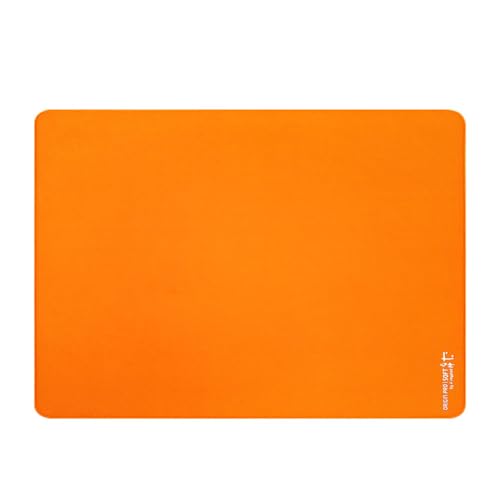
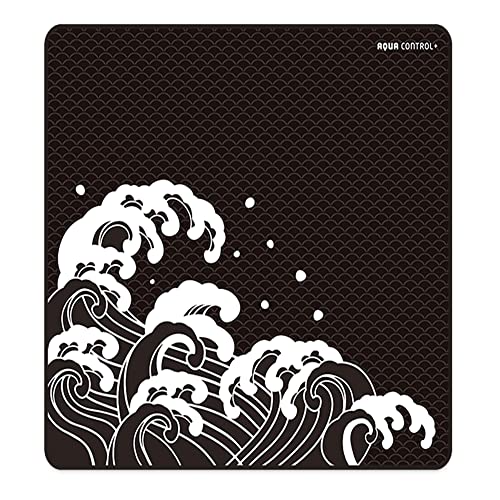
X-Raypad Aqua Control Plus Wave — the family’s control character, amplified
Badge: Best pick for committed low-DPI control players. The Aqua Control Plus Wave carries the family’s brief — ultra-high precision, a considered balance of speed and control, consistent glide on both axes, designed for FPS players with low DPI requirements — and expresses it in the Plus line’s more assertive form, with the Wave identity marking this edition’s place in the range. For the player whose stopping technique is the centre of their aim, this is the pad in the guide that leans furthest toward their side of the friction spectrum while keeping the family’s signature evenness.
At a glance: Control-leaning cloth gaming pad; consistent X and Y glide; designed for low-DPI FPS play; from X-Raypad’s Aqua Control Plus line, Wave edition.
Strengths
- The control character is pronounced enough to change how a light mouse behaves, in the direction low-sensitivity players want.
- Axis consistency shows up most in diagonal tracking, where lesser pads develop a directional grain.
- It pairs naturally with the ultralight claw mice its audience already owns.
Trade-offs
- Players coming from speed pads will feel the initial break-in period as work, not pleasure.
- The deliberate glide asks more of the arm across long sessions than a slick surface does.
- It is a specialist’s pad; general desktop use gains nothing from its precision.
Best for: low-DPI tactical FPS players who stop on friction and track diagonally all evening. / Not suited for: high-sensitivity players, speed-pad loyalists, or anyone seeking a desk mat’s comfort first.

X-Raypad Aqua Control 2 — the family’s reference point
Badge: Best pick for most control-curious players. The Aqua Control 2 is the pad against which the family is usually explained: the same ultra-high precision brief, the same speed-and-control balance and axis-consistent glide, tuned to the range’s centre rather than its edge. For a player converting from a generic pad — or from a speed pad that never let them stop cleanly — this is the honest introduction to what control cloth does to an aim style, without the Plus line’s extra commitment.
At a glance: Balanced control cloth gaming pad; consistent X and Y glide; designed for FPS players with low DPI requirements; the Aqua Control family’s reference model.
Strengths
- The balanced tuning forgives a wider range of sensitivities and mouse weights than the Plus.
- It teaches control technique gently, making it the right first Aqua Control for most buyers.
- The family’s axis consistency and precision brief are fully present, not rationed.
Trade-offs
- Committed control specialists may eventually want the Plus line’s extra braking.
- Like all cloth control pads, it asks for the care routine described later in this review.
- Its talents are wasted on high-sensitivity or non-FPS use, however well it is made.
Best for: FPS players moving to a control surface for the first time, and all-round low-to-mid sensitivity players. / Not suited for: players who already know they want the family’s maximum control, or speed-first aim styles.
What does a control glide actually feel like?
Players describe surfaces in metaphors because friction resists specification, so here is the Aqua Control feel in the terms its owners use. The initial breakaway — the force to start the mouse moving — is present and deliberate, which is what makes tiny corrections possible without the mouse skating past its target. Once moving, the glide is even rather than slick, a sensation closer to drawing on fine paper than to sliding on ice, and the stop arrives where the hand orders it, with the surface’s texture contributing braking that a speed pad leaves entirely to the player’s muscles. The axis consistency is the family’s signature inside that feel: a diagonal drag decomposes into the same friction in both directions, so a tracked target crossing the screen at an angle does not change character mid-strafe. For low-DPI players, whose mice travel far and stop often, that predictability compounds into confidence — the knowledge, earned over weeks, of exactly where a sweep of a given length will end.
The honest costs ride along. A control surface makes the arm work: across a long session, the cumulative effort of moving against deliberate friction is real, and players with any shoulder or wrist grievance should audition control pads with that in mind. The surface also interrogates your skates — worn or uneven feet that a speed pad forgave will announce themselves here as scratchiness — which is why this review pairs the pad decision with the skate guidance at mouse skates and glide maintenance. And the first week lies: a control pad feels slower than your aim until your stopping technique recalibrates, after which it feels more accurate than your old surface ever did, because it was never the pad’s speed that changed but the location of the braking work, from your muscles to the cloth.
How do you choose between the Plus Wave and the Aqua Control 2?
Choose by the direction of your dissatisfaction. If your current pad’s failing is that the mouse will not stop — if your flicks overshoot, your tracking slides past heads, your corrections need corrections — the Plus Wave’s amplified control is the answer aimed at you. If your current failing is vaguer — a generic pad’s mushiness, a speed pad’s nervousness, a sense that your aim has no consistent physical reference — the Aqua Control 2’s balanced centre is the safer conversion, and it leaves the Plus line open as a second step if your technique grows into it. Sensitivity arbitrates as well: the lower your DPI and the longer your sweeps, the more the Plus’s braking earns; the closer you play to the middle sensitivities, the more the 2’s balance flatters. Mouse weight casts a vote too, since a heavier mouse carries momentum that a control surface must arrest, while an ultralight stops almost on request on either pad — one reason the ultralight claw mice reviewed at the XM2 8K and its stopping style and the Maya family’s ultralight control game are so often found on this family’s cloth.
Sizes, bases, and edges: the physical fine print
A pad is furniture as much as equipment, and the family’s physical details deserve the buyer’s tape measure. Choose the size from your sensitivity’s real estate: low-DPI players sweep widely and should take the largest size their desk honestly accommodates, because running off a pad’s edge mid-fight is a failure no surface quality can excuse, while higher-sensitivity players can live smaller and gain desk back. The base matters as much as the top — a pad that creeps across the desk during play destroys the consistency the surface exists to provide, so confirm the base’s grip suits your desk material, and give a new pad a day to relax flat after unrolling before judging its glide. Edges are the longevity frontier: stitched, low-profile edging resists the fraying that unstitched cloth eventually suffers at the wrist’s favourite spot, and it spares the forearm the raised lip that thicker stitching can create. Finally, colour and print are not vanity on a control pad; a surface you can read at a glance helps you notice the wear patterns and dust that this review’s care section will teach you to manage.
How do you set up and break in a control pad?
Unroll it, weight its corners under books for an evening if it resists lying flat, and then leave your sensitivity alone for a week. That last instruction is the one players break, so it bears emphasis: a new friction regime invalidates your old stopping instincts, and changing sensitivity at the same time makes it impossible to learn either the pad or the number. Play your ordinary games, let the arm discover where the new stops live, and expect the third or fourth session to be the one where the surface stops feeling slow and starts feeling precise. Keep the pad’s territory sacred — no mugs, no keyboard corner parked on the cloth — because a control surface’s consistency is a property of its whole area, and a ring stain is a friction anomaly your mouse will find in the worst round of the evening. If your desk is small, consider whether the pad should live under the keyboard’s left portion as many low-sensitivity players arrange it, rather than shrinking the pad to fit a tidier rectangle; the mouse’s acreage is the point of the purchase.
How do you clean and maintain an Aqua Control pad?
Cloth control pads are maintained, not merely owned, and the routine is short enough to have no excuse. Weekly, brush or wipe the surface to lift the dust and skin that accumulate in the weave, because a control texture filled with debris is a different, worse texture. Periodically — monthly for heavy players, or whenever the glide develops a patchiness your hand can map — wash the pad gently by hand with mild soap and cool water, rinse it thoroughly, and dry it flat away from direct heat, accepting a day out of service as the price of a restored surface. Never wring it, never machine-dry it, and never judge its glide until it is fully dry, because damp cloth lies about friction. Track the wear honestly across seasons: the centre, where your sensitivity lives, polishes first, and a pad whose centre has gone noticeably slicker than its edges is telling you its consistent years are ending. Rotate a large pad a half-turn if your desk allows it, and you can double the even-wearing life of the surface you paid for.
One habit separates owners whose pads feel new for a year from owners whose pads feel tired in a season, and it costs nothing: the nightly reset. Shake or brush the surface when the session ends, return the mouse to its parking spot rather than leaving it wherever the last round died, and let the pad rest unburdened — no headset parked on it, no notebook using it as a coaster’s promotion. Cloth remembers how it is treated in the small hours as faithfully as it remembers your sensitivity, and a surface that is rested, clean, and flat will greet the next session with exactly the friction it ended the last one with, which is the whole definition of the consistency this family is bought for.
What mistakes do control-pad buyers make?
Buying control as an identity rather than as a tool heads the list — the surface serves a stopping technique, and a player who flicks and catches with the wrist on a high sensitivity will find only friction here, in every sense. Sizing by desk tidiness instead of by sweep length is the second, and it manufactures the edge-of-pad disaster that players then blame on the pad. Third is changing sensitivity, skates, and surface in the same week and learning nothing from any of them. Fourth is neglecting the wash until the pad’s inconsistency has been misdiagnosed as a mouse problem, a sensor problem, and a personal decline, in that order. And fifth is expecting the Pro name, or any name, to do the work: as this review established at the outset, the family’s real pads under their real names deliver everything the phantom label promised, provided the buyer’s technique is the kind the family was woven for.
The physics underneath: static friction, dynamic friction, and your aim
A mousepad’s character can be stated precisely with two numbers it never prints. Static friction is the force needed to start the mouse moving; dynamic friction is the force needed to keep it moving. A speed pad minimises both, which is why it feels effortless and why it overshoots. A control pad like this family raises both, but — and this is the craft — it keeps the gap between them small and the dynamic friction steady across the surface and across directions. A small gap means the mouse starts moving without a lurch and stops without a skid; steady dynamic friction means a sweep of a given effort covers a learnable distance; directional evenness means that distance is the same on the diagonal as on the straight. When players say a pad feels predictable, they are describing those three properties in the only vocabulary available to hands. When they say a pad feels muddy, they usually mean the static friction is high but the dynamic friction is uneven, so starts are heavy and glides are inconsistent — the failure mode this family’s engineering exists to avoid, and the reason a cheap control-textured pad is not a substitute for a woven one.
Humidity and temperature join the physics whether invited or not. Cloth surfaces absorb moisture from the air and from the player’s arm, and a control weave’s friction rises as it dampens, which is why the same pad can feel perfect in a dry winter room and deliberate to a fault in a humid summer one. Owners in damp climates learn small countermeasures — a sleeve or a wrist position that keeps skin contact off the mousing area, a room routine that keeps the desk’s air moving, and the patience to judge a pad across seasons rather than across a single sticky week. None of this is a defect in the family; it is the physics of cloth, and the Aqua Control’s consistency gives it a steadier character across those conditions than most of its cloth rivals manage.
How does the family compare with speed pads and hard pads?
The pad market divides into three temperaments, and a buyer should know which one is on trial. Speed cloth minimises friction for effortless glide and trusts the player’s muscles for every stop; it flatters high sensitivities, fast target switching, and players whose aim is caught rather than placed. Hard pads — plastic, glass, and their kin — push that philosophy to its limit, with near-frictionless starts and a glide that exposes every tremor, rewarding the steadiest hands and punishing everyone else without malice. Control cloth, this family’s temperament, spends friction deliberately to buy stopping authority and tracking evenness, and its natural citizen is the low-sensitivity player whose aim is a series of placed shots separated by long, governed sweeps. None of the three is the advanced choice; each is the correct answer to a different technique, and the expensive mistake is buying a temperament as a fashion. Players genuinely unsure of theirs should begin where this review’s balanced pick sits, because the Aqua Control 2’s centre tuning reveals, within a month, whether their hands ask for more braking or less — information no review can give them about themselves.
Testing a pad honestly: a two-week protocol
Because surfaces are judged by adaptation as much as by specification, this review prescribes the same patience it has demanded for mice and keyboards, in pad form. Week one is for the surface alone: sensitivity frozen, skates inspected and replaced if worn, ordinary games only, with attention paid to three specific sensations — the start of small corrections, the end of long flicks, and the feel of diagonal tracking in your main title. Week two is for verdicts: a deliberate session of tracking drills and a deliberate session of flick drills, because control pads declare themselves differently in each, and a pad bought for one discipline should be confirmed in the other before the returns window closes. Change nothing else during the fortnight. At its end, the questions answer themselves in the hand rather than in the head — whether stops land where intended without conscious braking, whether long sessions fatigue the arm acceptably, whether the surface’s character has become invisible in the way good equipment’s does. A pad that passes becomes furniture in the best sense, unnoticed for seasons; a pad that fails has at least failed informatively, telling you which direction along the friction spectrum your next purchase should move.
Skates and surfaces: the pairing that decides the glide
No pad is reviewed alone by the hand, because the hand feels pad and skates as one system, and this family’s cloth interrogates the skate half of the system more honestly than most. Fresh, full-coverage PTFE feet give the Aqua Control its intended voice: a smooth, even resistance with the texture present but never scratchy. Worn skates — thinned, uneven, or with their edges catching — turn the same surface abrasive and inconsistent, and the first diagnostic for any owner who finds their Aqua Control suddenly unpleasant is to flip the mouse over, not to blame the weave. Thickness and hardness of skate material tune the pairing at the margins: softer, thicker feet mute the surface’s texture slightly and forgive more, while harder, thinner feet transmit the control character at full strength, which specialists prefer and newcomers should approach after the break-in weeks. Aftermarket skates are a legitimate tuning tool here rather than a hobbyist indulgence, and the rule for using them is the rule for every variable in this review’s world: change the skates or the surface, never both in the same week, and let a fortnight of play deliver the verdict. Players who internalise that discipline stop chasing glide and start owning it.
Where does Aqua Control sit in X-Raypad’s wider range?
A specialist maker’s catalogue is a spectrum, and Aqua Control occupies its control-centre with intent. Elsewhere in the range, other X-Raypad lines chase different temperaments — faster surfaces for the speed congregation, hybrid textures for players between churches — and the maker’s audience navigates by friction the way Lamzu’s navigates by shape. Understanding that map protects the buyer from the mirror-image mistake of the Pro hunt: assuming the most famous family is the flagship for every hand. Aqua Control is the right X-Raypad for the player this review has described from its first paragraph — low sensitivity, friction braking, diagonal honesty — and a player whose technique lives elsewhere in the spectrum should let the maker’s other lines, or the wider market surveyed in the pad guide linked earlier, make their case. Specialists reward buyers who shop by property rather than by reputation, and few categories state their properties as plainly as this one’s listings do: speed and control in balance, consistency across axes, designed for low-DPI FPS play. Believe the plain statement, test it with the protocol provided, and the family’s name will have been a guide rather than a gamble.
Ergonomics: the arm’s side of the bargain
A control pad is an ergonomic decision wearing a performance costume, and the arm’s testimony deserves a hearing before purchase. Deliberate friction means the shoulder and forearm supply, across thousands of repetitions, the force that a speed pad’s glide would have spared them, and in exchange the wrist is spared the constant micro-braking that high-friction stopping otherwise demands of small muscles. For most healthy players the exchange is favourable and becomes invisible within the adaptation fortnight. For players managing any existing strain, the calculus is personal and should be made with the same honesty this review applies to product names: audition the surface if you can, build session length gradually, and let the arm’s second week, not its first evening, deliver the verdict. Desk height and chair position matter more here than with any other pad type, because an arm working against friction at a bad angle will file its complaint precisely. Set the desk so the forearm travels level, keep the pad’s whole area within the natural sweep, and the control bargain stays what it promises to be — effort spent on accuracy, repaid in stops that land where they were sent.
Game by game: where control cloth earns its keep
Tactical shooters are this family’s home fixture, and the reason is the geometry of their duels: pre-aimed angles, deliberate peeks, and shots that begin from stillness. A control surface serves that geometry at both ends of the movement — the micro-correction onto a held angle starts without skating, and the counter-strafe’s stop arrives on friction rather than on hope. Tracking-heavy arena and hero shooters make the second case: long, continuous engagements against strafing targets, where the axis consistency this family is built around keeps a diagonal track’s character identical to a horizontal one’s, and where the surface’s steady dynamic friction turns the arm’s effort into a metronome the aim can be built on. Battle royale play splits the difference, with looting calm that any pad survives and endgame chaos that rewards exactly the placed, governed movement control cloth teaches. Outside the shooter world the pad’s virtues quieten: MOBA players will find it pleasant and unremarkable, strategy players will find it furniture, and both should spend their equipment money where their genres actually tax it. The pattern is the one this review has repeated in every category it touches — a specialist tool’s excellence is real precisely where its specialisation lives, and a buyer whose library centres that ground will understand this family’s following within a fortnight.
The first month on an Aqua Control, honestly narrated
Week one is friction’s argument with your habits, and the habits usually win the early rounds: stops overshoot their old distances in reverse, because the surface now brakes earlier than your muscles expect, and long sweeps arrive short until the arm recalibrates its effort. Week two is when the corrections start landing unaccompanied — the hand issues the order and the pad completes it — and most players date their conversion from a specific, ordinary moment in this week, a tracked target held through a full strafe without a single conscious adjustment. Week three exposes the pad’s housekeeping: the centre’s first dust, the discovery that a washed surface feels like a letter from the manufacturer, the realisation that skates are now part of the equipment conversation. By the end of the month the pad has stopped being a purchase and become a premise — the ground your aim assumes — and the player who reaches that point stops reading pad reviews for the same reason a settled keyboard owner stops reading switch reviews. This review’s ambition is to get its reader to that premise with the right member of the family, the right size, and the right expectations, because the month’s small frictions are identical either way and only the fit decides whether they were tuition or warning.
Three desks, three correct Aqua Control decisions
Concrete setups settle what abstractions cannot. The first desk belongs to a tactical-shooter regular on a genuinely low sensitivity, with a wide tray, an ultralight claw mouse, and a known habit of overshooting flicks on the ageing speed pad the desk came with. That desk’s answer is the Plus Wave in the largest size the tray accepts, because every element of the setup — the sensitivity’s sweep, the mouse’s lightness, the player’s documented failing — points the same way along the friction spectrum. The second desk is a hybrid: a mid-sensitivity player splitting evenings between a hero shooter and ordinary work, on a standard desk where the pad must share territory with a keyboard and a notebook. That desk’s answer is the Aqua Control 2 in a middle size, balanced enough to serve both lives and honest enough to teach the player whether their next pad should move toward control or back toward speed. The third desk is a traveller’s: a laptop, a second residence most weekends, and ranked matches played wherever the week ends. That desk’s answer is a pair — an Aqua Control 2 at home and its twin in the travel kit — because consistency across locations is worth more to that player than the last increment of braking power at either one. Notice that none of the three decisions required the word Pro, a benchmark, or a stranger’s sensitivity; each required only the player’s own failing, honestly named, and a family whose members are tuned distinctly enough to answer it.
What if the pad still feels too slow after a month?
Then the pad has delivered its verdict and the player should believe it, because a month of honest adaptation separates a surface’s character from a player’s unfamiliarity with it. The exits are orderly. The first is skates: a harder, slicker skate set moves the system’s balance toward speed without abandoning the surface’s consistency, and it is the cheapest experiment in this entire category. The second is sensitivity, adjusted now — and only now — because the hand has learned the surface well enough to say what it needs from the number. The third is the honest retreat to the family’s balanced member or to a speed surface, taken without embarrassment: control cloth is a technique’s tool, and a player whose technique lives elsewhere has learned something worth the pad’s price. What should not happen is the fourth path, the one forums specialise in — declaring the whole family fraudulent because one member’s friction did not match one player’s hands. This review began with a missing product name and a lesson about reading labels carefully; it ends with the matching lesson about reading one’s own aim carefully, which is the only review that finally matters.
A last sense to consult: what the glide sounds like
Players rarely discuss it, but a pad speaks. A control weave under a moving mouse produces a soft, even hush that experienced players read unconsciously as a speedometer — the sound rises with sweep velocity and falls as the stop approaches, giving the ear a channel of feedback the eyes are too busy to supply. On this family’s surface that voice is unusually consistent, because the same evenness that governs its friction governs its acoustics, and owners in quiet rooms often notice the pad’s sound before they can articulate its feel. It is a minor sense and this review will not promote it to a buying criterion, but it completes the picture of why a well-made control pad feels like an instrument rather than a mat: it answers the hand in friction, the eye in consistency, and the ear in a quiet, truthful murmur, all three describing the same honest surface.
Final recommendation
Buy the Aqua Control Plus Wave if you are a committed low-DPI player whose aim is built on friction braking and who wants the family’s control character at its most pronounced. Buy the Aqua Control 2 if you are converting to control cloth for the first time, play nearer the middle sensitivities, or want the family’s balanced reference from which a later step up remains possible. And if your search began with the Pro name, leave with this: the promise you were chasing — maximum, axis-consistent control for serious FPS aim — is real, purchasable, and reviewed above, under the names its maker actually sells it by. A mousepad is the cheapest component in a competitive setup and the one in contact with every movement you make, which makes it the most under-examined bargain in gaming: for the price of a modest accessory, the right surface rewrites the physical terms on which your aim operates, every round, for seasons. Choose it by your technique, test it by the protocol, keep it by the routine, and it will repay that care in the only currency this category trades in — stops that land where you sent them.
Frequently asked questions
Is there really no Aqua Control Pro I can buy?
No listing under that exact title could be verified through Amazon’s catalogue for this guide, which is why the Pro is discussed in prose and the family’s purchasable members are linked under their real names. Pro-tier language exists in the maker’s wider catalogue story, but a buyer should purchase the verified Aqua Control Plus Wave or Aqua Control 2 rather than chase a title that may be a mislabel for one of them.
What does consistent X and Y glide actually change in play?
It removes a hidden variable from diagonal and vertical movement. On pads where the weave’s grain differs by direction, a diagonal track feels different from a horizontal one and the hand must constantly compensate. On this family’s surface the friction is even in both axes, so a movement’s feel depends on the movement itself, which is what makes stopping distances learnable to the millimetre over time.
Are control pads good for high-sensitivity players?
Generally they are wasted on them. High-sensitivity aim moves in small, wrist-led distances where a speed surface’s easy breakaway serves better, and a control pad’s deliberate friction becomes effort without dividend. The Aqua Control family states its audience plainly — FPS players with low DPI requirements — and this review endorses believing it.
How long does an Aqua Control pad last?
Seasons of serious play, with the care routine in this review, before the centre’s polish makes its glide meaningfully uneven. Longevity depends on hours, washing discipline, skate condition, and storage, and a pad kept flat, clean, and rotated will outlast an identical pad rolled, dirty, and parked under a mug by a wide margin. Treat the eventual replacement as a consumable’s retirement, not a product’s failure.
Will this pad work with my ultralight mouse?
It is one of the family’s natural pairings, because a light mouse on a control surface gives the player braking authority that a light mouse on a speed pad lacks. Check your skates first — worn feet scratch on control cloth — and give the combination the break-in week this review prescribes before judging it, since the pairing changes stopping technique more than any other single equipment change most players make.
Can I use an Aqua Control pad as a desk mat for work too?
You can, and many owners do, but buy it for the gaming and let the work inherit it rather than the reverse. Its talents are wasted on spreadsheets, its deliberate glide will make a workday’s thousand small mouse movements marginally more effortful, and its size choices should be made by your sensitivity’s needs. Players whose desks are primarily offices should start with the general pad survey linked in this review instead.
How do I know when my Aqua Control pad is worn out?
By its centre. Compare the glide at the pad’s heart, where your sensitivity lives, with the glide at a little-used corner: when the centre has polished noticeably slicker and stops that used to land cleanly begin to drift, the surface’s consistent life is ending. Washing restores a dirty pad but not a polished one, so run the wash first and judge after — the difference between a pad that needed cleaning and a pad that needs replacing is exactly one honest wash apart.
Should I keep a second pad for travel or a second desk?
If your aim’s consistency matters away from home, yes, and the Aqua Control 2 is the natural second unit: the same friction language at the family’s centre, so your stopping instincts transfer without translation. A player whose technique is calibrated to a surface owns that calibration only where the surface is, and a matching pad in the travel kit is cheaper insurance than relearning your stops in a hotel room the night before a match.
How should I store or transport an Aqua Control pad?
Flat whenever possible, and rolled loosely with the surface outward when it must travel, never folded and never crushed under heavy kit. A pad stored flat keeps the base’s memory honest and the glide identical on its return; a pad folded once can carry a crease’s friction anomaly for weeks. Players who travel with the second-pad strategy in this review avoid the question entirely, which is part of that strategy’s quiet appeal.
Does a control pad help with shaky or tense aim?
It can, indirectly. A surface with deliberate breakaway friction damps the small involuntary movements that a slick pad transmits at full strength, and many tense players find their tracking steadies simply because the equipment stopped amplifying their nerves. It is not a treatment and this review will not dress it as one, but as an equipment match — friction as a filter — it is one of the more pleasant surprises awaiting players who convert from speed surfaces.
Is a bigger pad always better for low sensitivity?
Up to the limit of your desk and your arm’s natural sweep, yes — the binding constraint is running out of surface mid-fight, and unused cloth at the margins costs nothing but space. Beyond that limit, a pad that forces your keyboard into an awkward angle or hangs off the desk’s edge trades one failure for another. Measure the sweep your sensitivity actually uses in your longest game, add margin, and buy that size rather than the largest rectangle in the catalogue.
What glide should I expect on the very first day?
A surface slightly more deliberate than its settled character, because new cloth carries a factory freshness that the first week of play and the first gentle clean will normalise. Judge nothing by the first evening’s friction except its direction — control or not — and let the break-in protocol in this review carry you to the surface’s true voice before any verdict is recorded.
Can I wash the pad in a machine?
Hand washing is the method this review recommends, because machine cycles risk the base’s bond and the edge stitching that the pad’s longevity depends on. The hand routine — mild soap, cool water, thorough rinsing, flat drying away from heat — takes minutes and a day of patience, and it preserves exactly the surface properties you bought the pad for. Treat the day out of service as scheduled maintenance, the way you would a skate change, and keep the second pad or the old spare for that day’s play.
Which of the two pads should a returning FPS player buy after years away?
The Aqua Control 2, because a returning player’s technique is a memory rather than a current fact, and the balanced surface lets that memory reassert itself before any specialisation is chosen. After a season back, the player’s own stopping will say whether the Plus Wave’s extra control is the next step — and by then the decision will be based on evidence no review can supply.
Does desk material affect how the pad performs?
Only through the base’s grip and the desk’s flatness. A smooth, hard desk gives the base its best purchase and the surface its truest plane; a soft or textured desk top can let a pad wander or crown slightly, which the hand will read as inconsistency. If your desk is the problem, a thin rigid layer beneath the pad solves it more honestly than a grippier pad bought to compensate.
What is the break-in period really like?
Expect three phases: an opening week where the surface feels slower than your aim, a second week where stops begin landing unaccompanied, and a settling thereafter where the pad’s character becomes the premise your technique assumes. Players who change sensitivity during the first phase never learn which variable was responsible for what, which is why this review’s protocol freezes it — patience here is not a virtue signal but the experimental method itself.
Should my keyboard sit partly on the pad?
Many low-sensitivity players arrange exactly that, letting the pad run beneath the keyboard’s left side so the mouse claims the full right-hand territory, and the arrangement is sound provided the keyboard sits level and the pad’s edge does not lift it. Judge it by the mouse’s acreage gained rather than by tidiness, because acreage is what the purchase was for.
Is the Aqua Control family good for tracking-heavy heroes and abilities?
Yes — sustained tracking is where the axis consistency and steady dynamic friction compound most visibly, because a long track crosses the surface in every direction and any directional grain would tax the whole engagement. Players whose mains live in continuous tracking often convert to this family for that property alone and stay for the stopping it also provides.
Complete the setup: polling choices that pair with a control surface · small pads for tight desks · full-desk mats for a different philosophy