Disclosure: As an Amazon Associate, reviewstook.com earns from qualifying purchases. Links on this page are affiliate links; they cost you nothing extra. Prices and availability change often, so check the current Amazon listing before you buy.
The hdr gaming display standards landscape is where honest technology goes to be confused by labels. A shopper comparing monitors meets DisplayHDR 400, DisplayHDR True Black 400, HDR10, HDR10+, Dolby Vision, HGIG, FreeSync Premium Pro, G-Sync Ultimate and a dozen house-brand badges, all apparently describing the same three letters. They do not. Some of these names are certifications of a display’s physical capability, tested by an industry body. Some are formats — languages that content is delivered in — which a display can support without being able to show them well. Some are ecosystem programmes that bundle HDR with other features. And some are marketing. This article sorts the entire shelf into those categories, explains what each major standard actually guarantees and what it pointedly does not, and finishes with a reading protocol for any specification sheet: the order in which to check the claims so that a display’s real HDR class is clear before money moves. Three verified monitors serve as worked examples throughout, because standards are easiest to read off real listings.

The answer in brief
Three families of labels share the shelf. Capability certifications — above all VESA’s DisplayHDR and DisplayHDR True Black ladders — test what the panel can physically do: peak brightness, black level, colour coverage, dimming behaviour. Content formats — HDR10, HDR10+, Dolby Vision — describe how the picture information is packaged and delivered; a display “supporting” a format has agreed to read the language, not to speak it beautifully. Ecosystem and tone-mapping programmes — HGIG, FreeSync Premium Pro, the G-Sync tiers — govern how games and displays negotiate, and bundle HDR with refresh and latency requirements. A display purchase is sound when the capability certification is strong for the panel type, the formats your sources use are supported, and the ecosystem matches your graphics hardware. Any one of the three, alone, is an incomplete sentence.
In this guide
Key takeaways
The number after “DisplayHDR” is a brightness class, not a quality score, and the words “True Black” change its meaning entirely — the True Black ladder certifies emissive displays on their darkness, the plain ladder certifies mostly brightness. HDR10 support is nearly universal and nearly meaningless as a differentiator; every serious display reads it. Dolby Vision and HDR10+ are film-born adaptive formats whose gaming relevance is real but narrower than their television fame suggests. And HGIG, the least famous name here, may matter most to gamers, because it standardises the conversation between the game and your specific screen.
Family one: capability certifications — the VESA ladders
DisplayHDR: the plain ladder, rung by rung
VESA, the industry body behind the DisplayPort standard, runs the DisplayHDR programme: a published test specification and a certification a display earns by passing it. The plain ladder’s rungs — 400, 500, 600, 1000 and above — are named for the peak brightness in nits the panel must demonstrate. The crucial knowledge is what else each rung does and does not demand. The entry rung, DisplayHDR 400, requires the brightness, a baseline colour performance and the ability to accept HDR signals — but no local dimming and no meaningful black-level requirement. A DisplayHDR 400 LCD can therefore be, and often is, a display whose HDR picture is its SDR picture with the backlight raised: the certification is honest about what it tested, and the disappointment belongs to shoppers who assumed it tested more. The rungs become serious as they climb: the higher tiers add local-dimming requirements, stricter black levels and wider colour, so that a DisplayHDR 1000 LCD has earned a genuinely capable HDR presentation. Read the plain ladder as a brightness-and-basics certificate whose value rises steeply with its number.
DisplayHDR True Black: the other ladder, measuring darkness
Because an OLED cannot win a brightness contest it was not built for — and does not need to — VESA maintains the True Black ladder for emissive displays, whose rungs (400, 500, 600) certify a different excellence: black levels orders of magnitude deeper than LCD can reach, near-instant pixel response in the transitions the tests measure, and highlight brightness delivered against that darkness. A True Black 400 display and a plain 400 display share a number and almost nothing else; the True Black panel’s simultaneous contrast — the property HDR actually is — exceeds the plain panel’s by a factor that embarrasses the comparison. Every monitor in this article’s worked examples carries True Black 400, and their listings’ phrasing shows the standard doing its job: the buyer who knows the two ladders apart can read the panel’s whole HDR character from that one line.
What certification does not cover
Certification is a floor measured under test conditions, and three gaps deserve naming. Tone mapping quality — how gracefully the display fits content brighter than itself — is largely the manufacturer’s art and escapes the certificate. Uniformity, halo behaviour in real scenes and the picture modes’ honesty are similarly beyond the test’s reach. And a certificate describes the panel as tested, not the chain it will join: cables, ports and sources remain the buyer’s department, as our handshake and setup coverage insists. Treat the VESA badge as the strongest single line on the specification sheet, and as the beginning of diligence rather than its end.
Family two: content formats — HDR10, HDR10+ and Dolby Vision
HDR10: the universal baseline
HDR10 is the open, royalty-free format that made HDR a mass technology: content packaged with static metadata — one set of brightness information describing the whole film or game — in the wide colour palette, at ten bits of colour depth. Its universality is its meaning. Consoles, PCs, streaming services and discs all speak it; every HDR display reads it; and for games it is the working default, supplemented by the game-specific negotiation described below. A listing that boasts HDR10 support is stating that the display participates in the modern world, which is necessary and wholly insufficient as a reason to buy it.
HDR10+ and Dolby Vision: the adaptive rivals
The two premium formats add dynamic metadata: brightness information that varies scene by scene or frame by frame, letting the display’s tone mapping follow the content’s intentions more closely. In film and television, where they were born, the improvement over static metadata is real, and the formats divide by ecosystem and licensing — Dolby Vision being a licensed, end-to-end system with its own certification of devices, HDR10+ an alliance-backed alternative with similar ambitions. In gaming their footprint is smaller and more specific: certain consoles and titles support Dolby Vision gaming, and the benefit depends on the whole chain honouring it. The buyer’s rule is proportionality — if your sources and library live in an adaptive format, its support is a genuine checklist item; if they live in HDR10 and game-native tone mapping, as most PC gaming does, the adaptive badges are a television feature shopping in the wrong room.
HLG and the broadcast footnote
One more format completes the shelf, for completeness rather than importance: HLG, developed for broadcast television, which packages HDR so that SDR displays can show a watchable version of the same signal. It matters to broadcasters and almost never to gamers, and it is mentioned here so that its presence on a television’s specification sheet can be correctly filed — as a tuner feature, not a gaming one.
Family three: the gaming negotiators — HGIG and the sync ecosystems
HGIG: the standard for the conversation itself
The HDR Gaming Interest Group — founded by the console and display industries together — addresses the problem our explainer article identifies as tone mapping’s weak link: every game and display improvising the negotiation. HGIG’s guidelines define how a display should declare its true capabilities and how a game should honour them, with the system-level calibration as the handshake. When the chain follows HGIG, the game’s brightest elements map to the display’s real ceiling, neither clipped by pessimism nor crushed by flattery. It carries no logo most shoppers will ever see, and it quietly underlies the calibration screens on modern consoles. For gaming, it is the most consequential standard in this article.
FreeSync Premium Pro: HDR bundled with the refresh ecosystem
AMD’s top FreeSync tier bundles its HDR requirements with variable refresh: a Premium Pro display must support HDR with specific brightness and colour capabilities alongside low-framerate compensation and the tier’s latency expectations, and games can tone-map with knowledge of the display through the ecosystem. All three worked examples below carry it. Its practical meaning for a buyer is consolidation: one badge asserting that the display’s HDR and its variable-refresh behaviour were designed and validated together, for the GPU ecosystem named on it.
The G-Sync tiers and HDR
NVIDIA’s programme ladders its own way: G-Sync Compatible validates basic variable-refresh behaviour on displays like the examples below; the higher native G-Sync tiers add dedicated hardware and, at the summit historically, stringent HDR requirements with high brightness and full local dimming. The buyer’s translation is the same as everywhere in this article: the word “G-Sync” spans a range from a validated behaviour to a flagship certification, and the tier word after it carries the meaning. Match the tier to the same scepticism as the DisplayHDR number — and remember that most modern gaming displays, including all three examples, carry citizens’ papers in both ecosystems, which has made the sync wars a much smaller part of the HDR decision than it was five years ago.
Worked examples: reading three real listings

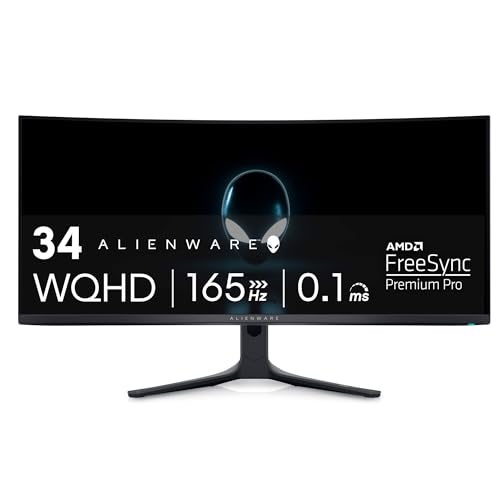
Alienware AW3423DWF — a True Black line that tells the whole story
Badge: The listing that teaches the True Black lesson
- Standards named in the verified listing: VESA DisplayHDR 400 True Black; AMD FreeSync Premium Pro
- Panel facts in the listing: 34-inch QD-OLED, 165Hz, 99.3% DCI-P3
Read in this article’s protocol order — capability first, formats second, ecosystem third — the Alienware’s listing is admirably legible. Capability: DisplayHDR True Black 400 on a QD-OLED panel with near-total DCI-P3 coverage asserts per-pixel light, true blacks and the colour half of HDR, which is the complete capability story for an emissive display. Ecosystem: FreeSync Premium Pro certifies the variable-refresh and HDR partnership for AMD systems, and the monitor’s behaviour with other GPUs follows the compatible pattern of its class. Formats: HDR10 is the assumed gaming baseline. What the listing does not claim is as instructive as what it does — no inflated plain-ladder number, no film-format badges doing decorative work. A buyer fluent in the standards can price this display’s HDR from three lines, which is what standards are for.

Samsung Odyssey OLED G8 (G81SF) — dual citizenship, stated plainly
Badge: The listing that teaches the ecosystem lesson
- Standards named in the verified listing: DisplayHDR True Black 400; FreeSync Premium Pro; G-Sync Compatible
- Panel facts in the listing: 32-inch QD-OLED, 4K, 240Hz
The Samsung’s listing demonstrates the modern settlement between the sync ecosystems: the top AMD tier and NVIDIA’s compatibility validation on the same panel, at 4K and 240Hz, under a True Black capability certificate. Read with this article’s families in mind, the message is that the ecosystem question — once a genuine fork in a monitor purchase — has narrowed to checking that your GPU’s name appears somewhere in the listing’s sync lines, which here it does, whichever name it is. The capability line does the HDR work; the format line is the universal baseline; and the television-born adaptive formats are absent without being missed, because a gaming monitor’s tone-mapping life runs through HGIG-style negotiation and HDR10 rather than through film metadata.

LG UltraGear 27GS93QE — the standards stack at esports size
Badge: The listing that teaches that HDR class no longer scales with size
- Standards named in the verified listing: DisplayHDR True Black 400; FreeSync Premium Pro; NVIDIA G-Sync
- Panel facts in the listing: 27-inch OLED, QHD, 240Hz, HDMI 2.1
The LG completes the lesson set: the identical capability certificate and ecosystem stack as the larger panels, in the 27-inch esports format. A decade ago, HDR quality scaled with a display’s size and price in a way shoppers could use as a shortcut; the OLED generation has broken that correlation, and the standards lines are now the only honest guide to a panel’s HDR class. Note also the connection standard doing quiet work in the listing — HDMI 2.1 — because the standards that govern the cable and port decide whether the panel’s certified capabilities can be fed at 240Hz by a console at all. Standards, in the end, are a single fabric: panel, format, negotiation and connection, and this listing happens to wear all four visibly.
The reading protocol: any HDR specification sheet in five passes
Pass one: panel type and capability certification
Find the panel technology and the VESA line, and translate them with this article’s ladders. OLED with True Black: capability established, judge the rest of the display on other axes. LCD with a high plain-ladder number and named local dimming: capable, with brightness as its weapon. LCD with DisplayHDR 400 and no dimming named: an SDR display that accepts HDR signals, to be priced as such whatever the box art says.
Pass two: colour coverage and brightness context
Confirm near-complete DCI-P3 coverage for the colour half of the promise, and read every brightness figure for its window size and its company — a peak quoted beside a True Black certificate means highlights against darkness; the same figure on a dimming-free LCD means a brighter grey. Numbers without their panel context are marketing; with it, they are engineering.
Pass three: formats your sources actually send
List your sources — PC, each console, streaming devices — and the formats they will genuinely use, which for gaming is HDR10 plus the platforms’ own negotiation, with Dolby Vision relevant only where a specific console-and-library commitment exists. Check those, ignore the rest of the format alphabet, and let no television badge tax a monitor purchase.
Pass four: ecosystem and connection standards
Confirm your GPU’s sync ecosystem appears in the listing, at whatever tier your needs dictate — our variable-refresh coverage gives that subject its full treatment — and confirm the connection standards can carry your whole signal: HDMI 2.1 for high-refresh 4K console play, current DisplayPort for the PC’s ambitious end. A certified panel behind an insufficient port is a capability you have bought and cannot feed.
Pass five: the manufacturer’s own words, last
Only now read the house badges and the prose, with the certified facts as your scepticism. Manufacturer HDR brand names describe tone-mapping features and picture modes of wildly varying substance; some are genuinely useful, all are unverifiable from the listing. They may break a tie between two displays whose certified facts are equal. They may not substitute for the facts.
Setup standards: making the certified capability appear
Standards work only when the chain honours them, and the practical liturgy is short. Run the console’s system HDR calibration, which is the HGIG conversation made visible, with the patience our explainer article prescribes. On PC, set the GPU’s output range to match the display’s expectation and enable HDR per session. On the display, use the accurate game mode and decide the dynamic tone mapping question — the manufacturer’s enhancement versus the stricter source-led behaviour — by detail in a dark scene, not by first impression. And keep the connection chain to the standard the signal needs, because the handshake failures that strip HDR first are documented in our companion guide and are, disproportionately, cable and intermediary problems wearing a standards costume.
Mistakes shoppers make with HDR standards
Comparing numbers across the two ladders
True Black 400 against plain 1000 is the canonical error: the numbers belong to different measurements of different virtues, and the OLED with the smaller number will produce the larger dynamic range in a dark room. Compare within a ladder, or better, compare panel physics — and let the ladders certify rather than rank.
Paying for film formats on a gaming desk
Dolby Vision’s television fame follows it into monitor listings, where its gaming relevance is narrow and specific. The shopper who pays a premium for it on a PC gaming monitor has bought a cinema ticket for a games room. Check your actual sources, as pass three teaches, and let the library — not the logo’s fame — decide.
Assuming certification covers the chain
A certified panel fed through an old intermediary, a marginal cable or a mis-set port will fail to show its certificate’s worth, and the owner will blame the standard. Certification governs the display; the chain remains yours. The two companion guides — handshake and audio — exist because the chain is where certified equipment goes to be betrayed.
Final recommendation
Learn the three families and the standards stop being a fog and become a filing system: capability certifications tell you what the panel can do, formats tell you what language the content speaks, and the gaming programmes tell you how well the negotiation is governed. Buy on capability first — True Black for emissive panels, the high plain rungs with real dimming for LCD — confirm the formats and ecosystem your own hardware uses, and read the manufacturer’s poetry last, if at all. The three monitors worked through above show the system at its most legible; the protocol travels to any listing you will ever meet.
Related guides
HDR explained for gaming from first principles
G-Sync, FreeSync and VRR explained
the best gaming monitors compared
HDMI handshake failure and its cures
fixing HDMI audio on the same chain
The connection standards: the part of the stack nobody brags about
A display’s certified capability is a promise the connection must keep, and the connection has standards of its own that deserve a section rather than a footnote. HDMI’s generations divide by bandwidth: the 2.0 generation carries 4K at 60Hz with HDR comfortably, which is why it served the first HDR console era well; the 2.1 generation multiplies the bandwidth several-fold, admitting 4K at 120Hz and beyond, and carrying the gaming features — variable refresh over HDMI, automatic low-latency switching — that modern consoles assume. DisplayPort’s generations tell the same story for PCs, with the current versions outrunning HDMI’s bandwidth and feeding the highest-refresh HDR monitors. The practical rules follow from the arithmetic. Match the cable’s and the ports’ generation to the full signal — resolution times refresh times colour depth, with HDR riding on top — rather than to any single feature. Remember that a chain adopts its weakest link’s generation, so an older receiver or switcher in the middle silently reclassifies the whole system, a theme our handshake guide prosecutes in full. And treat “HDMI 2.1” on a cable with the same certification scepticism as any badge: the Ultra High Speed certification programme exists so that the claim can be checked rather than trusted.
House badges and manufacturer programmes, translated
Beyond the industry standards, every major maker fields its own HDR vocabulary, and a standards article owes the reader a translation key. Samsung’s HDR10+ Gaming extends its adaptive format with gaming-specific provisions — source-led tone mapping and high-refresh support — and appears on its gaming lines as an ecosystem claim. LG, Sony, ASUS and others attach their names to tone-mapping modes, picture processors and gaming dashboards whose substance ranges from genuinely useful calibration tooling to renamed defaults. NVIDIA and AMD both maintain display programmes beyond the sync tiers discussed earlier, and the console makers certify peripherals in programmes whose logos decorate boxes impressively. The protocol from this article handles all of them identically: they are pass-five material, read after the certified facts, credited when they describe a verifiable feature, and never allowed to outrank a VESA line, a panel type or a connection generation. A house badge that agrees with the certified facts is harmless decoration; one that substitutes for them is the oldest trick on the shelf, wearing this season’s colours.
How VESA testing works, and why the floor can be trusted
A word for the certification process itself, because a standard is only its enforcement. DisplayHDR is a published specification: the test patterns, the measurement geometry and the pass thresholds are public documents, manufacturers certify against them, and the programme maintains the list of certified models that shoppers can check. That transparency is the programme’s real product. It does not make every certified display excellent — the floor metaphor in this article is chosen carefully — but it makes the certified claims falsifiable, which separates them categorically from the unmeasured adjectives elsewhere on the box. The shopper’s corresponding habit is verification: the model number on VESA’s certified list is the badge’s receipt, and a display whose listing claims a tier its model never earned is a display whose every other claim should be re-read in that light.
A short history of how the shelf got crowded
The confusion this article sorts was not plotted; it accumulated, in layers that each made sense at the time. HDR arrived in televisions first, carrying film’s formats and film’s vocabulary. VESA’s programme answered the monitor market’s need for a capability measure, then split its ladder when OLED made the brightness-first measure unfair to the technology that did HDR best. The console makers and the games industry, discovering that games negotiate differently from films, built HGIG to govern the conversation. The GPU ecosystems folded HDR into their premium tiers as a bundling convenience. And each manufacturer, at each stage, named things. The result is a shelf where five honest systems overlap on the same product — the worked examples in this article each wear three or four of them simultaneously — and where the shopper’s only defence is the taxonomy: capability, format, negotiation, connection. Learn the four drawers and every future badge announces its own drawer on arrival.
Standards in the wild: three shopping scenarios resolved
The console player choosing between two televisions’ worth of monitors
Two 32-inch panels, similar prices, one boasting a film-format badge the other lacks. The protocol resolves it in passes: both are OLED with True Black certification, so capability ties; the format pass asks what the console will actually send, and for most gaming libraries that is HDR10 with the platform’s negotiation, which both support; the connection pass finds HDMI 2.1 on both. The film badge, examined, is pass-five decoration for this buyer — and the decision falls, correctly, to the unstandardised virtues: size, stand, ports, warranty and the day’s price. Standards did not make the choice; they cleared the fog so the choice could be made on real grounds.
The PC player tempted by a cheap “HDR” ultrawide
The listing leads with HDR in its title and a price that undercuts the OLED class severely. Pass one convicts it in a sentence: an LCD with the entry DisplayHDR tier, no local dimming named, colour coverage unstated. The display will accept an HDR signal and show a raised-backlight approximation of one, and its honest classification is an SDR ultrawide — which may still be a fine purchase at the price, for a buyer whose games and room suit it, provided it is bought as what it is. The standard’s service here is not snobbery; it is pricing accuracy, the difference between a bargain and a disappointment being nothing but the truth about the panel.
The upgrader whose current display “already does HDR”
A common and sympathetic position: the existing monitor accepts HDR, the owner enabled it once, found it grey, and concluded the technology was oversold. The standards reading reframes the biography — the display was an acceptance-class panel, the grey was physics, and the upgrade to a True Black or properly dimmed display is not a replacement of a feature already owned but the first purchase of it. Our explainer’s campfire test confirms the diagnosis in five minutes, and the upgrader’s scepticism, properly re-aimed at the old panel rather than at HDR itself, becomes the new purchase’s best protection.
The laptop and handheld frontier: standards beyond the desk
The same taxonomy governs the screens that leave the desk, and a standards-fluent reader can grade them on sight. Gaming laptops increasingly ship OLED panels whose listings carry the same True Black lines as the monitors in this article — the certification travels, and so does its meaning — alongside LCD laptop panels whose plain-ladder numbers deserve the same scepticism at smaller scale. Handheld gaming PCs present the interesting edge case: small OLED screens with genuine per-pixel HDR whose modest peak brightness is redeemed, exactly as the ladders predict, by their darkness and by the viewing distance at which a handheld is held. Televisions pressed into gaming service invert the problem, bringing film-format riches and capability that varies from reference-class to acceptance-class behind identical badge shelves. In every venue the protocol is unchanged — panel and capability first, formats your sources use, ecosystem, connection — because the standards were designed to describe physics, and physics does not care about the furniture.
A closing exercise: grading the shelf you are standing in front of
Everything in this article compresses into a drill the reader can perform on any shelf, physical or digital, in about two minutes per display. Read the listing until you find the panel type; say its HDR physics in one sentence — per-pixel darkness, zoned brightness, or a single backlight’s optimism. Find the VESA line and file it on the correct ladder. Find the colour coverage and refuse to proceed without it. List the formats, then cross out every one your own sources will never send. Find your GPU’s ecosystem name, and the connection generation, and check them against your full signal. What remains, after that drill, is the display’s true HDR identity, stated in your own words — and beside it, the price, which can finally be judged, because you are no longer comparing badges against money but a known capability against it. The drill is this article’s real product. The standards will keep multiplying, the badges will keep shining, and the reader who owns the taxonomy will keep walking the shelf unbothered, reading physics where others read poetry.
Frequently asked questions
Is DisplayHDR 400 good enough for gaming?
Which 400 decides everything. DisplayHDR True Black 400, on an OLED, certifies genuine HDR — true blacks, per-pixel highlights, the real dynamic range — and equips the monitors this article works through. Plain DisplayHDR 400 on an LCD certifies brightness and signal acceptance without local dimming, and describes an SDR-class picture wearing HDR’s name. Read the words after the number, identify the ladder, and the question answers itself.
Do I need Dolby Vision on a gaming monitor?
For PC gaming, effectively no: the PC ecosystem runs on HDR10 and game-native tone mapping, and Dolby Vision support changes nothing there. For a console-centred desk where the specific console and titles support Dolby Vision gaming, it is a legitimate checklist item — behind capability, behind connection standards, and priced accordingly. On a television bought for film, the calculus reverses, which is why the format’s fame is real and its monitor relevance is narrow at the same time.
What is HGIG and why have I never seen its logo?
HGIG is the games industry’s own standards effort — guidelines from the HDR Gaming Interest Group for how displays declare their capabilities and how games honour them, embodied in the system calibration screens on modern consoles. It has no consumer logo programme to speak of, which is why it is simultaneously the least visible standard in this article and the one most directly responsible for game HDR looking correct on your specific screen.
Does FreeSync Premium Pro or G-Sync certification change HDR quality?
They frame it rather than create it. Premium Pro bundles HDR requirements with the variable-refresh certification, so its presence asserts the two were validated together; the native G-Sync tiers at their summit have historically imposed demanding HDR requirements of their own. Neither replaces the VESA capability reading — a display’s HDR class is set by its panel and its DisplayHDR line — but both are meaningful evidence that the display’s HDR was engineered as part of a system rather than appended as a feature.
Why do two monitors with the same certification look different?
Because certification is a tested floor, not a complete description. Tone mapping artistry, panel uniformity, picture-mode honesty and the manufacturer’s calibration choices all live above the floor, and they are visible. Two True Black monitors will share the family’s virtues — darkness, per-pixel light — and still differ in colour tuning, brightness behaviour and processing taste. Certification narrows the field to the genuinely capable; reviews, return windows and your own campfire test pick within it.
Are these standards still changing?
Yes, at the edges, in the direction of the good behaviour becoming automatic: richer metadata, more standardised game-to-display negotiation, connection standards widening to carry the whole signal without arithmetic. The buyer’s protection against the churn is the protocol in this article — physics first, certification second, formats third — because panels and their honest capabilities outlast the badge cycles above them. Buy the capability, and the standards’ future revisions will describe your display kindly.
What does “HDR ready” or “HDR supported” mean on a cheap monitor?
Acceptance, and only acceptance: the display will recognise an HDR signal and do something with it, with no certification of brightness, darkness, dimming or colour standing behind the phrase. Such a display may still serve an SDR buyer well, and its HDR mode may even please in bright content. But the phrase belongs to the marketing family, not to any of this article’s three standard families, and it should be priced as the absence of a claim rather than the presence of one.
Is 10-bit colour something I need to check separately?
It is woven through the standards rather than standing apart: HDR10’s definition assumes ten-bit colour, the VESA tiers test colour performance, and any genuinely certified HDR display handles it. The place to stay alert is the budget shelf, where “10-bit” sometimes means an 8-bit panel using dithering to simulate the extra steps — acceptable in motion, visible as banding in smooth gradients at its worst. On a certified display from the ladders this article covers, the question is already answered; on an uncertified one, gradient banding in a dark sky is the test your eyes can run in the shop.
Why do televisions advertise more HDR formats than monitors?
Because televisions serve the film and broadcast world, where the adaptive formats and HLG are living standards with libraries behind them, while monitors serve the PC and console world, where HDR10 and platform negotiation rule. Each product’s badge shelf reflects its content’s home. The crossover buyer — a television as a gaming display, a monitor for films — should inventory their actual sources and check the formats against them, which is pass three of the protocol, and will find that the intersection they truly need is smaller than either shelf suggests.
Can firmware updates change a display’s HDR standard compliance?
They can change behaviour — tone mapping, format handling, calibration honoured more faithfully — and manufacturers do improve HDR performance by firmware, occasionally significantly. They do not change the panel’s physics, so a certification earned at launch describes the hardware’s class for life, while the software above it matures. The practical habit is the chain discipline from our companion guides: update deliberately, one device at a time, and re-run your calibration after a display update, because the negotiation the calibration records may have been revised along with everything else.
How do I verify a monitor’s DisplayHDR tier independently?
Through VESA’s own certified-products listings, where the model number either appears at the claimed tier or does not. The check takes a minute and is worth the minute on any purchase where the tier is doing argumentative work in the price. A model absent from the list while its retail page claims the tier is a finding that should reprice the whole listing in your estimation — and, not incidentally, it is the kind of finding that explains why this article keeps returning to a single habit: standards are only as good as their verification, and verification, uniquely among shopping skills, is free.
Does a higher DisplayHDR tier on LCD beat True Black on OLED?
They win different rooms. A flagship LCD at the plain ladder’s heights delivers large-area brightness no OLED matches, with dimming fine enough to keep its blacks respectable — in a bright room, on bright content, it can be the more impressive HDR display. The True Black OLED wins the dark room and the dark scene, where simultaneous contrast is the whole of HDR and its blacks are absolute. The standards describe both honestly; the room and the library arbitrate, which is why this article’s protocol asks about your sources and your space before it lets any tier argue.
What is the minimum standard stack I should accept for a new gaming monitor?
Stated as a checklist: a capability line you can translate — True Black on an emissive panel, or a high plain tier with named local dimming on LCD; near-complete DCI-P3 coverage; HDR10 as the format baseline; your GPU’s sync ecosystem present; and connection standards sufficient for your full signal, which for a modern desk means HDMI 2.1 where consoles are involved. The three worked examples in this article meet that stack at three sizes and shapes, which is why they were chosen. Anything missing from the stack is not automatically a rejection — it is a question the price must answer.
How long will a True Black 400 monitor remain a sensible HDR display?
On the evidence of how the ladders evolve, a long time: the capability it certifies — per-pixel light, true black, wide colour — is the reference behaviour the whole HDR ecosystem is mastered toward, and panels do not stop being able to do it. Future standards will refine negotiation and metadata around such panels rather than obsoleting them. The components of a setup that date fastest are connections and sources; the panel at the end of them, bought on genuine capability, is the part of the chain most likely to be introduced, accurately and proudly, to hardware that has not been announced yet.
Do standards matter for a second monitor used only for chat and browsing beside the game?
Barely, and the honest answer saves money: a secondary screen’s HDR class is irrelevant to its duties, and its SDR colour and brightness merely need to not argue with the main display’s. Spend the standards budget on the screen the game lives on. The one caution is chain-deep rather than picture-deep — a second display still participates in the PC’s display negotiations, so keep its connection simple and its drivers current, as the handshake guide advises for every member of a multi-display household.
If I remember only three rules from this article, which three?
First, never compare HDR numbers across the two VESA ladders — True Black and the plain tiers measure different virtues. Second, a format badge like HDR10 describes the content’s language, never the display’s talent; capability lives in the panel and its certification. Third, run the protocol in order — capability, colour, formats you use, ecosystem and connection, manufacturer’s poetry last — and no listing written by anyone will be able to sell you a grey picture at a flagship price. Those three rules, kept, are worth the entire shelf of badges they replace.
Why do the same standards appear on the gram +View and other non-gaming screens differently?
Because the standards describe panels, and panels travel between product categories. A portable or productivity display may carry a plain DisplayHDR tier as a video-playback credential while making no gaming claims at all — correctly, since its refresh and response belong to documents rather than games. The reading skill transfers intact: the tier tells you the panel’s brightness class, the ladder tells you its darkness, and the product’s other specifications tell you its intended life. Standards literacy is portable in exactly the way the badges, read naively, are not.
Should I care about HDR standards if I mostly play older or indie games?
Care proportionally. Older and indie libraries are substantially SDR, and a display bought for them should be chosen on SDR virtues — refresh, response, colour accuracy, size — with HDR as a future-proofing bonus rather than the headline. The bonus is not worthless: operating-system auto-HDR conversion flatters some older titles, remasters increasingly ship native HDR, and a capable panel keeps the door open. But let the protocol run in its honest order and it will tell an SDR-library player to spend on the panel’s everyday excellence first — which is the protocol working as designed, not an exception to it.
What is the single most misleading HDR claim in monitor marketing?
The unadorned peak-brightness number, quoted without its ladder, its window size or its panel. A thousand nits can describe a flagship LCD’s small-window highlights against dimmed, near-black surroundings — magnificent HDR — or a budget panel’s full-screen backlight at maximum, which is merely a bright SDR picture with its blacks destroyed. The number is identical; the displays are opposites. Every defence in this article — the ladders, the window sizes, the black levels, the verification habit — exists because that one number, travelling alone, has sold more grey HDR than every other claim combined.
Does HDR certification affect resale value or longevity?
Indirectly, yes, and in the buyer’s favour. A certified panel’s class is documented and verifiable years later, which makes the display describable in a resale listing with evidence rather than adjectives — and genuinely capable HDR ages slowly, because the physics it certifies remains the physics games are mastered for. The acceptance-class display, by contrast, depreciates into its true identity as an SDR panel. Longevity follows the same logic: owners keep displays whose HDR is real through GPU generations, because each new source finds the panel still fluent. Buy the capability once, and the standards system keeps introducing it correctly to everything you plug into it thereafter.
How do I explain the two DisplayHDR ladders to someone in one breath?
Try this, which this article offers as its party piece: the plain ladder grades how bright a screen can shout, and the True Black ladder grades how quietly it can whisper — and HDR, being a conversation between shouting and whispering in the same scene, needs you to know both numbers and which ladder each came from. A display certified only for shouting will fill a bright room; a display certified for whispering will hold a dark one; the great displays do enough of both for the rooms they were built for. Every other paragraph in this long article is a footnote to that breath.
Are refurbished or open-box HDR monitors a standards risk?
The standards themselves are indifferent — a certified panel’s class is a property of its model, not of its box — but the individual unit’s condition becomes the variable, and with emissive panels that means checking for the one wear pattern that matters: uneven pixel wear from a previous owner’s static content. Run the new arrival through flat colour fields and the campfire test in its first days, while the return route is open. A clean unit at a refurbished price is the standards system working for you twice: the certification told you the class, and your own tests verified the specimen.
What should I prioritise if I can only afford one upgrade: a certified HDR panel or a faster GPU?
Sequence by bottleneck. If your current display is acceptance-class — the grey-HDR case — no GPU can show you HDR through it, and the panel is the upgrade that unlocks the library you already own. If your display is genuinely capable and your GPU cannot feed its resolution and refresh in the games you play, the GPU is the constraint and the panel’s certificates are already waiting for it. The standards reading tells you which situation you are in, which is the deepest sense in which this article is a buying guide: it prices your existing equipment honestly before it sells you anything.
Do professional esports players care about HDR standards?
Professionally, mostly not — their displays are chosen for refresh, response and consistency, and their settings flatten the picture for visibility. The interesting fact is that the professional format and the HDR flagship have converged in the same panels: the 27-inch OLED in this article’s examples is simultaneously an esports reference and a True Black HDR display, so the professional’s indifference costs them nothing and the amateur’s library gains everything. Standards made that convergence legible; a decade ago, a buyer had to choose which kind of serious their monitor would be.
Will a future standard replace all of these?
Unification is the industry’s stated direction — richer shared metadata, automatic negotiation, one calibration honoured everywhere — and each generation of the standards in this article moves a step toward it. But the families themselves answer different questions, and questions outlive their current answers: panels will always need capability measures, content will always need formats, and games will always need a negotiation protocol. Expect the badges to consolidate and the marketing to persist; expect, above all, that the taxonomy in this article will still sort whatever arrives, because it is sorted by what the labels are for rather than by what they happen to say this year.