Disclosure: As an Amazon Associate, reviewstook.com earns from qualifying purchases. Links on this page are affiliate links; they cost you nothing extra. Prices and availability change often, so check the current Amazon listing before you buy.
The gold vs platinum vs titanium psu question sounds like a jewellery decision and is actually an arithmetic one. Those names are tiers of the 80 Plus efficiency certification: a promise about how much of the electricity your PC draws from the wall becomes usable power for your components, and how much escapes as heat. Gold wastes less than Bronze; Platinum wastes less than Gold; Titanium wastes least of all and adds a requirement at very low loads the others do not have. The tiers are real, measurable and honestly earned — and, for most gaming PCs, worth far less money than the price ladder implies. This guide does the arithmetic properly: what the percentages are, what they save on a real electricity bill, what else changes as you climb (heat, noise, component quality), and where the two verified power supplies below sit in the story.
Key takeaways
- 80 Plus tiers certify efficiency at set loads: Gold is roughly 87–90%, Platinum 89–92%, Titanium 90–94% depending on load point and region.
- On a typical gaming PC, Gold-to-Titanium saves single-digit pounds or dollars per year in electricity — the tiers pay for themselves through heat and noise, not through the bill.
- Titanium’s distinctive requirement is efficiency at 10% load, which suits always-on and lightly loaded machines.
- Efficiency tier is not a quality guarantee: a well-built Gold unit beats a mediocre Platinum one on ripple, protections and longevity.
- Independent Cybenetics ratings now grade efficiency and noise more granularly, and the best modern Gold units carry Platinum-level Cybenetics results — as both verified picks below show.
- For most builders: buy a quality Gold unit of the right wattage. Climb to Platinum or Titanium for silence, heat or always-on duty, not for savings.
In this guide
Gold Vs Platinum Vs Titanium Psu: the numbers first
| 80 Plus tier (230V internal) | 20% load | 50% load | 100% load |
|---|---|---|---|
| Gold | 88% | 92% | 88% |
| Platinum | 90% | 94% | 91% |
| Titanium | 92% (and 90% at 10% load) | 94% | 91% |
Regional tables differ slightly — the 115V figures used in North America run a point or so lower at some load points — but the shape is universal: efficiency peaks near half load, sags at full load, and sags hardest at very low load, which is precisely the sag Titanium’s 10% requirement exists to police. Translate the table into heat and it becomes tangible. A PC drawing 400 watts of component power from a Gold unit at 90% efficiency pulls about 444 watts from the wall and turns 44 watts into heat inside the PSU. The same load on a Titanium unit at 94% pulls about 426 watts and wastes 26. Eighteen watts is not nothing — it is a fan running slower, a room warming less — but it is not a fortune either, and honesty about its size is the beginning of wisdom in this category.
The reviewed power supplies
Both verified picks are 850W Gold-rated units — deliberately. They represent what the smart money actually buys at this wattage, and one of them carries a Cybenetics Platinum efficiency grade alongside its 80 Plus Gold badge, which is the modern rating landscape in miniature.

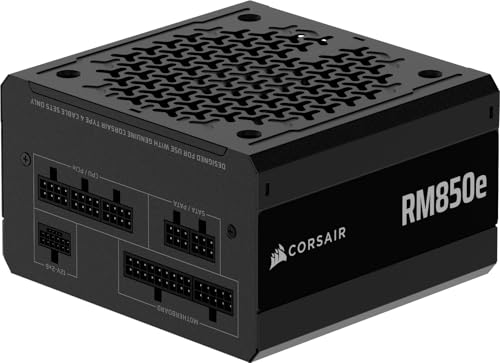
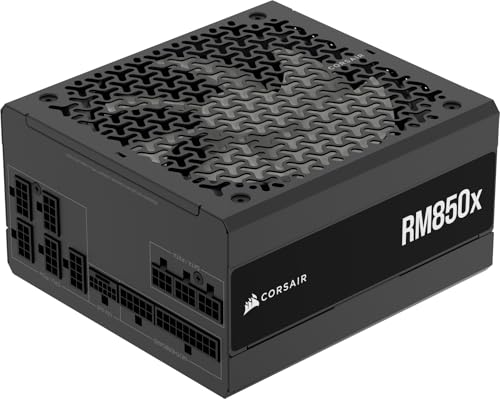
Corsair RM850x (850W, ATX 3.1) — the Gold benchmark
Best for: high-end gaming builds that want quiet, headroom and current standards support. Not suited for: extreme multi-GPU or workstation loads beyond its wattage class.
- Rating: 80 Plus Gold class; Cybenetics Gold certified per the verified listing
- Standards: ATX 3.1 and PCIe 5.1 ready, native 12V-2×6 connector
- Design: fully modular, low-noise fan behaviour
- Wattage: 850W — the current high-end gaming sweet spot
Strengths
- The RMx line’s reputation for quiet operation and clean power is long and earned.
- Native support for the current GPU power connector standard ends adapter anxiety.
- Fully modular cabling keeps airflow cases tidy and glass panels presentable.
Trade-offs
- It is a premium Gold unit; Bronze and cheaper Gold rivals undercut it clearly.
- 850W is generous for mid-range builds, which would never approach its efficient zone’s top.
- No Platinum badge for buyers who shop by tier rather than by test results.
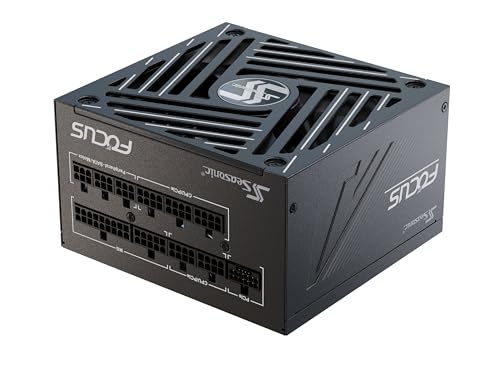
Seasonic Focus GX-850 — Gold badge, Platinum-grade results
Best for: buyers who read test data — this unit’s Cybenetics Platinum grade is the tier system’s limits made visible. Not suited for: buyers who need a Titanium badge specifically for an always-on efficiency brief.
- Rating: 80 Plus Gold with Cybenetics Platinum per the verified listing
- Standards: ATX 3.1 and PCIe 5.1 ready, 12V-2×6 support
- Design: fully modular, Japanese capacitors, long warranty per the listing
- Wattage: 850W
Strengths
- Seasonic’s platform reputation is among the strongest in the industry.
- The Cybenetics Platinum grade shows its real efficiency lives a tier above its badge.
- Component quality (Japanese capacitors, per the listing) targets decade-scale service.
Trade-offs
- As with the Corsair, you pay for quality that spec-sheet shoppers cannot see.
- Availability and pricing vary by region more than the Corsair’s.
- Its excellence makes the Platinum/Titanium upsell harder, not easier, to justify.
The electricity bill, computed honestly
Take a gaming PC that averages 350 watts of component load across four hours of daily play — a realistic high-end pattern. Across a year that is roughly 511 kilowatt-hours delivered to components. A Gold unit at 90% average efficiency draws about 568 kWh from the wall; a Platinum at 92% draws about 556; a Titanium at 94% draws about 544. The Titanium saves about 24 kWh a year against the Gold — at typical household electricity prices, the cost of a coffee or two, against a purchase premium many times larger. Even doubling the hours and the load does not rescue the payback for a gaming machine. The conclusion is not that efficiency is worthless; it is that for gaming duty, efficiency’s returns arrive as heat not generated, noise not made and components not stressed — currencies this guide values properly below — while the bill, the currency marketing implies, barely notices which tier you bought.
Where the tiers genuinely pay
Always-on machines. A home server, NAS or workstation that idles for twenty hours a day lives exactly where Titanium’s 10%-load requirement bites: low-load efficiency is the whole game, and the savings compound across years of continuous draw. Small, hot cases. Twenty fewer watts of heat inside a compact case is a fan curve you can hear the absence of. Silence builds. Higher-tier units are engineered to shed less heat and are typically paired with fanless or semi-passive modes at low load; the tier buys quiet as a side effect. High-load, long-hour work. Rendering and compute machines that sit at 600-plus watts for working days live near the efficiency peak for thousands of hours a year, where two points of efficiency become real money and real heat. Notice that none of these is the standard gaming profile — which is why the standard gaming advice is Gold, bought well.
Efficiency is not quality: the paragraph that saves systems
The 80 Plus badge certifies one thing — efficiency at three or four load points — and buyers habitually read it as a quality grade. It is not. A power supply also owes you low electrical ripple on its rails, tight voltage regulation, protection circuits that actually protect (over-current, over-voltage, short-circuit, over-temperature), components rated for a decade of heat cycles, and a fan that does not become the loudest part of the PC. None of that is in the badge. This is why independent reviews and the Cybenetics programme — which tests efficiency across thousands of load combinations and grades noise separately — matter more than tier when choosing a specific unit, and why both picks above were chosen on platform reputation rather than on their Gold labels. A mediocre Platinum unit is a worse purchase than an excellent Gold one in every way except a spreadsheet. Buy the unit, not the metal.
How to choose wattage before you choose tier
- Estimate your system’s real draw: GPU and CPU power limits dominate; the rest is rounding. Online calculators overestimate by design — treat their output as a ceiling, not a target.
- Add headroom for transient spikes and future GPUs: current graphics cards spike briefly far above their rated draw, and ATX 3.x units are specified to absorb those excursions.
- Aim to live near the middle of the unit’s range in your heaviest sustained use, where efficiency peaks and fans stay calm.
- Then choose tier by duty: Gold for gaming, Platinum for quiet or warm rooms, Titanium for always-on or professional loads.
- Confirm the connectors your GPU needs are native to the unit, and that the warranty length matches how long you keep systems.
Context from the neighbouring guides: the 80 Plus rating explained, Bronze vs Gold PSU, ATX 3.0 vs ATX 2.4 power supplies and modular vs semi-modular vs non-modular PSUs. The components your PSU will feed are in the best graphics cards and GDDR6 vs GDDR6X explained, and the case it will live in may be decided by glass vs steel side panels.
Common mistakes
- Buying tier instead of wattage headroom. A Titanium unit that is too small is worse than a Gold unit that fits the load.
- Expecting the electricity bill to repay the premium. On gaming duty it will not; buy higher tiers for heat, noise and duty cycle.
- Reading 80 Plus as a quality certification. It measures efficiency only. Check reviews and Cybenetics data for the rest.
- Oversizing enormously “for efficiency”. A 1200W unit idling a 150W desktop lives in its least efficient region; right-size instead.
- Reusing ancient cables with a new modular PSU. Modular cable pinouts differ between brands and generations; use the cables in the new box.
- Ignoring the fan mode. Semi-passive operation is a feature to configure and verify, not a default to assume.
Final verdict
Gold vs Platinum vs Titanium is a ladder of diminishing, honest returns. Gold is the tier where efficiency stops being a problem; Platinum refines heat and noise for those who value them; Titanium serves the always-on and the professional, where its low-load discipline compounds into real savings. For the gaming PC this site mostly serves, a quality Gold unit — the Corsair RM850x or the Seasonic GX-850 above — is not the compromise choice. It is the correct one, and the money the higher tiers would have taken is better spent on the graphics card the PSU exists to feed.
Frequently asked questions
Is a Titanium PSU worth it for gaming?
Almost never on savings — the arithmetic in this guide shows a few currency units per year on gaming duty. It can be worth it for silence, for a hot compact case, or if the same machine also runs always-on workloads where Titanium’s low-load efficiency compounds.
Does a higher tier mean a better quality PSU?
Not by itself. 80 Plus certifies efficiency only. Ripple, regulation, protections, component quality and fan behaviour decide real quality, and they are found in independent reviews and Cybenetics reports — which is why an excellent Gold unit can outrank a mediocre Platinum one.
What is Cybenetics and why do both picks mention it?
Cybenetics is an independent certification that measures efficiency across a far denser grid of loads than 80 Plus and also grades noise output. Both verified picks carry Cybenetics results at or above their 80 Plus tier — the Seasonic is Cybenetics Platinum under a Gold badge — which is the modern way to read real efficiency.
How many watts do I need?
For a current high-end single-GPU gaming build, 750–850W from a quality ATX 3.x unit is the comfortable zone, with transient headroom included. Mid-range builds need less; multi-GPU and workstation builds need a proper calculation rather than a rule of thumb.
Why does efficiency peak at 50% load?
Conversion losses come in two kinds: fixed losses that dominate at low load, and load-dependent losses that grow at high load. The peak sits where the two curves cross, typically near half load — one reason right-sizing a PSU matters more than oversizing it.
Is Platinum the sweet spot?
For quiet builds and warm rooms, it can be: most of Titanium’s heat and noise benefit at a smaller premium. For pure gaming value, Gold remains the sweet spot, and the two picks above show how far a good Gold unit’s real performance reaches into Platinum territory.
How 80 Plus testing works, and its limits
The certification is earned on a test bench: a sample unit is run at specified load points — 20, 50 and 100 percent for most tiers, with Titanium adding the 10 percent point — and its measured efficiency must clear the tier’s thresholds at each. That is a real test and the badges are honestly policed, but three limits matter to buyers. First, the test points are few; a unit’s behaviour between them, and at the 5–15% loads where desktops idle, is unmeasured by the badge — the gap Cybenetics’ denser grid exists to fill. Second, the badge says nothing about the electrical quality of the output, as the earlier section established. Third, certification applies to a model as tested; reputable makers hold that standard across production, which is one more reason platform reputation outranks badge shopping. None of this diminishes the tiers’ usefulness as a first filter — a buyer choosing between an unrated unit and a Gold one has learned something real — but a filter is a beginning, not a verdict.
Heat, noise and the life of the unit itself
Efficiency’s least advertised beneficiary is the power supply itself. Every watt not wasted is a watt not heating the unit’s capacitors, and capacitor life is famously temperature-sensitive — as a rule of thumb in electronics, sustained heat is the tax on longevity that compounds. A Titanium unit idling a server at high low-load efficiency runs its internals cooler for twenty hours a day; a Gold unit in a gaming PC runs hard for four. Both are rational designs for their duties, and the matching of tier to duty is really a matching of thermal lives. Fan behaviour follows the same logic: semi-passive modes, where the fan rests until load or temperature calls it, exist across the upper tiers and turn most real-world PSU noise into no noise at all — which is why the silence case for Platinum and Titanium is stronger than the savings case, and why this guide keeps making it.
Worked examples: three machines, three answers
The esports-and-story-games rig. Four hours a day, 300–450W in play, off or asleep otherwise. The bill arithmetic is trivial and the case is a ventilated mid-tower: a quality Gold 750–850W unit is the whole answer, and both picks above are exactly its shape. The living-room machine. A small case under a television, gaming at night, media duty by day, silence a household requirement. Platinum earns its premium here — less heat in a small box, a fan that rarely speaks — and Titanium becomes defensible if the machine also never truly sleeps. The home lab. A server and workstation pair drawing 120–200W continuously, year-round. Now the low-load numbers run the spreadsheet: Titanium’s 10%-load discipline, applied to thousands of hours, is the rare case where the electricity column alone can carry the tier’s premium, and the heat column seconds the motion. Three machines, three tiers, one method: duty first, badge second.
What about Bronze, and the tiers below Gold?
This comparison starts at Gold because the keyword does, but honesty requires the footnote. Bronze remains the rational tier for genuinely budget builds and office machines, where the absolute watts at stake are small and the purchase price dominates every calculation. The step from Bronze to Gold is the largest single efficiency jump in the common ladder and the one most buyers should make when the budget allows exactly one upgrade; the steps above Gold are refinements by comparison. Readers speccing a first build on a hard budget should read the Bronze-versus-Gold guide linked earlier before letting this article’s higher tiers anywhere near their basket — the ladder is climbed from the bottom, and the bottom rungs are where the value lives.
Regional voltage and why the same PSU wears two numbers
Buyers comparing reviews across the Atlantic often meet a small mystery: the same unit quoted at slightly different efficiencies in different tests. The cause is mains voltage. Conversion is a little easier at the higher voltages used in much of the world than at North American levels, so 80 Plus publishes separate tables, and a unit can clear a tier’s threshold in one region’s table with a margin it does not enjoy in the other’s. The practical lessons are modest but real: compare reviews measured on your region’s voltage, treat a single percentage point between rival units as noise unless the test conditions match, and never import a tier conclusion across an ocean without checking which table carried it. The tiers themselves survive the translation — Gold is Gold everywhere — but their edges are regional, like the electricity they describe.
Replacing a PSU: the upgrade nobody photographs
Power supplies are replaced for three honest reasons: a new graphics card outgrows the wattage or the connectors, an old unit’s fan or behaviour stops inspiring confidence, or a build moves into a duty — silence, always-on — its current tier serves badly. The replacement ritual has one rule that outranks every other in this guide: with a modular unit, replace the cables with the unit, every time, because the PSU-end pinouts are not standardised and a borrowed cable can damage components it fits perfectly. Beyond that rule, the upgrade is the easiest in the case: four screws, a handful of connectors, and the discipline to route the new cables before the side panel goes on. Buyers replacing for tier alone should re-read the bill arithmetic first; buyers replacing for wattage, connectors or confidence are spending well, and a quality Gold unit is, for most of them, the correct destination tier.
The environmental ledger, kept honestly
Efficiency marketing loves the planet, and the planet deserves arithmetic rather than adjectives. The gaming PC of this guide’s worked example saves roughly 24 kWh a year stepping from Gold to Titanium — real energy, and across millions of machines, real power stations’ worth — set against the embodied cost of the more complex unit and the reality that most gaming PCs are not the load that matters. Where the environmental case becomes genuinely strong is the same place the financial case does: always-on and professional machines, whose thousands of hours turn small percentages into large totals, and whose owners should read Titanium’s premium partly as an emissions decision. For the gaming majority, the greenest PSU decision is the unglamorous one repeated across this site’s guides: buy a quality unit of the right size, keep it for a decade across several builds, and let longevity — not tier — carry the environmental argument.
Evidence and limits of this guide
The efficiency thresholds quoted are the published 80 Plus programme figures; the worked arithmetic uses clearly stated assumptions about load and hours that readers can rescale to their own machines, and its conclusions are robust across any realistic rescaling for gaming duty. Product specifications come from the verified listings in the sources file, including both units’ Cybenetics grades as listed. Electricity prices vary by region and year, which is precisely why this guide expresses savings in kilowatt-hours first and currency second — the physics is stable even when the tariff is not. Where a buying decision turns on a specific unit’s ripple, regulation or acoustics, consult that unit’s independent test reports; no tier table, this one included, can carry that weight.
The verdict by reader, one last time
The gamer: Gold, bought on platform quality — the two picks above are the template. Spend the tier premium on the GPU. The silence builder: Platinum, chosen by Cybenetics noise grade as much as by efficiency, in a case whose other fans deserve it. The always-on owner: Titanium, justified by the low-load column of the table and by nothing else needing to be true. The professional: Platinum or Titanium at a wattage sized to the workstation’s sustained load, with the warranty read as carefully as the efficiency. The budget builder: Bronze without shame, Gold when one upgrade is affordable, and this article’s upper tiers revisited when the machine’s duty changes. Five readers, five answers, one ladder — climbed exactly as far as each machine’s life requires, and not one rung further. That restraint, in a category that sells ascent for its own sake, is the most valuable specification in this guide.
Transient spikes and the ATX 3.x safety net
One modern topic belongs in any tier discussion because it decides more real purchases than efficiency does. Current graphics cards draw brief power excursions — microseconds-long spikes well above their rated consumption — and older PSU designs sometimes answered those spikes by shutting down protectively in the middle of a game. The ATX 3.0 and 3.1 standards exist largely to end that era: compliant units are specified to ride out excursions up to twice their rated power for the GPU rail’s purposes, and both picks in this guide carry the current standard with native 12V-2×6 connectors. The buying lesson generalises the article’s thesis — the specifications that protect your system’s stability (standard compliance, connector nativeness, protection design) outrank the specifications that describe its efficiency tier. A Gold ATX 3.1 unit is a more modern power supply than a Titanium unit from the previous standard’s era, whatever the metals say.
Fan curves, coil whine and the acoustics nobody certifies on the box
Two acoustic realities complete the picture. The first is that a PSU’s fan, when it runs, is often the least refined noise in a quiet build — which is why the semi-passive modes of quality units matter more than any case fan choice, and why Cybenetics’ noise grading has become the silence buyer’s first document. The second is coil whine: the faint, load-dependent singing that some units produce and some systems amplify, unrelated to tier, only loosely related to quality, and largely a lottery between a specific PSU, GPU and mains supply. No badge insures against it; a painless returns policy is the only hedge, and buyers for whom silence is the brief should purchase accordingly. Both realities reinforce the guide’s refrain — the lived qualities of a power supply are found in its test reports and its platform’s reputation, while the tier on the box describes exactly one, admittedly real, dimension of its behaviour.
The decade test: what a PSU outlives
A good power supply is the longest-lived component in a gaming PC. It will typically serve through two or three graphics cards, two motherboards and a case or two, which reframes every decision in this guide. Wattage should be bought for the decade’s middle, not this year’s card. Connectors should follow the current standard, as both picks do, because the decade’s cards will assume them. The warranty — long on both units reviewed here, per their listings — is not a marketing line but the manufacturer’s own estimate of the relationship’s length. And tier, finally, should be chosen for the duty the decade will actually contain: if a home server is in your five-year plan, the Titanium conversation belongs in today’s purchase; if it is not, Gold’s decade will be indistinguishable from Titanium’s except in the price paid at the start. Buy the decade, not the launch.
Closing: metals are a map, not a destination
The precious-metal ladder is a genuinely useful map — it tells you, at a glance, roughly how much of your electricity a unit will waste and roughly how its maker positioned it. The error is only in mistaking the map for the territory: the territory is a specific unit, with a platform, a fan, a warranty and a set of test results, living a specific duty in a specific machine. This guide has tried to give you both — the map, drawn accurately, and the habit of checking the territory before spending. Follow the habit and the metals will take care of themselves: Gold for the gamer, Platinum for the quiet, Titanium for the tireless, and quality — the unbadged virtue — for everyone.
A short glossary for the PSU shelf
Listings compress a decade of engineering into abbreviations, and five of them decide purchases. Ripple is the small AC noise riding on the DC rails; lower is kinder to components and overclocks. Regulation is how closely the rails hold their nominal voltages as load swings; tighter is better. Hold-up time is how long the unit keeps the system alive through a mains hiccup; longer forgives more of your home’s wiring. OTP, OCP, OVP, SCP are the protection family — over-temperature, over-current, over-voltage, short-circuit — and a unit should list all of them. Semi-passive describes a fan that rests at low load. A buyer who can read those five lines can read any PSU listing ever written, and will notice how often the metals are the least informative words on the page.
The second-hand PSU question
Used power supplies are the one component class where this site urges structural caution, and the tier lens explains why. A PSU’s life is spent in heat cycles that age its capacitors invisibly; a used Titanium unit of unknown history can be a worse risk than a new Gold unit with a decade of warranty, because the badge records the efficiency it was born with, not the health it has left. If you buy used, buy young, buy with proof of purchase for the warranty, and buy a tier down in ambition to fund the caution. The two picks in this guide, bought new, exist precisely at the point where the caution becomes unnecessary — which is, in the end, another thing their price is purchasing.
What the next standard may change
The ratings landscape is mid-evolution, and buyers benefit from knowing the direction. Cybenetics’ combined efficiency-and-noise grading is steadily displacing the badge-only conversation among informed buyers, because it answers the two questions owners actually live with — how much power, how much noise — across the whole load range rather than at ceremonial points. Digital monitoring, once a flagship curiosity, is drifting down the ranges, letting owners watch their own machine’s draw and settle tier arguments with their own data. And the ATX standard’s continued revisions keep raising the transient bar that matters more than tier. None of this makes a good Gold unit bought today a mistake; it makes it a purchase from a maturing market, at the tier where maturity arrived first. Buy the unit, keep it a decade, and let the standards argue among themselves.
The one-page version, for the builder in a hurry
Efficiency tiers certify how much wall power becomes component power: Gold around nine-tenths, Platinum a little more, Titanium most of all, with a low-load requirement that suits machines which never sleep. On a gaming PC the bill difference between Gold and Titanium is a few currency units a year; the real differences are heat, noise and low-load behaviour. Quality is a separate axis, certified by nobody’s badge, and found in platform reputation, independent tests and Cybenetics grades. Size the wattage to your system’s real draw with transient headroom, prefer the current ATX standard and native connectors, and then let duty choose the tier: Gold for games, Platinum for quiet, Titanium for always-on. The two 850W units reviewed in this guide are what that advice looks like when it is followed — Gold badges, Platinum-grade results in one case, decade warranties, and nothing left to apologise for. Build with either, and spend your remaining attention where it shows: on the screen.
Installation notes for the two picks, and PSUs generally
Whichever unit you choose, four installation habits repay themselves. Mount the PSU with its intake unobstructed — most modern cases draw from beneath through a filter, so the filter joins your cleaning schedule from day one. Use only the cables in the box, as this guide has insisted, and route the GPU’s 12V-2×6 connector with a straight, fully seated run, since the current connector standard rewards care at exactly that joint. Leave the fan mode at its default until the system has run a week; semi-passive behaviour that looks like a fault in hour one is usually the design working. And keep the box and spare cables somewhere findable — a modular unit’s unused cables are the difference between a five-minute GPU upgrade in year three and a week of waiting for a cable you already owned. Power supplies reward this kind of quiet foresight more than any other component, because they are the component you will interact with at every other component’s upgrade.
A last word on headroom and honesty
Builders love headroom, and PSU marketing loves selling it twice — once as wattage, once as tier. This guide’s position, after all the arithmetic, is that honest headroom is a wattage concept and honest tier is a duty concept, and confusing the two is how budgets leak. An 850W Gold unit in a 450W build is not “future-proofed” in its efficiency; it is a good unit loafing in its efficient middle, which is fine and even desirable. A 650W Titanium unit in the same build is not a luxury upgrade; it is a smaller unit working harder, whose badge describes a test bench rather than your evenings. Keep the concepts separate, size first and tier second, and the PSU — the component your whole system quite literally runs on — will be the most rational purchase in the build. Rationality, in the least glamorous component of a gaming PC, is the highest available praise.
The metals, ranked by what they ask of you
End with the ladder inverted, because buyers meet prices before percentages. Gold asks the least and gives the gaming majority everything it will ever measure. Platinum asks a moderate premium and returns it in the currencies of warm rooms and quiet evenings. Titanium asks the most and returns it only to the machines that never rest — to everyone else it returns a badge. None of the three is a scam and none is a sacrament; they are three honest prices for three honest quantities of a real physical property, and the buyer’s whole task is to know which quantity their machine’s life contains. You know yours now. Buy the unit that matches it — one of the two above for most readers of this site — and let the power supply return to its proper state: invisible, inaudible, and forgotten for a decade at a time.
Invisible, inaudible and forgotten is, for a power supply, the complete definition of success — every other component in your build gets to be exciting precisely because this one is not. Choose the unit that can disappear into your machine’s life for ten years, at the tier your duty honestly requires, and the gold-versus-platinum-versus-titanium question will never need to be asked again. It will simply have been answered, once, correctly, in watts.
Postscript: measuring your own machine
If this guide’s assumptions do not match your life, replace them with measurements — the tools are cheap and the experiment is an evening. A plug-in power meter between the wall and the PC tells you your machine’s real draw at idle, in play and at full cry, and those three numbers, multiplied by your real hours, produce your personal version of every table in this article. Owners who run the experiment routinely discover their idle draw is lower and their gaming draw higher than they guessed, which pushes in both directions at once: toward Titanium’s low-load virtues for the idle hours and toward Gold’s adequacy for the gaming ones. Data ends arguments that badges start. Measure, then buy — the order this guide has recommended, in every section, for every tier.
And the answer, given one final time
Asked in a shop, in a forum or at a kitchen table, “gold, platinum or titanium?” deserves the answer this guide has built, in its shortest defensible form: Gold, unless your machine is quiet-critical or never sleeps — then Platinum, or Titanium for the truly tireless — and in every case a quality unit of the right wattage and the current standard, because the badge certifies efficiency and nothing else. It is not the answer the shelf display wants, which is why it is worth an article. Keep it, and the next decade of your builds will be powered correctly, which is to say silently, efficiently enough, and without a second thought.
Without a second thought — except this one, offered freely to every reader who made it to the end: the thought you give a power supply at purchase is repaid, with interest, every day it does not ask for another. Few components honour a careful buyer so completely. Be one, once, here.
Worked example: the upgrade decision, priced in heat
One concrete case gathers the whole guide. A builder with a five-year-old Bronze 650W unit is adding a modern high-end GPU and must replace the PSU regardless — the old unit lacks the wattage and the connector. The choice is not Bronze-versus-Titanium in the abstract; it is between the two 850W Gold units reviewed here and a Titanium unit at a clear premium, for a machine that games four evenings a week and sleeps the rest. The wattage and standard questions answer themselves identically across all three candidates. The tier question, run through this guide’s arithmetic, returns a few currency units a year and roughly twenty watts of heat at full load — in a ventilated mid-tower, inaudible either way. The builder buys the Seasonic or the Corsair, banks the premium toward the GPU the whole exercise serves, and owns a power supply whose Cybenetics paperwork, in one case, already reads Platinum. That is not settling. That is the ladder climbed to the rung the machine’s life describes, which was the destination all along.
The destination all along — a phrase worth keeping for every component in the build, but truest for this one, because the power supply is where a build’s intentions meet its electricity. Meet yours with a quality unit, at the tier your hours describe, and the meeting will not need to happen again for a very long time.
Coda: respect for the unglamorous
There is a species of satisfaction unique to the well-chosen power supply: the satisfaction of a component that never becomes a story. No benchmark graphs it, no photograph features it, no forum thread celebrates it — and every frame, render and save file your machine ever produces passes through its competence. The tiers in this article’s title are the vocabulary the industry gave that competence, and like all vocabularies they reward the speaker who knows what the words do and do not mean. Gold, Platinum, Titanium: three honest words for three honest efficiencies, wrapped around a dozen unspoken virtues that decide the decade. Buy the virtues, let the words fall where they may, and your machine will run — quietly, coolly, and for a very long time — on the difference.
On the difference — between a badge read and a machine understood — every good build quietly runs. Yours, now, is understood.
Reader questions this guide anticipates, answered in brief
Will a Platinum unit make my GPU faster? No — it will feed it identically and waste slightly less doing so; performance lives in the GPU, coolness in the case, and the PSU’s contribution to both is stability. Will Titanium make my PC silent? It helps, through heat and fan design, but the case fans and GPU cooler will decide the matter; buy silence as a system. Is my old Gold unit from a good maker still fine? Very likely yes, if its wattage and connectors serve your current card — the standard’s transient requirements are the one genuinely new question to ask of it, and a unit that has run your card without shutdowns has answered it empirically. Can I mix modular cables between my two Corsair or Seasonic units? No — the rule in this guide has no brand exceptions, because pinouts vary within brands across generations. Short answers, long reasons, all of them already in the pages above.
All of them already above — and the reader who checks is the reader this guide was written for: the builder who reads the whole page before the whole purchase. Your machine will run on that habit longer than on any tier.
The guide’s promise, kept in one paragraph
Everything promised at the start has been delivered with its working shown: the percentages, the bill, the heat, the duties, the two units that embody the sensible answer, and the habits — size first, tier second, quality always — that make the answer repeatable on any shelf in any year. What remains is the purchase, and it should now feel smaller than it did an article ago, because the question turned out to have a structure rather than a mystery. Structures can be climbed calmly. Climb yours, install the unit with its own cables, and let the most rational component in your PC begin its decade of being forgotten.
A decade of being forgotten, powering everything you remember. No component asks less or gives more, and none deserves a more careful single decision. Make it now, make it well, and go and play on it.
Envoi: electricity, respected
It is fitting to end a guide about efficiency with respect for the thing being economised. Your PC’s power supply is the one component that negotiates directly with the mains on your behalf, several hundred watts of it, every second the machine lives — and the tiers in this article are, at bottom, grades of courtesy in that negotiation: how little is wasted, how quietly it is done, how gracefully the lows and spikes are handled. Choose a courteous negotiator, of the tier your machine’s hours warrant, from a maker whose platforms have earned the trust this guide keeps pointing at. The current will do the rest, invisibly, for years.
Invisibly, for years — the guide’s last words are the unit’s first job description, and the two picks above are ready to start whenever you are.
The metals, one truly final summary
Gold wastes about a tenth. Platinum wastes a little less. Titanium wastes least, and behaves best when the machine is nearly idle. Quality is separate, wattage is prior, duty is decisive, and the bill is a rounding error for gamers and a real number for the tireless. Everything else in this long guide is commentary on those four sentences — accurate commentary, argued from the physics and the arithmetic, but commentary all the same. Keep the sentences, and the shelf will never confuse you again.
Never confused again — by a shelf, a badge or a ladder of metals. That is the guide’s whole ambition, and it is now, like a good power supply, entirely in your hands and ready to be forgotten about.
Forgotten about, in the best way a component can be: installed, trusted, and powering the parts of the build that get the glory. The glory was always the point. The guide is done.
Done, decided, and — for the machine that results — powered correctly for a decade. Build well.
Worked example, the quiet room
One last case, because it is the one where readers most often mis-spend. A builder in a studio flat games at a desk two metres from their bed, in a compact case, and has priced a Titanium unit “for silence”. This guide’s advice, applied: the silence they want lives in fan behaviour and heat, and a Platinum unit with a top Cybenetics noise grade — or either Gold pick here, both engineered for low noise, in a case with room to breathe — will deliver nearly all of it for notably less, with the saving better spent on the case and fans that dominate the room’s actual soundscape. Titanium would not be wrong; it would be the most expensive route to a result available cheaper, which is the definition of a tier bought for its name. The room stays quiet either way. The budget should stay honest too.
Honest budgets, quiet rooms, correct tiers — the guide’s three wishes for every reader, granted by nothing more exotic than arithmetic and attention. Spend both where they count, and the metals will sort themselves.
Sorted, then — gold for the game, platinum for the quiet, titanium for the tireless, quality for everyone. The guide rests.
Rested, and ready to power whatever you build next — at exactly the efficiency your life requires, and not one metal more.
Not one metal more — the whole comparison in five words, and a good rule for the rest of the build besides.
Besides, and finally: build the machine, power it properly, and enjoy it for the decade the unit is warrantied to serve.
Serve it will — quietly, efficiently, and at exactly the tier you chose on purpose. Purpose, in a power supply, is everything.
Everything, and enough. The comparison is complete.
Complete, correct, and ready to be installed.
Installed, powered, forgotten — as designed.
As designed, indeed.