Disclosure: As an Amazon Associate, reviewstook.com earns from qualifying purchases. Links on this page are affiliate links; they cost you nothing extra. Prices and availability change often, so check the current Amazon listing before you buy.
Fully modular vs semi modular vs non modular psu is the complete version of a question that simpler comparisons only ask in part. Every power supply sold today belongs to one of three cable classes. A non-modular unit has every cable permanently attached — the full loom, used or not, lives in the case. A semi-modular unit fixes only the cables every build needs, the 24-pin motherboard lead and the CPU power lead, and lets the rest detach. A fully modular unit lets every cable detach, down to the last SATA strand. The classes form a ladder of flexibility, and like most ladders it is climbed at a price — which is why the useful question is never “which class is best?” but “which rung does my build, my case and my budget actually stand on?”
This guide is the taxonomy and the decision framework in one: what each class physically is, what each one gives up and gains in daily practice, where the unfashionable bottom rung still wins outright, and how to allocate money between modularity and the things that matter more — wattage headroom and efficiency. The three units reviewed below were chosen as one honest specimen per class: a fully modular Corsair, a modular be quiet! from the middle of the ladder, and a non-modular Thermaltake that represents the entry rung without apology. Read the classes first and the products second; in this topic the class decision is the purchase, and the product is its local representative.
Key takeaways
- What each tier provides up in practice
- Funds builds where non-modular still wins
- Efficiency ratings versus modularity spending
- Lengthy-term recycling across multiple builds
In this guide
Fully Modular vs Semi Modular vs Non Modular PSU at a glance
| Example product | Detail | Entry |
|---|---|---|
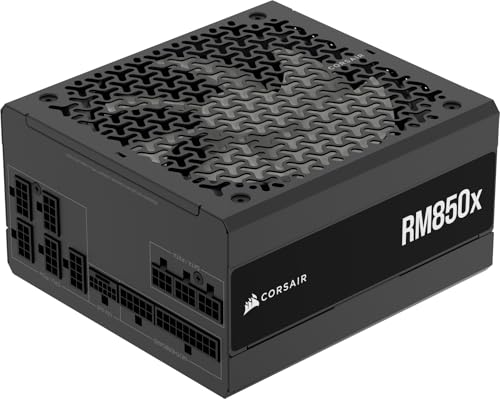
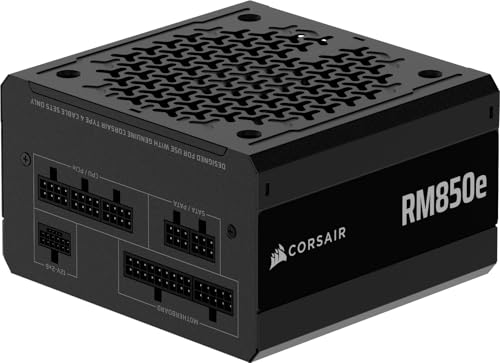
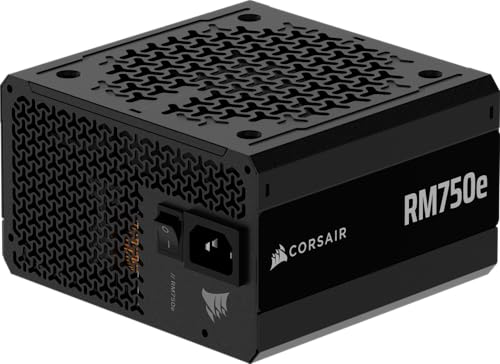
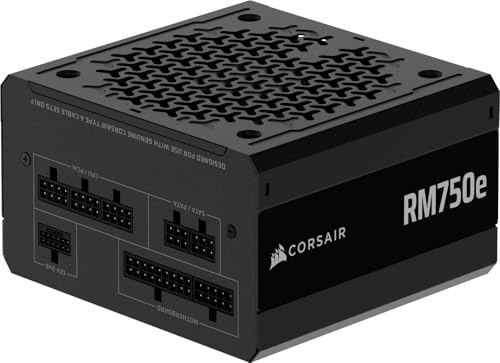
| Corsair RM750e | See the detailed chapters below | Check price on Amazon |
| be quiet! Pure Power 12 M 850W | See the detailed sections below | Verify cost on Amazon |
| Thermaltake Smart 700W | See the detailed chapters below | Check price on Amazon |
At a glance, the ladder looks like a simple ascent, and the glance is where most buyers stop. The fuller truth is that each rung trades a different currency. Non-modular trades tidiness for the lowest possible price and the fewest possible failure points — there is no modular socket to half-seat, no cable set to lose. Semi-modular trades a small premium for the removal of every cable a build might not need, keeping only the two it certainly will. Fully modular trades the largest premium for complete freedom at build time and change time. None of the three trades touches the electricity: a well-made unit of any class powers a machine identically to its siblings, and a badly made unit is a hazard in a fully modular box just as surely as in a fixed-cable one. Class is about cables. Quality is a separate axis, and confusing the two is the most expensive habit in this market.
The ladder’s rungs are not evenly spaced in price, and the spacing itself is information. The step from non-modular to semi-modular is usually the smallest, because it buys only a socket panel for the optional cables — a modest piece of engineering. The step from semi to fully modular is larger than the engineering difference seems to warrant, because it also buys position: fully modular units cluster in makers’ premium lines, where the price quietly includes better fans, longer warranties and finer internals alongside the extra sockets. A careful buyer therefore compares within the ladder honestly — asking of a fully modular unit not only “are the extra sockets worth this?” but “what else in this price is the platform, and would I pay for that anyway?” Sometimes the answer dissolves the class question entirely: the unit you want for its fan and warranty happens to be fully modular, and the sockets arrive as a passenger.
How the lineup was chosen
One specimen per class, each defensible on its own rung. The Corsair RM750e represents fully modular design at the wattage most gaming and workstation builds actually need, on the current ATX 3.1 platform with its native high-power graphics connector. The be quiet! Pure Power 12 M 850W represents the modular middle ground from a maker whose reputation rests on acoustic behaviour — a reminder that the middle rung is not a compromise bin but a place where serious engineering lives. The Thermaltake Smart 700W represents the non-modular entry class in its honest form: a fixed full loom, basic certification, and a price that exists to make a first build or an emergency replacement possible. Deliberately excluded were units that blur the taxonomy — premium non-modular oddities, bargain fully modular units with worrying internals — because a decision guide needs clean specimens more than it needs curiosities.
Detailed reviews

Corsair RM750e
Best for tinkerers
| Variant | Corsair RM750e |
|---|---|
| Class | Power Supplies |
| What its entry leads with | fully modular cabling |
| Price | Check price on Amazon |
The top rung, shown at a sensible wattage. The RM750e’s every cable detaches, which makes it the class’s purest teaching example: the supply arrives as a bare box with a panel of sockets, and the finished build contains exactly the cables the parts list required — no more, in no other lengths than supplied, routed in whatever order the case’s geometry preferred. On the current ATX 3.1 platform, its native 12V-2×6 lead covers modern graphics cards without adapter bundles, and its efficiency certification sits at the level a decade-long component should. For a builder who expects to open the case again — upgrades, a case change, a second machine inheriting the unit — this is the class that never argues with them.
The fully modular premium buys its clearest dividends in two places this unit demonstrates well. The first is installation order: the supply can be bolted in empty and wired afterwards, which in a compact or crowded case is the difference between a calm hour and a wrestled one. The second is inheritance: when this unit moves to its next machine, it travels as a box and a labelled bag of cables, and the new build takes only what it needs. The class’s standing cautions apply in full — its cables belong to its family alone and must never be mixed with another unit’s set — and its price asks the taxonomy’s central question in miniature: is the freedom worth funding before, say, a larger drive? For tinkerers, yes by definition; for a sealed build, the lower rungs are waiting.
Strengths
- Complete cable freedom on a current ATX 3.1 platform with the native GPU connector
- Installs empty and wires afterwards — the kindest sequence in a crowded case
- Travels between builds as a bare unit plus a labelled cable set
Trade-offs
- The class premium is real money that a sealed build never recovers
- Family-specific cables demand lifelong labelling discipline
- 750 W suits single-GPU builds; hungrier plans should shop a higher rung of wattage, not class
Best for: builders who upgrade, swap and inherit components across machines. / Not suited for: a build-once budget where every spare coin belongs to storage or graphics. Check price on Amazon

be quiet! Pure Power 12 M 850W
Best value route
| Item | be quiet! Pure Power 12 M 850W |
|---|---|
| Line | Power Supplies |
| Functions named on its page | 80 Plus efficiency certification |
| Cost | Check expense on Amazon |
The middle rung, represented by a maker whose name is a design brief. The Pure Power 12 M pairs modular cabling for the optional leads with the fixed essentials, lands at 850 W with Gold-class efficiency and full support for current PCIe 5.1 graphics hardware, and wraps it in the acoustic discipline be quiet! is bought for — a large, slow-turning fan and a platform tuned to stay out of the room’s conversation. As a taxonomy specimen it makes the middle class’s argument better than any diagram: the cables a mainstream build leaves in the box are exactly the cables this design lets you leave in the box, and the two it keeps attached are the two the build was always going to plug in first.
Where this unit earns its slot over cheaper middle-rung rivals is that it refuses to treat the middle as a discount. The platform is current, the certification is proper, the wattage carries headroom for a strong graphics card, and the noise behaviour suits the living-room and bedroom builds that dominate real life. Its compromises are the class’s own: the fixed bundle must be threaded and dressed as given, a case swap drags it along, and the detachable leads obey the same family-only rule as any modular set. A buyer who has decided the middle rung is theirs could stop reading at this unit and be well served; a buyer still deciding should note that this is what the middle looks like when it is done properly, and judge cheaper specimens against it.
Strengths
- Modular optional cabling with the essentials fixed — the mainstream build’s exact needs
- Gold-class efficiency and current-platform graphics support at 850 W
- Acoustic tuning suited to living-room and bedroom machines
Trade-offs
- The fixed bundle must be dressed as supplied; no length tailoring
- Case swaps carry the attached leads through both machines
- Detachable leads are family-specific, like every modular set
Best for: a mainstream tower build that values quiet and keeps its options open. / Not suited for: the smallest cases, where a fixed bundle fights the geometry. Check price on Amazon

Thermaltake Smart 700W
Best for extended bouts
| Label | Thermaltake Smart 700W |
|---|---|
| Part | Power Supplies |
| Headline functions from its entry | its core function set |
| Page expense | Check price on Amazon |
The bottom rung, and this guide declines to apologise for it. The Smart 700W is a non-modular supply: every cable it owns is permanently attached, its certification is the entry-level 80 Plus White, and its platform predates the current ATX revisions — and within its brief, none of that is a defect. Its brief is to power a modest machine, or to replace a dead supply today, at the lowest price at which a recognised maker sells a warrantied unit. In a full-size case with a shroud or a forgiving interior, its unused leads coil into the drive bay area or behind the tray and are never seen or thought about again, while the machine it powers runs office work, study, media and light gaming exactly as a costlier unit would run them.
The honest limits define its territory. A windowed small case will display its surplus loom like an exhibit, and no routing skill fully hides a full cable set in a compact chassis. Its platform age means modern high-power graphics cards are outside its remit — this is not the unit for a current flagship GPU, and its wattage and connector set say so plainly. And a builder who upgrades constantly will feel the fixed loom at every intervention. Within the territory — budget desktops, family machines, workshop PCs, emergency replacements that become permanent — it is the rational rung, and the money it saves is frequently the difference between a build that happens and a build that waits another month.
Strengths
- The lowest-cost route to a warrantied supply from a recognised maker
- No modular sockets to mis-seat and no cable set to lose — nothing to configure at all
- Perfectly adequate for the modest machines that make up most of the world’s desktops
Trade-offs
- The full fixed loom must live somewhere in the case, visibly in small or windowed builds
- Entry-level certification and an older platform limit it to modest hardware
- Every future intervention works around cabling that cannot be removed
Best for: budget desktops, family machines and urgent replacements in full-size cases. / Not suited for: compact windowed builds or current high-power graphics cards. Check price on Amazon
Buying guide: what truly settles Fully Modular vs Semi Modular vs Non Modular PSU
Four considerations settle the three-way choice, and they are best met in a deliberate order: what each class actually gives you in practice, where the bottom rung still wins, how modularity spending competes with efficiency spending, and how the choice ages across the several builds a good supply will outlive. A buyer who walks all four rarely regrets the rung they land on, because the landing was reasoned rather than fashionable.
What each level provides up in practice
Translate the classes into a build afternoon. The non-modular builder receives a supply with a permanent octopus of cabling: the build begins by deciding where the unused leads will live, and every cable run is planned around a loom that cannot be thinned. The semi-modular builder starts with two leads attached — the two the build needs first anyway — and adds only the strands the parts list calls for, so the case fills exactly as much as the hardware requires. The fully modular builder starts with an empty box, mounts it, and composes the cabling from nothing, in the case’s preferred order, with the option of aftermarket leads cut to the case’s exact dimensions. Those are three genuinely different afternoons, and they are the whole product: in the finished, closed machine, the classes converge, and a visitor cannot tell them apart without opening the case and looking at the supply’s face.
Change time separates them again, in the same order. Adding a drive to the non-modular machine means finding the right strand in the stored loom — present, at least, and impossible to have lost. Adding one to the semi or fully modular machine means fetching a cable from a box that must have been kept. Removing the supply entirely is easiest from the fully modular machine, hardest from the non-modular one, whose loom must be unthreaded from every component it feeds. None of these operations is beyond any owner; they differ in minutes and in grace, and a realistic estimate of how often you will perform them is the most predictive number in this entire guide.
A worked example fixes the abstraction. Take a mainstream parts list — a mid-range processor, one graphics card, two drives — and price the supply three ways. The non-modular version leaves the largest remainder for the rest of the build; the semi-modular step costs roughly a modest accessory; the fully modular step, taken in a premium line, can cost as much as the step from a mid-range drive to a large one. Now ask the only question that matters: which purchase will the machine’s owner notice in month six? The drive’s space, noticed weekly. The accessory, perhaps. The sockets, only if the case was opened. Worked examples like this are unfashionable in reviews because they end arguments, but a buyer with a finite budget should run one, with real prices from real listings, before letting any guide — this one included — talk them up a ladder.
Spend builds where non-modular still wins
The bottom rung wins wherever the case is large, the hardware modest and the budget strict — a combination that describes a large share of real computers. In a full tower or a shrouded mid-tower, the fixed loom’s surplus disappears into space that was otherwise empty, and the money saved against a modular unit of similar wattage funds things the machine demonstrates every day: a bigger SSD, a second stick of memory, a quieter cooler. Non-modular also wins the emergency: when a supply dies on a workday, the replacement that matters is the one that is affordable, available and sufficient, and elegance can be renegotiated at the next planned build. Finally, it wins in machines built for other people — the family desktop, the office box — where the builder will not be present for future upgrades and a supply with nothing to lose, misplace or mis-seat is a small act of foresight.
The rung loses, clearly, in three places: small cases, where its loom is a physical problem rather than a tidiness one; windowed showcase builds, where the surplus is permanently on display; and any build whose graphics ambitions will grow, because a unit bought for today’s modest card that cannot serve tomorrow’s is not a saving but a deferral. The skill is not in respecting or disrespecting the bottom rung — it is in recognising which list your machine is on.
Cable length is the practice-level detail the class diagrams never show. Non-modular looms are cut for the average tower and arrive as a fixed fact; semi-modular detachable leads come in the maker’s chosen lengths; fully modular units accept aftermarket leads in exact lengths, which in a large case means an end to the coiled surplus behind the tray and in a small case means runs that match the geometry to the centimetre. Most builders will never commission a custom-length cable, and should not pay for the privilege as if they would — but builders of showcase machines, whose photographs are the point, already know that tailored lengths are the difference between tidy and tailored, and for them this paragraph is the buying guide.
Efficiency ratings versus modularity spending
Every budget forces the same auction: the next increment of money can buy modularity, or it can buy efficiency and platform quality. Efficiency is the quiet earner — a better-certified unit wastes less electricity as heat on every hour of every day the machine runs, which means a cooler case, a slower fan and a smaller bill, compounding silently for a decade. Modularity pays its dividend in a handful of afternoons. That asymmetry sets the correct spending order for almost every buyer: wattage headroom first, because an undersized supply is a fault, not a compromise; certification and platform currency second, because they work daily; modularity last, with whatever the first two leave behind. A Gold-certified semi-modular unit is a better purchase than a White-certified fully modular one at the same money, and it is not close.
The exception proves the ordering rather than breaking it. In a small-form-factor build, modularity stops being a convenience and becomes a feasibility question — the fixed loom may genuinely not fit the geometry — and there it legitimately jumps the queue, because a supply that cannot be installed has an efficiency of zero. Outside that case, let the auction run in order and the ladder will usually deposit you on the middle rung, which is precisely where the market’s centre of gravity sits, and for good reason.
Efficiency has a second, less quoted dividend that belongs in the spending auction: heat is noise’s raw material. A unit that wastes less power as heat can turn its fan slower for the same load, which is why the certification line on the box predicts a bedroom machine’s night-time manners better than any acoustic claim in the marketing. In a workstation under a desk the difference is a footnote; in a small room where the machine shares the night with its owner, the step up in certification is the purchase that gets thanked daily. Modularity has never once been thanked at 2 a.m. — a sentence worth remembering when the auction tightens.
Extended-term recycling across multiple builds
A good power supply is the longest-lived component in a PC — it routinely outlasts two graphics cards and a motherboard — so the class decision echoes across builds in a way few others do. The fully modular unit recycles most gracefully: it leaves each machine as a bare box, arrives at the next as a bare box, and its cable set, kept labelled in its carton, serves each build exactly the strands required. The semi-modular unit recycles nearly as well, dragging its two permanent leads through each transition like a snail its shell — a minor toll per move. The non-modular unit recycles with the most friction, its whole loom unthreaded and rethreaded at every change, and it tends to be retired with the case it first filled rather than carried forward.
Two disciplines decide whether recycling works at all, and both are clerical. Keep each unit’s cables with the unit, labelled, forever — modular cables are wired for their own family, and a cable inherited by the wrong supply can destroy hardware the moment the machine is switched on. And keep the receipt and warranty details with the box, because the unit most likely to be claimed on in year seven is the one whose paperwork was filed in year one. Recycling is where the fully modular premium quietly amortises; a builder certain this supply will power three machines can spread its cost across all three and watch the per-build price of the top rung fall below the middle’s.
Warranty handling is the recycling topic’s unglamorous tail. A supply carried into a second build carries its remaining warranty with it only in the practical sense that the original owner can still claim; a unit passed to another person entirely may find its coverage resting on the original receipt and the maker’s goodwill. None of this varies by class — but it varies by record-keeping, and it is one more reason the box, the cables and the paperwork travel together. The fully modular unit’s graceful recycling story assumes its archive is intact; a bare unit with anonymous cables and no receipt recycles no better than any other class, and rather less safely.
Fully Modular vs Semi Modular vs Non Modular PSU in real schedules
The prebuilt scenario has a cabling footnote that saves real grief: proprietary cases sometimes route their front-panel and drive power in ways that assume the original supply’s cable lengths, and a replacement with a shorter loom — or a modular unit whose owner fits only the obvious cables — can leave a drive bay or a front port unpowered and its owner convinced the new supply is faulty. The unglamorous discipline is to photograph the old unit’s connections before removal and to account for every lead the old machine used. Class plays no part in that discipline, which is why it is so often skipped: the taxonomy is interesting, and the photograph is not, and the photograph is the one that matters.
Scene: a first build on a strict funds with a windowed case
The strict-budget first build is the taxonomy’s hardest exam, because the window argues for tidy cabling while the budget argues against paying for it. The resolution is to spend in the auction’s order and let the window have what remains: secure wattage and certification first — which on a strict budget usually means the non-modular or the most affordable semi-modular unit from a recognised maker — then route with patience, because a fixed loom dressed carefully along the case’s channels looks far better than folklore claims, especially with the surplus coiled low behind the shroud line. What the first builder must not do is buy a no-name fully modular unit to satisfy the window: an unknown platform with pretty cabling is the worst object in this entire guide, and the window will display a dead machine beautifully.
For the be quiet! unit specifically, the living-with story is its fan. A supply in a bedroom or a shared office is heard at idle more than at load — load usually coincides with game audio or work that masks it — and a fan programme that rests at low load and rises gently is the difference between a machine that disappears and one that announces itself to the room. That quality is independent of modularity class, which is exactly why it belongs in this guide: the middle rung’s specimen was chosen to prove that a buyer who lands mid-ladder for cable reasons sacrifices nothing in the qualities they will actually live with.
Situation: a workstation reused over three upgrade cycles
The workstation that will be opened six times in five years is the fully modular class’s natural habitat, and the arithmetic is cumulative: each intervention — a graphics card with its connector in a new place, an extra drive, a cooler swap in cramped quarters — is shorter and calmer when the cabling can be partly disconnected at the supply and recomposed. Across three upgrade cycles the saved hours and the avoided frustrations repay the premium in the only currency professionals actually hold, which is time not spent on their own machine. The semi-modular unit serves this machine respectably; the non-modular unit taxes every visit. Choose by the number of times the side panel will come off, a figure the owner of a workstation can estimate more honestly than most.
Situation: a prebuilt owner replacing a failed unit quickly
The prebuilt owner’s constraints are different in kind: the machine is down, the case is a proprietary box with unknown clearances, the budget is whatever this month allows, and the technical confidence is borrowed from a video. For this owner the taxonomy simplifies beautifully. Measure the old unit, match its form factor and wattage, and buy the most reputable unit the budget reaches — which will usually be non-modular or semi-modular, either of which installs without a single decision about cable sets. The fully modular class’s freedoms are worthless in a case that will be opened once, under duress, and closed with relief. Speed, sufficiency and a name worth warranting are the whole brief, and any of the three classes can fill it honourably when the maker is reputable and the wattage is honest.
Setup and first-build how-to
A class-aware installation sequence: the steps are shared, and the class-specific moves are flagged as they come.
Step 1: classify the build before choosing the supply
Write down the build’s honest profile: case size and whether it is windowed, the parts list’s connector count, the upgrade rhythm you realistically expect, and the budget line the supply must fit. That profile names the class — small or frequently opened points up the ladder, large and sealed points down — before any product is admired, which is the correct order of operations for this entire topic.
Step 2: count the cables the parts list requires
Motherboard and CPU leads, the graphics lead in the form your card takes, one SATA strand per drive group, and a peripheral lead if a fan hub or controller needs one. The count tells a semi or fully modular buyer which cables leave the box, and tells a non-modular buyer how much surplus loom the case must absorb — a number worth knowing while the case choice can still change.
Step 3: mount and dress according to your class
Fully modular: mount the bare unit, then connect in the order the case prefers. Semi-modular: dress the fixed bundle’s rough path as you mount, then add the detachable leads. Non-modular: decide the surplus loom’s home first — low in the case, clear of fans and the intake path — and dress it before the components go in, while the case is still empty enough to work in.
Step 4: seat, click and tug every connector at both ends
Every plug, at the supply and at the component, pushed home until its latch engages, with the high-power graphics connector checked for a visible gap — a half-seated connector is the leading cause of new-build instability that gets blamed on everything except the cable. This step is class-blind and non-negotiable, and it takes less time than one forum post about random restarts.
Step 5: file the box, the spares and the paperwork as one object
Spare modular cables go back in the supply’s box, the box gets the unit’s model written on it, and the receipt joins it. Non-modular owners skip the cables and keep the paperwork habit anyway. This five-minute clerical act is what makes the recycling scenarios in this guide possible rather than theoretical, and its absence is what makes second-hand modular supplies a gamble.
One more practice-level separation belongs here, concerning spares. The modular classes convert the supply’s cables into inventory — an asset that must be stored, labelled and found again — while the non-modular class keeps its inventory permanently installed. Households differ in their talent for inventory, and the difference is predictive: the builder with a labelled parts shelf will realise every benefit the modular classes promise, and the builder whose spares live in a communal drawer of cables will realise the non-modular class’s benefits while paying the modular classes’ price. Self-knowledge, in this topic, is a specification.
Common mistakes with Fully Modular vs Semi Modular vs Non Modular PSU
Choosing modularity over wattage headroom
The gravest ordering error in this market: a fully modular unit bought at a wattage the build will outgrow, chosen over a stronger semi-modular unit at the same money. An undersized supply announces itself under load — shutdowns in games, instability that mimics every other fault — while a surplus of modularity announces itself never. Headroom is a functional property; modularity is a handling property. When the two compete for the same money, function wins, and the buyer who internalises that ordering will never make this mistake in any category, let alone this one.
Assuming non-modular means low standard
Class is not quality, in either direction. The market contains shoddy fully modular units whose detachable cables dress a platform no careful builder would install, and excellent non-modular units from serious makers serving industrial and office machines for a decade. Judge a supply by its maker, its certification, its platform and its warranty — the class merely describes its cables. The buyer who equates a fixed loom with a bad supply will overpay for dressing; the buyer who equates modular sockets with a good one may buy a hazard with excellent cable management.
Reusing old modular cords on a new unit
The standing safety rule of this entire topic, stated for the third class in a row because it protects all of them: modular cables are pinned for the supply family they shipped with, the supply-end pinout is not standardised, and a cable that fits can still deliver voltages to the wrong pins — destroying drives or a graphics card at first switch-on. A replacement supply gets its own cables, every time, and the old set stays quarantined with the old unit or is discarded. No saving has ever justified this gamble.
The Thermaltake’s daily reality deserves the same fairness. In the modest machine it suits, its fixed loom is dressed once, at build time, into the case’s empty corners — and then the subject closes. Its owner does not think about cabling when adding a drive, because the strand is already there waiting; does not think about it when the machine is cleaned, because blowing dust past fixed cables is no harder than past detachable ones; and does not think about the taxonomy at all until the next build, which is the deepest compliment a budget component can earn. The bottom rung’s flaw is not that it troubles its owners — it is that it troubles only the owners it was never meant for.
Head-to-head: separating the shortlist
Between the three specimens, the separation is the taxonomy itself wearing product names. The RM750e is the choice when the build’s future includes the case being opened with intent — upgrades, transplants, a second life in another machine — and its fully modular design is the tool for that future. The Pure Power 12 M is the choice for the mainstream present: a strong, quiet, current platform whose modular-where-it-matters cabling matches a tower build’s actual cable count, at a middle-rung price. The Smart 700W is the choice when the brief is sufficiency at the lowest reputable price — a modest machine, a family desktop, a replacement that cannot wait. Notice that none of the three defeats the others; each wins the scenario it was built for, which is the taxonomy’s whole lesson. The buyer’s task is not to find the best supply on the page but to recognise their own scenario in one of the three descriptions.
A closing comparison sharpens the head-to-head for anyone still torn between the two Corsair-class options on the page and the middle specimen. Choose the fully modular unit when the machine’s story is written in future tense — upgrades intended, a case change imaginable, a second build likely. Choose the middle unit when the story is written in present tense — a strong machine, built well, expected to serve as built. The taxonomy cannot make that choice, because it is not about power supplies at all; it is about which tense your computing life is lived in, and the supply is merely where the answer becomes hardware.
Living with the decision: upkeep and longevity
Whichever rung you chose, the supply’s care is mostly a matter of air and records. Keep its intake filter on the same cleaning rhythm as the case’s other filters, since a starved supply runs its fan harder and ages its components faster, and a supply that shares the household’s cleaning calendar is a supply that tends to reach the second and third builds this guide keeps talking about. Listen, once in a while, for a fan that has begun to complain — it is the one moving part, and its voice changes before it fails. Keep the box and its contents intact and findable; the modular classes’ spare cables are part of the product, and their loss is a real reduction in what you own. And when the unit is eventually replaced, let its cables leave with it, labelled, so that the next owner’s build begins with the same safety yours did.
There is one more household reality to fold into upkeep: other people’s hands. A machine that a partner, a teenager or a colleague may open — to add a drive, to chase a rattle — is safest in the class whose cabling explains itself. Fixed looms cannot be reassembled wrongly; modular sockets invite the confident error. Builders who maintain machines for a household sometimes choose a rung down the ladder for exactly this reason, and it is a legitimate engineering decision dressed as a social one: the best specification is the one the next pair of hands cannot defeat.
Final recommendation
Run the decision in the order this guide built it. First, the platform: wattage with headroom, proper certification, a current standard — non-negotiable at any rung. Second, the case and the calendar: a small case or a frequently opened one climbs the ladder to fully modular, where the RM750e waits as the class’s sensible specimen; a mainstream tower settles on the middle rung, where the Pure Power 12 M shows how well that rung can be done; a strict budget in a full-size case takes the bottom rung without shame, where the Smart 700W powers the machine and frees the money for parts that perform. Third, the discipline that outlives the choice: cables stay with their unit, boxes stay labelled, and no class is ever mistaken for a measure of quality. Decide in that order and the three-way question, which looked like a ladder to climb, resolves into what it always was — a description of your build, your case and your habits, read back to you in the vocabulary of cables.
A note on terminology closes the guide, because the market’s vocabulary drifts. “Modular” unqualified on a listing can mean semi-modular; “full modular” and “fully modular” are the same claim; and a small number of units marketed as modular fix a graphics lead alongside the essentials, which the cable list reveals and the headline conceals. The defence is the habit this guide has recommended throughout: never buy the adjective, always read the cable list. Two minutes with the manual’s cabling table tells you exactly which leads detach on the unit in front of you, and in a topic where the entire product is its cables, that table is the product description that matters.
And a last word for the reader who arrived here from a dead machine rather than a planned build: the taxonomy will still be here when the emergency is over. Buy the sufficient, reputable unit today, keep its box and paperwork, and let the class question be one of the pleasures of the next deliberate build — where it can be decided by case and calendar instead of by a deadline and a dark screen.
Frequently asked prompts
What matters most when choosing for fully modular vs semi modular vs non modular psu?
The platform before the class: wattage headroom, certification and a current standard decide whether the supply serves the machine at all. Class comes second and is decided by the case’s size and how often it will be opened. Buyers who reverse that order own beautiful cabling attached to inadequate electricity, which is the one outcome every section of this guide exists to prevent.
How much should a beginner funds for fully modular vs semi modular vs non modular psu?
Enough for a recognised maker, proper certification and wattage above the build’s appetite — and only then, if the case is small or the upgrade habit is real, the modular step. On a strict first budget that arithmetic usually lands on the bottom or middle rung, and that is a success, not a compromise: the beginner’s money is working in the components they will see and hear daily.
Which slip do customers of fully modular vs semi modular vs non modular psu regret most?
Buying class before platform — the fully modular unit that cannot feed the graphics card bought six months later. A close second is the scattered cable set: the modular supply whose spare leads vanished into a drawer, discovered missing on the day a new drive arrives. Both regrets are clerical rather than technical, and both are prevented by the ordering and filing habits this guide repeats.
How much adjustment does a modular power supply ask of a first-time builder?
One build. The classes differ in handling, not in operation, so there is no daily adjustment at all — the machine simply runs. What a builder carries forward is procedural: the fully modular habit of wiring in case order, the non-modular habit of dressing the loom first. Each feels natural by the second time the case is opened.
When is the premium alternative in fully modular vs semi modular vs non modular psu really worth it?
When the premium buys a named, dated use: the small case already chosen, the upgrade cycle already planned, the second machine already waiting to inherit the unit. Spread across three builds, the top rung’s cost per build can fall below the middle’s — that is the premium’s one genuinely economic argument, and it belongs to builders whose recycling plans are real rather than aspirational.
What should I confirm initially if my fully modular vs semi modular vs non modular psu purchase disappoints?
That the disappointment is correctly addressed. Instability and shutdowns point at wattage, seating or the platform — not at the class, which no alternative rung would have cured. A case that cannot swallow a loom points at the class honestly, and is the one disappointment that justifies re-buying up the ladder. Separating those two is the whole diagnostic, and it takes one honest minute.
Related guides
- Full Modular vs Semi Modular PSU
- Atx 3 0 vs Atx 2 4 PSU
- Atx PSU Explained
- Best 1000w PSU for Beginners Under 100
- Best 1000w PSU for Beginners Under 1000
- Best 1000w PSU for Beginners Under 200
There is also a simplicity dividend in the sealed machine that deserves naming before the FAQ: a supply whose cables cannot be removed cannot be reassembled incorrectly by the machine’s next owner, its next repairer, or its owner’s tired future self at midnight. Reliability engineers call this designing out a failure mode, and the bottom and middle rungs both practise it to different degrees. The fully modular class accepts that failure mode in exchange for its freedoms, and manages it with discipline — labels, boxes, habits. Neither posture is naive; they are different answers to the question of whose hands the machine will meet, and a buyer who knows their household knows their rung.
One more angle: spend builds where non-modular still wins, revisited
One territory for the bottom rung deserves a second mention because it is growing: the second machine. A retired gaming build becomes a home server, a child’s first desktop, a workshop PC — and in each reincarnation, the supply it needs is sufficient, reliable and already paid for. Non-modular units drift into these roles naturally and serve them for years, which is a reminder that a component’s second life is part of its value. The taxonomy’s bottom rung is where the fleet’s workhorses come from, and fleets, unlike showcase builds, are measured in uptime.
One more angle: what each level provides up in practice, revisited
It is worth ending the taxonomy with the observation that the classes are converging at the edges. Makers increasingly offer the same platform in two classes, semi-modular bundles grow more generous, and the price gaps narrow a little with each generation — all of which strengthens this guide’s central advice rather than dating it. As the classes blur, the durable skill is not memorising rungs but reading a specific unit’s cable list against a specific build’s connector count. That reading takes two minutes, transfers to every future platform, and is the closest thing this topic has to a permanent answer.