Disclosure: As an Amazon Associate, reviewstook.com earns from qualifying purchases. Links on this page are affiliate links; they cost you nothing extra. Prices and availability change often, so check the current Amazon listing before you buy.
Researching the g pro 27i begins with a naming trap, so let us spring it deliberately and move on. Xiaomi’s G Pro 27i is a 27-inch Mini LED gaming monitor — a high-refresh IPS-class panel with a Mini LED backlight and local dimming, aimed at players who want real HDR highlights without paying OLED money. It is not the Xiaomi G27i, a different and lesser Full HD monitor whose similar name fills search results and marketplace listings, and confusing the two has emptied more than one buyer’s wallet into the wrong box. This review covers the G Pro 27i itself — what its Mini LED design means in games and films, where local dimming helps and where it blooms, and how to judge it against the established 27-inch QHD alternatives that shoppers cross-shop it with.
One disclosure of method belongs up front, because it shapes the page. The G Pro 27i is covered here in prose: no listing for it was returned through our retail verification channel across two search passes, only the different G27i Full HD model, so there is no purchase link for the Xiaomi itself and nothing in this article pretends otherwise. The two monitors that are linked below — Gigabyte’s M27Q2 and LG’s UltraGear 27GP850-B — are presented strictly as alternatives: established 27-inch QHD gaming monitors a G Pro 27i shopper will inevitably compare against, each labelled as what it is. If you came for the Xiaomi, read the buying guide as its portrait; if you came ready to buy something this week, the alternatives are the honest shelf.
The naming trap deserves one more layer of detail, because it operates at every stage of a purchase. Xiaomi sells a family of value gaming monitors with overlapping names, and the G27i — a 27-inch Full HD model — sits in the same listings, the same search results and sometimes the same product photographs’ neighbourhood as the G Pro 27i, which is a QHD Mini LED machine of a different class entirely. The defences are boring and total: read the resolution in the listing’s specification table rather than its headline, read the backlight type, and read the model name on the order confirmation character by character. A shopper who performs those three readings cannot be caught; the trap only works on momentum, and it works often enough that this guide will return to it in the FAQ without embarrassment.
Key takeaways
- Mini LED local dimming behaviour in games
- HDR brightness versus IPS rivals
- Refresh rate and response for rapidly names
- Stand, ports and console compatibility
In this guide
Swift picks for G Pro 27i
| Unit | Best for | Entry |
|---|---|---|
| Gigabyte M27Q2 | Best for muted spaces | Check price on Amazon |
| LG UltraGear 27GP850-B | Best value route | Check price on Amazon |
The table needs its caption in plain words: neither monitor in it is the G Pro 27i, and neither is a substitute pretending to be one. They are the two reference points that define the territory the Xiaomi entered — fast 27-inch QHD IPS gaming monitors with strong reputations — and they are here because a shopper who cannot find the G Pro 27i in stock, or who decides its Mini LED trade-offs are not for them, will land on one of these two desks more often than any others. The Gigabyte leans toward refresh rate and modern connectivity, the LG toward a proven panel with a mature gaming feature set, and the detailed sections below take each on its own terms before the head-to-head puts them against the Xiaomi’s proposition.
How the selection was chosen
An alternatives shelf earns its place by bracketing the subject, and these two bracket it precisely. Both are 27-inch QHD — the resolution class the G Pro 27i competes in — both are fast IPS gaming panels with adaptive sync, and both are sold through ordinary retail channels with ordinary availability, which the Xiaomi, in many regions, is not. What neither offers is the subject’s defining feature: a Mini LED backlight with local dimming. That absence is deliberate in this selection, because it forces the comparison that actually matters — Mini LED HDR ambition against conventional IPS excellence — rather than a spec-sheet beauty contest among three similar backlights. A shopper who reads the two alternatives’ sections and still wants local dimming has learned something real about their own priorities; a shopper who realises they do not has saved themselves the G Pro 27i’s compromises for nothing.
A word on why no OLED monitor is linked here, since it is the comparison every reader is silently running. OLED models were left off the alternatives shelf for two reasons: their price band is a different conversation from the G Pro 27i’s, so a link would answer a question this page is not asking; and the OLED-versus-Mini-LED decision is a usage-pattern decision — static-interface hours, room brightness, content mix — that deserves the prose treatment it gets in the scenarios and FAQ rather than a product tile. The alternatives linked are the monitors a G Pro 27i shopper can buy instead this week, at comparable money, through ordinary channels. That is the shelf’s rule, and OLED fails it on price rather than on merit.
Detailed reviews

Gigabyte M27Q2
Best for muted spaces
| Model | Gigabyte M27Q2 |
|---|---|
| Class | Gaming Monitors |
| Headline extras from its entry | its core feature set |
| Tag | Check price on Amazon |
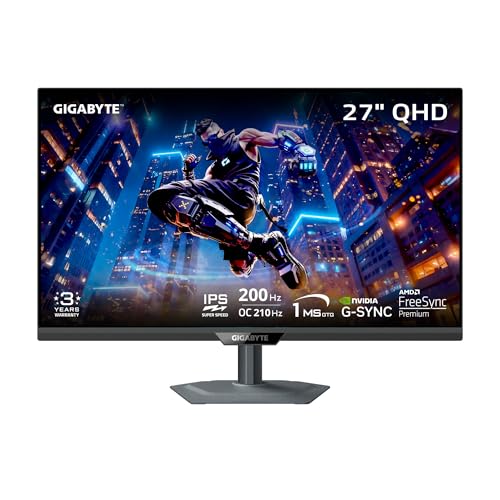
First alternative, and the more forward-looking of the two. The M27Q2 is a 27-inch QHD SuperSpeed IPS gaming monitor running at 200 Hz with an overclock to 210 Hz, a 1 ms grey-to-grey response claim, FreeSync Premium with G-Sync compatibility, and a connectivity set that includes USB-C and a KVM switch alongside HDMI and DisplayPort. Judged as a G Pro 27i alternative, its proposition is the opposite trade: where the Xiaomi spends its budget behind the panel, on a Mini LED backlight and dimming zones, the Gigabyte spends it in front of and around the panel — refresh headroom, a KVM for the two-computer desk, and the single-cable convenience of USB-C for a laptop that visits the desk. For a player whose games are competitive and whose HDR viewing is occasional, that is not a lesser proposition, just a different one.
Its limits as an alternative are the mirror of the Xiaomi’s strengths. A conventional IPS backlight without local dimming cannot produce the G Pro 27i’s HDR highlights or its dark-scene contrast; in a night scene in a film, the M27Q2’s blacks will sit at the familiar IPS grey while the Xiaomi’s dimming zones pull its dark regions down. The Gigabyte’s answer is that most gaming hours are not night scenes in films — they are bright, fast, competitive pictures where refresh rate, response behaviour and input feel decide the experience, and where its panel is playing at home. Buy it as the alternative for the player who games first and watches second; do not buy it expecting it to imitate a Mini LED monitor in the dark, because no setting will make it one.
Strengths
- 200 Hz refresh with a 210 Hz overclock — headroom the Xiaomi’s class rarely matches at this size
- USB-C and KVM connectivity suit a desk shared between a PC and a laptop
- Fast IPS response behaviour for competitive play, with adaptive sync for both GPU camps
Trade-offs
- No local dimming: HDR highlights and dark-scene contrast sit at conventional IPS level
- Its budget visibly went to speed and connectivity rather than backlight drama
- Height and tilt adjustment only — no pivot, if your desk work wants it
Best for: competitive players who want a current, fast QHD alternative with modern desk connectivity. / Not suited for: HDR film lovers chasing the Mini LED experience itself. Check price on Amazon

LG UltraGear 27GP850-B
Best for specialists
| Name | LG UltraGear 27GP850-B |
|---|---|
| Family | Gaming Monitors |
| What its entry leads with | its core extra set |
| Listing price | Check price on Amazon |
Second alternative, and the establishment candidate. The 27GP850-B is a 27-inch QHD Nano IPS gaming monitor at 165 Hz, with a 1 ms response claim, G-Sync compatibility and FreeSync Premium, and a stand offering tilt, height and pivot. It has been the default recommendation in its class for long enough that its character is thoroughly documented by the market: a colour-rich panel with strong motion behaviour, a gaming feature set without gimmicks, and the kind of availability and pricing history that makes it the monitor other monitors are priced against. As a G Pro 27i alternative it represents the safe pair of hands — the shopper who reads the Xiaomi’s blooming caveats, decides that conventional IPS done properly is enough, and wants the most proven version of that decision.
Its position against the Gigabyte is a study in small preferences. The LG concedes refresh headroom and the USB-C/KVM desk story; it counters with its Nano IPS colour character and a pivot-capable stand that document-and-game desks genuinely use. Against the Xiaomi, its concession is the same as every conventional IPS monitor’s — no local dimming, no Mini LED highlights — and its counter is maturity: no dimming algorithm to second-guess subtitles, no halo around a bright cursor on a black screen, a picture whose behaviour is identical in every scene because there is no backlight intelligence to surprise you. Some viewers call that limitation; others, after a week with a halos-and-all HDR experiment, call it peace. Both are right, which is why this alternative exists on the page.
Strengths
- Proven Nano IPS QHD panel with strong colour and motion behaviour
- Tilt, height and pivot stand — the full ergonomic set for a mixed work-and-play desk
- The class’s reference point for availability and long-term ownership reports
Trade-offs
- No local dimming, so HDR scenes lack the G Pro 27i’s highlight punch and black depth
- 165 Hz concedes refresh headroom to the Gigabyte alternative
- No USB-C or KVM for the laptop-sharing desk
Best for: buyers who want the most proven conventional QHD gaming monitor and can skip Mini LED. / Not suited for: anyone whose actual goal is HDR with local dimming — buy the subject, not this. Check price on Amazon
Buying guide: what really decides G Pro 27i
The G Pro 27i’s whole identity is a backlight, so its buying guide is organised around what that backlight does — in games, in HDR highlights, at speed, and on a real desk with consoles and stands and cables. Judge those four honestly and you have judged the monitor; the rest of any spec sheet is the ordinary QHD gaming furniture it shares with the alternatives above.
Mini LED local dimming behaviour in games
A conventional IPS monitor has one backlight for the whole screen: dark scenes are rendered by the panel trying to block a light that is fully on, which is why IPS blacks look grey in a dark room. The G Pro 27i replaces that single light with a Mini LED backlight divided into local dimming zones, each brightening or darkening with the picture in its region. In games, the effect is scene-dependent in a way marketing never shows. A torch-lit cave, a night race, a space battle — scenes with small bright elements on true darkness — gain a depth no conventional IPS monitor on this page can approach, because the zones behind the darkness genuinely go dim. A bright daytime scene gains almost nothing, because every zone is lit anyway. The technology’s value is therefore a function of what you play: the darker your games, the more the backlight earns.
The same mechanism produces the class’s signature flaw, blooming: a bright object smaller than a zone — a star, a subtitle, a cursor — forces its whole zone to light up, and the zone’s edges glow against the surrounding dark. Games with dense starfields or fine bright UI elements on black backgrounds show it most; games with larger, softer lighting show it least. Dimming speed matters too: zones that adjust slowly trail behind fast camera pans in dark scenes, a shimmering that some players never notice and others cannot unsee. None of this is a defect of this particular Xiaomi — it is the physics of zoned backlights at this class — and the shopper’s task is to match the physics to their library rather than to demand the technology be something it is not.
Zone count is the specification shoppers reach for, so its meaning belongs here even though this article quotes no figure for the subject: zones are the backlight’s vocabulary, and more zones let it describe finer shapes — a smaller bright object earns a tighter pool of light, and blooming shrinks accordingly. But zones are not a score to be maximised in isolation, because the dimming algorithm that conducts them matters as much as their number; a well-conducted modest array produces calmer pictures than a larger array conducted nervously, with zones hunting and overshooting as scenes change. This is why owner footage of real scenes teaches more than the zone line of a spec sheet, and why this guide keeps returning shoppers to auditions rather than arithmetic.
HDR brightness versus IPS rivals
HDR is where the G Pro 27i’s proposition concentrates. A Mini LED backlight can drive small highlights — sun glints, muzzle flashes, a neon sign in rain — far brighter than a conventional IPS panel sustains, while simultaneously holding the surrounding darkness down, and that simultaneous contrast is the thing HDR actually is. The alternatives in this guide render HDR signals competently but within one backlight’s limits: highlights and shadows share a ceiling and a floor set by a single light, so their HDR is a tone-mapping exercise rather than a contrast event. For the film-and-series viewer who watches in a dim room, the difference is not subtle and not a benchmark trick; it is the difference between a night scene that glows and one that merely depicts glowing.
Two disciplines keep HDR honest, though. The first is content: HDR only exists where the game or film provides it, and a library of SDR titles gains nothing from the backlight’s headroom beyond good SDR contrast. The second is calibration patience — HDR modes on monitors of this class often need their tone-mapping and local-dimming strength settings matched to the room and the source, and the owner who leaves every HDR control at its shipping default frequently concludes the technology is oversold when the settings were. Budget ten minutes with a familiar HDR scene before judging; the G Pro 27i’s class rewards the adjustment disproportionately.
HDR also arrives by different doors depending on the source, and the G Pro 27i’s owner will meet both. A Windows PC asks the user to enable HDR at the operating-system level and then per game, with the SDR-brightness balance set by hand; a current console detects an HDR-capable display and offers its own calibration screens, walking the user through brightness patterns that set the console’s tone mapping to the panel. Neither route is difficult, but they are different rituals, and the shared-desk owner who calibrates only one source will judge the monitor by the uncalibrated other. The setup steps below are written for the PC; give the console its own ten minutes with its calibration patterns on the day it joins the desk.
Refresh rate and response for rapidly headings
Speed is the axis on which the G Pro 27i must merely hold its own, because its price is justified elsewhere. As a current 27-inch gaming monitor it competes in the high-refresh QHD class, where the practical questions are the class’s usual ones: whether the panel sustains its rated refresh with adaptive sync engaged across the range your graphics card actually delivers, and whether its response tuning — the overdrive settings every fast IPS ships with — is usable at its middle settings without inverse ghosting. The alternatives frame the spread: the LG’s 165 Hz is the class’s established pace, the Gigabyte’s 200 Hz with an overclock is its current frontier, and a shopper for whom frames are the first priority should weigh those numbers heavily, because a Mini LED backlight does not make a panel faster.
The interaction between dimming and speed deserves one honest paragraph. Local dimming is processing, and processing must keep up with a fast picture; in the most demanding dark, fast scenes, a zoned backlight is working hardest exactly where the eye is most sensitive to artefacts. Players whose library is competitive shooters played at high brightness will rarely meet the issue — their scenes are bright and their zones are lit. Players of dark, fast horror and racing titles are the ones who should read owner reports about their specific games before committing, because that corner of the library is where this monitor class is most honestly argued about.
There is a middle genre between the horror game and the shooter that flatters this backlight almost as much, and it is worth a sentence for the library-minded: the moody adventure and the walking-paced narrative title, where scenes are composed like film frames and the camera lingers. These games are, in effect, films the player steers, and they collect the same dividend from local dimming — deep shadow detail with a lantern’s glow intact — without the fast motion that stresses dimming algorithms. A library weighted toward them is a library weighted toward the subject of this review, whatever its owner’s genre labels say.
Stand, ports and console compatibility
A 27-inch monitor lives on a desk with other machines, and the G Pro 27i’s class brings the expected modern arrangement: DisplayPort for the PC at full refresh, HDMI ports that current consoles can drive at the panel’s QHD resolution with high-refresh modes where the console and title support them, and a stand that handles the daily ergonomic duties. The console question deserves precision, because it is fumbled in most listings: a QHD monitor suits the current consoles well, since both major consoles can output QHD and will downscale their 4K pipeline cleanly to it, and high-refresh console titles can use the panel’s speed over HDMI. What a monitor of this class does not give a console is the living-room experience — no speakers worth the name, no remote, no TV tuner — and the desk it sits on should be chosen with that in mind.
Against the alternatives, the desk furniture is where small print decides real days. The Gigabyte’s USB-C and KVM answer the laptop-sharing desk directly, and its absence of pivot is a genuine if minor gap. The LG’s full ergonomic stand answers the document-heavy desk. The Xiaomi’s proposition, characteristically, spends nothing on winning this section — its money is behind the panel — so a shopper whose desk life is complicated should price the alternatives’ furniture honestly rather than assuming the subject matches it. Monitors are interacted with through their stands and ports every day and through their backlights mostly at night; weighting those two facts is a personal calculation this guide will not make for you.
G Pro 27i in actual routines
Scenario: a single-player gamer who watches films on the same screen
This is the G Pro 27i’s home fixture, the routine its backlight was built for. Single-player libraries lean on atmosphere — caves, nights, weather, firelight — and film libraries lean on exactly the scenes local dimming transforms. One screen serving both duties at a desk is also where QHD at 27 inches is the settled sweet spot: sharp at desk distance, undemanding enough for a mid-range graphics card to feed at high refresh. For this owner the alternatives read as excellent monitors missing the point — their speed and furniture serve routines this desk does not have — while the Xiaomi’s blooming, in the soft lighting of story games and films, stays in the background where it belongs. If this paragraph describes your evenings, the subject is your monitor and the alternatives are your fallback if stock defeats you.
Sound is the shared desk’s forgotten subsystem, so let it be said plainly in the routines where it bites: plan the console’s audio path when the display is chosen, not when the first game boots into silence. A desk headset that serves both machines, a small speaker set fed from the monitor’s audio output where one is provided, or the controller’s own headphone socket — any of these is a fine answer, and all of them are better discovered in a buying guide than at midnight. The monitors in this article are picture devices; the desk that treats audio as an afterthought will be reminded of it by every machine it hosts.
Scene: a console and PC worktop sharing one display
The shared display routine tests furniture more than panels. The PC wants DisplayPort and full refresh; the console wants an HDMI port with the panel’s high-refresh and QHD modes available; the human wants to switch inputs without a remote hunt through a joystick menu every time. All three monitors in this guide can serve the routine, and the separators are conveniences: the Gigabyte’s KVM helps if a laptop also visits, the LG’s pivot helps if documents share the desk, and the Xiaomi’s backlight helps the console’s cinematic titles most — console exclusives being, disproportionately, exactly the dark, HDR-mastered story games where local dimming performs. The shared-desk owner should also plan sound from the start, since none of these monitors is a speaker system and the console will need the desk’s audio arranged for it.
The Gigabyte, in that shared routine, has one more card worth turning over: its KVM means the laptop that visits the desk for work inherits the monitor, keyboard and mouse through a single cable, which makes the shared display a shared workstation. For the household where the desk is also the office, that convenience can outweigh a backlight — a sentence this review can write without flinching, because its whole argument is that routines, not specifications, should arbitrate. The console-and-PC desk that is also a work desk is the LG’s and Gigabyte’s strongest combined case, and the Xiaomi’s owner should meet it with eyes open.
Scenario: an HDR-curious shopper priced out of OLED
This shopper is the G Pro 27i’s reason to exist. OLED delivers per-pixel light control — no zones, no blooming, perfect dark scenes — at prices and with burn-in considerations that keep it out of many budgets and some use patterns, particularly desks that show static interfaces all day. Mini LED is the considered alternative: most of OLED’s dark-scene drama, none of the burn-in anxiety, at a friendlier price, with blooming as the admitted tax. The shopper’s honest test is content-shaped: watch a starfield and a subtitled night scene, on any Mini LED monitor they can access, and decide whether the halos read as a flaw or as a glow. That ten-minute test predicts satisfaction better than any review, including this one, because the tolerance it measures is genuinely personal.
Configuration and first-week how-to
Setup guidance for a Mini LED monitor, in the order that prevents the usual first-week disappointments.
Step 1: connect by DisplayPort and set the refresh rate deliberately
PC first: use the DisplayPort cable from the box, then open the display settings and set the refresh rate to the panel’s rated figure — operating systems do not always choose the maximum on their own, and a week at a default lower rate is the most common silent disappointment in this class. Enable adaptive sync in the graphics driver, and confirm the monitor’s own menu shows the mode you think you chose.
Step 2: choose an overdrive setting by eye, not by maximum
Fast panels offer response tuning levels, and the highest is frequently the worst-looking, trading ghosting for inverse ghosting — bright coronas trailing moving objects. Set a fast-moving scene or a scrolling test, step through the levels, and keep the highest one that shows no bright trailing. That setting, usually a middle one, is the panel’s honest speed; the maximum exists for the spec sheet.
Step 3: set local dimming strength per content type
Mini LED monitors offer dimming strength choices, and they are not a set-and-forget control. Stronger dimming deepens blacks and increases blooming visibility; weaker dimming calms halos and lifts the dark scenes toward ordinary IPS. Give games the stronger setting, films a considered middle, and the desktop the weakest or off — a bright cursor dragging a glowing zone across a spreadsheet is the technology’s least charming trick, and there is no prize for enduring it during email.
Step 4: engage HDR in the operating system only when the content is HDR
Windows HDR mode re-maps the desktop, and SDR content shown through it can look washed or dim — the classic first-day complaint about every HDR monitor. The working habit is to toggle HDR on for the game or film session and off for the desktop day, a ten-second ritual that owners of this class adopt within the week. Set the SDR-content brightness slider inside the HDR settings to taste while you are there; it governs the desktop’s appearance in HDR mode and ships at nobody’s taste in particular.
Step 5: revisit everything after the first week, with one familiar scene
Keep one reference — a night scene from a film you know well, a favourite game’s darkest level — and replay it after a week of use, adjusting dimming strength and HDR tone controls once more with experienced eyes. First-day settings are made by a stranger; the monitor you have learned deserves a second pass, and in this class the second pass is routinely the difference between a good picture and the picture the backlight was bought for.
The mistakes in this class share a root worth naming before the three specifics: they are all ways of judging a scene-dependent technology by the wrong scene. Mini LED’s strengths and taxes both live in particular pictures — dark, contrasted, slow enough to inspect — and an owner who evaluates the monitor on a bright desktop, a noon-bright shooter and a spreadsheet has sampled everything except the evidence. The three mistakes below are the recurring forms that root error takes, and the cure for all of them is the reference-scene discipline from the setup steps: judge the backlight where the backlight works.
Common mistakes with G Pro 27i
Expecting OLED black levels from local dimming
Local dimming divides a backlight into zones; OLED gives every pixel its own light. The zone system approaches OLED’s dark scenes impressively and reaches them never — a single lit pixel still lights its zone, and a black screen with one bright element will always show the monitor thinking about it. The buyer who purchases Mini LED as “OLED but cheaper” has been set up by the comparison itself; the buyer who purchases it as the best dark-scene performance available without OLED’s price and caveats has bought the actual product, and will be pleased with it.
Ignoring blooming in starfield and subtitle scenes
Blooming is not a review-unit defect to be lucky about; it is the class’s physics, present on every unit, varying only with dimming strength and content. White subtitles on a black scene are its most common domestic appearance — a soft halo riding each line of dialogue — and starfields are its stress test. Shoppers should audition exactly those two scenes before buying any Mini LED monitor, because they are the scenes the technology will show them weekly, and a tolerance discovered in a shop is worth far more than a tolerance negotiated with a returns department.
Leaving HDR enabled for desktop work all morning
The washed-out desktop is the most-reported and least-real fault in this class: HDR mode left permanently on, SDR applications tone-mapped into dullness, and the owner concluding the expensive monitor looks worse than the cheap one it replaced. The monitor is innocent; the mode is a costume for content that was dressed for it. Toggle per session, as the setup steps describe, and the same screen that disappointed at the spreadsheet will startle, correctly, in the evening’s game.
Head-to-head: separating the shortlist
Three monitors, three budgets of attention. The G Pro 27i spends on the backlight: local dimming and HDR contrast that neither alternative can imitate, paid for with blooming, settings that ask to be managed, and — in many regions — availability that requires patience or import channels, with the warranty thinking that implies. The Gigabyte M27Q2 spends on speed and the desk: the highest refresh here, USB-C and KVM, a picture whose behaviour is simple and identical in every scene. The LG 27GP850-B spends on proven-ness: the class’s reference panel, the full ergonomic stand, no surprises in either direction. The head-to-head therefore resolves by routine, not by ranking — the night-scene viewer’s winner is the Xiaomi, the competitive player’s is the Gigabyte, the mixed-desk pragmatist’s is the LG — and any review that crowns one of them for all three readers is selling something.
One more head-to-head axis resists the tidy routine-based resolution, and honesty requires naming it: uncertainty. The two alternatives are known quantities — their panels’ behaviour, their firmware’s maturity and their makers’ warranty handling are documented by large owner populations. The G Pro 27i, in regions where it is thinly distributed, carries the pioneer’s portion of unknowns: fewer owner reports for a specific game that troubles you, a longer road if a warranty claim is ever needed. Some shoppers price that uncertainty at nothing because the backlight is worth it; others price it above the blooming question entirely. Both pricings are rational. What is not rational is failing to notice the axis exists until the first time you need it.
Living with the pick: upkeep and longevity
Whichever of the three lands on the desk, its care is light. Panel surfaces clean with a dry microfibre cloth and, for marks, a cloth barely dampened with water — solvents and pressure are both enemies, and a circular rub on a matte coating can polish a shiny patch into a screen that will show it forever. Keep the firmware question in mind for the Mini LED especially: dimming behaviour is software, makers do refine it, and an occasional check for an update is worth more on a zoned-backlight monitor than on a conventional one. Finally, protect the purchase paperwork with unusual care for an imported or thinly distributed model; the G Pro 27i’s ownership story, in regions where it is scarce, is written in its receipt and its seller’s warranty terms far more than in its panel, which is the part least likely to trouble anyone.
The ownership checks for this class are front-loaded, and they deserve a paragraph of their own before the verdict. On arrival: confirm the model on the box against the order, inspect the panel for transit damage before the packaging is discarded, and run the monitor through its dark-scene paces within the return window rather than after it — a Mini LED panel’s dimming behaviour is a property to verify while remedies are free, like a dead-pixel check on any monitor, but with the addition of one starfield and one subtitled scene. Keep the receipt, the seller’s warranty terms and the packaging until those checks are done, and photograph the box’s model label beside the order confirmation while you are at it — a ten-second habit that has settled more delivery disputes than any amount of correspondence. None of this is suspicion of the product; it is the ordinary diligence that a thinly distributed, frequently imported model asks of its owners, priced in minutes.
Final recommendation
Decide what your evenings look like. If they are dark games and HDR films at a desk, and OLED’s price is the wall you keep meeting, the G Pro 27i is the considered answer — a Mini LED monitor whose local dimming delivers most of the drama, whose blooming you have auditioned and accepted, and whose name you will check three times before ordering, because the G27i is a different monitor wearing a nearly identical one. Buy it through a channel whose warranty you have read, since availability, not quality, is its practical risk. If your evenings are competitive and bright, take the Gigabyte’s speed and desk manners; if they are mixed and you value the proven over the dramatic, take the LG. What none of the three will do is disappoint a buyer who matched the monitor to the routine — the only disappointment this category reliably manufactures is a backlight bought for a library it was never going to meet.
A last ownership note, on brightness discipline, because this class invites a misuse that ages panels and eyes together: running maximum brightness in a dark room as a default. The backlight’s headroom exists for highlights, not for turning night scenes into noon, and a picture set that way forfeits the contrast that justified the purchase while fatiguing the viewer it was meant to impress. Set the room’s light first, the monitor’s brightness second, and let the highlights be highlights — brief, local and startling, as the technology intended.
Frequently asked queries
What counts most when choosing for g pro 27i?
Whether your content rewards local dimming. Dark games, HDR films and dim rooms are the backlight’s home ground; bright competitive play and desktop work are not. Second comes availability with a warranty you trust, since this model’s distribution is thinner than the alternatives’. The panel decision is genuinely first, though — a shopper whose library is bright should not buy any Mini LED monitor, this one included, for a strength their evenings will not use.
How much should a beginner spend for g pro 27i?
Spend to the class, not the badge: a 27-inch QHD gaming monitor budget, with the Mini LED step treated as the price of HDR contrast rather than of general quality. If the G Pro 27i’s channel pricing in your region drifts far above the established alternatives in this guide, the premium has stopped buying backlight and started buying scarcity — and scarcity is a poor thing to fund. The Gigabyte and LG prices are the discipline here; measure the Xiaomi against them.
Which slip do shoppers of g pro 27i regret most?
Ordering the G27i. The near-identical name, the similar listing photographs and the lower price of the Full HD model combine into the most expensive reading error in this corner of the market. Check the exact model name on the listing, on the order confirmation and on the box when it arrives, before the box is opened. The second regret — leaving HDR on for desktop work and judging the monitor by its spreadsheets — costs only pride, and is cured in the setup steps above.
How long does it take to get used to a new gaming monitor?
The picture takes an evening; the habits take a week. Toggling HDR per session, keeping dimming strength matched to content, and reaching for the reference scene when a setting feels off — those become reflexes inside the first week, after which the monitor stops being a technology you manage and becomes the screen your desk was missing. Owners who skip the habits keep the management feeling forever, which is a routine problem, not a panel problem.
When is the premium alternative in g pro 27i really worth it?
The premium alternative here is OLED, and it is worth it when per-pixel light control is the thing itself — when starfields and subtitles are your nightly bread, when the budget genuinely stretches, and when your usage pattern is varied enough that burn-in is a theoretical rather than a practical worry. For the static-interface desk and the merely HDR-curious, the G Pro 27i’s class remains the proportionate answer, and the premium buys a perfection those routines would rarely witness.
What should I check initially if my g pro 27i purchase disappoints?
First, the box and the order: confirm the monitor that arrived is the G Pro 27i and not its near-namesake. Second, the settings stack — refresh rate actually set, HDR engaged for HDR content and not for the desktop, dimming strength matched to the scene, overdrive at its clean middle. Third, the source: a console or player sending an SDR signal cannot disappoint an HDR backlight, because it never asked it to perform. Most disappointments in this class resolve at one of those three checks.
Linked guides
- Is the Logitech G Pro 2 Lightspeed Worth It
- Is the Logitech G Pro X 60 Worth It
- Is the Logitech G Pro X2 Superstrike Worth It
- Logitech G Pro X2 Superstrike vs G Pro 2
- Dt 1990 particularly Pro Mkii
- Earfun Free Pro generally 3 Review
- Earfun Updates Air Pro clearly 4 Plus
One more angle: HDR brightness versus IPS rivals, revisited
A refinement the HDR discussion earns: brightness is a means, and the end is separation. The G Pro 27i’s highlights impress not because the panel is bright in the abstract — plenty of monitors are bright — but because the brightness arrives next door to genuine darkness, in the same frame, at the same moment. When auditioning any HDR monitor, judge it on a scene that contains both at once: a candle in a dark room, headlights on a night road. A screen that can only be bright, or only be dark, is demonstrating half the technology.
One more angle: Mini LED local dimming behaviour in games, revisited
One genre deserves a specific mention, because it is local dimming’s best case disguised as a niche: horror. Horror games live in near-black frames with small, deliberate light sources — a torch beam, a doorway, a face half-lit — and they are paced slowly enough that the eye rests in the darkness and notices its quality. On a conventional IPS panel that darkness is a grey wash that quietly refunds the game’s atmosphere; on a zoned backlight it is darkness, and the torch is a light in it. If horror is a staple of your library, weight the buying guide’s first section double.
One more angle: stand, ports and console compatibility, revisited
The console corner of the desk deserves one more practical note: input switching is the daily friction of the shared display, and it is worth ten minutes at setup to learn the monitor’s quick-switch behaviour — whether it auto-detects the waking source, how deep the input control sits in the menu, whether a per-input picture mode can be stored. The owner who sets the console’s input to its own HDR picture mode once, and the PC’s input to its SDR desktop mode once, has quietly solved the problem that makes other shared-desk owners dread switching. Small configurations, compounded daily, are what ownership actually consists of.
One more angle: refresh rate and response for rapidly titles, revisited
A closing calibration for the speed discussion: refresh rate obeys diminishing returns with a well-known shape. The step from a basic office rate to the LG’s class is transformative and obvious to any player; the step from there to the Gigabyte’s frontier is real, measurable and visible mainly to players whose games and skills live at that altitude. Neither fact argues against the faster panel — it argues for pricing it honestly against the rest of your life at the desk, in the same way this guide has priced a backlight. Specifications are not virtues; they are answers, and they are worth exactly what the question was worth.
One more angle: HDR brightness versus IPS rivals, revisited
There is a second HDR honesty to add, about rooms. A dimming backlight’s advantages are room-dependent to a degree spec sheets never mention: in a brightly lit room, ambient light lifts every black toward grey regardless of the backlight’s discipline, and the gap between the G Pro 27i and a good conventional IPS narrows to a sliver. The same monitors in a dim room are not close at all. Shoppers should therefore audition HDR in lighting that resembles their own evenings — a showroom’s blaze is the one environment guaranteed to mislead them in both directions.
One more angle: Mini LED local dimming behaviour in games, revisited
Finally, a word about the user interface elements games themselves draw. Subtitles, minimaps, crosshairs and damage indicators are small bright objects on frequently dark pictures — which is to say, they are blooming’s favourite subjects, painted by the game directly onto the technology’s weak spot. Players who run dense UI can soften the effect with the dimming-strength control and, in many titles, with the game’s own UI brightness settings. It is a manageable tax, but it should be counted by exactly the players most likely to pay it nightly.
One more angle: stand, ports and console compatibility, revisited
And the stand, one last time, because it is the part of a monitor that outlives its panel’s relevance: a monitor retired from the gaming desk becomes a second screen, a child’s desk display, a workshop monitor, and in each afterlife its stand’s range and its ports’ generosity decide whether it is useful or merely present. The LG’s full ergonomic set is quietly the best afterlife insurance on this page. It will never headline a review, and it will be thanked, briefly, at every desk the monitor ever serves — which is more than can be said for most specifications.