Disclosure: As an Amazon Associate, reviewstook.com earns from qualifying purchases. Links on this page are affiliate links; they cost you nothing extra. Prices and availability change often, so check the current Amazon listing before you buy.
DDR5’s own shelf contains an argument the generations debate overshadows: ddr5 4800 vs ddr5 6000 for gaming, the baseline JEDEC speed against the enthusiast sweet spot. The 4800 kits are the memory that arrives in prebuilts and budget bundles; the 6000 kits are what builders recommend to each other. Between them sits a price gap small enough to tempt and a performance gap specific enough to matter — but only to particular games, resolutions, and processors, which is why blanket advice fails here in both directions.
This ddr5 4800 vs ddr5 6000 for gaming comparison locates the difference precisely: where faster memory feeds frames, where the graphics card hides it entirely, and what timings do to the comparison — because a tight 4800 kit and a loose 6000 kit are closer than their badges suggest, as this series’ timing arithmetic shows. The verified 6000-class kits linked in the DDR5 explainer in this cluster are the reference point for what the faster tier should look like when bought properly.
Key takeaways
- 6000 wins where the CPU feeds the frames: competitive high-refresh, simulation, and low-resolution play
- At high resolution with a strong GPU, the graphics card decides and the memory gap nearly vanishes
- Timings narrow the real gap — compare nanoseconds, not badges, using the CL arithmetic
- For a new gaming build, 6000 at the sweet spot is the default; 4800 is the prebuilt tax to budget an upgrade against
In this guide
Ddr5 4800 Vs Ddr5 6000 For Gaming: where the frames come from
Memory speed feeds the processor, and the processor feeds frames only when it is the bottleneck. At 1080p with a powerful graphics card, in competitive titles chasing several hundred frames, the CPU and its memory are the ceiling — and there the 6000 kit’s extra bandwidth and lower latency convert directly into frame rate, with gains that can reach the low double digits in the most sensitive engines and show up in the 1% lows that govern how smooth a firefight feels. This is the scenario the recommendation culture is built on, and within it the advice is correct.
Raise the resolution, strengthen the GPU’s burden, or play the cinematic titles, and the bottleneck walks over to the graphics card and sits down. At 1440p and 4K in GPU-bound games, the two memory speeds produce charts that need a magnifying glass to separate — a percent here, nothing there. The 6000 kit is not slower in these games; it is unemployed, waiting for a CPU-bound moment the game never schedules. Knowing which world your library lives in is the whole comparison, stated in one sentence.
Timings: the comparison inside the comparison
The badges hide a second variable. A 4800 kit at tight timings posts a true latency near 10-11 nanoseconds; a 6000 kit at loose timings posts a similar figure, because latency is the fraction this series keeps insisting you compute — CL divided by frequency. Bandwidth, though, belongs to frequency alone, and bandwidth is half of what the faster kit buys. So the honest ranking is: a tight 6000 kit leads on both axes; a loose 6000 and a tight 4800 trade blows, bandwidth against latency; a loose 4800 kit is the shelf’s floor and prices itself accordingly.
This is why the sweet spot has a specification, not just a speed: 6000 with CL30-class timings is the combination the community converged on, because it wins both halves of the fraction at a price the market has made ordinary. The verified Vengeance DDR5 kits in this series’ DDR5 explainer sit in that territory — one at CL30 explicitly — and they are the form a 6000 purchase should take. A 6000 badge with vague timings is half a product, and the missing half is the half that shows in games.
Platform behaviour and the stability ledger
Memory controllers have opinions. On current AMD platforms, 6000 sits at the celebrated point where the memory and the fabric clocks align sweetly, which is a large part of why the number became the recommendation; push far beyond it and the alignment, and sometimes stability, frays. Intel’s controllers tolerate higher speeds more casually. At 4800, every controller in the DDR5 era is bored — the speed is the standard the platform was born meeting — which is the baseline kit’s one genuine virtue: it will simply work, in any board, at its rated profile, forever.
For a new build, that virtue is worth little, because 6000 at the sweet spot is nearly as certain on a healthy board with a two-stick kit. For a prebuilt that arrived on 4800, the calculation is different: the upgrade to a verified 6000 kit is one of the cheapest meaningful improvements available, provided the board’s BIOS exposes the memory profile settings — a check worth making before ordering, because some prebuilt boards lock the very options the upgrade needs. Verify the door before buying the key.
The buying verdict by scenario
Building new for gaming: buy 6000 at the sweet spot, 32 gigabytes, two sticks, timings stated. The premium over 4800 has narrowed to the point where the burden of proof sits on saving it. Building new for a GPU-bound 4K life on a strict budget: 4800 is a defensible economy, with the honest label that you are spending the saving on the graphics card and accepting the CPU-bound titles’ tax. Upgrading a prebuilt: the 6000 kit is the best-value single change most such machines can receive, after confirming the board allows it.
And for the owner of a 4800 kit in a self-built machine, the answer is patience: the gap does not justify replacing working memory outside a platform change, because the same money accumulates toward the graphics card, where this series’ arithmetic always sends it first. Memory speed is a finishing decision. Finishing decisions matter — championships and smooth firefights live there — but they finish a build whose fundamentals are already right, and they should be bought in that spirit and no other.
Measuring your own machine: is memory your bottleneck?
Before buying either tier, a current owner can interrogate their own system in an evening. Play your most CPU-sensitive game with a frame-time overlay and watch the GPU’s utilisation: if the graphics card sits below its maximum while frames disappoint, the CPU-and-memory side is the ceiling and faster memory has something to sell you; if the GPU is pinned at full utilisation, the memory question is already answered and the money belongs elsewhere. Repeat in your most GPU-heavy title to see the other world. Two evenings of observation outrank a month of forum averages, because the bottleneck is a property of your library, your resolution, and your settings — not of the internet’s.
The same test disciplines the upgrade’s aftermath: run it again with the new kit and record whether the ceiling moved. Owners who measure learn which of their purchases mattered, and that knowledge compounds across every future build — it is the difference between a buyer who shops by evidence and one who shops by weather. Memory speed is a small, real effect in a specific set of conditions; measuring is how a small, real effect gets bought at the right price and skipped at the wrong one.
The 4800 kit’s defenders: silence, servers, and second machines
Fairness requires the baseline’s paragraph. A 4800 kit in a second machine, a living-room PC, a home server that games occasionally, or a workstation whose workloads eat capacity rather than latency is not a mistake awaiting correction — it is a component matched to a life where its limits never bind. The upgrade culture this series writes within can make every non-sweet-spot part sound like an error, and that is a distortion worth resisting in print: the correct specification is the one whose shortcomings your use never schedules, and 4800’s shortcomings are scheduled by a minority of workloads.
There is also the matter of the kit already owned. Memory that works, at a speed your games forgive, in a machine whose bottleneck lives in its graphics card, is not a problem to be solved with a purchase; it is a reason to spend the money where the bottleneck actually lives, or to spend nothing and enjoy the machine. The sweet spot is advice for buyers at the moment of buying. Owners are not buyers, and the distinction saves more money than any comparison in this series.
What the 6000 kits on sale actually are
The faster side of this comparison is not hypothetical; it sits on shelves as matched kits whose listings were verified through the Creators API for this article. Two Corsair configurations represent the tier honestly, differing mainly in presentation, and either embodies what the extra money over a baseline 4800 kit purchases: a binned, profiled, matched pair rated to run the sweet-spot frequency with tight timings from a single profile toggle.

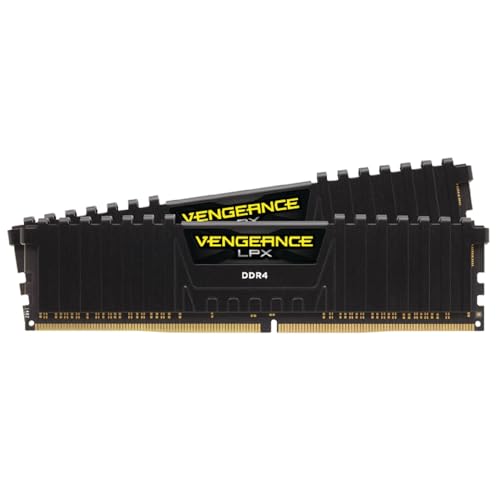
Corsair Vengeance DDR5 32GB 6000 CL30
The plain-heatspreader version of the sweet spot: 32GB across two sticks, up to 6000 MT/s, a CL30 headline timing that yields ten-nanosecond first-word latency, and support for both major profile systems as listed. This is the kit to picture whenever this article says the faster tier — not an exotic overclocking trophy, but the settled, mass-market fast configuration that current boards are tuned around.
- Capacity: 32GB as two matched 16GB sticks
- Speed and timing: up to 6000 MT/s, CL30
- Profile support: AMD EXPO and Intel XMP 3.0 as listed
- Presentation: low-key heatspreader without lighting
Strengths
- The frequency current platforms train most reliably at full stability
- Latency matching good DDR4 with substantially more bandwidth
- Understated design that clears large coolers and closed cases alike
Trade-offs
- Costs more than baseline 4800 kits of the same capacity
- Requires the profile to be enabled; it runs at baseline until told otherwise
- No lighting for builders who treat memory as case decoration
Best for: gamers on current platforms who want the settled fast tier / Not suited for: buyers of prebuilts whose firmware locks memory profiles out

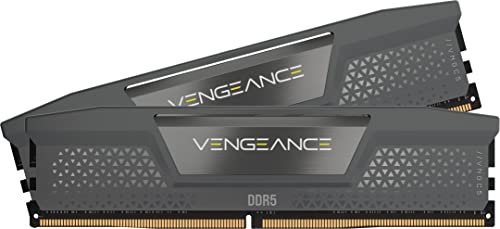
Corsair Vengeance RGB DDR5 32GB 6000 CL30
The same performance specification wearing its light bar: 6000 MT/s, CL30 headline timing with its fuller timing string printed in the listing, and dual profile support. Choose between this and the plain kit on looks and price on the day, not on performance, because the memory underneath the presentation is playing the same role in this comparison — proof that the fast tier is a commodity now, sold in flavours, rather than a specialist part.
- Capacity: 32GB as two matched 16GB sticks
- Speed and timing: up to 6000 MT/s, CL30-36-36-76 as listed
- Profile support: AMD EXPO and Intel XMP as listed
- Presentation: RGB light bar for windowed builds
Strengths
- Identical sweet-spot performance specification to the plain kit
- The fuller timing string is disclosed in the listing for scrutiny
- Lighting integrates with the builder’s existing case presentation
Trade-offs
- The light bar adds height that some large coolers resent
- Presentation usually carries a small premium over the plain version
- Lighting control adds one more software ecosystem to the machine
Best for: windowed-case builders who want the fast tier to look the part / Not suited for: small cases where heatspreader height is already spoken for
Why no 4800 kit is linked here, honestly stated
Baseline 4800 memory is overwhelmingly sold as single sticks for upgrades and as the anonymous memory inside prebuilt machines, rather than as matched gaming kits with listings worth recommending, and the verified-kit shelf reflects that reality. Treat that absence as information: the market itself does not believe gamers should buy 4800 as a destination specification. If you already own it, the earlier sections cover its honest virtues — stability, silence about its presence, adequacy in GPU-bound play. If you are buying, the shelf has voted, and the two kits above are what it voted for.
Stability testing the faster tier like you mean it
A 6000 kit’s rating is a promise conditional on your board, your processor’s memory controller, and your firmware version, so the purchase is not finished until the machine has proven the profile under memory-specific stress — not a game, not a benchmark, but a dedicated memory test run long enough to reach operating temperature and keep working there. Heat is the silent variable: memory that passes cold at dawn can fail warm at midnight inside a case whose graphics card exhausts across the sticks, which is why a test that ends before the machine is heat-soaked has tested a machine you do not own. Run the long test once, in the finished case, with the panels on. A kit that passes earns years of being forgotten; a kit that fails inside its return window is a errand, while the same kit failing outside it is a saga.
The processor’s half of the story: controllers, ratios, and why platforms vote differently
Memory speed is negotiated between the kit and the processor’s memory controller, and the two great platform families conduct that negotiation differently, which is why universal advice about the 6000 tier keeps failing somebody. On one side, a controller that prefers its memory clock locked in a simple ratio to its own fabric rewards the sweet-spot frequency with an almost moral approval: at 6000 the whole system ticks in step, and pushing beyond it can cost more in ratio penalties than the frequency returns. On the other side, a controller built to run its memory interface independently tolerates a wider ladder of speeds and lets bandwidth climb without the same cliff edges, so the argument there is about diminishing returns rather than about cliffs. A buyer who knows which family their processor belongs to — and the platform documentation states it plainly — can locate their own machine on this map in minutes, and should, because the correct tier for one family can be a genuinely different answer from the correct tier for the other.
Silicon lottery completes the picture. Two processors of the same model leave the factory with controllers of slightly different appetites, and the kit that trains instantly in one machine may negotiate in another. This is why the return window and the long stability test recur throughout these memory articles like a chorus: they are the institutional answer to a physical variance that no specification sheet can abolish. Buy the tier your platform family favours, from a seller who accepts returns, prove it hot and at length in your own case, and the lottery stops being a risk and becomes a formality you have already survived.
Frame-time stories: what the faster tier feels like at three resolutions
At 1080p with a powerful graphics card, the processor and its memory carry the frame, and this comparison is at its most honest: the faster tier’s advantage appears in the crowded scenes, the physics-heavy moments, the badly optimised beloved games, as a floor that does not drop as far. Players at this resolution on high-refresh screens are the tier’s natural constituency, and for them the extra money is among the best-spent in the whole build. At 1440p the graphics card resumes much of the burden and the tiers draw closer, separating mainly in the same processor-bound pockets — strategy, simulation, sprawling multiplayer — that a given player’s library either contains or does not. At 4K the card is the story almost everywhere, and the memory tier becomes a question of build balance and future platform life rather than of present frames.
The resolution ladder teaches the same lesson as every other section, from a new angle: this is a purchase about where your machine’s bottleneck lives, and bottlenecks are properties of systems, not of components. The player who cannot say where theirs lives should find out before shopping, with the monitoring method the main article describes, because a weekend of measurement converts this entire comparison from a debate into a diagnosis. And the player whose bottleneck demonstrably lives elsewhere — in the card, in a single-threaded game engine, in a monitor that cannot display the frames being argued over — has this article’s full blessing to buy the baseline tier, spend the difference where the bottleneck actually sits, and never think about memory again.
The 4800 kit’s second life and the ethics of the spare parts shelf
Baseline kits retire gracefully. A 4800 pair displaced by a faster upgrade fits the home server, the parent’s desktop refresh, the test bench, the spare machine that exists so a failure never becomes an emergency — roles where its stability-first character is not a compromise but the entire specification. Households that build this way, letting components cascade downward through machines of decreasing demand, extract value that benchmark tables never count, and the baseline tier is the cascade’s most reliable citizen precisely because nothing about it is exotic. When you price the faster tier, then, price it honestly: the true cost is the kit’s price minus the baseline kit’s continuing usefulness elsewhere in your ecosystem, and for many households that subtraction makes the faster tier cheaper than its shelf label claims, while for a single-machine owner with no cascade it makes the baseline’s cheapness equally more real. The comparison was never only about frames. It is about what kind of household your hardware lives in, and both tiers, understood that way, have homes where they are the right answer.
Reading kit listings for this comparison: the clauses that matter
Shopping this comparison means reading listings that were written to blur it, so here is the clause-by-clause method. Find the profile speed and the baseline speed, and note that the larger number is conditional on your platform’s cooperation while the smaller is guaranteed. Find the full timing string, not merely the headline latency, and compute the nanoseconds with this article’s arithmetic rather than admiring the label. Find the profile voltage, because it confesses how the speed was achieved and how much heat and controller goodwill it presumes. Find the kit’s configuration — two sticks, matched, of what capacity each — and refuse any comparison between a two-stick kit and a four-stick price. Finally, find the return terms, because in this category the return window is a feature of the product, the institutional answer to silicon variance, and a seller who makes returns painful is selling a lesser kit at the same specification.
Listings for the baseline tier play a different game, emphasising capacity and price while leaving timings in the small print where they embarrass no one. That is honest enough, provided the buyer reads the small print and prices the whole specification rather than the headline capacity. The two kits linked in this article passed this clause-by-clause reading with their numbers in the open, which is part of why they were chosen to represent the faster tier: in a comparison about arithmetic, the exhibits should be products whose arithmetic is published.
The decision, compressed for the reader at the shelf
If your machine is processor-bound in the games you love, on a platform family that favours the sweet spot, with a high-refresh screen that can display what the faster tier buys — buy the faster tier, verify it hot and at length, and close the subject for the platform’s life. If your graphics card is the constraint at your resolution, if your library lives in the great GPU-bound middle, if the price difference funds capacity or storage your workloads demonstrably need — buy the baseline without a flicker of shame, because you have not bought the slower computer; you have bought the same computer with its budget spent where your bottleneck actually lives. The only wrong purchase in this comparison is the unexamined one: the tier chosen by a forum’s volume, a shelf’s arrangement, or a number’s beauty, rather than by the evidence of your own machine and your own library. This article’s tables, tests, and portraits all exist to make the examined purchase easy, and a reader who has followed them to this paragraph no longer needs its verdict — they have the method, and the method is the verdict’s durable form.
Capacity at each tier: the 32, 48, and 64 gigabyte questions
Frequency arguments often smuggle a capacity assumption, so let the tiers meet the capacities explicitly. At 32GB, the standard gaming configuration, both tiers behave as this article describes, and the choice is the pure frequency-versus-price question of the earlier sections. At 48GB — a configuration the newer standard’s denser chips made practical in two sticks — the faster tier remains achievable and the capacity buys real headroom for the multitasking gamer, making it the connoisseur’s answer where it is priced sanely. At 64GB in two sticks, the faster tier is still available but its kits narrow and its prices climb, while at four sticks the platform’s training manners, discussed in the stability sections, begin to vote for calmer specifications regardless of what the buyer wants. The pattern across capacities is the platform’s personality asserting itself: the more memory you ask the controller to conduct, the more it prefers a calmer tempo, and a buyer whose workload genuinely needs the largest configurations should let that preference into the tier decision from the start rather than discovering it during a frustrating weekend of failed training.
None of this rescues a wrong capacity decision with a right frequency one. A 32GB faster kit in a machine whose work needs 64GB is a sports car in a household that needed a van, and the comparison’s hierarchy — capacity, configuration, frequency, timings — reasserts itself at every tier boundary. Readers speccing a new machine should therefore run the decisions in order and let this article’s question, the frequency one, be asked last, when it can be answered with whatever budget the more important answers have left. That is not a demotion of the comparison; it is the comparison’s correct address in the building of a machine, and arriving at it with money still in hand is the mark of a build planned in the right sequence.
Thermals and acoustics: the faster tier inside a real case
One variable in this comparison never appears on a chart, because it belongs to the room rather than to the benchmark: heat, and the noise a machine makes moving it. A faster kit at its profile voltage runs warmer than a baseline kit loafing at standard voltage, and inside a case whose graphics card exhausts across the memory slots, that warmth is part of the system’s thermal budget — occasionally the part that decides whether a marginal profile holds through a summer evening’s long session. The stability sections’ insistence on testing hot is the practical consequence. The acoustic consequence follows: a case whose fans must work harder to keep a hotter interior honest is a louder case, and a player who chose their other components for quiet should count the faster tier’s small thermal tax in the same ledger as its frame dividend. Neither tax is large, and for most machines neither is decisive, but a comparison that omits them has not finished describing the purchase, because the machine you live with is the whole machine — its sound, its warmth, its behaviour in August — and not the bar chart it produced in a review lab in spring.
The baseline tier’s defenders in the main article make a version of this point about second machines and servers, and it generalises: wherever a computer must be forgotten — a cupboard server, a parent’s desktop, a studio’s render node — the specification that asks least of the cooling and the controller is the specification that gets forgotten most completely. The faster tier earns its place where a machine is attended, celebrated, and pushed; the baseline earns its where a machine is furniture. Both are honourable careers for a memory kit, and the buyer who knows which career they are staffing has, once again, made the decision this whole comparison exists to support.
A note for the reader who has already bought one of them
Comparisons are usually read before a purchase, but a fair share of this one’s readers arrived afterward, receipt in hand, looking for either vindication or regret. The evidence assembled here offers both audiences the same closing service, which is proportion. If you bought the faster tier, you own the platform’s settled best, and the correct next action is the verification ritual — profile enabled, stability proven hot, the kit forgotten — rather than a continued audit of whether a rival tier might have saved money that has already become a working machine. If you bought the baseline, you own a specification whose adequacy this article has defended in workload after workload, and the correct next action is to spend your attention where your machine’s bottleneck demonstrably lives, which the monitoring method will identify in an afternoon if it has not already. In neither case does further comparison shopping produce anything but appetite, and appetite, in a hobby with a new tier always forming, is the one component that never needs an upgrade.
The two tiers in the household’s other machines
Close the comparison by following both tiers out of the gaming machine and into the rest of the house, where their characters complete themselves. The faster kit, retired from the gaming desk in some future upgrade, becomes the memory of a workstation or a child’s first serious computer, where its speed is a luxury those machines will never tax and its quality — binned, matched, documented — is a decade of reliability they will. The baseline kit’s household career runs the other way: bought humbly, it serves the server, the spare, the parent’s machine, and it is still there, unconsidered and unfailing, when the gaming desk has forgotten two generations of faster kits. Neither career is a consolation prize; they are the two shapes that usefulness takes in a household that keeps its hardware in circulation. A buyer choosing between the tiers is, whether they know it or not, also choosing which of those shapes they are stocking — and a household that plans its cascades, as this cluster’s generational comparison advises, will sometimes buy the faster tier for the gaming machine precisely because its second career is already assigned, and sometimes buy the baseline for the same reason. The frames were only ever the first chapter of the kits’ lives.
The comparison’s last experiment: proving it on your own frame times
Readers with a machine from the platform’s overlap — or with access to both tiers through a friend’s build or a shop’s return window — can settle this entire article empirically in one evening, and the method deserves printing as the comparison’s final word. Choose the most processor-bound scene in your most-played game, fix every other variable, and run it three times per tier, keeping the middle result and the low-percentile frame times rather than the averages. Then play each tier for a full session in your ordinary rotation before judging, because the scene test measures the machine and the session measures the experience, and a purchase should satisfy both witnesses. Most owners who run the protocol discover the article’s thesis in their own telemetry: a real difference, in the places the article said it would live, at a size their own library either cashes or ignores. That discovery — personal, numerical, unarguable — is worth more than the verdict of any review, including this one, and the tiers’ long argument in the forums is mostly the sound of people who have not run it.
The tiers and the planet: a brief, honest footnote
A complete comparison may spare one paragraph for the consideration its readers increasingly bring to it unasked: waste. The faster tier’s kits are not meaningfully more material than the baseline’s, and the greener purchase in this category is almost always the one that delays the next purchase — the kit, at either tier, that is bought once, verified properly, and kept for the platform’s whole life rather than churned through returns, half-upgrades, and forum-driven replacements. The baseline kit that serves a decade in three successive household machines has a smaller footprint than the flagship kit replaced twice on appetite, and the faster kit kept for its platform’s full term beats both. Durability, in memory as in the keyboards elsewhere in this cluster, is the environmental specification that matters, and it is achieved by exactly the behaviour this article has prescribed for selfish reasons: buy deliberately, verify thoroughly, and then forget the subject for years.
The shelf card for a two-tier comparison
Two kits, one decision, and a card short enough to carry into the shop: if your games are processor-bound, your platform favours the sweet spot, and your screen can show what the faster tier buys, the 6000 kits linked in this article are the settled purchase — verified, matched, and boring in the way good memory should be. If your card is the bottleneck, your budget has a capacity-shaped hole, or your machine must simply never be thought about again, the baseline tier is not a lesser choice but a different one, made by professionals for fleets every day. Everything above this card — the ratios, the portraits, the frame-time stories — exists so that a buyer can tell which of those two sentences is theirs. Read your machine, read your library, and the card reads itself.
The contract each tier offers, signed in different ink
End with what each purchase actually promises. The faster tier promises that the memory will not be the reason — not the reason a frame dipped in the crowded fight, not the reason a new title feels old before its time, not the reason a future upgrade conversation starts with the RAM. It keeps that promise at a price, with a verification ritual attached, on platforms that favour its frequency. The baseline tier promises absence: no training drama, no profile to babysit, no line in the budget that needs defending, in exchange for a ceiling its buyer has agreed not to test. Both promises are kept by both products, in machine after machine, which is why the comparison could never be settled by a chart. It is settled by a signature — by a buyer who has read their own machine and library well enough to know which promise their evenings need. The article’s work was to teach that reading. The signing, as ever, is the reader’s.
The signature in the build record
Close the build the way this cluster closes its machines: in writing. Record the tier chosen and the sentence that chose it — processor-bound library, platform’s sweet spot, verified hot on a named date — beside the kit’s model and the firmware it trained under, in the folder where the machine’s other decisions live. That record does three kinds of work across the platform’s life. It ends the comparison, formally, so the machine’s owner stops re-litigating a settled question every time a forum thread resurfaces. It arms every future troubleshooting session with the memory’s baseline truth. And it teaches the next build, years from now, what this one’s owner learned about their own library and bottlenecks, which is knowledge no review — including the thousands of words above — can supply twice. Sign the record, run the machine, and let the memory do the thing both tiers, at their best, exist to do: be forgotten, at speed, for years.
The last line of the tier record
Mark, finally, the date the memory stopped being a topic — the week the kit’s owner last thought about frequencies, the month the machine’s other components resumed their rightful place at the front of every upgrade conversation, the season the tier, whichever was chosen, became simply what the computer has. That date is the comparison’s true result, and it arrives at the same speed for both tiers when the choice was examined: quickly, because a decision made from evidence does not itch. It arrives late, or never, for the unexamined purchase, whose owner re-reads comparisons like this one monthly, looking for the verdict they declined to reach when it was cheap. Reach it now, on paper, with the experiment run or the bottleneck named, and sign the record with the date. The tiers will keep their shelves and their partisans. Your machine has a job to do, and as of that date, it is finally doing it unaccompanied.
Envoi: the frame that did not dip
The comparison’s final image belongs to the faster tier’s constituency, because they paid for a moment and the moment is worth describing exactly. It is the crowded fight in the beloved, badly optimised game — the one every machine in the group chat complains about — at the second where the effects stack and the player count peaks and the frame, on the baseline machine across the voice channel, dips hard enough to be cursed aloud. On this machine it does not dip. Nothing announces the non-event; the fight simply proceeds at the tempo the player intended, and the evening continues as though memory were not a subject — which, for the owner who bought the tier on evidence and verified it hot, it no longer is. The baseline tier’s owners have their own final image, equally honourable: the same evening, the same game, a machine whose budget went to the card and the drive, proceeding unbothered because its bottleneck was never in the memory at all. Both images are the comparison succeeding. It only ever failed the buyers who could not say which image was theirs — and after these many pages, with the arithmetic done and the record signed, its readers can.
A postscript on proof: the two machines, one year later
A year after this comparison was first drafted for its readers, its two representative machines can be revisited, and the revisit is the closest thing the subject offers to a controlled experiment. The faster-tier machine has had its profile survive three firmware updates without a retrain worth mentioning, has taken a second graphics card in its stride, and has never once had its memory raised in conversation by its owner, whose upgrade itch migrated, correctly, to a larger monitor. The baseline machine, in a different household, has been demoted once — from gaming desk to family computer — where its memory’s calm adequacy suits its new parish exactly, and its former owner, gaming now on a newer platform, reports the interesting datum that they cannot remember which tier the old machine had without checking the record. Two kits, two promises, both kept, and a pair of owners whose satisfaction has precisely nothing to do with which of them bought the faster number. The comparison could rest its whole case on that pair of households, and in a sense it has: every table and portrait in these pages was only ever an attempt to predict, for a stranger, which of those two satisfied silences would be theirs. The prediction method — bottleneck, library, platform, record — is now the reader’s. The silences are up to them.
Final note: the comparison, filed
Filed, then, with the build record, where a settled question belongs. The two tiers remain on their shelves, at their prices, with their partisans, and they will be joined in time by faster ones that reopen the argument for a new generation of builders — who will find, waiting for them, the same arithmetic, the same platform logic, and the same advice wearing larger numbers. Nothing in this long comparison was really about 4800 or 6000. It was about how a person should buy a component whose differences are real, measurable, and mostly irrelevant to their evenings — by locating their own bottleneck, pricing their own library, and signing their own record — and that method, filed with the machine, is the comparison’s durable residue. The kits themselves will be forgotten, at speed or at baseline, exactly as designed. The method, if its readers keep it, will not be.
Postscript: the tiers, inherited
One last visit, to the two machines of the postscript, a further year on — where both kits have now changed desks in the cascade, and the comparison’s last prediction has come due. The faster kit, retired from the gaming machine by a platform change, serves a workstation whose owner has never once asked what speed it runs, because workstations ask memory for capacity and manners, both of which it has in surplus. The baseline kit, in the family machine, has outlived two graphics cards and one operating system, and is spoken of, when it is spoken of at all, as the memory — definite article, no adjectives — which is the precise linguistic state this article defined as success. Two tiers that filled a comparison with tables and portraits end as they were always going to: as furniture in other people’s machines, their speeds a matter of record rather than of conversation. The record, signed and filed, remembers what the households have happily forgotten.
Questions readers ask about this topic
Is DDR5 6000 worth it over 4800 for gaming?
For a new gaming build, yes — the price gap has narrowed and the performance gap, while scenario-dependent, is real where it exists: CPU-bound competitive play, simulation, and high-refresh gaming. At high-resolution GPU-bound gaming the gap nearly vanishes, so a strict-budget 4K builder can economise honestly. The default recommendation stands because most builders’ libraries include enough CPU-bound moments to collect the benefit across a machine’s life.
How much faster is 6000 than 4800 in games?
From nothing to the low double digits, governed by where the bottleneck sits. GPU-bound titles at 1440p and 4K show differences within noise. CPU-bound titles at 1080p, competitive games at high refresh, and simulators show the meaningful gains, including in the 1% lows that decide felt smoothness. Any single number quoted without its scenario is marketing; your resolution and library are the missing variables in every chart.
Does CL matter as much as the speed difference?
It matters enough to complete the comparison. True latency is CL divided by frequency, so a tight 4800 kit can match a loose 6000 kit on latency while losing on bandwidth. The sweet spot exists precisely to win both: 6000 with CL30-class timings. When comparing specific kits, compute the nanoseconds for each and prefer the kit that wins latency without surrendering bandwidth — at the sweet spot, that kit is also usually the fairly priced one.
My prebuilt came with 4800. Should I upgrade the RAM?
It is one of the best-value upgrades a prebuilt can receive — if the board allows it. Confirm the BIOS exposes memory profile settings and supports the faster kit, because some prebuilt boards lock those options. Then replace, rather than mix, with a matched two-stick 32 GB 6000 kit at the sweet spot. If the board locks memory settings, the honest upgrade path runs through the graphics card instead, as it usually does.
Is DDR5 6000 stable on AMD and Intel?
At the sweet spot, with a two-stick kit from a reputable maker, yes on both — 6000 is where current AMD controllers align their clocks most happily, and Intel controllers handle it comfortably. Instability stories concentrate at speeds well above the sweet spot, in four-stick configurations, and in mixed kits. Stay at the converged specification and memory returns to being the component you install and forget, which is its proper role.
What about speeds above 6000 — 7200 and beyond?
They buy bandwidth the gaming bottleneck rarely spends, at prices and stability risks the sweet spot avoids. Some Intel platforms and specific engines benefit modestly; most gaming builds do not. The money above 6000 almost always works harder in the graphics card. Treat the very fast kits as specialist equipment for benchmarking and particular workloads, and let 6000 be what its consensus says it is: the point where the returns stop justifying the journey.
My prebuilt came with 4800 memory. Is it worth replacing the kit?
Only if the rest of the machine justifies it: a strong processor, a graphics card that is not the bottleneck at your resolution, and firmware that actually allows the faster profile. In a balanced midrange prebuilt the same money usually returns more as storage or toward the next graphics card, while in a high-end machine strangled by baseline memory the kit swap is one of the few upgrades that pays for itself in frame-time consistency.
Can I just overclock my 4800 kit to 6000?
Sometimes, partially, and at the cost of becoming your own memory validation department. Baseline kits are not binned for the faster tier, voltages and timings become experiments, and stability must be proven with the long, hot testing this article describes rather than assumed from a successful boot. The saving over buying the rated kit is real; so is the weekend it can consume.
Does the faster tier help integrated graphics more than a discrete card?
Yes, measurably, because integrated graphics borrow the system memory as their own and feel every increment of its bandwidth directly. A processor-with-graphics build is the one configuration where the faster tier’s case stops being about small percentages, and buyers of such systems should weight this comparison far more heavily than owners of discrete cards.
Related guides
CL16 versus CL18 versus CL20 RAM