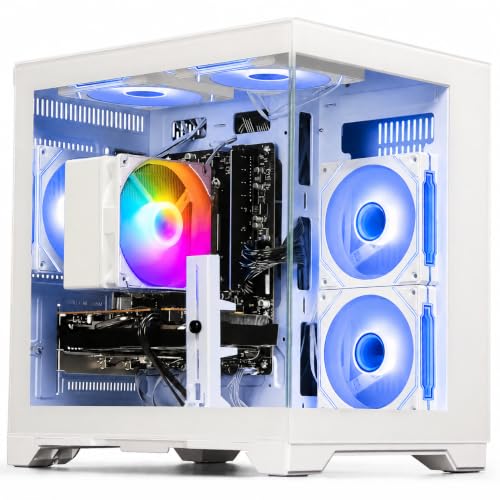
Disclosure: As an Amazon Associate, reviewstook.com earns from qualifying purchases. Links on this page are affiliate links at no extra cost to you; prices and availability change frequently, so check Amazon for the latest.
1080p Gaming PC vs 1440p Gaming PC: Which Resolution Deserves Your Money?
The 1080p gaming PC vs 1440p gaming PC decision is the most consequential choice in a modern gaming setup, because it is not really one decision — it is three, locked together. The resolution sets the graphics card tier you need, the monitor you should buy, and the frame rates you will live with for years. Get the combination right and the system feels effortlessly fast and sharp. Get it wrong in either direction and something always nags: the 1440p buyer whose card cannot hold high settings, watching a more expensive system feel slower than their friend’s cheaper one; or the 1080p buyer on a huge screen, close enough to count pixels. This comparison goes round by round — pixels, performance, monitors, genres, cost of ownership and upgrade paths — and ends with a verdict by buyer type, because the honest answer is that each resolution wins for someone.
First, the vocabulary, precisely. 1080p is 1920 by 1080 pixels, about 2.07 million per frame. 1440p is 2560 by 1440, about 3.69 million — seventy-eight percent more pixels for the graphics card to draw, every frame, forever. Everything in this comparison flows from that single ratio and from one human factor: how large your screen is and how close you sit to it. The machines referenced are verified current listings: at the sensible end of 1080p, towers like the WIWB Ryzen 5 5500 system and the ZOTAC MEK; at the crossover point, the KOTIN RTX 5060 Ti configurations, which are legitimately capable of both resolutions and therefore the most interesting machines in the debate. Readers still choosing hardware should keep 1080p Gaming PC Buying Guide open alongside this page.
In this guide
Quick Verdict
Choose 1080p if your screen is 24 to 27 inches, you value frame rate and high-refresh smoothness, you play competitively, or your budget is finite — it delivers the fastest-feeling gaming per unit of money, full stop. Choose 1440p if your screen is 27 inches or larger, visual fidelity in single-player games is your primary pleasure, and your budget covers both the stronger graphics hardware and the monitor without starving either. The crossover machines — RTX 5060 Ti systems like the KOTIN configurations below — dissolve the dilemma for buyers who can afford them: flawless 1080p today, credible 1440p the day a new monitor arrives. What you should never build is a half-funded version of either: a premium 1080p tower behind a bargain 60Hz screen, or a 1440p monitor fed by a card that cannot drive it.
Where to Buy the Machines Referenced in This Comparison
The four towers below anchor the comparison: two honest 1080p machines, and two crossover systems that straddle both resolutions. Each is verified against Amazon’s product data; check the latest price on Amazon for the exact configuration, since this comparison deliberately argues in tiers rather than figures. reviewstook.com may earn a commission on qualifying purchases, which has not softened a single round below — 1440p wins two of them outright.
WIWB Gaming PC Desktop (Ryzen 5 5500, RX 6500 XT) — AMD Ryzen 5 5500, Radeon RX 6500 XT, 16GB DDR4, 512GB SSD. Check on Amazon
ZOTAC MEK Gaming PC (Ryzen 5 5500, RTX 5060) — AMD Ryzen 5 5500, GeForce RTX 5060 8GB, 16GB DDR4, 1TB NVMe SSD. Check on Amazon
KOTIN Gaming PC Desktop (Ryzen 7 8700F, RTX 5060 Ti) — AMD Ryzen 7 8700F, GeForce RTX 5060 Ti 8GB, 16GB DDR5, 1TB SSD. Check on Amazon
KOTIN Gaming PC Desktop (Ryzen 7 8700F, RTX 5060 Ti, 32GB) — AMD Ryzen 7 8700F, GeForce RTX 5060 Ti 8GB, 32GB DDR5, 1TB SSD. Check on Amazon
Round 1: Sharpness and Image Quality
1440p wins this round, and the margin depends entirely on screen size. Pixel density is the whole story: at 24 inches, 1080p gives roughly 92 pixels per inch and 1440p about 122 — the 1440p image is finer, but at typical desk distance the 1080p image is already respectable, and in motion, with anti-aliasing, the gap narrows further. At 27 inches, 1080p falls to about 82 pixels per inch while 1440p holds roughly 109 — and here the verdict firms up: text, distant detail and fine geometry visibly soften at 1080p, while 1440p at 27 inches is widely regarded as the density sweet spot of modern gaming. At 32 inches, 1080p’s roughly 69 pixels per inch is genuinely coarse, and no one should buy that combination deliberately.
Two nuances keep the round honest. First, sharpness is not the only component of image quality: colour accuracy, contrast, HDR capability and panel type often differ more between two specific monitors than resolution does between these two standards, and a good 1080p panel can produce a more pleasing image than a poor 1440p one. Second, upscaling blurs the boundary from the other side — a 1440p display fed a DLSS-upscaled image is drawing on AI reconstruction that can rival or exceed native rendering quality in some titles, while a 1080p display has less reconstruction headroom to exploit. Verdict: 1440p takes the round on any screen of 27 inches or more; at 24 inches, call it a draw that 1080p wins on price in the next rounds.
Round 2: Frame Rates and the Feel of Speed
1080p wins this round by the same arithmetic that lost it the first. Drawing seventy-eight percent fewer pixels, the same graphics card produces dramatically higher frame rates at 1080p — and frame rate is not an abstract number. It is input responsiveness, tracking smoothness, and the difference between a 144Hz or 240Hz monitor being a feature and being a decoration. The practical consequence: a mid-tier card like the RTX 5060 in the ZOTAC MEK delivers high-settings, high-refresh gaming at 1080p as a matter of routine, while at 1440p that same card is negotiating — lowering settings here, leaning on upscaling there — to hold the same frame rates. Hardware that is luxurious at 1080p is merely adequate at 1440p, at every tier, permanently.
The esports dimension sharpens the point. Competitive players optimise for the highest sustainable frame rate and the lowest latency, and they overwhelmingly choose 1080p with very fast monitors — not from budget constraint but from preference, including professionals who could run anything. If your gaming identity is competitive, this round is not a round; it is the whole match. If your gaming is single-player and cinematic, frame rates above sixty matter less to you than they do to the competitive crowd, and you should weight Round 1 accordingly. The comparison is honest only when weighted by the reader’s own library — which is why our decision guide, How To Choose A 1080p Gaming PC, starts with a library audit rather than a component list.
Round 3: Hardware Cost — the System, Not the Sticker
1080p wins the round, by more than the graphics card’s price gap suggests, because resolution taxes the whole system. At 1440p you need the stronger card today and — this is the part buyers miss — the stronger card again at every future upgrade, because the pixel count never gets cheaper to draw. The monitor costs more at equivalent quality and refresh rate. The supporting cast feels it too: higher settings at higher resolution reward more video memory and more system headroom. At 1080p, the sensible tiers are an entry machine like the WIWB tower for esports and mainstream play, a mid-tier RTX 5060 system for high settings across the board, and a premium 5060 Ti system that is frankly beyond need. At 1440p, the honest entry point is roughly where 1080p’s premium tier sits. Same hobby, different tax bracket, every year you own it.
There is one legitimate counter-argument, and it belongs to the crossover machines. An RTX 5060 Ti tower like the KOTIN configurations is sold for 1080p but specified for both: buy it, game at 1080p on a fast monitor now, and the eventual 1440p move costs a monitor alone. That reframes the premium 1080p purchase from indulgence to staging — provided the platform supports it, with a modern DDR5 motherboard and a power supply, like the KOTIN’s 650W Gold unit, that will not need replacing when the card eventually changes. Bought that way, the price difference between the resolutions is paid once, in the tower, rather than repeatedly. Our value analysis in Is A 1080p Gaming PC Worth It runs this staging logic in full.
Round 4: Genres and Use Cases
Score this round by category. Competitive shooters, MOBAs, sports and racing: 1080p, unambiguously — frame rate is the product. Fast action and open-world games played on a 24-inch desk monitor: 1080p, because the density is adequate and the smoothness is superior at any given budget. Cinematic single-player games — the kind marketed with photo modes — on a 27-inch or larger screen: 1440p, because fidelity is the product and the screen can show it. Strategy and simulation: a split decision, since these games are often CPU-bound and their interfaces reward screen real estate; players who live in menus and maps often prefer 1440p’s space even at lower frame rates. Streaming: 1080p is the broadcast standard, and streaming from a 1080p system is simpler and lighter in every way — capture, encoding, bandwidth, and the viewer’s own screen. Productivity alongside gaming quietly favours 1440p too, since the extra desktop space is real. Neither resolution sweeps the round; your library holds the scorecard.
Round 5: Longevity and the Upgrade Path
A subtle round, and closer than either camp admits. The 1080p system ages gracefully in one direction: its hardware holds settings longer, because developers target the resolution the player base uses, and upscaling stretches each tier further every year. The 1440p system ages gracefully in the other direction: its monitor and its owner’s expectations are already where the market is heading, so its upgrades are component swaps within a stable target rather than a resolution migration. The worst longevity story belongs to neither — it belongs to the underpowered 1440p system, whose owner lowers settings from year one, and the dead-end 1080p system built on an obsolete platform with a minimal power supply, whose “upgrade” is a replacement. Longevity is a property of platforms and power supplies more than of resolutions; both resolutions reward buyers who spec the unglamorous parts properly, a theme our 1080p Gaming PC Pros And Cons ledger develops in full.
Head-to-Head Summary
| Factor | 1080p | 1440p | Winner |
|---|---|---|---|
| Pixels per frame | 2.07 million | 3.69 million | — |
| Sharpness at 24 inches | Good | Excellent | 1440p, narrowly |
| Sharpness at 27 inches and up | Soft | Excellent | 1440p |
| Frame rate on the same GPU | High | Moderate | 1080p |
| Esports suitability | The standard | Niche | 1080p |
| Hardware cost, now and at upgrades | Lower at every tier | Higher at every tier | 1080p |
| High-refresh monitor cost | Best value in displays | Significantly more | 1080p |
| Cinematic fidelity on large screens | Limited | As intended | 1440p |
| Streaming convenience | Broadcast standard | Downscaling required | 1080p |
Which One Should You Buy? Verdicts by Buyer
The competitive player: 1080p, a fast monitor, mid-tier hardware, no debate. The budget buyer: 1080p — it is the only resolution where a modest budget produces an uncompromised experience. The desk gamer on 24 to 27 inches with a mixed library: 1080p with a high-refresh monitor, unless fidelity in single-player games is your stated first priority and the budget stretches properly. The large-screen fidelity lover: 1440p, funded completely — monitor and hardware together — or not at all. The planner: the crossover play — an RTX 5060 Ti tower on a DDR5 platform, a fast 1080p monitor now, and 1440p as a monitor-only upgrade later. The streamer: 1080p, because your audience watches at 1080p and your encoding budget thanks you. If you recognise yourself in more than one description, weight the one that describes most of your hours, not your aspirations — the same rule as every other decision in this cluster, and the reason our full reviews in 1080p Gaming PC Reviews rank machines by fit rather than by raw power.
Common Mistakes in the Resolution Decision
- Buying the 1440p monitor first and the hardware “later”. An underpowered 1440p system is the worst of both worlds from day one. Fund the system as a whole or stage it through a crossover tower.
- Ignoring screen size. Resolution debates conducted without a screen size are meaningless. 1080p at 24 inches and 1080p at 32 inches are different products.
- Chasing resolution over refresh rate. For most players, 1080p at 144Hz feels like a bigger upgrade than 1440p at 60Hz — and costs less. Demo both if you possibly can.
- Assuming your next upgrade resets the question. Resolution is sticky: monitors and GPU tiers commit you for years. Decide as if you will live with it, because you will.
- Letting a single game decide. One cinematic title a year does not outweigh five hundred hours of competitive play, or vice versa. Weight by hours.
Final Recommendation
For most buyers, most desks and most libraries, the verdict is 1080p — not as the budget option, but as the balanced one: the resolution where sensible money buys high settings, high frame rates and the best-value monitors in gaming, with upscaling as a longevity bonus. 1440p is the right answer to a specific question — a larger screen, a fidelity-first library, and a budget that funds the whole system without compromise — and when that is genuinely your question, it wins clearly and you should not let 1080p’s value argument talk you out of it. The mistake is never choosing either resolution; it is choosing one with the other’s budget. Decide your screen, fund your system to match, set it up properly with How To Set Up 1080p Gaming PC, and the debate becomes what it should have been all along: theoretical.
Round 6: Desk Space, Screen Size and the Room Itself
Comparisons usually pretend the PC lives in a vacuum; it lives on a desk, and the desk votes. 1080p’s natural habitat is the 24-inch monitor, which fits smaller desks, leaves room for a second screen, books, speakers and life, and sits at a distance where its pixel density is comfortable. 1440p’s natural habitat is 27 inches and up, which asks more of the desk and of the room — and rewards it, because a large, dense display is also a better place to work, write and create. Buyers in small rooms, dorms and shared spaces should count this round for 1080p without embarrassment: the best system is the one that fits the life around it. Buyers building a dedicated setup with a generous desk should count it for 1440p, because screen real estate is the one upgrade you perceive in literally every minute of use, gaming or not. Neither answer is about gaming performance, and both are correct, which is precisely why this round belongs in an honest comparison.
Round 7: Upscaling Changes the Maths — Differently at Each Resolution
DLSS and FSR deserve their own round because they have quietly rewritten this comparison in the last few years, and they do not help both sides equally. At 1440p, upscaling is transformative: rendering internally near 1080p and reconstructing to 1440p produces an image that many players cannot distinguish from native rendering, while delivering frame rates closer to the lower resolution’s. This is 1440p’s strongest modern argument — the pixel tax is increasingly optional, paid only by purists. At 1080p, upscaling works from a smaller base image, so its quality mode is the sensible setting and its more aggressive modes soften visibly; its role is different — not making the resolution cheaper to render, but extending the life of modest hardware, letting an RTX 3050 or 5060 hold settings in future games that raw rendering would surrender.
The balanced conclusion: upscaling narrows 1440p’s performance penalty without eliminating it, and extends 1080p hardware’s lifespan without raising its sharpness ceiling. If your decision was balanced on a knife-edge, the modern state of upscaling is a legitimate thumb on 1440p’s side of the scale — provided the graphics card supports the current generation of the technology, which every RTX 50-series machine referenced in this comparison does. It is not a thumb on the scale for buyers of older or entry hardware at 1440p, where the base frame rates are too low for reconstruction to rescue gracefully. Technology, as usual, rewards the tiers that least needed help.
Round 8: The Second Life — Streaming, Work and Everything Else
A gaming PC is rarely only a gaming PC, and the resolutions behave differently in the machine’s other jobs. For streaming, 1080p is the native language: platforms broadcast it, viewers watch it, encoders handle it cheaply, and a 1080p system streaming its own gameplay is doing one job at one resolution. The 1440p streamer downscales for the audience while rendering at full resolution for themselves — a genuine quality-of-life tax on the same hardware. For productivity, the verdict reverses: 1440p’s extra desktop space is a daily, tangible benefit for writing, spreadsheets, coding, editing and research, and buyers whose machine is also their office should weigh it heavily. For content creation, timelines and previews are more comfortable at 1440p, while the actual editing load is resolution-independent until export. Score the round by your machine’s second job: broadcast, 1080p; desk work, 1440p; both, and you have found the real reason the crossover machines — strong enough for either — sell so well.
The Monitor-Buying Sub-Decision, Settled
Since the resolution decision is inseparable from the monitor, here is the condensed monitor doctrine for each camp. Buying for 1080p: choose 24 inches for maximum density, or 27 if you sit further back; prioritise refresh rate (144Hz minimum for a new gaming purchase), then panel quality and variable refresh support, then everything else; spend the savings from the resolution on those priorities rather than on size. Buying for 1440p: 27 inches is the density sweet spot, 32 for immersion at a distance; the same refresh-rate doctrine applies with doubled conviction, because a 60Hz 1440p monitor paired with mid hardware is the single most common disappointing system in this entire comparison — beautiful in screenshots, ordinary in motion, and expensive in both directions. In both camps: buy the monitor for the machine you have or are buying simultaneously, never for a hypothetical future machine, because monitors outlive PCs and a mismatched one taxes every day in between.
The Latency Question, Examined Separately
Input latency — the delay between your hand moving and the game responding — deserves isolation from the frame-rate round, because it is the competitive player’s true currency and the two resolutions tax it differently. Higher frame rates reduce latency directly: each frame is displayed sooner after it is rendered, and at 1080p any given graphics card produces those frames faster. Rendering at 1440p lengthens the pipeline at every stage, and while modern features — reflex latency reduction, variable refresh, high polling peripherals — compress the difference considerably, they compress it from a higher starting point. The practical summary matches the professional consensus: players for whom latency is a measured, felt quantity choose 1080p and the highest frame rates their hardware sustains; players for whom a few milliseconds are below perception — which includes most single-player gaming — should not let latency arguments override the sharpness round. Know which nervous system you own. If you have never noticed input lag in your life, you are in the second group, and no amount of forum reading should promote you into the first group’s budget.
What About 1080p Ultrawide and Other Middle Paths?
Readers sometimes ask whether the middle paths dissolve the dilemma: 1080p ultrawide monitors, which stretch the width to 2560 pixels at the same height, or rendering tricks like integer scaling and resolution scaling within games. Ultrawide 1080p is a genuine third option with its own logic — immersion and peripheral vision for racing and simulation players, at a pixel count between the two main contenders — but its vertical density is 1080p’s, so the sharpness round’s verdict follows it, and game support, while broad, is not universal. In-game resolution scaling is the more interesting tool: a 1440p monitor can render demanding games at a lower internal resolution and upscale, effectively borrowing 1080p’s performance when needed while keeping 1440p’s desktop and lighter-game sharpness — the strongest practical argument for buying the higher-resolution monitor on a mid-tier PC, provided the graphics card’s upscaling is current-generation. It does not run in reverse: a 1080p monitor cannot borrow pixels it does not have. Asymmetry noted, the middle paths soften the decision without removing it, and the buyer profiles in our verdict section remain the reliable way to choose.
A Final Word on Future-Proofing, Both Ways
Both camps claim the future, and both claims contain a theft. The 1440p camp argues that displays and expectations are migrating upward, so buying 1080p buys into a receding standard. The 1080p camp argues that hardware at its resolution holds settings longer and that the player base guarantees developer support for years. Each argument quietly assumes the buyer’s future behaviour: the first assumes you will care about the migration when it completes; the second assumes you will still value the same experiences. The verifiable facts are narrower. Monitors outlive PCs, so the display decision is the stickier one. Graphics upscaling improves yearly and applies to hardware already sold. Developer support follows the installed base, which changes slowly. And the only configuration that hedges every version of the future is the one this comparison has returned to repeatedly: a crossover-capable PC on a modern platform, which can serve either resolution at the cost of a monitor alone. If the future is your dominant concern, that is not a compromise — it is the strategy, and both camps’ propaganda can be safely ignored from inside it.
What the Developers and the Hardware Roadmaps Say
External evidence can arbitrate where opinion cannot, and three signals deserve weight. First, the player base: platform hardware surveys consistently show 1080p as the most-used resolution in PC gaming by a wide margin, with 1440p growing but second — meaning developers optimise for 1080p as the baseline and will continue to while the numbers hold. Second, the graphics roadmaps: both major GPU makers now design their mainstream tiers around upscaling-assisted play, which benefits 1440p’s quality case (reconstruction from a healthy base) and 1080p’s longevity case (modest hardware staying viable) simultaneously — the technology is genuinely neutral, improving both options rather than crowning either. Third, the display market: high-refresh panels at both resolutions keep getting cheaper, but the 1080p versions stay a full price class below their 1440p equivalents at the same refresh rate, preserving the value gap that this comparison’s cost round recorded. None of these signals says “1080p forever” or “1440p inevitably”. Together they describe a stable duopoly for the lifespan of any machine bought today — which is liberating news, because it means the decision can be made on your desk, your library and your budget, the grounds this comparison has used throughout, rather than on fear of choosing the losing standard. There is no losing standard on any horizon that matters to this purchase.
Two Complete Systems, Priced as Systems
To make the cost round concrete without printing prices that would expire, consider the two canonical builds as proportions of a total system budget. The canonical 1080p system — mid-tier tower, excellent 144Hz 1080p monitor, good peripherals — distributes its budget roughly as: the tower takes the largest share, the monitor a meaningful fifth to a quarter, and peripherals the remainder, and every component in it is operating at the top of its class. The canonical 1440p system built to the same standard of no-compromise — stronger tower, 144Hz 1440p monitor of equivalent quality, same peripherals — costs, as a whole, roughly half again as much, and the increment buys exactly one thing: pixel density and the screen size it permits. Framed that way, the question every buyer is actually answering becomes visible: is the sharpness, at my screen size, worth half again the system price — or the same system price with compromises moved into the tower and monitor? For the 32-inch fidelity lover the answer is plainly yes, and this comparison has never argued otherwise. For the 24-inch desk gamer the increment buys pixels their screen cannot meaningfully display, and the same money spent on games, a second monitor or simply saved produces more gaming. Proportions, unlike prices, do not expire — run them against today’s figures for your shortlist, and the arithmetic will make the decision with you.
Case Studies: Four Real Setups, Scored
Abstract rounds persuade less than concrete rooms, so here are four setups this comparison is routinely asked to judge. The student desk: 24-inch monitor, mixed esports and indie library, budget assembled from part-time work. 1080p wins every relevant round — density is fine at this size, frame rates are the library’s currency, and the cost round is not a round at all. The home office that games at night: 27-inch monitor shared between spreadsheets by day and single-player games by night, mid-range budget. The closest call in this article: the work case argues 1440p for desktop space, the gaming case argues either, and the budget argues 1080p with a better monitor. Our scoring: if the desk work is more than half the screen’s hours, 1440p earns its premium here; if gaming dominates, 1080p and the faster panel. The dedicated gaming room: 32-inch screen, cinematic library, budget that stretches without pain. 1440p, completely funded, and the comparison’s other rounds are irrelevant — this is the buyer the resolution exists for. The family living room: large television, couch, mixed ages and genres. Neither PC resolution is the natural answer; a console or a living-room PC judged as a media machine serves better, and forcing this comparison onto that room is how buyers end up with a desk system exiled to a TV stand. Four rooms, three different winners — which is the comparison’s whole thesis in miniature: the resolution is a property of the setup, and the setup is a property of a life.
The One-Question Version
If the rounds, tables and case studies have blurred together, the decision compresses to a single diagnostic question: when you imagine your best gaming session of the last year, what do you remember — how it felt, or how it looked? Players who remember feel — the clutch play, the smooth tracking, the match that flowed — are frame-rate people, and their resolution is 1080p behind the fastest monitor their budget allows. Players who remember look — the vista, the light through the trees, the screenshot they actually saved — are fidelity people, and their resolution is 1440p, funded completely, on a screen large enough to honour it. Players who genuinely cannot answer have mixed libraries and normal desks, and for them the default verdict of this comparison applies: 1080p, mid-tier, high-refresh, with the savings spent on the library itself. The question works because the comparison was never really about pixels. It was about which kind of pleasure you are buying — and you have known the answer since before you started reading.
The Historical Pendulum, and Why It Should Not Decide for You
Every few years the industry’s centre of resolution gravity moves, and each move is announced as the end of the previous standard. 1080p itself was once the extravagant newcomer that was supposed to make lower resolutions indefensible, and the players who ignored the announcement and bought for their actual desks were right then, too — because the pattern underneath the announcements never changes: a new resolution is a luxury, becomes a premium, becomes a standard, and becomes a baseline, over a period longer than the life of any single PC. 1440p is somewhere in the middle of that journey now, which is exactly why both choices are defensible: it is established enough to be safe and young enough to still cost a premium. The buyer’s error is never picking the “wrong” point on the curve; it is letting the curve’s existence substitute for the analysis of a screen size, a library and a budget that only the buyer possesses. Standards are weather. Your desk is climate. This comparison has argued from the desk throughout, and its verdicts will still be correct when the next resolution begins its own journey down the same road — because they were never really about 1080p or 1440p. They were about matching a system to a life, which is the only comparison that does not expire.
Edge Cases That Break the Rules, Acknowledged
Every comparison has readers it does not fit, and naming them is fairer than letting them force themselves into the wrong verdict. The VR player: virtual reality renders its own displays at its own resolutions, making this entire comparison moot — buy for the headset’s requirements and the GPU headroom they demand, which argues for crossover-class hardware regardless of monitor. The multi-monitor trader-gamer: screen real estate for work can justify 1440p or ultrawide on productivity grounds alone, with gaming inheriting the decision. The competitive player on a 27-inch screen: a genuine tension between this article’s size rule and its frame-rate rule, resolved by most professionals in favour of frame rate and by most amateurs in favour of whichever they already own — both defensible, neither generalisable. The buyer with ageing eyes: larger screens and larger text are accessibility features, and a bigger, denser display may serve them better at any frame rate — a consideration that outranks every round in this comparison, as it should. And the retro and indie devotee: their library predates the question, both resolutions are extravagant overkill, and the correct purchase is the cheapest honest machine in any of our reviews. If you are one of these readers, the rounds above were written for your neighbours. Your verdict lives in your edge case, and it is the right one.
Scorecard Recap: Counting the Rounds Without Worshipping the Count
For the record, the rounds as argued: sharpness to 1440p at 27 inches and above, a draw at 24; frame rates and feel to 1080p, decisively; system cost to 1080p, decisively; genres split by library; longevity a draw decided by platform rather than resolution; desk and room split by housing; upscaling a modern thumb on 1440p’s scale for current-generation hardware; second jobs split between streaming (1080p) and desk work (1440p); latency to 1080p for those who can feel it. A naive count crowns 1080p, and for the median reader — desk, mixed library, finite budget — the count happens to be right. But rounds are not votes of equal weight, and this comparison has insisted from its first page that the reader’s own library and screen hold the weighting. Use the count as a sanity check on your weighted verdict, not as a substitute for it: if your weighting crowns 1440p, the count does not outrank your life. That is the last honest sentence a comparison can offer, and this one offers it gladly.
Afterword: Living With the Decision
A closing observation from the far side of the purchase, whichever way it went. Owners adapt to their resolution within weeks: the 1080p owner’s eye stops auditing pixels and starts reading the game; the 1440p owner’s wallet stops auditing the premium and starts enjoying the space. Regret, when it comes, almost never comes from the resolution itself — it comes from the mismatches this comparison flagged from its first page: the underpowered card behind the ambitious monitor, the flagship tower behind the 60Hz screen, the system bought for a library its owner does not play. Avoid those, and either resolution becomes simply the water you swim in — unnoticed, enabling, right. That is the true end of the versus debate: not a winner, but the disappearance of the question, somewhere around the third week of ownership, when the games take over from the specifications. Buy the matched system, reach that third week quickly, and let this page become what all comparisons should become — unnecessary.
A Note for Readers Upgrading From Something Older
Many readers of this comparison are not choosing between two new systems but deciding whether their next machine crosses the resolution line at all, and their situation has one extra variable: familiarity. A player upgrading from an ageing 1080p setup will feel a same-resolution replacement — faster panel, current hardware — as a dramatic improvement in every session, because smoothness and settings are the dimensions their habits notice. The same money spent crossing to 1440p trades some of that felt speed for sharpness their library may or may not reward. Neither instinct is wrong, but upgraders should interrogate which improvement they have actually been craving during their worst sessions on the old machine: the stutter and the settings compromises, or the softness. The craving, honestly identified, is the verdict — and it is a more reliable instrument than any round scored in the abstract, including ours.
It is also worth recording what this comparison did not find, because absences settle arguments too. It did not find a resolution that is better for everyone, a tier at which the other side’s owners are simply wrong, or a price at which the decision makes itself. It found two mature standards with different centres of gravity, a crossover class of hardware that straddles them, and a decision that rewards self-knowledge more than research volume. Comparisons that end in genuine equipoise for some readers are not failures of nerve; they are accurate maps of contested ground, and the contested ground here — the 27-inch desk, the mixed library, the mid-range budget — is where most readers honestly live.
Choose the matched system, and this debate retires itself.
That is the comparison’s final gift to whichever reader has followed it this far: not a winner to obey, but a framework that will still be making correct decisions when both of these resolutions are history and their successors are arguing the same rounds on the same desks.
Frequently Asked Questions
Is 1440p noticeably better than 1080p?
At 27 inches and above, yes — text, fine detail and distant objects are visibly sharper, and it is the density most players describe as the sweet spot. At 24 inches the difference is real but modest, and many players value the frame-rate advantage of 1080p more.
Can a 1080p gaming PC run a 1440p monitor?
It can display it, but gaming performance depends on the graphics card. Entry and mid 1080p cards will need lower settings or upscaling at 1440p. Crossover machines with an RTX 5060 Ti are genuinely capable at both resolutions.
Which resolution is better for competitive gaming?
1080p, decisively. Higher frame rates and lower latency matter more than pixel density in competitive titles, and high-refresh 1080p monitors are the equipment standard at every level of play.
Does 1440p need a more expensive PC?
Yes, at every tier and at every future upgrade, because the graphics card must draw seventy-eight percent more pixels per frame. The monitor also costs more at equivalent refresh rate and quality. Budget for the system, not just the tower.
Should I buy 1080p now and switch later?
That works well if the PC is a crossover-capable platform — modern DDR5 motherboard, strong graphics card, power supply with headroom. Then switching means a monitor purchase. On a minimal platform, switching later means replacing the machine.
Is 1080p obsolete?
No. It remains the most-used resolution in PC gaming, the broadcast standard for streaming, and the competitive standard. Developer support follows the player base, so 1080p machines will be well served for years.
What matters more, resolution or refresh rate?
For most players, refresh rate — up to a point. The step from 60Hz to 144Hz transforms feel more than the step from 1080p to 1440p transforms clarity at desk sizes. The ideal, budget permitting, is both: 1440p at high refresh, which is exactly the expensive system this comparison warns you to fund fully or not at all.


