Disclosure: As an Amazon Associate, reviewstook.com earns from qualifying purchases. Links on this page are affiliate links at no extra cost to you; prices and availability change frequently, so check Amazon for the latest.
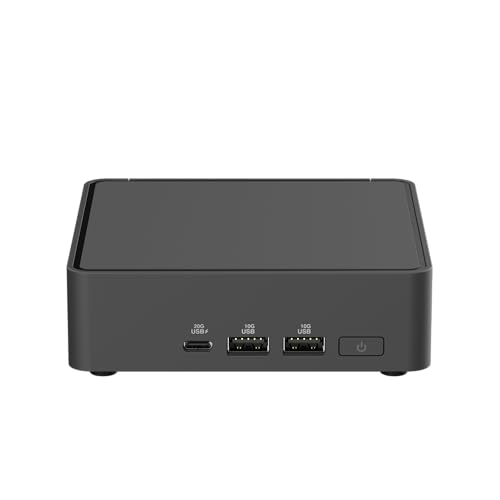
Barebones Mini PC Reviews: Six Verified Kits, Assessed as Finished Machines
These barebones mini pc reviews assess six kits the only fair way: as the finished computers they become once you have added memory, storage and an operating system. A barebones kit is a foundation, and reviewing foundations means judging what the manufacturer chose — processor, platform, ports, networking, warranty — alongside what the foundation lets you choose for yourself. Every kit here was verified against Amazon’s own product data before inclusion, so the specifications in these reviews are the specifications on the manufacturers’ listings, not a reseller’s paraphrase.
The field splits into two families, and the reviews keep them separate in spirit even when they share a page. The palm-sized NUC-style kits — ASUS’s NUC 15 Pro, NUC 14 Pro+ and NUC 14 Essential N250, and the NUC 13 Pro — arrive with a processor fitted and ask only for memory and a drive. The ASRock DeskMeet kits arrive as socketed chassis that ask for a processor too, and repay you with a graphics-card slot and an upgrade path. Our single-product deep dive on the balanced pick is Barebones Mini PC Review; the category decision framework is Barebones Mini PC Buying Guide. What follows is the comparative view.
In this guide
How These Reviews Were Conducted
Each kit was assessed on the same five axes. First, the foundation: processor class and platform currency, because on a NUC-style kit that choice is permanent. Second, the build: how the memory and storage fitting actually feels, including whether the chassis is toolless and how forgiving the layout is of a first-timer. Third, the desk: display support, docking, wired and wireless networking — the features that decide whether a small PC integrates or irritates. Fourth, the role fit: which of the category’s real jobs — office, media, server, lab, gaming — the kit serves best, judged honestly rather than generously. Fifth, ownership: warranty length, service access and the upgrade story across a realistic lifespan.
Two reviewing rules deserve stating. Prices are never printed, because component and kit pricing moves constantly; every review instead links to the live listing so the four-line budget — kit, memory, storage, operating system — can be built at decision time. And no kit is praised for a specification its listing does not state: where near-identical kits differ in wireless modules or box contents, the review says so and tells you to verify the exact listing, as with the NUC 13 Pro generation below.
Where to Buy
Every kit below was verified against Amazon’s own product data for this guide. Barebones pricing moves with RAM and SSD bundles and seasonal promotions, so use the links to check the live figure rather than trusting any number quoted elsewhere. This page is published by reviewstook.com, and the kits are sold through Amazon, which handles payment, shipping and returns.
Best Overall: ASUS NUC 15 Pro Barebone Kit — check the latest price on Amazon via the review links below.
Best Balanced: ASUS NUC 14 Pro+ Barebone Kit — check the latest price on Amazon via the review links below.
Best for Gaming: ASRock DeskMeet X600 Mini-PC Kit — check the latest price on Amazon via the review links below.
Best Proven Platform: Intel NUC 13 Pro Kit (NENCHIN) — check the latest price on Amazon via the review links below.
Best Compact Simplicity: ASUS NUC 14 Essential (N250) — check the latest price on Amazon via the review links below.
Best Value Gaming: ASRock DeskMeet X300 Mini PC Barebone Kit — check the latest price on Amazon via the review links below.
Quick Verdicts
ASUS NUC 15 Pro Barebone Kit: The flagship foundation: newest processor tier, WiFi 7, dual Thunderbolt 4, toolless build.
ASUS NUC 14 Pro+ Barebone Kit: The balanced recommendation for most desks: near-flagship everything, one generation calmer.
ASRock DeskMeet X600 Mini-PC Kit: The gaming and upgrading answer: AM5 socket, PCIe 4.0 x16 slot, 500W supply included.
Intel NUC 13 Pro Kit (NENCHIN): The proven platform: Core i5-1340P and quad-display ambitions, with listing contents to verify.
ASUS NUC 14 Essential (N250): The simple step up: Essential simplicity with a stronger efficiency processor and triple displays.
ASRock DeskMeet X300 Mini PC Barebone Kit: The value gaming chassis: the DeskMeet formula on mature AM4 and DDR4 parts.
The Reviews

Best Overall — ASUS NUC 15 Pro Barebone Kit
Strengths
- Newest platform in this roundup, with WiFi 7 and dual Thunderbolt 4 for fast docks and displays
- Toolless design makes the RAM and SSD install a genuinely five-minute job
- Three-year warranty is unusually generous for a barebones kit
Trade-offs
- You still need to budget for RAM, an SSD and an operating system on top of the kit
- Integrated graphics only — this is a productivity and light-gaming box, not a dedicated gaming rig
- Premium positioning means the finished build costs more than the kit price suggests at first glance
| Processor | Intel Core Ultra 7 255H (installed) |
|---|---|
| Memory | No RAM included — add your own DDR5 SO-DIMM |
| Storage | No SSD included — add your own M.2 SSD |
| Operating system | No OS pre-installed |
| Networking | WiFi 7, 2x Thunderbolt 4 |
| Design | Toolless chassis, 3-year warranty |
The NUC 15 Pro is the strongest foundation in this roundup, and the review question is whether its flagship ingredients justify their position. The Core Ultra 7 255H gives it the most integrated performance here; WiFi 7 and dual Thunderbolt 4 make its connectivity the most current; the toolless chassis and three-year warranty match the best ownership story in the group. As a finished machine, fitted generously, it is the small PC we would choose for a demanding desk that must stay fast and quiet for years.
In daily character it is defined by headroom. Heavy multitasking, large photo libraries, development work and a dock full of displays are absorbed without the machine becoming part of the conversation. Its integrated graphics are the best in the NUC group and still integrated — esports and indie gaming are pleasant, demanding titles are not its brief — and its finished cost, once memory, storage and an operating system join the kit, is the highest here. Both facts belong in the review, and neither cancels the other.
Verdict on the kit: buy it when the desk is important, the horizon is long and the budget is built in fours. It is the flagship because it earns it, not because it is newest.
Best for: demanding long-term desks, wireless-first setups and buyers who fit parts generously once / Not suited for: gamers needing a discrete GPU, or buyers budgeting by kit price alone
Check on Amazon — check the latest price on Amazon before you commit the rest of the parts list.

Best Balanced — ASUS NUC 14 Pro+ Barebone Kit
Strengths
- Balanced Core Ultra 5 125H performance for office, creative and home-server work
- Dual Thunderbolt 4 ports make single-cable desk setups easy
- Toolless access and a three-year warranty lower the risk for first-time builders
Trade-offs
- No RAM, SSD or operating system in the box — the extras are mandatory, not optional
- Integrated graphics limits demanding games and heavy GPU workloads
- WiFi 6E rather than WiFi 7, if you are chasing the newest wireless standard
| Processor | Intel Core Ultra 5 125H (installed) |
|---|---|
| Memory | No RAM included — add your own SO-DIMM |
| Storage | No SSD included — add your own M.2 SSD |
| Operating system | No OS installed |
| Networking | WiFi 6E, 2x Thunderbolt 4 |
| Design | Toolless chassis, 3-year warranty |
The NUC 14 Pro+ reviews as the balanced centre of the category, and balance, properly understood, is a compliment about judgement rather than a shrug. The Core Ultra 5 125H covers the broad middle of real work with room to spare; dual Thunderbolt 4 anchors a professional desk; WiFi 6E is a generation behind the flagship and a non-issue on the wired desks this kit usually serves; the build is toolless and the warranty runs three years.
As a finished machine it has the fewest asterisks in this roundup. It is not the cheapest foundation, not the newest, not the gaming answer and not the network appliance — and for the majority of buyers, whose jobs are documents, browsers, calls, media and the occasional creative project, it is the kit against which the others must justify their specialisations. Our full single-product review explores it at length; the short version is that this is the default recommendation of the entire cluster.
Verdict on the kit: the one to buy when no specialised requirement — gaming, dual LAN, flagship wireless — is pulling you elsewhere.
Best for: the broad middle of serious everyday computing, over a long ownership / Not suited for: specialised roles that another kit here serves better
Check on Amazon — check the latest price on Amazon before you commit the rest of the parts list.

Best for Gaming — ASRock DeskMeet X600 Mini-PC Kit
Strengths
- The only style of kit here that takes a real desktop graphics card via its PCIe 4.0 x16 slot
- Socketed AM5 processor means genuine CPU upgrades later, not a soldered dead end
- 500W power supply included, so the GPU plan does not need a separate PSU hunt
Trade-offs
- Largest box in this group at 8 litres — compact, but not palm-sized
- You supply the CPU, cooler considerations, RAM, storage and GPU, so the parts list is the longest here
- WiFi-ready is not the same as WiFi included — check what your build still needs
| Socket | AMD AM5 — bring your own Ryzen 9000/8000/7000 CPU (65W) |
|---|---|
| Memory | DDR5, supports 7200+ OC speeds per listing |
| Expansion | PCIe 4.0 x16 slot for a discrete graphics card |
| Storage | Gen5 M.2 support |
| Power supply | 500W PSU included |
| Chassis | 8-litre case, triple display support, WiFi-ready |
The DeskMeet X600 is the roundup’s plot twist: a barebones kit that reviews like a gaming PC, because once you have fitted a processor and a graphics card, that is what it is. The AM5 socket accepts current Ryzen generations, the PCIe 4.0 x16 slot accepts a real card, the included 500W power supply supports the plan, and DDR5 plus Gen5 storage keep the supporting cast current. No other kit here can be reviewed in frame rates, and that fact alone defines its place.
The review must equally record what the X600 is not. At 8 litres it is the big box of the group; the build is a real build, with a processor install and card clearances; the parts list is the longest and the finished total the most variable. Noise and heat follow the components you choose, which makes the X600 the only kit here whose manners are partly your own authorship. For gamers and upgraders that authorship is the entire appeal, and the upgrade path — a future processor in the same socket — gives it a second life no NUC can schedule.
Verdict on the kit: the gaming and workstation choice of the roundup, bought by readers who want a compact case without surrendering the desktop upgrade story.
Best for: compact gaming rigs and evolving workstations / Not suited for: buyers who want palm-sized, silent and simple
Check on Amazon — check the latest price on Amazon before you commit the rest of the parts list.

Best Proven Platform — Intel NUC 13 Pro Kit (NENCHIN)
Strengths
- Same Core i5-1340P Arena Canyon foundation as the other NUC 13 Pro kits
- VESA-friendly design suits behind-monitor and signage installs
- Straightforward business, office and home brief with no gaming pretensions to pay for
Trade-offs
- WiFi-6 rather than WiFi 6E or 7 — check the listing carefully against near-identical kits
- Third-party kit branding means box contents deserve a close read before ordering
- No RAM, SSD or OS, so the headline price is only part of the finished cost
| Processor | Intel Core i5-1340P, 13th Gen (installed) |
|---|---|
| Memory | NO RAM included |
| Storage | NO SSD included |
| Operating system | NO OS included |
| Displays | 8K/4K UHD support |
| Networking | Gigabit Ethernet, WiFi-6, VESA mount use |
The NUC 13 Pro, in this NENCHIN-supplied Arena Canyon kit form, reviews as the proven professional: a Core i5-1340P whose behaviour is documented everywhere, 8K and 4K UHD display support aimed at serious multi-screen desks, Gigabit Ethernet and WiFi-6, and a VESA-friendly design that suits business, office, home and signage work. As a finished machine it is a known quantity, and known quantities are a legitimate product virtue.
The review’s cautions are about the marketplace rather than the machine. NUC 13 Pro kits circulate under several seller brands with differing wireless standards and contents — this listing states WiFi-6, where a sibling listing offers WiFi 6E — so the contents check is part of the purchase, not an optional refinement. The platform is also a generation behind, which matters to buyers chasing currency and not at all to buyers chasing stability. Read the listing, confirm the kit, and the machine underneath is a sound professional foundation.
Verdict on the kit: a mature, capable office and signage foundation whose purchase rewards five minutes of listing verification.
Best for: offices, signage and multi-display desks that value a documented platform / Not suited for: buyers who skip listing checks, or who want the current generation
Check on Amazon — check the latest price on Amazon before you commit the rest of the parts list.

Best Compact Simplicity — ASUS NUC 14 Essential (N250)
Strengths
- A step up from the N150 Essential while keeping the same simple one-slot, one-bay layout
- Triple displays and 2.5G networking suit multi-screen office and kiosk work
- VESA mount included for clean behind-monitor installs
Trade-offs
- Same single-slot memory ceiling as the N150 version — plan capacity up front
- Still an efficiency-class processor; demanding games and heavy creative work belong elsewhere
- One storage bay only, so external or network storage may join the setup later
| Processor | Intel Processor N250 (installed) |
|---|---|
| Memory | Single DDR5-4800 RAM slot |
| Storage | Single storage design |
| Displays | Triple display support |
| Networking | 2.5G LAN, Wi-Fi 6E, Bluetooth 5.3 |
| Mounting | VESA mount included |
The NUC 14 Essential with the N250 processor reviews as the simplicity pick with a little more headroom than its N150 sibling. The formula is identical — one DDR5-4800 memory slot, one storage bay, triple-display support, 2.5G LAN, WiFi 6E and a VESA mount in the box — with a step up in efficiency-processor performance for desks whose light work is not quite minimal. As a finished machine it is a tidy, quiet, mountable computer for defined roles.
The review’s recurring note for both Essential kits is the single-slot discipline: memory capacity is a one-time decision, so the review recommends fitting the capacity the role will want at its busiest, not its average. Within that discipline, the N250 version suits multi-screen offices, kiosks and media duties that run all day; beyond it — heavy multitasking, local gaming ambition — the review points up the range, because no review should pretend an efficiency processor is a performance one.
Verdict on the kit: the right foundation for defined, light-to-moderate roles, bought with its memory decision made properly the first time.
Best for: multi-display light office, kiosk, media and small-server roles / Not suited for: heavy multitasking or gaming
Check on Amazon — check the latest price on Amazon before you commit the rest of the parts list.
Best Value Gaming — ASRock DeskMeet X300 Mini PC Barebone Kit
Strengths
- AM4 and DDR4 parts are widely available, which keeps the total build cost under control
- PCIe 3.0 x16 slot still allows a proper discrete graphics card for gaming
- Dual M.2 storage gives room for a fast boot drive plus a larger games drive
Trade-offs
- AM4 is a mature platform with no future CPU generation coming — upgrades top out within the family
- PCIe 3.0 rather than 4.0, a small penalty with some newer graphics cards
- Like the X600, the parts list you must supply yourself is long
| Socket | AMD AM4 — supports Ryzen 5000/4000/3000G CPUs |
|---|---|
| Memory | DDR4-3200MHz |
| Expansion | PCIe 3.0 x16 slot |
| Storage | Dual M.2 slots |
| Front ports | USB 3.2 Gen2 Type-C |
| Power supply | 500W PSU included |
The DeskMeet X300 reviews as the value route into real gaming: the same DeskMeet architecture as the X600 — socketed processor, PCIe x16 graphics slot, 500W power supply, dual M.2 storage — built on the AM4 platform and DDR4 memory, where capable parts are widely available and thoroughly understood. As a finished compact gaming PC, its capability per unit of total budget is the strongest in this roundup.
The platform’s maturity cuts both ways in the review, exactly as it does in the market. AM4’s best processors are known, available and sufficient for years of gaming; AM4 also has no next generation, so the upgrade story ends at the platform’s ceiling, and PCIe 3.0 costs a little with some current graphics cards. Buyers who accept those terms knowingly get the roundup’s best value gaming foundation. Buyers who feel the ceiling itch already should pay for the X600’s socket instead.
Verdict on the kit: the smart-money gaming chassis of the group, and a genuinely enjoyable first build. Readers speccing one should cross-check the wider gaming tiers in Best Barebones Mini PC Under $800 before fixing the parts list.
Best for: value gaming builds and first-time builders on a budget / Not suited for: buyers who want future CPU generations on the same board
Check on Amazon — check the latest price on Amazon before you commit the rest of the parts list.
Comparison Table
| Kit | Family | Processor | Review headline |
|---|---|---|---|
| ASUS NUC 15 Pro Barebone Kit | NUC-style | Core Ultra 7 255H (fitted) | Flagship foundation |
| ASUS NUC 14 Pro+ Barebone Kit | NUC-style | Core Ultra 5 125H (fitted) | Balanced default |
| ASRock DeskMeet X600 Mini-PC Kit | DeskMeet | Your AM5 Ryzen | Gaming and upgrades |
| Intel NUC 13 Pro Kit (NENCHIN) | NUC-style | Core i5-1340P (fitted) | Proven professional |
| ASUS NUC 14 Essential (N250) | NUC-style | Intel N250 (fitted) | Simple, defined roles |
| ASRock DeskMeet X300 Mini PC Barebone Kit | DeskMeet | Your AM4 Ryzen | Value gaming |
Across the Field: Build Experience Compared
Put the six builds side by side and a clear gradient emerges. At the effortless end sit the current ASUS NUC Pro kits, whose toolless chassis turn the entire hardware phase into opening, clicking, screwing once and closing — a design decision that sounds cosmetic until you watch a nervous first-timer relax in real time. The Essential kits are nearly as simple, with the traditional few screws standing between the owner and the single slot and bay. The NUC 13 Pro generation is a conventional small-screw build: still easy, still minutes, but a generation’s worth of refinement behind the toolless designs in feel.
The DeskMeet builds occupy the other end honestly. A processor install, cooler fitting, memory, storage and a graphics card make a real project of perhaps an hour for a beginner following instructions — and the reviews score that as a feature for the audience these kits serve, because the DeskMeet buyer is purchasing participation as much as hardware. What none of the six requires is expertise: no soldering, no cabling puzzles on the NUC side, no exotic tools anywhere. The category’s build barrier, across the whole field, is confidence rather than skill, and every kit here respects that.
Across the Field: Performance and Headroom
Performance in this roundup is a story of ceilings, and the reviews rank the ceilings rather than chase synthetic scores. The NUC 15 Pro’s Core Ultra 7 255H sets the integrated ceiling: the most multitasking headroom, the strongest integrated graphics, the longest runway before an ordinary workload finds its limit. The NUC 14 Pro+’s Core Ultra 5 125H sits one step below, close enough that most desks would never locate the difference without looking for it. The NUC 13 Pro’s Core i5-1340P remains a thoroughly capable mainstream ceiling, a generation’s refinement behind. The Essential N250’s ceiling is deliberately low and honestly labelled: light roles, run well, forever.
The DeskMeet kits refuse the ceiling frame entirely, because their performance is a range the buyer specifies. An X300 with a modest processor and card is a pleasant esports-and-mainstream gaming machine; the same chassis with the platform’s strongest components is a serious rig. The X600’s range starts higher and ends higher still, with faster memory and storage standards widening the gap at the top. Reviewing socketed kits therefore means reviewing the honesty of the range — and both DeskMeets state their limits, power class and slot specifications plainly enough for a buyer to spec within them confidently.
Across the Field: Noise, Power and Manners
The NUC-style kits share a manners profile: near-silent at ordinary loads, discreet under strain, and frugal enough at idle that always-on use is a rounding error in a household’s habits. Within that profile, the Essential kits are the quietest citizens — efficiency processors simply have less heat to move — while the Core Ultra kits trade a little more fan presence under load for their performance headroom. Mounted behind monitors, all four NUC-style kits effectively leave the room’s soundscape.
DeskMeet manners are component-dependent, and the reviews treat that as a spec the buyer writes. A conservatively specced X300 can be a civilised living-room machine; a maximum-effort X600 build will sound like what it is — a gaming PC in a small case — under load. Neither is a defect. But buyers sensitive to noise should spec the DeskMeets’ processor and card with the same care they give the budget, because in this family, manners are chosen, not given.
Across the Field: Warranty, Support and Service
Ownership scores separate the field in ways spec sheets hide. The ASUS NUC Pro and ExpertCenter lines carry three-year warranties on the kit, the strongest foundation cover in this roundup, and their toolless designs make the user-serviceable parts — memory and storage — genuinely user-serviceable in practice rather than in marketing. The NUC 13 Pro kits’ support story runs through their sellers as much as their platform, one more reason the contents-and-seller check recurs throughout these reviews. ASRock’s DeskMeet support is a motherboard-maker’s story: documentation and BIOS support for a platform, with the processor, memory, drive and card each carrying their own makers’ warranties.
The universal caveat remains the category’s: support is a team, and the owner is its captain. Every kit here makes that captaincy easy — parts are accessible, faults are usually a reseat away, and the components most likely to need attention are the cheapest to swap-test. Buyers who accept the captaincy get excellent service economics. Buyers who do not should buy the single-warranty prebuilt and let these reviews stand as the explanation of what they traded away.
Rankings by Role: The Roundup in One View
For a demanding desk PC, the order runs NUC 15 Pro, NUC 14 Pro+, NUC 13 Pro — a ladder of currency and headroom at descending tiers. For gaming, the order inverts the field: DeskMeet X600 first for its platform future, X300 second for its value, and the NUC kits tied at ‘esports and cloud only.’ For always-on server and media roles, the Essential kits and the NUC 13 Pro lead on manners and simplicity, with the dual-LAN ExpertCenter PN54-S1 from the wider pool as the specialist’s exception for network duties. For a first build, the toolless NUC Pro kits teach the ritual with the least friction; for a first gaming build, the DeskMeet X300 teaches the most per unit of budget. Rankings in a two-family category are always role rankings — and any review that offers you a single winner without asking your role is selling, not reviewing.
Review Notes: The Details That Did Not Fit the Podiums
Every roundup accumulates observations too specific for its rankings and too useful to discard. The Essential kits’ included VESA mount is a small line in a contents list and a daily pleasure in a tidy installation — more kits should include the mount their buyers will obviously want. The DeskMeet kits’ included 500W power supply removes the single most confusing component choice from a first gaming build, and deserves more credit than it typically gets. The NUC 13 Pro generation’s quad-display support remains, even now, the specification most likely to surprise a buyer who assumed newer automatically meant more capable in every dimension; display counts and processor generations march to different drummers.
Two cautions complete the notebook. Wireless standards are the field’s most quietly variable specification — WiFi-6, 6E and 7 all appear among near-identical listings in this roundup’s wider pool — and the only defence is reading the exact listing you are buying from. And the toolless designs, delightful as they are, reward a gentle hand: clips and latches engineered for fingers should never meet a screwdriver used as a lever. Small machines, small forces. The reviews’ overall impression, after all six, is of a category in good health — foundations honestly specified, roles clearly served, and not a kit among the six that we would warn a matched buyer away from.
How the Field Has Moved: This Generation vs the Last
Reviewing across generations clarifies what progress in this category actually looks like. It is not primarily processor speed — the NUC 13 Pro’s Core i5-1340P still covers mainstream work without apology. The real movement is in the connective tissue: WiFi has stepped from 6 to 6E to 7 across the field’s generations; wired networking has normalised at 2.5G in the current Essential line where the older kits settled for standard gigabit or made it a premium feature; Thunderbolt 4 has become the expected docking standard rather than a flagship garnish; and the toolless chassis has converted the build from a small ceremony into a non-event. A buyer choosing between a discounted previous-generation kit and a current one is therefore not mainly choosing speed. They are choosing how current the machine’s connections will feel in year four — and for desks built around docks and fast networks, that is the difference that ages.
The DeskMeet line tells the same story in desktop dialect: the step from X300 to X600 is a step from PCIe 3.0 to 4.0, from DDR4 to DDR5, from a closed socket generation to an open one. In both families, the current generation’s premium buys connective and platform future more than it buys present-tense performance. Reviews that score only today’s speed will keep recommending yesterday’s kits; reviews that score the ownership arc will keep recommending the balanced current ones — which is why this roundup’s default recommendation sits where it does.
What the Reviews Agree On: Category-Wide Findings
Read together, the six reviews converge on findings bigger than any single kit. The build is a solved problem across the category: toolless ASUS chassis and straightforward NUC layouts make memory and storage fitting a beginner-safe task, and even the DeskMeet builds are well within a careful first-timer’s reach. Networking has quietly become the sharpest differentiator — the spread from Gigabit and WiFi-6 to 2.5G, dual LAN and WiFi 7 separates these kits more meaningfully than their processor badges do. And the finished-machine totals, honestly built in fours, cluster closer to prebuilt prices than kit prices suggest, which reframes the category’s value as control and specification honesty rather than raw cheapness.
The reviews also agree on the boundary. Integrated graphics is the line between the NUC family’s competence and its limits, and every gaming ambition beyond esports and cloud play routes through the DeskMeet family’s card slots. Buyers who internalise that single finding will read every future barebones review — ours included — with the right question first: not ‘how fast is it,’ but ‘which family is it, and what does that family permit.’
How to Build Any of These Kits: The Shared Ritual
Whatever the review verdicts, the build ritual is shared. Prepare the operating-system installer on a USB stick before the parts arrive. Open the kit — toolless on the ASUS models — and seat the memory until both clips click. Fit the M.2 SSD under its single screw. DeskMeet builders install the processor and cooler first, and the graphics card last. Boot into the setup utility and confirm memory and storage before installing the operating system; then install, update drivers and BIOS, and only then connect the full desk.
Problem: a reviewed kit will not boot after the build -> fix: reseat the memory — the cause in the overwhelming majority of first builds. Problem: the SSD is missing from the installer -> fix: reseat it and check the BIOS device list. Problem: a DeskMeet build is loud under load -> fix: revisit fan settings in the BIOS and the graphics card’s own fan profile; on a build-your-own-cooling machine, manners are a setting, not a fate. The step-by-step choosing framework behind these reviews lives in How To Choose A Barebones Mini PC.
Common Mistakes These Reviews Keep Finding
Ranking kits by kit price. Fitting minimum memory to a single-slot Essential. Ordering DDR4 for a DDR5 kit. Expecting a NUC to game like a DeskMeet. Skipping the contents check on multi-seller kits like the NUC 13 Pro. And reviewing — or buying — any of these machines as though the operating system were included. The reviews above were written to intercept each of those, in the order buyers actually commit them.
A final cross-field observation concerns honesty of positioning, and it is more favourable than reviewers usually get to report. The Essential kits do not dress themselves as gaming machines. The DeskMeet kits do not pretend to be palm-sized. The NUC 13 Pro sellers state their barebones contents in capital letters. In a category where the entire transaction is ‘some assembly required,’ that plainness is the foundation of trust — and it is why this roundup can recommend six kits with five different podiums and no warnings section. The machines know what they are. These reviews have simply tried to say it as clearly as the listings do.
If this roundup leaves you with a shortlist of two, that is the correct outcome — the final choice between, say, the NUC 14 Pro+ and the NUC 15 Pro, or between the two DeskMeets, is a budget-and-horizon decision that only your four-line totals can settle. Build those totals for both finalists, at the memory and storage capacities you would actually fit, and let the honest numbers break the tie. Reviews can rank foundations; only your budget can rank finished machines.
And a word for the reader who came to these reviews planning to buy none of the six — because the job is a gift for a non-technical relative, a managed office fleet, or a machine that must work the hour it arrives. That reader has used the roundup correctly too. A reviews page that only sells is a catalogue; a reviews page that also tells you when to walk away is a service. The prebuilt alternatives in Best Mini Pcs will welcome you, and you will arrive knowing exactly which conveniences you are paying for.
Six kits reviewed, one habit recommended above all others: verify, then build in fours, then fit generously once. Do those three things and any podium pick in this roundup will serve you the way its review promises.
The shortest summary the roundup can honestly offer is this: buy the foundation whose limits you will never meet, in the family whose build you will actually enjoy, at a finished total you have actually calculated. Everything else in these six reviews is commentary on that sentence.
Choose that way and the review you would write in three years will read like these do — specific about limits, satisfied about everything else.
That is the standard this roundup applied to every kit, and the standard we would apply to our own purchases.
Final Recommendation
The roundup’s podium is role-shaped. Best overall foundation: the NUC 15 Pro, for buyers who want the newest and strongest. Best balanced buy, and our default recommendation: the NUC 14 Pro+. Best for gaming and upgrading: the DeskMeet X600, with the X300 as its value shadow. Best proven professional: the NUC 13 Pro, contents verified. Best simplicity: the NUC 14 Essential N250, memory fitted generously once. Six kits, five honest podiums, and one category that rewards buyers who choose by role — the full argument for which is in Barebones Mini PC Pros And Cons and the price-tier lists starting at Best Barebones Mini PC Under $1200.
Frequently Asked Questions
What exactly is missing from a barebones mini PC?
The processor and the box itself are present in most kits in this guide, but memory, storage and an operating system are not. The DeskMeet kits go further and leave the processor itself to you, because they use socketed desktop CPUs. Before any barebones kit becomes a working computer you should expect to add at least one stick of compatible RAM, one SSD, and either a Windows licence or a free Linux distribution. Budget for those three items from the start and the category holds no nasty surprises.
Is building a barebones mini PC difficult for a beginner?
Honestly, no — the palm-sized kits are among the easiest first builds in all of computing. The typical job is sliding off a cover or undoing a few screws, clicking a RAM stick into its slot until the clips close, seating an M.2 SSD under a single screw, and replacing the cover. There is no cabling, no thermal paste and no power-supply wiring on a NUC-style kit. The DeskMeet kits add a CPU install, which takes more care, but even that is a well-documented ten-minute step.
How much RAM and storage should I add?
For office work, browsing, media and light home-server duties, a single 16GB stick and a 512GB SSD is the sensible floor, and it is what we would fit to the Essential kits. For heavier multitasking, virtual machines, photo work or a machine you plan to keep for many years, 32GB of RAM and a 1TB SSD age far better. Kits with a single memory slot, like the NUC 14 Essential models, force the decision up front, so buy the capacity you will want in year three, not just month one.
Can a barebones mini PC play games?
It depends entirely on which style of kit you mean. The palm-sized NUC-style kits rely on integrated graphics, which handle esports titles, older games, indie games and cloud gaming comfortably, but struggle with demanding modern releases at high settings. The DeskMeet X300 and X600 are different machines altogether: their PCIe x16 slots accept a discrete desktop graphics card, and with one fitted they are legitimate gaming PCs that simply happen to live in an 8-litre case.
Do I need to buy Windows for a barebones kit?
Only if you want Windows. Every kit here arrives with no operating system, so the choice is yours: buy a Windows licence, reuse an eligible licence you already own where its terms allow, or install a free Linux distribution such as Ubuntu, which runs superbly on all of this hardware and is the default choice for home-server and home-lab builds. Factor the licence cost into any comparison against a prebuilt mini PC, because prebuilts usually include it.
What tools do I need for the build?
A small Phillips screwdriver covers almost everything. The current ASUS NUC Pro and ExpertCenter kits use toolless designs, so even that is optional for the RAM and SSD install. A clean, static-aware workspace, the kit manual open on your phone, and fifteen unhurried minutes are the real requirements. Keep the tiny M.2 screw in a dish rather than on the desk — it is the one part everyone loses.
Will a barebones kit work as a home server or media PC?
Very well, and for many buyers that is the real point. Low idle power draw, small size, VESA mounting and — on several kits here — 2.5G or dual LAN make them natural fits for media servers, file storage front-ends, smart-home controllers and always-on download or backup boxes. The dual-LAN ExpertCenter PN54-S1 is the standout for network appliance roles such as firewalls and routers built from PC hardware.


