Disclosure: As an Amazon Associate, reviewstook.com earns from qualifying purchases. Links to Amazon on this page are affiliate links; they cost you nothing extra.
Both fix weak WiFi, but they work differently.
Last updated: November 1, 2026.
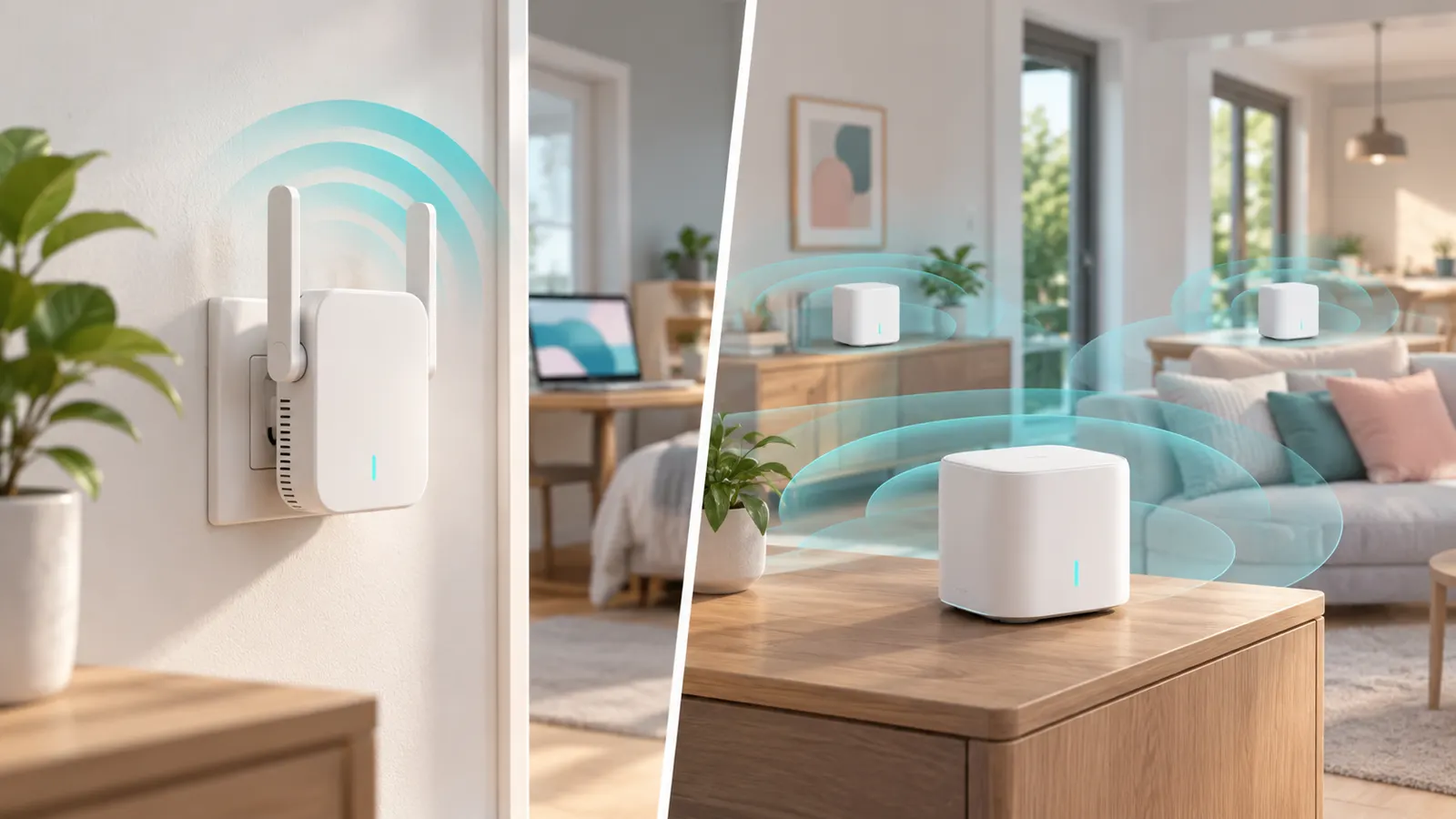
Extender
Repeats the signal from your router. See WiFi extenders.
In this guide
Mesh
Multiple nodes share one network. See mesh systems.
Other options
Try powerline adapters or run Ethernet.
How Each Option Moves Data Around Your Home
A WiFi extender listens to your router and repeats the signal. A mesh system replaces or works with your router, using several nodes that coordinate to form a single network. A powerline adapter pair sends the network signal through your home’s electrical wiring, and a second adapter converts it back to a wired or WiFi connection. Each takes a different route, which is why they perform differently.
Understanding the path helps you see the limits. Extenders depend on the signal they can receive. Mesh nodes can use dedicated links between them, depending on the model. Powerline depends on the quality of the wiring between the two adapters. None of them is best in every home.
Which Option Fits Which Home
Match the solution to your layout.
- One weak room in a small home: an extender may be enough.
- Several rooms or multiple floors: a mesh system usually covers the home more evenly.
- A far-away room, garage or office with outlets: powerline may reach where WiFi does not, if the wiring cooperates.
- A place where you can run a cable: Ethernet to an access point or node is usually the most reliable.
Check the size and layout stated in product listings, but remember that real coverage depends on walls and materials. If unsure, begin with the simplest option you can return.
Performance Tradeoffs, Latency and Stability
Extenders can cut speed because they handle traffic twice. Mesh systems are designed to manage this more efficiently, particularly when the nodes have a dedicated link or a wired connection between them. Powerline can be steady where the wiring is good, but circuits, appliances and distance can affect it.
If you game or take video calls, stability matters as much as raw speed. Wired links generally offer the lowest and most consistent delay. Whichever option you choose, test it in the rooms where you use the network most, and compare with speeds before you installed it. Do not rely only on claims in listings.
Setup, Management and Compatibility
Extenders are usually simple to add, with a button pairing or a short setup page. Mesh systems typically use an app for setup and management and may replace your existing router or run in bridge mode behind it. Powerline adapters are often plug and pair, but some features need a configuration tool.
Check compatibility. Mixing brands is often not supported for mesh, and extenders from different makers may work with any router but with fewer features. Powerline adapters generally need to follow the same standard to work together. Look at the number of Ethernet ports if you want to connect wired devices, and see whether the system supports features you want, like guest networks or parental controls.
Budget, Upgrade Path and Signs You Need More
Extenders are usually the lowest-cost fix, powerline adapters sit in the middle, and mesh systems tend to cost more, although prices vary by model and coverage. Think about the total cost, including any extra nodes you may need.
Plan for growth. If you add devices or work from home, a basic fix may stop being enough. Signs that it is time to upgrade include frequent drops, slow speeds in rooms you use daily, devices that stay stuck on a weak connection, and an extender that never seems to help. In those cases, consider a mesh system or a wired backbone. Keep your old gear if it can serve a secondary role.
Diagnose the Problem Before Buying
Many people buy a coverage product when the real cause is something else. Spend a little time finding out why the WiFi is weak, because the right fix depends on the answer.
- Test near the router first. If speeds are slow right next to it, the issue is the internet plan, the modem or the router, and no extender will help.
- Look at router placement. A router hidden in a cabinet, on the floor or in a corner often performs worse than the same router in an open, central spot. Moving it can fix a surprising amount.
- Check for crowding. Many devices on one network can slow everything down, and so can neighboring networks in dense buildings.
- Update the router. Firmware updates and a restart can solve problems that look like a coverage gap.
- Note where the problem is. A single far room points to a range problem. Slowness everywhere points elsewhere.
An older router may also be the limit. If it supports only older standards, newer devices cannot reach their potential, and adding an extender to a tired router can carry its weakness into more rooms. Look at the manual to see which standards it supports. Replacing the router with a mesh system may solve both coverage and age at once.
Write down the rooms that matter and what you do in them, such as streaming video, work calls or gaming. That list becomes your checklist for any product you consider.
Who Each Option Suits Best
Each approach has a typical buyer. These are tendencies and not rules, so check them against your own home.
- Extender: suits a renter or a small home with one weak spot, where a quick, low-effort fix is enough and the router is otherwise fine. It is also a reasonable stopgap while deciding on something larger.
- Mesh system: suits larger homes, multiple floors and households where many people use the network at once. It is a good fit for someone who wants a single network name and an app to manage it.
- Powerline adapters: suit a home where wiring is cooperative and WiFi struggles with walls, such as a far office or a game console that needs a wired port. They can be useful when running Ethernet is not practical.
- Ethernet to an access point: suits anyone who can run a cable, including those who work from home and want the most stable link for important devices.
Think about the person who will manage the network. A household with someone comfortable with settings can use any of these. A household where nobody wants to touch a settings page may prefer the simplest product with an app that walks through setup. Also consider renters, who may not be allowed to drill holes or run cables and may prefer plug-in solutions.
Mistakes People Make When Choosing
Some errors repeat often enough to be worth listing.
- Buying by coverage claims alone. Listings state an area, but walls, floors and interference shrink it. Treat these as best-case guidance.
- Placing an extender in the dead zone. It should sit where the router signal is still good, otherwise it just repeats a weak link.
- Assuming a mesh needs to replace everything. Check whether the model can work behind an existing router, and whether that is the best arrangement for you.
- Mixing incompatible gear. Powerline adapters and mesh nodes generally need to be designed to work together, so check the listing and manual.
- Ignoring the internet plan. A better network inside the home does not raise the speed that the provider delivers.
- Buying too many nodes at once. Starting with fewer and adding as needed is often better than overbuying.
- Skipping the return policy check. Home layouts are unpredictable, so being able to return a product is valuable.
Another mistake is chasing the highest standard for its own sake. A newer standard only helps when your devices and your internet plan can use it. Match the equipment to what you have, with room to grow, rather than paying for features that nothing in the home will use.
Questions to Ask Before You Buy
Use this list when reading a product page or comparing two options. If the listing does not answer a question, look at the manual or the maker’s support page, and do not assume.
- How many bands does it support, and does it dedicate any band to linking with the router or other nodes?
- Does it have Ethernet ports, and how many are there for wired devices?
- Can it connect to another unit with a cable, which is often called wired backhaul?
- Does it work behind my current router, and does it have a bridge or access point mode?
- Which standard does it follow, and do my devices support it?
- How is it set up, with an app, a web page or a button, and is the app easy to use?
- What features are included, such as guest networks, parental controls or scheduling, and are any hidden behind a subscription?
- How long does the maker provide updates, and how are they installed?
- What is the return and warranty policy?
Read how other buyers describe their experience in homes like yours, but do so in general terms. Look for patterns, such as repeated mention of setup trouble or drops, rather than being swayed by a single comment. Check how many people have rated a product, because a handful of opinions tells you little.
Installing a New Network Without the Headaches
A calm installation avoids most problems. Follow a sequence and do not rush.
- Record your starting point. Save your existing network name and password and note any special settings on the router.
- Update first. Install updates for the new gear during setup, as it often ships with older firmware.
- Place the main unit first. Start with the one closest to the modem, then add other nodes or extenders one at a time, testing each.
- Keep a clear path. Avoid putting nodes behind furniture or on the floor, and keep them away from large metal objects and appliances.
- Test in daily-use rooms. Run speed tests and try the video call or game you actually use.
- Retire what you replace. Turn off the old extender or router WiFi if it competes with the new network, following the manual so you do not lose access.
If you use more than one network name for a time, label them clearly so devices do not join the wrong one. For smart home devices, check their manual, since some are particular about bands and may need to be reconnected after a network change.
When to Stop Adding Gear and Rethink
It is tempting to keep adding a node or an adapter every time a new dead spot appears. At some point that stops being sensible. If you have tried repositioning, updates and one or two products and problems persist, step back and look at the whole layout.
Signs that it is time to rethink include a growing pile of devices that each solve a small piece, speeds that fall the further you go from the router, frequent disconnects despite good signal bars, and different parts of the house behaving like separate networks. A planned wired backbone with access points or a properly sized mesh system may be more coherent than a patchwork.
It can also help to ask a knowledgeable friend or a professional installer for a view, particularly in a large or older home with thick walls. Ask them to explain the reasoning so you can judge whether it fits your budget and effort. Whatever you choose, keep the receipts and the packaging for a while until you are sure the network works well in all the rooms you care about.
Matching the Fix to the Floor Plan
The shape of your home often decides the answer more than the brand names do. Think about the layout, the building materials and where you actually need coverage, then match each device type to that picture.
A small apartment with one weak corner. A single plug-in extender may be enough. The distance is short, and you only need to patch one area.
A two-story house with a router downstairs. Signal drops quickly through floors. A mesh system with a unit on each level tends to produce a steadier experience, particularly if you walk around with devices and want them to move smoothly between access points.
An older home with thick walls. Brick, stone and plaster block radio waves. Powerline adapters, which send data over the electrical wiring, can sidestep the walls, though results depend on the age and condition of the wiring and on the circuits in use.
A long, narrow layout. Mesh units placed along the line, or a wired backbone to a second access point, usually serve better than a single extender at the end.
| Home type | Likely fit |
|---|---|
| Small, one dead spot | Extender |
| Multi-floor, many devices | Mesh |
| Thick walls, wiring in good shape | Powerline |
| Outbuilding or garage | Check wired or outdoor-ready options |
Questions to Ask Before Money Leaves Your Account
A few pointed questions can protect you from a purchase that does not solve your problem. Answer them honestly, and write the answers down for comparison with product listings.
- Where exactly is the weak area, and how big is it?
- Does the router support the same standards as the new gear, or will an old router hold everything back?
- Can I run an Ethernet cable between rooms, even a thin flat one, to link units?
- How many devices will use the network at the same time?
- Do I want to manage settings through an app, or do I prefer a simple plug-and-forget device?
- What happens if it does not work in my home, and how long is the return window?
Sometimes the cause is the router itself: poor placement, old hardware or crowded settings. Moving it to a central, raised spot away from metal objects can help before you buy anything. Once you have those answers, comparing listings becomes a matter of checking boxes instead of guessing.
Remember too that different systems can be mixed. A wired link to one mesh unit, for example, often outperforms a wireless link between units, so cabling where possible is a good habit.
Products Worth a Look
As an Amazon Associate, Reviews Took earns from qualifying purchases. These picks come from our guide: 6 Best WiFi Range Extenders (2026).
-
TP-Link RE220 WiFi Extender with Ethernet Port
-
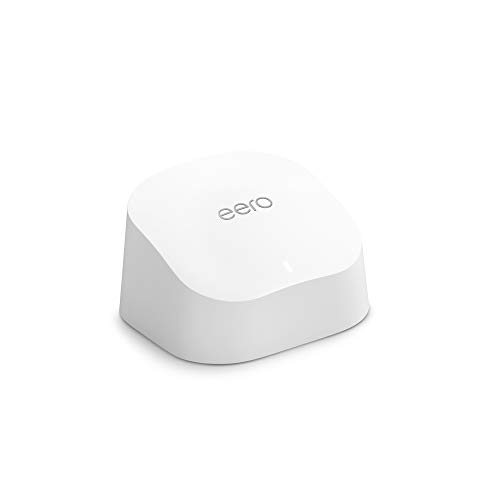
Amazon eero 6 Mesh Add-On Extender
 Amazon eero 6 mesh wifi add-on extender
-
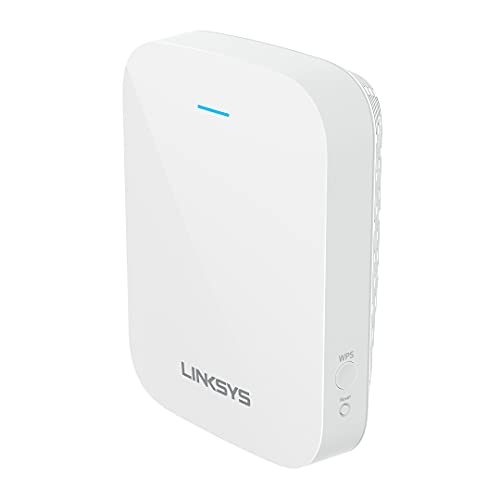
Linksys WiFi 6 Range Extender
 Linksys WiFi Extender
Frequently Asked Questions
Is mesh better?
Often, but it costs more.
Can I mix brands?
Usually not.
Where to place?
Midway to the dead zone.
What is a powerline adapter?
It is a pair of devices that send network data through your home's electrical wiring. Performance depends on the wiring between the two adapters.
Can I use mesh with my existing router?
Many systems can work behind an existing router in a bridge or access point mode. Check the manual for how the model handles this.
Will an extender slow my connection?
It can reduce speed, especially if it uses one radio to talk to both the router and your devices. Placement and the model's design affect this.
Is Ethernet better than all of these?
A wired connection is typically the most stable and fastest, if you can run the cable. It can also link mesh nodes or access points.
Do I need matching brands for powerline adapters?
Adapters usually need to follow a compatible standard. Check the listing and manual for compatibility, and prefer a matched pair.
How many mesh nodes do I need?
It depends on the size of your home and its layout. Listings give coverage guidance, but walls and floors reduce it, so start with the recommended number.
What if none of these solves my dead spot?
Try repositioning the router, changing channels or running a cable to a new access point. Interference or dense materials may need a different layout.
Can I start with an extender and move to mesh later?
Yes. An extender is a reasonable first step, and you can keep it for a secondary role or retire it when you move to mesh. Check that the extender can be reset and reused.
Does a mesh system make my internet faster?
Not beyond the speed your internet plan provides. It can improve how evenly that speed reaches rooms, and it can reduce drops, but it does not raise the speed from your provider.
Are powerline adapters affected by other appliances?
They can be. Some appliances and power strips add noise that affects the link. Plug adapters directly into wall outlets and check the manual for tips, then test the result in the room you need.
Is it safe to leave an extender or mesh node plugged in all the time?
These products are designed for continuous use. Use a proper outlet, keep ventilation around them and replace any unit that becomes very hot, discolored or unstable, following the maker's guidance.
Should I use the same WiFi standard on every device?
There is no need to match exactly. Devices connect at the best standard they and the network share. For the best results, make sure the router or nodes support the standard that your main devices use.
Do mesh systems need an internet connection to work?
Setup commonly uses an app and may require internet access. Once configured, the nodes carry local traffic between devices, but many features depend on the service, so check the manual for what works offline.
How do I know whether wired backhaul is possible in my home?
Look at whether you can run an Ethernet cable between rooms, or whether outlets already exist in the walls. Check that the nodes have Ethernet ports, and read the manual for how to enable wired linking.
Start With the Problem, Not the Product
Every home network complaint sounds the same, the internet is bad in that room, but the causes differ and each technology in this comparison answers a different cause. An extender answers a coverage gap close to a working router. A mesh system answers a whole-home problem, where the router itself is in the wrong place or the home is simply too large or too solid for one source. A powerline adapter answers a room that radio cannot reach but wiring can, such as an outbuilding or a room behind thick walls. Naming your cause honestly, with a walk around the house and a phone in hand, matters more than any feature list, because the wrong category bought confidently still leaves the dead room dead.
Test before you buy. Stand in the problem room and run the tasks you actually care about: a video call, a stream, a large download. Note whether the connection is absent, slow, or merely unreliable at busy times, because those are three different faults. Absent points to coverage. Slow everywhere points back to the broadband service itself, which no home equipment can enlarge. Unreliable at busy times points to congestion or interference, where placement and settings may help more than new hardware. This short diagnosis is the difference between a purchase that transforms the house and one that merely rearranges the disappointment.
How the Three Options Feel to Live With
An extender is the lightest commitment. It plugs in, joins the existing network, and asks little of you afterwards. Its compromises are equally plain: devices may cling to the router instead of the nearer extender, the extended signal shares airtime with the link back to the router, and you manage it as a separate piece of equipment with its own settings. For one weak room in an otherwise healthy home, those compromises are often a fair price.
A mesh system is the heaviest commitment and the calmest ownership experience. The nodes cooperate, devices are steered to the best node as you move, and one app manages the whole home. The costs are money, a bigger change to your setup, and dependence on one maker’s system. For larger homes, homes with several dead areas, and households who never want to think about networking again, that trade is usually the right one.
Powerline sits apart from both, because it barely uses radio at all for the long hop. It turns the mains wiring into the link and delivers either a wired socket or a small local wireless signal at the far end. Its behaviour depends entirely on your wiring: the age of the circuits, the layout of the consumer unit, and what else shares those circuits. In the right house it feels like magic, reaching a garden office that radio never could. In the wrong house it is mediocre, and the only honest test is trying a pair in your own sockets.
Comparing the Routes Represented in This Guide
The extender and mesh equipment referenced in this guide represent the two ends of the commitment scale. The extender route suits a renter, a small flat with one stubborn room, or a buyer who wants to spend the least that solves a named problem. The mesh route suits an owner-occupier with a family home, several problem areas and a wish to solve Wi-Fi once for years. Neither is the better product in the abstract; each is the better answer to a different house and a different attitude to tinkering.
A practical middle path exists and deserves stating plainly: start with the extender if your problem is one room, keep the packaging, and test honestly during the return window. If the result delights you, stop spending. If you find yourself planning a second extender and eyeing a third room, that is the house telling you it wants mesh, and the money is better redirected than layered. Households that escalate step by step rarely waste money, because each step either solves the problem or produces the evidence for the next one.
Placement and Setup Principles That Apply to All Three
Whatever you buy, height and openness help radio. Equipment hidden in a cupboard, behind a television or on the floor behind a sofa starts with a handicap no specification can overcome. Place sources of signal where people actually use devices, in the open, away from large metal objects and thick masonry where you can. For mesh nodes and extenders alike, the halfway rule is a starting point rather than a law: the relay needs a good signal from the router and a clear path to the dead room, and in many homes that spot is a hallway or a landing rather than a point on a map.
Wired connections quietly improve every option. A mesh node linked to the router by cable performs better than one relying on radio backhaul. A powerline adapter feeding a small access point gives a room proper local coverage. Even a humble extender placed near a network socket can sometimes be replaced by a wired access point using that socket, which is the most reliable answer of all where the wiring exists. When you plan, look at your home’s sockets and any existing network points as assets, not just its floor plan.
Common Mistakes When Choosing
The first mistake is buying for the biggest number on the box, whether that is a speed figure or a coverage area, because those numbers are measured in conditions your home will not reproduce. The second is expecting home equipment to fix a slow broadband line; if a wired test at the router is slow, call the provider before buying anything. The third is mixing generations carelessly, pairing a brand-new system with a very old router or adapters and then blaming the new equipment for the old equipment’s limits.
The fourth mistake is forgetting the people. A system only one household member can manage becomes a burden when it needs attention. Choose equipment the household can restart, update and understand at a basic level, and write down the few things that matter: where the nodes are, how to restart the system in order, and where the passwords live. The best home network is not the fastest one on a test day; it is the one that works unremarked for years.
More Questions Worth Asking
Can I add mesh one room at a time?
Usually yes, within one maker’s system, and that is a sensible way to spread the cost: begin with the router position and the worst room, live with it, and add a node only when a remaining problem room proves itself. Resist adding nodes speculatively, because too many nodes placed too close together can make a network worse rather than better. Each node should answer a measured problem, not a fear.
What about gaming and video calls specifically?
Both care about steadiness more than headline speed. A wired connection to the computer or console beats every wireless option where it is practical, and a powerline link or a mesh node with a wired socket can provide that steadiness in a room the router cannot reach. For calls, a slightly slower but stable connection looks and sounds better than a fast one that stumbles, so judge your setup by a real call from the problem room rather than by a speed test alone.
How long should this equipment last?
Plan on several years, and buy accordingly: equipment that receives updates, uses current standards and comes from a maker who supports it will age better than the cheapest option of the moment. When a system stops receiving security updates or a new device in the home cannot join it happily, that is the natural moment to replace it, ideally as one planned change rather than a series of emergency patches.
Three Houses, Three Right Answers
Consider a small flat where every room works except the bedroom at the far end of a hallway. The router is healthy, the distances are short, and the problem is one wall too many. This is the extender’s home ground: one unit, one evening of placement tests, and the problem ends. Buying mesh here would work too, in the way that buying a van to fetch milk works, and the extra money would buy features the flat cannot use.
Now consider a three-storey family house with thick floors, teenagers streaming upstairs, parents working downstairs and a router stranded by the front door where the line enters. Every technology discussion in that house ends the same way, because the problem is the architecture of the coverage itself. A mesh system, with a node per floor and the router position rethought, answers the whole house at once, and the household stops negotiating with dead zones room by room.
Finally, consider the garden office at the bottom of a long plot, beyond sensible radio reach, in a house with modern wiring. Neither an extender nor mesh nodes strung through the garden will serve it well, but a powerline pair, or a proper wired run, delivers a calm, wired connection to the desk. The lesson across all three houses is that the right answer is a property of the building and the problem, never of the product’s marketing. Diagnose the house first and the category chooses itself.
Total Cost of Ownership, Honestly Counted
Compare the options on the full cost of living with them. An extender is cheap to buy and cheap to run, but if it needs replacing or supplementing within a year because the problem outgrows it, the cheap start becomes two purchases. Mesh costs more at the till and then tends to disappear from household attention for years, which has a real value in homes where nobody enjoys network administration. Powerline sits between, with the caveat that its success in your wiring can only be proven by trying it, so its true cost includes the possibility of a return trip.
Electricity and subscriptions deserve a line too. All of this equipment draws a small amount of power continuously, and some systems offer optional paid extras. Neither should decide the purchase, but both belong in an honest comparison, especially for a household equipping several rooms. The cheapest network is the one bought once, sized to the house as it is and as it will plausibly be in a few years, rather than the one bought three times in ascending frustration.
Decision Worksheet: Five Questions That Settle It
If the comparison still feels tangled, answer five questions in writing. How many rooms have a real problem, tested rather than assumed? Is the router itself in a sensible, central, open position, and have you tried improving that first? Does any problem space sit beyond the house’s radio reach altogether, such as an outbuilding? How long do you expect to live with this setup, and how much does the household hate tinkering? And what did a wired test at the router show about the broadband line itself?
One problem room, a good router position and a short horizon point to an extender. Several problem rooms, a stranded router and a long horizon point to mesh. A space beyond radio reach points to powerline or a wired run. A slow wired test points to the provider, and to postponing every other purchase until the line itself is right. The worksheet works because it forces the diagnosis into the open, where the answer is usually obvious, instead of letting it hide behind product pages. Keep your answers with the equipment; when the household changes, a new phone, a new room use, a new building, the same five questions will re-sort the options in minutes.
After You Choose: The First Fortnight
Whichever route you take, give it a fair fortnight before judging. The first days involve updates, settling and the household learning new habits, such as which network name to choose or where the nodes live. Test the original problem rooms with the original tasks at the original busy hours, and compare against the notes you made before buying. If the problem has genuinely shrunk to a minor annoyance, stop optimising and enjoy the house. If it has not moved at all, use the return window while it exists, with your written notes as evidence of a fair trial rather than a hasty opinion.
Resist adding equipment during the fortnight. A second purchase layered onto an unsettled first one makes every later diagnosis harder, because nobody knows which change did what. One change, honestly tested, then the next: that rhythm feels slow and is in fact the fastest route to a home network nobody talks about any more, which is the highest praise home networking ever earns.
Households That Cannot Agree: A Peace Treaty
Network purchases often stall on a household disagreement: one person wants the invisible, whole-home solution, another wants the cheapest fix for the one room they care about. The staged approach in this guide is the peace treaty. Agree the test, one problem room, measured before and after, and agree the budget steps in advance: extender first, judged by the test; mesh only if the test fails or a second room joins the list. Written tests end arguments that opinions cannot, because both sides have accepted the evidence before it exists.
The same treaty helps when the household includes a keen gamer, a home worker and casual streamers with different definitions of good. Each person’s key task becomes one of the tests: a call from the office, a game session from the bedroom, a film in the far room. Equipment that passes all three tests has earned its place by everyone’s measure, and equipment that fails has failed fairly. Home networking is a household utility, and it deserves the household’s shared definition of success rather than the loudest voice’s.
A last word on future standards
Standards in home networking keep moving, and it is natural to wonder whether to wait for the next one. The practical answer is that coverage problems are architectural, not generational: a new standard will not move your router to the middle of the house, thin your walls or reach your garden office. Buy for the house you have, using current, supported equipment, and let the layout lessons you learn, where signal struggles, where nodes belong, where a wired link pays, carry forward to whatever you buy next. Those lessons are the durable investment. The boxes are replaceable, and every household that has solved its coverage once solves it faster the second time, whatever the standard of the day happens to be called.
Keeping perspective
It is easy, deep in comparison pages, to treat home Wi-Fi as a hobby that must be perfected. It is a utility. The goal is a house where calls hold, films play, lessons and meetings connect, and nobody thinks about the equipment from one month to the next. Extenders, mesh systems and powerline adapters are three honest routes to that unremarkable goal, suited to different houses and budgets, and the best choice is simply the one your own tests say reaches your rooms. Buy it, set it up carefully, write down what you did, and then go and use the connection for the things it was bought for. That is the whole subject, and it is enough.
One final habit ties the whole comparison together: whichever system you install, walk the house once more a month later with the same tests you used at the start. Houses settle, furniture moves, neighbours change their equipment, and a node or an extender that was perfectly placed can quietly become merely adequate. A single measured walk, and one small adjustment where the numbers suggest it, keeps the system honest for years. It takes ten minutes, it costs nothing, and it is the difference between a network that was good on installation day and one that stays good as the house lives its life around it.
Bottom Line
Extender for a quick fix, mesh for a full upgrade.
More Networking Guides
- WiFi Extender Setup and Placement Tips
- Best WiFi Range Extenders
- Best WiFi 6 Range Extenders for Home Use
- Best WiFi 7 Range Extenders for Fast Networks
- Best Outdoor WiFi Range Extenders for Yards and Garages
- Best Budget WiFi Extenders for Small Homes
- Best Range Extenders for Gaming Consoles and PCs
- Best Range Extenders with Ethernet Ports for TVs and