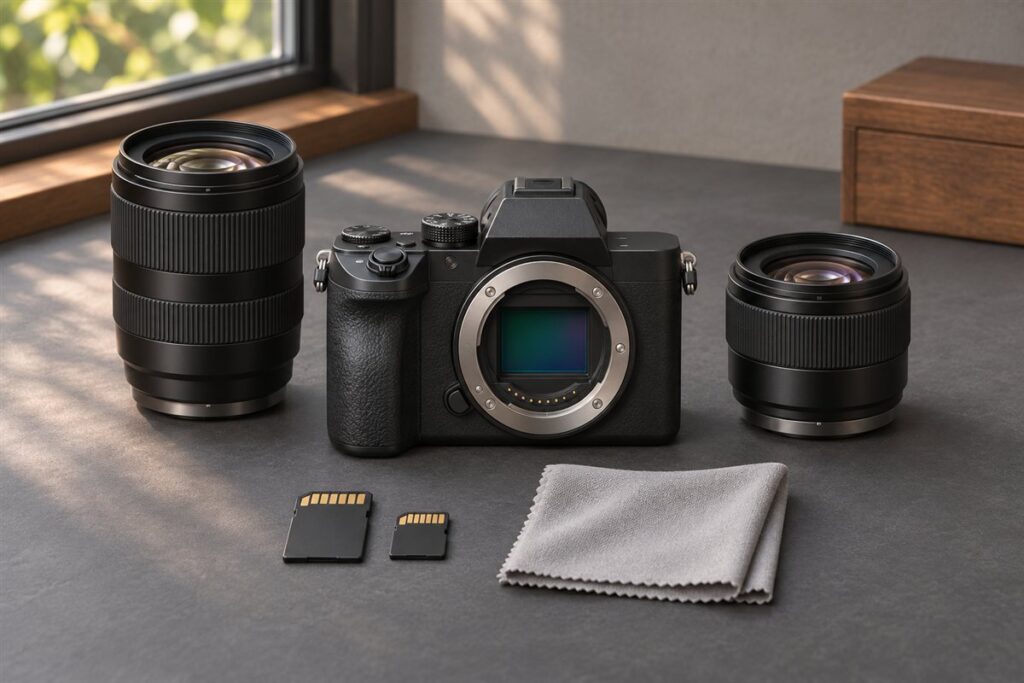
The Panasonic Lumix GM1 and GM5 are two of the smallest interchangeable-lens cameras in the Micro Four Thirds system. The GM5 adds a built-in electronic viewfinder and a few more physical controls, while the GM1 is even more minimal and pocketable. Choose the GM5 if you want to frame through a viewfinder, and the GM1 if the smallest possible body is the goal.
What These Cameras Are For
Both models were designed for people who want a real camera with swappable lenses in a body that fits a coat pocket or a small bag. They suit travel, street photography and everyday carry, especially with a pancake or compact zoom lens.
They are older cameras, so most buyers encounter them on the used market. That makes a careful condition check important.
Key Differences
| Feature | GM1 | GM5 |
|---|---|---|
| Viewfinder | None, rear screen only | Built-in electronic viewfinder |
| Control layout | Minimal | More dials and a mode dial |
| Accessory shoe | No | Yes |
| Size | Extremely small | Slightly larger |
The viewfinder is the biggest practical gap. In bright sun, a screen can be hard to read, and a viewfinder makes framing easier and steadier.
Choosing Between Them
- Choose the GM1 if you value the absolute smallest size and are happy using the screen.
- Choose the GM5 if you shoot outdoors often and want quicker access to settings.
- Think about your lenses: the body is tiny, so a large lens will feel unbalanced.
- Consider battery life, as small bodies carry small batteries, and carry spares.
Buying Used: What to Check
- Ask for photos of the body from all sides, looking for dents and worn corners.
- Check that the lens mount is firm and free of scratches.
- Confirm the screen responds and the buttons click properly.
- Find out what comes in the box, including charger and battery.
- Prefer sellers who accept returns.
Small cameras reward a light touch. Use a wrist strap or a slim cross-body strap, keep one spare battery in a pocket, and learn the touch controls on the rear screen so you can change settings quickly. For lenses, a compact standard zoom or a small wide prime keeps the balance comfortable, and it lets you carry the camera everywhere without thinking about it. A lens hood and a small cloth help protect the front element during daily use.
Handling a Very Small Body
A camera this small changes how you hold and use it. There is little room for a deep grip, so your fingers may crowd the lens barrel and the front of the body. Many owners add a small stick-on grip or a thumb rest, if one is made for the model, to improve the hold. A wrist strap or a thin cross-body strap keeps the camera secure without adding bulk. Test whether you can reach the shutter button, the control dial and the playback button without shifting your grip.
Touch screens help make up for fewer buttons. Learn how to set focus point, exposure and shooting mode from the screen, and set up a quick menu with the settings you change most. Spend a short session practicing in a quiet place so the layout feels natural before you rely on it outdoors. Gloves are a problem with small controls, so think about the climate where you shoot.
- Check that your hands fit the body comfortably, especially with larger fingers.
- Consider a small grip accessory if the maker offers one.
- Set the quick menu or custom function before a trip.
Heat and dust also matter in a small body, so keep it in a pouch rather than loose in a bag. Those habits will keep the camera in good condition for years.
Battery and Power Habits
A small body means a small battery, and that is the most common frustration for owners. Screen use, wireless features and viewfinder use all draw power, so shots per charge can be modest. Check the rated figure on the maker’s page, then expect real use to vary with temperature and settings. In cold weather, batteries lose capacity quickly, so keep a spare in an inside pocket.
Plan your power. Carry at least one spare, and more for a day of travel. If the camera can charge through a USB connection, a power bank is a convenient way to top up on the go, but check the manual to see whether charging happens in the camera or needs an external charger. Used cameras may arrive with old batteries that hold much less charge than new ones, so consider a fresh battery as part of the purchase.
- Turn off wireless links when not in use.
- Reduce screen brightness and the sleep timer to save power.
- Replace a battery that drains quickly or swells, and stop using it if it looks damaged.
Third-party batteries are widely sold, but quality varies. Read the seller’s information, and avoid any battery that gets hot or does not fit well. When in doubt, buy from a trusted source.
Lens Pairings for Pocketable Kits
The lens decides whether the camera really fits in a pocket. A collapsible standard zoom or a thin prime keeps the whole kit small. A longer telephoto or a large fast lens can make the camera front heavy and awkward. Think about the lenses in terms of what you will carry every day. A wide to short telephoto zoom covers many situations, and a small prime lens adds low-light ability and a shallow depth of field.
Look at the way the lens retracts and extends. Collapsible lenses must be extended before use, and some cameras warn you if you forget. Check the lens for smooth operation and for any play in the extending barrel. Consider the weight, since a small body with a heavy lens can strain the mount. Compare filter threads if you plan to use any, and check that a hood is available that does not add too much bulk.
- Pick one zoom for general use and one prime for low light.
- Check that the lens works fully with the camera, including stabilization.
- Consider a body cap and lens caps that you will not lose.
Adapted lenses from other systems are possible on Micro Four Thirds bodies, but they are often large and manual. They suit patient shooters, not those who want the smallest kit.
Shooting Style and Image Expectations
A camera like this encourages casual, quick shooting. It suits street scenes, travel snapshots, family events and everyday moments where a big camera would be a burden. It is not built for rapid action or very low light, and expectations should match. The sensor is smaller than those in larger cameras, so images in dim places will show more noise, and shallow depth of field is harder to achieve. In good light, results can be very pleasing.
Work with the camera. Use a wide aperture when you want separation and a faster shutter speed to freeze movement. Use the touch screen to focus and shoot quickly. In bright sun, tilt or shade the screen if it is hard to read. If you have the model with a viewfinder, use it for stable framing. Keep ISO manageable and check the results on a larger screen, since the small display can hide problems.
- Shoot raw if you want more control in editing.
- Keep the lens clean, since a small front element is easily smudged.
- Take extra frames in dim scenes and pick the sharpest.
The aim is to have a camera with you. A modest camera in your pocket produces more pictures than a better one left at home.
Accessories Worth Buying and Ones to Skip
Choose accessories that add real value. A spare battery is first on the list. A fast memory card of a type listed in the manual is next, since slow cards can limit continuous shooting and video. A soft case or pouch keeps dust and scratches away. A small cleaning cloth and a blower are inexpensive and useful. If the model supports an accessory shoe, a small flash or a microphone may help for specific needs.
Be cautious about accessories that undermine the small size. A big flash, a large cage or a heavy grip defeats the purpose of a compact camera. A tiny tripod can be handy for self timer shots, group photos and night scenes, and a cable or remote release helps keep the camera steady. Wrist straps and slim neck straps suit the camera best.
When buying used accessories, check that they match your specific model. Some batteries, chargers and cases are shared across cameras, but others differ. Read the listing and the manual, and ask the seller to confirm compatibility. If an accessory seems too cheap to be true, consider whether it is a copy of a lower quality, and check the return policy. Spend on the things you will use every day, and skip the ones that sit in a drawer.
FAQ
Which lenses suit these cameras?
Compact Micro Four Thirds lenses, such as small primes and collapsible zooms, keep the kit pocketable. Larger lenses work but make the camera front-heavy.
Are they good for video?
They can record video, but they are not designed around it, and small bodies offer limited grip and accessories. Check the specifications for your needs.
Can I charge these cameras with USB?
Charging options differ, so check the manual for your model. Some charge in the camera and others need the external charger supplied.
Will a larger lens work on these bodies?
It will fit if it uses the Micro Four Thirds mount, but the camera may feel front heavy. Compact lenses keep the kit balanced.
Is the rear screen usable in sunlight?
It can be hard to read in strong light. Shade it with your hand or use the built-in viewfinder if your model has one.
How many spare batteries should I carry?
At least one for casual use and more for a long day of travel. Cold weather and screen use drain small batteries faster.
Should I shoot raw or JPEG?
Raw gives more editing control, especially in low light. JPEG is smaller and quicker if you want to share images right away.
What should I ask a seller about a used camera?
Ask about battery health, the condition of the screen and mount, what is included and the return policy. Request photos of all sides.
Are these cameras good for kids and beginners?
They can be, since they are light and simple to carry. The small controls may take practice, so try one in hand first.
The Short Version
The GM5 is the more practical camera thanks to its viewfinder and extra controls, while the GM1 wins on sheer smallness. Pair either with a compact lens, check used examples carefully, and confirm details on Panasonic’s pages.