The Panasonic Lumix GX1 and GM1 both use the Micro Four Thirds lens mount, so they share a large lens library, but they are built for different people. The GX1 is a rangefinder-style camera with more physical controls, and the GM1 is an ultra-compact body made for easy carrying. Choose the GX1 for handling and the GM1 for size. Confirm exact specs on Panasonic’s pages.

What Each Camera Is For
The GX1 belongs to Panasonic’s earlier GX line, and it aims at enthusiasts who like dials, buttons and a grip they can hold confidently. It suits street, travel and everyday photography with a small prime or zoom lens.
The GM1 is a much smaller body that is designed to slip into a jacket pocket with a compact lens. It trades some direct controls for a tiny footprint and relies more on its touch screen and menus.
In this guide
Key Differences
| Trait | GX1 | GM1 |
|---|---|---|
| Lens mount | Micro Four Thirds | Micro Four Thirds |
| Body size | Compact but larger | Very small |
| Controls | More buttons and a grip | Fewer buttons, touch-based |
| Accessory options | Wider range of add-ons | More limited |
| Typical use | All-round shooting | Pocket carry and travel |
Things to Consider
- Lenses: Both accept the same system lenses, so a small prime works well on either.
- Handling: Larger hands may find the GM1 cramped when paired with a bigger lens.
- Viewfinder: Check what viewfinder or add-on options each camera offers, since this changes how you compose in bright light.
- Battery: Smaller bodies tend to carry smaller batteries, so plan on a spare.
How to Choose in Four Steps
- Decide whether size or handling matters more to you.
- Think about the lenses you want. Small pancake and prime lenses keep the GM1 truly compact.
- Look at current used-market listings carefully and check sensor condition and battery health.
- Compare sample images from each camera at your likely ISO range.
Image Quality Expectations
Both are older cameras, and sensor generations differ between them. Image quality in good light is likely to be pleasing from either, while high ISO and autofocus behavior can differ. Because we have not used these cameras ourselves, check recent user samples and maker specifications for details.
Whichever you choose, keep a spare battery and a fast memory card in the bag, since small bodies and older models can run through both quickly during a full day out.
Choosing Lenses for Small Bodies
The Micro Four Thirds mount is a strong point of both cameras, because many lenses from several makers fit. The difference is how the lens and body feel together. A very small body like the GM1 pairs best with compact lenses such as small primes and collapsible kit zooms. A larger lens makes the combination front-heavy and awkward, and you may find yourself holding the lens barrel with your left hand. The GX1 has more grip and can carry a heavier lens more comfortably.
Think about the lenses you want to own. A small standard prime is a good all-round starting choice, since it is compact, gives you a brighter aperture than a kit zoom and works well in dim light. A short zoom adds flexibility for travel. Wide-angle lenses suit street and architecture, and short telephotos suit portraits. Look at the weight and length in each lens listing, and imagine it on a small body before you buy.
- Check that the lens has the Micro Four Thirds mount, not another system that needs an adapter.
- Check whether stabilization is built into the lens or the body, since this affects how you choose.
- Check that your chosen lens fully supports autofocus and aperture control on an older body.
Older cameras may not support every function of a newer lens, so read compatibility notes. Used lenses can be a cost-effective way to build a kit, but inspect the glass and mechanics before you pay.
Handling Without a Built-In Viewfinder
Neither camera is built around a large integrated viewfinder, so composing usually means using the rear screen or an accessory finder. This changes how you shoot. In bright sun, the screen can be hard to see, and holding the camera at arm’s length makes it less steady. Many users compensate by shading the screen with a hand, pressing their elbows to their body, or using an add-on electronic viewfinder if the model supports one.
Check which accessory options exist for each camera and whether they are still available. Accessories for older models may be sold used only, and prices vary. Make sure any viewfinder you buy is compatible with the exact model and whether it needs a particular port or hot shoe.
- Use a neck strap or wrist strap to steady the camera and protect it.
- Practice a stable stance, with elbows tucked in and feet apart.
- Set the screen brightness so it is readable in your usual light.
- Consider a grip accessory if the body feels slippery.
Touchscreen focusing can be fast, but accidental touches can shift the focus point, so learn to lock the settings you want. Take time to explore the menus and set up the custom buttons to suit you.
Battery, Cards and Everyday Reliability
Older small cameras place demands on batteries and storage, and a few habits protect your day out. First, replace tired batteries. Battery capacity falls with age, and a used battery may not last long. Buy a fresh battery from a reputable source and carry at least one spare. Be careful with unbranded batteries, which may not match the stated capacity or fit properly.
Second, choose a suitable memory card. Check the card type and size limits in the manual. Older cameras may not support the largest cards or newest formats, and speed requirements are modest for stills but higher for video. Format the card in the camera to prevent errors. Keep spare cards, and do not use a card that has shown errors.
- Switch the camera off before you remove the battery or card.
- Back up images to a computer or drive as soon as possible.
- Check the date and time settings, which can reset when a battery is removed.
- Keep contacts clean and dry.
If the camera behaves oddly, such as freezing or restarting, first test a different battery and card, then reset the settings if the manual describes how. Persistent problems may mean a fault that is not worth repairing on an older body, so decide ahead of time how much you are willing to spend.
Checking a Used Body Before Buying
Because both cameras are older, most buyers will shop used, and condition varies. Start with the exterior: look for dents, cracked corners and worn buttons that might show a drop. Check the lens mount for scratches or metal dust, and inspect the lens contacts. Open the battery door and look for corrosion or damage.
Then test function. Turn the camera on and check that it starts quickly and the screen is clear. Look for dead pixels, scratches and burn-in on the display. Take several photos at different apertures and shutter speeds, and review them at full zoom, looking for dust spots on the sensor, which show as dark specks in clear skies. Test the flash, the built-in or accessory if there is one, and all the buttons and dials.
- Check the shutter by firing at slow and fast speeds.
- Test the autofocus in bright and dim light.
- Record a short video and play it back for sound and picture.
- Connect the camera to a computer or card reader to check the ports.
- Check the seller’s return policy before paying.
Ask whether the seller has the original charger, strap and box. If they do not, factor in the cost of replacements. A well-kept camera from a careful owner is often a better buy than a heavily used one at a slight discount.
Software, Raw Files and Editing
When you work with older cameras, check that your software supports their files. Most modern editing programs read raw files from a wide range of cameras, but support can differ, so confirm in the program’s supported-camera list. If you shoot JPEG only, compatibility is rarely an issue, but you lose some editing flexibility. Raw files give you more room to adjust exposure and white balance.
Think about the look of the files too. Older sensors may show more noise at high ISO settings than newer ones, so you may want to keep ISO lower and use a faster lens. Noise reduction in editing can help, but too much can smear detail. Learn what ISO range gives results you like and treat that as your limit.
- Set the camera to record raw plus JPEG when you are learning, so you can compare.
- Use the camera’s picture style options for quick results without editing.
- Keep your firmware updated if the maker still offers updates.
- Back up your files in two places.
If you plan to share photos online, a small adjustment of contrast and sharpening is often enough. If you plan to print, work at a higher resolution and ask the print lab for their guidance. In all cases, shoot in good light when you can, since light improves any camera’s results more than a feature does.
Why Small Cameras Reward a Certain Kind of Photographer
Compact interchangeable lens cameras suit people who value portability and still want control over lenses and settings. They are easy to bring along, quiet in use and less intimidating to subjects than a large camera. At the same time, they ask you to accept compromises: smaller grips, fewer buttons and, depending on the model, no built-in viewfinder. Understanding these trade-offs helps you decide whether a tiny body supports the way you shoot or frustrates it.
Think about the places you take pictures. If you travel by public transport, walk through cities and visit family gatherings, a small body that fits in a coat pocket or a small bag can be a gift. If you spend hours at sports events, a larger body with a good grip may be more comfortable. Be honest about how you actually behave, not how you imagine you will behave.
Comparison Table of Everyday Practicalities
| Practicality | Why it matters | How to check |
|---|---|---|
| Grip and button layout | Affects speed and comfort | Hold the camera or watch handling videos |
| Viewfinder availability | Affects bright-light shooting | Check whether an accessory viewfinder is possible |
| Battery capacity | Affects how long you can shoot | Read the maker’s shot count and plan spares |
| Lens size | Affects portability | Compare small primes and compact zooms |
| Flash options | Affects indoor shooting | Check for a built-in flash and hot shoe |
| Charging method | Affects travel convenience | Check how the battery charges |
Choosing Lenses That Keep the Kit Small
A tiny body can lose its advantage if paired with a large lens. Pick lenses that match the camera’s size. Compact primes and collapsible zooms keep the kit small. A single standard zoom covers many situations, while a small prime offers better low light performance and pleasing background blur. Make a short list of two lenses and use them well before buying more.
- Choose one compact zoom for general use.
- Add a small bright prime for low light and portraits.
- Check lens weight and balance on the body.
- Look for lenses made for your mount from several makers.
Shooting Without a Built-In Viewfinder
If a camera lacks a built-in viewfinder, you will compose on the rear screen. This is natural for people used to phones, but it requires some technique. Hold the camera with both hands close to your body for stability, tuck your elbows in and consider using a strap around your neck for extra support. In bright sunlight, the screen can be hard to see; shade it with your hand or your body, or raise the brightness setting.
An accessory viewfinder can help, if the camera supports one. Check the maker’s list of accessories and whether the camera has the necessary connection. Even if you plan to use the screen, keep the idea in mind for outdoor work.
- Hold the camera with two hands and elbows close.
- Use the strap for additional stability.
- Shade the screen when needed.
- Raise screen brightness in bright light.
- Practice composing quickly.
Autofocus and Handling in Modern Terms
Older compact cameras may focus more slowly than current models, especially in dim light or with moving subjects. This is normal for their era. Work with the camera’s strengths: use single autofocus for still subjects, anticipate action and choose focus points carefully. Manual focus aids, such as magnification, can help in difficult situations.
- Use single autofocus for portraits and landscapes.
- Pre-focus on a spot where action will happen.
- Add light when focus struggles.
- Practice with moving subjects to learn the limits.
Batteries, Cards and Everyday Reliability
Small bodies carry small batteries. Plan to carry at least one spare, and more for travel. Check the charging method and whether the camera can charge over a cable. Choose reliable memory cards from reputable sellers and format them in the camera. Keep backups of your photos. If you buy used, test the battery life before relying on it.
Worked Example: A City Weekend With a Pocket-Size Kit
Imagine a traveler named Odile who spends a weekend in a new city. She carries a small camera with a compact zoom, a spare battery and a cloth in a small shoulder bag. She walks through markets, climbs a tower for views and stops at cafes. The camera is light enough that she forgets it is there until she sees something worth photographing.
In the evening, she wants to photograph a lit fountain. Her zoom lens is slow, so she raises sensitivity, steadies the camera on a wall and takes several frames. Some are blurry, but a few are sharp. She learns that she could have used a small prime for better results, and plans to add one. She also notes that she struggled to see the screen under bright sun, and decides to shade it with her hand next time.
Her weekend shows the strengths and limits of a small body: great portability, with some adaptation required in difficult light.
Common Mistakes
- Pairing a tiny body with a large, heavy lens.
- Forgetting a spare battery.
- Expecting modern focus speeds from older models.
- Ignoring the screen in bright light.
- Skipping a check of the used body.
Glossary
- Micro Four Thirds: a lens mount shared by several camera makers.
- Prime lens: a lens with a single focal length.
- Rangefinder style: a camera body with the viewfinder or lens at one side.
- Hot shoe: the slot on top for flash and accessories.
- Sensitivity: how strongly the sensor signal is amplified, also called ISO.
Used Body Inspection in Detail
Because these models are usually bought used, inspection matters. Ask for photos of the body from every side, the lens mount and the screen. When the camera arrives, check it thoroughly during the return window.
- Inspect the body for dents, cracks and loose parts.
- Insert a charged battery and confirm normal operation.
- Look at the sensor for dust by photographing a plain surface at a small aperture.
- Test the screen, buttons and any dials.
- Test the flash and hot shoe.
- Take sample photos and video clips.
- Check the lens mount and any lens that comes with the camera.
Editing and Raw Files
These cameras can record raw files, which give you more room for editing. Make sure your editing software supports the camera’s raw format, which may require an update. Develop a simple workflow: import, select, adjust exposure and color, and export. Keep originals and edited versions in organized folders. Learn a few basic edits and apply them consistently, and your pictures will look cohesive.
A Final Decision Path
Ask yourself three questions. Do I want more physical controls and a comfortable grip, or the smallest body possible? Will I use an accessory viewfinder, or am I happy with the screen? Which lenses do I plan to buy, and do they suit the body’s size? Your answers often point clearly to one of the two. Then confirm details on the maker’s pages, inspect the camera carefully and give yourself time to learn it.
- Choose the grip and controls if you shoot often and for long periods.
- Choose the smallest body if you value pocket size above all.
- Pick lenses that keep the kit light.
- Carry a spare battery.
Quick Pre-Trip Checklist
- Charge the battery and pack a spare.
- Format the memory card and bring a second one.
- Clean the lens and sensor area carefully with proper tools.
- Set your favorite shooting mode and test it.
- Carry a small cloth and a blower.


Ready to Buy? Start Here
If this guide helped you decide what to look for, these products are a place to start.
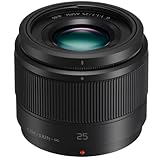

As an Amazon Associate we earn from qualifying purchases. Prices and availability are shown on Amazon.
Living With Each Camera for a Month: The Habits They Create
Comparisons are usually written from a spec sheet and a weekend; ownership is measured in months, and the two cameras create different habits over that span. The GX1, with its accessory shoe, control dial and slightly larger body, invites a photographer’s routine: an external viewfinder fitted for bright days, a flash when the light fails, deliberate settings changed by hand. It behaves like a small traditional camera, and its owners tend to shoot it like one — raised to the eye, adjusted between frames, carried on a strap.
The GM1 creates the opposite habit, and it is not a lesser one. Because it disappears into a jacket pocket with a small prime fitted, it goes where cameras are usually left behind: the school run, the lunch hour, the evening walk. Its owners shoot more of their ordinary lives, at closer range, with less ceremony. The photographs that result are different in character, not just in quantity — less composed, more immediate. When you choose between these cameras you are, in a real sense, choosing which habit you want your next year of photography to have, and that is worth more than any single feature either body offers.
The camera you carry beats the camera you own
Every photographer knows the arithmetic and still gets it wrong: a slightly better camera left at home produces no photographs at all. If your honest pattern is that a camera must fit a coat pocket to come along, the GM1’s compromises are not compromises — they are the price of the pictures existing. If your pattern is deliberate outings where the camera is the point of the trip, the GX1’s handling and expandability will serve you better and its extra bulk will never be the reason it stayed behind. Be suspicious of any comparison, including this one, that ranks the cameras without asking which of those photographers you are.
Flash and Low Light: Two Different Philosophies
The flash question separates the cameras cleanly. The GX1 has a standard hot shoe, which means the whole world of external flash opens to it: a small bounce-capable unit transforms its indoor photography, lifting the flat, direct look that built-in flashes impose, and off-camera flash is available to anyone willing to learn it. For a camera of its age, that shoe is arguably its most future-proof feature, because lighting skill outlasts every sensor generation.
The GM1 takes the other path: a small built-in flash for emergencies and fill, and no shoe for anything larger. Within its design brief — the smallest serious camera in its system — that is a coherent choice, but it sets a ceiling on indoor and evening work that no menu setting removes. Owners adapt in characterful ways: faster prime lenses, a willingness to embrace high-ISO grain as texture, and compositions built around available light. Know which photographer you are. If bounce flash is part of your family photography, the GM1 will frustrate you weekly; if your evenings are street scenes and available light, you may never miss the shoe at all.
Video and the Quiet Virtues
Neither camera was bought in its day primarily for video, and neither should be bought for it now — but both record perfectly serviceable clips for family and travel purposes, and their stills-first design brings an underrated virtue: they are unobtrusive. A small rangefinder-style body draws none of the attention that a large video rig attracts, which matters for candid filming of children, markets and street life. Audio is where both show their era: built-in microphones and no way to add better ones, so wind and room echo will mark your clips as home movies whatever you do. Embrace that, or plan to record sound separately.
For the stills photographer who occasionally films, the practical differences are handling ones. The GX1’s grip and dials make deliberate video settings easier to manage; the GM1’s size makes it the camera that is present when the moment happens. Stabilisation in this system lives in the lenses, so whichever body you choose, pair it with a stabilised lens for handheld clips and keep your expectations set to “charming record” rather than “production.”
As a Second Body: Which One Complements a Main Camera?
Many of these cameras are bought today not as a main camera but as the second one — the small companion to a larger Micro Four Thirds or even a different system’s body. In that role the GM1 has a natural advantage: the second body’s first duty is to be present, and nothing in the system is more present-able. It shares lenses with the main camera, covers the days when the big kit would stay home, and serves as the body you hand to a partner or teenager without a briefing.
The GX1 as a second body argues differently: it is the backup that can genuinely take over. If the main body fails on a trip or at an event, the GX1’s controls, shoe and viewfinder option let it step up and shoot the assignment, not just salvage snapshots. Photographers who earn money with their main kit often value that depth; photographers whose main kit is for pleasure usually value presence more. The same logic decides between them as a first body, which is why this comparison keeps returning to the same fork: capability in reserve, or companionship every day.
Buying Either Camera Today: Condition Over Everything
Both cameras are old enough that the individual example in front of you matters more than the model name on it. Shutter actuations, sensor cleanliness, screen and dial function, and the state of the battery contacts will decide your experience far more than the differences this article compares. Buy from sellers who describe condition honestly and accept returns; test every dial and button in the first days; clean the sensor before judging image quality; and budget for a fresh battery, because an aged original cell is the most common cause of a “faulty” vintage body that is actually fine.
Check the accessories that complete each camera’s proposition. A GX1 without the option of its accessory viewfinder loses part of its case, so confirm availability if you want one. A GM1’s tiny body makes its grip and case accessories genuinely functional rather than decorative, and a body sold with them is worth more to live with than a bare one. In both cases, the right example of the “wrong” camera will make you happier than a tired example of the right one — the oldest truth in buying used photographic gear, and the note on which every comparison of classics should end.
Street Photography With Two Very Small Cameras
Street photography is where both cameras are most often used today, and they produce different kinds of street work. The GM1 is close to invisible: at waist level or raised quickly, it reads to bystanders as a compact or a phone-era gadget, and that invisibility buys candour. Photographers who work close and fast, shooting from the hip or with zone focus on a wide prime, find it close to ideal — provided they accept screen-only composition and set the camera up before the moment rather than during it.
The GX1 suits the more deliberate street style: viewfinder to the eye, settings dialled in, waiting at a chosen corner for the scene to complete itself. Its accessory viewfinder, when fitted, makes it the better tool in harsh sunlight where screens wash out, and its grip makes long sessions less tiring. Neither approach is more authentic; the history of street photography contains both the invisible snatch and the patient ambush. What matters is that the camera’s manner matches yours, because a mismatch — a deliberate photographer fighting a pocket camera’s minimalism, a candid photographer looming with a finder — shows in the pictures as hesitation.
Setting up either camera for the street
Whichever body you take, the street rewards pre-configuration. Set a zone focus distance on a manual or fixed-focus prime if that is your style, or choose the fastest autofocus mode the body offers and a single central point if it is not. Decide your exposure approach before the light changes — aperture priority with a floor under the shutter speed suits most. Turn off every beep and light the camera lets you turn off. Then put the menus away: a street camera should need nothing from you in the moment except aim and timing, and both of these bodies can be brought to that state with ten minutes of honest setup.
Travel Kits Built Around Each Body
As travel cameras the two bodies anchor different kits. The GM1 kit is an exercise in subtraction: the body, a compact standard prime for evenings, a small wide or standard zoom for the day, a mini tripod, and nothing else — a kit that fits a personal item bag and leaves the traveller free. Its discipline is deciding in advance which photographs you are willing not to take, because the long lens and the flash are the things left behind.
The GX1 kit adds capability in layers: the accessory finder for bright destinations, a small flash for interiors and evenings, perhaps a second compact prime. It remains a genuinely small kit by any historical standard — the whole system was designed around that promise — but it is a kit you pack, rather than a camera you pocket. For a photography-led trip, where images are a purpose of the journey, that difference is trivial. For a trip where photography rides along with everything else, it is decisive. Most travellers, being honest, take the second kind of trip far more often.
Ergonomics in Cold, Gloves and One Hand
Small cameras ask more of hands, and the conditions expose it. With gloves on, the GM1’s minimal controls and reliance on its touchscreen become genuinely difficult — touchscreens and gloves are natural enemies — while the GX1’s physical dials remain workable in thin gloves and merely awkward in thick ones. One-handed shooting tells a similar story: the GX1’s grip gives fingers purchase for a quick shot while the other hand holds a child’s hand, a coffee or a railing; the GM1 can be shot one-handed with a wrist strap and a prayer, and its owners learn to treat the strap as essential equipment rather than an accessory.
None of this is a verdict; it is a packing list for your decision. If your photography happens in winter cities, on boats, at playgrounds — places where hands are busy or covered — weight these paragraphs heavily. If it happens at café tables and in galleries, the GM1’s minimalism costs you nothing at all. Cameras are handled more than they are specified, and the comparison that matters is the one your hands conduct.
The Sensor Question, Answered Honestly
Readers comparing two cameras of this vintage always ask about image quality, and the honest answer is the one the main sections imply: these are cameras of the same system and a similar era, and in good light their results are far more alike than their handling is. Differences appear at the margins — high ISO noise, dynamic range at the extremes — and at those margins the newer design generally holds a modest edge, the way newer designs do. But no photograph was ever saved by that margin, and thousands have been lost to a missed moment, an uncomfortable grip or a camera left at home.
That is why this comparison spends its length on hands, habits and kits rather than on test charts. If you print modestly, share online and shoot in the light most photography happens in, either sensor will serve you for years. Spend your decision energy where the cameras actually differ — size, controls, flash, finder — and let the images be the tiebreaker only if everything else comes out equal, which it rarely does.
A Simple Test Before You Commit
If you are torn, borrow the decision from your own behaviour. For one week, note every moment you wished you had a real camera with you, and what you were wearing and carrying at the time. If those moments mostly happened with a coat pocket or small bag as your only luggage, you have met the GM1’s design brief in your own life. If they happened on deliberate walks and outings where a strap camera would have been no burden, the GX1’s fuller handling is yours to enjoy. Add one more question — do my favourite photographs need flash, a finder, or lenses beyond the small primes? — and the choice usually makes itself.
And if the week tells you both stories in equal measure, believe it: many photographers end up owning both kinds of camera across a lifetime, using each in its season. Buying the one that matches your current life, in the best condition you can find, is never the wrong answer — it is only ever the wrong answer to buy for a life you do not lead.
One closing practical note: whichever you buy, spend the first weekend setting it up properly — custom buttons where the body allows them, menus trimmed to the settings you actually change, a formatted card and a fully charged fresh battery. Cameras of this generation reward that hour disproportionately, because their defaults were tuned for a showroom, not for you. After that, the comparison ends and the photography begins, which was the point of choosing carefully in the first place.
FAQ
Do they use the same lenses?
Yes. Both use the Micro Four Thirds mount, so lenses from multiple makers can be shared.
Which is better for travel?
The GM1 is easier to carry all day. The GX1 may feel more comfortable when you want quick access to settings.
Can I add a viewfinder to either camera?
Accessory options may exist for each, but they depend on the model and may only be found used. Check compatibility in the maker's accessory list before buying.
Are these cameras good for video?
They can record video, but features and quality differ from newer models. Check the video specifications on the maker's page and sample footage.
Do I need image stabilization?
Stabilization helps in low light and with longer lenses. Check whether it is in the lens or the body, since this changes which lenses you should choose.
What is the best lens to start with?
A small standard prime is a popular choice because it is compact and works well in dim light. A compact zoom suits travel, so choose by how you plan to shoot.
How do I clean the sensor?
Use a blower for loose dust first. For stuck marks, use the camera's cleaning mode and approved swabs, or have a technician do it.
Will newer lenses work on these older bodies?
The mount is the same, but some features may not work fully. Check the lens listing and user reports for compatibility with your body.
Is it worth repairing an old camera?
It depends on the fault and the cost. Compare the repair estimate with the price of a good used replacement before deciding.
Which of the two is better for a complete beginner today?
For a beginner who wants to learn photography deliberately, the GX1 is the kinder teacher: its dials and grip encourage manual control, the hot shoe leaves room to grow into flash, and the accessory viewfinder teaches eye-level composition. For a beginner who mainly wants good photographs of everyday life without a learning project, the GM1’s size and simplicity get the camera carried and used, which is its own education. Either can start a photographer; choose by whether the beginner is motivated by the craft or by the pictures, and be honest — both motivations are respectable.
Can I use adapted manual lenses on these cameras?
Yes — Micro Four Thirds’ short mount distance makes it one of the friendliest systems for adapting older manual lenses, and both bodies accept them happily through inexpensive adapters. Two practicalities follow. Focus is entirely manual, so the cameras’ focus magnification aids become your best friends, and the GM1’s small screen makes them slightly harder work than the GX1’s, especially with an accessory finder fitted to the latter. And remember the crop: a classic standard lens behaves like a short telephoto on these sensors, which suits portraits beautifully and landscapes hardly at all. Adapted glass on a tiny GM1 is one of the great pleasures of the system — just choose focal lengths with the crop in mind.
How do the touchscreens compare in daily use?
Both cameras lean on their rear screens for composing and for some settings, which is the era speaking — but they ask different amounts of you. The GM1, having fewer physical controls, sends you to the screen more often, including for changes the GX1 handles with a dial; its interface is designed around that and most owners adapt quickly. The GX1 splits the work between dials and screen, which traditionalists prefer. In bright sunlight both screens share the weakness of their generation, which is the practical argument for the GX1’s optional viewfinder if you shoot outdoors in summer.
Is the GM1 too small for larger lenses?
It balances best with the compact lenses it was designed alongside — small primes and the collapsible kit zoom — and that pairing is the system working as intended. Longer or heavier lenses mount and function perfectly well, but the combination becomes lens-with-a-camera-attached rather than a balanced kit, and a supporting hand under the lens stops being optional. If your favourite lens is a large telephoto, neither the GM1’s size nor its grip was drawn for you, and the GX1 — or a larger body entirely — will feel like the honest tool. Match the body to the lenses you actually use most, not the ones you own on paper.
Which camera holds its value better?
Small, distinctive cameras tend to be sought after long after their specifications date, and the GM1’s status as one of the smallest interchangeable-lens cameras of its kind gives it a durable following. The GX1, more conventional, trades on usefulness rather than rarity. Neither should be bought as an investment — used camera prices answer to fashion as much as merit — but if the question matters to you, buy the best-condition example of either, keep its box and accessories, and understand that the real return on a camera this age is measured in photographs, with resale as a pleasant footnote.
Do these cameras work well for photographing children and family life?
They are two different answers to the same brief. The GM1 is the camera that is actually in your pocket at the park, the café and the school gate, and family photography is above all a genre of presence — the best family camera is the one at the scene. Its autofocus is happiest in decent light and its flash is basic, so evenings indoors are its weak hour. The GX1, with a fast prime and a bounce-capable flash on its shoe, makes markedly better indoor family photographs and handles the deliberate portrait session better. Many families would be best served by the GM1’s presence on ordinary days and honest acceptance that the GX1 wins the birthday party.
Which camera is better for learning manual exposure?
The GX1, because learning is a conversation with the controls and it simply has more of them under your fingers: a mode dial, a control dial and a grip that encourages holding the camera up and working deliberately. Watching aperture and shutter values change as you turn a dial builds the exposure triangle into your hands faster than menu-diving does. The GM1 can be shot manually and many owners do, but its design gently steers you toward letting the camera decide — which is a fine destination, just a slower school. If the goal is to learn, choose the teacher that makes you practise.
Are spare batteries and chargers still easy to find for these cameras?
Generally yes, because both bodies draw on the wider ecosystem of their era: chargers and quality third-party batteries for this generation of the system remain widely sold, and the cameras are not fussy about which charger refills them. Buy batteries from reputable makers rather than the cheapest listings, test a new spare promptly through a full day’s shooting, and retire any cell that swells, runs hot or loses charge suspiciously fast in storage. With power sorted, neither camera asks for anything exotic to keep working.
The Short Version
Choose the GX1 if you want a more traditional camera with controls at your fingertips. Choose the GM1 if the smallest possible kit matters most. Both work with the same lens system.
