Dye inks dissolve in liquid and soak into the paper, giving vivid color and smooth gloss, while pigment inks use tiny solid particles that sit on or near the surface and are generally known for better fade resistance. If long-lasting prints matter most, pigment is the usual choice, and dye suits short-term or high-impact prints.
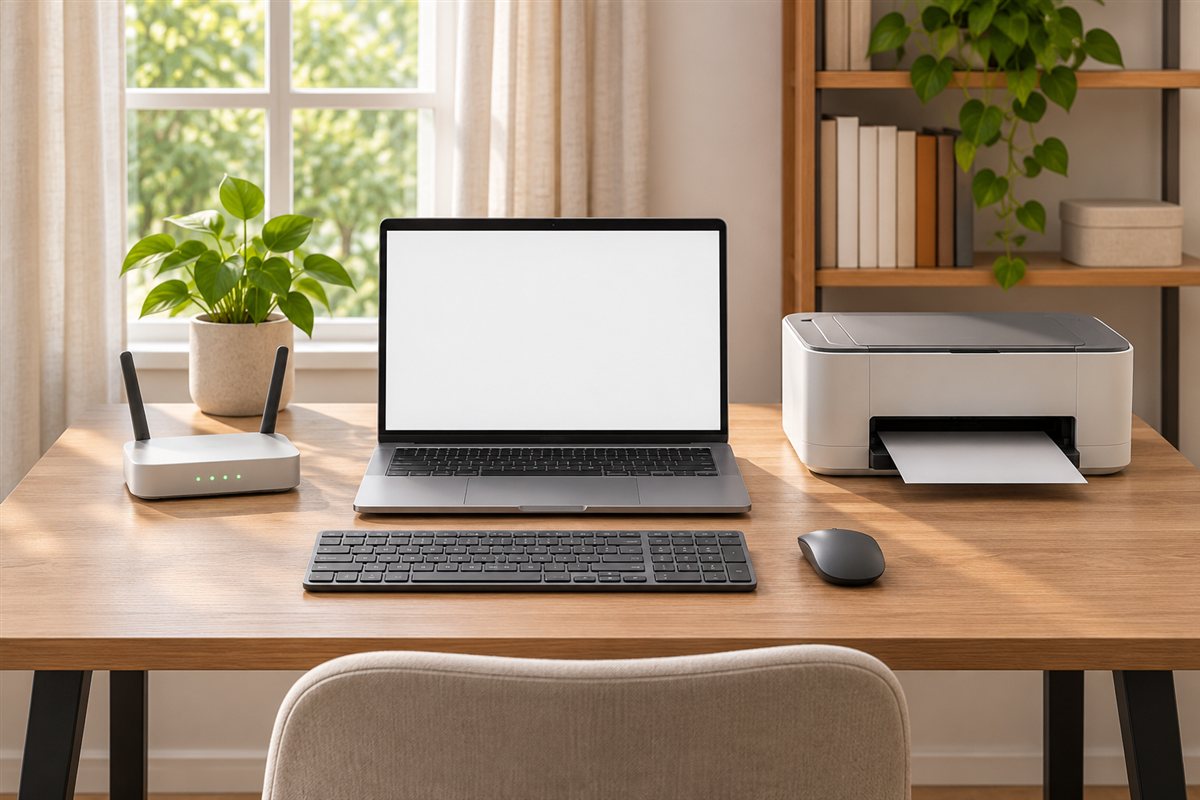
How the Two Inks Work
Dye ink is a colorant fully dissolved in a carrier liquid, so it absorbs into the coating of the paper. Pigment ink is made of microscopic particles suspended in liquid, which dry and stay in place. This structural difference accounts for most of what follows.
In this guide
Comparing the Main Traits
| Trait | Dye ink | Pigment ink |
|---|---|---|
| Longevity | Generally shorter on display | Generally longer, per maker claims |
| Color vividness | Bright, vivid tones | Excellent in modern printers, sometimes slightly more subdued |
| Gloss finish | Smooth and even on glossy paper | Can show some gloss differential on certain papers |
| Water resistance | Often lower | Often higher |
| Paper range | Best on coated photo papers | Works on photo, matte and fine art papers |
Longevity figures come from the ink makers and independent labs under specific conditions, so treat them as comparisons, not guarantees.
What Else Affects How Long a Print Lasts
- Light exposure: prints kept in direct sun fade faster than those in dim rooms.
- Framing: glass or acrylic with UV filtering can slow fading.
- Paper choice: matching the paper to the ink type matters.
- Storage: albums and archival boxes away from heat and humidity help.
Which Should You Choose
- Choose pigment ink if you sell prints, display them for years or print on fine art paper.
- Choose dye ink if you print snapshots, photo books or quick copies for a short time.
- Check which ink the printer you are considering uses, since many photo printers use a mix of both.
- Match the paper to the ink type, using the paper maker’s recommended profiles.
One More Practical Tip
Change only one thing at a time when you experiment, and write down what you changed. Notes make it easy to repeat a good result later and to see which adjustment made the difference, especially when conditions change from one session to the next.
How to Read Longevity Claims Sensibly
Longevity ratings are usually produced by accelerated tests that expose prints to intense light, heat or gas under controlled conditions, then estimate how many years a print would last before visible change. Those estimates depend on the paper, ink set, printer and test method, so a figure for one combination does not carry over to another. Compare claims only when they come from the same testing method, and treat a number as a guide rather than a promise.
Ask what the claim measures. Light fastness describes fading under illumination. Resistance to ozone and other airborne gases is a separate property that matters for open display. Water and smudge resistance is something else again. A print can score well in one area and less well in another. Also note that different colors fade at different rates, so a print may shift in tone before it appears faded overall.
- Check whether the claim refers to a specific ink and paper pairing.
- Look for the conditions behind the rating, such as framed behind glass or unframed.
- Be wary of a single large number with no explanation.
- Remember that a printer maker’s own paper is typically what their ratings assume.
If longevity is critical, read the maker’s documentation and ask the paper supplier what they recommend for archival work.
Matching Paper to the Ink Type
Paper is half of the print. Dye inks sink into a coated layer that is designed to absorb them, which is why they pair well with glossy and satin photo papers. Pigment inks sit nearer the surface, so the paper’s coating, base and finish influence how they look. Fine art papers in matte, textured or cotton-based forms are often chosen with pigment inks, but compatibility is something you should confirm with the paper maker.
The finish changes the result. On glossy surfaces, pigment prints can show uneven shine in some conditions, often described as bronzing or gloss differential, and some printers include a coating or optimizer to reduce it. Matte surfaces tend to produce softer blacks, while glossy and luster surfaces give richer dark tones. Think about where the print will hang and how it will be lit, since reflections change what the viewer sees.
Use the paper maker’s recommended profile for your printer and ink set. Without a matching profile, colors can look off even with high-quality materials. Keep a small stock of test sheets, and print a standard image on each paper you consider so you can compare black density, shadow detail and skin tones side by side before committing to a larger purchase.
Printer Types and Ink Sets to Look For
Photo printers vary in how many inks they use and which type they use. More ink channels generally allow smoother gradients and a wider range of colors, and extra grays or light tones help with subtle shading and black and white work. Some models use pigment for black and dye for color, or a mix across the set, so read the specification page instead of assuming.
Consider the format and running behavior of the machine. Wide-format printers suit large prints but need space and more ink. Compact printers suit occasional use but may have smaller cartridges. Printers that sit unused for long periods may clog, so think about how often you will print. Some designs use refillable tanks, others use individual cartridges, and the cost per print depends on the ink capacity and how the printer uses ink when it cleans itself.
- Check which ink type each channel uses on the product page.
- Look at paper handling: rear feed, front feed and straight paths for thick art stock.
- Find out whether the manufacturer provides profiles for the papers you want.
- Consider print service as an alternative if you only print a few times per year.
When Dye Ink Is the Smarter Pick
Pigment gets attention for lasting prints, but dye still has a place. If you print snapshots, school projects, proofs, greeting cards or items that will be replaced within a short time, the bright colors and smooth gloss of dye prints can be a better fit. Photo kiosks and many lab services use processes that give dependable color on common papers, so for casual prints a lab may be easier than owning a printer.
Dye is often found in less expensive printers, which makes it accessible for families and beginners. Prints can be lively right off the machine and dry quickly on suitable papers. The main caution is exposure: keep dye prints away from direct sun, humid spaces and rooms with a lot of airborne chemicals, and consider reprinting favorites rather than expecting them to last decades on a wall.
Think about the purpose. A portfolio, a client sale or a gallery piece suggests pigment and a paper chosen for the job. A handout for a single event suggests dye or a lab print. Keeping this distinction in mind prevents overspending on materials you do not need and underspending where durability matters.
Proofing Before a Big Print Run
Before printing a large or important piece, make a small test. Crop a representative area that includes skin tones, deep shadows and bright highlights, and print it at the final size on the final paper. Look at the result under the light where the print will be displayed, because different lamps change how color and contrast appear.
Calibrate your screen. A monitor that is too bright is a common reason that prints appear dark. Use a calibration tool if you can, and set screen brightness to a moderate level suited to print comparison. Soft proofing in your editing software lets you preview how the paper profile will change the image, including the loss of contrast on matte stock, so you can adjust before wasting paper.
- Let the print dry fully before judging color, as some inks shift slightly during drying.
- Compare against the screen only after your monitor is set sensibly.
- Write down the paper, profile, printer settings and adjustments you used.
- Change one variable per test so you know what made the difference.
Sensible proofing saves materials, and it builds a record you can use whenever you reprint the image.
Where Prints Actually Get Damaged
When people worry about longevity, they usually picture slow fading on a wall. In practice, prints meet several different threats, and ink type responds to each one differently. Light is the famous one, but humidity, airborne chemicals, fingerprints and plain handling cause real harm too. Understanding the threats helps you decide how much the ink really matters for your own prints.
Light
Ultraviolet and visible light break down colorants over time. Pigment particles generally resist this better than dye molecules, which is the heart of the usual advice. Even so, a pigment print left in direct sun for years will change, so placement still matters.
Moisture and water
Dye inks sit inside the coating of the paper and can run or smear if a droplet lands on them. Pigment inks tend to bond to the surface and hold up better against a splash, though a wet print should still be treated with care. Never assume any print is waterproof unless the paper and ink maker say so.
Gases and handling
Some dye prints on fast-drying porous paper can react with ozone and other airborne pollutants, which is one reason framing behind glass or storing in a sealed sleeve is popular. Oils from fingers leave marks on glossy surfaces, so cotton gloves or handling by the edges are sensible habits.
Display and Storage Habits That Add Years
Many longevity gains come from what you do after printing, not from the cartridge you chose. A well-stored dye print can outlast a badly displayed pigment print. Consider these practical habits.
- Allow every print to rest and dry fully before framing or stacking, since trapped moisture can cause marks.
- Choose frames with glass or acrylic that filters ultraviolet light if the maker offers that option.
- Keep a small air gap between the print and the glass using a mat, so the surface never touches.
- Avoid hanging prints opposite a bright window or above a heat source.
- Store unframed prints flat in archival boxes with interleaving sheets made for photographs.
Rotating displayed prints every few months also reduces cumulative light exposure. If a favorite image will hang in a bright room, consider printing two copies and keeping one safely in the dark as a replacement.
A Simple Decision Table
| Your purpose | Leans toward | Why |
|---|---|---|
| Wall art meant to last for years | Pigment | Better fade resistance in general |
| Quick proofs and test prints | Dye | Vivid look, short life is acceptable |
| Photo books and albums for handling | Pigment | Surface bonds better against touch |
| Gift prints for a short event | Dye | Strong color and gloss at the moment it matters |
| Fine art on matte paper | Pigment | Rich blacks and a stable look on textured stock |
No table can cover every printer, so check your printer manual and the paper maker’s notes for compatibility before you buy supplies.
Color Appearance Differences You Will Notice
Dye inks have a reputation for saturated, almost glowing color, and many photographers love the way they render skies, flowers and skin tones on glossy stock. Pigment inks can look slightly subtler on some papers, although modern pigment sets have narrowed the gap considerably. A well-chosen paper often changes the result more than the ink type does.
Black density deserves special mention. On glossy paper, some pigment prints show a subtle shine or difference in surface texture in dark areas, because the particles sit on top of the coating. Printer makers often add a coating layer or a gloss enhancer to reduce this. Matte paper avoids the issue and suits pigment inks well, offering deep blacks with a calm, even finish.
If color accuracy matters, build a habit of printing a small test image with both skin tones and neutral grays. Compare it with your screen in steady daylight. The goal is to learn how your own printer and paper pair behave, rather than trusting general claims.
Budgeting Without Sacrificing Quality
Printing at home can feel costly once you add ink, paper and the occasional failed print. Think in terms of cost per finished image, not cost per cartridge. Large-capacity ink systems may lower running costs for heavy printers, while occasional printers may find a lab service more sensible. Be careful with unbranded refills or papers of unknown quality, since mismatched supplies can undermine both color and longevity.
- Print only after you are happy with the on-screen edit, to avoid wasting paper.
- Use the smallest test strip that shows what you need to see.
- Keep paper in its original packaging until use, away from humidity.
- Run the printer’s nozzle check regularly so clogs do not waste sheets.
Glossary
- Dye: a colorant dissolved in liquid that soaks into the paper coating.
- Pigment: tiny solid particles of color that sit on or near the surface.
- Gamut: the range of colors a device or process can reproduce.
- Dmax: the deepest black a paper and ink pair can reach.
- Archival: a term for materials intended to resist deterioration, whose meaning varies, so always read the maker’s own claims.
- Gloss differential: uneven shine between areas of a print with different ink coverage.
Quick Checklist Before You Print
- Confirm which ink type your printer uses by reading its manual or the maker’s page.
- Choose a paper made for that ink type.
- Select the matching paper profile in the print dialog or software.
- Print a small test and let it dry fully before judging color.
- Decide where the print will hang and how it will be protected.
Bringing It Together
Longevity comes from a chain: ink, paper, framing, light, air and handling. Pigment gives you a stronger first link, and dye gives you rich color for prints with a shorter job. Pick according to how long you want each image to live, then protect it with good habits. When in doubt about any specific claim, rely on the information from your printer and paper makers.
A Short Checklist for Getting the Most From Any Print
Ink type is only one part of the picture. These habits help prints look good and last longer whichever ink you use.
- Use paper that the printer maker or paper maker lists as suitable for your printer and ink type.
- Let each print dry fully before stacking or framing it, and follow the drying advice on the paper packaging.
- Keep finished prints out of direct sunlight, away from heat sources and away from damp rooms.
- Choose frames with a protective glazing and a mat so the print does not touch the glass.
- Store spare prints flat in archival sleeves or boxes designed for photographs.
Mistakes That Shorten the Life of a Print
Hanging a favorite print beside a bright window. Light is a major cause of fading for most printed materials. Rotate displayed prints or keep them in a gentler spot.
Sealing a print too soon. Covering a print that is not completely dry can trap moisture and cause marks or sticking.
Ignoring printer maintenance. Clogged nozzles cause banding and color shifts that look like an ink problem. Run the maintenance routine described in your printer manual.
Which Questions to Put to a Print Lab
If you decide to order prints instead of making them yourself, a lab can tell you a lot about what you will receive. Ask them the following.
- Which type of ink and paper do you use for fine art or photographic prints?
- Do you provide a color profile so I can check a proof on my screen?
- Can I order a small test print before a large run?
- How should I store and frame the finished print?
- Are there published statements from the maker about expected display life under stated conditions?
Be careful with any claim of how many years a print will last. Such figures depend on the testing method, the lighting and the display conditions, so treat them as a rough comparison and not as a promise.
A Short Glossary of Printing Terms
| Term | Plain meaning |
|---|---|
| Color profile | A file that describes how a printer and paper combination reproduces color. |
| Gamut | The range of colors that a device or a paper can show. |
| Archival | A word often used for materials meant to last a long time; check how the maker defines it. |
| Fade | A gradual loss of color or contrast caused by light, air or heat. |
| Gloss and matte | Two common paper surfaces, with different looks and handling needs. |
These words appear on paper packaging and in printer manuals, and knowing them makes it easier to compare options calmly. When a claim sounds impressive, look for the conditions behind it, such as the type of light and the length of display time. A careful reader treats these figures as a rough comparison within the same maker’s method, not as a measure that applies to every home.

Ready to Buy? Start Here
If this guide helped you decide what to look for, these products are a place to start.

As an Amazon Associate we earn from qualifying purchases. Prices and availability are shown on Amazon.
Paper: The Half of Longevity Nobody Puts on the Ink Box
Discussions of print life usually blame or credit the ink, but a print is a system of ink and paper together, and the paper’s contribution to longevity is at least as large. The chemistry that matters most is what sits between the ink and the paper base. Many glossy and luster papers carry their colourants in a coated receiving layer, and the interaction between that layer and the ink determines both the initial colour and how the print ages — whether it fades evenly, shifts colour, or develops bronzing and gloss differences that worsen over time. Papers designed for pigment inks and papers designed for dye inks are not always interchangeable in practice even when a printer will physically accept both, and the maker’s own paper-and-ink pairings are tested combinations, whereas a random pairing is an experiment you are running on your own archive.
Acidity and buffering decide the slow story. Papers with an acidic base yellow and embrittle from within, and no ink technology survives its support falling apart. For prints you intend to keep for decades, look for papers described as acid-free with a calcium carbonate buffer, and ideally free of the lignin that makes cheap paper age badly. Optical brighteners deserve a sceptical eye: they make a new print look brilliantly white, but as brighteners themselves fade with light exposure, the print’s white point drifts and colours balanced against that white drift with it. A naturally white, brightener-free paper may look a touch warmer on day one and far more consistent in year twenty, which is the trade a longevity-minded printer should happily make.
Weight and construction matter for physical survival as much as chemistry matters for colour. Thin papers cockle under heavy ink loads, crease in handling and fail at the edges long before the image fades. A substantial fine-art or baryta-style paper gives a print the physical dignity to be handled, framed and stored safely for decades. When you test a new paper, do not judge only the fresh print: handle it, flex it gently, look at the deepest shadows for bronzing and at the highlights for gloss differential under a raking light, because those surface behaviours are part of how the print will present for its whole life.
Storage and Display: Where Longevity Is Actually Decided
More prints die from storage and display conditions than from their ink choice, which is liberating news: the biggest longevity gains are free. Light is the most obvious enemy, and the dose is cumulative — a print in bright sunlit room light for a year can receive the equivalent of decades in a dim hallway. Display treasured prints away from direct sun, consider UV-filtering glazing for the ones that matter most, and rotate displayed prints if you have more than the walls hold, because rest in the dark genuinely extends a print’s life. Heat and humidity run a close second: the classic killers are the attic, the garage and the damp basement, where temperature swings and moisture attack paper, encourage mould and accelerate every chemical decay the ink and paper are prone to. A cool, dry, stable interior cupboard beats every one of them.
- Enclosures matter: store prints in acid-free sleeves, folders or boxes, interleaved so ink surfaces never rest against each other or against ordinary cardboard and tape, whose chemistry migrates into paper over years.
- Frame with a gap: a mount or spacer should keep the print surface off the glazing, because contact with glass in humid conditions can bond the surface to it and destroy the print the day the frame is opened.
- Handle by the edges: skin oils mark inkjet surfaces, especially matte and fine-art finishes; cotton gloves for valuable prints are not ceremony but chemistry prevention.
- Label the back properly: write identification in pencil on the reverse margin or on the enclosure, never with marker through the print, and record the paper and ink used — future you, or your family, will want to know what the print is and how it was made.
Digital files are part of the longevity system too. The most archival print strategy includes a well-kept master file, stored in more than one place, from which a faded or damaged print can be remade. That does not diminish the original print; it insures it. Photographers who print seriously tend to end up archivists of both objects and files, and the habits reinforce each other — the same care that labels a print’s enclosure labels a folder of masters, and both outlast memory.
Use Cases: Matching Ink and Paper to the Print’s Real Job
For prints that will hang in a bright room for years — the family portrait over the stairs, the landscape in a sunlit office — longevity under light is the whole question, and this is where pigment-based systems on a quality, brightener-free paper make their strongest case. The slower, more graceful fading of pigment prints means the image stays acceptable far longer, and when change does come it tends to be even rather than a lurid colour shift. Pair that with UV-filtering glazing and a position out of direct sun and you have done everything reasonable; the print will very likely outlast the decor around it several times over.
For prints whose life is intense but shorter — portfolio books handled at meetings, exhibition prints for a single show season, prints for sale where the buyer is informed and the file is retained — dye-based systems on the glossy papers they were designed for can be the rational choice, delivering a depth of colour and gloss that serves the work now. The professional habit is honesty about the pairing: know which of your outputs are the archival ones, make those on the longevity system, and do not let a casual print on the everyday setup wander into a frame under the impression it is the heirloom version.
Black-and-white printing is a special case worth its own decision. Neutrality and metamerism — a print looking neutral under one light and tinted under another — have historically troubled ink systems differently, and dedicated grey ink sets exist precisely because monochrome longevity includes tonal stability, not just fade resistance. If monochrome is your serious work, test both ink families with your chosen paper under the lights where the prints will live, including evening household light, and judge the prints after a week on the wall rather than fresh off the printer, because the eye adapts and the flaws that matter are the ones still visible after familiarity.
Troubleshooting Prints That Age Badly
Colours shift rather than simply fading
Uneven fading — one colourant decaying faster than the others — produces the classic aged look of prints that turn magenta, green or blue with age. It is a property of the ink-and-paper pairing under your display conditions, and the remedy for future prints is a tested pairing with a known reputation, plus reduced light dose. For the shifted print itself, if the file survives, reprinting on the better system is the honest restoration; scanning and correcting the faded print is the fallback when it does not.
The paper yellows while the image stays strong
That is the support ageing independently of the ink, and it points to an acidic or lignin-bearing paper or to storage against acidic materials. It cannot be reversed, but it can be stopped from worsening by re-housing the print in proper enclosures away from heat and light. For future work it is the clearest possible argument that paper choice is not a place to economise when the print is meant to last.
Surface marks, bronzing and gloss differences appear
Some ageing complaints are optical rather than chemical: dark areas taking on a bronze sheen at certain angles, or glossy patches where ink load differs. These behaviours are pairing-dependent too, and they are best caught at the test stage by examining a print under a single hard light at a low angle. Matte and fine-art papers sidestep most gloss issues at the cost of a different look; the point is to choose with your eyes informed, on the paper you will actually use, rather than discovering the effect across a finished edition.
A Practical Longevity Standard You Can Keep
Strip away the marketing and a workable personal standard emerges. For prints that must last: a respected ink system used as its maker intends, a paper chosen for archival construction rather than initial dazzle, a frame or enclosure that keeps the surface safe and the light dose low, storage that is cool, dry and stable, and a master file preserved as insurance. Do those five things and you have captured nearly all the longevity that current technology offers, whichever ink family you favour. The dye-versus-pigment question still matters — it shapes colour, surface and fade character — but it matters inside that system of care, and the photographers whose prints survive generations will be the ones who attended to the whole system rather than winning an argument about one component of it.
Running a Home Longevity Test You Can Actually Learn From
You cannot wait fifty years to learn whether your printing choices were wise, but you can run an accelerated, honest version of the experiment on your own wall. Print the same demanding image — skin tones, a graduated sky, deep shadows, saturated colour — on your two or three candidate paper-and-ink combinations, label the back of each with its full recipe and date, and display them together in the brightest room you use, in identical frames. Photograph the set, carefully and consistently, every few months. Within a year or two the differences that brochures argue about become visible facts about your inks, your papers and your light: which pairing shifts, which merely deepens, which paper’s white drifts first. That evidence, gathered in your own conditions, outranks every laboratory claim, because your prints will live in your light, not in a test chamber.
Keep a second set in the dark — the control group, stored properly in a box — so that when you judge the displayed prints you can separate what light did from what time alone is doing. And keep the master file with the prints’ records, so the experiment is repeatable and the reprint, when it eventually comes, matches the recipe you settled on. This sounds like laboratory fussiness until you realise it is simply the print version of a photographer’s contact sheet: a small, systematic honesty that compounds into knowledge no purchase can substitute for.
The test also settles the household argument that matters most — where prints may hang. A pairing that holds its colour for years in your bright room has earned the wall; a pairing that shifts within seasons belongs in the album, the portfolio box or the dim hallway, where its life will be long and its service honourable. Matching prints to places, with evidence, is the practical heart of longevity: not a single perfect system, but the right print in the right light, made knowingly.
More Questions About Print Longevity
How long will my prints actually last?
Honest answers come as ranges, because the variables — light dose, heat, humidity, air quality, the specific ink and paper pairing — multiply together. A quality modern pairing, displayed considerately and stored well, is reasonably expected to remain presentable for decades, comfortably outliving the decor and possibly the frame. The same pairing in a sun-blasted, humid room can show its age in a small fraction of that time. Treat any single-number promise, from any source, as marketing; treat your conditions as the real specification, and improve the conditions before upgrading the chemistry.
Does lamination or spray protection help?
Protective coatings can add resistance to moisture, handling and surface damage, and some offer a degree of light protection as well, but they change the print’s surface and appearance — sometimes subtly, sometimes not — and a coating applied badly is its own disaster. For most home and studio printing, proper framing with a gap and sensible glazing achieves the protection without altering the object. Reserve sprays and laminates for prints whose lives are genuinely rough — handled portfolios, displayed work in harsh environments — and test on a sacrificial print first, judging the result after it has fully cured, not while it is still wet and promising.
Are third-party inks a false economy for keepsake prints?
For prints whose whole purpose is longevity, caution is justified: the maker’s ink-and-paper pairings are tested systems, while third-party inks introduce an unknown chemistry whose ageing behaviour nobody has certified, however good they look on day one. For everyday printing, proofs and work whose file is safely kept, the economics may well favour them. The professional habit is separation — know which of your prints are the archival ones, make those on the fully known system, and never let an everyday print drift into an heirloom’s frame by accident or optimism.
What should I do with prints that have already faded?
First, rescue the information: if the master file survives, the faded print is simply a reprint waiting to happen, on your improved system. If no file exists — an inherited print, an old original — scan it now, at a quality that captures what remains, because fading does not pause while you deliberate. A good scan, gently corrected, can produce a new print that honours the original surprisingly well. And keep the faded original itself, stored properly; it is an artefact with its own value, and its fading, arrested by good storage, will slow dramatically once it leaves the light.
Is digital storage alone enough, without printing?
Files are immortal only under active care — multiple copies, checked and migrated as formats and drives change — while a well-made print asks nothing but a decent cupboard and repays it by being viewable by anyone, instantly, without a working ecosystem. The two forms of preservation protect against different disasters, which is why serious photographers keep both: the file as the renewable source, the print as the self-sufficient object. A family that inherits a box of good prints inherits its history immediately; a family that inherits an unmanaged hard drive inherits a puzzle. Print the photographs that matter.
A Print Longevity Audit for Your Own Walls
Walk through your home with a notebook and audit the prints you already own as a conservator would, because the findings will teach you more than any specification. For each significant print, note what you know: the printer and ink family if you made it, the paper, the year, where it has lived and how much light that place receives. Then look, honestly, at what time has done — not with guilt, but with curiosity. The print that has shifted will usually confess its cause on inspection: the sunlit wall, the bathroom’s humidity, the cheap frame with the print pressed to the glass. The print that has held beautifully is equally informative, and its recipe deserves recording before it is forgotten, because it is a tested system in your actual conditions, which is the rarest kind of knowledge in this whole subject.
- Rehouse the vulnerable: prints in acidic mounts, against cardboard, or touching glass can be rescued today with proper enclosures and a reframing that adds a gap — an afternoon’s work that buys decades.
- Move the treasures: the audit always finds one loved print in the worst light in the house; swapping it with a robust print from a dim wall costs nothing and is pure longevity profit.
- Scan the irreplaceable: any print without a surviving file joins the scanning list, in order of fragility, because the scan is the insurance policy and the premium is an hour.
- Label as you go: pencil, reverse margin, recipe and date — the audit is the perfect moment to give every print the identification its future custodians will need.
The Two Enemies Nobody Markets Against
Air itself
Light gets the blame, but the air in a home carries its own slow attack: cooking fumes, heating byproducts, cleaning chemicals, the ozone and pollutants of ordinary life, all settling on unprotected surfaces year after year. Certain ink-and-paper combinations are visibly more sensitive to airborne attack than to light, fading in the drawer that was supposed to be their refuge. The defence is enclosure — the framed print behind glazing, the stored print in a proper sleeve inside a closed box — which is one more reason the humble acid-free box outperforms the open shelf as an archive, and why prints displayed unframed in kitchens and workshops live the hardest lives of all.
Indifference
The largest cause of print loss is neither chemistry nor light but the slow indifference of moves, clear-outs and inherited boxes no one opens. Prints survive generations when someone knows what they are and decides they matter; they vanish when they are anonymous. Your labelling, your enclosures, your habit of printing the important photographs properly in the first place — these are acts of communication with the future, and they are the part of longevity entirely within your control. The ink debate matters. The paper matters. But the print that is known, named and housed has already won most of the battle, whatever it was printed with.
Finish the audit with one new print made properly — best system, best paper, labelled, housed or framed with a gap — and the exercise stops being archaeology and becomes a standard. From that print onward, your wall is not accumulating accidents; it is accumulating an archive.
One More Field Lesson: The Gift Print Problem
Prints given as gifts carry a special longevity burden: they will live in homes whose light and care you do not control, framed by other people’s choices, possibly in the sunlit room you would never choose. Print gifts, therefore, on your most forgiving system — the pairing whose ageing is graceful rather than dramatic — and, where you can, include the framing guidance with the gift itself, offered as care rather than instruction: a note that the print will love a wall out of direct sun is a sentence most recipients are glad to receive. Keep the master file and the recipe with your own records, because the gift print’s best insurance is your ability to remake it.
There is a deeper point inside the practical one. A photograph given away is a print whose entire purpose is to persist in someone else’s life, often long after the occasion is forgotten. Of all the prints a photographer makes, these deserve the archival system most — and they are, in practice, the ones most often dashed off on the everyday setup the night before. Reverse that habit, and your work will be on walls, in good condition, in other people’s homes, for decades: which is, when examined, the whole ambition of printing in the first place.
FAQ
Can I mix dye and pigment inks in one printer?
Generally no. Printers are designed for one ink type, and swapping can cause clogs or poor color, so use the type your maker specifies.
Do pigment prints last forever?
No print lasts forever. Pigment prints tend to last longer, but display conditions and paper quality still matter.
Are pigment prints always better than dye prints?
Not always. Pigment is generally chosen for longer display life and wider paper choice, while dye can give bright color and smooth gloss at a lower entry cost. The right choice depends on how long the print must last and where it will be shown.
Why do my pigment prints look shiny in places on glossy paper?
Some pigment and glossy paper combinations show uneven reflectivity, often called gloss differential. Printers sometimes apply a clear coating to even it out. Try a different paper surface or view the print at a different angle to compare.
Does the printer matter more than the paper for longevity?
Both matter. The ink set, the paper coating and the display conditions all affect how a print ages. Use the maker's recommended pairing and look at documentation for that combination.
Why do my prints look darker than my screen?
Screens emit light, while prints reflect it, and a bright monitor makes the difference stronger. Calibrate the display, lower its brightness to a sensible level and use the paper's profile when printing.
Is it cheaper to use a print lab than to own a printer?
It depends on how much you print. Occasional printing often suits a lab, while frequent printing, custom paper choice and fast proofs may justify a printer. Include ink, paper and maintenance when comparing.
What black ink type should I look for on a photo printer?
Check whether the printer has separate inks for glossy and matte papers, or a single black. Some models switch between them, which affects the dark tones on different surfaces. The specification page should explain this.
How can I compare two papers fairly?
Print the same image on both using each paper's recommended profile and the same settings. View them under the same light after drying. Compare shadow detail, skin tones and surface feel.
The Short Version
Pigment ink is generally the stronger choice for lasting prints and fine art papers, and dye ink offers vivid color for shorter-term use. Match ink, paper and display conditions to how long you want the prints to last.
