Disclosure: As an Amazon Associate, reviewstook.com earns from qualifying purchases. Links to Amazon on this page are affiliate links; they cost you nothing extra.
An extended mouse pad covers your keyboard and mouse area, which keeps tracking consistent and protects the desk. Size, surface and the stitched edge matter most.
This guide covers five XL and XXL cloth pads sold on Amazon. It is built from product listings, not our own testing, so confirm size and thickness on each product page.
New to gaming mice? Read our gaming mouse buying guide.
By the Reviewstook Editorial Team. Last updated: October 31, 2026.

In this guide
Quick Picks
| Product | Type | Best for |
|---|---|---|
| Corsair MM350 PRO Extended XL | Cloth mouse pad | A spill-proof XL cloth pad |
| SteelSeries QcK XXL | Cloth mouse pad | A popular micro-woven surface |
| Large Extended Gaming Mouse Pad (stitched edge) | Extended cloth pad | A budget extended pad with stitched edges |
| Large Waterproof Mouse Pad (31.5 x 15.7 in) | Extended waterproof pad | A waterproof extended pad |
| XXL Professional Mouse Pad (35.4 x 15.7 in) | XXL cloth pad | A long desk mat with a map design |
5 Best XL and XXL Gaming Mouse Pads
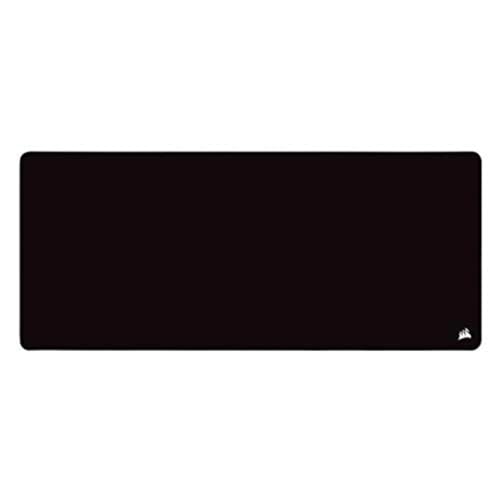
Top pickBest for desk setups that need a large, easy-to-clean pad
1. Corsair MM350 PRO Extended XL
An extended XL cloth gaming mouse pad with a spill-proof, stain-resistant coating and a micro-weave surface, per the listing.
Good for: Desk setups that need a large, easy-to-clean pad. Strengths: Spill-proof coating and a smooth micro-weave. Weaknesses: Cloth surfaces wear over time. Skip it if you prefer a hard surface.


Best for players who want full desk coverage
2. SteelSeries QcK XXL
A very large micro-woven cloth gaming pad from the SteelSeries QcK line, which the listing says has sold over 10 million units.
Good for: Players who want full desk coverage. Strengths: A well-known surface with complete desktop coverage. Weaknesses: Large; needs desk space. Skip it if you have a small desk.

Best for budget desks that need keyboard and mouse coverage
3. Large Extended Gaming Mouse Pad (stitched edge)
An extended cloth mouse pad with stitched edges and a lifetime warranty claim, per the listing.
Good for: Budget desks that need keyboard and mouse coverage. Strengths: Low price and a large area. Weaknesses: An unbranded product; quality varies. Skip it if you want a premium surface.

Best for gamers who want a large waterproof surface
4. Large Waterproof Mouse Pad (31.5 x 15.7 in)
A waterproof extended mouse pad with stitched edges at 31.5 x 15.7 inches and an anti-slip base, per the listing.
Good for: Gamers who want a large waterproof surface. Strengths: Waterproof and anti-slip. Weaknesses: An unbranded product. Skip it if you want a premium brand.

Best for wide desks that hold a keyboard and mouse
5. XXL Professional Mouse Pad (35.4 x 15.7 in)
An XXL mouse mat at 35.4 x 15.7 inches with anti-fray stitching, per the listing.
Good for: Wide desks that hold a keyboard and mouse. Strengths: Very large and low cost. Weaknesses: The design may not suit every desk. Skip it if you want a plain pad.
Best Picks by Category
These labels summarize listing information and are not hands-on test results.
- Top rated: XXL Professional Mouse Pad (35.4 x 15.7 in) — check price on Amazon.
- Most reviewed: SteelSeries QcK XXL — check price on Amazon.
- Best value: SteelSeries QcK XXL — check price on Amazon.
- Lowest price: SteelSeries QcK XXL — check price on Amazon.
- Premium option: Corsair MM350 PRO Extended XL — a premium-tier pick; check price on Amazon.
Price, Rating and Review Comparison
The table lists the picks with their price tier for a side-by-side comparison. Prices change often, so confirm the current price on Amazon.
| Product | Price | Rating | Ratings | Price tier |
|---|---|---|---|---|
| SteelSeries QcK XXL | Check price on Amazon | — | — | Mid-range |
| Large Extended Gaming Mouse Pad (stitched edge) | Check price on Amazon | — | — | Mid-range |
| Large Waterproof Mouse Pad (31.5 x 15.7 in) | Check price on Amazon | — | — | Mid-range |
| XXL Professional Mouse Pad (35.4 x 15.7 in) | Check price on Amazon | — | — | Mid-range |
| Corsair MM350 PRO Extended XL | Check price on Amazon | — | — | Premium |
How Much Feedback Backs Each Rating
A high average from a handful of ratings is weaker evidence than a slightly lower average from thousands. Here is how the sample size looks for each pick.
How to Choose
Measure your desk
Check the pad size against your desk and keyboard.
Stitched edges
Stitching prevents fraying.
Surface
Cloth pads grip well. Waterproof coatings help with spills.
How We Chose These Mouse Pads
We start from products that are sold on Amazon with a full product name and clear specifications, and we skip results that show only a brand name or a vague title. We then read the listing and the manufacturer information for each one and note the features that matter for this kind of mouse pad: size, surface and base. We do not run our own lab tests, and this guide does not contain hands-on measurements. Use it to build a shortlist, then check current prices, dimensions and return terms on the Amazon page.
Buying Guide: What to Check Before You Choose
Size, surface and base
Size is the main spec on a mouse pad: low-sensitivity players need more room to swipe. Cloth pads trade speed and control; hard pads glide faster and are easy to wipe clean but can be louder. A rubber base keeps the pad from creeping, and stitched edges stop fraying. Measure your desk first.
Quick Reference: Which Pick Suits Whom
- Corsair MM350 PRO Extended XL: suits desk setups that need a large, easy-to-clean pad
- SteelSeries QcK XXL: suits players who want full desk coverage
- Large Extended Gaming Mouse Pad (stitched edge): suits budget desks that need keyboard and mouse coverage
- Large Waterproof Mouse Pad (31.5 x 15.7 in): suits gamers who want a large waterproof surface
- XXL Professional Mouse Pad (35.4 x 15.7 in): suits wide desks that hold a keyboard and mouse
Common Mistakes to Avoid
- Buying a pad that is too small for your sensitivity.
- Choosing by looks without checking the surface type.
- Skipping the base grip, so the pad slides.
- Washing a pad in hot water when the listing says not to.
- Forgetting to measure the desk first.
Setup and Care
- Let a rolled pad rest flat for a day.
- Clean it as the listing allows, usually mild soap and cool water for cloth.
- Keep the desk and mouse feet clean.
- Re-check the edges now and then for fraying.
What the Size Names Actually Mean
Mouse pad sizes are marketing categories, not standards, so the same word can describe pads that differ by several inches. Learning the rough ranges lets you judge a listing without relying on its label.
- Standard or medium. A small square or rectangle, often under 12 by 10 inches. It holds a mouse and little else.
- Large. Roughly 14 to 18 inches wide. It gives a mouse plenty of room but does not reach the keyboard.
- Extended or XL. Commonly around 30 to 36 inches wide and 12 to 16 inches deep. This is the size that runs under both keyboard and mouse. The waterproof and stitched-edge pads in this guide, at 31.5 by 15.7 inches and 35.4 by 15.7 inches, fall in this group.
- XXL and desk-sized. Wider or deeper than extended pads, sometimes covering the full desk. Labels vary, so rely on the stated dimensions.
Check both numbers. A pad that is wide enough but only 12 inches deep can leave your keyboard hanging off the front edge, while a deep pad can crowd a small desk. If you use a monitor arm or a shelf, the depth matters more than the width.
Surface Types and How They Feel
The surface sets how the mouse glides and how quickly you can stop it.
Cloth and micro-woven surfaces
Most extended pads use a woven fabric top bonded to a rubber layer. The weave gives the mouse feet a little resistance, which many players find helpful for small adjustments, particularly when aiming. Different weaves vary in speed, from slick to grippy. The micro-woven surface of the SteelSeries QcK line is a well-known example, and the Corsair MM350 PRO uses a micro-weave with a spill-resistant coating.
Hard surfaces
Plastic, glass and aluminum pads allow very fast glide and are easy to wipe, but they can sound louder and can feel slippery. The related guide on hard pads covers them in detail. Extended hard pads are less common and cost more.
Coated and waterproof fabrics
A waterproof coating makes spills wipe away easily. The effect on glide depends on the coating, and some are a little slicker or sound different under the mouse. Waterproof pads are valuable at a desk where drinks sit close by.
Hybrid and textured designs
Some pads use textured plastic fiber or a thin hard layer over foam. They aim to combine speed and control, although results depend on the mouse and personal preference. If you have a favorite surface from the past, pick something similar.
The Base and the Edges
The bottom layer is as important as the top. A natural rubber or textured rubber base grips a desk and prevents the pad from drifting, which matters most for large pads that are repeatedly pushed. Smooth, thin bases can slide on glass or polished surfaces. Thickness also has an effect: thin pads of around 2 mm feel firm and close to the desk, while thicker ones of 4 mm or more add cushioning for wrists but can feel less precise.
Stitched edges bond the cloth to the base around the perimeter. They stop the fraying and peeling that plague unstitched pads after a few months of use. The three budget pads in this guide mention stitching or anti-fray edges, so check that detail rather than assuming it. Some pads have a raised edge that can rub against your wrist, so consider whether stitching along your hand path feels uncomfortable.
Matching a Pad to Your Mouse and Play Style
Your sensitivity setting and grip largely determine how much space you need. A low-sensitivity player who swings the whole arm across the pad needs a lot of room, so a large pad helps keep the mouse from running off the edge mid-swipe. A high-sensitivity player who moves mainly the wrist can get by with a smaller area, but may still prefer an extended pad for the keyboard.
- First-person shooters. Precision matters and many players like a consistent, slightly textured cloth surface. Ample space helps with wide turns.
- Strategy and MMO games. Players often sweep across the screen quickly with a lot of clicking and keyboard use. An extended pad provides a consistent surface for the keyboard hand too.
- Office and creative work. A pad adds comfort and a better surface than a bare desk, and a large desk mat protects the desk from scratches.
- Laptop users. A pad that holds a laptop and a mouse stops the laptop from sliding. Check that the pad is deep enough for both.
Cable drag is another consideration. A wired mouse can snag on a pad’s edge, so a smooth edge or a cable bungee helps. Mouse feet matter too: worn feet scratch up a pad and change how it glides, so replacing them occasionally protects the surface.
Fitting the Pad to Your Desk
Measure the usable area of your desk, not the total. Leave space on the sides for speakers or a drink, and note where your monitor stand sits. A pad that runs under the stand’s feet will bump and lift. Rounded desk corners and curved edges also change which size works best. If you have an L-shaped or standing desk, a pad that overhangs the front edge can fold down and move.
Also think about the desk surface. Glass desks can reduce grip, so choose a pad with a firm rubber base, and wood grain or textured laminate may show through a thin pad. A very thick pad can raise your keyboard slightly, which may be helpful or irritating depending on your wrist posture. Finally, check whether the pad needs to be unrolled and left flat for a day, since pads shipped in tubes sometimes arrive with curls at the edges.
Keeping a Pad Flat, Clean and Grippy
A large pad collects skin oils, crumbs and dust faster than a small one, and a dirty surface changes how the mouse tracks and glides. Brush off loose debris regularly and wipe spills at once. When a deeper clean is needed, follow the listing, which for cloth pads usually means a soft brush, mild soap and cool water, then air drying flat and away from heat. Hot water, tumble drying and strong detergents can warp the base or loosen the stitching.
Curled edges are the most common complaint with pads shipped in a roll. Unroll the pad on a flat surface, weigh it down with books and let it rest for a day or two. If the base is still rubbery and the corners lift, a little warmth from room temperature air helps, but avoid hair dryers. Keep the underside of the pad and the desk clean, because dust there reduces grip and lets the pad shift under a moving hand.
Mouse feet also deserve a glance. Dirt trapped under them scratches the surface and can leave a visible track. If you notice a groove forming where your hand rests, rotate or shift the pad slightly so the wear spreads out. These small habits can extend the life of even an inexpensive pad by months.
Questions to Ask Before You Order
- What are the exact dimensions, and do they fit my desk after removing items that cannot move?
- How thick is the pad, and is the base rubber or another material?
- Are the edges stitched, and what does the listing say about fraying?
- Is the surface fast, balanced or controlled, according to the maker?
- Can it be washed, and by what method?
- Does the listing mention any odor from the rubber after unpacking?
Budget Versus Premium: Where the Money Goes
The price spread in this guide is small compared with many gaming accessories. Lower-priced pads provide a large surface and basic stitching. Spending more usually buys a more consistent weave, better quality control at the edges, a surface coating and a recognized brand with a clearer return process. Plenty of feedback backs these picks, since some of the cheapest pads have thousands of ratings behind them, and the premium option has a high average from a large sample too. Because pads are inexpensive, the practical approach is to choose the right size first, then the surface, and treat the pad as a part you can replace if you dislike the feel.
Setting Up an Extended Pad So It Stays Flat, Clean and Useful
An extended mouse pad looks like the simplest purchase in a gaming setup, yet it is the one that touches everything: the keyboard sits on it, the mouse travels across it, drinks approach it and the desk surface hides beneath it for months at a time. Getting the setup right once, and keeping it right with minimal effort, is what separates a pad that quietly improves a desk from a pad that slowly becomes a curled, stained landscape. This section covers that setup and care in the detail the size of these products deserves.
Unroll the pad and give it time to relax before judging its flatness. Pads shipped rolled carry a memory of the roll, and the corners that lift on day one often settle after a day or two under the weight of a keyboard and ordinary use. Place the pad with its longest edge aligned to the desk edge you actually sit at, not the geometric centre of the desk, because your arms define the working area. Decide where the keyboard lives on the pad and keep that position consistent; a keyboard that wanders creates worn patches and changes how the mouse space feels on each side. If the pad overhangs or crowds a monitor stand, measure again against the guidance in this article rather than folding or trimming, since a cut edge loses the stitching that protects it and will fray where your wrist travels.
Cleaning Without Ruining the Surface
Cloth pads collect skin oils, dust and drink splashes in the exact area your mouse travels, and glide changes so gradually that owners adapt to a worse surface without noticing. A regular light clean, shaking and brushing loose debris away and wiping the surface as the maker allows, preserves the feel you bought. Deeper washing, where the pad’s construction permits it, should be occasional, gentle and followed by complete flat drying away from direct heat, because a pad dried draped or rushed back under a keyboard will keep whatever shape it dried in. Waterproof and coated pads in this guide forgive spills more readily, but they still gather grime at the edges and under the keyboard, so lift and clean beneath them from time to time rather than trusting the coating to handle everything.
Pay attention to the mouse feet as part of pad care. A pad full of grit wears feet, and worn feet scratch across a clean pad, so the two maintain or degrade each other as a pair. If glide suddenly feels scratchy, inspect both surfaces before replacing either. Often a wash of the pad and a wipe of the feet restores the pairing, and the money you were about to spend stays in your pocket. That diagnostic habit, surface first and purchase second, is the most valuable sentence in any pad guide.
Matching Pad Size and Surface to How You Play
Size should follow sensitivity and desk reality together. Low-sensitivity players who sweep their whole forearm need the travel an extended pad provides, and for them the mouse area to the side of the keyboard is the entire point of the category. Higher-sensitivity players use less travel but gain the consistency of one surface under both hands, a protected desk and a defined working area that keeps peripherals from drifting. Neither group should buy size for its own sake. A pad that pushes the monitor too far back or forces the keyboard to an angle your wrists dislike has made the setup worse in exchange for area you do not use, so measure the desk, mark the footprint with tape if you are unsure, and live with the tape outline for a day before ordering.
Surface feel is the other half of the match. A smoother, faster cloth suits players who value easy movement and make their control with small corrections, while a more textured, controlled surface suits players who stop hard and often. There is no universally better feel, only the feel that matches your stopping style, which is why the reviews in this guide describe surfaces in plain language rather than ranking them. If you are changing pad type as well as size, change nothing else that week. Keep your sensitivity and your mouse, learn the new surface honestly, and only then decide whether the pairing is right. Setups improve by single steps. They confuse by leaps.
The Desk Around the Pad
Finally, consider what the pad does to the rest of the desk. It defines a zone, muffles keyboard sound slightly, protects the surface from scratches and gives the whole setup a finished look that smaller pads cannot. It also hides the desk, so check underneath occasionally for the dust and crumbs that migrate to edges, and be thoughtful with very hot items, which belong on a stand or mat of their own rather than on a gaming surface. Treated as furniture as much as equipment, an extended pad earns its large footprint. The picks in this guide were chosen for size honesty, edge quality and surfaces that stay consistent, and with a flat setup and a light cleaning rhythm, those qualities will still be there long after the new-pad smell has gone.
One Pad, Several Years: Planning the Life of an Extended Surface
Think of an extended pad as a multi-year surface and a few forward decisions become easy. Keep the packaging or at least the exact dimensions and model name recorded, because reordering the identical surface you love is simpler than restarting the comparison when wear eventually wins. Note which side of the pad your mouse uses most and, if the design allows it, rotate the pad occasionally so wear spreads rather than concentrating into one polished track that changes glide in your main aiming area. Consistency is the product here; managing wear is how you keep the product you bought.
Know the signs that a pad is finished rather than merely dirty. Wash it properly first, because grime impersonates wear convincingly. A pad that still feels uneven after washing, whose edges have lifted or frayed despite their stitching, or whose base no longer grips the desk, has given its service. Replace it without nostalgia and use everything it taught you: your true size, your preferred surface speed and the edge quality you require. The second extended pad anyone buys is usually the right one, because the first one was an education. The picks and guidance in this article exist to make the first one the right one more often, but even an imperfect first pad leaves you with measurements and preferences that make every later desk decision easier.
Extended Pads in Shared and Family Spaces
On a shared desk, an extended pad becomes a treaty about space, and treaties work when they are explicit. The pad defines the gaming territory: keyboard and mouse live on it, other household objects live off it, and drinks observe a border everyone respects. That clarity protects the surface better than any coating. Where the computer is also the family machine, choose the pad’s look with the room in mind, because a desk mat is furniture at this size and will be seen by everyone, daily. A surface the household finds pleasant will be treated well; a surface one person loves and everyone else resents will be moved, folded and used as a coaster by degrees.
Children and pets add their own clauses. Crumbs migrate, small hands test edges, and animals regard a warm pad as a bed with excellent publicity. The care rhythm in this guide absorbs all of it if it is kept light and frequent rather than occasional and furious. Shake, wipe, inspect, and let the pad be what it is: the hardest-working textile in the room, asked to be flat, clean and consistent under everyone’s hands. Chosen at the right size and maintained in that spirit, it will be.
Measuring Twice: A Pre-Purchase Desk Protocol
Because size is this category’s most common regret, adopt a formal protocol before ordering. Measure the desk’s usable depth and width after the monitor and its stand are in their true positions, not their intended ones. Mark the candidate pad’s outline in tape on the desk surface, place the keyboard and mouse inside it and work and play there for a full day. Notice whether the monitor still sits at your preferred distance, whether the chair still approaches cleanly and whether the taped border annoys anyone else who uses the desk. Only then compare the tape against the dimensions in this guide and choose the pick whose true size matches the lived outline.
The protocol feels excessive for a mouse pad until it prevents the category’s signature disappointment: a beautiful, enormous surface that exiles the monitor, angles the keyboard and teaches the owner that bigger was a direction, not a destination. Pads are returned less often than mice, because their size seems forgiving in the abstract. On the desk, size is destiny. Measure it like destiny, choose the surface your stopping style wants, and the extended pad becomes what it should be: the calm foundation of the whole setup, noticed only when you use someone else’s desk and miss it.
Surfaces Compared Through the Picks: Finding Your Speed
The five pads in this guide share a category but not a personality, and the practical way to use their differences is to locate your own stopping style first. Players who brake with pressure, pressing the mouse down as they stop, extract control from almost any cloth and should choose mainly on size, edge quality and base grip. Players who brake with distance, planning the stop across the glide, are surface-sensitive and should read the surface descriptions in the reviews as the main text, with size as the supporting detail. Neither style is better. They are different physics performed by different hands, and a pad that is perfect for one can feel vague or sticky to the other.
If you have never identified your style, the test is simple and needs no new equipment. Play your main game on your current surface and notice the stop itself: is your hand pressing or travelling in the final moment of a flick? Do it several times, in calm and in haste, because haste reveals the habit practice conceals. Write the answer down. That one sentence, carried into the reviews above, will choose among these pads more reliably than any ranking, because it converts the comparison from other people’s preferences into your own mechanics. Extended pads reward that self-knowledge with years of consistent surface; without it, even the best pad in the guide is a guess at furniture scale.
If You Only Remember Three Things About Extended Pads
First, size is destiny and must be measured on the real desk, in tape, for a full day, before any order is placed, because an extended pad that exiles the monitor or angles the keyboard has failed at furniture scale regardless of its surface quality. Second, your stopping style chooses the surface: pressure-brakers can buy on size and edges, distance-brakers must buy on glide character, and confusing the two is how excellent pads get blamed for a mismatch of physics. Third, the pad and the mouse feet are one system, maintained together with light, frequent cleaning, and judged together whenever glide changes. An owner who holds those three ideas will keep an extended pad consistent for years, which is the entire point of covering half a desk with one surface.
A Last Look at the Desk as a Whole
Stand back, finally, and look at the desk the pad has organised. Keyboard settled in its place, mouse travelling on one honest surface, the working area defined against the rest of the room’s life. That organisation is the extended pad’s real product, larger than glide and quieter than any specification. It is also fragile in one specific way: it depends on the household continuing to respect the border the pad draws, keeping drinks, clutter and unrelated objects on their own side of it. Defend the border lightly but consistently, and the surface beneath your hands will repay the defence every day, in the currency this category actually deals in: sameness. The same glide, the same layout, the same calm start to every session, for as long as you care to maintain it.
When the pad finally wears beyond washing’s power to restore it, replace it with its own lessons in hand: the measured outline, the surface speed your stopping style proved, the edge quality your wrist travelled over thousands of times. The second purchase will take minutes, and it will be right, because the first pad was never just a pad. It was the research.
A Closing Note on Sameness as a Feature
Most gaming equipment is sold on change: faster, lighter, brighter, newer. An extended mouse pad is sold, whether its makers say so or not, on the opposite promise: that tomorrow’s surface will feel exactly like today’s. That sameness is what lets aim become automatic, desks become settled and households stop renegotiating the workspace. Protecting sameness is therefore the whole art of owning one of these pads well. Keep it clean in small, frequent acts. Keep its border respected. Keep its position, and your keyboard’s position on it, stable enough that your body can memorise the geography. Every habit in this guide exists to defend that one unglamorous word.
There is a moment, some months in, when the defence proves itself: you sit down at another desk, on a small pad or a bare surface, and your hand immediately reports that something is missing. That report is the extended pad’s review, written by the only critic whose opinion was ever going to matter. Choose the size by measurement, the surface by your stopping style and the edges by the years you intend to keep it, and that critic will deliver the same verdict at your own desk in reverse: nothing is missing, nothing has changed, play can begin. Few purchases in a setup offer so much certainty for so little complexity, and none of them covers quite so much of the desk while doing it.
Buy it once, buy it measured, and then let it disappear under your hands. Disappearance, for a surface, is the highest available praise.
One Last Practical Promise to Make to the Pad
Make one promise when the pad is laid, and keep it for a year: nothing lives on the pad that does not play or type. No mugs acquiring rings at its edge, no post staged on its corner, no tools parked in the mouse’s travel like obstacles on a road. The promise sounds strict and is actually what makes the pad relaxing to own, because a surface with one job stays clean longer, wears evenly and never surprises the hand mid-session. Everything else in the room has somewhere to be. Let the pad be the one place where that rule is absolute, and the sameness this guide has praised will defend itself.
Keep the companion promise too: when something does spill, splash or crumble onto the surface, deal with it in the moment rather than at the weekend. Thirty seconds now is the whole price of the consistency the pad was bought for. Thirty seconds deferred becomes the deep clean, the stained patch and the glide that never quite returns. Small surfaces forgive. Large ones remember. Treat the memory kindly.
That is the note to end on, because it captures what an extended pad quietly becomes after months of correct ownership: not an accessory that is used, but a place that is inhabited. The keyboard lives there, the mouse travels there, the hands rest there, and the rest of the room’s business is politely kept at its border. Few objects in a setup ask for so little and organise so much. Choose it by measurement, keep it by rhythm, and it will hold the centre of your desk with the same calm on the last day of its life as it offered on the first.
Frequently Asked Questions
What size is an XL mouse pad?
Often around 31 x 12 inches or larger. Check the listing for exact size.
Cloth or hard?
Cloth for control, hard for speed. See our hard pad guide.
How do I clean it?
Most cloth pads can be wiped or hand-washed. Follow the maker’s guidance.
What size mouse pad do I need?
Measure your desk and think about your sensitivity: lower sensitivity needs more room.
Cloth or hard pad?
Cloth pads add control and comfort; hard pads glide faster and clean easily. It comes down to preference.
How do I clean a mouse pad?
Follow the listing. Cloth pads can usually be hand washed with mild soap and cool water, then air dried flat.
How big should my mouse pad be if I use low sensitivity?
Low sensitivity means larger arm movements, so aim for a pad at least 16 inches deep and around 30 inches wide, or larger if your desk allows. That gives enough room to swipe without running off the edge and to cover the keyboard area as well.
Will a big desk mat damage my desk or make it slip?
A rubber-backed mat typically protects wood and laminate from scratches. Slipping depends on the base and the desk surface, and polished or glass desks give less grip. If a pad slides, check that the desk and the underside are clean and dry, and consider a pad with a firmer base.
Do waterproof mouse pads feel different to use?
They can. The coating changes how the mouse feet glide, and some feel slicker or quieter than plain fabric. The difference varies by product. If you prefer a specific feel, read the maker’s description and user comments, and keep the return window in mind.
Why does my new mouse pad smell?
Many pads use natural or synthetic rubber, which can give off an odor when unpacked. It normally fades after a few days of airing in a ventilated room. If it persists or irritates you, return the pad. Do not wash it to hurry this unless the maker permits it.
How often should I replace a mouse pad?
There is no fixed schedule. Replace it when the surface is visibly worn, the edges peel, the base no longer grips or tracking becomes inconsistent. A pad that is cleaned regularly and used with clean mouse feet will last longer, often for a couple of years or more.
How long should I let a new extended pad settle?
Give a rolled pad a day or two under the weight of your keyboard and normal use before judging flatness. Corners that lift on day one often settle as the material relaxes.
How do I know whether glide problems come from the pad or the mouse feet?
Inspect both. Grit in the pad wears feet, and worn feet scratch a clean pad. Wash or wipe the pad and clean the feet first; that pairing check often restores glide without any purchase.
Should I buy the largest pad my budget allows?
No. Buy the size your sensitivity and desk genuinely need. A pad that pushes the monitor back or angles the keyboard uncomfortably makes the setup worse despite its extra area. Tape the footprint on the desk and live with it for a day first.
How should a washable cloth pad be dried?
Dry it completely flat and away from direct heat, and do not rush it back under the keyboard. A pad dried draped or folded will keep that shape when you use it again.
Bottom Line
For a premium XL, the Corsair MM350 PRO or SteelSeries QcK XXL. For budget desks, the extended stitched pads from unbranded makers do the job.
Related Reading
- 6 Best Gaming Mice Under $50
- 6 Best Gaming Keyboard and Mouse Combos for PC
- 6 Best Gaming Mice for FPS: Valorant, CS, Fortnite and Warzone
- Best Mouse DPI for Gaming: What DPI and eDPI Should You Use?
- Best Mouse Grip for Gaming: Palm, Claw and Fingertip Explained
More Gaming Mouse Guides
- best-hard-gaming-mouse-pads
- Gaming Mouse Buying Guide
- Best Budget Gaming Mice
- Best Wireless Gaming Mice


