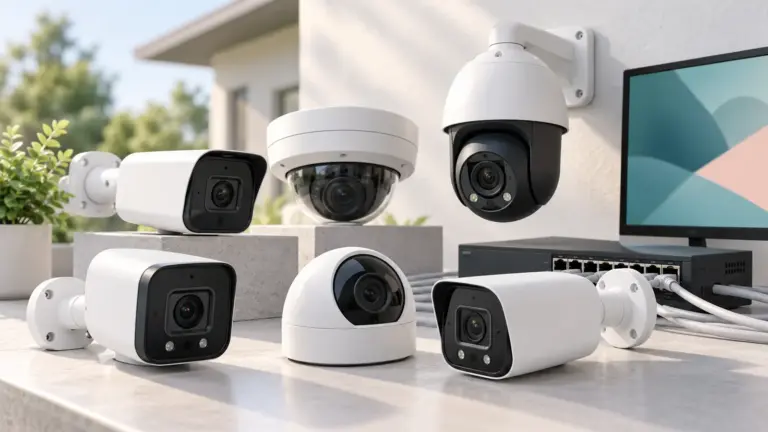
A pan tilt security camera uses small motors to turn its lens left and right and up and down, so a single unit can watch a wide area that would otherwise need several fixed cameras. This guide is written for shoppers who want to understand the trade-offs before choosing. We have not used these products ourselves, so we focus on features, construction and how the parts work together.
Most buying mistakes come from skipping the basics: where the camera will sit, how it gets power, and how footage is stored. Work through the factors below, compare the details on each product page, and confirm every maker claim on the listing itself. The table helps you decide what matters for your own room, hallway or yard.
As an Amazon Associate we earn from qualifying purchases. Links on this site are affiliate links, and they do not change the information we give.

In this guide
Quick Picks
| Pick | Product | Best For |
|---|---|---|
| Best for Indoor and Outdoor Use | Wyze Cam Pan v3 | IP65 weather resistance with a full-circle pan for yards and porches |
| Best 2K Indoor Pick | eufy Indoor Cam E220 | 2K detail, on-device AI detection and HomeKit support |
| Best Budget 2K Pick | TP-Link Tapo C210 | 3MP video and subscription-free microSD recording |
| Best for Alexa Homes | Blink Mini Pan-Tilt Camera | Simple plug-in coverage that ties into the Blink and Alexa apps |
| Best Resolution | Reolink E1 Pro | 5MP 3K video, dual-band Wi-Fi and auto tracking |
Our Picks

1. Wyze Cam Pan v3 — Best for Indoor and Outdoor Use
The Wyze Cam Pan v3 (model WYZECPAN3) is the rare pan tilt camera in this group rated for the weather: its IP65 housing lets the same unit watch a living room or sit under a porch eave outside. The motor turns a full 360 degrees horizontally and tilts through 180 degrees, and the camera can follow motion automatically as a subject crosses the frame, which covers the motor range and tracking points the guide above puts first. Video is 1080p, and Wyze’s color night vision keeps an image in very low light instead of switching straight to black and white infrared. Footage can live on a microSD card in the camera for local recording, with Wyze’s cloud plans as the optional second route. It works with Alexa and Google Assistant, and a privacy mode parks the lens pointing down when you want the room unwatched. Shoppers who need one camera that can move between indoor and outdoor duty should start here.

2. eufy Indoor Cam E220 — Best 2K Indoor Pick
The eufy Indoor Cam E220 (model T8410X) records at 2K resolution, a clear step up from 1080p for reading faces across a room, and its head pans 360 degrees while tilting 96 degrees. When motion is detected the camera tracks and follows the moving object on its own, and eufy’s on-device AI separates people from pets so alerts carry more meaning than a bare motion ping. Night footage comes from infrared LEDs, and two-way audio lets you talk through the camera from the app. Storage is local first: clips save to a microSD card, and the camera is also compatible with HomeBase 3 for central storage, with no subscription required for the core features. It works with Amazon Alexa, Google Assistant and Apple HomeKit, which makes it the easiest fit for mixed smart home setups. Choose the E220 if the camera will live indoors and sharper detail matters more than weather sealing.
View eufy Indoor Cam E220 on Amazon
3. TP-Link Tapo C210 — Best Budget 2K Pick
The TP-Link Tapo C210 pairs a 3MP sensor (2304 x 1296, sold as 2K) with a 360 degree horizontal and 114 degree vertical pan tilt range, so it covers a whole room from a shelf or ceiling mount. It follows the guide’s storage advice closely: a microSD slot takes cards up to 256 GB for subscription-free local recording, and Tapo’s cloud plan is there only if you want it. Infrared night vision reaches up to 30 feet, motion detection triggers recording and alerts, and the camera can track movement across its range. Two-way audio and a built-in siren round out the alert side, and the camera works with Alexa and Google Home for voice control of the live view. The C210 is an indoor, plug-in model with no weather rating, so keep it inside. For shoppers who want 2K-class video and local storage without paying for a plan, this is the straightforward pick.
View TP-Link Tapo C210 on Amazon

4. Blink Mini Pan-Tilt Camera — Best for Alexa Homes
The Blink Mini Pan-Tilt Camera pairs Blink’s compact Mini camera with a motorized mount that pans 350 degrees and tilts 125 degrees, controlled from the Blink app. Video is 1080p HD with infrared night vision, which suits everyday room checks even if it cannot match the 2K and 3K models above for fine detail. As an Amazon brand, it works with Alexa for live views on Echo Show screens and slots neatly into an existing Blink system. The storage trade-off deserves attention: clip history normally lives in a Blink subscription plan, while a Sync Module 2 offers a local USB storage route instead, so decide which you prefer before buying. The camera is plug-in powered and made for indoor use, with the camera, mount, USB cable and power adapter in the box. Pick the Blink if your home already runs on Alexa and you value a simple app over maximum resolution.


5. Reolink E1 Pro — Best Resolution
The Reolink E1 Pro tops this list on paper with 5MP 3K video (2880 x 1616) through an f/1.6 aperture lens, which gathers more light for clearer night footage than the smaller-aperture cameras here. Its head pans 355 degrees and tilts 50 degrees — the tilt range is the narrowest in this group, so shelf height matters — and auto tracking follows a moving subject while smart detection separates people and pets and can flag a baby crying. Dual-band 2.4 and 5 GHz Wi-Fi gives it a networking edge over the 2.4 GHz-only crowd, which helps in homes where the 2.4 GHz band is crowded. Recording goes to a microSD card in the camera or to Reolink’s ecosystem, keeping a subscription optional, and two-way audio is built in. The E1 Pro is an indoor plug-in camera. Choose it if image detail and Wi-Fi flexibility matter more than a wide tilt range or outdoor mounting.

What to Look For
| Factor | Why it matters | What to check |
|---|---|---|
| Motor range | Decides how much of a room one camera can cover | Stated pan and tilt angles, and whether the head turns a full circle |
| Video resolution | Sharper footage makes faces and details easier to read | Resolution named by the maker and the lens aperture |
| Night vision | Dark rooms and yards need clear footage after sunset | Infrared range, or a color night mode with a small built-in light |
| Motion tracking | The lens can follow a moving subject on its own | Whether tracking can be switched off or limited to set zones |
| Storage | Clips need somewhere to live once recorded | Memory card slot, cloud plan, or both, and how old clips are overwritten |
| Power and weather | Outdoor units face rain, dust and long cable runs | Plug or wired power, ingress protection label, and cable length |
Setup and Care Tips
- Mount the camera where its full turning arc is clear of walls, shelves and hanging objects that could block the view.
- Check the Wi-Fi signal at the exact mounting spot with a phone before you drill any holes.
- Save a few preset positions, such as the door, the window and the hallway, so the lens returns to them quickly.
- Install firmware updates when the app offers them, and use a strong, unique password for the account.
- Wipe the lens gently with a soft dry cloth now and then, because dust and smudges blur night footage.
Mistakes to Avoid
- Buying for resolution alone and ignoring motor range, which often matters more for coverage.
- Placing an indoor unit by a window, where glare and reflections can wash out the picture.
- Forgetting ongoing storage needs, then finding that useful features sit behind a monthly plan.
- Pointing a camera at a neighbor’s property or a shared space, which can raise legal and courtesy concerns.
- Skipping the privacy shutter or lens-parking option when the camera sits in a living area.
Pan, Tilt and Zoom: Knowing the Differences
Product pages use motion terms loosely, so a quick glossary prevents confusion. Pan is horizontal rotation, the head turning left and right. Tilt is vertical movement, up and down. Together they let one camera sweep a room or yard. Zoom is a separate feature, and it comes in two forms: optical zoom, which uses lens movement and keeps the image sharp, and digital zoom, which crops and enlarges the picture and loses detail. Many affordable pan tilt cameras have no optical zoom at all, so a listing that says zoom may only mean digital crop.
Auto tracking is another term to read carefully. In this mode the camera follows a person or moving object after it detects motion. It is helpful, but it is not perfect: it can lose a fast subject, follow a pet when you wanted to watch a door, or chase shadows and curtains. Look for tracking that can be switched off or limited to certain zones.
Patrol or cruise mode moves the camera through saved positions on a schedule. That is useful when you want to see a hallway, a front door and a window in rotation. The trade-off is the same as with any moving lens: while it looks at one spot, it cannot see the others.
Where the Camera Will Live: Matching Placement to Features
Nursery or bedroom
Here the camera watches a small, calm space, and a wide pan range matters less than a quiet motor and a strong night view. Privacy should be a priority. Check whether the camera has a privacy mode that points the lens at the wall or physically covers it, and how video is stored and encrypted. Also consider whether you want a camera with a built-in speaker for two-way talk.
Living room or open plan
A wide pan range and a reasonable tilt let one camera cover a large space from a shelf or the top of a cabinet. Mounting high gives a wider view and keeps lenses out of reach of kids. Indoor models such as the eufy Indoor Cam E220 or the TP-Link Tapo C210 fit this role.
Front porch, garage and yard
Weather changes everything. A camera outside needs an ingress rating, often written as IP65 or similar, that shows resistance to dust and water. The Wyze Cam Pan v3 is described in this guide as weather-rated, which makes it the one that can leave the house. Even a rated camera needs a sheltered spot, a power plan and a Wi-Fi signal that reaches that far. Outdoor placement also raises privacy issues, because a camera that points at a neighbor’s property or at the street may raise legal and courtesy concerns.
Shop, office or rental unit
If you need to watch a store counter or a workroom, resolution and storage matter more, because you may need to identify a person or a product later. The Reolink E1 Pro has the highest listed resolution in this group. Check local rules about recording employees and customers, including whether signs are required.
Specs That Separate a Good Pan Tilt Camera From a Frustrating One
- Motor noise. Motors make a small sound when they turn. In a bedroom or nursery that noise can be noticeable, so look for comments about it.
- Pan and tilt range. A full 360 degree pan is helpful, but a limited tilt range may not point down far enough to see a door below the camera. Check the stated angles against where you plan to mount it.
- Night vision. Infrared night vision shows black and white images in the dark, while some cameras offer color night vision with a small light. Check the range, which is often measured in feet.
- Field of view. A wider lens shows more of the room without moving. Narrower lenses show more detail at a distance but cover less.
- Local storage. A microSD card slot lets the camera record without a subscription. Confirm the maximum card size and whether footage loops over the oldest clips.
- Cloud plans. Many cameras offer paid cloud storage with extras like person detection. Read what is free and what needs a plan.
- Two-way audio. A microphone and speaker let you talk to a visitor or a pet. Check for echo and delay in the reviews.
- Smart home support. If you use Alexa, Google Home or HomeKit, check which one the camera supports, since support differs.
Privacy and Network Security for Cameras That Move
A camera that watches your home is also a device on your network, and weak habits turn it into a risk. These steps cost nothing.
- Set a unique, long password for the camera account, and turn on two-step verification if the app supports it.
- Update firmware when the app offers it. Updates often fix security problems.
- Put cameras on a guest network or a separate segment if your router allows it, so a problem with one device does not reach your computers.
- Disable features you do not use, such as remote access ports or shared links.
- Review who has access to the account, and remove old family members, roommates or former tenants.
- Cover or point the lens away when you are home if the camera has a privacy setting, so it does not record private moments.
Also think about notifications. A camera that alerts you for every shadow trains you to ignore it. Use activity zones and sensitivity settings to cut false alarms, and set a schedule so alerts run only when you are away.
Power, Cabling and Mounting Details People Overlook
Most pan tilt cameras plug into a wall outlet through a USB power adapter, so the cable length decides where you can put them. A short cord limits you to a spot near an outlet, and an extension cord may be unsafe or unsightly. Check the cord length on the listing and plan the route before buying.
Mounting options vary. Many models sit flat on a shelf, and some include a ceiling or wall bracket. A ceiling mount often flips the image upside down, which you correct with an image flip setting in the app. If you rent, remember that drilling holes may not be allowed, so look for adhesive mounts or a stable stand.
Finally, test the signal at the mounting spot with your phone. A weak signal leads to lag, dropped video and a camera that appears offline when you need it most. If the signal is poor, move the camera, add a Wi-Fi extender, or use a mesh system. Leave room around the camera so the head can turn without hitting a wall, a plant or a shelf, because a blocked motor can strain and fail.
Budget Versus Premium: Where the Money Goes
Pan tilt cameras span a wide price range, and the difference rarely shows up in the headline specs. Understanding what extra money buys helps you avoid overspending or underspending.
At the low end, you get a functioning camera with a motor, decent video and basic app control. Cheaper models such as the TP-Link Tapo C210 and the Blink Mini Pan-Tilt Camera keep costs down by using simpler lenses, plastic housings and fewer advanced features. Storage may rely on a memory card or a paid cloud plan, and the app may be more basic. For a single room, this is often all you need.
In the middle, you start to see better night imaging, sturdier housings, more reliable apps and extra features such as on-device person detection. The eufy Indoor Cam E220 sits here with its 2K picture and local AI features. Spending in this range tends to reduce false alarms and the need for a subscription.
At the upper end, higher resolution, larger apertures and stronger build quality appear. The Reolink E1 Pro lists a wider aperture that gathers more light at night. Weatherproof construction, as on the Wyze Cam Pan v3, also adds cost. Premium models may offer wired network options, longer warranties and more control over storage.
Hidden costs matter as much as the sticker price. A cheap camera that needs a monthly plan to save clips can cost more over two years than a pricier one that records locally. Memory cards add a small expense, and heavy use wears them out, so choose a high-endurance card made for continuous recording. Check how long the maker promises to supply security updates, because an unsupported camera becomes a risk.
If you are unsure, buy one camera first, place it where you need it, and learn what you wish it did differently. Then add or upgrade with that knowledge. Buying several at once locks you into one app and one set of limits.
Going Deeper: Judging Pan Tilt Security Cameras in Real Life
A pan tilt camera promises to watch a whole room or garden from one position, turning to follow the action instead of staring at one wall. That promise only pays off when the camera’s movement, detection and privacy behaviour are set up thoughtfully, because a badly configured pan tilt camera manages the remarkable feat of looking everywhere and seeing nothing, faithfully recording the wrong direction at the critical moment.
Longevity belongs in the same conversation. Materials, moving parts, firmware support and the availability of ordinary consumables decide whether a purchase stays satisfying or slowly becomes a chore. A slightly less exciting option that is easy to clean, easy to update and easy to live with will usually beat a fragile showpiece once the novelty has worn off.
The Buying Criteria That Deserve a Second Look
Earlier sections of this guide cover the headline checks. The points below are the quieter ones that experienced owners raise after months of use, and they are worth working through before you commit to any of the picks above.
Movement that is fast, quiet and accurate
The mechanism should turn smoothly to a called position without grinding drama, overshoot or a slow drift off target over weeks. Quiet matters indoors, especially in nurseries and bedrooms, where a whirring camera becomes part of the household soundscape. Preset positions are only useful if the camera returns to them faithfully, so accuracy over time is the real specification to value. In practice this matters more than a headline specification suggests, because it shapes how the setup feels every single day rather than only on the first afternoon. Judge it against the way you actually work and live, not against an idealised demo, and be honest about which compromises you will notice after a month and which ones will fade into the background within a week.
Tracking intelligence versus honest presets
Auto-tracking sounds magical and behaves well only when its detection is discerning; otherwise the camera chases moths, pets and passing headlights while the real event happens behind it. Well-chosen presets with sensible detection zones are the quieter, more reliable strategy for most homes. Judge tracking by how it handles your busiest ordinary hour, not by a demonstration with one cooperative subject. A useful test is to picture the busiest, least convenient moment this product will face in your home or studio, then ask whether this point still holds up under that pressure. Buyers often optimise for the best case and then live with the worst case, so weighing this factor for tired evenings, rushed mornings and guests who know nothing about the gear leads to a far better long-term match.
Privacy controls you can trust
A camera that can look anywhere must be able to look away: physical privacy modes, lens covers, schedules and clear indicators of when it is watching. Households adopt cameras long-term only when guests, children and the owners themselves feel the boundaries are respected. Check how privacy is enabled and how obvious its state is at a glance across a room. Treat this as a check you can perform before ordering rather than a hope you carry afterwards. Measure, list or sketch the relevant details of your space and routine, compare them with what the maker publishes, and only then decide. Ten minutes of checking at this stage routinely saves a return, a workaround purchase or years of low-level frustration with an otherwise capable product.
Image quality at the edges of its travel
The camera will spend its life aimed at corners and doorways rather than the center of a test chart, so wide-angle clarity, night performance at range and exposure behaviour toward windows all matter. Indoor models face mixed lighting and close walls; outdoor models face weather and distance. Match the camera’s strengths to the farthest, darkest view it must hold. This is also where households and shared spaces diverge from solo setups. A choice that suits one careful owner can annoy a partner, a bandmate, a colleague or a visiting relative who interacts with the same equipment casually. If other people will use it, favour the option that stays forgiving and predictable in untrained hands, even when a more specialised alternative looks cleverer on paper.
Storage and subscription honesty
Confirm what recording, history and smart detection work locally and what quietly depends on a paid plan, because pan tilt cameras are often sold as loss leaders for subscriptions. Local card recording with sensible retention suits many homes perfectly. The right question is not whether a plan exists but whether the unpaid camera remains genuinely useful. Longevity belongs in the same conversation. Materials, moving parts, firmware support and the availability of ordinary consumables decide whether a purchase stays satisfying or slowly becomes a chore. A slightly less exciting option that is easy to clean, easy to update and easy to live with will usually beat a fragile showpiece once the novelty has worn off.
Use Cases, Worked Through in Detail
The open-plan living space
One camera covering a combined living, dining and kitchen area is the format’s home turf, with presets for the door, the dog’s corner and the children’s play area. Privacy scheduling matters here more than anywhere, because this room hosts guests and family life in equal measure. Set the camera’s home position to the view that matters most overnight, not the one that looks impressive in the app. The lesson from this scenario is that context beats raw capability. The same product can feel generous in one setting and cramped or fussy in another, so match the pick to the setting you have rather than the setting you imagine building one day. If your situation sits between two scenarios, favour the more demanding one, because headroom in space, power or capacity is rarely regretted once real life starts adding clutter and people.
The nursery and children’s rooms
Parents value the ability to check in, listen and glance across the room without entering and waking anyone. Quiet movement, gentle night vision that does not blast the room, and strict privacy habits define a good nursery camera. This scenario also demands the household’s clearest rules about who can access the camera and when it is off. Notice how little of this scenario is about the product alone. Placement, habits, the other gear already in the room and the people passing through it all shape the result as much as any specification. Work through those surrounding details before ordering and the product itself usually falls into place, while skipping them is how capable gear ends up blamed for a planning problem.
The garden, drive and outbuildings sweep
Outdoors, one pan tilt unit can patrol a wide area that would otherwise need several fixed cameras, provided its presets are set on the gates, doors and vehicles that matter. Weather resistance and night range become the constraints, and tracking should be treated cautiously where wildlife and weather generate constant motion. Fixed cameras still win for the single most critical view; pan tilt wins the wide brief. If this scenario sounds familiar, write down its two or three hardest constraints and keep them beside you while comparing the picks in this guide. Constraints have a way of quietly changing as you shop, and the shortlist drifts toward whatever is newest or shiniest. Returning to your own list keeps the decision anchored to the problem you actually set out to solve.
How the Picks in This Guide Differ in Daily Use
Specifications make the picks in this guide look closer than they feel in a real room. The notes below compare them only on ground this guide has already covered, focusing on the kind of owner each one suits and the trade-off that owner accepts in return.
Wyze Cam Pan v3. This indoor-outdoor flexible model is the versatile household choice, at home on a shelf or under an eave watching the approach. Compared with the eufy Indoor Cam E220, the difference shows up less in headline capability than in routine: how much attention it asks for, how forgiving it is of imperfect placement or habits, and how well it tolerates the other people and equipment around it. Choose it when its particular balance matches your priorities rather than because it wins on a single specification.
eufy Indoor Cam E220. This indoor pick concentrates on resolution and ecosystem polish for rooms where the camera is part of a connected home’s daily life. Compared with the TP-Link Tapo C210, the difference shows up less in headline capability than in routine: how much attention it asks for, how forgiving it is of imperfect placement or habits, and how well it tolerates the other people and equipment around it. Choose it when its particular balance matches your priorities rather than because it wins on a single specification.
TP-Link Tapo C210. This budget-friendly indoor model delivers the pan tilt essentials for flats and first setups without subscription pressure. Compared with the Blink Mini Pan-Tilt Camera, the difference shows up less in headline capability than in routine: how much attention it asks for, how forgiving it is of imperfect placement or habits, and how well it tolerates the other people and equipment around it. Choose it when its particular balance matches your priorities rather than because it wins on a single specification.
Blink Mini Pan-Tilt Camera. This one serves households built around its voice assistant ecosystem, where the camera joins an existing family of devices and routines. Compared with the Reolink E1 Pro, the difference shows up less in headline capability than in routine: how much attention it asks for, how forgiving it is of imperfect placement or habits, and how well it tolerates the other people and equipment around it. Choose it when its particular balance matches your priorities rather than because it wins on a single specification.
Reolink E1 Pro. This higher-resolution indoor model suits owners who want extra detail for cropping into a wide room view from a single position. Compared with the Wyze Cam Pan v3, the difference shows up less in headline capability than in routine: how much attention it asks for, how forgiving it is of imperfect placement or habits, and how well it tolerates the other people and equipment around it. Choose it when its particular balance matches your priorities rather than because it wins on a single specification.
Setup, Placement and the First Week
Mount or place the camera where its travel covers the most doors and approaches with the fewest obstructions, then set its home position before anything else, because that is where it will spend its life. Create presets for each meaningful view, test every one from the app, and walk each view yourself to confirm detection triggers where a person actually enters rather than where the floor plan suggested. Configure privacy schedules and recording rules in the same session, while your intentions are clear, rather than leaving them as someday settings.
Work slowly through the first setup even when the steps look simple, because most later problems trace back to a rushed first hour. Keep the manual open, keep packaging until everything has been tested in its real position, and change one thing at a time so that when something improves or worsens you know exactly which adjustment caused it. Once the basics work, spend a few sessions deliberately testing the edges: the far seat, the longest cable run, the busiest time of day, the least experienced user. Small weaknesses are easy to correct while your layout is still flexible, and far more annoying to fix after furniture, mounts or habits have settled around them.
Care, Maintenance and Troubleshooting
Wipe the lens gently and check that nothing new, a plant, a curtain, a growing stack of boxes, has crept into the camera’s travel or its key views. Revisit presets after furniture moves, and confirm the mechanism still returns accurately by cycling through them monthly. Keep firmware updated on a calm schedule, and review who has account access to the camera whenever household members or devices change.
The camera is looking the wrong way during events
Its home position or detection logic needs rethinking: events outside the current view cannot trigger a turn the camera never makes. Set the home view on the most likely entry, widen detection on that view, and treat tracking as a follower of events rather than their discoverer. A fixed camera covering the critical door, with the pan tilt as support, is the grown-up solution for high-stakes views.
It tracks pets, shadows and everything except people
Tighten detection zones to the floor areas where people actually walk, enable person-specific detection if it works without a plan you refuse, and lower sensitivity in steps judged over days. A camera that cries wolf gets muted, so tuning for fewer, truer alerts is always the right direction even at the cost of an occasional missed cat.
Presets drift and no longer frame correctly
Re-teach the presets after checking the mount has not been knocked and the camera’s base is secure. Drift after knocks is mechanical; drift in an untouched camera suggests wear or a loose fixing. Mark the camera’s base position discreetly so you can see at a glance whether it has been moved by cleaners, children or earthquakes of the domestic kind.
Night footage is washed out or full of glare
Close walls reflect night illumination straight back, so angle the home view to avoid a bright wall filling the frame, and clean the lens dome, which scatters light when dusty. Check that no new lamp or reflective surface has joined the room. Repositioning the camera a short distance often cures what settings cannot.
Planning the space around the purchase
Before anything arrives, clear and measure the exact spot the new equipment will occupy, including the unglamorous margins: door swings, cable paths, ventilation gaps, walking routes and the reach of the person who will clean around it. Photograph the space and keep the measurements with your order notes. This simple record answers most fitting questions instantly, prevents the classic mistake of discovering a clash only after unboxing, and gives you a baseline to compare against when you later wonder whether a wobble, shadow, echo or blind spot was always there or arrived with a later change.
Building a simple routine around it
New equipment settles into a home best when it gains a small, repeatable routine: a weekly glance, a monthly clean, a seasonal check, a fixed home for its remote, cable or accessories. Attach those moments to habits you already keep, such as the weekend tidy or the first evening of the month, rather than relying on memory. Routines like this are what separate gear that still delights after two years from gear that slowly degrades, drifts out of alignment or gathers dust in a corner while everyone assumes someone else is looking after it.
More Questions Worth Asking
Can one pan tilt camera replace several fixed cameras?
For general awareness of a room or garden, often yes, and economically so. For evidence-grade coverage of one critical view, no, because the camera may be looking elsewhere at the decisive second. Many strong setups pair one pan tilt for the wide brief with one fixed camera on the door that matters most.
Is auto-tracking worth turning on?
In quiet spaces with few false triggers, tracking is genuinely useful and rather delightful. In busy, pet-filled or outdoor spaces it often becomes a liability that pulls the camera away from its post. Try it for a week with honest scoring of what it caught and what it missed, and let your own footage, not the feature list, decide.
How should I handle privacy with guests?
Use the camera’s privacy mode or schedule when guests are present, and be straightforward about the camera’s existence and habits. A visible camera with clear boundaries is accepted by most visitors; a secretive one corrodes trust when discovered. The household rule should be simple enough that anyone can apply it without opening the app.
Where is the worst place to put a pan tilt camera?
In a corner behind obstructions, aimed across a bright window, or anywhere its travel is blocked by the furniture it was meant to watch over. Also poor: directly above the action, where it sees the tops of heads and cannot identify anyone. A short test from candidate positions with the live view open prevents all of these in minutes.
FAQ
Is a pan tilt camera better than a fixed one?
It depends on the space. A pan tilt model covers more ground from one spot and can follow movement, while a fixed camera has no moving parts and always shows the same frame. Large rooms and open yards suit moving heads, and narrow entries often suit fixed units.
Can it see everything at once?
No. The lens only views one direction at a time, so activity outside the current angle can be missed while it points elsewhere. Preset patrols and tracking zones reduce the gaps but do not remove them.
Do pan tilt cameras have optical zoom?
Most budget pan tilt cameras do not. They offer digital zoom, which crops the image and loses detail. True optical zoom is usually found on higher-end pan tilt zoom models. Check the product page for the exact wording before assuming a camera can zoom without blurring.
Can a pan tilt camera track a person automatically?
Many can follow motion after it is detected. Accuracy varies, and fast movement, pets and shadows can confuse it. Look for settings that let you limit tracking zones or turn the feature off, so it does not drift away from the area you care about.
How do I stop my security camera from being hacked?
Use a unique strong password, turn on two-step verification, update firmware and avoid sharing links. Placing cameras on a guest network helps limit damage if one device is compromised. Remove old users from the account and disable features you never use.
Do pan tilt cameras work without Wi-Fi?
Most rely on Wi-Fi for live viewing and alerts. Some record to a microSD card without a connection, but you cannot watch remotely. Check whether the model supports wired Ethernet or local-only recording if your signal is poor or unreliable.
Is it legal to put a security camera outside my house?
Rules differ by location. Cameras that point at your own property are usually allowed, while aiming at a neighbor’s windows or yard can cause problems. Audio recording has extra restrictions in some places. Check local laws or ask an authority before installing.
The Short Version
Decide where the camera will live, then match motor range, night mode and storage to that spot. Read each listing carefully, confirm the maker’s stated details, and pick the option whose features fit your space rather than the longest feature list.