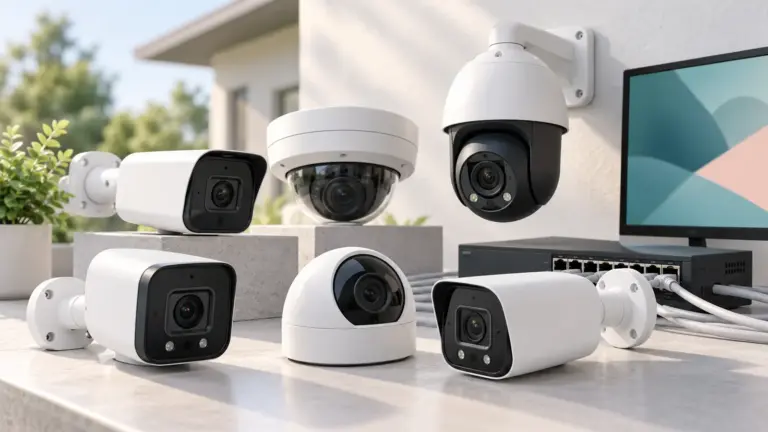
A security camera watches a doorway, hallway, driveway or room and sends video to your phone or to local storage. The category is broad, covering small indoor units, weatherproof outdoor cameras, battery models and wired systems. This guide is written for shoppers who want to understand the differences before choosing. We have not used these products ourselves, so we focus on features, construction and how the parts work together.
Most buying mistakes come from skipping the basics: where the camera will sit, how it gets power, and where the footage is kept. Work through the factors below, compare the details on each product page, and confirm every maker claim on the listing itself. The table helps you decide what matters for your own home, shop or yard.
As an Amazon Associate we earn from qualifying purchases. Links on this site are affiliate links, and they do not change the information we give.

In this guide
Quick Picks
| Pick | Product | Best For |
|---|---|---|
| Best Overall | REOLINK Argus 4 Pro with Solar Panel | Wide 4K coverage with color night vision and no subscription |
| Best Wired | Reolink RLC-810A | Continuous 4K recording over a single PoE cable |
| Best Budget | Wyze Cam v4 | 2.5K indoor/outdoor coverage at an entry-level price tier |
| Best Battery Life | Blink Outdoor 4 (1-Camera System) | Wire-free mounting with up to two years per battery set |
| Best Indoor | TP-Link Tapo C210 | Pan-and-tilt room coverage with local card storage |
Our Picks
1. REOLINK Argus 4 Pro with Solar Panel — Best Overall
The Argus 4 Pro uses two lenses to stitch a single 180-degree panoramic view in 4K (8MP), so one camera can watch a whole yard or driveway without the blind spots a narrower lens leaves at the edges. Its ColorX night vision records in color after dark without relying on a spotlight, which answers the guide’s night-vision factor directly. Power comes from a rechargeable battery topped up by the included solar panel, so there is no cable run to plan. On-camera detection separates people, vehicles and animals, and footage can stay local on a microSD card or a Reolink Home Hub instead of a cloud plan, keeping the core features subscription-free. Dual-band Wi-Fi 6 (2.4 and 5 GHz) gives more placement flexibility than 2.4 GHz-only models. It suits homeowners who want one wide, sharp, low-upkeep camera over a main approach to the house.
View REOLINK Argus 4 Pro with Solar Panel on Amazon

2. Reolink RLC-810A — Best Wired
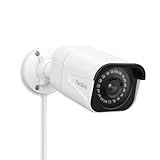
The RLC-810A is the wired counterpoint to the battery picks: a 4K 8MP bullet camera powered over Ethernet (PoE, 802.3af), so one cable carries both power and data and the camera records continuously rather than waking for motion. Infrared night vision reaches up to 100 feet, and smart detection distinguishes people and vehicles to cut down on empty alerts. The housing carries an IP66 weather rating for exposed outdoor mounting. Storage is flexible — a microSD card slot (up to 256 GB), an NVR, or FTP — so clips can live on your own hardware with no monthly plan, exactly the local-storage route the guide describes. There is no battery to recharge and no Wi-Fi signal to worry about at the mounting point. It fits homes, shops and driveways where a cable run is practical and always-on recording matters more than wire-free placement.

3. Wyze Cam v4 — Best Budget
The Wyze Cam v4 covers the guide’s core checklist — resolution, night vision, storage and alerts — at an entry-level price tier. It records in 2.5K QHD with enhanced color night vision, and its IP65 housing allows indoor or outdoor mounting as long as a powered USB connection is nearby, since this is a plug-in camera rather than a battery model. A microSD slot supports local recording without a subscription, and the app adds motion detection, two-way talk and Alexa and Google Assistant support. Wi-Fi 6 support helps it hold a connection on busy home networks. The trade-offs match the guide’s warnings: plug-in power limits placement to spots within cable reach of an outlet, and some advanced alert features sit in Wyze’s optional plan. It is a sensible first camera for a doorway, garage or nursery where an outlet is already close by.

4. Blink Outdoor 4 (1-Camera System) — Best Battery Life
The Blink Outdoor 4 is built around the upkeep factor in the guide: it runs on two AA lithium batteries rated for up to two years of use, so it can mount on a fence, tree or far wall where no outlet or cable can reach. Video is 1080p HD with infrared night vision, a 143-degree diagonal field of view and two-way talk through the Blink app. Dual-zone enhanced motion detection sends alerts to your phone, and the included Sync Module Core connects the camera to your network. Two limits deserve stating plainly: person detection and cloud clip storage require an optional Blink subscription plan, and the Sync Module Core does not itself provide local storage. The weather-resistant housing suits exposed spots. Choose it when wire-free placement and minimal maintenance matter more than resolution, and budget for the plan if you want person alerts.
View Blink Outdoor 4 (1-Camera System) on Amazon
5. TP-Link Tapo C210 — Best Indoor
The Tapo C210 answers the field-of-view question differently from the fixed outdoor cameras: instead of a wider lens, it pans 360 degrees horizontally and tilts 114 degrees vertically, so one unit can sweep a whole room from a shelf or ceiling mount. It records in 2K (2304 x 1296), with night vision for dark rooms and motion detection that sends phone notifications. Two-way audio and a built-in siren are included, and clips can be stored locally on a microSD card (up to 256 GB) with no subscription required, or in Tapo’s optional cloud. It is a plug-in indoor camera with no weather rating, so it belongs inside — living rooms, nurseries, pet areas and shop interiors — and it works with Alexa and Google Home for voice-controlled viewing. Pick it when the space to watch is a single room and you want to look around it remotely rather than install several fixed cameras.
View TP-Link Tapo C210 on Amazon
What to Look For
| Factor | Why it matters | What to check |
|---|---|---|
| Video resolution | Sharper footage makes faces, plates and small details easier to read | Resolution named by the maker, plus lens aperture and sensor size if listed |
| Field of view | A wider angle covers more ground but can make distant subjects look small | Stated viewing angle in degrees and whether the head can pan or tilt |
| Night vision | Many events happen after dark, when image quality often drops | Infrared range, color night mode, and any built-in light or spotlight |
| Storage | Clips need a place to live once recorded | Memory card slot, local recorder, cloud plan, or a mix, and how old clips are overwritten |
| Power source | Decides where you can mount the camera and how much upkeep it needs | Plug, wired, solar or battery power, and cable length in the box |
| Weather resistance | Rain, dust and heat can wear down outdoor housings | Ingress protection label, working temperature range, and mounting hardware |
| Alerts and app | Useful notifications save time, while noisy ones get ignored | Person or vehicle detection, activity zones, two-way audio, and smart home support |
Setup and Care Tips
- Check the Wi-Fi signal at the exact mounting spot with a phone before you drill any holes.
- Mount the camera high enough to be out of easy reach but low enough to catch faces.
- Draw activity zones in the app so passing traffic, trees and shadows do not trigger constant alerts.
- Install firmware updates when the app offers them, and use a strong, unique password.
- Wipe the lens gently with a soft dry cloth now and then, because dust, webs and smudges blur night footage.
Mistakes to Avoid
- Choosing on resolution alone and ignoring field of view, night mode and the quality of the app.
- Pointing a lens at a neighbor’s window or a shared space, which can raise legal and courtesy concerns.
- Forgetting ongoing storage needs, then finding that useful features sit behind a monthly plan.
- Placing an indoor unit by a window, where glare and reflections can wash out the picture.
- Buying an outdoor camera without checking how long the power cable is and where it will run.
How a Camera Reaches Your Network
Before comparing lenses, decide how the camera will talk to your router. The connection type affects reliability, installation effort and what you can do with the footage.
Wi-Fi cameras
Most home cameras connect over Wi-Fi, which makes installation simple: you power the camera and join it to your network in an app. The weak point is signal strength. A camera at the edge of your range may drop video, delay alerts or fail to wake when motion is detected. Test the signal with your phone at the exact mounting spot, as the setup tips suggest, and consider a mesh node or range extender if the signal is marginal. Remember that many cameras connect only on the 2.4 GHz band, which travels farther through walls but is more crowded.
Power over Ethernet
PoE sends power and data through one network cable, which is how the wired Reolink RLC-810A in this guide works. A cable is more effort to install, especially through walls and across an exterior, but it removes the problems of Wi-Fi interference and battery changes. PoE cameras typically connect to a PoE switch or a network video recorder, and you should check that your switch provides enough power for each camera. Many people hire an installer or run the cable once and then forget about it.
Battery and solar cameras
Battery cameras sleep until they sense motion, wake, record a clip and then sleep again. That saves energy but introduces a short delay before recording starts. Heavy traffic in front of the lens drains the battery faster, so activity zones and a sensible motion sensitivity matter more for battery models than for wired ones. A solar panel, such as the one with the Reolink Argus 4 Pro, trickle-charges the battery. It works best with a clear view of the sun, and a shaded porch may not provide enough light to keep it topped up through winter.
Where to Point the Camera
Placement does more for footage quality than a resolution upgrade. A few common spots each have their own best practice.
- Front door. Mount at about head height or slightly higher and angle down a little, so a face is visible rather than the top of a hat. Avoid pointing into direct sun at sunrise or sunset, which causes glare.
- Driveway or street. Use a wider lens to cover the approach, and accept that license plates need either a closer camera or a narrower, dedicated view. A wide shot is good for context but poor at fine detail.
- Back yard. Place the camera so that it sees the door and the gate you care about, not a large empty lawn that generates motion alerts from trees and animals.
- Garage or side entrance. These are blind spots in many houses. A small, plug-in model like the Wyze Cam v4 is easy to put in a covered area close to an outlet.
- Indoors. Choose a corner at the height of a high shelf for a wide view. A pan-and-tilt model such as the Tapo C210 can cover a living space from one spot, though it can only look in one direction at a time.
Avoid pointing a lens through glass at night. Infrared light reflects off a window and turns the picture white. If an indoor camera must watch through a window, turn off the infrared and rely on ambient light, or place the camera outside.
Privacy, Security and Legal Basics
A security camera is a networked device, and it records people. Both facts deserve attention.
Secure the account first. Use a long, unique password and turn on two-step verification if the app offers it. Reusing a password from another service is a common way cameras end up exposed. Keep the firmware updated, and if you no longer use a camera, remove it from the app and reset it before selling or giving it away.
Think about where footage is stored. A memory card or a local recorder keeps clips in your possession, while a cloud service stores them on the company’s servers, usually with a subscription. Each approach has trade-offs. Local storage can be lost if the camera is stolen, whereas cloud storage depends on the provider’s policies. Many people use both for the doorway camera, where the footage matters most.
Finally, respect the law and your neighbors. Rules differ by state and country, and they are generally stricter about audio recording and about recording inside private spaces. Do not aim a camera at a neighbor’s windows or yard, and tell guests, babysitters and tenants if cameras are present indoors or in shared areas. If you are unsure, ask a local authority or an attorney, since a buyer’s guide cannot give legal advice.
Choosing for Your Home
A renter who cannot drill
A plug-in camera on a shelf or a battery model on a stick-on mount is the practical route. The Wyze Cam v4 and Blink Outdoor 4 fit this need for different spots, one near an outlet and the other away from one.
A house with a large yard or a remote shed
Wide coverage and flexible power point to a solar battery unit like the Argus 4 Pro, which the post describes as a panoramic 4K camera. For a building far from power and Wi-Fi, check whether the camera works with a mobile connection, since that is separate from the options in this guide.
A property where you want continuous recording
If you want footage of everything rather than motion clips only, a wired PoE camera feeding a recorder is a sturdier arrangement. The RLC-810A is designed for that approach.
A family that wants to check on a room
An indoor pan-and-tilt unit offers cheap, flexible coverage. Make sure you understand what audio features it includes and who has access to the live view.
Cost of Ownership Beyond the Camera
The price on the box is only part of the total. Add up the memory card, the mounting hardware and the extension cables, then check whether features such as person detection, longer clip history or package alerts require a monthly plan. If you buy several cameras, the subscription may be per camera or per household. Batteries and solar panels need replacement eventually, and outdoor housings wear in extreme heat and cold. Compare the five-year cost, not just the first-day price.
Questions to Ask Before You Order
- How will the camera get power at the spot where I want it?
- How strong is my Wi-Fi at that spot?
- Where will clips be stored, and what happens when storage fills up?
- Which alerts work without a subscription?
- Does the app work with the phone and smart speaker I already use?
- What is the return window if the picture quality is not what I expected?
Weather, Seasons and Reading Listings Carefully
An outdoor camera lives in conditions that an indoor unit never meets. Heat can shorten battery life and cause some cameras to shut down to protect themselves, while cold slows batteries and can stop charging entirely. Look at the operating temperature range on the product page and compare it with the extremes where you live. A weather rating such as IP65 or IP66 describes resistance to dust and water jets, but it does not mean the camera can sit submerged or survive any storm. Seal mounting holes and cable entries properly, because water that follows a cable into a connector is a frequent cause of failure.
Seasons also change the picture. In summer, leaves and spiders can trigger constant motion alerts. In winter, snow glare, fog and frost on the lens reduce clarity. Insects drawn to infrared light near the lens can create bright streaks at night. Cleaning the lens and adjusting the angle solves many of these complaints.
When you read a listing, separate what the maker claims from what you can verify. Terms like 4K, color night vision and smart detection describe features, not guarantees of quality in your environment. Look for details on which features require a subscription, how long clips are stored and what happens if the internet goes down. Read recent feedback about the app and about customer support, since the software is how you will use the camera every day.
Designing Coverage: Think in Approaches, Not Areas
Good camera placement starts with how people actually move around your property. Walk the routes a visitor, a delivery driver and an intruder would each take: the path to the front door, the side gate, the driveway approach, the ground-floor windows at the back. A camera earns its place by watching a choke point on one of those routes, close enough that a face or a vehicle is recognisable, rather than by surveying a whole garden in miniature. One camera covering an approach well beats three cameras each showing a wide, useless panorama.
Height is a compromise you should make deliberately. Mounted high, a camera sees over cars and fences and is harder to tamper with, but it records the tops of heads and caps rather than faces. Mounted lower, it captures faces beautifully and can be reached, sprayed or stolen. The common professional answer is a middle height for identification cameras at doors, where people naturally look up toward a bell or a light, and higher positions for overview cameras whose job is context rather than identity. Decide each camera’s job first, then let the job choose the height.
Overlap your views at the seams. The moment a person passes from one camera’s picture to another’s is where timelines get argued about, and a modest overlap means the sequence is continuous and convincing. Test the finished system by walking every route yourself at day and at night, then reviewing the footage as a stranger would: could you describe the person, follow their path, and say what they did at each stage? Gaps you find on your own walk are gaps an incident would find later.
Detection That Helps Instead of Nagging
Motion detection decides whether you love or abandon a camera system, because a camera that alerts fifty times a day trains you to ignore it within a week. Set detection zones with a ruthless eye: exclude the road, the neighbour’s path, trees that wave in wind and the patch of wall where headlights sweep at night. What remains should be the ground where a person present actually means something. Smaller, honest zones outperform a whole-frame sensitivity that promises to catch everything and ends up meaning nothing.
Person and vehicle recognition, where offered, changes the alert burden dramatically, but it is not magic. Heavy rain, spiders’ webs across the lens and insects drawn to night illumination all generate convincing false events, and recognition can miss a person wrapped in a hood on a cold night. Treat smart detection as a filter that improves odds, and keep recording settings independent of alerts where your system allows it, so an event the filter dismissed is still on the recording if you go looking later.
Tune sensitivity seasonally. Summer brings insects, long shadows and garden activity; winter brings low sun, bare branches moving in storms and longer hours of darkness in which every passing car sweeps your walls with light. A ten-minute review of your detection zones when the seasons turn keeps alerts meaningful. The goal is a system quiet enough that when your phone does buzz, you look, because experience has taught you it matters.
Recording, Storage and Retrieving the Clip That Matters
Decide what you are recording for. If the purpose is checking who called at the door, short motion clips may be plenty. If the purpose is evidence after an incident, continuous recording or generous pre-event buffers matter, because the important seconds often happen just before motion triggers, the approach, the glance at the house, the accomplice at the corner. Read how each system handles the seconds before a trigger and how long clips remain available before deletion, and match those behaviours to your purpose rather than to a headline about storage size.
Local and cloud storage fail differently. Local recording survives internet outages and avoids subscriptions, but the recorder or card lives in the house the camera is protecting, so think about where it sits and whether an intruder could take it. Cloud recording survives the house but depends on your connection and an ongoing service. Many households sensibly use both for their most important camera: local for completeness, cloud for the copy that cannot be stolen. Whichever you choose, practise retrieving a clip before you need one, export it, and confirm the exported file plays on a computer and keeps its timestamp.
Retention is a setting with consequences. Longer retention helps when an incident is discovered late, such as damage noticed after a holiday, but it also means more footage of your own household exists for longer. Choose a period that matches how quickly you would realistically discover a problem, and if your system records neighbours or a public path, be aware that expectations and rules around keeping such footage vary. A system you understand fully will never surprise you at the moment you lean on it.
Power and Connectivity in the Real World
Battery cameras promise easy installation and deliver it, at the price of a charging rhythm you must respect. A camera over a busy front path may need charging far more often than the maker’s estimate, which assumed a quieter life. Mount battery cameras where you can reach them without heroics, keep a simple rotation if you own several, and treat a low-battery warning as a same-week task, because the camera that dies quietly on Tuesday is the one that misses Thursday. Solar accessories can transform a well-sited battery camera, but only where genuine daylight reaches the panel across the seasons.
Wired power removes the rhythm at the cost of installation effort, and the effort is usually worth it for the cameras you depend on most. If you are running cable anyway, think about network cable as well: a wired network connection is immune to the interference and congestion that make wireless cameras drop at the worst moments, such as when several cameras all try to upload an event at once. Your router’s position, your home’s construction and the distance to the furthest camera decide how much of this is practical, and a single well-placed access point often fixes more problems than a more expensive camera.
Test the system under load. Trigger several cameras at once, watch live views together, and do it in the evening when your network also carries streaming and calls. A system that behaves in an empty house at noon but stutters at family peak time has told you something important about where to invest next, and it is rarely in another camera.
Night Performance Without the Marketing Glow
Night separates honest cameras from optimistic ones. Infrared illumination reaches a limited distance and flattens everything within it, so judge night footage by whether you can describe a person at the distance your layout requires, not by whether the garden is visible. A camera watching a door needs a few good metres; a camera expected to identify someone at a distant gate needs help, usually from lighting. A modest, warm light by the door improves identification more than any camera upgrade, and it makes the house feel safer to its occupants as well.
Colour night modes that use available light can be excellent near street lighting or porch lights and disappointing in true darkness, where they amplify noise into a restless, grainy picture. Spiders are the uninvited stars of night footage: a web across the lens, lit by the camera’s own infrared, becomes a glowing curtain that triggers alerts and hides the scene. A gentle brush of the lens housing during monthly checks, and positioning cameras away from the corners where webs anchor, keeps night pictures usable.
Reflective surfaces complicate night work. A camera too close to a wall, soffit or window will light that surface and dim everything beyond it, and a camera behind glass loses its night vision entirely to its own reflection. Mount, test after dark, and be willing to move a camera a short distance; night faults are usually geometry, not defective equipment, and geometry can be fixed in an afternoon.
Privacy, Neighbours and Staying on Good Terms
A camera that watches your door may also watch a neighbour’s garden, a shared drive or the pavement, and how you handle that decides whether your system creates security or friction. Angle cameras to favour your own property, use privacy masking where the system offers it to block out a neighbour’s windows, and tell neighbours what you have installed before they discover it. Most people are reassured by a camera aimed thoughtfully and annoyed by one that appears to stare into their home, and the difference is usually a few degrees of tilt.
Audio deserves separate thought. Many cameras record sound, and conversations on a public path or a neighbour’s patio are not yours in the same way pictures of your own door are. Some places restrict audio recording more tightly than video. If you do not need audio for your purpose, turning it off is the simplest privacy protection you can give everyone, including your own household, whose doorstep conversations are also on those clips.
Inside the home, be even more deliberate. Cameras in living spaces, even for pets or deliveries, record family life in a way that deserves a household conversation and clear rules about who can view, when recording runs and how long clips stay. A camera everyone understands and consents to is a tool; a camera discovered later is a grievance. The technology is the easy part of this purchase, and the households that handle the human side well are the ones still happy with their systems years later.
Maintaining the System Across the Years
Cameras outdoors live hard lives and reward small, regular attention. Twice a year, clean each lens with a soft cloth, clear webs and nests from housings, check mounts for looseness after storms, and confirm every camera still shows the view you intended, because brackets sag and knocks happen. Review a night clip from each camera during the same round, since night performance fades first as lenses film over and lights age.
Keep the software side alive as well. Updates patch security flaws in the very devices you bought for security, so apply them, and change any default passwords the day of installation if you have somehow not already done so. Use a strong, unique password and two-step verification on the viewing account, because that account is effectively a set of keys to live pictures of your home. If you sell or give away a camera, reset it fully and remove it from your account, so its next owner starts clean and your address disappears from its history.
Plan replacements calmly. Batteries tire, seals perish and standards move on, so a system bought as several cameras will age one camera at a time. Replace the hardest-working or worst-sited unit first, and let each replacement lift the system’s weakest point rather than chasing the newest model for the easiest camera position. A security system maintained this way never becomes obsolete all at once, and it never leaves you unprotected while you start again.
A Calm Buying Sequence for a First System
Start with the single most important view, usually the front approach, and buy one good camera for it rather than a box of mediocre ones for everywhere. Live with it for a month. You will learn your household’s real alert tolerance, your network’s real strength at that position and the distances at which identification actually happens at your house. Those lessons, bought once, make every subsequent camera a better decision.
Expand by routes, not by rooms: the back approach next, then the side gate or garage, each camera added because a walked route showed a gap, not because a bundle was on offer. Keep the same family of cameras where you can, so one app, one set of habits and one storage approach covers the house. Mixed systems multiply passwords, subscriptions and confusion at exactly the moment, an incident at midnight, when simplicity matters most.
Finally, write down what your system is for, in one sentence, and keep it with your household documents. It sounds like a small thing, yet that sentence settles every later argument about adding cameras, extending retention or sharing access, because it states the purpose everyone agreed to. Security at home is a long game of quiet reliability, and the systems that win it are the ones bought slowly, placed thoughtfully and maintained without drama.
What to Do in the First Hour After an Incident
If your cameras ever record something serious, the first hour decides how useful the footage will be. Save the relevant clips in the app or system immediately, because retention clocks and overwriting do not pause for your convenience, then export a copy to a computer or drive outside the system. Note the camera’s clock against real time while you remember it, since a system clock that has drifted makes timelines harder to establish, and write down your own account of events separately from the footage rather than letting the two blur together.
Contact the police or your insurer with the exported files rather than with screen recordings of your phone where you can avoid it, because original exports carry the timestamps and quality that phone recordings discard. Keep your own untouched backup even after sharing; investigations and claims have a habit of returning months later with follow-up questions. If the footage captured neighbours or passers-by, share it through those official channels rather than posting it publicly, which protects both the investigation and other people’s privacy.
Afterwards, review what the system taught you. Did the camera that mattered have the view you needed, was the night picture good enough, did the alert reach you in time to act? Incidents are rare and unwelcome teachers, but the adjustments they suggest, a moved camera, a brighter porch light, a longer retention setting, are exactly the ones that make the next recording decisive. A system that learns from its one hard day is worth more than a larger system that was never examined.
Renters, Landlords and Shared Buildings
Renters can still protect a home, but the tools change shape. Prefer cameras that mount without drilling, doorbell-style units that replace nothing structural, and interior cameras for the rooms that matter, all chosen so they can leave with you when the tenancy ends. Check your lease before fitting anything to exterior walls or communal areas, because permission for a screw in a shared hallway is a landlord conversation, not a tenant assumption, and a short friendly request usually succeeds where a fait accompli would not.
In shared buildings, aim cameras at your own door and your own parking space, and be ready to show neighbours or a building manager the view if concerns arise. A camera whose picture demonstrably covers your doorway and nothing beyond it ends most disputes before they begin. Landlords fitting cameras to communal areas carry the heavier responsibility: clear notices, a stated purpose, limited retention and no cameras anywhere near private spaces are the foundations of a system tenants will accept rather than resent.
When you move out, take your footage practices with you: remove cameras from your account, reset them if they stay behind by agreement, and delete stored clips of a home that is no longer yours. The next occupant deserves a clean start, and you deserve not to carry recordings of someone else’s daily life. Handled this way, security cameras remain what they should be in rented life, a portable layer of reassurance rather than a source of deposit disputes.
One last habit ties the whole system together: once a year, walk your property at night with fresh eyes, as a stranger would, and ask where you would test, where you would hide and what the cameras would actually see of you. That short, slightly uncomfortable exercise finds the dead bulb, the grown hedge and the shifted camera that no app notification will ever report, and it keeps your system matched to the real house rather than to the house as it was on installation day. Security is not a product you bought once; it is a small, ongoing attention you pay, and the cameras are simply how you pay it.
FAQ
Should I pick a wired or a battery camera?
Wired and plug-in units record continuously and need no recharging, but they depend on a nearby outlet or cable run. Battery units mount almost anywhere, yet they need periodic charging and often wake only when motion is detected, so they can miss the first moments of an event.
Do I need a monthly plan?
Not always. Many cameras accept a memory card or connect to a local recorder, which keeps clips on your own hardware. Cloud plans add off-site copies and extra alert features, so read the listing closely to see which functions work without one.
Do security cameras work without Wi-Fi?
Some do. Wired PoE cameras connected to a local recorder can record without internet, and many cameras record to a memory card. You usually need a network connection for remote viewing, push alerts and cloud storage. Check which features each camera supports offline before you buy.
How high should I mount an outdoor security camera?
A common range is roughly eight to ten feet, high enough to be difficult to reach but low enough to capture faces. Angle it slightly downward, avoid pointing it at bright lights, and test the view in the app before you fix the mount permanently.
Can I record audio with a security camera legally?
It depends on where you live. Audio recording is often regulated more strictly than video, particularly when conversations are captured without consent. Check your local laws, disable audio if unsure, and post notices where appropriate. This is general information, not legal advice.
How do I stop my camera from sending too many motion alerts?
Use activity zones to exclude trees, roads and shared spaces, lower the motion sensitivity, and enable person or vehicle detection if available. Moving the camera so that it faces away from busy areas also helps. Review your settings after a few days of alerts.
Is solar power reliable for a security camera?
It can be if the panel gets several hours of direct light a day. Shade, short winter days and heavy use can drain the battery faster than the panel replenishes it. Mount the panel facing the sun and keep it clean. Check the maker’s guidance on placement.
The Short Version
Decide where the camera will live, then match field of view, night mode, power and storage to that spot. Read each listing carefully, confirm the maker’s stated details, and choose the option whose features fit your space rather than the longest feature list.