Disclosure: As an Amazon Associate, reviewstook.com earns from qualifying purchases. Links on this page are affiliate links at no extra cost to you; prices and availability change frequently, so check Amazon for the latest.
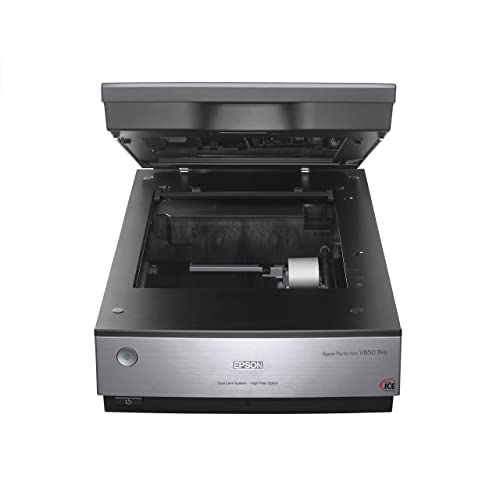
Where to Buy the Best Flatbed Scanner Under $700
Start here if you already know your pick: the six verified listings behind this guide to the best flatbed scanner under $700 are linked below, name and check button side by side, so the current Amazon price is one glance away. Purchases made through links on reviewstook.com support our testing and writing at no extra cost to you.
- Best Overall: Epson Perfection V850 Pro — Check on Amazon
- Best for Enlargements: Epson Perfection V600 — Check on Amazon
- Best A3 Overall: VIISAN VF3240 — Check on Amazon
- Best A3 for Speed: Plustek OpticSlim 1680 — Check on Amazon
- Best A3 for Colour: Plustek OpticPro A320E — Check on Amazon
- Best for Busy Offices: HP ScanJet Pro 3600 f1 — Check on Amazon
Finding the Best Flatbed Scanner Under $700 Without Buying the Wrong Shape of Scanner
The search for the best flatbed scanner under $700 is really a search for the right glass. Flatbed design — original face-down on a platen, lid closed, carriage travelling beneath — is the only common format that treats bound, fragile and oversized originals as first-class citizens rather than as jams waiting to happen. The buyers at this tier share a trait: they have already owned the cheaper answer. A season of rescanning film on an inadequate machine, a year of stitching A3 originals, a quarter of watching an office queue at an underpowered station — experience has priced the upgrade for them. This guide writes for that experience. Its picks are the category’s near-flagships, and its verdicts assume a reader who measures cost per finished, final scan rather than per box on a shelf.
General buyers are the hardest to serve well, because their pile refuses to specialise: a passport renewal, a watercolour, a bound manual, a decade of photographs, all in the same month. This guide therefore ranks coverage over brilliance. Each pick is introduced by the job it covers best, and the specialists are labelled as specialists, so a general reader can assemble the widest honest coverage this budget allows — and can see exactly which corner of the pile each candidate would leave unserved. Background reading that genuinely helps here: our explainer at Best Document Scanners and the wider buying context at Best Printers For Small Business.
The six picks underneath were picked to cover the distinct jobs hiding inside this one search phrase, and the detailed reviews argue every job openly. If your calls for sit between tiers, the neighbouring guides at Best Flatbed Scanner Under $50 and Best Flatbed Scanner Under $400 frame what stepping down saves and stepping up buys, in the identical verified-pick format.
In this guide
Quick Picks
- Best Overall: Epson Perfection V850 Pro — digital ICE dust and scratch help.
- Best for Enlargements: Epson Perfection V600 — enlargements to 17 x 22 inches.
- Best A3 Overall: VIISAN VF3240 — 4-second A3 colour cycle.
- Best A3 for Speed: Plustek OpticSlim 1680 — tabloid in 3 seconds at 300 dpi.
- Best A3 for Colour: Plustek OpticPro A320E — cCD sensor aimed at colour work.
- Best for Busy Offices: HP ScanJet Pro 3600 f1 — step-up ScanJet Pro flatbed.
How These Picks Were Chosen
One more exclusion deserves a sentence: legacy and duplicate listings. The candidate sheet contained older generations, refurbished relistings and indeed a power adapter wearing a scanner’s keywords. Duplicates of models before now represented were removed in favour of the source document listing, and accessories were removed fully. What endures is a sheet of distinct, present-day, verifiable flatbed scanners — which is the merely kind of sheet a purchasing guide should be designed on.
We also policed the near-misses. Two Epson entry models, the V19 II and V39 II, are close siblings, as are Visioneer’s 7800 and 7900; we avoid fielding the pair of them members of a near-identical pair in one article when the pool gives a genuinely other alternative, so per slot in the six earns its place with a distinct strength. Specialist machines — the book scanners, the A6 and A5 compact-format units, the flagship film models — were solely fielded where the article’s audience genuinely matches their object.
Finally, a note on what verification cannot do. API listing data confirms identity, specifications and imagery; it cannot confirm the feel of a lid, the patience of a driver installer, or a decade of reliability. Where this guide expresses judgements of character — this machine is the patient one, that one the sprinter — they are inferences from verified design facts, labelled by the reviews’ own reasoning. Shoppers who weigh character heavily should read those inferences as arguments to test, not as measurements to trust blindly.
One category note protects purchasers at every tier: assorted famous scanner names are not flatbed scanners. The ScanSnap iX1300 and iX2500, Epson’s ES-400 II and FastFoto FF-680W, Plustek’s ePhoto Z300 and HP’s HPPS100 are sheet-fed designs with no glass; the CZUR Aura Pro is a camera on a stand. All were excluded from these picks. A professionally refurbished VIISAN VF3120 listing was likewise excluded as a duplicate of the source piece model, which appears in this series in its standard listing where its tier fits.
Detailed Reviews: Each Pick for Your Desk
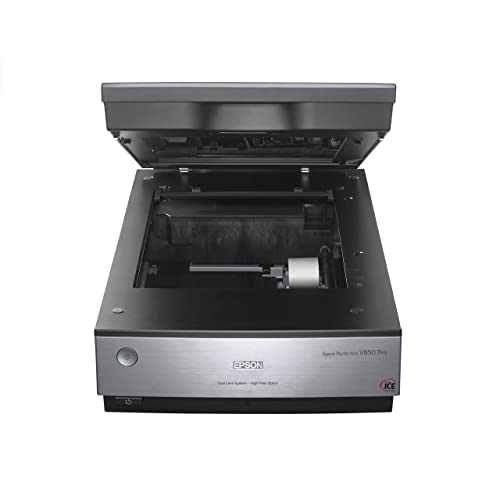
Best Overall — Epson Perfection V850 Pro, Letter/A4 flatbed + film, pro
Strengths
- Dual lens 6400 dpi system
- Digital ICE dust and scratch help
- 4.0 Dmax for shadow detail
Trade-offs
- Professional price, professional pace
- Overkill for documents alone
- Demands a careful operator
| Technology from listing | Digital ICE; LED array |
|---|---|
| Density | 4.0 Dmax |
| Optical resolution | 6400 dpi, dual lens system |
Flagships are in nearly all cases about excess; the V850 Pro is about sufficiency at the highest level. Dual-lens 6400 dpi capture, Digitised ICE for the ravages film accumulates, 4.0 Dmax for the shadows cheaper machines surrender — the specification reads like a list of reasons a scan might ever require redoing, every one crossed out. Collections scanned on it are, in the merely sense that carries weight, done. That finality is what the price buys, and for the source files on paper that justify it, finality is not a luxury feature. It is the complete commission.
Adding a letter/a4 flatbed + film, pro to a general setup is adding a while machine: the negatives in the envelope stop being a mystery format and rejoin the household’s visible history.
Treat the opening scanning session as calibration, not production: learn the holders, the programs’s film care and your own clearing ritual on expendable frames, then start the irreplaceable material with the routine by now in your hands.
Companion software literacy carries weight more in this class than in any other here. Holders, batch scan settings, colour care for negatives, grime technologies and their exceptions — the machine’s calibre expresses itself by way of the operator’s understanding. The good news is that the learning curve is front-loaded: the tenth function session runs on the opening scanning session’s lessons, and by the fiftieth the operator’s judgement is itself a piece of archiving equipment.
Best for: collections that must be scanned precisely a single time / Not suited for: shoppers who scan a few pages a month
Best for Enlargements — Epson Perfection V600, Letter/A4 flatbed + film
Strengths
- 6400 x 9600 dpi capture
- Enlargements to 17 x 22 inches
- Serious photo and film intent
Trade-offs
- No image in verified listing data
- Wired USB only
- Film pace is deliberate
| Resolution from listing | 6400 x 9600 dpi |
|---|---|
| Enlargements | Up to 17 x 22 inches |
| Connection | Wired USB |
Specifications tell the V600 story efficiently: 6400 x 9600 dpi, enlargements to 17 x 22 inches, wired USB. This is a scanner for people who measure output in print sizes. A negative scanned here carries enough information for a serious enlargement; a cherished print can be restored, reprinted and shared without the original leaving the house again. The work is unhurried — high-resolution film scanning always is — but the results justify the ritual for anyone whose photographs matter as objects. Document-only buyers are paying for resolution they will never use; photographic buyers will use all of it.
For a mixed household, a letter/a4 flatbed + film is the difference between an archive that includes the film era and one that politely stops at the invention of the phone camera.
Plan enlargement scanning as its own scanning session type, with the print destination decided initial — paper size, crop, orientation — as scanning for a known frame is faster and better than scanning vaguely and cropping in regret.
A film scanner reorganises home history around itself. Relatives send envelopes; the container of negatives grows into a queue with a social life; done files travel back as prints and messages. Owners frequently find the machine turns into the home’s unofficial digitised archive workplace, with all the gratitude and all the requests that workplace implies. It is among the better fates a peripheral can have.
Best for: photographers making enlargements from scans / A poor match for: document-only purchasers watching costs


Best A3 Overall — VIISAN VF3240, A3 flatbed
Strengths
- 2400 dpi optical on A3 glass
- 4-second A3 colour cycle
- Drawings, photos and records alike
Trade-offs
- Premium over the VF3120
- Desk-hungry A3 footprint
- No feeder; deliberate pace only
| Scan area | 304 x 426 mm (A3) |
|---|---|
| Speed from listing | A3 colour page in 4 seconds at 200 dpi |
| Optical resolution | 2400 dpi |
The VIISAN VF3240 is the VF3120’s sharper, faster sibling: an identical 304 x 426 mm A3 bed, but 2400 dpi optical sampling resolution and a listed 4-following A3 colour cycle at 200 dpi. That combination carries weight to visitors shopping scanning sizeable source pages they intend to reproduce — artwork for print, photos for enlargement, records for publication — since resolution of detail captured at the platen cannot be invented later. At document scan settings it is also simply fast, clearing oversized paper files at a pace that keeps a digitisation day on schedule. It endures a flatbed scanner in the deliberate sense: no feeder, one careful placement at a hours.
An A3 flatbed earns generalist respect by making the exceptional ordinary — the one big drawing, the one ledger, the one spread — without demanding specialist devotion the rest of the year.
Run one A3 original at the pair of them document and full sampling resolution before committing to a process; the comparison teaches you more about your concrete demands than any specification table, and it takes less than a minute on this machine.
The bed demands a territory — a table end, a aim-built stand — and the territory then attracts the oversized work that used to lean in corners awaiting a bureau trip. Owning an A3 flatbed reorganises a area before it reorganises an collection. Inside a season, nearly all owners report an identical surprise: the big stuff was more numerous than they remembered, as it had been invisible by virtue of being unscannable.
Best for: A3 artwork and records destined for reproduction / Weak for: casual paperwork scanning at premium cost

Best A3 for Speed — Plustek OpticSlim 1680, Tabloid/A3 flatbed
Strengths
- Tabloid in 3 seconds at 300 dpi
- Dual View speeds adjustment checks
- Slim take on large-format
Trade-offs
- Speed quoted at document settings
- Large-format desk footprint remains
- No feeder for stacks
| Scan area | 11.7 x 17 in (tabloid/ledger/A3) |
|---|---|
| Speed from listing | 300 dpi in 3 seconds |
| Feature from listing | Dual View adjustment check |
Ledger paper is the forgotten format of office scanning: too wide for A4 glass, too routine to justify bureau trips. The OpticSlim 1680 exists for it, scanning 11.7 x 17 inch originals at 300 dpi in 3 seconds according to its listing, with a Dual View feature for checking adjustments before committing. Accountants closing a paper era, architects filing markups and print shops proofing tabloid work all live in this niche. The flatbed keeps bound ledgers safe, and the speed keeps the operator sane. It is a focused tool, and its focus is precisely its value.
A tabloid/a3 flatbed earns generalist respect by making the exceptional ordinary — the one big drawing, the one ledger, the one spread — without demanding specialist devotion the rest of the year.
Ledger books regularly cannot open wholly lacking protest. Support the spine on a foam wedge or a folded towel so the page rests near the platen by geometry rather than by force, and the figures at the gutter stay readable.
Two tempos, one bed. After the initial month, the A3 machine’s rhythm settles: records and plans at document velocity during the week, the occasional artwork or poster given the gradual, careful treatment on a silent day. Owners who plan scanning sessions by tempo — rapid batches apart from unhurried treasures — get the most from the format and the fewest rescans from it.
Best for: ledger, tabloid and plan operating methods / Not the right fit for: film, slides and fine photo function
Best A3 for Colour — Plustek OpticPro A320E, A3 flatbed, CCD
Strengths
- CCD sensor aimed at colour work
- Full 12 x 17 inch bed
- Mac and Windows driver support
Trade-offs
- No image in verified listing data
- Premium large-format pricing tier
- No feeder; placement pace
| Compatibility | Windows and Mac; ICA and TWAIN |
|---|---|
| Scan area | 12 x 17 in / A3 |
| Sensor | CCD, suited to colour scanning |
| Speed from listing | 7.8 sec for 12×17 in |
The A320E’s CCD sensor is its argument. Where the majority of glass-bed machines use contact sensors, Plustek fits CCD — the technology the listing calls uniquely suited to colour scanning — to the rear of a 12 by 17 inch bed, with ICA and TWAIN drivers for the office-grade companion software that studios by now run. Artists scanning work for reproduction, designers archiving material samples and photographers converting to digitised files sizeable prints are ordering tonal honesty here, and the 7.8-following full-bed cycle is merely the pace at which that honesty happens to show up.
In a generalist’s home, a big bed changes what is scannable at all: the child’s poster, the family tree chart, the double-page spread. A a3 flatbed, ccd turns those from photography compromises into proper scans.
Colour operate rewards consistency: scan a known reference print at the start of per sitting and compare it with last hours. Any drift presents up on the reference initial, while the day’s genuine source pages are yet waiting safely in their filing folder.
Resale and following life favour this class: schools, societies and studios invariably call for big glass, and a well-preserved A3 flatbed finds its next collection swiftly. Preserve the container if storage lets, preserve the platen immaculate, and the machine’s price per year falls per year it serves — the arithmetic that makes the step up from A4 easier to defend than it initial appears.
Best for: studios archiving color-critical pieces / Not suited for: pace-driven document departments
Best for Busy Offices — HP ScanJet Pro 3600 f1, Flatbed + ADF
Strengths
- Step-up ScanJet Pro flatbed
- Duplex feeder plus glass bed
- Business document throughput focus
Trade-offs
- No image in verified listing data
- Premium over the 2600 f1
- Documents first, photos second
- Type
- Flatbed document scanner, business use
- Modes from listing
- Duplex scanning
- Role in range
- Step-up ScanJet Pro flatbed
- Feeder
- Automatic document feeder
The 3600 f1 is the ScanJet Pro flatbed for workplaces that have stopped apologising for their scanning volume. Duplex feeder higher up, actual glass further down, business positioning throughout — the formula is familiar since it performs, and this rung of it is aimed at the desks where the formula runs all day. Shared stations, permanent queues, a number of users’s labour: that is the environment it was specified for, and environments, more than specifications, are what divided it from its sibling in the identical line.
General purchasers graduating to a glass-bed scanner + adf are in the majority of cases graduating a workload, not a hobby: the pile got deeper, the platen stayed necessary, and the automatic feeder arrived to reconcile the two.
For the 3600 f1, the verified listing data arrived with no product image attached. Judge the step-up on workload fit — daily volume, shared use and queue length — because in practice those, not the picture, are what separate it from its sibling.
Owners who invest in the conventions get the ceiling; owners who skip them get a rapid machine feeding a gradual business, and blame the wrong party. Throughput in a real business is a social number: it turns on the sorting practice at the in-tray, the naming convention all users follows, and the directory nobody is allowed to improvise. The scanner’s rated velocity is merely the ceiling on that system.
Best for: shared scanning stations with day-long queues / Weak for: desks handling a few sheets each week
Comparison Table
| Pick | Format | Verified highlight | Best role |
|---|---|---|---|
| Epson Perfection V850 Pro | Letter/A4 flatbed + film, pro | 6400 dpi, dual lens system | Best Overall |
| Epson Perfection V600 | Letter/A4 flatbed + film | Up to 17 x 22 inches | Best for Enlargements |
| VIISAN VF3240 | A3 flatbed | 2400 dpi | Best A3 Overall |
| Plustek OpticSlim 1680 | Tabloid/A3 flatbed | 11.7 x 17 in (tabloid/ledger/A3) | Best A3 for Speed |
| Plustek OpticPro A320E | A3 flatbed, CCD | CCD, suited to colour scanning | Best A3 for Colour |
| HP ScanJet Pro 3600 f1 | Flatbed + ADF | Duplex scanning | Best for Busy Offices |
Read the table as a coverage map rather than a league ladder: the right row is the one whose format and highlight match the bundle on your workstation, and the detailed reviews overhead explain where every row’s coverage ends. A related deep-dive meriting your minutes sits at How To Pick A Document Scanner.
How to Choose the Best Flatbed Scanner Under $700 for Your Workload
The budget buys capture insurance: film scanned with settled dust-and-scratch technology and shadow-holding density, artwork captured by CCD with its tonal subtlety intact, ledgers cleared in seconds, workplace queues absorbed lacking theatre. It also buys the right to stop shopping — nearly all owners of this tier replace scanners out of boredom or abundance, not inadequacy. What stays overhead is a one rung of extremity, the largest archiving bed and the last flagship increments, and the $1000 guide says plainly who calls for them and who is simply enjoying the view from here.
Generalists should distrust any one-number comparison, as their workload is a portfolio. In its place, score per pick in opposition to your five nearly all ordinary jobs and your two hardest ones; the winner is the machine with no zeroes. A zero — the book it cannot open for, the size it cannot fit, the batch it cannot move — is what sends owners back to camera workarounds, so coverage of your hardest jobs outranks excellence at your easiest. The verdicts over this guide are written to make zeroes impossible to miss.
Speed figures need a setting attached
The honest way to compare two picks is to ask what every does at the scan settings your labour uses — and to expect the deliberate flatbed rhythm, one careful placement at a while, wherever the glass bed is doing the function. Per rate over this guide is quoted with its conditions, because an unqualified pages-per-minute or seconds-per-page figure is marketing weather. A3 cycles are quoted at document sampling resolution; raise the capture to photographic scan settings and an identical machine slows honourably. Feeder speeds assume clear, square, unstapled paper.
Why the glass still matters in a feeder world
The flatbed glass is the universal adapter: whatever that can lie all the same can be scanned. Document feeders are wonderful right up to the source document that is bound, torn, laminated, curled, treasured or oddly sized — which, in genuine collections, is a substantial minority of the whole lot. Combination machines exist since workplaces measured that minority and refused to strand it. When you read the picks higher up, notice which ones retain a real glass bed under the automatic feeder; that bed is the contrast between a scanner for stacks and a scanner for a complete workload, exceptions included.
Colour depth and the CCD question
The majority of glass-bed machines sample light with a contact sensor; the CCD designs spanning this guide — Plustek’s A3 and book models wear the badge openly — use the older, deeper-sampling technology photographers have trusted for decades. The practical gap reveals in tonal subtlety: gradients in artwork, fabric and photographic prints hold in tandem in its place of banding. For files on paper the distinction is invisible and irrelevant. For colour pieces you intend to reproduce, it is a genuine selection criterion, and it is one explanation the colour specialists overhead outlay more than their document cousins with comparable bed sizes.
Warm-up, lamps and the myth of the slow start
A machine that is prepared when the envelope is opened gets used for the sole page; a machine with a ritual gets bypassed for it. Older scanner generations needed lamp warm-up; the LED-era machines over this guide are in effect instant, which quietly changes how scanning fits a day. When comparing picks, treat readiness as a throughput figure in disguise — the fastest scanner in this series, in lived experience, is frequently the one that was before now awake.
Initial, settle the destination filing folder and naming pattern before the scanner lands, because the collection is the product and the machine is merely its supplier. Two routines guard any buyer in this category. Next, hold on to the neighbouring tier in view: the guide at Best Flatbed Scanner For Home Workplace Under $700 presents what the next step changes, and the one at Best Flatbed Scanner For Little Business Under $700 presents an identical workload read by way of a distinct lens — the pair of them useful correctives before budget moves.
Scanning Workflows: Three Jobs This Tier Handles Constantly
Running a society or club archive
Societies that convert to digitised files stop re-litigating their own history at meetings, and start celebrating it, which members are inclined to agree is the housed collection’s actual return on investment. Minutes books, membership cards, newsletters, trophies’ certificates, the photo from 1974 that nobody can name — a society’s memory is only a flatbed scanner’s diet, hardbound books included. Scan with a log, name by year and event, and preserve the housed collection where the committee can reach it.
Digitising sheet music and scores
Ensembles sharing parts solve their oldest logistics trouble an identical way: one careful scan, every worktop served, the source document secure from the road. Scores are bound, oversized, annotated and irreplaceable in combination — an automatic feeder’s nightmare and a glass-bed scanner’s home ground. Scan at a sampling resolution that keeps notation crisp, name by function and movement, and the practising musician gains a library that travels absent weight and annotates absent injury.
Capturing a research project’s sources
Scan sources at the moment of capture while — the chapter, the article, the collection page — with the citation in the filename, and the labour gains a searchable memory that outlasts the library loan. Researchers drown in photocopies of things they half-note reading. Book-friendly picks safeguard the bindings; searchable output protects the argument. When the writing starts, the sources solution at the rate of thought, and the campaign’s bibliography assembles itself from the directory it by now lives in.
How Do You Set Up a Flatbed Scanning Routine That Sticks?
Run the feeder like a print job
Treat an automatic feeder batch the way a printer treats a job: prepared input, a watched opening page, and a collected output checked before filing. Confirm the scan order matches the paper order, that duplex caught the backs, and that the file landed in the filing folder the process promised. A watched opening page and a checked last page bracket the batch with certainty; all of it between them can be trusted to the machine, which is precisely the division of labour the buy was meant to buy.
Make the in-tray do the thinking
Place a material in-tray where administrative paper lands, divided only: loose and wipe to the front, all of it else to the back. The front division is the document feeder’s queue, the back is the platen list, and the division happens at arrival — when the envelope is opened — rather than at scanning while. This tiny piece of furniture reorganises an business’s scanning more reliably than any bundled software setting, since it converts a determination repeated day-to-day into a practice performed one time per envelope.
Schedule the unglamorous maintenance
Feeder performance is a maintenance graph, not a fixed trait: rollers glaze, pads polish, grime accumulates in the path. Put a five-minute wipe on a recurring calendar slot — weekly in busy teams, monthly in silent ones — covering rollers, pad and scanning strip, and log it with the identical seriousness as the scanning itself. The teams whose document feeders feel eternally new are not lucky; they are calendared, and their secret is obtainable to any reader with a cloth and a recurring reminder.
Let each original type have its moment
The backlog appears slower sorted and finishes faster; operators who learn this once never willingly return to the shuffle. Resist the mixed backlog. Run all the pages at document capture settings, then all the photos at photo scan settings, then the bound pieces with the lid arranged for them. Type-by-type scanning keeps scan settings stable, keeps your treatment appropriate — paper is robust, photos are not — and yields directories that are coherent before they are actually named.
Begin with the station, not the scanner
Fix the stage one time and any ahead scanning session inherits the fix, which is the closest thing scanning has to compound interest. Arrange the material stage opening: scanner level and reachable, a clear landing strip for incoming source pages, a next for done ones, and the computer close enough that inspecting a scan is a glance rather than a journey. Sittings fail on logistics more regularly than on scan settings — the backlog over the room, the chair that must be moved, the cable that reaches solely now and then.
Issue: colours aspect wrong alongside the source piece -> fix: judge under one light, edit a copy. Before blaming the scanner, compare the source document and the screen under an identical lighting, and hold on to in mind the screen itself may be the liar. Scan the master faithfully, preserve it unedited, and adjust a copy for the destination — print, screen or sharing — for the explanation that every destination seeks a apart correction. CCD and dual-lens picks throughout this guide capture the majority of faithful starting point, but no capture survives being judged on an uncalibrated display in a sunlit room.
Issue: book scans curve and darken near the spine -> fix: change the geometry, not the pressure. Forcing a book flatter damages the binding and barely aids the image. As an alternative, support the volume so the page being scanned rests naturally on the glass bed, scan in smaller sittings so you can reposition patiently, and think about the book-edge designs throughout this guide if bound material is your main workload — reading close to the spine is a hardware feature, not a technique you can bully an commonplace flatbed into.
Difficulty: the document feeder jams solely on the last few pages -> fix: support the batch’s exit and verify the closing sheets. Late-batch jams frequently trace to the earliest-loaded sheets — the ones at the bottom, longest curled in opposition to the tray — or to an output batch tall enough to obstruct the exit path. Clear the output area before long runs, and place the majority of curled source pages on the platen bed in its place of at a batch’s foundation. Automatic feeders are honest about physics; arranging the physics kindly is the operator’s share of the bargain.
Trouble: the scanner vanishes from the computer after updates -> fix: reintroduce them the right way. Operating system updates now and then orphan scanner drivers, and the machine that worked for a year turns into a stranger overnight. Reinstall the manufacturer’s present-day driver, reconnect the cable straight rather than by way of a hub, and confirm the scanner appears inside the companion software you actually use, not solely in a device list. Business models on TWAIN or ISIS standards recover fastest, as workplace-grade bundled software re-discovers them via the standard rather than via a brittle bespoke link.
Going Deeper: Habits That Make Any Flatbed Better
Enthusiasm is fuel, but unsequenced fuel floods: cartons opened everywhere, projects interleaved, source paper files separated from their context. Beware the scan-the whole lot surge that follows a new buy. Channel the surge into one crate, done fully, before opening the following. The done carton teaches the system; the system then makes every later carton faster. By the fifth container the surge has grow into a technique, and methods, unlike surges, can be handed to a further person and survive the handover.
Opt for the collection’s shape before the initial sitting: a filing folder per year for home papers, a directory per client or subject for operate, and a strict rule that nothing lives at the top level. Scanning well is for the most part a filing folder routine wearing a hardware costume. Scanners yield files faster than owners create systems, so the system has to exist initial and the machine merely feeds it. Per pick over this guide will happily fill a hard drive with beautifully captured chaos if the structure is missing.
Visibility prevents the hushed queue-jumping and lost source pages that make homes distrust the system, and distrust is fatal — the moment members return to photographing administrative paper privately, the digitised collection forks into incompatible halves. Shared scanning in a home operates best as a visible queue: a one tray, a sticky note per job, a rule that the tray is emptied in order. Preserve the queue tangible, the rules short and the done files somewhere everybody can reach, and the household scanner grows into what it should be: boring infrastructure.
The scanner brings its own controlled light, moves it at a constant rate and distance, and ignores your ceiling bulb wholly. Lighting in the area carries weight less to a glass-bed scanner than to any camera, and that is one of its hushed superpowers. It is why a certificate scanned at midnight appears identical to one scanned at noon, and why archives made on glass age more consistently than archives constructed on phone photos. Consistency sounds dull until you print two pages alongside each other and only one of them appears office-grade.
Retain a master-and-copy rigour for whatever irreplaceable. The initial scan, made methodically at the capture resolution the output deserves, is the master: kept untouched, backed up, and never edited head-on. Copies are for sharing, printing, cropping and experimenting. This lone routine converts scanning from a recurring chore into a one-while act of preservation, and it is why the high-capture resolution picks throughout this guide count — a master made too little can never be enlarged by wishing, while a master made generously serves any ahead use.
A perfect scan of an unnamed person at an unknown place is a riddle bequeathed to your grandchildren. For images, context is content. While the generation that knows is to hand, capture the names, dates and occasions — in the filename, in the directory, or in the tagging bundled software multiple picks here bundle. The hardware in these pages can preserve faces flawlessly; merely you can preserve who they were, and that information expires faster than any print in the carton.
Finally, note what the number on the crate cannot tell you: whether you will use the thing. Any pick throughout this guide, from the entry floor to the flagship ceiling, outperforms the scanner that stays in its packaging awaiting the perfect weekend. Set the machine up the day it turns up, scan one genuine thing before bed, and let momentum do what motivation keeps promising to. Archives are not designed by purchases; they are designed by Tuesdays.
A scanning campaign is a promise you make to a coming person — regularly yourself, now and then an auditor, a child or a buyer of your business. Keeping the promise has three parts: capture the thing accurately, name it so it can be found, and house it so it survives. The machines in these pages labour with the initial part superbly and the next part helpfully; the third is yours. Determine the storage and backup solution in the identical week as the buy, while the campaign is young and the files are few enough to move absent a weekend.
Common Mistakes
Leaving the scanner homeless
Scanners filed away in cupboards do not get used; the form gets photographed rather, badly, and the digital archive silently dies. Indeed the slimmest pick in these pages deserves a permanent, level home with its cable connected. The best scanner is the one that is by now out when the documents turns up, and table planning is part of the buy whether shoppers budget for it or not.
Choosing the badge instead of the bed
Marketing names scanners for their nearly all exciting trick, but your accumulation cares about the bed: its size, its lid, and whether a document feeder shares the body. Purchasers who shop the badge end up with a film hero for an invoice trouble or a document feeder sprinter for a book trouble. Read every pick’s format line initial — the reviews here lead with it on intent — and let the tricks argue afterwards.
Believing a feeder abolishes preparation
Teams that skip it conclude the machine is unreliable; businesses that retain it conclude, accurately, that reliability was a routine all along. Document feeders multiply whatever they are fed: a well-prepared pile grows into a hundred scans, and a stapled, mixed, curled batch turns into a hundred issues at machine velocity. The preparation ritual — destaple, fan, square, sort — is not the automatic feeder’s enemy but its fuel.
Trusting the preview’s thumbnail with your eyesight
The verify adds up seconds per batch; the alternative — discovering the flaw when the institution does — comes at a price the source piece’s retrieval and from time to time the deadline it was feeding. A thumbnail that appears fine can hide a clipped line, a reversed page or a signature scanned at postcard legibility. Open files at reading size during verification, not least for administrative paper whose next reader is an institution.
Paying for resolution your output never uses
Headline dpi is the easiest number to sell and the easiest to waste. Pages gain zero from photographic configuration, and the outlay lands as very big files and unhurried scanning sessions. Match the capture to the largest output you will truly make, and let the flagship statistics belong to the film and enlargement anybody reading shopping who call for them.
Buying A3 for one project and A4 regrets forever
The exception proves the rule throughout this guide’s A3 picks: where ledgers, artwork or records recur monthly, the big glass pays its rent in the initial season. Oversize capability is seductive, and a lone poster undertaking has sold plenty of sizeable beds that then occupy big desks for a decade of letter-size operate. Rent, borrow or bureau the one-off oversize job; buy the bed your monthly bundle justifies.
Final Recommendation
Recommendations in this category are really coverage statements, so here is ours plainly: for the typical reader of the best flatbed scanner under $700, the Epson Perfection V850 Pro covers the most ground with the fewest apologies, and it is where undecided buyers should land. The surrounding five are not runners-up but alternatives with territories — images, stacks, formats, bindings — and the reviews mark each territory’s borders. Whichever territory is yours, the machine at its centre was verified the same way: a true flatbed from its own listing data, compromises disclosed in its own section, no exceptions made for favourites.
Our closing advice adds up no cash and applies to any badge higher up: set the machine up the day it lands, scan one genuine document in front of you sleep, and file that scan the right way. Momentum, one time established, carries projects that motivation alone abandons by February. The picks in these pages were selected to reward that momentum for calendar years; the rest of the outcome is, as it should be, in the operator’s hands.
Frequently Asked Questions
How do I keep scans organised across a big project?
The scanners over this guide will generate files faster than any improvisation can organise them, which is why the organization must exist initial — the machine’s rate then operates for the collection as an alternative of in opposition to it. Systems before scanning sessions: a directory per crate, client or year; a filename pattern with date initial; and a rule that files are named at the moment of capture, while the source document is yet in your hand to be asked. Verify in modest batches, back the filing folder up as it grows, and hold on to a one-line log per crate.
Should I scan documents as PDF or as images?
The machines here are bilingual; be bilingual with them. Let the content settle. Documents turns into PDF — compact, printable, submittable, and searchable when your companion software adds text recognition. Images turn into image files, since their ahead is editing, printing and enlarging rather than filing. Mixed containers create mixed directories, and that is correct. What fails is the sole-format practice: photos trapped in PDFs resist per coming use, and pages scattered as loose images resist every search.
Do I need an automatic document feeder?
If multipage pages arrived weekly in stacks, a document feeder changes your life and the combination picks here add one absent surrendering the glass bed. Count last month’s pages, not next year’s ambitions. If your scanning was a page here and a picture there, a document feeder buys you an pricey lid ornament. There is no prestige in the feature one or the other way — only fit. The honest count takes two minutes and has saved more any reader reading shopping from the wrong tier than any review paragraph ever written.
How much resolution do I actually need?
Pages for screen and filing stay sharp at modest capture settings, and the entry picks here exceed that require comfortably. Match it to the output. Images you will reprint at the identical size wish for more; enlargements and film wish for the majority of, because a little original is magnified by the output — that is why the film models in these pages quote 6400-class figures while document machines quote hundreds. Scanning the whole lot at maximum wastes minutes and storage; scanning film too low wastes the source document’s one good chance.
What should I scan first from a mixed backlog?
Start where loss is scheduled. Thermal receipts fade on their own timetable, borrowed items go home, water-injured pages deteriorate — those jump the queue regardless of importance. Then the irreplaceable: negatives, sole prints, bound books with failing spines. The robust administrative paper waits patiently at the end, identical next year. This triage means the campaign is front-loaded with rescues, so actually its unfinished state represents the losses that mattered nearly all, before now prevented.
Can I scan directly to my phone or tablet?
Picks with scan-to-cloud shorten the path to your pocket; none of them should tempt you to make a phone the collection itself. Plan on a computer as the hub. These are worktop machines with table routines: scan, name, file, then share to any device by way of the filing folders and cloud services you by now use. That hub model is a feature disguised as a drawback — the kept collection lives in one organized, backed-up place rather than scattering over whichever phone happened to be nearby.
Is a flatbed scanner still worth buying when phones have cameras?
Yes, for whatever that carries weight. A phone print of a document carries distortion, uneven light and shadows that no filter entirely removes; a glass-bed scanner holds the source piece flat, lights it evenly and captures it square, which is why businesses, archives and anybody submitting documents formally all the same scan. Phone photos are notes; flatbed scans are records. The picks spanning this guide exist for the next job, and indeed the entry floor machines outperform a phone on a certificate, a contract or a photo you intend to hold on to.
What is the difference between a flatbed and a sheet-fed scanner?
A glass-bed scanner scans pieces laid on glass under a lid, one at a while, and accepts any item flat or bound — books, albums, frail pages, cards. A sheet-fed scanner pulls loose pages via rollers, much faster, and accepts merely healthy loose paper. Plenty of business picks in these pages combine the two: an automatic feeder for stacks on top of an actual flatbed for exceptions. Purchasers whose piles include whatever bound or irreplaceable require the platen; purchasers with only loose stacks can live lacking it, though the majority of in while miss it.

