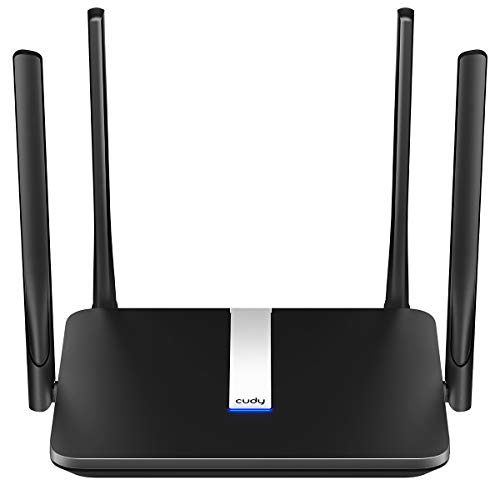
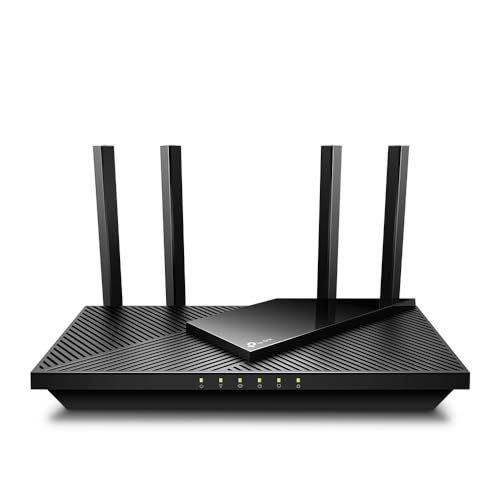
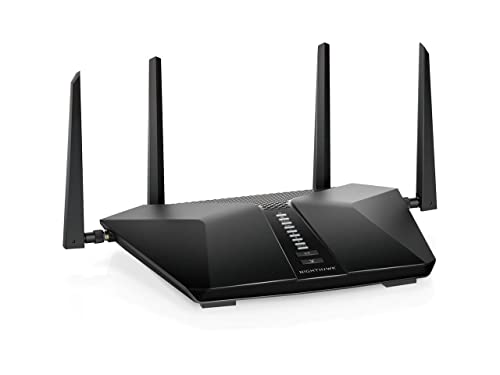
The best new WiFi routers are the WiFi 6 and WiFi 7 routers that give fast speeds, wide coverage, and room for many devices, and they are the fix for a home where the old router drops the signal. A new router brings a faster standard, more streams, and better handling of many devices, so a video call, a game, and a stream can all run at once. The routers in this guide are all current WiFi 6 or WiFi 7 models, and all six state their standard, speed, and coverage in the listing title.
A new WiFi router suits the home where the old router is slow, the signal does not reach the far rooms, or the network drops when many devices connect. The routers in this guide run from AX1800 to BE19000, from dual band to tri-band, and from a single router to a mesh system, so the guide covers the main uses. All six are new WiFi routers, and all six are sold as new listings.
The routers in this guide cover the main choices. The Netgear Nighthawk RAX50 is the gaming value pick, the ASUS RT-AX3000 is the budget pick, the TP-Link Archer AX21 is the simple pick, the TP-Link Archer AX73 is the range pick, the TP-Link Archer BE800 is the WiFi 7 flagship pick, and the Netgear Nighthawk RS700S is the WiFi 7 gaming pick. All six are new WiFi routers, and all six are sold as new listings.
This guide covers six best new WiFi routers: two Netgear Nighthawk, one ASUS, and three TP-Link Archer models. All six are WiFi 6 or WiFi 7, all six give fast speeds, and all six state their standard and speed in the listing title. The comparison table below gives the short version, and the sections after it give the detail.
In this guide
Quick picks: best new wifi routers
| # | Product | Where to buy |
|---|---|---|
| 1 | Netgear Nighthawk RAX50 | Check on Amazon |
| 2 | ASUS RT-AX3000 | Check on Amazon |
| 3 | TP-Link Archer AX21 | Check on Amazon |
| 4 | TP-Link Archer AX73 | Check on Amazon |
| 5 | TP-Link Archer BE800 | Check on Amazon |
| 6 | Netgear Nighthawk RS700S | Check on Amazon |
How the picks were chosen for the best new WiFi routers
Every router below started as a listing returned by the reviewstook.com product lookup, and every listing was checked the same way. First, the title had to name the exact brand and the exact model, because a Netgear Nighthawk RAX50 is not a RAX43, and a TP-Link Archer AX73 is not an AX21, and a buyer who orders the wrong model gets the wrong router. Second, the title had to state the WiFi standard, because a WiFi 6 router and a WiFi 7 router are different generations, and a buyer should know which one is being bought.
The routers were also checked for the details that decide real use. The speed decides the throughput, and the routers here run from AX1800 to BE19000, so the guide covers modest homes and fast homes. The coverage decides the reach, and the routers here cover from 1,500 to 3,500 square feet, so a buyer can match the router to the home. The ports decide the wired speed, and the routers here offer gigabit and 2.5G ports, so a fast wired device can connect.
One more check shaped the list: the router must be a router, not an access point, not a renewed listing, and not a mesh node alone. Listings for access points, for renewed routers, and for single mesh satellites were left out, because a buyer searching for the best new WiFi routers wants a new router that works alone. The six routers below are all new WiFi 6 or WiFi 7 routers, sold as new listings, with the brand, the model, the standard, and the speed stated in the title.
What a new WiFi router is, and who should buy one
A new WiFi router is a current-generation router, WiFi 6 or WiFi 7, that connects a home to the internet and shares it with every device. It has a fast processor, several antennas, and several streams, so it can handle many devices at once, and it gives a strong signal through walls and floors. A new router is the fix for a slow network, and it is the pick for a home that has outgrown its old router.
A new WiFi router suits the home where the old router is slow, the signal does not reach the far rooms, or the network drops when many devices connect. It is the right choice when the internet plan is fast, when the home has many devices, and when the family streams, games, and works at the same time. It is not the right choice for a home with a slow internet plan, because the router cannot make the plan faster, and it is not the right choice for a very large home, because a single router may not cover it, and a mesh system may be better.
The six routers in this guide cover the main buyers. The budget picks are for the small home that wants fast WiFi at a modest cost, the range pick is for the home that wants coverage, and the gaming picks are for the player who wants low lag. The WiFi 7 picks are for the buyer who wants the newest standard and the fastest speeds, and the mesh-ready picks are for the home that may grow.
A new WiFi router also suits a home that has added devices, because a smart home with cameras, speakers, and lights needs a router that can handle many connections. A buyer should check the device count in the title before buying, because it decides how many devices the router can serve. The right router is the one that fits the home, the plan, and the devices.
What makes a good new WiFi router
Standard is the first test, and it decides the speed and the features. A WiFi 6 router gives fast speeds and good handling of many devices, and it suits most homes, while a WiFi 7 router gives even faster speeds, wider channels, and lower latency, and it suits a home with the newest devices. The routers here cover WiFi 6 and WiFi 7, and a buyer should check the standard in the title before buying, because it decides the generation.
Speed is the second test. The speed number, like AX5400 or BE19000, tells the total throughput across bands, and a higher number means more speed, but the real speed depends on the device and the plan. The routers here run from AX1800 to BE19000, and a buyer with a gigabit plan should choose AX5400 or faster, while a buyer with a slower plan can use AX1800 with ease. Check the speed in the title before buying, because it decides the throughput.
Coverage is the third test. The coverage in square feet tells how far the signal reaches, and the routers here cover from 1,500 to 3,500 square feet, so a buyer can match the router to the home. A small flat can use a router with 1,500 square feet of coverage, and a large house needs 2,500 or more. Check the coverage in the title before buying, because it decides the reach.
Ports and security are the fourth test. A router with gigabit or 2.5G ports can wire a fast device, and a router with parental controls and security software can protect the family. The routers here offer gigabit and 2.5G ports, and several offer parental controls and security, so a buyer should check the ports in the title before buying. A good new WiFi router is bought once for the home and used for years.
Quick picks at a glance
| Router | Standard and speed | Coverage | Best for |
|---|---|---|---|
| Netgear Nighthawk RAX50 | WiFi 6, AX5400 | 2500 sq. ft. | Gaming value |
| ASUS RT-AX3000 | WiFi 6, AX3000 | Home coverage | Budget WiFi 6 |
| TP-Link Archer AX21 | WiFi 6, AX1800 | Home coverage | Simple setup |
| TP-Link Archer AX73 | WiFi 6, AX5400 | Long range | Range and speed |
| TP-Link Archer BE800 | WiFi 7, BE19000 | Whole home | WiFi 7 flagship |
| Netgear Nighthawk RS700S | WiFi 7, 19 Gbps | 3500 sq. ft. | WiFi 7 gaming |
The best new WiFi routers


NETGEAR Nighthawk 6-Stream AX5400 WiFi 6 Router (RAX50)
The Netgear Nighthawk RAX50 is the gaming value pick, and it is the best-known WiFi 6 router in this guide. A 6-stream AX5400 WiFi 6 router with dual-band wireless speed up to 5.4 Gbps gives fast speeds for gaming and streaming, and the 2,500 square feet of coverage reaches a whole home. The title states the brand, the Nighthawk RAX50 model, the 6-stream design, the AX5400 speed, and the WiFi 6 standard, and it names the 2,500 square feet of coverage.
A gaming router should be fast and steady, and this one is, with six streams that handle many devices at once. The router is a dual-band model, so it gives a fast 5GHz band for games and a 2.4GHz band for distance, and the Nighthawk design is made for play. It suits a gamer who wants fast WiFi without paying for WiFi 7.
Key specs:
- Standard: WiFi 6
- Speed: AX5400, up to 5.4 Gbps
- Streams: 6-stream
- Coverage: 2500 sq. ft.
- Band: dual band
Strengths:
- Fast AX5400 speed for gaming and streaming
- Wide 2500 sq. ft. coverage
- Six streams handle many devices
Trade-offs:
- WiFi 6, not the newest WiFi 7
- No 2.5G port stated in the title
- Large router needs shelf space
The Netgear Nighthawk RAX50 fits the gamer who wants fast WiFi at a fair cost. It is the pick for gaming, for streaming, and for a home with many devices, and it rewards a player who wants speed without the newest standard.
Best for: Gaming and streaming on fast WiFi 6. Not suited for: A buyer who wants WiFi 7, or a very large home.
Check price on Amazon: Netgear Nighthawk RAX50

ASUS RT-AX3000 Ultra-Fast Dual Band Gigabit Wireless Router
The ASUS RT-AX3000 is the budget pick, and it is the most affordable WiFi 6 router in this guide. An ultra-fast dual-band gigabit wireless router with next-generation WiFi 6 gives fast speeds for a small home, and the Adaptive QoS prioritizes games and streams, so the important traffic goes first. The title states the brand, the RT-AX3000 model, the dual-band design, the gigabit ports, and the WiFi 6 standard, and it names the Adaptive QoS and the AiProtection security.
A budget router should not feel slow, and this one gives WiFi 6 speeds with security built in. The router is a dual-band model with gigabit ports, so a wired device connects fast, and the AiProtection software guards the network. It suits a small home that wants fast WiFi at a modest cost.
Key specs:
- Standard: WiFi 6
- Speed: AX3000
- Band: dual band
- Ports: gigabit, 1x WAN, 4x LAN
- Security: AiProtection, Adaptive QoS
Strengths:
- Good value for a WiFi 6 router
- AiProtection security built in
- Adaptive QoS prioritizes games and streams
Trade-offs:
- AX3000 is slower than the AX5400 picks
- Coverage is smaller than the range picks
- No 2.5G port
The ASUS RT-AX3000 fits the small home that wants fast WiFi at a modest cost. It is the pick for a flat, for a first router, and for a family that streams and works, and it rewards a buyer who wants value first.
Best for: Budget WiFi 6 for a small home. Not suited for: A large house, or a gigabit plan that needs AX5400.
Check price on Amazon: ASUS RT-AX3000


TP-Link AX1800 WiFi 6 Router (Archer AX21 V5)
The TP-Link Archer AX21 is the simple pick, and it is the easiest router in this guide to set up. An AX1800 WiFi 6 router with dual-band wireless internet, gigabit ports, and EasyMesh gives fast speeds for a small home, and it works with Alexa, so the network can be controlled by voice. The title states the brand, the Archer AX21 V5 model, the AX1800 speed, and the WiFi 6 standard, and it names the gigabit ports, the EasyMesh support, and the Alexa compatibility.
A simple router should just work, and this one does, with a setup that takes minutes and a design that covers a small home. The router is a dual-band model with gigabit ports, so a wired device connects fast, and the EasyMesh support lets it grow into a mesh system later. It suits a buyer who wants WiFi without fuss.
Key specs:
- Standard: WiFi 6
- Speed: AX1800
- Band: dual band
- Ports: gigabit
- Extras: EasyMesh, works with Alexa
Strengths:
- Easy setup for a first router
- EasyMesh lets it grow into a mesh system
- Works with Alexa for voice control
Trade-offs:
- AX1800 is the slowest speed in this guide
- Coverage is smaller than the range picks
- No 2.5G port
The TP-Link Archer AX21 fits the buyer who wants WiFi without fuss. It is the pick for a small flat, for a first router, and for a home that wants simple setup, and it rewards a buyer who values ease over speed.
Best for: Simple WiFi 6 setup for a small home. Not suited for: A large house, or a gigabit plan that needs AX5400.
Check price on Amazon: TP-Link Archer AX21
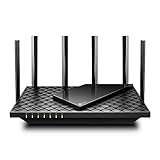

TP-Link AX5400 WiFi 6 Router (Archer AX73)
The TP-Link Archer AX73 is the range pick, and it is the widest-reaching WiFi 6 router in this guide. An AX5400 WiFi 6 router with dual-band gigabit wireless internet gives fast speeds for streaming and gaming, and the long-range design reaches the far rooms, so the signal does not drop at the edge of the home. The title states the brand, the Archer AX73 model, the AX5400 speed, and the WiFi 6 standard, and it names the dual-band gigabit design, the long-range coverage, and the streaming use.
A range router should reach the far rooms, and this one does, with a design made for long-range coverage. The router is a dual-band model with gigabit ports, so a wired device connects fast, and the AX5400 speed handles many devices at once. It suits a home where the old router does not reach the far rooms.
Key specs:
- Standard: WiFi 6
- Speed: AX5400
- Band: dual band gigabit
- Coverage: long range
- Use: streaming, gaming
Strengths:
- Long-range coverage for far rooms
- Fast AX5400 speed for streaming
- Good fit for a large home
Trade-offs:
- WiFi 6, not the newest WiFi 7
- No 2.5G port stated in the title
- Large router needs shelf space
The TP-Link Archer AX73 fits the home where the signal does not reach. It is the pick for a large flat, for a house with far rooms, and for a family that streams in every room, and it rewards a buyer who wants range first.
Best for: Long-range WiFi 6 for a large home. Not suited for: A buyer who wants WiFi 7, or a small flat.
Check price on Amazon: TP-Link Archer AX73

TP-Link Tri-Band BE19000 WiFi 7 Router (Archer BE800)
The TP-Link Archer BE800 is the WiFi 7 flagship pick, and it is the fastest router in this guide. A tri-band BE19000 WiFi 7 router with 12 streams and 19 Gbps gives the fastest speeds here, and the two 10G ports and four 2.5G ports wire the fastest devices, so a wired PC or NAS connects at full speed. The title states the brand, the Archer BE800 model, the tri-band design, the BE19000 speed, and the WiFi 7 standard, and it names the 12 streams, the 19 Gbps, the 10G and 2.5G ports, and the LED screen.
A flagship router should be the fastest in the home, and this one is, with WiFi 7 speeds and 10G wired ports. The router has eight high-performance antennas, so the signal reaches far, and the LED screen shows the status at a glance. It suits a buyer who wants the newest standard and the fastest speeds.
Key specs:
- Standard: WiFi 7
- Speed: BE19000, 19 Gbps
- Streams: 12-stream
- Ports: 2x 10G, 4x 2.5G
- Antennas: 8 high-performance, LED screen
Strengths:
- Fastest BE19000 WiFi 7 speed in this guide
- 10G and 2.5G ports for wired devices
- Tri-band design handles many devices
Trade-offs:
- Costs the most in this guide
- WiFi 7 needs WiFi 7 devices for full speed
- Large router needs shelf space
The TP-Link Archer BE800 fits the buyer who wants the fastest WiFi. It is the pick for a fast internet plan, for a home with many devices, and for a buyer who wants WiFi 7, and it rewards a home that can use the speed.
Best for: Flagship WiFi 7 for a fast home. Not suited for: A slow internet plan, or a buyer who wants a budget router.
Check price on Amazon: TP-Link Archer BE800


NETGEAR Nighthawk WiFi 7 Router RS700S, Up to 3,500 sq ft, 19 Gbps
The Netgear Nighthawk RS700S is the WiFi 7 gaming pick, and it is the widest-covering router in this guide. A WiFi 7 router with up to 3,500 square feet of coverage and 19 Gbps of speed gives fast, wide WiFi for a large home, and it handles up to 200 devices, so every phone, laptop, and smart device connects. The title states the brand, the Nighthawk RS700S model, the WiFi 7 standard, and the 19 Gbps speed, and it names the 3,500 square feet of coverage, the 200 devices, and the 10G and gigabit ports.
A WiFi 7 gaming router should be fast and wide, and this one is, with 19 Gbps of speed and coverage for a large house. The router is easy to set up, and it gives reliable performance for games and streams. It suits a large home that wants the newest WiFi.
Key specs:
- Standard: WiFi 7
- Speed: 19 Gbps
- Coverage: up to 3500 sq. ft.
- Devices: up to 200
- Ports: 1x 10G, 3x gigabit
Strengths:
- Widest 3500 sq. ft. coverage in this guide
- Fast 19 Gbps WiFi 7 speed
- Handles up to 200 devices
Trade-offs:
- Costs more than the WiFi 6 picks
- WiFi 7 needs WiFi 7 devices for full speed
- Large router needs shelf space
The Netgear Nighthawk RS700S fits the large home that wants the newest WiFi. It is the pick for a big house, for a family with many devices, and for a gamer who wants WiFi 7, and it rewards a home that can use the coverage.
Best for: WiFi 7 gaming and streaming in a large home. Not suited for: A small flat, or a buyer who wants a budget router.
Check price on Amazon: Netgear Nighthawk RS700S
Buying guide for the best new WiFi routers
Check the internet plan before buying the router
Start with the internet plan, because the router cannot make the plan faster. Check the plan speed, and buy a router that matches it, because a gigabit plan needs an AX5400 router or faster, while a 100 Mbps plan can use an AX1800 router with ease. A buyer who buys a BE19000 router for a slow plan will pay for speed that is not used, and a buyer who buys an AX1800 router for a gigabit plan will not see the full speed.
The plan speed is the ceiling, and the router is the pipe, so a buyer should match them. Check the plan first, and then choose the router, because the router should fit the plan, not the other way around.
WiFi 6 or WiFi 7: which standard
The standard decides the speed and the features, and a buyer should match it to the devices. A WiFi 6 router gives fast speeds and good handling of many devices, and it suits most homes, because most devices are WiFi 6. A WiFi 7 router gives even faster speeds, wider channels, and lower latency, and it suits a home with the newest devices, because only WiFi 7 devices can use the full speed.
A buyer who owns mostly WiFi 6 devices can use WiFi 6 with ease, and a buyer who owns WiFi 7 phones and laptops should choose WiFi 7. Check the standard in the title before buying, because it decides the generation, and a WiFi 7 router will still serve WiFi 6 devices well.
Coverage: match the router to the home
The coverage in square feet tells how far the signal reaches, and a buyer should match it to the home. A small flat can use a router with 1,500 square feet of coverage, and a large house needs 2,500 or 3,500 square feet, because walls and floors block the signal. Check the coverage in the title before buying, because it decides the reach.
A buyer with a very large home should consider a mesh system, because one router may not cover it, and a mesh system with several nodes will reach every room. A buyer who is unsure should place the router in the center of the home, because a central spot reaches farther than a corner.
Ports: gigabit, 2.5G, and 10G
The ports decide the wired speed, and a buyer should check them in the title before buying. A gigabit port takes a wired device at gigabit speed, a 2.5G port takes a faster device, and a 10G port takes the fastest devices, like a NAS or a fast PC. A buyer who wires a PC or a console should look for gigabit or faster, and a buyer who wires everything should choose a router with several fast ports.
A buyer who uses WiFi only does not need fast ports, because the wireless speed is the limit, and a buyer who wires a NAS should choose 2.5G or 10G. Check the ports in the title, because they are hard to add later, and a router with the right ports saves a switch.
Security and parental controls
The security decides how safe the network is, and a buyer should look for a router with built-in security and parental controls. A router with AiProtection or a similar system can block threats, and a router with parental controls can limit the time and the sites for children. Check the security in the title before buying, because it decides the safety.
A buyer should also change the default password on the first day, because a router with the factory password is easy to attack. A strong password and a router with security built in will keep the home safe.
Using and caring for a new WiFi router
Place the router in the center of the home
Place the router in the center of the home, high up and out in the open, because a central spot reaches farther than a corner. Keep it away from thick walls, metal, and water, because those block the signal, and keep it off the floor, because the signal spreads better from a height. A buyer should take the time to place it right on the first day, because the placement decides the coverage.
After placing it, walk the home with a phone and check the signal in each room, because a weak spot may need the router moved. A router that is placed well will cover the home, and one that is hidden in a corner will not.
Update the firmware on the first day
Update the firmware on the first day, because a new firmware adds features and fixes bugs, and a router bought today may ship with old firmware. Check the router app or web page for the update, and let it finish, because an interrupted update can stop the router. A buyer should read the update guide before starting, because a failed update costs time.
After updating, check that the devices connect, and check that the speed is right. A firmware that is up to date will run the network well, and one that is old may drop devices. Take the time to update, because it is the first job for a new router.
Look after the router for the long term
Restart the router once in a while, because a router that runs for months can slow down, and a restart will clear it. Check the cables once in a while, because a loose cable can drop the connection, and check that the vents are clear, because a hot router will throttle. A router that is checked will work for years, and one that is ignored will fail at the worst moment.
Keep the router out of direct sun and damp, because both can damage the electronics. A buyer who moves the router should carry it by the body, and a buyer who changes the password should write it down. A little care keeps the router working.
Common mistakes when buying new WiFi routers
Buying a router faster than the internet plan
The most common mistake is buying a router faster than the internet plan, because the router cannot make the plan faster. A buyer with a 100 Mbps plan who buys a BE19000 router will pay for speed that is not used, and a buyer with a gigabit plan who buys an AX1800 router will not see the full speed. Check the plan speed before buying, and match the router to it, because the plan is the ceiling.
A buyer who is unsure should check the plan bill or the provider app for the speed, and should choose a router that matches. The plan decides the router, and the router decides the speed.
Hiding the router in a corner
The second mistake is hiding the router in a corner or a cabinet, because the signal will not reach the far rooms. A buyer should place the router in the center of the home, high up and out in the open, because a central spot reaches farther than a corner. A router in a cabinet will lose signal through the wood, and one on the floor will lose signal through the furniture.
A buyer who cannot place it centrally should consider a mesh system, because several nodes will reach every room. The placement decides the coverage, and the coverage decides the router.
Ignoring the device count
The third mistake is ignoring the device count, because a router that serves 20 devices will struggle with 100, and a smart home with cameras, speakers, and lights needs a router that can handle many connections. A buyer should count the devices before buying, and should check the device count in the title, because it decides how many the router can serve.
A buyer with many devices should choose a router with more streams and a faster processor, because the router must talk to them all. The device count decides the router, and the router decides the network.
Forgetting to update the firmware
The fourth mistake is forgetting to update the firmware, because a router with old firmware may drop devices and miss security fixes. A buyer should update the firmware on the first day, and should check for updates now and then, because a new firmware adds features and fixes bugs. A router that is updated will run well, and one that is not will fail.
A buyer should also change the default password on the first day, because a router with the factory password is easy to attack. The firmware and the password are the safety, and both matter.
Final recommendation
The best new WiFi router for most homes is the Netgear Nighthawk RAX50, because its AX5400 speed, its 2,500 square feet of coverage, and its six streams cover gaming, streaming, and many devices at a fair cost. A home that wants fast WiFi 6 without paying for WiFi 7 should buy this one, because it is fast, wide, and proven, and it rewards a player who wants speed.
A small home that wants value should buy the ASUS RT-AX3000, because its WiFi 6 speed and its AiProtection security cover the essentials at a modest cost, and a buyer who wants simple setup should buy the TP-Link Archer AX21, because it just works. A large home that wants range should buy the TP-Link Archer AX73, because its long-range design reaches the far rooms, and a buyer who wants the fastest WiFi should buy the TP-Link Archer BE800, because its BE19000 speed and 10G ports are the fastest here. A large home that wants WiFi 7 should buy the Netgear Nighthawk RS700S, because its 3,500 square feet of coverage reaches a big house.
Whichever router is chosen, check the internet plan before buying, match the standard to the devices, place the router in the center of the home, and update the firmware on the first day, because a new WiFi router bought well will serve the home for years and keep every device connected.
Related reading on Reviewstook: see our guides to best WiFi router under 30, best WiFi router for gaming under 50, how to place a WiFi router for better coverage for more on this topic.
Frequently asked questions about new WiFi routers
Is WiFi 7 worth it over WiFi 6?
WiFi 7 is worth it for a home with WiFi 7 devices and a fast internet plan, because it gives faster speeds, wider channels, and lower latency than WiFi 6. A home with mostly WiFi 6 devices will not see the full speed, because only WiFi 7 devices can use it, and a home with a slow plan will not see it either, because the plan is the ceiling. A buyer who owns WiFi 7 phones and laptops and a gigabit plan should choose WiFi 7, and a buyer who owns older devices can use WiFi 6 with ease.
How do I know what WiFi speed I need?
The WiFi speed needed depends on the internet plan and the devices, because a gigabit plan needs an AX5400 router or faster, while a 100 Mbps plan can use an AX1800 router. A home that streams 4K video needs about 25 Mbps per stream, a home that games needs low latency more than raw speed, and a home with many devices needs more streams. Check the plan speed first, and then choose a router that matches it, because the router cannot make the plan faster.
Where should I place my WiFi router?
A WiFi router should be placed in the center of the home, high up and out in the open, because a central spot reaches farther than a corner. Keep it away from thick walls, metal, and water, because those block the signal, and keep it off the floor, because the signal spreads better from a height. A buyer should walk the home with a phone after placing it, and should move the router when a room has a weak signal, because the placement decides the coverage.
How many devices can a new WiFi router handle?
A new WiFi router can handle from 20 to 200 devices, and the exact count depends on the model, because the routers in this guide range from a small home router to the Nighthawk RS700S with 200 devices. A buyer should count the devices before buying, and should check the device count in the title, because a smart home with cameras, speakers, and lights needs a router that can handle many connections. A buyer with many devices should choose a router with more streams and a faster processor.
Do I need a mesh WiFi system instead of a single router?
A mesh WiFi system is needed for a very large home, because one router may not cover it, and a mesh system with several nodes will reach every room. A small or medium home can use a single router with ease, because the routers in this guide cover up to 3,500 square feet. A buyer who has dead spots in far rooms should consider a mesh system, and a buyer who wants a single router should place it centrally. The home size decides the choice, and a mesh system is the answer for a big house.