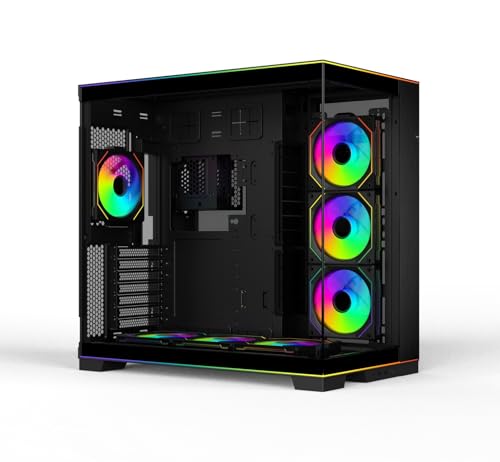
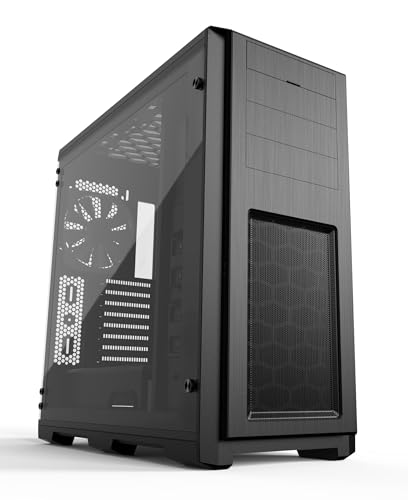
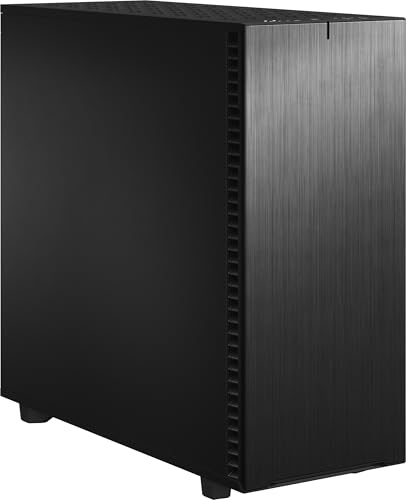
The best 120 PC cases are the mid-tower cases that give strong airflow, room for a full-size graphics card, and a clean build at the 120 budget point. A case at this budget should not feel cheap, because the case decides the airflow, the noise, and the look of the whole PC, and a good case will serve two or three builds. The cases in this guide are all mid-tower ATX cases, and all six give mesh fronts, tempered glass, and room for big parts.
A 120 PC case suits the builder who wants a strong mid-tower without paying for a flagship case. The cases in this guide cover the main choices, from the airflow-first NZXT H5 Flow to the wood-front Fractal Design North, and from the fan-packed Montech X3 Mesh to the modular Corsair 4000D RS. All six are ATX mid-tower cases, and all six state their size, fan count, and radiator support in the listing title.
The cases in this guide cover the main buyers. The NZXT H5 Flow is the airflow pick, the Corsair 4000D RS ARGB is the modular pick, the Montech Air 903 Max is the high-airflow pick, the Montech X3 Mesh is the value pick, the Fractal Design North is the design pick, and the Phanteks XT Pro Ultra is the fan-packed pick. All six are mid-tower PC cases, and all six are sold as new listings.
This guide covers six best 120 PC cases: one NZXT, one Corsair, two Montech, one Fractal Design, and one Phanteks. All six are ATX mid-tower cases, all six have mesh or perforated fronts, and all six state their fan count and radiator support in the listing title. The comparison table below gives the short version, and the sections after it give the detail.
In this guide
Quick picks: best 120 pc cases
| # | Product | Where to buy |
|---|---|---|
| 1 | NZXT H5 Flow | Check on Amazon |
| 2 | Corsair 4000D RS ARGB | Check on Amazon |
| 3 | Montech Air 903 Max | Check on Amazon |
| 4 | Montech X3 Mesh | Check on Amazon |
| 5 | Fractal Design North | Check on Amazon |
| 6 | Phanteks XT Pro Ultra | Check on Amazon |
How the picks were chosen for the best 120 PC cases
Every case below started as a listing returned by the reviewstook.com product lookup, and every listing was checked the same way. First, the title had to name the exact brand and the exact model, because an NZXT H5 Flow is not an H5 Elite, and a Corsair 4000D RS is not a 4000D Airflow, and a buyer who orders the wrong model gets the wrong case. Second, the title had to state the mid-tower size and the ATX support, because a mini-ITX case does not fit an ATX board, and a buyer who orders the wrong size cannot use the case at all.
The cases were also checked for the details that decide real use. The airflow decides the temperatures, and the cases here have mesh or perforated fronts, so air flows freely. The fan count decides the cooling out of the box, and the cases here include two to six fans, so a builder can start without buying more. The GPU clearance decides the graphics card, and the cases here take cards from 305mm to 400mm, so a full-size card fits.
One more check shaped the list: the case must be a PC case alone, not a case with a power supply, not a fan pack, and not a different part. Listings for fans, for power supplies, and for case accessories were left out, because a buyer searching for the best 120 PC cases wants a mid-tower case. The six cases below are all ATX mid-tower PC cases, sold as new listings, with the brand, the model, the size, and the fan count stated in the title.
What a 120 PC case is, and who should buy one
A 120 PC case is a mid-tower ATX case at the 120 budget point, with a mesh front, a tempered glass side, and room for a full-size graphics card and a 360mm radiator. It is the case that most builders buy, because it fits an ATX board, a long graphics card, and a tall air cooler, and it costs far less than a flagship case. A 120 case is the sweet spot, where the airflow, the space, and the looks are all good without paying for more.
A 120 PC case suits the builder who wants a strong gaming PC without paying for a premium case. It is the right choice when the build has an ATX board, a full-size graphics card, and an air or liquid cooler, and when the builder wants good airflow and a clean look. It is not the right choice for a small mini-ITX build, because a mid-tower is too big for it, and it is not the right choice for a builder who wants a full-tower with room for many drives.
The six cases in this guide cover the main buyers. The airflow picks are for the builder who wants cool temperatures, the value pick is for the builder who wants the most fans for the least cost, and the design pick is for the builder who wants a case that looks like furniture. The modular pick is for the builder who wants to change the layout, and the fan-packed pick is for the builder who wants cooling out of the box.
A 120 PC case also suits a builder who upgrades over time, because a mid-tower ATX case takes a new board, a new graphics card, and a new cooler, and it will serve two or three builds. A buyer should check the GPU clearance and the radiator support in the title before buying, because they decide what fits. The right case is the one that fits the parts, the desk, and the budget.
What makes a good 120 PC case
Airflow is the first test, and it decides the temperatures. A mesh or perforated front lets air flow freely, while a solid glass front blocks it, so a buyer should check the front in the title before buying. The cases here have mesh or perforated fronts, and a buyer who runs a hot graphics card should choose a case with a mesh front and several fans. A cool PC is a fast PC, and a hot PC will throttle.
Space is the second test. The GPU clearance decides the graphics card, and the cases here take cards from 305mm to 400mm, so a full-size card fits. The cooler clearance decides the air cooler, and the radiator support decides the liquid cooler, so a buyer should check both in the title before buying. A case that is too small will not fit the parts, and a case that is too big will waste desk space.
Fans are the third test. A case with fans included can be built at once, while a case with no fans needs extra parts, so a buyer should check the fan count in the title before buying. The cases here include two to six fans, and a builder who wants cooling out of the box should choose a case with four or more fans. Check the fan type too, because RGB fans light the build and plain fans keep it quiet.
Build quality is the fourth test. A case with a steel frame, a tempered glass side, and a clean cable layout will last for years, and a case with thin metal and sharp edges will not. The cases here are all steel mid-towers with tempered glass, and a buyer should check the material in the title before buying. A good 120 case is bought once and used for two or three builds.
Quick picks at a glance
| Case | Size and fans | GPU clearance | Best for |
|---|---|---|---|
| NZXT H5 Flow White | ATX mid-tower, 2x 120mm fans | 360mm radiator | Airflow builds |
| Corsair 4000D RS ARGB | ATX mid-tower, 3x fans | High airflow | Modular builds |
| Montech Air 903 Max | E-ATX mid-tower, 4 fans | 400mm GPU | High airflow |
| Montech X3 Mesh | ATX mid-tower, 6 RGB fans | 305mm GPU | Value cooling |
| Fractal Design North | ATX mid-tower, 2x 140mm fans | Airflow, wood front | Design builds |
| Phanteks XT Pro Ultra | Mid-tower, 4x 140mm fans | High airflow mesh | Fan-packed builds |
The best 120 PC cases

NZXT H5 Flow – Compact ATX Mid-Tower PC Case – White
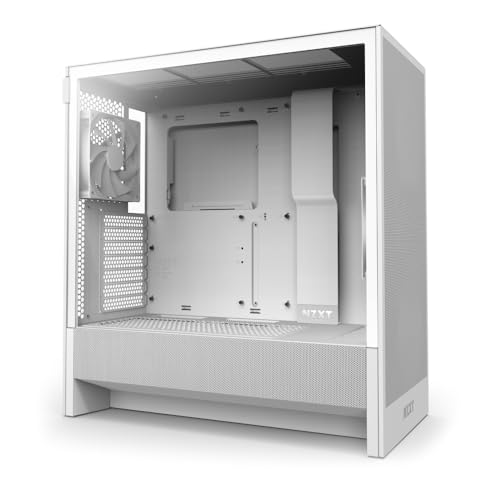
The NZXT H5 Flow is the airflow pick, and it is the most compact case in this guide. A compact ATX mid-tower with a perforated front panel lets air flow straight to the graphics card, and the two included 120mm fans move that air through the case, so temperatures stay low. The title states the brand, the H5 Flow model, the compact ATX mid-tower size, and the white color, and it names the 360mm front radiator support and the tempered glass side panel.
A compact case should not feel cramped, and this one fits a full-size build in a small footprint. The case takes a 360mm radiator in the front, so a liquid cooler fits, and the tempered glass side shows the build. It suits a builder who wants a small, cool, clean PC.
Key specs:
- Size: compact ATX mid-tower
- Fans: 2x 120mm included
- Radiator: 360mm front support
- Side: tempered glass
- Front: perforated high-airflow panel
Strengths:
- Perforated front for strong airflow
- Compact size fits a small desk
- 360mm radiator support for liquid cooling
Trade-offs:
- Only two fans included, so more may be wanted
- Compact size limits very long cards
- White finish shows dust more easily
The NZXT H5 Flow fits the builder who wants a small, cool PC. It is the pick for a compact desk, for a first build, and for a gamer who wants airflow without a big case, and it rewards a builder who likes a clean look.
Best for: Compact airflow builds on a small desk. Not suited for: A very long graphics card, or a builder who wants many fans included.
Check price on Amazon: NZXT H5 Flow


CORSAIR 4000D RS ARGB FRAME Customisable Mid-Tower PC Case – Black
The Corsair 4000D RS ARGB is the modular pick, and it is the most flexible case in this guide. A mid-tower ATX case with a customisable frame lets the builder change the layout, and the three pre-installed fans move air through the case from the first boot, so the PC runs cool. The title states the brand, the 4000D RS ARGB FRAME model, the mid-tower size, and the black color, and it names the high airflow, the fully modular design, and the three pre-installed fans.
A modular case should adapt to the build, and this one does, with a frame that can be changed and a fan mounting system that takes many layouts. The case is a full mid-tower, so it fits a standard ATX board and a full-size graphics card. It suits a builder who wants to change the case as the build grows.
Key specs:
- Size: ATX mid-tower
- Fans: 3x pre-installed
- Design: customisable FRAME, fully modular
- Airflow: high airflow
- Front: mesh
Strengths:
- Modular frame adapts to the build
- Three fans included for cooling out of the box
- High airflow design
Trade-offs:
- Modular parts add cost a simple builder may not need
- ARGB lighting needs software to control
- Large mid-tower needs desk space
The Corsair 4000D RS ARGB fits the builder who wants a case that can change. It is the pick for a growing build, for a gamer who likes RGB, and for a builder who wants three fans out of the box, and it rewards a builder who likes to tinker.
Best for: Modular builds with RGB lighting. Not suited for: A small desk, or a builder who wants a plain case.
Check price on Amazon: Corsair 4000D RS ARGB

MONTECH AIR 903 MAX High-Airflow E-ATX Mid-Tower PC Case, 4 Fans, Black
The Montech Air 903 Max is the high-airflow pick, and it is the roomiest case in this guide. A high-airflow E-ATX mid-tower with four fans moves a lot of air, and the 400mm GPU clearance takes the longest graphics cards, while the top and front 360mm radiator support takes big liquid coolers. The title states the brand, the Air 903 Max model, the high-airflow design, the E-ATX size, and the black color, and it names the four fans, the 400mm GPU support, and the tempered glass side.
A big case should cool big parts, and this one does, with four fans and room for a 400mm card. The case takes an E-ATX board, so a large board fits, and the USB-C port connects modern devices. It suits a builder who runs hot parts and wants them cool.
Key specs:
- Size: E-ATX mid-tower
- Fans: 4 included
- GPU: 400mm clearance
- Radiator: top and front 360mm
- Extras: tempered glass, USB-C
Strengths:
- Four fans included for strong cooling
- 400mm GPU clearance for long cards
- E-ATX size fits large boards
Trade-offs:
- Large case needs a wide desk
- E-ATX size is bigger than most builds need
- Four fans can be loud at full speed
The Montech Air 903 Max fits the builder who runs hot parts. It is the pick for a long graphics card, for a big liquid cooler, and for a PC that needs air, and it rewards a builder who wants cooling first.
Best for: High-airflow builds with long graphics cards. Not suited for: A small desk, or a mini-ITX build.
Check price on Amazon: Montech Air 903 Max

MONTECH X3 Mesh High Airflow ATX Mid-Tower PC Case, 6 Fixed RGB Fans, Black
The Montech X3 Mesh is the value pick, and it is the most fans for the money in this guide. A high-airflow ATX mid-tower with six fixed RGB fans moves a lot of air and lights the build, and the 305mm GPU support takes a full-size card, while the 240mm radiator support takes a liquid cooler. The title states the brand, the X3 Mesh model, the high-airflow design, the ATX size, and the black color, and it names the six RGB fans, the 305mm GPU support, and the tempered glass side.
A value case should not feel cheap, and this one gives six fans, a mesh front, and a tempered glass side at a modest cost. The case is a full ATX mid-tower, so it fits a standard board and a full-size card. It suits a builder who wants cooling and light without paying for more.
Key specs:
- Size: ATX mid-tower
- Fans: 6 fixed RGB fans
- GPU: 305mm support
- Radiator: 240mm support
- Front: mesh, tempered glass side
Strengths:
- Six RGB fans included, a lot for the money
- Mesh front for strong airflow
- Good value for a full ATX case
Trade-offs:
- 305mm GPU clearance is shorter than the big cases
- Fixed fans cannot be repositioned freely
- RGB lighting is fixed, not addressable per fan
The Montech X3 Mesh fits the builder who wants the most cooling for the least cost. It is the pick for a first gaming PC, for a builder who likes RGB, and for a PC that needs air, and it rewards a builder who wants value first.
Best for: Value gaming builds with six RGB fans. Not suited for: A very long graphics card, or a builder who wants a quiet case.
Check price on Amazon: Montech X3 Mesh

Fractal Design North – Genuine Walnut Wood Front – Mesh Side Panels – Two 140mm Aspect PWM Fans Included
The Fractal Design North is the design pick, and it is the best-looking case in this guide. An ATX mid-tower with a genuine walnut wood front and mesh side panels looks like furniture, not a computer, and the two included 140mm Aspect PWM fans move air quietly through the case. The title states the brand, the North model, the genuine walnut wood front, the mesh side panels, and the two 140mm fans, and it names the Type-C USB port and the ATX airflow design.
A design case should look good and run cool, and this one does both, with a wood front that warms the desk and a mesh side that breathes. The 140mm fans are larger and quieter than 120mm fans, so the PC stays cool without noise. It suits a builder who wants a PC that looks at home in a living room.
Key specs:
- Size: ATX mid-tower
- Fans: 2x 140mm Aspect PWM included
- Front: genuine walnut wood
- Side: mesh panels
- Ports: Type-C USB
Strengths:
- Genuine walnut wood front looks like furniture
- Large 140mm fans run quietly
- Mesh side panels for airflow
Trade-offs:
- Only two fans included
- Wood front costs more than mesh
- Mesh side shows dust more easily
The Fractal Design North fits the builder who wants a PC that looks good in a living room. It is the pick for a home office, for a quiet build, and for a desk where the case is on display, and it rewards a builder who cares about design.
Best for: Design-led builds with a wood front. Not suited for: A builder who wants many fans included, or a dark gaming den.
Check price on Amazon: Fractal Design North

Phanteks XT Pro Ultra, Mid-Tower Gaming Chassis, 4X M25-140 Fans Included
The Phanteks XT Pro Ultra is the fan-packed pick, and it is the best-cooled mid-tower in this guide. A mid-tower gaming chassis with four M25-140 fans moves a lot of air, and the high-airflow mesh front and tempered glass window show the build while it breathes. The title states the brand, the XT Pro Ultra model, the mid-tower size, and the four M25-140 fans, and it names the high-airflow mesh, the tempered glass window, and the USB-C port.
A fan-packed case should cool the PC from the first boot, and this one does, with four large 140mm fans that move more air than 120mm fans at the same noise. The case is a full mid-tower, so it fits a standard ATX board and a full-size graphics card. It suits a builder who wants cooling out of the box.
Key specs:
- Size: mid-tower
- Fans: 4x M25-140 included
- Front: high-airflow mesh
- Side: tempered glass window
- Ports: USB-C
Strengths:
- Four large 140mm fans for strong cooling
- High-airflow mesh front
- Tempered glass window shows the build
Trade-offs:
- Four fans can be loud at full speed
- No RGB lighting stated in the title
- Mid-tower needs desk space
The Phanteks XT Pro Ultra fits the builder who wants cooling out of the box. It is the pick for a hot gaming PC, for a first build, and for a builder who wants four big fans, and it rewards a builder who wants airflow first.
Best for: Fan-packed cooling builds with four 140mm fans. Not suited for: A quiet office build, or a small desk.
Check price on Amazon: Phanteks XT Pro Ultra
Buying guide for the best 120 PC cases
Measure the parts before buying the case
Start with the parts, because the case must fit them. Check the graphics card length, the cooler height, and the radiator size, and compare them with the case limits in the title, because a card that is too long will not fit, and a radiator that is too big will not mount. The cases here take cards from 305mm to 400mm and radiators up to 360mm, so a buyer should measure the parts first.
The motherboard size matters too, because an ATX board needs an ATX case, and an E-ATX board needs a case that takes it. Check the board size in the title before buying, because a board that is too big will not fit, and a board that is too small will leave empty space. Measure twice before buying, because the case is hard to return once built.
Airflow: mesh front or glass front
The front panel decides the airflow, and a mesh front lets air flow freely, while a solid glass front blocks it. A buyer who runs a hot graphics card should choose a mesh or perforated front, because the air must reach the card, and a buyer who runs cool parts can choose a glass front for looks. The cases here have mesh or perforated fronts, so air flows well.
The fan layout matters too, because front fans should bring air in, and rear and top fans should push it out. A buyer should check the fan count in the title before buying, and should plan the layout, because a case with fans included can be built at once. A cool PC is a fast PC, and a hot PC will throttle.
Fans: how many, and how big
The fan count decides the cooling out of the box, and a case with four or six fans can be built at once, while a case with two fans may need more. A buyer should check the fan count in the title before buying, and should think about the noise, because more fans can be louder, and larger 140mm fans move more air than 120mm fans at the same noise. The cases here include two to six fans, so a buyer can choose.
A buyer who wants a quiet PC should choose large fans and a mesh front, because big fans spin slower and move the same air. A buyer who wants light should choose RGB fans, because they light the build. Check the fan type in the title before buying, because it decides the look and the noise.
Cable management and the build
The cable layout decides how easy the build is, and a case with room behind the motherboard tray and holes for cables will build cleanly. A buyer should check the listing images for the cable space before buying, because a case with no room will leave a tangle, and a tangle blocks airflow. A clean build runs cooler and looks better.
The drive mounts matter too, because a builder with many drives needs room for them, and a builder with only M.2 drives does not. Check the drive mounts in the listing before buying, because they decide the storage. A good case makes the build easy, and a bad case makes it hard.
Looks: glass, wood, or plain mesh
The look decides where the case can live, and a buyer should match it to the room. A tempered glass side shows the build, and it suits a desk where the PC is on display, while a wood front looks like furniture, and it suits a living room. A plain mesh case looks like a tool, and it suits a workshop. The cases here cover glass, wood, and mesh, so a buyer can choose.
A buyer who likes light should choose RGB fans, because they light the build, and a buyer who likes quiet should choose plain fans, because they do not glow. Check the look in the title before buying, because the case will sit on the desk for years.
Using and caring for a PC case
Clean the dust filters every month
Clean the dust filters once a month, because a clogged filter blocks airflow and heats the PC. Pull the front filter out, rinse it or shake it, and let it dry before putting it back, because a wet filter will trap dust. A buyer should check where the filters are on the first day, because a case with filters that are hard to reach will not be cleaned.
After cleaning, check the temperatures, because a clean filter will drop them. A PC that is cleaned will run cool, and one that is neglected will run hot. Good habits keep the PC working well.
Keep the cables tidy
Keep the cables tidy behind the motherboard tray, because a tangle blocks airflow and makes the build hard to change. Tie the cables with the straps in the case, and route them through the holes, because a clean build runs cooler and looks better. A buyer should take the time to cable well on the first day, because a tidy build is easy to upgrade.
Check the cables once in a while, because a loose cable can stop a fan or hide a drive. Push the cables in firmly, and check that the fans spin. A tidy case is a cool case.
Look after the case for the long term
Check the fans once in a while, because a fan that is used every day can wear out. Listen for a rattle, and check that the fans spin, because a dead fan will heat the PC. A fan that is checked will be replaced before it fails, and one that is ignored will fail at the worst moment.
Keep the case out of damp and dust, because both can damage the parts. A buyer who moves the PC should lift it by the frame, not by the glass, and a buyer who changes parts should ground the body first, because static can harm the board. A little care keeps the case working.
Common mistakes when buying PC cases
Buying a case that does not fit the graphics card
The most common mistake is buying a case that does not fit the graphics card, because a card that is too long will not mount. A buyer should check the GPU clearance in the title before buying, and should measure the card, because the cases here take cards from 305mm to 400mm. A card that does not fit cannot be used, and a return costs time.
A buyer who is unsure should measure the card with a ruler, and should compare it with the clearance in the title. The clearance is the purchase, and everything else follows.
Choosing a glass front for a hot PC
The second mistake is choosing a solid glass front for a hot PC, because the glass blocks the air and the PC runs hot. A buyer who runs a hot graphics card should choose a mesh or perforated front, because the air must reach the card. Check the front in the title before buying, because it decides the temperatures.
A buyer who likes glass should choose a case with a glass side and a mesh front, because that gives the look and the airflow together. The front decides the cooling, and the cooling decides the speed.
Forgetting the fans
The third mistake is forgetting the fans, because a case with no fans needs extra parts, and a build without fans will overheat. A buyer should check the fan count in the title before buying, and should buy more fans when the case has too few. A case with four or six fans can be built at once, and a case with two may need more.
A buyer who is unsure should choose a case with more fans, because it costs a little more and runs cooler. The fans decide the cooling, and the cooling decides the speed.
Ignoring the desk size
The fourth mistake is ignoring the desk size, because a mid-tower case is wide and tall, and a small desk will crowd it. A buyer should measure the desk before buying, and should check the case size in the listing, because a case that does not fit the desk will sit on the floor. A buyer with a small desk should choose a compact case, and a buyer with a wide desk can enjoy a full mid-tower.
A case on the floor will collect dust and be kicked, so a buyer should keep it on the desk when possible. Measure the desk, because the size decides the comfort.
Final recommendation
The best 120 PC case for most builders is the Montech Air 903 Max, because four fans, a 400mm GPU clearance, and room for a 360mm radiator cover the biggest parts at a fair cost. A builder who wants one case for a hot gaming PC should buy this one, because it cools well, fits long cards, and takes big coolers, and it rewards a builder who wants airflow first.
A builder who wants a compact case should buy the NZXT H5 Flow, because its perforated front and small size suit a small desk, and a builder who wants value should buy the Montech X3 Mesh, because its six RGB fans give the most cooling for the least cost. A builder who wants a modular case should buy the Corsair 4000D RS ARGB, because its frame adapts to the build, and a builder who wants design should buy the Fractal Design North, because its walnut front looks like furniture. A builder who wants fans out of the box should buy the Phanteks XT Pro Ultra, because its four 140mm fans cool the PC from the first boot.
Whichever case is chosen, measure the graphics card before buying, check the mesh front and the fan count in the title, clean the dust filters every month, and leave room for one more drive, because a 120 case bought well will serve two or three builds and keep them cool.
Related reading on Reviewstook: see our guides to best mid tower PC case for beginners under 100, best PC case for gaming under 100, best PC case for beginners under 100 for more on this topic.
Frequently asked questions about 120 PC cases
What size PC case do I need for an ATX motherboard?
An ATX motherboard needs an ATX mid-tower case, because the board is 12 by 9.6 inches and a smaller case will not fit it. A mid-tower ATX case takes the board, a full-size graphics card, and a tall cooler, and it is the common choice for most builders. Check the board size in the title before buying, because an E-ATX board needs a case that takes it, and a mini-ITX board can fit a smaller case.
How many fans should a PC case have?
A PC case should have at least three fans, because two front fans should bring air in and one rear fan should push it out, and a case with four or six fans will cool better. The cases in this guide include two to six fans, so a buyer can choose, and a builder who wants cooling out of the box should choose a case with four or more fans. A buyer who runs a hot graphics card should add fans, because more air means lower temperatures.
Is a mesh front better than a glass front for a PC case?
A mesh front is better than a glass front for cooling, because the mesh lets air flow freely to the graphics card, while solid glass blocks it. A buyer who runs a hot graphics card should choose a mesh or perforated front, and a buyer who runs cool parts can choose a glass front for looks. A case with a glass side and a mesh front gives both, because the side shows the build and the front breathes.
What graphics card length fits in a mid-tower case?
A mid-tower case takes graphics cards from 305mm to 400mm, and the cases in this guide cover that range, so a full-size card fits in most of them. A buyer should measure the card and compare it with the clearance in the title before buying, because a card that is too long will not mount. A buyer who owns a very long card should choose a case with 400mm clearance, and a buyer with a short card can use any mid-tower.
Can a 120 PC case last for more than one build?
A 120 PC case can last for two or three builds, because a mid-tower ATX case takes a new board, a new graphics card, and a new cooler, and the steel frame and tempered glass will last for years. A buyer should choose a case with good airflow and room to spare, because the next build may have a longer card or a bigger cooler. Clean the dust filters every month, and the case will serve for years.