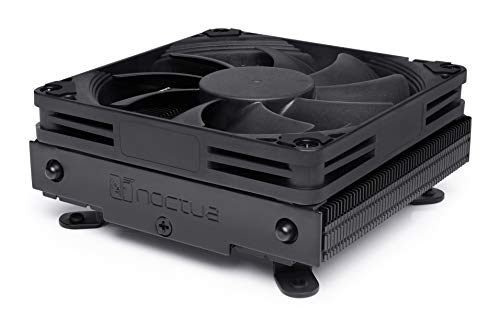
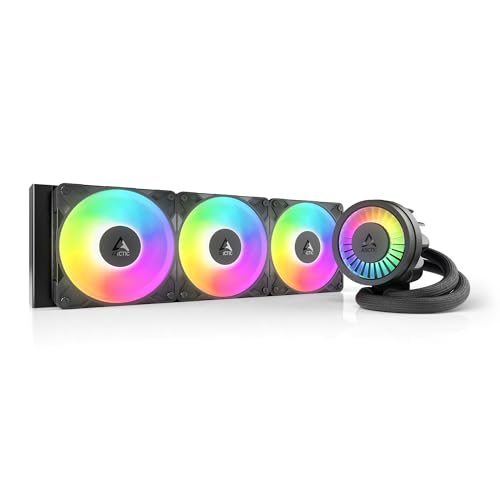
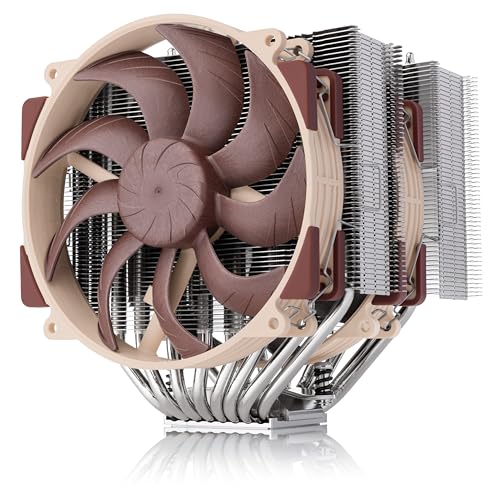
The best CPU coolers for NZXT S340 Elite are the ones that fit, and that is a harder test than it sounds. The S340 Elite is a classic mid-tower case with a CPU cooler clearance of 161mm, which means a tall tower cooler will hit the side panel, and a front radiator larger than 280mm will not fit at all. The six coolers in this guide were picked because their listing titles state the exact brand, model, height, and radiator size, and every listing was checked in full before it was linked.
Fit is the first test, and it decides everything else. A cooler that is too tall cannot be installed, no matter how well it cools, and a radiator that is too big cannot be mounted, no matter how good it looks. Three of the coolers in this guide state their height in the title: the Noctua NH-U12A and NH-U12S redux at 158mm, and the Cooler Master Hyper 212 Black II at 152mm, and all three fit with room to spare. The NZXT Kraken Elite 240 RGB has a 240mm radiator that fits the front, which takes radiators up to 280mm.
One cooler was rejected for fit: the NZXT Kraken Elite 360 RGB, with a 360mm radiator, does not fit the S340 Elite front, which takes radiators up to 280mm, so it was replaced with the Kraken Elite 240 RGB. That is the kind of check this guide is built on, because a cooler that does not fit is a return, not a review.
This guide covers six CPU coolers for the NZXT S340 Elite: two Noctua towers for the best and the best-value air cooling, a Thermalright dual tower for the best bargain, a Cooler Master classic for first builds, an NZXT liquid cooler for the best cooling and looks, and a be quiet! double tower for power and silence. All six fit the case, all six are sold as new listings, and all six have their model and size stated in the listing title, so the comparison is honest.
In this guide
Quick picks: best cpu coolers for nzxt s340 elite
| # | Product | Where to buy |
|---|---|---|
| 1 | Noctua NH-U12A chromax.Black CPU cooler | Check on Amazon |
| 2 | Noctua NH-U12S redux CPU cooler | Check on Amazon |
| 3 | Thermalright Peerless Assassin 120 SE CPU cooler | Check on Amazon |
| 4 | Cooler Master Hyper 212 Black II CPU cooler | Check on Amazon |
| 5 | NZXT Kraken Elite 240 RGB AIO cooler | Check on Amazon |
| 6 | be quiet Pure Rock Pro 3 Black CPU cooler | Check on Amazon |
How the picks were chosen for the best CPU coolers for NZXT S340 Elite
Every cooler below started as a listing returned by the reviewstook.com product lookup, and every listing was checked the same way. First, the title had to name the exact brand and the exact model, including every number and letter, because a Noctua NH-U12A is not a Noctua NH-U12S, and a Kraken Elite 240 is not a Kraken Elite 360. Second, the title had to state the size, because a cooler that does not fit the S340 Elite is useless, and the size is the difference between a cooler that installs and a cooler that is returned.
The coolers were also checked for the numbers that decide cooling. Height decides fit, and the coolers here state 152mm or 158mm where the title gives it. Radiator size decides fit for liquid coolers, and the Kraken Elite 240 here has a 240mm radiator that fits the front. TDP decides how much heat the cooler can handle, and the be quiet! Pure Rock Pro 3 here is rated at 250W, the highest in this guide. Heatpipes and fans decide how well an air cooler works, and the coolers here range from 4 to 6 heatpipes and one to two fans.
One more check shaped the list: the cooler must be a cooler, not an accessory. Listings for fans alone, thermal paste, and mounting kits were left out, because a buyer needs the cooler itself. The six coolers below are all complete CPU coolers, sold as new listings, with the model and the size stated in the title.
What a CPU cooler for NZXT S340 Elite is, and who should buy one
A CPU cooler for the NZXT S340 Elite is a cooler that fits inside that case and keeps the processor cool. The S340 Elite is a mid-tower case from NZXT with a CPU cooler clearance of 161mm, a front that takes radiators up to 280mm, and a top that takes smaller radiators. An air cooler must be 161mm tall or shorter, and a liquid cooler radiator must be 280mm or smaller at the front. A cooler that is bigger than that will not fit, no matter how well it cools.
A CPU cooler for the S340 Elite suits anyone who owns that case and needs to cool a processor, whether it is a first build, an upgrade from a stock cooler, or a rebuild with a hotter processor. It is the right choice when the processor runs hot, when the stock cooler is too loud, when the PC is overclocked, and when the build must look good through the side window. It is not the right choice for a different case, because the fit is specific to the S340 Elite.
The six coolers in this guide cover the main uses. The Noctua NH-U12A is the pick for the best air cooling, the Noctua NH-U12S redux is the pick for Noctua quality at a lower cost, the Thermalright Peerless Assassin 120 SE is the pick for the best bargain, the Cooler Master Hyper 212 Black II is the pick for first builds, the NZXT Kraken Elite 240 RGB is the pick for liquid cooling, and the be quiet! Pure Rock Pro 3 is the pick for power and silence.
What makes a good CPU cooler for NZXT S340 Elite
Fit is the first test, and it is the one that cannot be got wrong. An air cooler must be 161mm tall or shorter, and the coolers here state 152mm or 158mm where the title gives it, so they fit with room to spare. A liquid cooler radiator must be 280mm or smaller at the front, and the Kraken Elite 240 here is 240mm, so it fits. A cooler that is too tall or too big is a return, and no amount of cooling performance makes up for it.
Cooling performance is the second test. A cooler must handle the heat of the processor, and the TDP rating is the guide: the be quiet! Pure Rock Pro 3 here is rated at 250W, the highest in this guide, so it handles the hottest processors. Heatpipes and fans matter too: more heatpipes move more heat, and two fans push more air than one. The dual-tower coolers here, the Peerless Assassin 120 SE and the Pure Rock Pro 3, cool better than the single-tower models.
Noise, RAM compatibility, and looks decide the rest. A quiet cooler matters in a room where the PC runs all day, and the be quiet! and Noctua models here are the quietest. RAM compatibility matters because a wide cooler can cover the memory slots, and the Noctua models here state 100 percent RAM compatibility. Looks matter in a case with a side window, and the Kraken Elite 240 with its LCD and RGB is the showpiece here.
Quick picks at a glance
| Cooler | Size and design | Cooling | Best for |
|---|---|---|---|
| Noctua NH-U12A | 158mm, dual 120mm fans | Air, quiet | Best air cooler |
| Noctua NH-U12S redux | 158mm, 5 heatpipes | Air, single 120mm fan | Best value Noctua |
| Thermalright Peerless Assassin 120 SE | Dual tower, 6 heatpipes | Dual 120mm fans | Best bargain |
| Cooler Master Hyper 212 Black II | 152mm, 4 heatpipes | Air, single 120mm fan | Shortest tower |
| NZXT Kraken Elite 240 RGB | 240mm AIO, LCD | Liquid, RGB | Best liquid cooler |
| be quiet! Pure Rock Pro 3 | 250W TDP, double tower | Air, 2 silent fans | Quietest pick |
The best CPU coolers for NZXT S340 Elite

Noctua NH-U12A chromax.Black CPU Cooler
The Noctua NH-U12A chromax.Black is the best air cooler in this guide, and it is the cooler for a buyer who wants top air cooling that fits the S340 Elite with room to spare. It is a Noctua NH-U12A chromax.Black quiet high-performance tower CPU cooler, 158mm tall, with high-end low-noise cooling, dual 120mm fans, 100 percent RAM compatibility, and a rich accessory kit. At 158mm tall it fits the S340 Elite clearance with room to spare, and its dual fans cool as well as many larger coolers.
The NH-U12A suits a buyer with a hot processor, a builder who wants quiet cooling, and anyone who values Noctua quality and support. Its 158mm height clears the side panel easily, its dual 120mm fans move a lot of air quietly, and its 100 percent RAM compatibility means tall memory sticks fit underneath it. It is the cooler for the best air cooling that fits.
Key specs:
- Noctua NH-U12A chromax.Black
- 158mm height
- Dual 120mm fans
- High-end low-noise cooling
- 100% RAM compatibility, rich accessory kit
Strengths:
- 158mm height fits the S340 Elite with room to spare
- Dual 120mm fans cool as well as larger coolers
- 100% RAM compatibility for tall memory
Trade-offs:
- A premium cooler with a premium cost
- A single tower that is wider than a basic cooler
- Black finish only in this listing
The NH-U12A fits a buyer with a hot processor, a builder who wants quiet cooling, and anyone who values Noctua quality.
Best for: the best air cooling that fits the S340 Elite. Not suited for: a buyer on the smallest budget, or who wants liquid cooling.
Check price on Amazon: Noctua NH-U12A chromax.Black CPU cooler
Noctua NH-U12S redux CPU Cooler
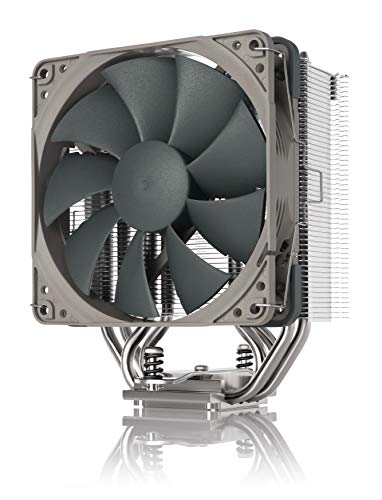
The Noctua NH-U12S redux is the value Noctua in this guide, and it is the cooler for a buyer who wants Noctua quality at a lower cost. It is a Noctua NH-U12S redux quiet high-performance single tower CPU cooler, 158mm tall, with low-noise cooling, 5 heatpipes, a 120mm fan, and 100 percent RAM compatibility. At 158mm tall it fits the S340 Elite clearance, and its single tower and single fan cool well while costing less than the dual-fan NH-U12A.
The NH-U12S redux suits a buyer with a mid-range processor, a builder who wants Noctua reliability without the premium price, and anyone who needs full RAM compatibility. Its 158mm height clears the side panel, its 5 heatpipes move heat efficiently, and its single 120mm fan keeps the noise down. It is the cooler for Noctua quality at a value price.
Key specs:
- Noctua NH-U12S redux
- 158mm height
- Single tower, 5 heatpipes
- 120mm fan
- Low-noise cooling, 100% RAM compatibility
Strengths:
- 158mm height fits the S340 Elite
- Noctua quality at a lower cost
- 100% RAM compatibility for tall memory
Trade-offs:
- A single fan cools less than the dual-fan NH-U12A
- A basic design with fewer accessories
- A single tower for mid-range processors, not the hottest ones
The NH-U12S redux fits a buyer with a mid-range processor, a builder who wants Noctua reliability at a lower cost, and anyone who needs full RAM compatibility.
Best for: Noctua quality at a value price. Not suited for: the hottest processors, or a buyer who wants dual fans.
Check price on Amazon: Noctua NH-U12S redux CPU cooler

Thermalright Peerless Assassin 120 SE CPU Cooler
The Thermalright Peerless Assassin 120 SE is the performance bargain in this guide, and it is the cooler for a buyer who wants dual-tower cooling at a low cost. It is a Thermalright Peerless Assassin 120 SE CPU cooler with 6 heat pipes, AGHP technology, dual 120mm PWM fans, 1550RPM speed, and support for AMD AM4 and AM5 and Intel LGA 1700, 1150, 1151, 1200, and 1851. Its dual towers and dual fans cool as well as coolers that cost twice as much, and its 120mm fan size keeps it compact enough for the S340 Elite.
The Peerless Assassin 120 SE suits a buyer with a hot processor on a budget, a gamer who wants low temperatures, and anyone who wants the most cooling per dollar. Its 6 heatpipes move heat fast, its dual 120mm fans push a lot of air, and its wide socket support covers AMD and Intel builds. It is the cooler for maximum cooling at a minimum cost.
Key specs:
- Thermalright Peerless Assassin 120 SE
- 6 heat pipes, AGHP technology
- Dual 120mm PWM fans, 1550RPM
- For AMD AM4/AM5, Intel LGA 1700/1150/1151/1200/1851
- Dual tower design
Strengths:
- Dual towers and dual fans at a low cost
- 6 heatpipes move heat fast
- Wide socket support for AMD and Intel
Trade-offs:
- A dual tower that is wide and may cover RAM slots
- A budget design with basic accessories
- Two fans are louder than one at full speed
The Peerless Assassin 120 SE fits a buyer with a hot processor on a budget, a gamer who wants low temperatures, and anyone who wants the most cooling per dollar.
Best for: maximum cooling at a minimum cost. Not suited for: a buyer with very tall RAM, or who wants the quietest cooler.
Check price on Amazon: Thermalright Peerless Assassin 120 SE CPU cooler

Cooler Master Hyper 212 Black II CPU Cooler
The Cooler Master Hyper 212 Black II is the classic cooler in this guide, and it is the cooler for a buyer who wants the most proven design in PC building. It is a Cooler Master Hyper 212 Black II CPU air cooler with 4 heat pipes, a PWM fan, AMD AM5 and AM4 and Intel LGA1851 and 1700 support, quiet cooling, a 120mm PWM fan, and a 152mm height, with easy installation. At 152mm tall it is the shortest tower here, so it fits the S340 Elite with the most room to spare, and its black finish matches the case.
The Hyper 212 Black II suits a first-time builder, a buyer upgrading from a stock cooler, and anyone who wants a proven design that just works. Its 152mm height clears the side panel easily, its 4 heatpipes cool a mid-range processor well, and its easy installation means a first build goes smoothly. It is the cooler for a first build and a proven design.
Key specs:
- Cooler Master Hyper 212 Black II
- 152mm height
- 4 heat pipes, PWM fan
- 120mm PWM fan
- AMD AM5/AM4, Intel LGA1851/1700, quiet cooling, easy installation
Strengths:
- 152mm height, the shortest tower here
- The most proven cooler design in PC building
- Easy installation for a first build
Trade-offs:
- 4 heatpipes cool less than the 6-pipe models here
- A single fan and a basic design
- Not enough for the hottest processors
The Hyper 212 Black II fits a first-time builder, a buyer upgrading from a stock cooler, and anyone who wants a proven design.
Best for: a first build and a proven design. Not suited for: the hottest processors, or a buyer who wants dual towers.
Check price on Amazon: Cooler Master Hyper 212 Black II CPU cooler

NZXT Kraken Elite 240 RGB AIO CPU Cooler
The NZXT Kraken Elite 240 RGB is the liquid cooler in this guide, and it is the cooler for a buyer who wants the best cooling and the best looks in an S340 Elite. It is an NZXT Kraken Elite 240 RGB 240mm AIO CPU cooler with an LCD, in white, a 240mm RGB AIO with a 2.36 inch LCD and an F240 RGB Core fan. The 240mm radiator fits the front of the S340 Elite, which takes radiators up to 280mm, and the LCD shows temperatures, images, or animations on the pump.
The Kraken Elite 240 suits a buyer who wants the best cooling for a hot processor, a builder who wants a showpiece PC, and anyone who matches NZXT parts in an NZXT case. Its 240mm radiator cools better than any air cooler here, its LCD adds a display to the build, and its RGB fan matches the case lighting. It is the cooler for the best cooling and the best looks.
Key specs:
- NZXT Kraken Elite 240 RGB
- 240mm AIO CPU cooler, LCD, white
- 2.36 inch LCD
- F240 RGB Core fan
- 240mm radiator fits the S340 Elite front
Strengths:
- 240mm radiator cools better than any air cooler here
- LCD display shows temperatures and images
- Matches the NZXT case and its RGB lighting
Trade-offs:
- A liquid cooler that needs care to install
- The most expensive cooler here
- A pump and tubes that need room to route
The Kraken Elite 240 fits a buyer who wants the best cooling, a builder who wants a showpiece PC, and anyone who matches NZXT parts in an NZXT case.
Best for: the best cooling and the best looks. Not suited for: a buyer on a budget, or who wants the simplicity of air cooling.
Check price on Amazon: NZXT Kraken Elite 240 RGB AIO cooler

be quiet! Pure Rock Pro 3 Black CPU Cooler
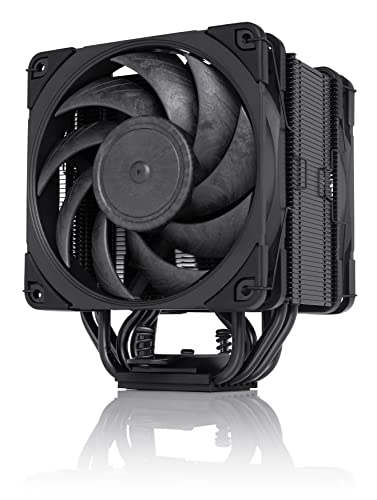
The be quiet! Pure Rock Pro 3 Black is the quiet cooler in this guide, and it is the cooler for a buyer who wants a powerful processor and a silent PC. It is a be quiet! Pure Rock Pro 3 Black AMD and Intel air CPU cooler with 250W TDP, a double-tower compact cooler, 2 silent 120mm PWM fans, 6 high-performance 6mm heatpipes, and high RAM and VRM cooling compatibility. Its 250W TDP rating is the highest here, so it handles hot processors, and its silent fans keep the PC quiet even under load.
The Pure Rock Pro 3 suits a buyer with a hot processor who hates fan noise, a builder who records audio or works in a quiet room, and anyone who wants a powerful cooler that stays quiet. Its double tower and dual fans cool hard, its silent fans live up to the brand name, and its compact design fits the S340 Elite. It is the cooler for power and silence.
Key specs:
- be quiet! Pure Rock Pro 3 Black
- 250W TDP
- Double-tower compact cooler
- 2 silent 120mm PWM fans
- 6 high-performance 6mm heatpipes, high RAM/VRM compatibility
Strengths:
- 250W TDP, the highest rating here
- Silent fans for a quiet PC
- Double tower with high RAM compatibility
Trade-offs:
- A double tower that is wide and may cover RAM slots
- A black design with no RGB
- A premium cooler with a premium cost
The Pure Rock Pro 3 fits a buyer with a hot processor who hates fan noise, a builder in a quiet room, and anyone who wants power and silence.
Best for: power and silence. Not suited for: a buyer who wants RGB lighting, or the cheapest cooler.
Check price on Amazon: be quiet Pure Rock Pro 3 Black CPU cooler
Buying guide for the best CPU coolers for NZXT S340 Elite
Measure first: the 161mm clearance and the 280mm front
The S340 Elite allows CPU coolers up to 161mm tall, and its front takes radiators up to 280mm. Measure nothing else first: these two numbers decide which coolers fit and which do not. An air cooler taller than 161mm will hit the side panel, and a radiator larger than 280mm will not mount at the front. The coolers in this guide were chosen because they fit these numbers, and the Kraken Elite 360 RGB was rejected because its 360mm radiator does not fit.
When buying a cooler that is not in this guide, check its height in the listing before buying, and compare it with 161mm. If the listing does not state the height, do not buy it, because a cooler with an unknown height is a gamble. The same goes for radiators: check the radiator size, and compare it with 280mm for the front.
Air or liquid: which cooling fits the build
Air cooling is simpler, cheaper, and more reliable: a tower of metal and a fan, with nothing to leak and nothing to fail except the fan. The five air coolers in this guide are the picks for most builders, and they cool well enough for most processors. Liquid cooling is better for the hottest processors and for looks, because a radiator and a pump move heat more efficiently and the LCD on the Kraken Elite 240 adds a display to the build.
Buy air cooling for reliability and value, and buy liquid cooling for the hottest processors and for a showpiece build. A liquid cooler needs care to install, with tubes to route and a pump to mount, while an air cooler mounts in minutes. A first-time builder should buy air, and an experienced builder who wants the best cooling should buy liquid.
TDP and heatpipes: how much cooling is enough
TDP, or thermal design power, is the rating that says how much heat a cooler can handle, and the be quiet! Pure Rock Pro 3 here is rated at 250W, the highest in this guide. A processor with a high TDP needs a cooler with a high rating, and a processor with a low TDP can use a smaller cooler. Check the processor TDP before buying, and buy a cooler rated above it, because a cooler that is too small will let the processor throttle and slow down.
Heatpipes matter too: more heatpipes move more heat from the processor to the fins, and the coolers here range from 4 to 6 heatpipes. The 6-pipe models, the Peerless Assassin 120 SE and the Pure Rock Pro 3, cool better than the 4-pipe Hyper 212 Black II. Fans matter as well: two fans push more air than one, and the dual-fan models here cool better than the single-fan ones.
RAM clearance: a wide cooler can cover the memory
A wide cooler can cover the memory slots, and that matters when the memory has tall heatsinks. The Noctua models in this guide state 100 percent RAM compatibility, which means tall memory fits underneath them, and the be quiet! Pure Rock Pro 3 states high RAM compatibility as well. The dual-tower models, the Peerless Assassin 120 SE and the Pure Rock Pro 3, are wider and may cover the first memory slot, so check the memory height before buying.
If the memory is tall, buy a cooler that states RAM compatibility, or buy low-profile memory. A cooler that covers the memory is not broken, but it means the memory cannot be removed without removing the cooler, and that makes upgrades harder. Measure the memory, check the cooler, and buy the combination that fits.
Noise: a quiet PC is a pleasant PC
A cooler that is loud under load makes the PC unpleasant to use, and noise matters more than most buyers think. The be quiet! Pure Rock Pro 3 and the Noctua models in this guide are the quietest here, with silent fans and low-noise designs, while the dual-fan models are louder at full speed. A cooler with a PWM fan adjusts its speed to the temperature, so it is quiet when the PC is idle and louder only when it is working hard.
Buy a quiet cooler for a PC that runs all day, for a room where silence matters, and for a build that is used for recording or for work. Buy a louder cooler only when the budget is tight and the PC is used for gaming with headphones, because the noise will not be heard then. A quiet PC is a PC that is used more.
Using and caring for a CPU cooler in the S340 Elite
Install the cooler carefully and check the fit
Mount the cooler with the backplate and the brackets that come in the box, and tighten the screws evenly, a little at a time, so the cooler sits flat on the processor. Apply a pea-sized drop of thermal paste in the centre of the processor, and let the cooler spread it when it is tightened. Do not use too much paste, because it will squeeze out and make a mess, and do not use too little, because the processor will run hot.
After mounting, close the side panel and check that it closes without touching the cooler. If the panel touches the cooler, the cooler is too tall, and it must be replaced. Check the RAM as well: if the cooler covers the memory slots, move the memory or the fan so they fit. A cooler that fits is a cooler that works.
Keep the cooler and the case clean
Clean the cooler and the case every few months, because dust blocks the fins and slows the fans, and a dusty cooler runs hotter and louder. Use compressed air to blow the dust out of the fins and the fans, and hold the fan still while doing it, because spinning it with air can damage the bearing. Clean the dust filters on the S340 Elite as well, because they catch most of the dust before it reaches the cooler.
A liquid cooler needs the same care, plus a check of the tubes and the pump. Look for leaks once a year, listen for a noisy pump, and check that the radiator is clean. A liquid cooler that is looked after lasts for years, and a leak caught early saves the PC.
Watch the temperatures
Check the processor temperature after installing a new cooler, because it shows whether the cooler is working. A processor that idles cool and stays cool under load is a cooler that is working, and a processor that runs hot under load needs attention: check the mounting, check the paste, and check the fan speed. A cooler that is mounted badly cools worse than a stock cooler.
Use a temperature monitor to check the numbers, and write them down, because a cooler that slowly gets hotter over months is a cooler that needs cleaning. A clean cooler keeps its temperatures, and a dusty cooler loses them, so cleaning is the cheapest performance upgrade there is.
Common mistakes when buying a CPU cooler for NZXT S340 Elite
Buying a cooler that is too tall
The most common mistake is buying a cooler that is taller than 161mm and discovering it hits the side panel. A tall tower cooler looks impressive, but it does not fit the S340 Elite, and it must be returned. Check the height in the listing before buying, and compare it with 161mm. The coolers in this guide state 152mm or 158mm where the title gives it, so they fit with room to spare.
The same mistake happens with radiators: a 360mm radiator looks impressive, but it does not fit the S340 Elite front, which takes radiators up to 280mm. The Kraken Elite 360 RGB was rejected from this guide for exactly that reason, and it was replaced with the Kraken Elite 240 RGB. Check the radiator size, and compare it with 280mm.
Using too much or too little thermal paste
The second most common mistake is using too much thermal paste, which squeezes out and makes a mess, or too little, which leaves air gaps and makes the processor run hot. A pea-sized drop in the centre is enough, and the cooler will spread it when it is tightened. Do not spread it with a card, do not draw a pattern, and do not use the whole tube.
The third mistake is forgetting to remove the plastic cover from the cooler base, or from the processor socket, before mounting. A plastic cover left in place blocks the heat and makes the processor overheat in minutes. Check the base before mounting, and peel off anything that should not be there.
Forgetting the RAM and the fan direction
The fourth most common mistake is buying a wide cooler and discovering it covers the memory slots, so the tall memory does not fit. Check the RAM height and the cooler width before buying, and buy a cooler that states RAM compatibility when the memory is tall. The Noctua models in this guide state 100 percent RAM compatibility, and they are the safe choice.
The fifth mistake is mounting the fan backwards, so it blows hot air into the case instead of out of it. Check the arrows on the fan frame, which show the direction of airflow, and mount the fan so it blows towards the back of the case. A fan that blows the wrong way makes the whole PC hotter.
Final recommendation
For most S340 Elite builders, the Noctua NH-U12A chromax.Black is the best all-round choice in this guide. It is 158mm tall, so it fits with room to spare, it has dual 120mm fans that cool as well as larger coolers, and it has 100 percent RAM compatibility. It is the cooler for the best air cooling that fits.
For the best value, buy the Noctua NH-U12S redux, with Noctua quality at a lower cost. For the best bargain, buy the Thermalright Peerless Assassin 120 SE, with dual towers at a low cost. For a first build, buy the Cooler Master Hyper 212 Black II, with its 152mm height and proven design. For liquid cooling, buy the NZXT Kraken Elite 240 RGB, with its 240mm radiator and LCD. For power and silence, buy the be quiet! Pure Rock Pro 3, with its 250W TDP and silent fans.
Whichever cooler is chosen, check the height against 161mm first, check the radiator against 280mm for liquid cooling, and mount it carefully with a pea-sized drop of thermal paste. A CPU cooler is bought once and used for years, and the right one is the one that fits the case and cools the processor.
Related reading on Reviewstook: see our guides to CPU air coolers for beginners, CPU air coolers for gaming, Intel Z370 motherboards for more on this topic.
Frequently asked questions about CPU coolers for NZXT S340 Elite
What is the maximum CPU cooler height for the NZXT S340 Elite?
The S340 Elite allows CPU coolers up to 161mm tall. The coolers in this guide state 152mm or 158mm where the listing title gives the height, so they fit with room to spare. A cooler taller than 161mm will hit the side panel and cannot be installed, so check the height in the listing before buying.
What size radiator fits in the NZXT S340 Elite?
The S340 Elite front takes radiators up to 280mm. The NZXT Kraken Elite 240 RGB in this guide has a 240mm radiator, so it fits. A 360mm radiator, like the Kraken Elite 360 RGB, does not fit the front and was rejected from this guide for that reason. Check the radiator size in the listing before buying.
Is air cooling or liquid cooling better for the S340 Elite?
Air cooling is simpler, cheaper, and more reliable, and it is enough for most processors. Liquid cooling is better for the hottest processors and for looks, because a radiator moves heat more efficiently and the LCD on the Kraken Elite 240 adds a display. Buy air for reliability and value, and liquid for the hottest processors and a showpiece build.
How much thermal paste should I use on a CPU cooler?
A pea-sized drop in the centre of the processor is enough, and the cooler will spread it when it is tightened. Do not use too much, because it will squeeze out and make a mess, and do not use too little, because it will leave air gaps and make the processor run hot. Do not spread it with a card, and do not forget to remove the plastic cover from the cooler base.
Will a big CPU cooler block my RAM slots?
A wide cooler can cover the memory slots, especially a dual-tower cooler. The Noctua models in this guide state 100 percent RAM compatibility, which means tall memory fits underneath them, and the be quiet! Pure Rock Pro 3 states high RAM compatibility. Check the RAM height and the cooler width before buying, and buy a cooler that states RAM compatibility when the memory is tall.