The best gaming laptops with RTX 3070 are the sweet spot of laptop gaming: a graphics card fast enough for high settings at 1080p and 1440p, in machines that now cost far less than they did at launch. The RTX 3070 is a full-power mobile graphics card, not a cut-down version, and in a laptop with a good screen and enough memory it plays modern games smoothly, renders video quickly, and handles creative work without complaint. For a buyer who wants real gaming performance without paying the premium for the newest generation, this is the card to look for.
The catch is that not every laptop with 3070 in the name has the same graphics card. The RTX 3070 Ti is a different, faster card, and a laptop with a 3070 Ti is not a 3070 laptop, however similar the name looks. Every laptop in this guide was picked because its listing title states the exact RTX 3070 graphics card, with its brand and model spelled out, and it is sold as a new listing. Where a listing title was cut off or unclear about the graphics card, the laptop was left out rather than guessed at.
This guide covers the proven 3070 laptops: Lenovo Legion 5 Pro machines with fast 165Hz screens, ASUS ROG Strix and TUF Dash models built for cooling and durability, and HP OMEN models with high-refresh displays. All six have 16GB of memory or more, a solid-state drive, and a screen fast enough to show what the graphics card can do, so there is a match for competitive play, for story-driven games, and for a machine that also has to work.
In this guide
Quick picks: best gaming laptops with rtx 3070
| # | Product | Where to buy |
|---|---|---|
| 1 | Lenovo Legion 5 Pro 16ACH6H | Check on Amazon |
| 2 | HP OMEN 16.1 Inch QHD Gaming Laptop | Check on Amazon |
| 3 | ASUS ROG Strix G17 2021 | Check on Amazon |
| 4 | ASUS TUF Dash Gaming Laptop RTX 3070 | Check on Amazon |
| 5 | Lenovo 2022 Legion 5 Pro RTX 3070 | Check on Amazon |
| 6 | ASUS TUF Dash FX517ZR F15 | Check on Amazon |
How the picks were chosen for the best gaming laptops with RTX 3070
Every laptop below started as a listing returned by the reviewstook.com product lookup, and every listing was checked the same way. First, the title had to name the exact graphics card: NVIDIA GeForce RTX 3070, without the Ti suffix, because the Ti is a different card and this guide is about the 3070. Second, the title had to name the exact brand and model of the laptop, including every letter and number in the model code, because a Legion 5 Pro 16ACH6H is not the same machine as a Legion 5 Gen 7. Third, the listing had to be a new product, not a used or renewed one, since a used laptop can arrive with a worn battery or a tired fan.
Performance was judged from the listing title: processor, memory, storage, and screen. A gaming laptop needs at least 16GB of memory and a solid-state drive of 512GB or more, because modern games are large and a slow drive makes every load a wait. The screen matters as much as the graphics card: a 144Hz or 165Hz display shows the frame rate the 3070 can produce, while a 60Hz display wastes it. Cooling was considered too, because a laptop that cannot shed heat will slow its graphics card down just when the game gets demanding.
No laptop was included on the strength of a brand name alone, and no specification was taken from anywhere except the listing itself. Laptops whose titles named a 3070 Ti, a 3050, a 4050, or a 5060 were excluded, however good the machine, because the graphics card is the point of this guide. Where a listing title was truncated before the graphics card, the full title was verified before the laptop was picked.
Legion, ROG Strix, TUF Dash, or OMEN: which 3070 laptop fits the way you play
The Lenovo Legion 5 Pro is the all-rounder of this guide. Its 16-inch screen is tall, bright, and fast at 165Hz, which suits both games and work, and its cooling keeps the 3070 running at full speed for long sessions. The keyboard is full-size and comfortable, the build is solid without being flashy, and the machine is at home on a desk or in a bag. For a buyer who wants one laptop that games well and works well, the Legion 5 Pro is the default choice.
The ASUS ROG Strix G17 is the big-screen choice. Its 17.3-inch display at 300Hz is made for competitive play, where a fast screen and a fast graphics card together make fast movement look smooth. It is larger and heavier than the others, so it suits a desk more than a daily commute, but for a player who wants the biggest view of the game, nothing else in this guide matches it. The TUF Dash is the tougher, more portable ASUS: a 15.6-inch machine built to military durability standards, lighter than the Strix, and easier to carry.
The HP OMEN 16 is the balanced middle: a 16.1-inch screen at 165Hz, a solid keyboard, and a design that does not shout. It suits a player who wants the 3070 in a machine that also looks right in a classroom or an office. Whichever line is chosen, the graphics card is the same, so the decision comes down to screen size, weight, and the way the laptop will actually be used.
What makes a gaming laptop with RTX 3070 good
The graphics card wattage decides how fast the 3070 really is. The same RTX 3070 chip can run at different power levels in different laptops, and a higher-wattage card is faster in games. A laptop that gives the card plenty of power and keeps it cool will hold higher frame rates than a thin laptop that throttles the card to stay cool. The listing rarely states the wattage directly, so the cooling design and the thickness of the machine are the clues: a thicker laptop with large vents usually feeds its graphics card better.
Memory and storage decide how smooth the machine feels. Sixteen gigabytes of memory is the minimum for modern games, and 32GB is better for a machine that also edits video or runs a browser with many tabs open. A 512GB solid-state drive fills up fast with modern games, so 1TB is the comfortable size, and a second drive slot is worth having for a growing library. The drive should be an NVMe solid-state drive, not a slow hard disk, because a hard disk makes every game load slowly.
The screen is half the gaming experience. A refresh rate of 144Hz or higher shows the frame rate the 3070 produces, and a 165Hz or 240Hz panel is smoother still. Resolution matters too: 1080p is the easiest for the graphics card and the fastest, while 1440p looks sharper and is still very playable on a 3070. Colour and brightness matter for story-driven games and for work, so a bright panel with good colour is worth more than a dim one with a higher refresh rate.
Quick picks at a glance
| Product | GPU and CPU | Screen and memory | Best for |
|---|---|---|---|
| Lenovo Legion 5 Pro 16ACH6H | RTX 3070, Ryzen 7 5800H | 16 inch, 16GB, 1TB SSD | All-round gaming |
| HP OMEN 16.1 Inch QHD | RTX 3070, Core i7-11800H | 16.1 inch QHD 165Hz, 32GB, 1TB | Fast screen, big memory |
| ASUS ROG Strix G17 2021 | RTX 3070, Ryzen 9 5900HX | 17.3 inch 300Hz, 16GB, 1TB | Competitive play |
| ASUS TUF Dash i7-12650H | RTX 3070, Core i7-12650H | 15.6 inch 144Hz, 32GB, 1TB | Tough daily use |
| Lenovo 2022 Legion 5 Pro | RTX 3070, Ryzen 7 5800H | 16 inch 165Hz QHD, 32GB, 512GB | Streaming setup |
| ASUS TUF Dash FX517ZR F15 | RTX 3070, Core i7-12650H | 15.6 inch FHD, 16GB, 512GB | Portable gaming |
The best gaming laptops with RTX 3070
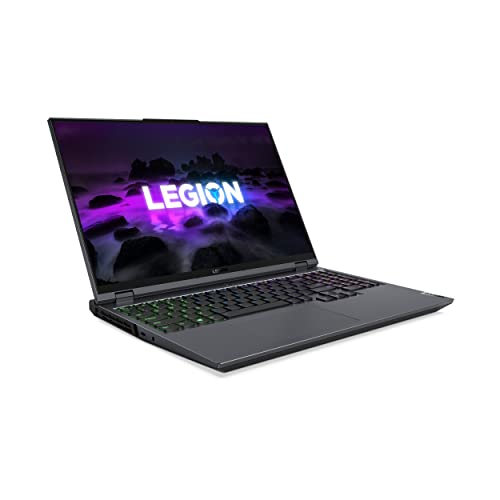
Lenovo Legion 5 Pro 16ACH6H Gaming Laptop RTX 3070
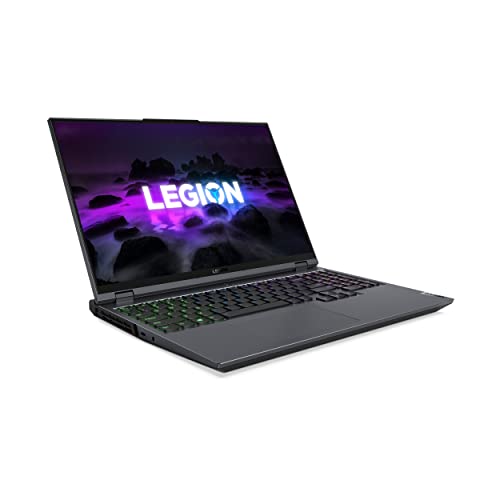
The Lenovo Legion 5 Pro 16ACH6H is the all-rounder of this guide, and it is the laptop for a gamer who wants one machine that games well and works well. It is a 16 inch laptop with an AMD Ryzen 7 5800H processor, an NVIDIA GeForce RTX 3070 graphics card, 16GB of memory, and a 1TB solid-state drive, running Windows 11 Home. That combination plays modern games at high settings and handles work, study, and creative tasks without complaint.
The Legion 5 Pro suits a player who wants a fast, well-cooled laptop without a flashy design. Its 16 inch screen is tall and bright, its keyboard is full-size and comfortable, and its cooling keeps the 3070 running at full speed through long sessions. It is the laptop for a desk that is also a gaming station, and for a bag that carries it to class or to work.
Key specs:
- 16 inch laptop, AMD Ryzen 7 5800H
- NVIDIA GeForce RTX 3070
- 16GB RAM, 1TB SSD
- Windows 11 Home
- Legion 5 Pro 16ACH6H
Strengths:
- Full-power RTX 3070 with a fast Ryzen 7 processor
- 16GB of memory and a 1TB drive suit games and work
- Well cooled for long gaming sessions
Trade-offs:
- Heavier than an ultrabook, so it stays mostly on a desk
- Battery lasts a few hours, not all day
- No 144Hz figure stated in the title, check the screen
The Legion 5 Pro 16ACH6H fits a gamer who wants one laptop for games and work, a player who values cooling and a good keyboard, and a desk setup that needs a strong all-rounder. It is the laptop for a machine that does everything.
Best for: a gamer who wants one laptop for games and work. Not suited for: a traveller who needs an all-day battery and a light bag.
Check price on Amazon: Lenovo Legion 5 Pro 16ACH6H

HP OMEN 16.1 Inch QHD Gaming Laptop RTX 3070
The HP OMEN 16.1 inch QHD gaming laptop is the balanced middle of this guide, and it is the laptop for a player who wants the 3070 in a machine that also looks right in a classroom or an office. It has an Intel Core i7-11800H processor running to 4.6GHz, a GeForce RTX 3070 graphics card, a 165Hz IPS display at 2560 by 1440, and 32GB of memory with a 1TB PCIe solid-state drive. The high-refresh QHD screen shows the frame rate the 3070 can produce, and the 32GB of memory leaves room for streaming and editing.
The OMEN 16 suits a player who wants a fast screen and a lot of memory without a loud design. Its Thunderbolt 4 port connects to a dock or a fast drive, its RGB keyboard lights up for games and dims for work, and its white finish stands out from the usual black. It ships with a mouse pad in the listing, which is a small bonus for a new setup. It is the laptop for a player who wants the 3070 with a great screen and plenty of memory.
Key specs:
- 16.1 inch QHD display, 165Hz IPS, 2560 by 1440
- Intel Core i7-11800H up to 4.6GHz
- GeForce RTX 3070
- 32GB RAM, 1TB PCIe SSD
- Thunderbolt 4, RGB keyboard, Wi-Fi 6, Windows 11
Strengths:
- 165Hz QHD screen shows what the 3070 can do
- 32GB of memory suits streaming and editing
- Thunderbolt 4 for a dock or fast storage
Trade-offs:
- White finish shows dirt more than black
- A 16.1 inch machine is heavier than a 15 inch one
- Battery life is short while gaming
The HP OMEN 16 fits a player who wants a fast QHD screen, a lot of memory, and a machine that also works in a classroom or office. It is the laptop for a balanced gaming setup with a great display.
Best for: a player who wants a fast QHD screen and 32GB of memory. Not suited for: a traveller who needs a light laptop and an all-day battery.
Check price on Amazon: HP OMEN 16.1 Inch QHD Gaming Laptop

ASUS ROG Strix G17 2021 Gaming Laptop RTX 3070
The ASUS ROG Strix G17 from 2021 is the big-screen choice in this guide, and it is the laptop for a competitive player who wants the largest, fastest view of the game. It is a 17.3 inch laptop with a 300Hz IPS display, an NVIDIA GeForce RTX 3070 graphics card, an AMD Ryzen 9 5900HX processor, 16GB of DDR4 memory, and a 1TB PCIe NVMe solid-state drive. The 300Hz screen is the fastest in this guide, and it makes fast movement look smooth in a way a slower screen cannot.
The Strix G17 suits a desk setup where the laptop rarely moves. Its 17.3 inch screen is the biggest here, its Ryzen 9 processor handles streaming and editing alongside games, and its RGB keyboard is made for play. It is larger and heavier than the others, so it is not the laptop for a daily commute, but for a player who wants the biggest view and the fastest screen, nothing else in this guide matches it.
Key specs:
- 17.3 inch 300Hz IPS display, Full HD
- NVIDIA GeForce RTX 3070
- AMD Ryzen 9 5900HX
- 16GB DDR4, 1TB PCIe NVMe SSD
- RGB keyboard, Windows 10, G713QR-ES96
Strengths:
- 300Hz screen is the fastest in this guide
- Ryzen 9 processor handles streaming and editing
- Large 17.3 inch display for competitive play
Trade-offs:
- Large and heavy, best on a desk
- Windows 10 rather than Windows 11 in the title
- 1080p resolution, not 1440p
The ROG Strix G17 fits a competitive player, a desk setup where the laptop stays put, and a gamer who wants the fastest screen available. It is the laptop for big-screen, fast competitive play.
Best for: competitive play on a big, fast screen. Not suited for: a traveller who needs a light laptop, or a player who wants 1440p.
Check price on Amazon: ASUS ROG Strix G17 2021

ASUS TUF Dash Gaming Laptop RTX 3070 Intel i7-12650H
The ASUS TUF Dash gaming laptop with the Intel 12th Gen 10-core i7-12650H is the tough, well-specified machine in this guide, and it is the laptop for a player who wants a lot of memory and a durable build. It has a 15.6 inch 144Hz Full HD display, an NVIDIA GeForce RTX 3070 graphics card, 32GB of DDR5 memory, and a 1TB PCIe solid-state drive, with a backlit keyboard, HDMI, Wi-Fi 6, and Windows 11 Home. The TUF line is built to military durability standards, so the machine is made to survive being carried every day.
The TUF Dash suits a student or a worker who carries the laptop daily and games when the work is done. Its 32GB of DDR5 memory is the most modern memory in this guide, its 144Hz screen is fast enough for competitive play, and its 1TB drive holds a large library. It is the laptop for a machine that is carried, used, and gamed on every day.
Key specs:
- 15.6 inch 144Hz Full HD display
- Intel 12th Gen 10-core i7-12650H
- NVIDIA GeForce RTX 3070
- 32GB DDR5 RAM, 1TB PCIe SSD
- Backlit keyboard, HDMI, Wi-Fi 6, Windows 11 Home
Strengths:
- 32GB of fast DDR5 memory
- Tough TUF build made for daily carrying
- 144Hz screen and a 1TB drive
Trade-offs:
- 144Hz is slower than the 165Hz and 300Hz screens here
- 15.6 inch screen is smaller than the 16 and 17 inch models
- TUF design is plainer than ROG
The TUF Dash fits a student or worker who carries the laptop daily, a player who wants 32GB of memory, and a machine that must survive being carried. It is the laptop for tough daily use and gaming.
Best for: daily carrying with 32GB of memory and a tough build. Not suited for: a player who wants the fastest screen, or the biggest display.
Check price on Amazon: ASUS TUF Dash Gaming Laptop RTX 3070

Lenovo 2022 Legion 5 Pro Gaming Laptop RTX 3070 32GB
The Lenovo 2022 Legion 5 Pro is the high-memory Legion in this guide, and it is the laptop for a player who wants the Legion 5 Pro with more memory for streaming and multitasking. It is a 16 inch 165Hz QHD laptop computer with an AMD Ryzen 7 5800H processor, 32GB of memory, a 512GB PCIe solid-state drive, a backlit keyboard, and an NVIDIA GeForce RTX 3070 graphics card, running Windows 11. The 32GB of memory is the difference here: it lets the laptop run a game, a stream, and a browser together without slowing down.
The Legion 5 Pro 2022 suits a player who streams, edits, or runs many programs at once. Its 165Hz QHD screen is sharp and fast, its cooling keeps the 3070 at full speed, and its 512GB drive is enough for the games played most, with room to add a second drive later. It is the laptop for a Legion that does more than game.
Key specs:
- 16 inch 165Hz QHD display
- AMD Ryzen 7 5800H
- 32GB RAM, 512GB PCIe SSD
- NVIDIA GeForce RTX 3070
- Backlit keyboard, Windows 11
Strengths:
- 32GB of memory suits streaming and multitasking
- 165Hz QHD screen is sharp and fast
- Legion cooling holds the 3070 at full speed
Trade-offs:
- 512GB drive is smaller than the 1TB models here
- Heavier than an ultrabook
- Battery life is short while gaming
The Legion 5 Pro 2022 fits a player who streams or multitasks, a gamer who wants 32GB of memory, and a desk setup with a fast QHD screen. It is the laptop for a Legion with more memory.
Best for: streaming and multitasking with 32GB of memory. Not suited for: a player with a very large game library who needs 1TB, or a traveller who needs a light laptop.
Check price on Amazon: Lenovo 2022 Legion 5 Pro RTX 3070

ASUS TUF Dash FX517ZR F15 Gaming Laptop RTX 3070
The ASUS TUF Dash FX517ZR, also called the FX517ZR-F15, is the portable TUF in this guide, and it is the laptop for a player who wants the TUF durability in a lighter, more portable machine. It has an Intel i7-12650H processor, 16GB of memory, a 512GB PCIe solid-state drive, a 15.6 inch IPS Full HD display at 1920 by 1080, and an NVIDIA RTX 3070 graphics card, running Windows 11 Home. The FX517ZR model code is stated in the listing title, which is the reliable way to tell it apart from other TUF Dash models.
The TUF Dash FX517ZR suits a student who carries the laptop every day and games in the evening. Its 15.6 inch size is the most portable in this guide, its TUF build survives daily carrying, and its 3070 plays modern games at high settings. The 512GB drive holds the games played most, and the 16GB of memory is enough for games and study together. It is the laptop for a portable gaming machine that is also a daily carry.
Key specs:
- 15.6 inch IPS Full HD display, 1920 by 1080
- Intel i7-12650H
- 16GB RAM, 512GB PCIe SSD
- NVIDIA RTX 3070
- Windows 11 Home, FX517ZR-F15
Strengths:
- Portable 15.6 inch size for daily carrying
- TUF build survives being carried every day
- Exact FX517ZR model code stated in the title
Trade-offs:
- 512GB drive is smaller than the 1TB models here
- 60Hz or 144Hz screen not stated in the title, check before buying
- 16GB of memory is the minimum, not the maximum
The TUF Dash FX517ZR fits a student who carries the laptop daily, a player who wants a portable 3070 machine, and a setup where the laptop is both the study machine and the gaming machine. It is the laptop for portable daily gaming.
Best for: a portable daily carry with a 3070. Not suited for: a player with a very large game library, or a desk setup that wants a bigger screen.
Check price on Amazon: ASUS TUF Dash FX517ZR F15
Buying guide
Check the exact graphics card, not just the number
The number 3070 appears in more than one graphics card. The RTX 3070 and the RTX 3070 Ti are different cards, and the Ti is faster and usually dearer. A laptop listing that says 3070 Ti is not a 3070 laptop, and a listing that only says RTX 30-series may hide a slower card entirely. Read the full listing title and confirm the words RTX 3070 appear without a Ti. If the title is cut off before the graphics card, do not buy on a guess.
The processor matters too, but less than the graphics card for gaming. A modern eight-core processor from either maker is enough for the 3070, and a six-core is fine for most games. The processor matters more for streaming, editing, and compiling, where more cores help. Do not pay a large premium for a faster processor in a gaming laptop unless the machine will also do heavy work.
Screen, memory, and storage: the three numbers that matter
Choose the screen by the games played. Competitive games benefit most from a high refresh rate, so 165Hz or 240Hz is worth having. Story-driven and open-world games benefit more from resolution and colour, so a 1440p panel with good brightness is the better choice there. A 15.6-inch screen is the portable size; a 16-inch or 17.3-inch screen is better on a desk and heavier in a bag.
Memory should be 16GB at least, and the machine should let it be upgraded later. Storage should be 1TB if the library is large, because modern games take 50 to 150GB each. A laptop with a second drive slot can grow later, which is cheaper than buying a bigger drive now. Check the storage type as well: an NVMe solid-state drive is several times faster than a SATA drive, and a hard disk has no place in a gaming laptop.
Cooling and noise
A gaming laptop makes heat, and the cooling system decides whether the graphics card can keep its speed. Look for large vents at the back and sides, two fans, and heatpipes that cover both the processor and the graphics card. A laptop that runs hot will slow down during long sessions, which shows up as stuttering just when the game gets busy. Reviews and the thickness of the machine are the best guides: a very thin laptop with a 3070 is more likely to throttle than a thicker one.
Fan noise is part of the deal. A gaming laptop under load is audible, and the quietest machines are the ones with the largest fans and the most vent area. After buying, set the fan mode in the maker software: a quiet mode for browsing and a performance mode for games. A cooling stand or a raised back edge helps airflow and can drop temperatures by a few degrees, which is enough to keep the graphics card at full speed.
Battery, ports, and the keyboard
A gaming laptop is not a long-battery machine. Most 3070 laptops last a few hours on battery while browsing, and under an hour while gaming, because the graphics card draws a lot of power. If the laptop will travel, check the battery size and whether it charges over USB-C, which makes carrying a charger easier. The power brick is large and heavy, so it stays on the desk.
Ports decide what can be plugged in. A laptop needs at least two USB ports for a mouse and a headset, an HDMI or DisplayPort output for an external monitor, and an Ethernet port for stable online play. The keyboard should have a number pad if the laptop will also do work, and backlighting helps in a dark room. A good trackpad matters for travel, but most gaming is done with a mouse.
Setting up and everyday care
First boot and updates
On the first boot, connect to power and let the laptop finish its setup, then run the system updates and the graphics driver update before installing any games. The maker software controls the fan modes and the keyboard lighting, and it is worth installing. Remove any trial software that is not wanted, because it slows the machine and nags for payment. Set the power plan to the balanced mode for everyday use and the performance mode for games.
Install games on the solid-state drive, not on an external drive, because load times are much faster. Keep at least a tenth of the drive free, because a full drive slows down and Windows needs room for updates. A second drive, internal or external, is the better place for a large library that does not fit.
Keeping the laptop cool
Heat is the enemy of a gaming laptop, and dust is the enemy of cooling. Every few months, shut the laptop down and blow dust out of the vents with short bursts of compressed air. Use the laptop on a hard, flat surface, not on a bed or a sofa, because soft surfaces block the intake vents underneath. A simple stand that lifts the back edge improves airflow and can lower temperatures noticeably.
If the laptop gets louder over months with no other change, dust in the fans is the likely cause. If temperatures stay high after cleaning, the thermal paste may have dried out, but repasting a laptop is a job for someone comfortable opening the machine, because the cooling assembly must come off and go back on exactly right.
Battery care
A gaming laptop battery lasts longest when it is not held at full charge all day. Most maker software has a battery care mode that limits charging to around 80 percent when the laptop stays plugged in, and that mode is worth turning on for a desk machine. If the laptop will be stored for weeks, leave the battery around half charged rather than full or empty.
Do not expect long battery life while gaming. The graphics card draws far more power than the battery can sustain for long, so gaming is a plugged-in activity. For browsing and office work on battery, switch the graphics to the integrated chip in the maker software, which can double the unplugged time.
Common mistakes to avoid
Buying a 3070 Ti thinking it is a 3070
The 3070 Ti is a different card from the 3070, and a laptop with the Ti costs more. A buyer who wants a 3070 and pays the Ti price has overspent, and a buyer who wants the Ti and gets a 3070 has underspent. Read the listing title in full and confirm which card is named. The two cards are close in performance, but the price difference is real, so the card should match the budget.
Choosing 8GB of memory to save money
Eight gigabytes of memory was enough a few years ago, but modern games and a browser together can use more than that, and a laptop that runs out of memory stutters and swaps to the drive. Sixteen gigabytes is the minimum for a gaming laptop now, and it is the cheapest upgrade a laptop can have. If the machine has only 8GB and the memory is soldered, it cannot be fixed later.
Ignoring the screen refresh rate
A 3070 can produce well over 100 frames per second in many games, but a 60Hz screen can only show 60 of them. Buying a fast graphics card with a slow screen wastes the card. A 144Hz screen is the minimum that matches the 3070, and a 165Hz or 240Hz screen is better for competitive play. The screen is the part of the laptop that is looked at all day, so it deserves as much attention as the graphics card.
Gaming on a soft surface
A laptop on a bed, a sofa, or a lap blocks the intake vents underneath, and the machine heats up within minutes. Hot air has nowhere to go, the fans spin faster, and the graphics card slows down. Always game on a hard, flat surface, or on a stand that leaves the vents clear. A few centimetres of clearance under the laptop is worth more than any software tweak.
Our recommendation
For most players, the Lenovo Legion 5 Pro is the right buy: a fast 165Hz screen, a full-power RTX 3070, and cooling that holds its speed through long sessions, in a machine that also works well. If the screen needs to be bigger and faster for competitive play, the ASUS ROG Strix G17 is the pick. If the laptop must travel every day, the ASUS TUF Dash is lighter and tougher. The graphics card is the same in all of them, so the choice is about the screen, the size, and the way the laptop will actually be used.
Buy the 3070 laptop for the games played today, not for a future upgrade. A machine with 16GB of memory, a 1TB drive, and a fast screen will play well for years, and it costs far less now than it did when the card was new.
Related reading on Reviewstook: see our guides to the best gaming laptops under 1000, the best lightweight gaming laptops under 1000, the best gaming laptops for students under 1000 for more on this topic.
Frequently asked questions
Is the RTX 3070 still good for gaming in 2026?
Yes. The RTX 3070 still plays modern games at high settings at 1080p and at good settings at 1440p, and it supports ray tracing and upscaling, which keep newer games playable. It is not the fastest card anymore, but it is far faster than the budget cards in new laptops at the same price, which is why a 3070 laptop is such good value now.
What is the difference between the RTX 3070 and the RTX 3070 Ti?
The 3070 Ti is a faster version of the same card, with more cores and faster memory, and it costs more. In games the difference is usually around ten percent, which is noticeable but not dramatic. A laptop with a 3070 Ti is not a 3070 laptop, so the listing title should be read carefully before buying.
How much memory does a gaming laptop with RTX 3070 need?
Sixteen gigabytes is the minimum for modern games, and 32GB is better for a machine that also edits video, streams, or runs many programs at once. Eight gigabytes is not enough anymore: the machine will stutter when the game and the system together use more memory than is fitted. Memory should be upgradable if possible, so a single 16GB stick with a free slot is better than two 8GB sticks.
Can a gaming laptop with RTX 3070 be used for work and study?
Yes, and it is good at it. The same processor and memory that run games also run office work, video editing, and programming quickly. The only drawbacks are weight, fan noise, and battery life: a gaming laptop is heavier than an ultrabook, its fans are audible under load, and its battery lasts a few hours rather than all day. For a desk that is also a gaming station, it is an excellent single machine.