Buying a smartwatch for a teenage guy is really two different purchases wearing the same name. One family of watches exists so a younger teenager can call home, share a location and get through the school day without owning a phone at all, with parents holding the keys to every contact and setting. The other family assumes he already carries a phone and treats the watch as a sports instrument, a notification screen or a first piece of grown-up tech that nobody supervises. Mixing those two families up is how families end up with a locked-down kids’ watch on a seventeen-year-old’s wrist, or an open adult watch handed to a twelve-year-old with no guardrails at all. This guide keeps the two families separate, pick by pick, so the supervision level in the description always matches the supervision level in the box.
One disclosure before the picks: this site earns an affiliate commission when readers buy through links on the page, and the recommendations here rest on published manufacturer documentation, specification sheets and buying-guide research rather than on any ownership of the watches themselves. Prices move around too much to print responsibly, so each pick is described in tier language — budget, mid-range or premium — and the closing sentence of every pick points to where the current figure can be confirmed.
Two families of watches, one age range
The thirteen-to-nineteen span covers an enormous amount of growing up. A thirteen-year-old who has just started travelling to school alone needs a reachable, locatable wrist and very little else; every extra app is a distraction his parents will spend the year removing. A sixteen-year-old training with a school athletics squad needs accurate GPS tracks, heart-rate data and a battery that survives a tournament weekend, and would find a parent-approved contact list patronising. An eighteen- or nineteen-year-old needs none of the supervision layer at all and is really shopping in the adult market with a younger person’s budget and a rougher daily life. The six picks below are ordered as a ladder through that span: two fully supervised standalone watches with their own cellular connections, one supervised watch from a fitness brand for the youngest teenagers, one bridge pick for the smallest wrists in the range, and two unsupervised watches for older teenagers who already have phones.
The ordering matters because the honest answer changes with age. For the first half of the teenage years, the decisive questions are about control: who can call this watch, who approves those people, whether a school mode silences it during lessons, and whether the connection keeps working when no phone is nearby. For the second half, the decisive questions are about capability: GPS quality, battery life measured in days rather than hours, water resistance that survives swim training, and glass that survives a locker room floor. Every pick below states plainly which half of the range it serves, and the supervised picks are never presented as peer watches for the oldest teenagers, because a seventeen-year-old can tell the difference at a glance and will simply stop wearing the thing.
A second split runs underneath the age split: the phone question. Three of the six picks carry their own LTE connection and work with no phone in the teenager’s pocket at all, although — and this is a hard rule of the category — every one of those standalone arrangements involves a parent’s phone or a paid plan somewhere in the background. The other three picks are companions that assume a phone exists. Neither design is better in the abstract. A standalone watch is a deliberate alternative to a first phone; a companion watch is an accessory to a phone he already has. Choosing between them is choosing the family’s phone policy, and the watch follows from that decision rather than the other way round.
In this guide
What to look for in a smartwatch for a teenage guy
Standalone connection versus phone companion
A standalone watch carries its own cellular radio and its own line, so calls, messages and location sharing work on the bus, at training and on a school trip with no handset anywhere near it. That independence is the entire point for younger teenagers whose parents want reachability without handing over a phone and everything a phone brings with it. The companion design is lighter, cheaper to run and far richer in apps and sensors, because the phone in his pocket does the heavy lifting and the watch is a second screen with a pulse sensor. Read every pick’s connection description literally: Bluetooth calling, which several budget watches advertise prominently, means the watch relays a call through a nearby paired phone and goes silent the moment that phone is out of range. Only a watch with its own LTE connection is genuinely phone-free, and the picks below separate those two claims wherever a maker blurs them.
Who approves the contacts
On a supervised watch, the contact list is the product. The parent adds each approved person from an app on the parent’s own phone, the watch can reach only those people, and nobody outside the list can call in. That closed circle is what makes a standalone watch safe to give a younger teenager: there is no open phone book, no unknown numbers and, on the kids’ platforms, no social feed or open messaging with strangers. The detail worth checking is how the closed circle communicates. Some systems give the watch a real number that approved phones can call like any other line. Others route everything through the maker’s own app and messaging network, so a grandparent needs that app installed before the watch can reach them. Both designs work, but they feel different in daily life, and the picks note which arrangement each watch uses.
School modes and lesson-time behaviour
Every supervised platform here offers a school mode under one name or another — Schooltime on Apple, school time in Samsung’s kids experience, School Time on Fitbit, School Mode on Garmin. The parent sets the school hours, and during those hours the watch face simplifies, notifications quieten and the games and apps step aside, while the safety functions — calling an approved contact, sharing location — stay alive. That last detail is the one to verify, because a school mode that blocks emergency contact defeats the purpose of the watch. Also check who can override the schedule: on some platforms a determined teenager can dismiss the mode from the wrist and the parent simply gets told, while others hold the schedule until the parent changes it. Neither is automatically right — an older teenager may legitimately need the watch for a lunchtime club — but the behaviour should be a conscious choice, not a surprise in the first week of term.
The subscription nobody should discover later
Standalone connection is never free, and the honest total cost of a supervised watch always has two parts: the hardware, and an ongoing plan that keeps the cellular line alive. On carrier-sold watches that plan is a line on the family’s mobile account. On the kids’ platforms from Fitbit and Garmin, the plan is sold by the watch maker itself, runs month to month or year to year, and is switched on through the parent’s app rather than through a carrier. If that plan lapses, the watch does not become a smaller ordinary watch — the calls, messages and location sharing that justified buying it simply stop, leaving activity tracking and the time. Treat the plan as part of the purchase decision from the start, compare the ongoing commitment alongside the hardware tier, and be suspicious of any listing that presents a connected kids’ watch as a one-off cost.
Durability for school corridors and playing fields
A teenager’s watch lives harder than an adult’s. It gets knocked against desks, dropped on changing-room tiles, worn through football training in the rain and forgotten in a kit bag. The specification that matters most is water resistance: a rating of 5 ATM, which appears across this whole list, means the watch is built to be worn swimming and in the shower, so it never has to come off around water at all — one less chance to lose it. Glass is the second line of defence, whether strengthened Ion-X glass on the Apple pick or Gorilla Glass 3 on the Fitbit. After that, look at what breaks cheaply: bands are replaceable on every pick here, so a torn strap is a small errand rather than a dead watch, and the polymer-cased picks shrug off the scuffs that would mark a metal case permanently. A watch that survives the school year intact beats a prettier watch that spends term two with a cracked face.
Battery life, stated in days or in hours
Battery claims in this category split into two dialects, and confusing them causes real disappointment. The supervised cellular watches and the Apple and Samsung picks measure life in hours — roughly a long day, or up to two days for the Garmin kids’ pick — because an LTE radio checking in with a network is thirsty work. The sports and budget picks measure life in days or weeks, because they sip power between phone check-ins. Neither dialect is a flaw, but the charging habit each one demands is very different: a watch that needs the charger every night will eventually spend a school day dead in a drawer, while a watch charged once a fortnight forgives a forgetful teenager completely. Match the rhythm to the boy. A younger teenager in a supervised household can fold charging into the family evening routine; an older teenager managing his own mornings is safer with a watch that only asks for the cable every week or two.
Ecosystem locks hiding in the setup screen
Three of these picks quietly require a particular phone in a parent’s pocket. Apple’s family arrangement is set up from an iPhone and only from an iPhone, so an Android household cannot use it at all. Samsung’s kids experience is built around a parent’s Galaxy phone and Samsung account. The Fitbit and Garmin kids’ platforms are the flexible ones, managed from an app that runs on either phone family, because the connection belongs to the watch maker’s own plan rather than to a carrier line tied to the parent’s handset. Check the household’s phones before falling for a watch: the finest supervised watch on this page is worthless to a family whose pockets it refuses to talk to, and the ecosystem requirement is stated in the opening lines of the picks where it applies rather than buried at the end.
Location features: live position, history and boundaries
Location is the feature parents ask about first and understand last, because three different functions hide under the one word. Live position shows where the watch is now, on demand, and every supervised pick here offers it. Location history keeps a trail of where the watch has been, which is useful for reconstructing a lost-watch afternoon and rather more intrusive as a daily habit. Boundary alerts — Garmin calls them boundaries, other platforms use place alerts or geofences — send the parent a notification when the watch arrives at or leaves a defined place such as home or school, so nobody has to keep opening an app and watching a dot. The platforms differ in how much of this trio they expose and how precisely the parent can tune it, and the tuning matters: a boundary alert for school arrival answers the question parents actually have, while a live map open all afternoon answers a question nobody asked. For older teenagers on supervised picks, agree openly which of the three functions are switched on; location sharing that is negotiated survives, and location sharing that is discovered tends to end with the watch left at home.
The second year: spares, repairs and software support
First-year specifications fill the comparison tables, but teenage ownership is decided in the second year, when the band is fraying, the charger has vanished into a school bag, and the platform is either still receiving updates or quietly ageing. Bands and charging cables are replaceable on every pick in this guide, and the cost of those spares in tier terms is lowest on the budget and kids’ platforms and highest inside the premium ecosystems — worth knowing before the first strap tears. Software support follows the same split: Apple and Samsung update their watch platforms on a published cadence for years, Garmin supports its sports and kids’ lines for long stretches, and the dedicated kids’ watches receive a narrower stream of updates aimed at stability rather than new features. None of that makes the shorter-supported picks bad buys at their tier; it simply means their purchase price should be weighed against a two- or three-year working life, while the ecosystem picks can reasonably be expected to serve until the battery itself becomes the limit.
Age fit, and the exit ramp
The last buying question is how the watch ends. Supervised platforms are designed to be outgrown: the contact list widens, the school mode switches off, and on the Apple and Samsung picks the same hardware simply continues as an ordinary watch once the family controls come off, which stretches the purchase across several school years. The dedicated kids’ watches from Fitbit and Garmin have a harder ceiling — their interfaces, games and activity rewards are designed for children, and a teenager who turns fifteen will feel that ceiling every day even if the hardware still works. That does not make them bad buys; for an eleven-to-fourteen window they are arguably the most honest tools here. It does mean they should be bought as a two- or three-year bridge with the exit already in mind, not as the watch that carries him to the end of school.
The six picks, from most supervised to most grown-up

1. Apple Watch SE 3 (GPS + Cellular) — the no-phone answer for iPhone families
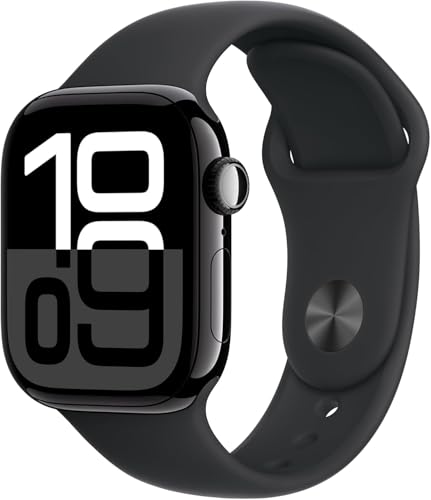
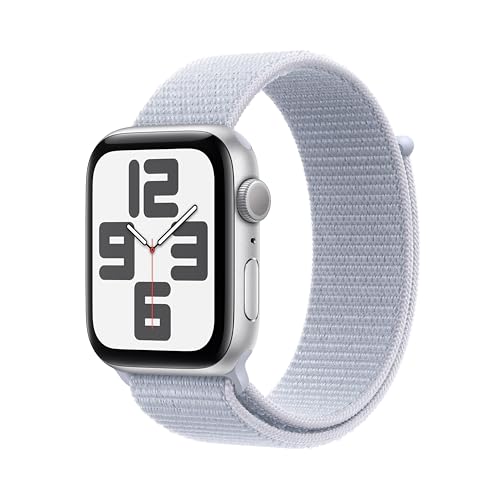
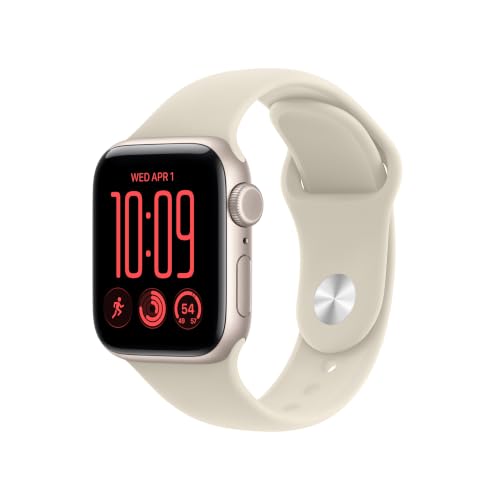
The Apple Watch SE 3 is the pick that lets a teenager leave the house connected without carrying a phone, provided the household runs on Apple. Through the family arrangement Apple now calls Apple Watch For Your Kids, a parent sets the watch up from the parent’s own iPhone, and the watch gets its own number and its own line while the teenager never touches an iPhone of his own. Parents approve the contact list, manage communication limits through Screen Time, share location, and schedule Schooltime, which simplifies the watch face and quiets notifications during lesson hours while keeping the safety functions reachable. The hardware underneath is a current-generation Apple Watch rather than a toy: the S10 chip, an always-on display, strengthened Ion-X glass that Apple rates as far more crack-resistant than the previous generation, water resistance to 50 metres for swimming, and the full spread of health and safety features including fall and crash detection. It comes in 40mm and 44mm cases, and the smaller size sits better on a younger teenager’s wrist.
The conditions deserve the same prominence as the features, because they are absolute. Only the GPS + Cellular version can run the family arrangement; the GPS-only model must pair with an iPhone the teenager owns, which quietly converts it into a different product. A parent’s iPhone is mandatory for setup and management, so Android households are excluded entirely, full stop. And the cellular line is an ongoing plan on a supporting carrier, without which the watch’s standalone calling and location sharing do not function. Within those conditions, this is the most complete supervised package here: the controls are granular, the contact approval is strict, and when the family decides the supervision era is over, the same watch carries on as a normal Apple Watch rather than hitting a designed ceiling.
Strengths
- Full standalone connection with its own number, managed entirely from a parent’s iPhone
- Parent-approved contacts, communication limits and Schooltime scheduling built in
- Current-generation hardware: always-on display, fast charging and 50-metre water resistance
- No designed ceiling — the same watch continues as an ordinary Apple Watch when controls come off
Trade-offs
- Works only for iPhone households; there is no route in for Android families
- The GPS-only version cannot run the family setup — the cellular model is the pick, not an upgrade
- Battery life is measured in hours, so nightly charging becomes part of the routine
- An ongoing carrier plan is required to keep the standalone features alive
Who it suits: Parents with iPhones who want a younger or middle teenager reachable, locatable and contact-controlled through the school day without giving him a phone of his own, in a premium-tier package that will not embarrass him in front of older friends — check price on Amazon.

2. Samsung Galaxy Watch7 LTE — the supervised route for Galaxy households
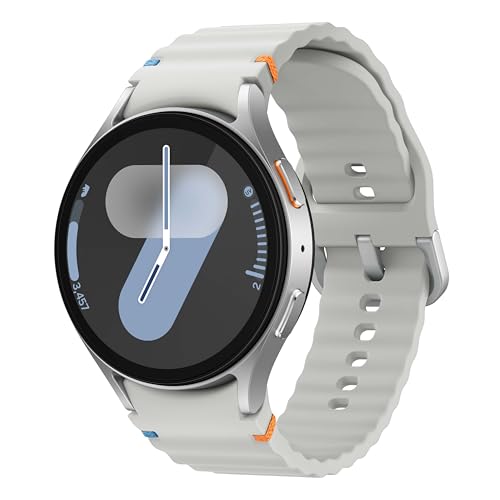
Where the Apple pick serves iPhone families, the Galaxy Watch7 in its LTE version is the equivalent door for households built around Samsung phones. Samsung’s Galaxy Watch for Kids experience, described on Samsung’s US pages, wraps the watch in a parent-managed layer: the parent controls the contact list from their Galaxy phone, location sharing keeps the family informed, and a school time setting quiets the watch during lessons. Underneath that layer sits a proper Wear OS smartwatch rather than a stripped-down tracker, with the full Galaxy Watch health suite, a bright display in 40mm and 44mm sizes, water resistance rated at 5 ATM alongside an IP68 dust and water rating, and durability testing to the MIL-STD-810H military standard that speaks directly to corridor knocks and playing-field weather. Presented honestly, this is a value pick with a kids mode rather than Samsung’s newest flagship — and for a teenager, that framing is a virtue, because the hardware is thoroughly modern while the tier stays in the middle of the range.
The variant discipline matters as much here as with the Apple pick. The kids experience needs the LTE model: the Bluetooth version pairs to a phone and inherits whatever that phone is doing, which is a fine arrangement for an older teenager with his own handset but is not the standalone, parent-managed product this pick exists to be. The parent’s side of the arrangement is a Galaxy phone with a Samsung account, so this door is closed to households running other Android brands in a way the Fitbit and Garmin platforms below are not. Battery life, as with every cellular watch here, is a daily-charge proposition rather than a weekly one. What the Watch7 adds over the dedicated kids’ watches further down the list is headroom: the apps, faces and health features are the adult platform’s, so the watch grows by having its controls relaxed instead of by being replaced.
Strengths
- Parent-managed contacts, location sharing and school time inside Samsung’s kids experience
- Full Wear OS platform underneath the supervision, so the watch grows with him
- 5 ATM plus IP68 ratings and MIL-STD-810H durability testing for rough daily wear
- Two case sizes, with the 40mm suiting younger and slimmer wrists
Trade-offs
- The kids experience requires the LTE variant and a parent’s Galaxy phone
- Daily charging is part of the deal, as with every cellular pick here
- Not Samsung’s latest flagship generation — the value framing is the point, but spec-chasers should know
- An ongoing plan is needed for the standalone connection to work
Who it suits: Galaxy-phone families who want the same supervised, phone-free arrangement as the Apple pick — approved contacts, school hours respected, location visible — in a mid-range watch with genuine adult-platform headroom as he gets older, so check price on Amazon.

3. Fitbit Ace LTE — the purpose-built starter for younger teenagers
The Fitbit Ace LTE is the one pick here designed from a blank page for the supervised job, and it shows in how completely the phone question disappears. The LTE connection is built in, there is no phone to pair and no carrier to negotiate with: the watch connects through Fitbit’s own Ace Pass plan, which a parent activates and manages in the Fitbit app on either an iPhone or an Android phone. From that app the parent approves every contact — the watch can call and message up to twenty approved people and nobody else — watches the GPS location, and sets School Time to quiet the watch during lessons. The hardware is scaled for the role: a battery rated beyond sixteen hours so it clears a school day and the evening on one charge, water resistance to 50 metres for swimming, a Corning Gorilla Glass 3 face, and activity games and movement goals pitched at younger users. Fitbit positions the Ace LTE for children from seven years old, and in a teenage guide its honest home is the youngest slice of the range — roughly eleven to fourteen, the years when a first connected device is a family decision rather than a personal one.
The hard locks on this pick are about honesty in both directions. First, the subscription: without an active Ace Pass plan, the calling, messaging and location features that define the product do not work at all, so the plan is not an optional extra but part of the purchase, recurring for as long as the watch is in service. Second, the closed circle is genuinely closed — there is no regular phone number to hand out and no way to message anyone outside the approved list, which is precisely the safety parents are buying and precisely the limit an older teenager will chafe against. Third, the positioning: the interface, the games and the whole personality of the device are built for children, and presenting it to a sixteen-year-old as a peer smartwatch would be a disservice to everyone. Bought for the right two or three years, though, it is the simplest standalone arrangement on this page to set up and to run.
Strengths
- Built-in LTE with the plan handled by Fitbit — no carrier line and no phone pairing involved
- Up to twenty parent-approved contacts, GPS location and School Time, all managed from one parent app
- Works with a parent’s iPhone or Android phone, the most flexible setup here
- Battery clears a full school day, and the case is swim-proof with a Gorilla Glass 3 face
Trade-offs
- The Ace Pass subscription is mandatory for every connected feature, for the life of the watch
- No open phone number and no contact outside the approved list, by design
- Child-designed interface and games set a firm ceiling around the middle teenage years
- No app platform or smart features to grow into once the supervision era ends
Who it suits: Parents of an eleven- to fourteen-year-old who want calling, messaging and location inside a completely closed circle, with the plan and the controls handled in a single app and no phone handed over at all — check price on Amazon.

4. Garmin Bounce 2 — the bridge pick for the youngest teenagers
The Garmin Bounce 2, announced in September 2025, is Garmin’s answer to the same brief as the Fitbit — a watch a child can call home from without owning a phone — rebuilt around a round 1.2-inch AMOLED display that looks far more like a real watch than the square screen of the original Bounce. The connection is LTE managed by Garmin itself: a parent takes out Garmin’s own subscription through the Garmin Jr. app, and the watch gains two-way voice calling, two-way messaging and real-time location tracking with boundary alerts, all inside a contact circle the parent approves. School Mode quiets the watch during lesson hours, activity tracking and kid-pitched games fill the rest of the day, and the case is water resistant to 5 ATM so it stays on for swimming. Battery life is rated up to two days, the longest of any standalone pick here, although heavy calling on the LTE connection pulls that figure down in practice, as Garmin’s own documentation acknowledges.
Two facts frame this pick’s place in a teenage guide, and both belong in the open. Garmin designs and markets the Bounce 2 for children aged six to twelve, so within the thirteen-to-nineteen range it serves only the very youngest teenagers — the thirteen-year-old who is small for his age, new to travelling alone, and better served by a simple supervised watch than by an adult platform with the controls bolted on. It is a bridge pick, bought to cover a year or two before the Apple or Samsung route, and it should be chosen with that short horizon understood. The second fact is a genuine specification gap: the Bounce 2 has no heart-rate sensor at all, so the activity picture it builds is steps, movement and location rather than anything physiological, and a young teenager who starts taking sport seriously will outgrow its tracking before he outgrows its size. As with the Fitbit, every connected feature depends on the paid Garmin subscription staying active, and messaging runs inside Garmin’s own system to approved contacts rather than through an open phone number.
Strengths
- Two-way voice calling and messaging over Garmin-managed LTE, no carrier account needed
- Up to two days of battery — the most forgiving charge rhythm among the standalone picks
- Round AMOLED display and 5 ATM water resistance give it a grown-up look for its class
- School Mode, location tracking and boundary alerts managed from the Garmin Jr. app
Trade-offs
- Designed for ages six to twelve — only the youngest teenagers are its honest audience
- No heart-rate sensor, so sports and health tracking stay deliberately shallow
- All calling, messaging and tracking stops if the Garmin subscription lapses
- Messaging stays inside Garmin’s approved-contact system rather than a normal phone number
Who it suits: Parents of the youngest teenager in the house — thirteen, small-wristed and newly independent on the journey to school — who want Garmin-run calling, messaging and location for a year or two before a full smartwatch, so check price on Amazon.


5. Garmin Forerunner 165 — the sports watch for older teenagers with phones
Crossing to the unsupervised half of the list, the Forerunner 165 is a proper running watch that happens to fit teenage wrists and teenage budgets of patience remarkably well. It is a 43mm watch weighing just 39 grams, light enough to disappear during a match or a training session, with an AMOLED display, water resistance of 5 ATM, and the training toolkit that made Garmin’s name: GPS-tracked runs and rides, heart-rate data, pace and recovery guidance, race predictions and structured workouts, plus sleep and morning reporting for the days between. Battery life is the headline for this audience — up to eleven days in smartwatch mode and up to nineteen hours of continuous GPS — because a watch that asks for a charge once a fortnight survives contact with a teenager’s routine in a way a nightly-charge watch often does not. The 165 Music variant adds onboard music storage and Wi-Fi, so runs can leave the phone at home for music while the standard version covers everything else; the two are different tiers of the same pick, and the name on the listing needs to match the version intended.
The boundaries of this pick are just as clear as its strengths, and they define who it is for. There is no LTE version and no cellular connection of any kind: away from his phone, the Forerunner records everything and communicates nothing. There are no parental controls, no approved contact list, no school mode — notifications arrive from the paired phone on the phone’s terms, and managing lesson-time distraction is a conversation, not a setting. That is exactly right for the older teenager this pick targets: a sixteen- to nineteen-year-old who already has a phone, plays school or club sport seriously enough to want real training data, and needs a watch that is an instrument rather than a supervisor. For a younger teenager without a phone, it answers none of the questions this guide opened with, and one of the supervised picks above is the honest recommendation instead.
Strengths
- Genuine training platform: GPS, heart rate, recovery and race features from Garmin’s running line
- Up to eleven days between charges, and nineteen hours of GPS for tournament weekends
- Featherweight 43mm case at 39 grams, with 5 ATM water resistance for swim sessions
- Music variant stores songs on the watch for phone-free runs
Trade-offs
- No cellular connection — silent and untrackable away from the paired phone
- No parental controls, approved contacts or school mode of any kind
- Music and Wi-Fi belong to the 165 Music variant only; the base model omits both
- Sports-first interface gives smart features second place behind training screens
Who it suits: The older teenager who already carries a phone and trains or races regularly — cross-country, athletics, football, swimming — and wants his watch to measure his sport properly while barely ever asking for its charger: check price on Amazon.

6. Amazfit Bip 6 — the budget opener with a fortnight of battery
The Amazfit Bip 6 closes the list as the low-fuss first smartwatch: a big 1.97-inch AMOLED display in a case weighing only 27.9 grams, built-in GPS for tracking runs and rides without leaning on the phone’s positioning, water resistance of 5 ATM, and a battery rated up to fourteen days, which quietly solves the most common way teenage smartwatches die — the forgotten charger. It covers the everyday smartwatch groundwork thoroughly: notifications from the paired phone, call alerts with Bluetooth calling through that phone, sleep and heart-rate tracking, and a long roster of sports modes, all at the budget tier of this list, expressed in those words deliberately because the figure moves. For a teenager whose phone is already the centre of his digital life, that package is honestly sufficient, and the money it does not spend can stay unspent.
Its limits are the mirror image of the supervised picks and must not be blurred. The Bip 6 has no cellular radio at all: Bluetooth calling means relaying a call through a paired phone within Bluetooth range, and with the phone left at home the watch is a tracker and a clock, not a way to reach anyone. There are no parental controls, no approved contact list and no school mode, so it offers a younger teenager’s parents no supervision whatsoever, and it is not a substitute for the standalone picks if reachability without a phone is the requirement. What it is, precisely, is the first grown-up-style watch for an older teenager whose family has already settled the phone question — a watch that asks almost nothing of its owner, survives swimming and school sport, and introduces the category without a premium commitment or a nightly charging ritual.
Strengths
- Up to fourteen days of battery — the most forgiving charge rhythm on this page
- Large 1.97-inch AMOLED display in a 27.9-gram case that suits slimmer wrists
- Built-in GPS and 5 ATM water resistance cover school sport and swimming
- Budget tier of the list, with the full everyday notification and tracking set
Trade-offs
- No cellular connection — calling is Bluetooth relay through a nearby paired phone only
- No parental controls, contact approval or school mode
- Health and sports depth sit below the Garmin picks for a teenager who trains seriously
- Depends entirely on the paired phone for messaging and smart features
Who it suits: An older teenager with a phone already in his pocket who wants a first proper smartwatch — notifications, sport tracking, swimming-proof, charged once a fortnight — at the budget end of the range; for the full picture, check price on Amazon.
Side by side, in plain terms
| Watch | Works without his phone | Parent controls | School mode | Water resistance | Charging rhythm | Honest age centre |
|---|---|---|---|---|---|---|
| Apple Watch SE 3 (GPS + Cellular) | Yes — own line, parent’s iPhone manages it | Approved contacts, limits, location | Schooltime | 50 metres | Nightly | 13–17, iPhone families |
| Samsung Galaxy Watch7 LTE | Yes — LTE version, parent’s Galaxy manages it | Approved contacts, location | School time | 5 ATM plus IP68 | Nightly | 13–17, Galaxy families |
| Fitbit Ace LTE | Yes — Fitbit’s own plan, no carrier | Up to 20 approved contacts, location | School Time | 50 metres | Every day or so | 11–14 |
| Garmin Bounce 2 | Yes — Garmin’s own plan | Approved contacts, location, boundaries | School Mode | 5 ATM | Every two days | 13 and just beyond |
| Garmin Forerunner 165 | No — records sport, says nothing | None | None | 5 ATM | Every week or two | 16–19 with a phone |
| Amazfit Bip 6 | No — Bluetooth relay via his phone | None | None | 5 ATM | Every fortnight | 15–19 with a phone |
The table compresses; it does not decide. Two watches with the same “yes” in the second column can feel entirely different at home — the Apple and Samsung arrangements live inside the parent’s phone ecosystem and carry on as adult watches afterwards, while the Fitbit and Garmin plans belong to the watch maker and end when the watch is outgrown. Similarly, the two unsupervised picks differ in intent rather than quality: the Forerunner is a measuring instrument for a teenager who trains, and the Bip 6 is an everyday companion for a teenager who does not, and buying the instrument for the companion’s job wastes its best features just as surely as the reverse. If a row in this table raises a question, the pick’s own section above answers it in full, including the conditions and subscriptions that a grid cannot hold. A parent comparing the two supervised ecosystems may also want the wider picture of the category for younger children — best smartwatches under 100 — while families weighing the unsupervised end against a strict ceiling should read best pc case for budget builds under 150 before deciding how much watch the budget actually needs to buy.
Matching the watch to the school year
A useful way to sanity-check a shortlist is to walk the school years. At thirteen, the typical requirements are reachability on the journey, a location a parent can check, and a watch that goes quiet in lessons — the Fitbit Ace LTE and Garmin Bounce 2 were built for exactly this, with the Apple and Samsung picks as the premium versions of the same idea for families inside those ecosystems. At fifteen, the picture usually splits: some teenagers still have no phone and need the standalone arrangement to keep working, which favours the Apple or Samsung pick because the interface does not read as a child’s device in a corridor of older students; others have phones and are starting to train or work part-time, which moves the Forerunner and the Bip 6 into frame. At seventeen and beyond, supervision features are mostly vestigial — the question is whether the watch is a sports instrument or an everyday screen, and the answer is in his timetable rather than in any specification sheet.
Two mistakes account for most unhappy purchases in this category. The first is buying down in age: handing a sixteen-year-old a watch designed for a ten-year-old because the controls felt reassuring in the shop, and discovering by half-term that it lives in a drawer because wearing it costs social standing he will not spend. The second is buying across the phone question: choosing a companion watch for a teenager who has no phone, on the assumption that Bluetooth calling is close enough, and discovering on the first solo bus journey that close enough was not. Both mistakes are visible in the product descriptions before purchase — the age a platform is designed for, and whether the word cellular genuinely appears next to the model’s name — which is why this guide states both in the opening lines of every pick rather than in footnotes.
One more household pattern is worth naming, because it changes the arithmetic: the hand-down. A supervised watch bought for an older child at thirteen is frequently inherited by a younger sibling at eleven, and the platforms handle that transfer unevenly. The kids’ watches from Fitbit and Garmin reset cleanly to a new child profile under the same parent account, so a Bounce 2 or an Ace LTE can serve two children in sequence and spread its subscription years across both. The Apple and Samsung watches transfer too, once the family controls are reconfigured for the new wearer, although by then the older sibling has usually claimed the hardware as a permanent unsupervised watch instead. Families with a second child approaching the supervised years can reasonably buy the dedicated kids’ picks with the inheritance already planned, which turns their designed ceiling from a limitation into a schedule.
The first week with a supervised watch
How a supervised watch is introduced decides much of how it is worn, and the setup order matters more than any single setting. Start with the contact list, and build it together: the teenager who helps choose which grandparents, neighbours and family friends belong on the approved list treats the list as his circle rather than as a fence. Keep the list short at first — every approved contact is a person the watch can reach during the school day — and widen it deliberately as journeys lengthen. Set the school schedule before the first Monday, not after the first confiscation, and walk through what the watch face will look like during lessons so there are no surprises in a classroom. Agree the charging station’s location on day one, in a shared room rather than a bedroom drawer, because a supervised watch that sleeps flat on a desk has failed at its only job.
The location conversation deserves its own five minutes. A younger teenager generally accepts that a parent can see where the watch is, in the same spirit as being collected from a friend’s house. An older teenager on a supervised pick — the fifteen-year-old still without a phone — reads constant location checking as a statement about trust, and the platform gives parents enough rope to damage the arrangement: checking the map hourly communicates something no family intends. The households that report the least friction treat location as an emergency and logistics tool — confirming arrival, coordinating a pickup, finding a lost watch — rather than as a live feed, and they say so out loud when the watch is handed over. The school mode conversation runs the same way: presented as a feature that protects the watch from being confiscated and the teenager from being distracted, it is accepted; presented as a lock, it is tested.
Expect a short novelty period in which the watch is checked constantly, games are explored, and step counts are compared with friends, followed by the settling that decides whether the purchase worked. The signs of a good fit are boring ones: the watch is charged without reminders within a fortnight, it is worn on the days it was bought for, and the approved contacts actually get called. The signs of a poor fit are equally plain — the watch migrates to a bag pocket, the school mode generates daily negotiations, or the teenager lobbies for a different device with unusual focus — and each points back to one of the two classic mistakes: the age was bought down, or the phone question was answered wrongly. Both are easier to correct in the first month than in the sixth, which is another reason the first week deserves deliberate handling rather than a handover at the breakfast table.
Questions parents ask about this category
Can a teenager use a smartwatch without owning a phone?
Yes, through three different doors. Apple’s family arrangement runs a GPS + Cellular Apple Watch from a parent’s iPhone and gives the watch its own number. Samsung’s kids experience does the equivalent for the LTE Galaxy Watch7 from a parent’s Galaxy phone. The Fitbit Ace LTE and Garmin Bounce 2 skip the carrier entirely and connect through the watch maker’s own subscription, set up from an app on either phone family. What does not exist is a standalone watch with no adult phone and no plan anywhere behind it — every phone-free arrangement has one or the other, and usually both.
Do the supervised LTE watches keep working if the subscription stops?
The connected features stop, and on the kids’ platforms those features are the product. Without an active Ace Pass, the Fitbit cannot call, message or share location; without Garmin’s subscription, the Bounce 2 loses the same functions. Both watches keep telling the time and tracking activity, but a family that lets the plan lapse has, in effect, un-bought the reason for choosing them. The Apple and Samsung cellular watches behave the same way toward their carrier line. Budget the plan for the whole period of use, not as an afterthought to the hardware.
Which pick suits a seventeen-year-old who already has a phone?
One of the two unsupervised picks, chosen by how he spends his afternoons. If he trains or competes — running, athletics, team sport, swim squad — the Forerunner 165 measures that life properly and asks for a charge roughly once a fortnight of normal wear. If his afternoons are less structured and the watch is for notifications, music control, sleep tracking and general wear, the Bip 6 covers that ground at the budget tier with the same relaxed charging rhythm. The supervised picks would all be a step backwards at seventeen: the controls he no longer needs would be the features he notices most.
Can these watches be worn for swimming and school sports?
Every pick here carries water resistance of 5 ATM or a 50-metre rating, which in practice means swimming, showering and training in the rain are all fine, and none of them needs to come off around water — a real advantage, since watches are lost at pool edges and in changing rooms far more often than they are broken. Diving and high-speed water sports sit outside those ratings. For field and court sports, the lighter polymer-cased picks — the Bounce 2, Forerunner 165 and Bip 6 — wear most comfortably under kit, and every band on the list is replaceable if a strap loses an argument with a goalpost.
What happens when a teenager outgrows the supervised watches?
It depends which platform the family chose. The Apple and Samsung picks shed their controls in software: widen the contacts, retire the school schedule, and the same hardware continues as an ordinary smartwatch, which is why those two are the longest-lived purchases here. The Fitbit Ace LTE and Garmin Bounce 2 are supervised by design rather than by setting, so outgrowing them means replacing them — the natural handover is to one of the unsupervised picks, or to a first phone with a companion watch. Planning that handover when the supervised watch is bought, rather than when it is rejected, turns the ceiling from a disappointment into a milestone.
Every watch on this page answers the same question — how connected should a teenage guy be, and who decides — at a different age and with a different hand on the controls. The right choice is rarely the most capable watch; it is the one whose supervision, battery rhythm and ecosystem match the teenager standing in front of you this school year, with room to loosen as he grows. Choose the family first, the pick second, and the watch will still be on his wrist long after the novelty has worn off.