Disclosure: this article contains affiliate links, and if you buy through a link on this page we may earn an affiliate commission.
Answering a call on your wrist sounds like a small convenience until the first time your phone is buried in a gym bag, your hands are covered in flour, or you are halfway up a ladder with a paint roller in one hand. Then it feels like the entire reason smartwatches exist. A watch with a real calling function is not just a notification mirror. It is a second, smaller phone that lives where you can always reach it, and the difference between a good one and a frustrating one comes down to details most spec sheets bury: how clear the microphone sounds in a windy parking lot, whether the speaker can hold its own against kitchen noise, and whether the watch can make a call when your phone is in another room — or another building.
There are really two kinds of calling on a smartwatch, and confusing them is the most common buying mistake. Bluetooth calling means the watch acts as a speaker and microphone for your phone, which must stay within roughly a room or two of distance. LTE calling, sometimes sold as cellular or GPS + Cellular, gives the watch its own line through an eSIM, so it can place and receive calls with the phone switched off or left at home. Both are genuinely useful. They just solve different problems, and this guide treats them as separate buying decisions rather than a single ladder where LTE automatically wins.
The six watches below cover the realistic spread: two Apple Watches for iPhone owners at different budgets, two Samsung watches for Android users who want either polish or endurance, Google’s Pixel Watch 3 for the cleanest Wear OS experience, and the Garmin Venu 3 as the battery-first alternative for people who take calls but live for training data. Every pick below can handle calls properly — none of them are vibration-only notification bands dressed up as calling watches.
Quick comparison
| Watch | Calling style | Works with | Battery character | Best for |
|---|---|---|---|---|
| Apple Watch Series 10 | Bluetooth, optional LTE | iPhone only | Charge most days | The default iPhone pick |
| Apple Watch SE 3 | Bluetooth, optional LTE | iPhone only | Charge most days | Families and first-time buyers |
| Samsung Galaxy Watch 7 | Bluetooth, optional LTE | Android, best with Samsung phones | About a day and a half | Mainstream Android users |
| Samsung Galaxy Watch Ultra | Bluetooth, LTE standard | Android, best with Samsung phones | Multi-day for a full smartwatch | Outdoor and endurance users |
| Google Pixel Watch 3 | Bluetooth, optional LTE | Android, best with Pixel phones | Roughly a day, better in the large size | Pixel owners and Wear OS purists |
| Garmin Venu 3 | Bluetooth only | iPhone and Android | Well over a week | Fitness-first buyers who still take calls |
Read the table as a map, not a ranking. If your phone is an iPhone, the two Apple Watches are the only entries that will give you the full experience, because Apple restricts calling features and quick replies on rival watches. If your phone is Android, the Samsung and Google watches open up properly, and the Garmin becomes interesting precisely because it refuses to play the app-store game and instead offers battery life the others cannot approach.
In this guide
What to look for in a smartwatch with calling
Bluetooth calling versus LTE calling
Bluetooth calling is the baseline, and for many people it is enough. Your phone stays in your pocket, bag, or on the charger in the next room, and the watch handles the conversation. The practical range is usually fine through one or two interior walls, but it is not a whole-house promise: brick, concrete, and a phone left in a basement gym locker will break the link. Sound quality on Bluetooth calls also depends on the watch’s microphone doing the heavy lifting, because your voice is captured at wrist distance, often at an angle.
LTE calling removes the phone from the equation. The watch shares your phone number through your carrier’s number-sync service, so calls ring both devices and outgoing calls show your normal number. This is the setup runners want when they leave the phone at home, parents want on a child’s wrist, and anyone wants as a quiet backup when a phone battery dies at the wrong moment. The trade-offs are real: carriers charge a monthly fee for the watch line, LTE drains the battery far faster than Bluetooth during calls, and setup involves a carrier activation step that Bluetooth watches skip entirely. If you will genuinely leave your phone behind several times a week, LTE earns its keep. If your phone is always with you anyway, it is a subscription for a scenario you never live.
Microphone and speaker quality
A calling watch lives or dies by its microphone. You hold your wrist somewhere between your waist and your chest, not at your mouth, so the watch must isolate your voice from traffic, wind, and room echo. The best models use multiple microphones and noise processing tuned specifically for calls, and you can hear the difference immediately: callers describe the good ones as sounding like a phone on speaker in a quiet room, and the weak ones as sounding like you are shouting down a corridor. Speaker quality matters almost as much. A thin, quiet speaker forces you to raise the watch to your ear in public, which defeats the purpose. Look for watches known for loud, forward-firing speakers, and be suspicious of ultra-thin fashion watches, where there is physically little room for a driver that can push air.
Ecosystem lock-in is the first filter
Before comparing screens or sensors, check compatibility, because it eliminates most of the field instantly. Apple Watch only pairs with iPhone, full stop. Samsung’s Galaxy Watch pairs with Android phones broadly, but its best health features and some call-adjacent conveniences assume a Samsung phone. Pixel Watch is happiest with a Pixel but works across Android. Garmin is the Switzerland of the group, pairing with both platforms, though on iPhone it cannot reply to texts with anything beyond a glance, and on both platforms its calling is Bluetooth-only through the phone. None of this is a flaw in any single watch; it is simply the terrain. Buy for the phone you own today, not the phone you might switch to in two years.
Battery life, stated honestly
Calling is one of the most power-hungry things a watch does, and LTE calling is the hungriest version of it. A long LTE call can consume a noticeable slice of a small watch’s day, and a watch that is already marginal on battery becomes a liability if you talk a lot. Full-featured watches from Apple, Samsung, and Google are generally daily or near-daily chargers, with the larger and rugged models stretching further. Garmin’s Venu line plays a different sport entirely, lasting well over a week in smartwatch mode, because its display technology and software are built around efficiency rather than phone-like richness. Neither approach is wrong. Just decide whether you would rather charge nightly and get a tiny phone, or charge weekly and get a superb fitness watch that also answers calls.
Call handling details that matter day to day
Small interaction choices shape whether wrist calling feels effortless or fiddly. Can you answer with a gesture when your other hand is full? Can you transfer a call back to the phone when a conversation turns long or private? Does the watch show your contacts and recent calls, or only whoever happens to ring? Can you mute quickly, adjust volume mid-call from the crown or buttons, and decline with a message when you cannot talk? Emergency features belong in this conversation too: fall detection and emergency SOS calling are available on several picks here, and on an LTE model they work even when your phone is not nearby, which is a meaningful safety argument for older family members.
Finally, consider where you will actually take calls. Wrist calls are public by nature. They suit quick confirmations, directions, “I am outside,” and “start dinner without me.” They do not suit confidential work calls or long personal conversations in shared spaces. The best calling watch is the one whose strengths match those short, frequent, practical calls — and every pick below was chosen with that realistic pattern in mind.
The best smartwatches with calling, reviewed

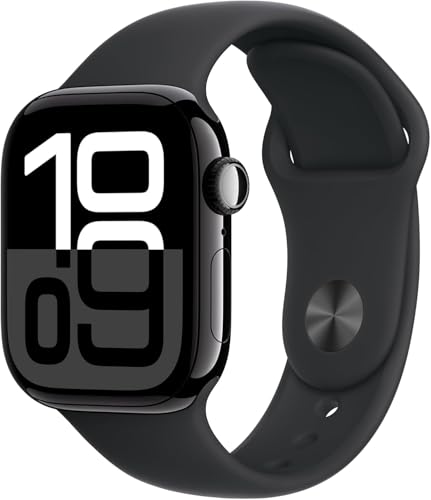
1. Apple Watch Series 10 — the default answer for iPhone owners
If you own an iPhone and want the most complete calling experience available on a wrist, the Series 10 is where the search usually ends, and for once the obvious answer is also the right one. Call quality is the headline: the microphone array picks up your voice cleanly at natural arm positions, noise suppression keeps street sounds from swallowing your words, and the speaker is loud and clear enough for a kitchen with the extractor fan running. Callers routinely report forgetting they are talking to a watch, which is the highest compliment this category offers.
The calling toolkit around that core quality is deep. You can answer or decline with a double-tap gesture when your other hand is occupied, scroll contacts and recent calls on the watch itself, use Siri to place calls hands-free, and transfer a conversation to your iPhone or AirPods mid-sentence when it turns into a long one. Voicemail, hold, and keypad access for phone-tree menus all work the way you would expect, which sounds basic until you have used a watch that hides them. On the cellular version, all of this works with the phone at home, and the watch keeps your number through your carrier’s sync service.
Away from calls, the Series 10 is a thin, light watch with a bright wide-angle display that stays readable at a glance from the side — genuinely useful when your wrist is turned away during a call and you want to check the timer. Health tracking is comprehensive, the app library is the largest on any watch platform, and the charging speed is fast enough that a top-up during a shower meaningfully refills the tank. Sleep tracking, cycle tracking, and the usual activity rings round out a package that asks very few compromises of anyone.
Strengths:
- Best-in-class call clarity on both Bluetooth and LTE versions
- Deep call controls, including gesture answering and easy transfer to phone or AirPods
- Thin, comfortable case with a bright, wide-viewing-angle screen
- Fast charging that softens the daily-charge routine
Trade-offs:
- iPhone only, with no workaround worth attempting
- Battery life is measured in hours, not days — expect a daily charging habit
- LTE version plus a carrier watch plan adds ongoing cost
Who it suits: iPhone owners who take calls on the move, leave their phone in another room at home, or want a genuine phone-free option for runs and errands. It is the mid-range-to-premium tier of this roundup, positioned as the full-featured reference point rather than a budget buy. If your household is Apple-based and you want one watch that does calling properly with no asterisks, this is it — check price on Amazon.
Availability note: the current listing for this pick is a renewed unit, professionally inspected and restored rather than factory-new.

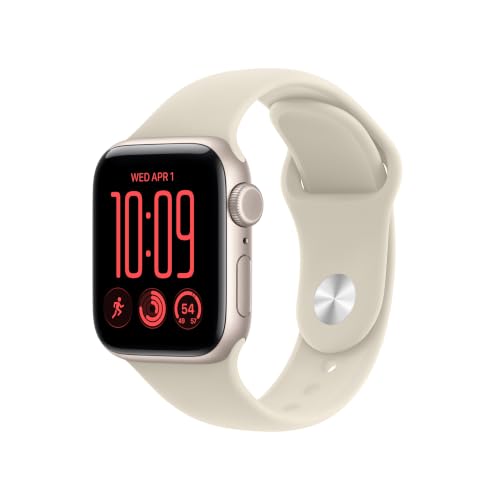
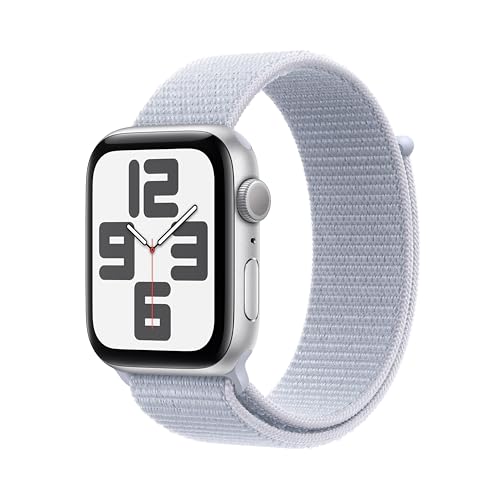
2. Apple Watch SE 3 — the sensible family and starter pick
The SE 3 exists for a simple reason: a large share of what makes an Apple Watch good at calls is the software and the iPhone connection, not the flagship hardware. This generation, in a 40mm Starlight aluminum case with a sport band, keeps that calling core intact and layers a fuller health picture on top. Calls over Bluetooth sound clear, the speaker handles a quiet room or a calm street without strain, and the GPS model pairs with your iPhone for the everyday pattern of wrist calls with the phone nearby. For parents setting up a watch for a child through Apple’s family setup, or for anyone buying a first smartwatch, that combination is exactly the point.
The health side is where the SE 3 earns its newer name. Fitness tracking covers the daily activity picture, sleep tracking follows your nights rather than merely timing them, and cycle tracking gives the watch a longer memory for patterns that matter month to month. Heart rate monitoring runs through the day and during workouts, the Vitals view gathers overnight metrics into one morning glance, and the safety set — fall detection, crash detection, and emergency SOS — stays on board. None of that changes how a phone call sounds, but it means the budget pick no longer asks you to accept a stripped-down health watch as the price of sensible calling.
What you give up versus the Series 10 is mostly flagship refinement. The display and case stay more compact and practical than showy, some of the premium sensors and materials from the top of the line are reserved for the flagship models, and battery life lands in the same daily-charge territory as the rest of the Apple Watch family, so the ownership rhythm is familiar — a nightly top-up as part of the routine. In daily use, though, the SE 3 covers the essentials with the same polish as its siblings: notifications, activity rings, and the same watchOS with the same app store. For a teenager, a parent, or a grandparent, that trade is usually the correct one.
Strengths:
- Clear Bluetooth calling backed by the friendliest position in Apple’s line
- Fitness, sleep, and cycle tracking plus heart rate and Vitals in one watch
- Family setup support makes it the go-to watch for kids and older relatives
- Fall detection, crash detection, and emergency SOS included
Trade-offs:
- iPhone only, like every Apple Watch
- Missing some flagship sensors, materials, and display refinements
- Still a daily charger, like every Apple Watch
Who it suits: Budget-conscious iPhone households, parents buying a child’s first phone alternative, and anyone who wants dependable wrist calling plus a genuinely complete health picture without paying for flagship extras. It sits in the budget tier of this guide while still being a complete, no-caveats calling watch for the Apple ecosystem — check price on Amazon.


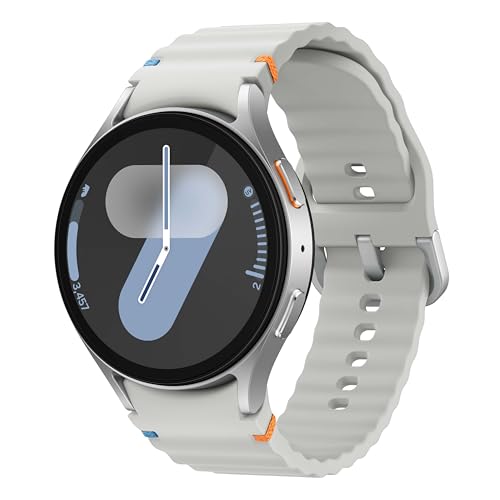
3. Samsung Galaxy Watch 7 — the mainstream Android all-rounder
For Android owners, the Galaxy Watch 7 is the watch that asks the fewest questions. Pair it with a Samsung phone and calling feels native in every direction: the watch dials from contacts, recents, or a keypad, the microphone handles a breezy sidewalk conversation respectably, and the speaker is strong enough for a parked car or a quiet office. Samsung’s software also puts call controls where your thumb expects them, which matters when you are answering with wet hands or gloves half off.
The LTE version is worth a serious look for Android users who run, cycle, or walk the dog phoneless. Activation through the major carriers is a well-trodden path, and once the watch line is live, the experience mirrors the Apple model: same number, both devices ring, and the watch works independently when the phone stays home. Just budget for the carrier’s monthly watch fee and remember that heavy LTE calling shortens the day noticeably — a long phone-free run with music streaming and a call or two is close to a full workout for the battery.
Beyond calls, the Watch 7 is a polished health platform. Samsung’s sensors track sleep, heart rate, body composition estimates, and workouts with a level of presentation that non-Samsung watches on Android rarely match, and the bright AMOLED screen is a pleasure in sunlight. Owners of non-Samsung Android phones still get a very good watch, though a few Samsung Health features stay behind the fence, and the setup process nudges you toward Samsung accounts more than Pixel owners will experience.
Strengths:
- Natural, full-featured calling on Samsung phones, with an optional LTE model
- Bright screen, smooth performance, and mature call controls
- Deep health and sleep tracking for the Android side of the fence
- Two case sizes that fit smaller wrists better than most rivals
Trade-offs:
- Best experience requires a Samsung phone; some features are gated
- Battery life is roughly a day and a half, less with heavy LTE calling
- Charging is slower than the fastest rivals
Who it suits: Android users — especially Galaxy phone owners — who want a mainstream, well-supported watch that treats calling as a core feature rather than an experiment. It occupies the mid-range tier here, balancing price against a genuinely complete package — check price on Amazon.

4. Samsung Galaxy Watch Ultra — the endurance flagship for Android
The Galaxy Watch Ultra is Samsung’s answer to a specific complaint: full smartwatches are wonderful until the battery dies on day two of a trip. Built in a large titanium case with a sapphire display and serious water resistance, the Ultra keeps the complete Galaxy calling experience — Bluetooth and LTE, with LTE included rather than optional — and wraps it in hardware meant for trails, open water, and multi-day outings where a charger is not guaranteed.
Calling from the Ultra has a practical advantage that rarely appears in reviews: the speaker is the strongest in Samsung’s line, and the microphones cope well outdoors, which is exactly where this watch is meant to be used. Answering a call on a windy ridge or across a boat deck is a realistic use case here rather than a stretch. A programmable action button can be set up for quick access to workouts or an emergency siren, and the watch’s dual-frequency GPS keeps route tracking honest in mountains and dense cities alike.
The compromises are size and price. This is a big, tall watch that overwhelms smaller wrists and slides awkwardly under a dress shirt cuff, and its battery advantage — stretching to multiple days of lighter use — still does not put it in Garmin territory. It is also firmly a Samsung-first product: pair it with a Galaxy phone for the complete feature set. But for Android users who found standard smartwatches too fragile or too short-lived, the Ultra is the first one that does not ask them to choose between a real smartwatch and a watch that lasts the weekend.
Strengths:
- LTE calling built in, with the loudest speaker in Samsung’s watch line
- Titanium case, sapphire glass, and high water resistance for genuine outdoor use
- Multi-day battery by full-smartwatch standards
- Dual-frequency GPS and a customizable action button
Trade-offs:
- Large case will not suit small wrists or formal wear
- Premium pricing, and the full experience assumes a Samsung phone
- Still needs charging far more often than a Garmin
Who it suits: Android users who hike, swim, travel, or work outdoors and want phone-free calling that survives the trip. It is the premium tier of this roundup — the pick for buyers who would rather pay once for durability and battery than baby a delicate watch — check price on Amazon.

5. Google Pixel Watch 3 — the cleanest Wear OS experience
The Pixel Watch 3 is what Wear OS feels like when Google builds the hardware itself. The domed display melts into the case, the software is uncluttered, and calling benefits from that simplicity: answering, dialing, and managing a call in progress are all a single obvious tap away, with none of the duplicated apps and menus that clutter some Android watches. Call audio is clear in indoor settings, and the microphone performs well in the short, practical conversations this category is built for.
Two sizes are offered this generation, and the larger one is the one to pick if calling matters to you: more screen for contacts and keypads, a bigger battery, and a presence on the wrist that reads as a watch rather than a pebble. The LTE version, paired with Google Fi or another supported carrier, gives Pixel phone owners a clean phone-free calling setup, and the integration with Google services — Maps, Wallet, Assistant — is the smoothest on any Android watch.
Fitbit powers the health side, bringing strong sleep tracking, heart-rate monitoring, and readiness-style insights, though some of the deeper analytics sit behind a Fitbit Premium subscription, which is worth knowing before you buy. Battery life is the watch’s honest weakness: plan on roughly a day, with the larger size doing somewhat better, and treat LTE calling as something that spends that budget quickly. The Pixel Watch 3 also reserves its best tricks for Pixel phones, though it remains a perfectly capable companion to other Android handsets.
Strengths:
- The tidiest, most approachable software of any Android calling watch
- Two sizes, with the larger offering a better screen and battery for calls
- Excellent Google services integration and strong Fitbit health tracking
- Comfortable, distinctive design that suits smaller wrists in the small size
Trade-offs:
- Roughly daily charging, and LTE calls drain it quickly
- Some health insights require a Fitbit Premium subscription
- Best features lean toward Pixel phone owners
Who it suits: Pixel phone owners and Android users who value clean software over spec-sheet warfare. It sits in the mid-range-to-premium tier, priced as a design-led flagship alternative rather than a bargain — check price on Amazon.

6. Garmin Venu 3 — the battery champion that still takes your calls
The Venu 3 approaches calling from the opposite direction of every other watch here. It has no LTE version and no app store worth mentioning. What it has is a microphone and speaker that turn it into a genuinely good Bluetooth headset for your phone, voice-assistant access through the handset, and a battery that keeps doing this for well over a week while the other watches in this guide have been charged seven times. If your calls are short and your phone is almost always somewhere on your person or in your gym bag, that trade is not a compromise — it is a liberation.
Call quality surprises people who expect a fitness watch to treat audio as an afterthought. The speaker is clear and reasonably loud, the microphone picks up a natural speaking voice without forcing you to raise your wrist to your chin, and answering from the watch during a run or a dog walk becomes second nature within a day. On Android, you can also respond to texts more fully than on iPhone, where Apple’s restrictions limit replies — a platform quirk, not a Garmin failure, and one worth knowing before purchase.
As a health and training instrument, the Venu 3 outclasses everything else in this roundup: detailed sleep coaching with nap detection, heart-rate variability status, training readiness, wheelchair mode, and Garmin’s deep workout library, all presented on a bright AMOLED screen. What you surrender is the phone-extension richness — no standalone calling, a smaller selection of third-party apps, and a less slick smartwatch interface. For the runner or lifter who charges a watch only when they happen to remember, that is an easy bargain.
Strengths:
- Battery life measured in weeks of typical use, not days
- Clear Bluetooth calling with an onboard speaker and microphone
- The deepest health and training toolkit in this guide
- Works with both iPhone and Android
Trade-offs:
- No LTE option — the phone must be within Bluetooth range to call
- Smaller app ecosystem and a more utilitarian interface
- iPhone users face Apple’s limits on text replies
Who it suits: Fitness-first buyers who take calls but refuse to charge a watch every night, and anyone whose phone is always nearby anyway. It is a mid-range-to-premium purchase judged as a sports watch, and arguably the best value in this guide if battery life tops your list — check price on Amazon.
best sleep and fitness trackers
Setting up calling on your watch
Bluetooth calling needs almost no ceremony. Pair the watch with your phone, grant the phone and contacts permissions when prompted, and make a test call to someone patient. That test call matters more than any setting: have the other person tell you honestly how you sound at arm’s length, in a room with a television on, and near an open window. If the result is muffled, check the simple culprits first — a case or sleeve covering the microphone port, a watch worn loosely so the speaker faces away, or a software update waiting in the companion app.
LTE setup adds a carrier step. You activate the watch line through your carrier, usually from the watch’s companion app on the phone, and the carrier provisions an eSIM and links the watch to your number. Expect a short activation window, occasionally a restart of both devices, and a new line item on your bill. Two practical tips save most of the frustration people report: activate the watch at home on Wi-Fi rather than in a store parking lot, and confirm that your phone plan actually supports number sharing before assuming a failed activation is the watch’s fault. Once it works, test it properly — phone off, watch on your wrist, call out and have someone call in.
When call quality disappoints: a short troubleshooting path
If your first calls sound worse than this guide led you to expect, work through the boring causes before blaming the watch. Reposition it slightly higher on the wrist and snug the band, because a watch that has slid toward the hand points its microphone at your sleeve. Clean the microphone and speaker ports gently with a dry soft brush; pocket lint and sunscreen are silent killers of call clarity. Restart both watch and phone, which resolves a surprising share of Bluetooth audio oddities, and check for system updates on both, since call processing is software and improves over time. If the problem is one-sided — you hear them, they cannot hear you — test with earbuds connected to the watch: if callers hear you perfectly through the earbuds, the watch’s microphone path is at fault and a warranty conversation is justified. If the problem follows you across every device, the variable is your environment or your carrier, not your wrist.
Making wrist calls work in real life
A few habits separate people who love wrist calling from people who try it twice and stop. Keep calls short by design: the wrist is for coordination, not conferences, and both the battery and your arm will thank you. Learn your watch’s quick transfer gesture so a call that turns long can move to the phone or earbuds without a fumble. Set your most-called contacts as favorites so dialing out is two taps rather than a scroll. And if you take calls while driving, let the car’s system handle them — a watch is a worse speakerphone than the dashboard and a bigger distraction.
Etiquette deserves one honest paragraph. A wrist call broadcasts both sides of the conversation to everyone nearby, because the speaker is doing the work your phone’s earpiece normally does. In quiet offices, restaurants, and public transport, the courteous move is to decline and call back, or step somewhere private. Several watches here let you decline with a quick text, which is the socially graceful option and one more reason to set those canned replies up in advance.
Which one should you buy?
Start with your phone, because it decides most of the question. iPhone owners should choose between the Series 10 for the complete package and the SE 3 for the same calling core at a friendlier price, adding LTE to either if phone-free time is a real part of the week rather than a fantasy. Samsung phone owners get the most from the Galaxy Watch 7, upgrading to the Ultra only when size, durability, and battery genuinely matter. Pixel owners will be happiest with the Pixel Watch 3 in its larger size. And anyone, on either platform, who hears “charge your watch nightly” and feels tired should look seriously at the Garmin Venu 3, accepting Bluetooth-only calling in exchange for a battery that simply stops being a topic.
A note on buying the previous generation: last year’s Apple, Samsung, and Pixel watches regularly remain on sale alongside the new models, and their calling hardware is usually close to the current version’s, because microphones and speakers evolve more slowly than processors and screens. If a prior model undercuts the current one by a meaningful margin, it is often the smartest purchase in its line — just confirm it still receives software updates, since call processing improvements arrive through them, and check that the battery health on any refurbished unit is covered by a warranty.
Whichever you choose, buy the calling model you will actually use. An LTE watch on a wrist that never leaves its phone is a subscription without a purpose, and a Bluetooth-only watch bought by someone who runs phoneless every morning is a daily small disappointment. Match the watch to the life you already live, and the calling function becomes the feature you use most.
Anatomy of a watch call: why some sound great and others do not
It helps to understand what is physically happening when you talk to your wrist. Your voice leaves your mouth and travels, on average, half a meter or more before it reaches the microphone — a journey during which it competes with every other sound in the room. Phone microphones sit centimeters from your lips and win that contest easily. Watch microphones must fight it with engineering: multiple microphone ports positioned around the case, beam-forming that favors sound arriving from the direction of your face, and digital processing that learns the signature of wind and steady background noise and subtracts them in real time.
This is why two watches with identical paper specifications can sound completely different to the person on the other end. The processing matters more than the parts list. Apple’s and Samsung’s flagship models invest heavily in call-specific tuning because their makers also build phones and can borrow that expertise directly. It is also why software updates occasionally improve call quality months after launch — the algorithms are still being refined. When you read owner reports about a watch sounding “tinny,” the usual culprit is a single microphone with aggressive noise reduction that clips the beginnings of words, a flaw no amount of speaker volume can fix.
The speaker’s job is equally constrained. It must be small, sealed against water, and efficient enough not to murder the battery, yet loud enough to be understood beside a running dishwasher. The watches in this guide solve it with varying success, and the ranking roughly follows case size: the big Galaxy Watch Ultra projects the most sound, the compact Pixel Watch 3 the least, with the rest between. If you expect to take calls in genuinely noisy places — workshops, busy streets, factory floors — weight speaker strength heavily in your choice, because no software can make a small sealed driver louder than physics allows.
Bluetooth or LTE: three households, three right answers
Abstract comparisons only go so far, so consider three common patterns. First, the home-centered worker whose phone charges in the hallway while life happens across two floors of house. For this person Bluetooth calling is the whole answer: the phone rarely leaves the building, the watch covers the rooms that matter, and an LTE plan would be money spent duplicating a connection that already works.
Second, the runner, cyclist, or dog walker who leaves the phone behind daily and wants to stay reachable — for a child’s school call, a partner’s message, an emergency. This is LTE’s home ground, and the people in this pattern consistently describe the watch line fee as one of the few subscriptions they never reconsider. Battery planning becomes part of the routine: start the outing charged, keep calls short, and let the watch sip power the rest of the time.
Third, the family buying a watch for a child or an aging parent who does not carry a smartphone at all, or cannot be relied on to keep one charged. Here an LTE watch with family setup is not a convenience but the entire product: a reachable, locatable, emergency-capable device with a fraction of a phone’s distractions and fragility. The Apple Watch SE 3 and the cellular models from Samsung are bought for this reason every day, and it is the strongest argument in this entire guide for paying for cellular.
Emergency calling and safety features
Calling features shade into safety features faster than most buyers realize. Every watch in this roundup can reach emergency services from the wrist, and on LTE models that call works when your phone is absent, smashed, or out of charge. Fall detection on the Apple, Samsung, and Pixel watches can place that call automatically after a hard fall if you do not respond, and crash detection does the same after a severe vehicle impact. For an older parent living alone, these functions routinely matter more to the family than any fitness metric.
Garmin’s Venu 3 takes a different route: incident detection during activities can alert your emergency contacts through your phone, which fits its Bluetooth-only design. It is a meaningful feature, but it inherits the phone-range limitation, so buyers shopping primarily for standalone safety should stay with the LTE picks. Whichever watch you choose, set the safety features up on day one — emergency contacts entered, medical information filled in where the platform supports it, and one practice run so the wearer knows what the alerts look and sound like before a real event.
Durability, water, and taking calls with wet hands
A calling watch gets used in the rain, at the pool deck, and mid-workout, so durability is a calling feature too. All six picks carry meaningful water resistance suitable for swimming and showers, though the Galaxy Watch Ultra’s rating and construction are in another class for open water and rough handling. Speaker performance after a swim is a detail worth knowing: watches use a water-ejection routine that plays a tone to clear the speaker port, and calls taken immediately after swimming sound muffled until the water clears — a quirk, not a defect.
Physical controls matter when screens are wet or you are wearing gloves. Crowns and buttons that can answer or end a call, adjust volume, or trigger an assistant without precise touchscreen taps are worth real money in winter and in the gym. This is one of the quieter advantages of the Ultra’s action button and of Apple’s crown-driven interface, and a point in Garmin’s favor too, since its button-first design never assumes dry fingertips.
Voice assistants: the hands-free half of calling
Half of wrist calling is not the call itself but starting it without touching anything. Every platform here has a voice assistant that can dial a contact, redial the last number, or announce who is calling: Siri on Apple Watch, Google Assistant on the Pixel Watch and Galaxy Watch lines, and phone-assistant passthrough on the Garmin, which relays requests to Siri or Google Assistant on the connected handset. In the kitchen, in the car park with arms full of shopping, or mid-run, “call home” spoken at your wrist is the feature that turns a calling watch from a novelty into a habit.
The assistants differ in ways worth knowing. Siri on recent Apple Watches handles many requests on-device, which makes call commands fast and keeps them working for basic tasks even with a weak connection. Google’s assistant is the strongest at understanding names in noisy environments and at follow-up questions. Garmin’s approach depends entirely on the phone, so it inherits both the phone assistant’s strengths and its range limit. None of these differences should override the ecosystem decision, but if you already live inside one assistant’s ecosystem at home, staying in it on the wrist keeps commands consistent.
Accessories that genuinely improve calling
Most watch accessories are decoration, but a few change the calling experience directly. A pair of wireless earbuds is the big one: every watch here can route a call to Bluetooth earbuds, which instantly solves the privacy and noise problems of the built-in speaker, and several can connect to the watch directly so an LTE model plus earbuds becomes a complete phone-free communication kit for runs. A charging stand at the place you actually get ready in the morning is the second: daily-charge watches survive on routine, and a charger built into your morning path beats a cable in a drawer every time.
Cases and screen protectors deserve a caution rather than a recommendation. Anything that covers the case edges can sit over a microphone or speaker port, and cheap full-coverage cases are a recurring cause of “my watch suddenly sounds muffled” complaints. If you use one, test a call after fitting it. Bands matter only for comfort, but comfort matters for a device whose microphone works best when the watch sits snugly and does not rotate on the wrist — a loose watch turns its speaker away from you and its microphone toward the floor.
What a calling watch still cannot do
Honesty about limits prevents buyer’s remorse. A watch is a poor tool for long calls: the speaker tires your surroundings, the battery notices, and holding your wrist up becomes uncomfortable within minutes, so plan to transfer long conversations to the phone or earbuds. Group calls and call recording are limited or absent depending on platform and region, and some carriers restrict features like call waiting behavior on watch lines in ways that only appear in the fine print. International roaming for watch LTE is improving but remains patchier than phone roaming, so frequent travelers should check their carrier’s watch roaming policy rather than assume the watch follows the phone abroad.
None of these limits undermine the category. They simply mark its territory: short, frequent, practical communication, plus a safety net. The buyers who love these watches are the ones who bought them for exactly that territory, and the disappointed ones are usually those who expected a full phone replacement in a forty-millimeter case.
Battery math for heavy talkers
If calls are your main use, think of the battery as a talk-time budget rather than a day count. Bluetooth calls draw modestly, and even an hour spread across a day fits inside the normal rhythm of an Apple, Samsung, or Pixel watch, provided you start the day charged. LTE talk time is the scarce resource: continuous cellular calling is among the fastest ways to empty any of these batteries, and a genuinely long phone-free call can take a small watch from comfortable to critical. Heavy talkers who need LTE should default to the largest battery in their ecosystem — the Galaxy Watch Ultra on Android, the larger Pixel Watch 3, or the bigger-cased Apple Watch — and treat the charger as part of the calling kit, at home and ideally at work too.
Garmin owners can ignore most of this paragraph, which is rather the point of the Venu 3: Bluetooth calling folded into a week-plus battery makes talk time a rounding error. The trade is absolute, though — the first time you want to call with your phone in another building, no battery advantage will help. Choose which scarcity you would rather manage: range, or charge.
Head to head: how the six compare on calls specifically
Strip away the health platforms and the app stores, and judge these six purely as telephones. The Apple Watch Series 10 makes the most convincing case: its microphone processing is the most forgiving of real-world posture, so you can talk with your arm hanging naturally instead of performing the wrist-to-chin pose, and its speaker holds clarity at volumes the smaller watches cannot reach. The SE 3 shares the same software virtues and comes surprisingly close in quiet environments; the gap opens outdoors and in noisy rooms, where the flagship’s hardware earns its price.
On the Android side, the Galaxy Watch Ultra is the loudest and most outdoor-capable caller of the group, with the standard Watch 7 a clear step behind it in volume but close in microphone quality. The Pixel Watch 3 is the most pleasant to operate — its call interface is the one a first-time smartwatch owner will understand fastest — but its speaker is the easiest to overwhelm in a loud kitchen or a busy street, which pushes Pixel owners toward earbuds for calls more often than Samsung owners.
The Venu 3 is the interesting outlier. As a pure Bluetooth caller it is genuinely good, comfortably mid-pack on clarity and better than its fitness-watch image suggests, and it can keep taking calls for days after the others have gone dark on their chargers. Its limitation is categorical rather than qualitative: no LTE, ever. So the honest summary is that the best calling watch depends on which failure you fear most — a call you cannot hear clearly, a call you cannot take because the battery died, or a call you cannot make because your phone is somewhere else. Each pick in this guide is the answer to one of those fears, and knowing yours is the whole decision.
One last practical note on trying before you commit: most retailers’ return windows comfortably cover a week of real use. Use it deliberately. Make calls from the places your life actually happens — your street, your car, your workplace, your gym — and have the same person rate how you sound on each. Fifteen minutes of honest testing tells you more about a calling watch than any specification, including everything in this guide.
Frequently asked questions
Can a smartwatch make calls without a phone nearby?
Only LTE models can. A cellular Apple Watch, Galaxy Watch, or Pixel Watch with an active carrier watch plan can place and receive calls with the phone off or left at home, using your same number. Bluetooth-only watches, including the Garmin Venu 3, need the phone within Bluetooth range, because the phone is what actually connects to the network.
Does LTE calling on a watch cost extra each month?
Usually, yes. Carriers charge a monthly fee for the watch line on top of your phone plan, and the watch itself costs more in its cellular version. The exact amount varies by carrier and promotion, so check your carrier’s watch plan pricing before buying the LTE model rather than after.
How do I sound to the other person on a watch call?
Better than most people expect, with the right watch. In quiet to moderately noisy settings, callers typically rate the top models here as comparable to a phone on speakerphone. Wind and heavy traffic are the hardest conditions, because the microphone sits at your wrist rather than near your mouth; moving out of the wind helps more than speaking louder.
Will a calling smartwatch work if I switch between iPhone and Android?
Mostly no, and this is worth planning around. Apple Watch requires an iPhone. Galaxy Watch and Pixel Watch require Android. The Garmin Venu 3 is the flexible exception in this guide, pairing with both platforms, though text reply features differ between them. If you change phone platforms often, that flexibility may outweigh its lack of LTE.
How much does calling drain the battery?
Bluetooth calls are a modest drain that most watches absorb within their normal day. LTE calls are the expensive kind: a long phone-free conversation can consume a substantial share of a small watch’s battery, which is why heavy LTE talkers should favor larger models like the Galaxy Watch Ultra or the bigger Pixel Watch 3, and why the Venu 3’s Bluetooth-only approach lasts so long.
Pick the watch that matches your phone and your habits, set calling up properly on day one, and your wrist will quietly become the most convenient phone you own.