Disclosure: As an Amazon Associate, reviewstook.com earns from qualifying purchases. Links on this page are affiliate links; they cost you nothing extra. Prices and availability change often, so check the current Amazon listing before you buy.
Video gaming makes demands of a television that films never do, and this guide exists because the best screen for a film night and the best screen for a game night are cousins, not twins. A game asks the TV to be a instrument: to show a frame the instant it is rendered rather than after a committee of processing has admired it, to hold black levels steady in a dark dungeon and highlights steady in a sunlit racer, to accept the variable rhythms of modern consoles and PCs without tearing or sulking, and to do all of it at sizes where a heads-up display’s smallest text still reads from a sofa. The four televisions below — three OLEDs and one flagship Mini LED — are the current answers to that brief at the sizes most living rooms actually buy, each reviewed for the gamer first and the film lover second, with the buying science, setup craft, and honest trade-offs laid out at the length the purchase deserves.
A note on scope before the picks. This is a premium round-up, because gaming’s demands — fast response, high refresh, proper game modes, full-bandwidth ports — are met completely only where manufacturers spend on panels and processing together. Budget screens can game happily, and this guide’s buying section explains which specifications protect a smaller budget from regret; but the four sets reviewed here are the ones against which the whole market’s gaming claims should be measured, and each earns its place by a different argument: two OLED flagships with different philosophies, their slightly older and often keener-priced sibling, and the Mini LED answer for rooms where the sun has voting rights.
Key takeaways
- For most gamers, an OLED is the answer: near-instant pixel response and perfect blacks make motion and dark scenes look the way the game rendered them. The LG C5 is this guide’s default recommendation.
- The Samsung S90H is the OLED for brighter tastes — a vivid, punchy picture with Samsung’s glare handling, for rooms and players who like their games luminous.
- The LG C4 is the value play of the OLED family: last generation’s flagship gaming feature set, frequently the smartest money in the round-up.
- The Samsung QN90H Neo QLED is the bright-room champion — Mini LED brightness that defeats daylight, for gaming in rooms an OLED cannot darken.
- Whatever you buy, the setup matters as much as the set: game mode on, the console in the right port, and motion processing off will do more for your aim than any panel upgrade.
In this guide
What are the best TVs for Video Gaming right now?
| Pick | Panel | Size listed | Best for | Link |
|---|---|---|---|---|
| LG OLED evo C5 | OLED evo | 65-inch | Most gamers; the default answer | Check price on Amazon |
| Samsung S90H | OLED | 65-inch | Bright, vivid gaming | Check price on Amazon |
| LG OLED evo C4 | OLED evo | 55-inch | Value OLED; smaller rooms and desks | Check price on Amazon |
| Samsung QN90H | Neo QLED Mini LED | 65-inch | Bright rooms and daylight gaming | Check price on Amazon |
How these four were chosen
Every pick had to satisfy the gaming non-negotiables before its picture was admired: a proper low-latency game mode, high-refresh capability suited to current consoles and PCs, the port bandwidth modern machines expect, and panel behaviour — response and uniformity — that survives fast camera pans without smearing the world. On top of that floor, the four were chosen to disagree with each other usefully: LG against Samsung, OLED against Mini LED, current generation against the keener-priced previous one, so that whichever way a reader’s room and budget lean, one of the four is leaning with them. All four are verified listings with official imagery; specifications quoted are drawn from those listings or are standard facts of their panel categories, and where a figure belongs to the manufacturer’s current page, this guide says so rather than transcribing a number that may age.

LG OLED evo C5 (65-inch) — the default answer
Badge: Top pick for most gamers
- Panel: OLED evo, 4K (listing: OLED65C5PUA, 2025)
- Picture features listed: Dolby Vision, HDR10, FILMMAKER Mode
- Audio listed: Dolby Atmos support
- Processing listed: AI Super Upscaling 4K
- Size in this listing: 65-inch class
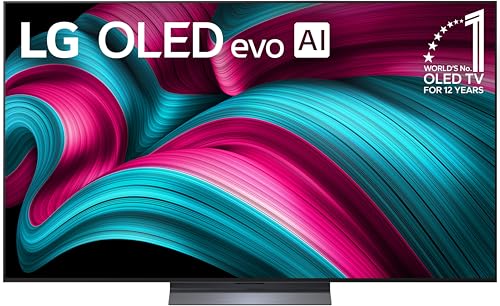
The C series has been the gamer’s default for so many generations that its position needs re-earning each year, and the C5 earns it the usual way: by having no gaming weakness to apologise for. The OLED panel’s pixels switch effectively instantly and extinguish completely, so a dark corridor is truly dark, a muzzle flash is a flash rather than a bloom, and a fast pan across a detailed world stays legible instead of smearing into watercolour. LG’s game tooling around that panel is the most mature in the business — the company has courted gamers longer than its rivals, and it shows in the completeness of the game mode, the dashboard conveniences, and the port provision that treats consoles and PCs as first-class citizens rather than as video sources with ideas above their station.
For film and television the C5 is equally at home, with Dolby Vision handling the premium streaming catalogue and FILMMAKER Mode offering the unprocessed purist picture at a button’s press. The honest debits are the OLED family’s standing ones. Brightness, while improved generation on generation and entirely sufficient for ordinary rooms, does not match the Mini LED below in a sunlit space. Static elements held for very long periods — a HUD in a thousand-hour game — carry the category’s theoretical burn-in consideration, mitigated by the panel’s built-in care features and by varied content, and worth a sensible owner’s awareness rather than a buyer’s veto. And the C5’s price, as the current flagship of its line, is the round-up’s reference point rather than its bargain.
Strengths
- Flawless gaming fundamentals: instant response, perfect blacks, mature game features and ports.
- A superb all-rounder — films, sport, and streaming are served as well as games.
- The safest premium purchase in the category, generation after generation.
Trade-offs
- Peak brightness trails the Mini LED pick in genuinely bright rooms.
- Static-HUD awareness is part of OLED ownership, however well mitigated.
- Current-generation flagship pricing; the C4 below exists for a reason.
Best for: most gamers, in most rooms, who want the reference experience without a research project. / Not suited for: sun-drenched rooms at midday, and buyers whose budget the C4 fits better.

Samsung S90H (65-inch) — the luminous OLED
Badge: Best for bright, vivid gaming
- Panel: OLED, 4K (listing: 2026 model)
- Picture listed: OLED HDR+, Real Black and Real Color with glare-free treatment
- Processing listed: NQ4 AI Gen3 Processor, Samsung Vision AI
- Assistant listed: Alexa built-in
- Size in this listing: 65-inch class
If the C5 is the reference, the S90H is the extrovert. Samsung’s OLED philosophy pushes colour volume and punch — games look vivid to the edge of theatrical, sunlit racers and saturated worlds practically lean out of the screen — and its glare-free treatment addresses the OLED family’s bright-room anxiety from the panel side, scattering reflections that would otherwise mirror your room back at you during dark scenes. The processing generation in this listing is Samsung’s current flagship tier, and its upscaling and motion handling serve the mixed diet of a modern console library, where last-generation games and streamed video share the week with native showcases.
The Samsung ownership experience differs from LG’s in ecosystem rather than in quality: a different smart platform, a different game dashboard philosophy, and — a standing Samsung position worth checking against your sources — a different approach to HDR formats, with the company’s own HDR10+ ecosystem where LG leads with Dolby Vision. Players whose libraries and streaming habits lean on Dolby Vision should weigh that format question seriously, because it is the one specification in this comparison that cannot be changed by settings. Everyone else can choose on picture character, and on that axis the S90H makes the boldest case in the round-up for the player who wants games to look like celebrations.
Strengths
- Vivid, high-punch picture that flatters games especially, with strong glare handling for an OLED.
- Current flagship processing for upscaling and motion across a mixed library.
- All the OLED gaming fundamentals — response and blacks — beneath the showmanship.
Trade-offs
- HDR format allegiances differ from LG’s; Dolby Vision households should check their priorities.
- The vivid house style can be toned down but is the set’s native accent.
- Shares OLED’s standing brightness and static-image considerations.
Best for: gamers who like their picture bold, in rooms with some light to fight. / Not suited for: Dolby Vision-first film purists, and viewers who prefer a restrained, reference-first presentation.

LG OLED evo C4 (55-inch) — the smart-money OLED
Badge: Best value OLED for gaming
- Panel: OLED evo, 4K (listing: OLED55C4PUA, 2024)
- Included listed: Magic Remote, AI-powered features, Alexa built-in
- Size in this listing: 55-inch class
- Position: previous generation of the C line
Every round-up has a pick the author would buy with their own money at the keener moments of the market, and in this one it is the C4. The previous C generation already possessed the complete gaming brief — the same OLED response and blacks, the same mature game tooling, the same port generosity — and a generation’s step in panel brightness and processing is a refinement most players will never isolate in a blind comparison, at a price difference they will isolate immediately in their bank account. The 55-inch size of this listing adds a second argument: it is the size that serves smaller rooms, closer seating, and the desk-adjacent gaming setups where a 65-inch panel overwhelms the field of view and the furniture alike.
The C4’s debits are the honest costs of buying a generation back. Its peak brightness sits a step behind the C5’s, visible in bright rooms and in the most demanding HDR highlights. Its processing is a generation older, which shows — subtly — in upscaling of low-quality sources rather than in native gaming. And its remaining retail life is finite: previous-generation flagships sell through, and the buyer who deliberates until the size they want vanishes has deliberated into the C5’s price anyway. None of these is a performance failure. They are the terms of the value trade, stated plainly, and for a great many gamers they are terms worth signing.
Strengths
- The complete OLED gaming experience of its generation, at previous-generation money.
- 55-inch size suits smaller rooms and closer, desk-adjacent play.
- LG’s game features and port provision were already mature in this generation.
Trade-offs
- A step behind the C5 in brightness and processing refinements.
- Availability is a closing window rather than a standing offer.
- Same OLED ownership considerations as its newer sibling.
Best for: value-led gamers who want true OLED performance and can act while stock lasts. / Not suited for: buyers who want the newest panel’s brightness, or who need the largest sizes.

Samsung QN90H (65-inch) — the bright-room champion
Badge: Best for daylight and bright rooms
- Panel: Neo QLED with Quantum Mini LED, full array (listing)
- Picture listed: Glare Free 4K UHD (listing)
- Processing listed: NQ4 AI Gen2 Processor, Samsung Vision AI
- Assistant listed: Alexa built-in
- Size in this listing: 65-inch class
The QN90H exists for the room the other three fear: the glass-walled living room, the open-plan space with the sun’s full vote, the household where gaming happens at noon as readily as at midnight. Mini LED backlighting delivers brightness on a scale OLED does not attempt, and the glare-free treatment keeps that brightness pointed at the picture rather than at reflections of the window. In such a room the comparison inverts — the OLEDs’ perfect blacks are washed by ambient light into ordinary greys, while the QN90H’s picture stands up, punches through, and looks like the expensive television it is. Bright-room buyers are not settling when they choose this set; they are the only buyers in the round-up whose environment lets their TV perform at its peak all day.
As a gaming instrument it carries the flagship Samsung brief: high refresh support, a proper game mode with low input lag, and processing that keeps fast content composed. Its panel physics differ from OLED’s — a backlight, however finely zoned, cannot extinguish pixel by pixel, so the darkest scenes show a touch more bloom around bright objects and the response, while quick, is not the OLED’s instantaneity. In a dark room with a critical eye, the OLEDs win the night. The QN90H’s answer is that it was never running for the night; it was running for the whole day, and in mixed and bright use its consistency is its own kind of excellence.
Strengths
- Brightness that defeats daylight, with glare handling to match — the bright-room answer.
- No burn-in consideration at all, which frees static HUDs and news tickers from supervision.
- Flagship gaming features and processing in a set built for real living rooms.
Trade-offs
- Dark-room blacks and pixel response concede to OLED, visibly in the darkest scenes.
- Off-angle viewing narrows sooner than the OLEDs’ — seating geometry matters.
- Flagship pricing for a different set of virtues than the OLED buyer is paying for.
Best for: bright rooms, daylight gamers, sports-and-games households, and anyone freed by the absence of burn-in worries. / Not suited for: dedicated dark-room cinephile gaming, and wide seating arrangements far off-axis.
Which specifications actually decide a gaming TV?
Input lag is the first, and it is mostly a solved problem wearing a settings trap. All four sets here, in their game modes, respond fast enough that the TV leaves the player’s own reactions as the bottleneck — but only in their game modes. Outside game mode, a modern TV’s processing pipeline can add a delay you can feel in every jump and shot, which is why the setup section of this guide treats enabling game mode as the single most valuable minute you will spend with the new set. When comparing any TV for gaming, the figure that matters is the lag in game mode at the resolution and refresh you will actually play — and the discipline that matters is verifying the mode is on.
Refresh and variable refresh are the second specification. Current consoles and gaming PCs can deliver high frame rates and, more importantly, variable ones, and the TV must keep step without tearing the picture when the rate wanders. High-refresh panels with proper variable-refresh support are standard at this round-up’s tier and should be demanded at any tier; a set that locks you to yesterday’s fixed rhythms will age in dog years as games lean harder on variable performance. Ports are the unglamorous third: full-bandwidth HDMI inputs, in sufficient number for the consoles and PC you own, with the enhanced-format settings enabled per port — a specification to verify on the listing and in the manual, because a flagship TV with its best port misconfigured is a midrange TV until you fix it. Our explainer on how to choose an HDMI cable covers the cable half of that chain, which matters more than its price suggests.
Panel response and HDR behaviour complete the list. OLED’s instantaneous response is why its motion looks carved rather than smeared, and why this round-up leans OLED for the gaming-first buyer; HDR, meanwhile, should be judged by the picture’s handling of bright highlights against dark detail — the torch in the cave, the sun through the cockpit — rather than by any single brightness headline. Readers torn between the two panel religions will find the deeper comparison in our OLED vs QLED TV guide, and the wider television census in our roundup of the best OLED TVs.
How do you set up a gaming TV properly?
Setup begins before the picture: with distance and height. Sit too close to a 65-inch set and the HUD’s corners leave your comfortable field of view; too far from a 55 and the world’s detail is a rumour. A rough guide is to sit where the screen fills your central vision comfortably — for most, that places the 65-inch sets at a couple of metres and the 55-inch closer — with the screen’s centre near seated eye level, which usually means a low stand or a wall mount at a height televisions are rarely hung at by decorators. Our coverage of the best TV wall mounts can help land that height honestly if a mount is your route.
Then the settings liturgy, in order. Connect consoles and PCs to the full-bandwidth ports and enable each port’s enhanced or expanded signal format in the TV’s menus — the step whose omission silently caps more gaming setups than any hardware limit. Enable game mode for those inputs and confirm the TV reports it active; accept the mode’s plainer picture processing as the price of its speed, because it is. Turn off motion interpolation and noise reduction for game inputs — they are film tools, and in games they add lag and artefacts. Set the console’s output to match the TV’s abilities, run the console’s own HDR calibration screens rather than accepting defaults, and enable variable refresh on both ends of the cable. Finally, the sound: the sets here support modern audio formats including Atmos per their listings, and a soundbar or receiver fed by the TV’s audio-return channel will serve games’ positional audio far better than any panel’s speakers — a worthwhile second purchase, sequenced after the picture is right.
For PC gamers, add two checks: confirm the desktop is actually running at the panel’s high refresh rather than at a default the operating system chose modestly, and confirm the graphics card’s variable-refresh technology and the TV’s are introduced to each other in their respective panels. More PC gaming setups underperform from these two silent defaults than from any panel deficiency, and both fixes are free.
What mistakes do gaming TV buyers make?
The first is buying by showroom: a retail floor’s lighting and demo reels flatter brightness and saturation, punish nothing, and resemble your living room not at all. Judge by your room’s light, your seating distance, and your games — the variables this guide’s reviews keep returning to. The second is size regret in both directions: the set that seemed large in the shop and small by the second month is a cliché because it is true, and the honest arithmetic is that within a room’s limits, gamers almost never wish they had bought smaller. The third is leaving game mode off, or the console in the wrong port, and reviewing the TV’s input lag in ignorance of the settings that were strangling it — a mistake this guide has now warned against three times, because the field data says it cannot be warned against too often.
The fourth is neglecting the room: blackout curtains for the OLED bought into a glass box, or a bias light for the dark-room setup whose contrast strains the eyes at midnight, are small purchases that protect a large one. The fifth is future-blindness — counting ports against today’s consoles only, when the generation’s second machine, the PC, and the streaming box are already visible on the horizon of your own intentions. Buy the ports for the setup you will have in two years, and the set will not need replacing when that setup arrives.
How do different game genres grade these televisions?
Competitive shooters grade on response and clarity in motion, and they are the OLEDs’ home examination: a fast pan stays readable, a dark corner hides nothing that a brighter pixel would not reveal, and the panel simply leaves the player’s own hardware and hands as the variables. Between the two OLED brands the shooter’s choice is ecosystem and taste; between OLED and the QN90H it is the room — a dark-room competitor takes the OLED’s response, a bright-room one takes the Mini LED’s visibility and loses less than forum arguments suggest, because a washed-out perfect black is not perfect anything.
Racing and sports titles grade on sustained brightness, motion smoothness, and the handling of bright, uniform fields — grass, ice, tarmac under a noon sun — and here the QN90H’s horsepower and the S90H’s punch make their cases, with the OLEDs’ automatic brightness management of large bright scenes the one place their physics shows a seam. Story games and horror grade on the night: black level, shadow detail, the courage of a dark scene, and the OLEDs walk that examination without a rival in the round-up, the C5’s refinement and the C4’s value making the same argument at two prices. Strategy and simulation, with their static interfaces and long sessions, grade on size, text clarity, and the owner’s peace of mind — the QN90H’s immunity to burn-in supervision and the C4’s 55-inch desk-friendliness divide that vote by lifestyle. No genre crowns a single winner, which is why this round-up keeps four chairs at the table.
What does a gaming TV owe the rest of the household?
A television is shared infrastructure in a way a monitor is not, and the gaming-first buyer shares a remote with film lovers, sports watchers, news grazers, and the occasional grandparent. The good news is that this round-up’s sets are flagships first and gaming instruments second in their makers’ own minds: their film modes are excellent, their upscaling of broadcast and streaming is flagship-grade, and their smart platforms carry the household’s apps without a streaming stick’s apology. The negotiations worth having in advance are the small ones — a game mode that must be enabled per input rather than globally, picture settings that should be saved per source so the gamer’s game mode and the cinephile’s film mode stop evicting each other, and a sound arrangement whose game-night volume has a ceiling the household agrees on before the first final boss rather than during it.
Viewing angles belong to the household ledger too. The OLEDs share their picture generously across a wide sofa; the QN90H, like most backlit sets, reserves its best contrast for the seats nearest the centre. A household that watches in a wide arc should count seats as carefully as a gamer counts ports — the round-up’s reviews note the trait, and the living room’s geometry, as ever, casts the deciding vote.
How should you audition a TV in the first week?
A television’s return window is best spent with your own content, because demo reels are advertisements and your library is evidence. Build a small audition reel from your real life: the darkest game scene you actually play, graded for shadow detail and for whether the HUD’s brightness bullies the scene around it; the fastest pan in your fastest game, graded for smear; a bright racing or sports scene at your room’s brightest hour, graded for whether the picture holds its nerve against the windows; one film scene you know by heart, graded against your memory of it; and a streamed episode of something ordinary, graded for upscaling honesty. Run the reel on the first evening and again on the fifth, because the eye calibrates and the second viewing is the truthful one. Note, per scene, which setting you touched — a TV that needs constant adjustment per content is telling you something a TV that settles is not.
Include the unglamorous scenes in the reel: the console’s dashboard at midnight, where OLED care features and brightness limiters introduce themselves; a news channel’s static graphics, for the Mini LED’s composure and the OLED owner’s awareness practice; and a black screen in your darkened room, where uniformity — the panel lottery’s quiet variable — either blesses the set or asks for an exchange while exchanges are easy. Panels vary within a model line, and the first week is when that variance is yours to refuse. Audition like an inspector, then own like a fan: that order, and no other, is the whole method.
What is the total cost of a gaming TV setup, honestly?
The set is the headline, not the invoice. Around it gather the mount or stand that lands it at eye height, the cables that let its best ports be their best, the sound solution that its speakers make necessary, the room’s light control, and — the line item nobody budgets — the furniture rearrangement that a larger screen quietly demands of a room arranged for a smaller one. None of these is large, and together they commonly add a meaningful fraction to the set’s price; the buyer who budgets them in advance experiences them as a plan, while the buyer who discovers them serially experiences them as a grievance against a television that did nothing wrong. This guide’s picks were chosen partly to minimise the hidden invoice: their game features are complete without accessories, their ports are generous without a switch box, and their smart platforms retire the streaming stick. What remains — sound above all — is money spent on the experience rather than on permission to have it.
Sequencing protects the budget’s morale. Buy the set and the cables together, because a flagship throttled by a legacy cable is a daily insult. Add the mount when the room is ready rather than the set’s first weekend, because eye height can be auditioned from a stand. Let sound arrive last and largest of the accessories, auditioned against the games whose audio you know best. Spread across a season, the setup assembles itself without a single month of regret — which is the correct financial texture for a purchase meant to serve five years of evenings.
How do these sets handle older consoles and retro libraries?
A gaming library is an archaeology, and a flagship TV should be judged partly on how it treats the older strata. Low-resolution sources ask everything of upscaling: the previous console generation, the streaming services’ compressed offerings, and the retro machines whose native output belongs to another century of displays. The processing generations in this round-up — Samsung’s NQ4 lines and LG’s current Alpha-class work — are the best the industry has offered those sources, with game modes that keep lag low even while scaling, which is the combination retro players actually need: a picture that respects the source’s intent without the input delay that makes old platformers feel like they are being played by post. Purists will keep a CRT or a dedicated scaler for the deepest cuts, and this guide salutes them from a respectful distance; everyone else will find that a modern flagship, correctly configured, is the kindest large screen their back catalogue has ever met.
Aspect and motion deserve their sentences. Older content’s narrower frames should be shown as their makers framed them, pillar-boxed honestly rather than stretched into a wide lie — every set here offers the choice, and the gamer’s discipline is to make it once, correctly. Motion interpolation, the film world’s smoothing tool, should stay off for games of every vintage: it invents frames the console never rendered and charges lag for the invention. The past, properly displayed, needs no improvement — only bandwidth, honesty, and a panel fast enough to keep up with games that were demanding long before they were old.
What about sound — the half of gaming televisions forget?
Games are audio instruments as much as visual ones: the footsteps behind you, the reload in the next room, the engine note that says the corner is coming. No television’s built-in speakers — including the four flagships here, whose audio is respectable by panel standards — reproduce that information with the authority the games mix it with, and the Atmos support in these listings is best understood as a passport: it lets the TV hand modern audio to a soundbar, a receiver, or a headphone system that can do it justice, over the audio-return channel, from the same cable that carries the picture’s other direction. Budget the sound as part of the gaming setup rather than as a later luxury, and audition it with a game’s quietest scene rather than its loudest — positional audio lives in the details, and details are what built-in speakers spend first.
Headphone players are served by the same chain: a TV that passes clean, low-latency audio to a receiver or a wireless headphone base keeps the late-night session’s quality where the daytime one lives. The household negotiation from the previous section applies here with interest — the best gaming audio setup is the one whose volume ceiling and late-night mode were agreed in daylight, by all parties, before the first midnight boss fight put the agreement to the test.
How long will a set like this stay current?
Longer than the console cycle’s marketing wants you to feel. The gaming brief — high refresh, variable refresh, full-bandwidth ports, low lag — has stabilised into a standard that this generation of flagships meets completely, and standards, once met completely, age slowly: the next console generation will ask for refinements in brightness and processing, not for a new television. What ages fastest is the smart platform’s app support, which a streaming stick costing a fraction of the set refreshes entirely, and what ages slowest is the panel itself, which will be showing games beautifully when the platform around it has been replaced twice. Buy the panel and the ports for a decade, the processing for a generation, and the apps for as long as they last, and the purchase’s economics become the calmest in this entire guide series: a flagship gaming TV, correctly set up, is a five-to-eight-year citizen of the living room, and its cost per evening of service embarrasses almost every other object in the house.
Care is the owner’s contribution to that longevity: ventilation respected, the screen cleaned with a dry microfibre and never with household sprays, firmware updated when offered, and — for the OLEDs — the panel’s own care routines allowed to run rather than interrupted by a switched-off wall socket. None of it is onerous. All of it is cheaper than the alternative, which is a magnificent panel retired early by small neglects.
A final note on choosing between two good answers
Readers who have followed the round-up this far will notice that its disagreements are mostly honourable: LG’s maturity against Samsung’s vividness, OLED’s night against Mini LED’s day, the new generation’s polish against the old one’s price. When a comparison reaches that state, the remaining decision is rarely technical, and the honest tools change: sit your household in the room at its worst hour of light, name the games that will actually fill the screen rather than the ones that flatter it, and let the budget speak last rather than first. The set chosen that way will not be the winner of an argument on the internet. It will be the television your room would have specified for itself — which, across five years of evenings, is the only specification that ever really mattered.
How do you live with a very large screen in an ordinary room?
The 65-inch sets in this round-up are modest by the market’s current ambitions and enormous by the standards of the rooms most of us actually have, and the adjustment deserves a paragraph of its own. A screen this size rearranges a room’s gravity: seating migrates to its distance, lamps move out of its reflections, and the television stops being an object in the room and becomes the room’s fourth wall. Gamers, who sit closer and more centrally than film audiences, feel the benefit first — immersion is mostly geometry — and the costs second: a panel this present makes its flaws social, so the uniformity audition in the first week matters, and its light fills the room at midnight, so the household’s volume-and-brightness diplomacy from earlier sections is not optional garnish. None of this argues against the size; the size regret data in this category runs overwhelmingly in one direction, towards wishing for more. It argues for buying the room’s consent along with the television — a weekend of furniture honesty that protects five years of evenings from a low, daily friction no panel specification can fix.
What should you do on delivery day?
Inspect before you sign, as far as the courier’s patience allows: the box’s corners tell the panel’s journey, and a screen this size and price deserves its damage discovered while the refusal is still free. Set up with two people and no heroics — panels are thin, flex is the enemy, and the stand’s screws want a deliberate hand rather than a strong one. Power it on to the audition reel before the packaging leaves the house, run the black screen and the bright field from the first-week protocol while the exchange is a phone call rather than a campaign, and photograph the serial label for the records you will want in year three. Register the warranty while the receipt is still on the counter. Then, and only then, the liturgy: ports, game mode, calibration screens, and the first game played not as a demo but as a citizen of the setup it will live in. Delivery day done in that order converts the largest purchase in the room into the calmest, and calm, across a television’s long service, is the whole point.
The one-page version for the reader in a hurry
Everything above compresses, for the reader whose evening is short, into a short catechism. Room dark or ordinary, taste reference or vivid, budget current: the LG C5. Room bright for an OLED, taste vivid, formats flexible: the Samsung S90H. Budget intelligent, room smaller or seating closer, timing fortunate: the LG C4, while it lasts. Room bright without qualification, or supervision of static images refused: the Samsung QN90H. Then, regardless of the badge on the box: the console in a full-bandwidth port with its enhanced format enabled, game mode on and verified, motion processing off, the console’s HDR calibration run rather than assumed, the screen at seated eye height, and sound planned as a citizen rather than an afterthought. A reader who does only those things will extract more of their television’s capability than most owners of any of these four sets ever do — which is, in the end, the only ranking this guide is fully confident in: the configured set beats the unconfigured one, every time, at every price, in every room.
And a genuinely final practical word, because round-ups rarely give one: keep the box. A television’s original packaging is its only safe transport for a house move, a warranty return, or a resale, and the five years this purchase should serve will very likely include one of the three. The box is large, awkward, and exactly as valuable as the day it saves — store it flat if the foam allows, or accept its occupation of a corner of the garage as rent on the panel’s future. Owners who kept the box describe the moving day the way configured owners describe game mode: as the minute of foresight that paid for a year of Sundays.
Keep, too, the small archive of the setup itself: a photograph of the rear connections as cabled, a note of the picture settings per input once they have settled, and the calibration values your consoles reported. Televisions outlive memories of their own configuration, and a firmware reset or a curious guest with the remote can scatter a season of careful settings in an afternoon. The archive turns that afternoon from a re-derivation into a restoration, and it costs four minutes on the day the setup is finished — the cheapest insurance in this entire guide, offered last because it is the one readers are most likely to skip and most likely, eventually, to wish they had not.
With the box kept and the settings archived, the purchase is complete in a way the transaction alone never makes it: the television is no longer a product that arrived, but a system that is known — its panel auditioned, its ports mapped, its modes assigned, its future moves provided for. That is the state this guide has been steering towards through every section, because a gaming television’s excellence is not a property of the screen alone. It is a property of the screen, the room, the settings, and the owner’s small archive, working together — and of the four televisions above, any one of them, so owned, will serve its gamer magnificently for years of evenings, across console generations, in defiance of the upgrade itch that lesser setups so reliably provoke each spring. Choose the room’s answer, configure it like you mean it, keep its box and its settings, and play — the panels, at last, are worthy of the games, and the games have been waiting for the panels for a very long time indeed, across generations of consoles and PCs alike, patiently, in the dark, for tonight’s first proper gaming session together.
Frequently asked questions
Is OLED or Mini LED better for gaming?
For the gaming itself, OLED: its instant response and perfect blacks are the panel virtues games exploit most, and in a light-controlled room nothing in this round-up touches it. Mini LED wins the environment rather than the game — in bright rooms its picture survives and the OLED’s washes out — and it asks no burn-in awareness of its owner. Choose by your room first and your panel philosophy second, which is the order this guide’s reviews are written in.
What size TV should I buy for gaming?
The largest that your seating distance and room honestly serve. As a working rule, a 65-inch set flatters seating around two to two-and-a-half metres, and a 55-inch suits closer arrangements and desk-adjacent play; sitting nearer the immersive end of those ranges suits gaming, which uses the screen’s edges for HUD and world detail in a way film does not. When torn between two sizes, gamers should usually take the larger — it is the direction regret rarely travels.
Do I need high refresh if my console mostly plays at lower frame rates?
High refresh still serves you: variable refresh support smooths the rates your console does deliver, high-refresh panels carry the best game modes and processing, and the library’s performance modes increasingly reach for the higher rates. You are also buying for the generation’s remainder and any PC that joins the setup. A high-refresh gaming TV is the closest thing the category has to future-proofing.
How real is the OLED burn-in worry for gamers?
Real enough to respect, small enough not to veto. Modern OLEDs carry layered mitigations — pixel care routines, logo dimming, panel refresh cycles — and varied content is the owner’s half of the bargain. The gamer who plays one title’s static HUD for thousands of hours in a bright HDR mode is the genuine risk profile; the varied gamer is not. If your play matches the risk profile and the worry would nag you nightly, the QN90H in this round-up exists precisely to retire the question.
Can I use one of these TVs as a PC monitor?
Yes — the 55-inch C4 in particular has a second career as a large-format gaming monitor, and all four sets accept PC signals with their gaming features intact. Observe the monitor disciplines: run the desktop at the panel’s native high refresh, enable variable refresh at both ends, keep game mode on for the PC input, and on OLED, let the desktop hide its taskbar and vary its content as the panel’s care features expect. Text clarity for all-day office work is the one place a dedicated monitor still argues back.
What else should I budget for besides the TV?
In order of impact: a sound solution, because no panel’s speakers do modern games justice and audio-return makes adding one painless; the right cables, full-bandwidth and honestly rated, per our HDMI guidance; a mount or stand that lands the screen at seated eye height; and room control — curtains or a bias light — matched to your panel’s religion. None is large next to the set itself, and together they are the difference between owning a great TV and experiencing one.
What is the final recommendation for Video Gaming?
Buy the LG C5 if you want the round-up’s reference experience and your room is an ordinary room — it is the set this guide would hand to a gamer who asked not to think again for five years. Buy the Samsung S90H if your taste runs vivid and your room runs bright for an OLED, and your HDR allegiances allow it. Buy the LG C4 if your intelligence about value outruns your appetite for the newest panel — it is the smartest money here while it lasts. Buy the Samsung QN90H if the sun is a co-owner of your living room, or if burn-in supervision is a chore you refuse on principle. Whichever arrives, spend the first evening on the setup liturgy rather than the demo reel — game mode on, ports enhanced, motion processing off — because the difference between these televisions as shipped and as configured is larger than the difference between several of the televisions themselves. That, in one sentence, is the state of video gaming on television: the panels have become magnificent, and the settings have become the sport.