Disclosure: As an Amazon Associate, reviewstook.com earns from qualifying purchases. Links on this page are affiliate links; they cost you nothing extra. Prices and availability change often, so check the current Amazon listing before you buy.
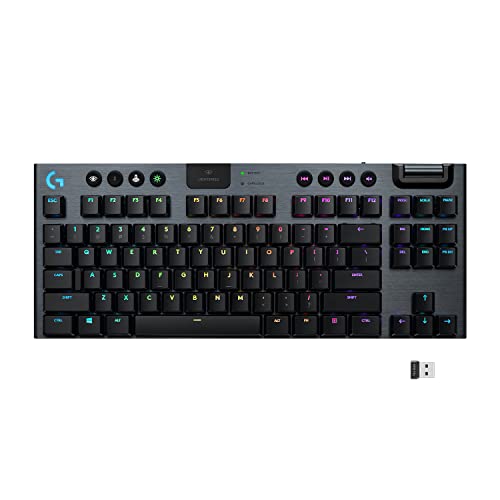
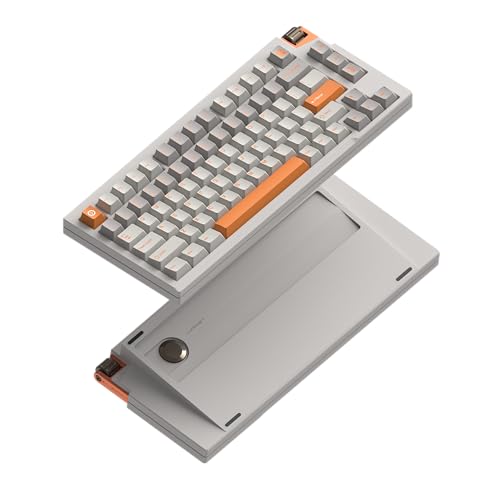
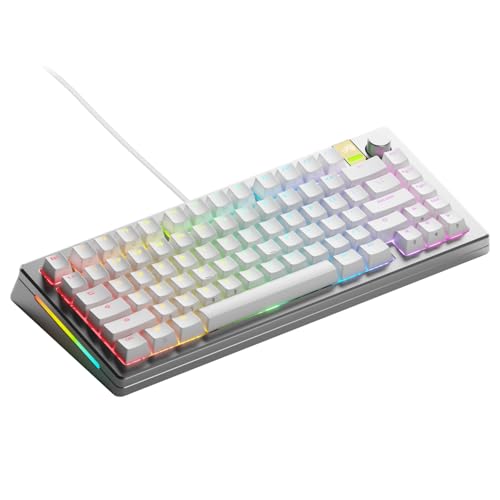
The glorious gmmk lineup complete guide exists because Glorious made a naming scheme that only makes sense once somebody draws the map. There is the original GMMK, the GMMK 2, the GMMK Pro, the GMMK 3, the GMMK 3 Pro, and the GMMK 3 Pro HE — six names separated by single words, spanning wired and wireless, mechanical and Hall effect switches, plastic and machined aluminium, and prices from budget to flagship. Shoppers routinely buy the wrong one, not because any of them is bad, but because the difference between a GMMK 3 and a GMMK 3 Pro HE is the difference between a mechanical keyboard and a rapid-trigger esports instrument, and the names do not say so. This guide draws the map: what each name means, which models are current, how the five verified listings below relate to one another, and which member of the family belongs on which desk.
Key takeaways
- “GMMK” is the family name — Glorious Modular Mechanical Keyboard — and every model shares the founding idea: hot-swappable switches you can change without soldering.
- The number is the generation: GMMK 3 is the current mainstream line. “Pro” means a machined aluminium body and flagship trim. “HE” means Hall effect magnetic switches with rapid trigger — a different technology, not a trim level.
- Sizes run 65%, 75% and full-size across the family; 75% is the sweet spot most buyers should start from.
- The original GMMK Pro (2021) is a mechanical, wired, gasket-mounted board that the GMMK 3 Pro HE has superseded at the flagship tier but not made obsolete — they suit different typists.
- Barebones versions exist for builders who already own switches and keycaps; pre-built versions suit everyone else.
- Buy by switch technology first (mechanical vs HE), then by size, then by body material — in that order — and the lineup stops being confusing.
In this guide
The Glorious Gmmk Lineup Complete Guide: the map in one table
| Model | Switch type | Body | Connection | Who it is for |
|---|---|---|---|---|
| GMMK (original) / GMMK 2 | Mechanical, hot-swap | Plastic / aluminium frame | Wired | First custom keyboard, budget builds |
| GMMK Pro (2021) | Mechanical, hot-swap | CNC aluminium | Wired | Enthusiast typists, modders |
| GMMK 3 | Mechanical, hot-swap | Polymer / metal accents | Wired and wireless variants | Mainstream customisers |
| GMMK 3 Pro | Mechanical, hot-swap | CNC aluminium | Wired and wireless variants | Premium mechanical buyers |
| GMMK 3 Pro HE | Hall effect magnetic, rapid trigger | CNC aluminium | Wired and wireless variants | Competitive gamers |
Read the table by columns and the lineup decodes itself. Switch type is the deepest divide: mechanical boards accept the entire MX-style switch universe, while HE boards use magnetic switches that sense key position continuously, enabling rapid trigger and adjustable actuation. Body is the second divide: aluminium boards feel and sound like instruments, polymer boards are lighter and cheaper. Generation is the shallowest divide — newer is more refined, but a GMMK Pro from 2021 is not embarrassed by its successors for pure typing.
Where the family came from
The original GMMK earned its name honestly: at a time when custom keyboards meant soldering irons and group buys, Glorious sold a board whose switches simply pulled out and pushed in, in three sizes, at a price ordinary gamers could reach. That single idea — modularity for the mainstream — built the company and explains the family’s DNA. The GMMK 2 tidied the design; the GMMK Pro of 2021 reached upmarket with a machined aluminium case, a rotary knob and a gasket-mounted plate, chasing the enthusiast boards it had once undercut. The GMMK 3 generation then reorganised everything into the current ladder: a mainstream 3, a premium 3 Pro, and the 3 Pro HE flagship that answers the Hall effect revolution started by rival esports boards. Understanding that arc — democratise, then premiumise, then specialise — tells you exactly what each tier is trying to be.
The current lineup, reviewed

GMMK 3 Pro HE (wired) — the flagship
Best for: competitive players who want rapid trigger, 8K polling and a metal body in one board. Not suited for: mechanical switch collectors — HE boards live in a different switch ecosystem.
- Switches: Hall effect magnetic, rapid trigger, adjustable actuation
- Polling: 8K wired
- Body: CNC machined aluminium, modular gasket system
- Layout: 75%, hot-swappable HE sockets
Strengths
- Rapid trigger changes how strafing and counter-movement feel in shooters — keys reset the instant they rise.
- The aluminium body gives the board a density and sound profile plastic cannot imitate.
- Modular gasket mounting lets you tune the typing feel from firm to soft.
Trade-offs
- Flagship pricing, and HE switches cost more to experiment with than MX switches.
- The finest typing feel in the family arguably still belongs to the mechanical boards.
- 8K polling’s benefits are real but subtle; your CPU pays a small tax for it.

GMMK 3 Pro HE (wireless) — the flagship, untethered
Best for: competitive players who also want a clean desk and couch flexibility. Not suited for: buyers who will never unplug — the wired version is the same board for less.
- Switches: Hall effect magnetic, rapid trigger
- Connection: wireless plus wired modes, 8K polling class performance
- Body: CNC machined aluminium, modular gasket system
- Layout: 75%
Strengths
- All of the wired flagship’s gaming technology without the cable.
- One board serves the desk, the sofa and the second machine.
- Battery and wireless engineering are flagship-grade, not an afterthought.
Trade-offs
- The wireless premium is real money for a feature some desks never use.
- Charging becomes a small recurring chore wired owners never meet.
- Maximum polling behaviour differs by mode; check the listing’s current specification.

GMMK 3 (75%) — the mainstream sweet spot
Best for: most buyers — a modern, hot-swappable mechanical board with the family’s current design at a sane price. Not suited for: buyers set on a full aluminium body.
- Switches: mechanical MX, hot-swap sockets
- Body: modular gasket system, rotary knob
- Keycaps: doubleshot PBT in the box
- Layout: 75%, with 65% and full-size siblings
Strengths
- The full MX switch universe is yours, including the Panda switches reviewed elsewhere in this cluster.
- Sound-dampening foam and gasket mounting deliver a grown-up typing feel.
- PBT keycaps in the box means no immediate upgrade tax.
Trade-offs
- No rapid trigger — this is a mechanical board, with a mechanical board’s limits in esports.
- The body lacks the flagship’s machined-aluminium heft.
- Wireless is a variant decision to make at purchase, not an assumption.

GMMK 3 (65%) — the compact option
Best for: small desks, travel setups and mouse-heavy gamers who want the space. Not suited for: anyone who uses a function row or number pad daily.
- Switches: mechanical MX, hot-swap sockets
- Body: compact modular gasket design, rotary knob
- Layout: 65% — arrows kept, function row layered
- Keycaps: doubleshot PBT
Strengths
- Reclaims real desk space for the mouse without giving up arrow keys.
- Same switch freedom and sound treatment as its 75% sibling.
- The most portable board in the current lineup.
Trade-offs
- Layered function keys slow down some workflows permanently, not just during adjustment.
- Keycap sets must be chosen with compact right-side modifiers in mind.
- Less internal volume means a slightly different, brighter sound profile.

GMMK Pro (2021) — the original flagship
Best for: enthusiast typists and modders who want the aluminium gasket board the community tuned for years. Not suited for: rapid-trigger gamers or wireless seekers.
- Switches: mechanical MX, hot-swap; this listing ships with Fox linear switches
- Body: CNC machined aluminium, gasket-mounted plate
- Extras in this listing: white PBT keycaps, coiled cable, padded wrist rest
- Layout: 75%, wired, rotary knob
Strengths
- A deep modding knowledge base: foams, plates, films and firmware years in the making.
- The typing feel, properly tuned, remains the family’s connoisseur choice.
- This listing’s bundle (keycaps, coiled cable, wrist rest) is genuinely complete.
Trade-offs
- Wired only, and a generation behind on polling and software.
- Stock sound needs the community’s known tweaks to reach its best.
- The 3 Pro HE out-features it for gaming at the flagship tier.
Mechanical vs Hall effect: the decision that comes first
Everything else in this guide is refinement; this is the fork. A mechanical switch is a physical contact: press the stem, two metal leaves meet, the key registers at a fixed point chosen by the switch’s design. Swapping switches changes feel, sound and actuation in thousands of combinations, which is why mechanical boards anchor a hobby. A Hall effect switch replaces the contact with a magnet and a sensor that reports the key’s exact position continuously. Software then decides what position counts as a press — adjustable actuation — and, crucially, can reset the key the instant it starts rising, which is rapid trigger. In fast-paced games, rapid trigger makes repeated strafing inputs and counter-strafing measurably snappier, because the key is ready again sooner.
The costs of HE are ecosystem and feel. HE switches are fewer, dearer and less varied than MX switches; the typing sound profile is generally considered a step behind a well-tuned mechanical board; and the technology’s advantages are invisible outside fast games. The costs of mechanical are the mirror image: no rapid trigger, fixed actuation, and polling that tops out lower. Decide by your dominant use. If ranked shooters are your main game, HE is not a gimmick — it is the current competitive standard. If you type for a living and game across genres, mechanical’s depth and feel win, and the money saved buys the switches that make the board yours.
Sizes explained: 65%, 75%, full-size
The family’s sizes answer three different desk philosophies. The 65% boards keep arrow keys and a delete column while folding the function row into a layer — the gamer’s compact, freeing mouse space where aim lives. The 75% boards restore the function row in a compressed line and add the family’s signature rotary knob; they are the default recommendation because they surrender almost nothing. Full-size boards keep the number pad for the spreadsheet-and-data crowd and ask the most desk in return. GMMK history adds two footnotes: the original line’s “compact” and “tenkeyless” names predate the percentage language, and the GMMK 2’s 65% and 96% layouts remain on sale in places — the 96% in particular, a nearly-full layout in a tenkeyless footprint, has loyalists the current line does not directly serve.
Barebones vs pre-built: which way to buy
Most GMMK models exist in two forms. Pre-built boards arrive with switches and keycaps fitted — buy, plug, type. Barebones kits are the case, plate, stabilisers and electronics alone, priced lower, waiting for the switches and keycaps you already own or specifically want. Barebones is the rational buy for exactly two people: the hobbyist with drawers of switches, and the buyer whose entire point is one particular switch-and-keycap combination. For everyone else, pre-built is cheaper in total, because switches and keycaps bought separately to match a barebones saving usually exceed it. The listings reviewed above are pre-built; if you go barebones, budget the full basket before comparing.
How to set up and tune a GMMK board
- Unbox and connect, then update the firmware and install Glorious Core (or use the board’s onboard controls where supported) before judging anything — shipping firmware is rarely the final word.
- On HE models, set actuation per key group: light and shallow for movement keys, deeper for keys you must never hit accidentally, and enable rapid trigger for the games that reward it.
- On mechanical models, live with the stock switches for a week before ordering replacements; the board’s sound and your taste both need data.
- Balance the stabilisers: rattly spacebars are the family’s most common complaint and almost always a tuning issue — lubricant and patience, not a return.
- Assign the rotary knob deliberately (volume is the default for a reason) and put your most-used macro or media control where your hand already goes.
- Save profiles to the board’s onboard memory where available, so your setup survives other machines and other operating systems.
Deeper switch guidance lives in Glorious Pandas vs Drop Holy Pandas, the flagship alone is reviewed in our GMMK 3 Pro HE review, and the original flagship gets its own treatment in our GMMK Pro review. The wider field is surveyed in the best gaming keyboards and the best mechanical gaming keyboards, with switch sets in the best mechanical switch sets and compact alternatives in the best tenkeyless gaming keyboards.
Common mistakes when buying into the lineup
- Buying “Pro” when you meant “HE”. The GMMK Pro and GMMK 3 Pro are mechanical; only the HE models have rapid trigger. The names differ by two letters and an entire technology.
- Assuming all GMMK switches interchange. MX switches fit mechanical boards; HE boards need magnetic switches. A drawer of Pandas will not populate a 3 Pro HE.
- Choosing 65% for a workflow that lives on the function row. Layers are a permanent tax, not an adjustment period, for some jobs.
- Going barebones without pricing the full basket. Switches plus keycaps routinely exceed the pre-built difference.
- Judging the board before the stabilisers are tuned. First impressions of this family are disproportionately stabiliser impressions.
Final verdict
The GMMK lineup is three decisions wearing six names: mechanical or magnetic, compact or full, polymer or aluminium. The GMMK 3 is the right answer for most people, the 3 Pro HE wired is the right answer for competitive players, the 3 Pro HE wireless is that answer without a cable, the 65% serves small desks, and the original GMMK Pro remains the typist’s and modder’s connoisseur pick. Buy in that order of questions and the lineup’s confusing names become what they were meant to be — a ladder you climb exactly as far as your use demands, and no further.
Frequently asked questions
What does GMMK stand for?
Glorious Modular Mechanical Keyboard — the family name from the original model, kept across generations. The modular part is the founding idea: hot-swappable switches that change without soldering, which every current model still offers in its own switch ecosystem.
Is the GMMK 3 Pro HE worth it over the GMMK 3?
For competitive shooter players, yes: rapid trigger and adjustable actuation are functional advantages, and the aluminium body is a genuine upgrade. For typists and general gamers, the GMMK 3’s mechanical switch freedom and lower price usually deliver more of what they will actually feel.
Can I put regular mechanical switches in an HE board?
No. Hall effect boards sense magnets, so they require magnetic switches designed for the platform. Mechanical GMMK boards accept standard MX-style switches. This incompatibility is the single most important fact in the lineup for switch collectors.
Which size should I choose?
Start at 75%: it keeps the function row and arrows in a compact footprint and suits the widest range of games and work. Choose 65% for maximum mouse space, and full-size only if a number pad is a daily tool rather than an occasional convenience.
Is the original GMMK Pro still worth buying?
For typists and modders, yes — its aluminium gasket design, deep community tuning knowledge and bundled listings keep it relevant. For gamers chasing current competitive features, the 3 Pro HE is the flagship to buy instead.
What is the difference between GMMK 3 and GMMK 3 Pro?
Primarily the body and trim: the Pro steps up to a CNC machined aluminium body and flagship finish, while the standard GMMK 3 uses lighter materials at a mainstream price. Switch technology is mechanical in both — the HE is a separate model above the Pro, not a feature of it.
Sound, foam and the gasket idea
Every current GMMK board is built around a question the original never asked: what should a keyboard sound like? The gasket system mounts the plate on soft strips rather than screwing it rigidly to the case, so each keystroke lands with a small, cushioned give, and the case stops ringing like a drum. Layers of foam inside the case absorb the hollow echo that made early mechanical boards sound cheap. The GMMK 3 generation made this modular — owners can add or remove gasket material to move the feel between firm and soft — which is the family’s clearest statement of philosophy: the factory sets a sensible default and hands you the screwdriver. The practical consequence for buyers is that two identical boards can be tuned to sound quite different, and that most “this board sounds bad” verdicts in reviews are really “this board’s default tuning is not my taste” — a fixable condition, and one the mechanical models especially reward you for fixing.
The software: Glorious Core and onboard memory
All current models are configured through Glorious’s software, which handles the expected duties — key remapping, macros, lighting, and on HE boards the actuation and rapid-trigger settings that are the entire point of the hardware. Two buying-relevant notes follow. First, HE buyers should confirm their settings save to onboard profiles where the model supports it, because a rapid-trigger configuration that exists only while a background app runs is a fragility, not a feature. Second, the family’s boards have historically improved meaningfully with firmware updates in their first year, so a review written at a model’s launch may describe software — and occasionally switch behaviour — that the current firmware has already revised. Judge the hardware on its hardware; judge the software by its current state, and update any board you buy before forming a verdict on either.
Which switches suit which board
The mechanical models’ freedom is only valuable with a map of the territory. Linear switches (smooth, no bump) suit gaming and fast typing and ship in several of these listings by default — the GMMK Pro bundle’s Fox linears are the example in this guide. Tactile switches add a bump you can feel at actuation; the family’s own Panda switches are the famous case, strong-bumped and characterful, and they get a full comparison in the sibling article linked above. Clicky switches add sound to tactility and should be bought only by people whose households have been consulted. Weight matters as much as type: springs in the 60–67g class dominate because they resist accidental presses without fatiguing fingers across a working day. The HE models narrow this world to magnetic switches, where the variables are magnet strength, travel feel and sound rather than contact design — fewer choices, but the software’s actuation settings hand back a different kind of freedom, per key rather than per switch.
Keycaps: the second purchase hiding in the first
Several listings in this guide ship doubleshot PBT keycaps, which is worth more than it sounds: PBT resists the shine that ABS develops, and doubleshot legends never wear off, so a board so equipped is finished in a way cheaper rivals are not. If you do replace keycaps — for profile, colour or sound — the GMMK layouts are standard enough to make shopping easy, with two cautions: compact models need kits that include the smaller right-side modifiers, and the rotary knob’s neighbour key is a 1-unit position some sets forget. Keycap profile changes typing feel almost as much as switches do; the tall, sculpted profiles deepen sound, the low flat ones speed gaming at the cost of some comfort. Budget for one keycap experiment in your first year of ownership. Almost everyone does it; planning it merely makes it cheaper.
How the GMMK family compares with the wider market
Context helps the ladder make sense. Against budget hot-swap boards from value brands, the GMMK 3’s premium buys sound treatment, PBT keycaps and software maturity rather than raw function — every board in this class types and games, but they do not all sound or feel alike doing it. Against the esports HE specialists, the 3 Pro HE’s pitch is the aluminium body and the gasket tuning that pure racing boards often skip; against the great enthusiast customs, the GMMK Pro’s pitch was always availability — a gasket aluminium board you could simply buy, from stock, with a warranty. Glorious’s consistent position is the bridge between the gaming-peripheral world and the keyboard-hobby world, and the lineup reads correctly once you see that: the mainstream models recruit gamers into customisation, and the flagships keep them from leaving when their tastes mature. If your needs sit entirely in one world — pure esports minimalism, or pure hobbyist exotica — rivals specialise harder. If your needs straddle both, this family is the straddle, engineered.
Ownership: what the boards are like after six months
The long-view reports on this family share themes. The aluminium boards age beautifully — the cases do not flex, the finishes hold, and the weight that feels indulgent in week one feels like permanence by month six. The mechanical boards’ hot-swap sockets survive enthusiastic switch experimentation, which is not true of every rival at these prices. Stabilisers remain the family’s recurring chore: they are the first thing to develop rattle and the thing owners most often re-lubricate, a ten-minute job that the community has documented to exhaustion. Wireless models hold their charge well enough that charging becomes a monthly rather than weekly thought. And the HE boards’ software, after its early updates, settles into invisibility — which, for configuration software, is the highest available praise. None of these boards is a disposable peripheral; all of them are the kind of purchase whose cost per year of service ends up looking shrewd.
Recommendations by reader
The competitive shooter player: GMMK 3 Pro HE wired, unless your desk genuinely needs the wireless version — rapid trigger is your feature and the wired board is its purest delivery. The typist who games: GMMK 3 in 75%, with a set of tactile switches in your future; it is the family’s best value per hour of mixed use. The hobbyist arriving from customs: GMMK Pro, bought for its aluminium gasket chassis and its modding literature, with the understanding that you will tune it and enjoy doing so. The small-desk or travelling player: GMMK 3 in 65%, and accept the layer tax as the price of the mouse space. The gift buyer: GMMK 3 pre-built in 75% — complete in the box, standard in every way that matters, and impossible to get wrong in any way the recipient cannot change later with a switch swap.
Second-hand GMMKs and what to check
The family’s popularity makes for a deep used market, and hot-swap boards carry a specific inspection list. Test every key, because a bent switch pin or a tired socket hides behind a single letter. Ask which switches are fitted and whether the originals are included — a used board’s value swings on its switch set more than its case. On HE models, run the calibration routine in the software before judging actuation behaviour; magnetic sensors drift in configuration, not in health, and a board that feels inconsistent may simply need its calibration rather than a new home being a mistake. Check the cable and the knob, the two parts that live hardest. A used GMMK Pro at a fair price, with its bundle intact, remains one of the best entries into aluminium keyboards available anywhere; a used GMMK 3 is the same logic a tier down. The family’s standard layouts and durable sockets make it unusually safe used-buying territory for a hobby famous for the opposite.
The discontinued and the obscure: a completeness appendix
A complete guide should account for the names you will meet in listings and old reviews. The original GMMK (sometimes “GMMK 1”) came in full-size, tenkeyless and compact forms and defined the hot-swap idea for the mainstream; it is a budget used buy now, not a current recommendation. The GMMK 2 refined it in 65% and 96% layouts with better stock sound. The GMMK Pro of 2021 is covered above and remains in the line’s living memory as its first flagship. Regional and special editions — alternative colours, retailer bundles, barebones variants of everything — share their parent models’ electronics and differ in dress. If a listing’s name does not appear in this guide’s table, it is almost certainly one of those: identify its generation, its switch type and its body from the description, and the map in this article will place it correctly, because those three coordinates are the whole geography of the family.
Why “modular” still matters
It is easy, a decade into hot-swap everything, to forget what the GMMK name promised. Keyboards used to be among the least repairable objects on a desk: one dead switch could retire a board. Every model in this guide can have a failed switch replaced in under a minute with no tools beyond a puller, can change its entire typing personality for the price of a switch set, and can be cleaned, tuned and re-capped indefinitely. That is why the lineup’s floor matters as much as its flagship: even the cheapest current GMMK is a platform rather than a product, and platforms age differently from products — they accumulate owners’ investments instead of depreciating against next year’s model. Whichever rung of the ladder you buy, you are buying into that arithmetic, and it is the deepest reason this family, among all its rivals, rewards being understood as a lineup rather than as a list.
Polling rates, latency and the numbers on the box
The flagship’s 8K polling headline deserves translation, because it influences buyers out of proportion to its effect. Polling rate is how often the keyboard reports to the computer: 1,000 times a second is the long-standing gaming standard, and 8,000 times a second cuts the theoretical reporting delay from up to a millisecond to an eighth of that. In the total input chain — switch, scan, report, game engine, display — that saving is real and small, and it arrives with a minor CPU cost that older systems feel more than new ones. Rapid trigger, by contrast, changes the physical behaviour of the key itself and is felt immediately by the players it suits. If you are choosing between the HE flagship and everything else, choose on rapid trigger and actuation control; let polling be the garnish it is. The mechanical boards’ standard polling has never been the reason a player lost a duel, and the honest hierarchy of keyboard gaming features in 2026 runs: rapid trigger, then actuation control, then polling, then everything else.
A word on the knob, the cable and the small things
Lineups are compared on their flagships’ features, but ownership is lived in the details. The rotary knob, present across the current family, is the detail owners mention most after a month — volume without looking, mute with a press, a small fidget of machined metal that makes the board feel designed rather than assembled. The coiled cable in the GMMK Pro bundle is the same species of pleasure: unnecessary, tactile, and quietly characterful. The wrist rest in that bundle is the one to actually evaluate, because wrist rests are ergonomic equipment, not decoration; use it to float your palms while not typing, not to plant them while you do. Even the switch puller in the box matters — it is the tool that turns the family’s modular promise from a claim into a habit, and boards that ship without one are telling you something about how their makers expect to be used.
The lineup in one decision tree
Answer four questions and the guide has done its work. Do you play competitive shooters seriously? If yes, your board is an HE — wired for purity, wireless for freedom — and the remaining questions are about other people’s desks. If no: do you already own switches or dream of a specific set? If yes, look at barebones or the GMMK Pro and enjoy the hobby’s deepest water. If no: is your desk small or your mouse space precious? The 65% GMMK 3, then. Otherwise the 75% GMMK 3, pre-built, is the family’s centre of gravity and the board this guide would hand to a friend without a follow-up question. Every path through that tree ends at a board with hot-swap sockets, a gasket-tuned case and a knob your hand will find in the dark — which is to say, every path ends at a GMMK, and the differences that remain are the good kind: the kind that come from knowing yourself, not from decoding a naming scheme. The scheme, now, is decoded.
Ergonomics and the desk around the board
A keyboard is used eight hours at a stretch by the people who type for a living, and the lineup’s ergonomic story deserves the same clarity as its gaming story. None of these boards is a split or tented ergonomic design; they are straight boards, and their comfort levers are the ordinary ones — height, angle, wrist posture and switch weight. The aluminium boards’ low front edges and the bundled wrist rest on the GMMK Pro listing help; a lighter switch spring helps more across a long day than any case feature. HE boards add an unexpected ergonomic tool: shallow actuation means keys can register with a shorter, lighter press, which some heavy typists find genuinely kinder across a week — set a light actuation for text keys and keep the deeper settings for gaming profiles. Whichever model you choose, the board is one element of a workstation that includes chair height, monitor position and the mouse; a flagship keyboard on a badly set desk is still a badly set desk, and the family’s knob will not save your shoulders. Buy the board for its switches and sound, then set the desk up like you mean it.
What the lineup will probably do next
Reading a family’s trajectory is a buying skill, because it tells you which features will trickle down and which purchases will be orphaned. The GMMK arc — modularity, then premium materials, then Hall effect — suggests the next chapters are refinements rather than revolutions: HE technology reaching the mainstream tier, wireless becoming assumed rather than variant, and software converging across the range. For buyers, the implication is reassuring in both directions. A mechanical GMMK bought today will not be made strange by next year’s models, because the MX ecosystem is bigger than any one brand’s roadmap; and an HE flagship bought today sits on the technology the whole industry is moving toward, with a switch standard that multiple makers now support. The riskiest purchase in a lineup is always the transitional oddity, the model that belongs to neither era — and this family’s clean generational ladder, whatever its naming sins, contains no such orphan.
A final note on names, for the next shopper you help
Somebody you know will face this lineup next, and the kindest summary you can hand them fits in three sentences. The number is the generation and the 3 is current. Pro means the metal body; HE means the magnetic gaming switches, and it is the only letter-pair that changes what the keyboard fundamentally does. Everything else — size, colour, wired or wireless — is a preference you can decide by looking at your desk. Guides exist because manufacturers name for their org charts rather than for their customers; this one has now done the translation work for the whole GMMK family, and the boards underneath the names turn out to deserve the attention the names nearly cost them. Choose by switch, then size, then body — and enjoy the rare product line where every rung of the ladder is honestly built for somebody, including, almost certainly, you.
Troubleshooting the family’s common complaints
Three issues account for most of the support threads these boards generate, and all three are user-fixable. A rattly or pingy spacebar is a stabiliser asking for lubricant and, on the mechanical boards, sometimes a small piece of tape or foam in the community-documented places; it is a tuning task, not a defect. A key that double-registers or misses on an HE board is almost always a calibration or actuation setting — reset the key’s actuation to a sane middle value and recalibrate before suspecting hardware. A board that sounds hollower than reviews promised is usually sitting on a hard desk with no mat; a desk mat under any of these boards deepens the sound more than internal mods do, and costs less than the foam kits owners buy first. Knowing these three fixes in advance converts the family’s known quirks from purchase risks into ownership rituals, which is what they are for the large, generally content community that has been tuning these boards for years.
Gifting and household notes
Keyboards are personal in a way few peripherals are, and the GMMK family’s modularity makes it the safest keyboard gift in its class: a recipient who dislikes the stock switches can change the board’s entire feel for the price of a switch set, without returning your gift. For a student, the GMMK 3 in 75% is the recommendation — durable, complete, and sized for dorm desks. For a household’s shared machine, prefer the mechanical models, whose behaviour needs no software profile to be correct for the next user; an HE board tuned to one player’s hair-trigger actuation is a small domestic hazard for everyone else’s typing. And for the enthusiast who has everything, the family’s barebones kits and switch sets are the rare hobby gift that cannot duplicate what they own, because in a modular ecosystem there is always a combination they have not tried.
The five boards, ranked by the questions buyers actually ask
Rankings depend on the question, so here are five honest ones. Best for gaming: the GMMK 3 Pro HE wired — rapid trigger, 8K polling, no battery to think about. Best for typing: the GMMK Pro, tuned, with the mechanical GMMK 3 a close and cheaper second once its switches suit you. Best value: the GMMK 3 in 75%, which delivers the current design, PBT keycaps and full switch freedom at the family’s mainstream price. Best for small spaces: the GMMK 3 in 65%, by definition and by design. Best for a clean desk that still competes: the 3 Pro HE wireless, the only board here that asks for no compromises in either direction. Notice that every board in the guide wins one of those questions outright. That is the mark of a lineup that has been pruned by people who understand their own range — and it is why the correct response to the family’s confusing names is a map, this one, rather than a complaint.
What to do in the first week with any GMMK
New owners of every model share the same optimal first week. Day one is for firmware, software and the humility to use the board exactly as it shipped. Days two and three are for noticing: which keys feel wrong, whether the sound pleases you in your room rather than in a reviewer’s studio, whether the size suits the desk’s reality. Day four is for the single highest-value adjustment your model offers — actuation and rapid trigger on the HE boards, a switch swap on the alphas of a mechanical board, stabiliser attention anywhere it is needed. Days five to seven are for stopping: profiles saved, knob assigned, and the board demoted from project to tool. Owners who follow that arc tend to keep these boards for years, because the board they end the week with is genuinely theirs — tuned, understood and boring in the way good tools are boring. The lineup’s modular promise is not really about switches. It is about that week, available to every buyer at every price in the family, and it is why the GMMK name has outlasted trendier rivals: it sells a keyboard you finish yourself, and finishing things is satisfying in a way that unboxing things is not.
Evidence and limits of this guide
The specifications quoted for each board — switch type, body material, layout, polling class and bundled contents — come from the verified listings recorded in this article’s sources, cross-checked against the manufacturer’s model structure. Feel, sound and ownership characterisations synthesise the consistent reporting of the keyboard community across these models’ time on sale; they are judgements, clearly framed as such, and your own hands remain the final authority the guide keeps recommending you consult. Models and firmware in this family are revised over time, so treat any specific listing detail as a prompt to confirm the current version at purchase — especially switch types in bundles, which are the detail most often varied between production runs. What will not change is the map: generation, Pro, HE. Learn those three coordinates and every future GMMK, announced or merely rumoured, will have a place waiting for it in your understanding.
Closing: the lineup, appreciated
It is worth saying plainly, at the end of a long guide, that this family earned its map. Plenty of product lines are confusing because they are incoherent; the GMMK line is confusing only because it is dense — six honest answers to six different briefs, compressed into names too short to carry their meanings. Underneath the names sit a democratising idea that changed what mainstream keyboards could be, a flagship that taught a gaming brand the enthusiast language, and a Hall effect flagship that keeps the family at the competitive frontier. A buyer who understands the map owns an advantage larger than any single board: they can walk past the marketing, place any model in three coordinates, and spend their money on the differences that reach their fingers. That is all this guide set out to give you. The boards themselves will do the rest, one keystroke at a time, for years.
One last piece of practical counsel for the shopper still hovering between two rungs of this ladder: buy the lower rung when the difference is a material, and the higher rung when the difference is a technology. Aluminium can be admired and then forgotten in a week of use; rapid trigger, switch freedom and wireless behaviour are felt on every single day of the board’s life. That rule — technologies over materials, behaviour over finish — generalises well beyond this family, and if it is the only sentence of this guide you carry into your next purchase, the guide will have earned its length. The GMMK ladder will be there when you return, rung by honest rung, ready for the climber you have become.
And should you buy one and find, a month later, that you chose a rung too low or too high, take comfort in the family’s final kindness: these boards hold their value, their switches swap in minutes, and their next owner is easy to find. A GMMK is rarely a mistake that lasts. It is, at worst, a chapter — and the lineup, as this guide has shown, is very good at providing the next one.
Keep this guide’s table bookmarked if you shop the family more than once — during sales, the same boards appear under shortened names, bundle names and colour names, and the three-coordinate check (generation, switch type, body) cuts through every one of them in seconds. It is the difference between shopping a lineup and being shopped by one.
Finally, a word of gratitude is owed to the naming scheme itself, however backhanded: without six confusing names, there would be no need for a map, and without the map, most buyers would never discover how much deliberate design separates these boards from one another. Confusion, properly answered, becomes understanding — and understanding, in a hobby built on ten-thousand-keystroke days, compounds.
Worked example: three shoppers, three boards
To see the map earn its keep, walk three typical shoppers through it. The first plays a tactical shooter at a high level, types rarely, and has a mid-sized desk: the tree sends her to the GMMK 3 Pro HE wired, where rapid trigger serves her game, the 75% layout serves her desk, and the wired connection serves her indifference to charging — every alternative in the family would trade away something she uses for something she does not. The second writes code all day, games across genres at night, and has never owned a mechanical board: he lands on the GMMK 3 in 75%, pre-built, with a plan to try tactile switches in his second month — the family’s centre of gravity, chosen not by default but by elimination. The third is an enthusiast with a drawer of switches and strong opinions about plate materials: the GMMK Pro, possibly barebones in other listings, because its chassis and its literature are the hobby’s home ground and its wired purity suits a desk that never moves. Three shoppers, three boards, zero overlap — and each would have been mildly miserable with either of the others’ choices. That is what a lineup is for, and it is why decoding one is worth an article rather than a shrug.
Those three shoppers also illustrate the guide’s last lesson: in a mature lineup, there is no best board — there is only the board whose trade-offs point away from your life. The HE’s switch limits point away from collectors; the Pro’s wire points away from travellers; the 65%’s layers point away from spreadsheet work. Read the trade-offs as directions, and the right board is simply the one whose compromises all face away from you.