Disclosure: As an Amazon Associate, reviewstook.com earns from qualifying purchases. Links on this page are affiliate links; they cost you nothing extra. Prices and availability change often, so check the current Amazon listing before you buy.
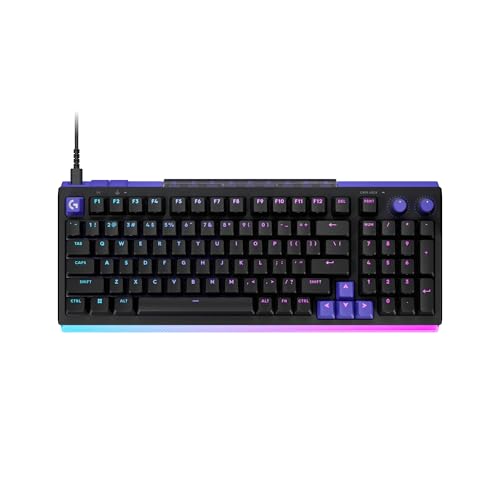
The Logitech g512 x is the most interesting keyboard Logitech has made in years precisely because it refuses to choose a tribe. Its verified listing describes a 98-layout board that mixes two switch technologies on one deck: nine TMR rapid trigger switches under the keys competitive players live on, and conventional hot-swappable mechanical switches everywhere else, inside a gasket structure with PBT keycaps and LIGHTSYNC RGB. Read that specification as a philosophy and it becomes clear — Logitech looked at the rapid trigger revolution, agreed with its core claim about movement keys, and declined its demand that the entire keyboard reorganise around gaming. The G512 X is the result: a full-size-adjacent board for people whose desk is an office on weekdays and a ranked queue at night, and who were tired of choosing which of those lives their keyboard would serve. This review tests whether the hybrid gamble works, compares it against the company’s own all-in rapid trigger flagship and Glorious’s hobbyist alternative, and identifies the buyers for whom this odd, thoughtful machine is exactly right.
Context matters because the G512 name carries history. The original G512 was a straightforward full-size mechanical board from the era when gaming keyboards competed on switch brand and lighting. The X reinvention keeps the nameplate’s position — Logitech’s mainstream full-format gaming board — and replaces nearly everything else about the concept. Buyers researching the name from an old review should treat this as a new product wearing a familiar badge, in the same way the G305’s descendants discussed elsewhere in this cluster wear theirs. What follows evaluates the X on its own terms: as a hybrid.
Key takeaways
- Nine TMR rapid trigger switches cover the movement cluster where rapid trigger actually pays; the rest of the board stays mechanical and hot-swappable.
- The 98% layout keeps a number cluster in a footprint barely wider than a tenkeyless board, serving spreadsheet and simulation players alike.
- Gasket structure and PBT caps give it the most civilised typing feel of Logitech’s fast boards.
- Players who bind rapid-trigger-worthy actions across the whole board will feel the nine-key boundary; players who do not will never notice it.
- Against the all-in G Pro X TKL Rapid, the G512 X trades total gaming specialisation for a complete daily keyboard.
In this guide
Brief verdict on the G512 X
For the hybrid worker-player, this is arguably the most rational performance keyboard Logitech sells. It delivers the strafing benefit that justifies the entire rapid trigger category, on the keys where that benefit lives, while keeping the number keys, the switch-swapping freedom and the typing manners that a single-purpose esports board discards. The compromises are real but specific: rapid trigger stops at nine keys, the board is wired, and two switch technologies mean the deck does not feel perfectly uniform to a connoisseur’s fingers. Buyers whose competitive life is one or two titles with conventional movement bindings will find those compromises theoretical. Buyers who play genres that sprawl across the keyboard should read the boundary discussion below carefully before deciding, because the boundary is the one fact about this keyboard that no setting, update or accessory will ever move — and a purchase made in full knowledge of it tends to stay made for the whole of the board’s long working life.
How the comparison set was chosen
The G Pro X TKL Rapid represents the road not taken: every key magnetic, no numpad, no compromises, Logitech’s own flagship argument that specialisation wins. The Glorious GMMK 3 Pro HE represents the hobbyist answer to the same moment — aluminium, gaskets, hot-swap magnetic switches throughout — for buyers whose alternative to a hybrid Logitech is not another Logitech at all. Together they bracket the G512 X’s bet from both directions. All three products were verified through the site’s Creators API catalogue data on 2026-11-24, with exact listing titles recorded in the accompanying sources file.
Detailed reviews

Logitech G512 X — the hybrid that serves two lives
Badge: Best for work-and-play desks
- Layout: 98% with number cluster
- Switches: nine TMR rapid trigger plus hot-swappable mechanical linears
- Structure: gasket-mounted, PBT keycaps
- Lighting: LIGHTSYNC RGB
- Software: Logitech G Hub
- Polling: up to 8K as listed
Begin with the nine keys, because they are the product. TMR — tunnel magnetoresistance — sensing reads switch position magnetically, like the Hall effect systems in rival boards, and Logitech has placed that sensing under the cluster a competitive player’s left hand inhabits: the movement keys and their immediate neighbours. In a tactical shooter, the consequence is the familiar rapid trigger gift, delivered exactly where it is spent: counter-strafes that stop dead, direction changes without dead travel, the metronome jiggle-peek that defines high-level rifle play. Step outside that cluster and the board becomes a different, calmer machine — mechanical switches with ordinary, dependable behaviour for typing, chat, spreadsheets and the hundred other keys a life requires. The seam between the two technologies is the most-discussed aspect of this keyboard, and in practice it is less strange than it sounds, because the two zones are used by different fingers doing different jobs; your left hand games on sensors while your right hand works on switches, and each gets the technology its job rewards.
The supporting design is the most grown-up Logitech has shipped in this category. The gasket structure takes the hard edge off bottom-outs, so long typing sessions feel cushioned rather than clattery; the PBT caps resist the shine that makes older boards look tired; the 98% layout threads the needle between tenkeyless compactness and full-size completeness, keeping the number cluster that accountants, sim pilots and MMO players refuse to surrender while trimming the frame’s dead space to nearly nothing. G Hub ties it together with per-game profiles, so the rapid trigger cluster can be tuned for a shooter and the board’s personality adjusted for work without a global compromise. Where the design asks for honesty: the board is wired, the two switch families do feel subtly different under a searching fingertip, and the nine-key rapid trigger zone is a fixed hardware fact — software cannot extend it to a tenth key when a new game asks. Buyers should weigh those three facts at full value, because they are the entire price of the hybrid idea.
Strengths
- Rapid trigger delivered precisely where competitive play spends it
- Number cluster and hot-swap freedom survive the gaming specification
- Gasket feel and PBT caps make it the best-mannered fast board Logitech sells
Trade-offs
- Rapid trigger is limited to nine keys by hardware
- Two switch technologies feel subtly different across the deck
- Wired only, like the rest of Logitech’s performance line
Best for: hybrid worker-players, sim and MMO players who game competitively in shooters too. Not suited for: players who need rapid trigger across a wide binding sprawl, or wireless devotees.

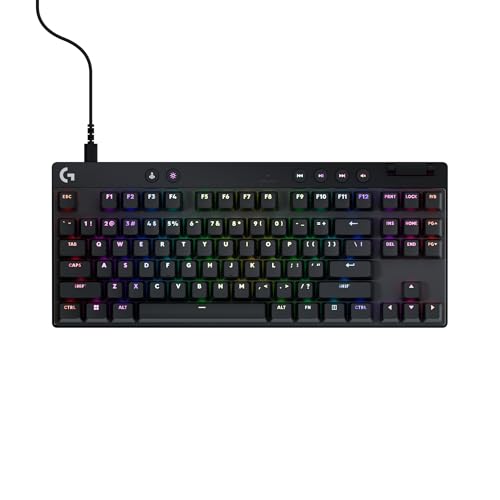
Logitech G Pro X TKL Rapid — the all-in alternative
Badge: Best for single-game competitive specialists
- Layout: tenkeyless, wired
- Switches: magnetic analog throughout
- Features: rapid trigger and per-key actuation everywhere
- Software: Logitech G Hub
The Rapid is the G512 X’s philosophy inverted, and our full review of it elsewhere in this cluster goes deep; here it serves as the measuring stick. Every key is magnetic, every key’s actuation is adjustable, rapid trigger respects no boundary at nine, and the tenkeyless frame returns maximum room to the mouse. For a player whose gaming life is one tactical shooter played seriously, those are not luxuries — a wide binding sprawl is exactly how high-level players in several genres arrange their controls, and the Rapid is the Logitech that honours the sprawl. The costs are the mirror of the G512 X’s virtues: no number cluster, no switch swapping, a typing feel tuned for speed rather than pleasure, and a wired-only life at a desk that must never need to be anything else. Choosing between these two Logitechs is the cleanest decision in this review, because it is really a decision about your own week: count the hours your keyboard spends in documents, spreadsheets and secondary games, and let that census vote.
Strengths
- Rapid trigger and adjustable actuation on every key, no boundary
- Tenkeyless footprint maximises mouse room for low-sensitivity aim
- Tournament-focused feature set with on-board profiles
Trade-offs
- No number cluster and no hot-swappable switches
- Typing feel serves speed, not long-document comfort
- Single-purpose design taxes every non-gaming hour
Best for: dedicated competitive players with a permanent gaming desk. Not suited for: hybrid workers, number-cluster dependents, or hobbyist tinkerers.

Glorious GMMK 3 Pro HE — the hobbyist’s whole-board answer
Badge: Best for enthusiasts who want metal and modding
- Layout: 75%, CNC aluminium case
- Switches: Hall effect, hot-swappable
- Features: rapid trigger, 8K polling, modular gasket system
- Software: Glorious CORE
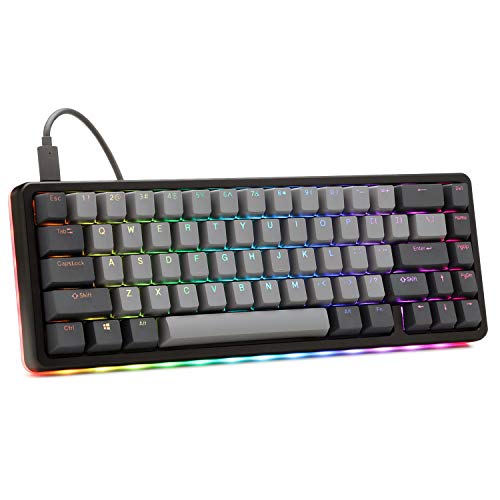
Glorious’s flagship answers the same moment with a machined aluminium case, a gasket system you can tune, and magnetic switches in hot-swap sockets across the whole 75% deck. Against the G512 X it wins on materials, on whole-board rapid trigger, and on the hobbyist’s freedom to rebuild the board’s feel over time; it loses the number cluster entirely, costs the aluminium premium, and asks its owner to live in Glorious CORE rather than G Hub. It is included here because a real population of G512 X shoppers is cross-shopping exactly this machine, torn between Logitech’s hybrid pragmatism and the hobby’s full ceremony. The deciding question is whether the keyboard is a tool that happens to be fast, or an object of enthusiasm that also games. Both answers are respectable; they simply lead to different boxes.
Strengths
- Aluminium build and tunable gaskets deliver the richest feel here
- Whole-board rapid trigger with swappable magnetic switches
- A platform that evolves with its owner over years
Trade-offs
- No number cluster in its compact 75% frame
- Heavy, premium-priced, and software less polished than G Hub
- Modding freedom is wasted on owners who never mod
Best for: keyboard enthusiasts who compete. Not suited for: number-cluster users or buyers wanting the simplest software life.
The nine-key question, examined from every side
Which keys actually earn rapid trigger?
The hybrid design stands or falls on an empirical claim: that rapid trigger’s value concentrates overwhelmingly in a small set of keys. The claim survives scrutiny. Rapid trigger pays when a key is pressed and released in rapid alternation against an opposing input or a rhythm — movement keys above all, then crouch, jump and a small set of ability keys in specific titles. It pays almost nothing on keys that are held (sprint in many games, push-to-talk), pressed once per engagement (reload, ultimate abilities), or used for typing. A conventional shooter’s binding map therefore spends the technology on roughly the cluster Logitech chose, which is why the nine-key boundary is invisible to most owners most of the time. The exceptions are real and worth naming: arena shooters with weapon sprawls, fighting-game players on keyboard, and creative binders who move abilities under their movement hand. Those players should buy the whole-board solution and not apologise for it.
TMR versus Hall effect: a distinction without a dilemma
Buyers comparing spec sheets will meet two magnetic sensing acronyms and wonder whether one is a compromise. Both approaches read a switch’s position without contact; they differ in sensor physics, not in the user-facing features they enable — adjustable actuation, rapid trigger, analog reporting. No player can feel which magnetometer principle is under their WASD cluster, and no buying decision should turn on it. What can differ between implementations is firmware quality: threshold consistency, calibration stability, the cleanliness of rapid trigger at aggressive settings. Those are properties of the maker’s engineering, reviewable in practice, and they are the reason this guide evaluates boards rather than acronyms.
The feel of two switch families on one deck
The subtlest cost of the hybrid deserves its own paragraph because it is the one connoisseurs will notice and most owners will not. Mechanical linears and magnetic switches have slightly different force curves and bottom-out characters, so a fingertip travelling across the boundary — as a typist’s does constantly — can register a faint change of texture, the way a road changes surface at a county line. Logitech has tuned the two families toward each other, and in ordinary typing the seam fades within days. But a buyer whose pleasure in a keyboard is precisely its uniformity of feel should know the seam exists, and should weigh the gasket-mounted hobby boards, where one switch family serves the whole deck, accordingly.
Buying guidance for full-format fast keyboards
Layout arithmetic: 98% versus 100% versus tenkeyless
The 98% layout keeps essentially every key of a full-size board while deleting the wasted space between clusters, landing barely wider than a tenkeyless. For mouse room, that means the G512 X surrenders a few centimetres to the Rapid — meaningful for the lowest-sensitivity arm aimers, irrelevant for the majority who play at moderate sensitivity on a desk mat. For daily work, it keeps the number cluster that tenkeyless owners perpetually borrow a separate numpad to replace. Buyers should measure their own mouse sweep before romanticising either direction: if your 360-degree turn fits comfortably beside a full-size board today, layout is a preference, not a performance question, and the number cluster’s daily usefulness should win the argument.
Hot-swap as insurance and as hobby
Hot-swappable switches serve two different masters. As insurance, they convert a failed or tired switch from a warranty claim into a two-minute desk repair, extending the board’s working life by years. As hobby, they invite the owner to tune feel key by key — heavier springs under the pinky, a different switch under the spacebar’s typist thumb. The G512 X offers this freedom across its mechanical majority while its nine TMR keys stay fixed, which is a fair summary of the whole product: freedom where freedom is cheap, engineering where engineering matters. Owners who have never swapped a switch should not overvalue the feature; owners who have will not need it explained.
What to do with a wired board in a wireless decade
The wired connection is the specification buyers apologise for, and at a permanent desk it should not need apologising. It removes charging, pairing, sleep behaviour and battery ageing from the keyboard’s life entirely, and it guarantees the polling and sensing behaviour the board was tuned for, every session, forever. The buyers who genuinely suffer from a cable are those whose desks transform — sofa gaming, a laptop that migrates rooms, a standing desk that travels between heights with a tray the cable resents. Everyone else is trading a theoretical freedom for a practical permanence, and permanence, in a tool used eight hours a day, is underrated.
Configuring the G512 X for both of your lives
Step one: build the work profile first
Counter to instinct, configure the ordinary profile before the gaming one. Set lighting to something your colleagues can live with, confirm the number cluster behaves as your spreadsheets expect, and type a long document to learn the deck’s mechanical character. This profile is the board’s home; the gaming profile is a room you visit. Owners who start from gaming settings tend to leave the whole board in deathmatch configuration and then blame the hardware for a twitchy workday.
Step two: tune the TMR cluster for your shooter
In G Hub, select the rapid trigger keys and set actuation a step shallower than default, with rapid trigger enabled at a moderate reset sensitivity. Drill counter-strafes in a practice range, adjusting in small steps across several sessions as the Rapid review’s tuning method describes: shallower until accidents appear, then one step back. Keep ability keys on the mechanical side of your bindings where possible, so the cluster’s nine residents are the keys that truly alternate.
Step three: audit your bindings against the boundary
List every key you press more than a few times per minute in your main titles and check which side of the nine-key boundary each lives on. If a heavily alternated key sits outside the TMR zone, consider rebinding it inside — most games allow it, and the hybrid board rewards the small diplomacy. If your audit finds alternated keys scattered beyond any reasonable rebinding, you have learned something valuable: your play style is the whole-board case, and the Rapid is your keyboard.
Step four: give the seam a week
The two switch families will feel faintly different for the first days, the way a new pair of shoes announces itself. Type and play normally, and let the fingers file the difference under texture rather than defect. Owners report the seam effectively vanishing within a week; owners who cannot stop noticing it have discovered they are uniformity connoisseurs, which is also useful self-knowledge, purchasable at the price of a return window rather than a wrong decade.
Side-by-side comparison
| Keyboard | Layout | Rapid trigger scope | Switch swapping | Case character |
|---|---|---|---|---|
| Logitech G512 X | 98% | Nine TMR keys | Yes, mechanical zones | Gasket structure, PBT caps |
| Logitech G Pro X TKL Rapid | Tenkeyless | Every key | No | Compact polymer, travel-ready |
| Glorious GMMK 3 Pro HE | 75% | Every key | Yes, magnetic | CNC aluminium, tunable gaskets |
The table compresses the article’s argument into one glance: the G512 X is the only board here that keeps a number cluster, and the only one that limits rapid trigger — and it presents those two facts as the same decision, which they are. Everything else is taste.
Mistakes specific to hybrid boards
Assuming software can extend the rapid trigger zone
It cannot. The nine TMR keys are hardware. Buyers who purchase expecting a firmware update to magnetise the rest of the deck will be disappointed, and reviewers who hint otherwise do them a disservice. The boundary is the product’s defining compromise and should be bought with open eyes.
Binding your most-alternated ability outside the zone
The fixable version of the same mistake: many games default an important rhythmic ability to a key outside the movement cluster. Ten minutes in the binding menu, moving that ability onto a TMR key and something sleepy off it, is the highest-value configuration this board offers — and the one most owners never perform.
Judging the typing feel in the first hour
Gasket boards and unfamiliar switch families both need the hand’s calibration period. A board that feels merely strange on day one frequently feels like home by day seven, and the return window exists precisely to let that experiment run. Use the whole window before verdicts, especially on a board whose entire premise is serving two different daily lives.
Final recommendation
Buy the G512 X if your keyboard leads a double life and you are tired of apologising to one of them. It is the rare gaming product designed around how people actually live with their desks — spreadsheets at nine, ranked at nine — and its nine magnetic keys deliver the one rapid trigger benefit that generalises, exactly where general players spend it. Buy the G Pro X TKL Rapid instead if your bindings sprawl or your desk is a cockpit. Buy the GMMK 3 Pro HE if the keyboard is a hobby that also competes. The G512 X will not win a connoisseur’s beauty contest or a specialist’s boundary argument, and it does not need to: it is the board for the majority life, engineered with unusual honesty about what that life contains.
The G512 name, and what its reinvention says about the market
There is a story in the fact that Logitech attached its most experimental mainstream design to the G512 name rather than inventing a new one. The original board belonged to the era when a gaming keyboard’s specification was a switch brand, a lighting system and a macro row; it sold to players who wanted a serious full-size board without entering the hobby. The X keeps the customer and replaces the era. That the replacement involves magnetic sensing on nine keys rather than ninety tells you where Logitech believes the mainstream actually lives: not at the specialist frontier, but one careful step behind it, adopting the frontier’s proven benefit and declining its costs. Industry-watchers read product lines as arguments, and this one argues that rapid trigger’s mass-market form is a feature of the movement cluster, not a religion of the whole deck. Whether the argument wins will be visible in what rivals ship next year; the board itself, judged today, makes the argument about as well as it can be made.
Sound, stabilisers and the office test
A hybrid board’s hardest audience is not a gamer but a colleague — or the same person, wearing their workday ears. The G512 X’s gasket structure and factory tuning give it a deeper, quieter voice than Logitech’s older tray-mounted boards, and its large keys arrive without the rattle that announces a cheap stabiliser across a room. On a video call, through a desk microphone, it reads as an ordinary office keyboard, which for this product is a triumph of positioning: the gaming specification is invisible until the left hand starts strafing. Owners in shared spaces should still prefer the linear configuration over anything clicky — the mechanical zones are hot-swappable, so a switch change can civilise the board further if a household votes for quiet — but out of the box, this is a keyboard that can attend a meeting without changing its shoes.
Long-term ownership: what wears, what lasts
The ownership arc of a board like this is measured in years, and its design choices age at different rates. The PBT keycaps will look essentially new when the board is old. The mechanical switches can be replaced individually as they tire, which converts the most common keyboard death into a maintenance errand. The nine TMR keys, having no contacts to oxidise, should hold their behaviour longest of all — the gaming heart of the board is also its most durable organ, a pleasant inversion of the usual pattern where the performance feature is the fragile one. The cable and the USB port are the realistic wear points, as on all wired boards, and the software dependency is the intangible one: G Hub’s continued support is the assumption under the profile features, an assumption Logitech’s track record supports but which buyers of any software-defined peripheral should register consciously. Taken together, this is a board built to be kept, and its price should be amortised in the buyer’s mind across the five-plus years it is designed to serve.
Three owners, three verdicts
The analyst who plays Valorant at night
Her spreadsheet work needs the number cluster daily and non-negotiably; her ranked habit is four evenings a week on a rifle. On the G512 X she loses nothing at the desk and gains the counter-strafe crispness her duo partner got from a specialist board, without giving up the cluster or buying a second keyboard for work. She is the design’s bullseye, and her verdict is the simplest in this article: the hybrid is not a compromise for her, because her life is the thing being designed for.
The flight-sim and MMO player who dabbles in shooters
His bindings sprawl across the number cluster and half the alphabet, his sim sessions run four hours, and his shooter is a weekend social game. The G512 X serves his main life completely — complete layout, comfortable gaskets, swap-friendly switches for the keys his macros hammer — while the nine magnetic keys are a garnish his dabbling barely tastes. He might equally buy a fine conventional board; what tips him here is that the garnish costs him nothing he values.
The arena-shooter veteran
Her game lives on weapon sprawl, rocket-jump binds under three fingers of each hand, and an alternation pattern that treats the whole left half of the board as a movement cluster. The nine-key boundary is, for her, a wall in the middle of her instrument. She should buy the Rapid or the GMMK and never look back — and the G512 X’s honest service to her is that its review told her so before her money did.
What this board signals for your next keyboard after this one
Peripheral purchases teach the buyer their own preferences, and the G512 X is an unusually instructive teacher because its compromises are so legible. Owners will learn whether they ever reached for a tenth rapid trigger key, whether the seam between switch families faded or nagged, whether the number cluster earned its width in their actual week. Each answer points at the next purchase with unusual precision: the sprawl answer points to a whole-board magnetic deck, the seam answer to a uniform hobby board, the cluster answer to another hybrid. Few products clarify their successor so helpfully, and buyers who treat this purchase as research as well as equipment will find it pays for its successor’s correctness — the most expensive keyboard mistake being not a bad board, but the right board bought for a life you do not actually lead.
Ergonomics and the long session
A board that serves two lives serves long hours in both, so its ergonomics deserve the same scrutiny as its switches. The G512 X’s profile is conventional — a sculpted keycap arrangement on a deck of moderate height — and like most full-format boards it rewards a wrist rest for marathon sessions, particularly for players who rest their palms while typing. The gasket structure contributes here in a way marketing rarely claims: by softening the bottom-out shock that fingers absorb thousands of times a day, it reduces the cumulative jar that typists feel in their fingertips by evening. The number cluster’s presence also has an ergonomic side effect worth noting: data-entry work that would otherwise shuttle the right hand between keyboard and a separate numpad — or crane it across a tenkeyless board’s layers — stays in one posture. None of this makes the board an ergonomic device in the medical sense, and players with existing strain should shop that category deliberately; but as a mainstream deck asked to serve ten-hour days, its manners are thoroughly considered.
The value question, framed without prices
Because this site does not print static prices, value must be argued in structure rather than numbers — and the G512 X’s structure is favourable to argue. It replaces two prospective purchases (a work board and a gaming board) with one, which is the oldest value equation in peripherals. It carries its performance feature in its most durable component, and its wear items are replaceable at switch prices rather than board prices. Its compromises cost the specialist real capability but cost its target buyer nothing they use. Set against the Rapid, it surrenders peak specialisation for breadth at a similar tier; set against the aluminium hobby boards, it surrenders materials and ceremony for completeness and software polish. The buyer for whom those trades are free is getting, in effect, two briefs answered for one flagship outlay — and buyers for whom the trades are not free have been told, in this review’s own comparison sections, exactly which alternative keeps their change.
Desk presence: living with a 98% board
Photographs flatter compact boards, but daily life is lived in centimetres of desk, and the 98% format’s lived experience deserves a plain account. It leaves a generous field for the mouse on any standard desk mat — not the parade ground a tenkeyless offers, but enough for all but the most extreme low-sensitivity sweeps — while keeping the monitor centred in a way full-size boards, with their numpad pushing the mouse hand wide, quietly compromise. Typists who centre their letter cluster on the screen, as posture guidance advises, will find the 98% kinder to their shoulders than a true full-size, because the mouse sits closer to the body’s midline. Cable routing is the one domestic chore the format cannot help: a wired board wants a managed path, and owners should budget the ten minutes to route it along the monitor arm or desk edge once, properly, rather than living with a cable that crosses the mouse’s territory and re-litigates the wireless question every day.
For upgraders from the original G512 and other full-size boards
Owners of the original G512 — or of any competent full-size mechanical board from its era — are this product’s most natural audience, and their upgrade calculus is specific. What they gain: magnetic movement keys with rapid trigger, a gasket-softened deck, PBT caps that will not shine, hot-swap insurance, and a slightly narrower frame. What they keep: the layout their hands know, the number cluster, the wired dependability, the brand’s software. What they lose: nothing they were using, unless their old board’s macro habits depended on features the new deck arranges differently, which an evening with the manual resolves. It is, in other words, that rarest of upgrades — one whose learning curve is measured in days and whose benefits are concentrated exactly where the old product was silent. Upgraders should nonetheless run the binding audit from this article’s setup section, because the board’s one new idea only pays the players who arrange their games to collect it.
How the board behaves across a whole week of mixed use
Single-session reviews flatter gaming boards, because a gaming board’s weaknesses are weekday weaknesses. So consider the G512 X across a realistic week instead. Monday is spreadsheets and documents: the number cluster earns its width a hundred times, the gasket deck keeps a long typing day civilised, and nothing about the board announces that it is a gaming product to anyone glancing at the desk. Tuesday adds a video-call-heavy afternoon, where its quiet stabilisers and inoffensive voice pass the colleague test described earlier. Wednesday evening is ranked: the profile swaps in G Hub, the movement cluster goes shallow and magnetic, and the same object becomes a strafing instrument without a cable being touched or a second board being fetched from a shelf. Friday is a long sim session, bindings sprawled across the cluster the tenkeyless boards cannot offer. The weekend mixes everything. That weekly arc — not any single session — is the product’s argument, and it is why the hybrid’s compromises, which look like hesitations on a spec sheet, read as design in a calendar. A specialist board wins Wednesday evening outright. The G512 X is competitive on Wednesday and wins the other six days, and most buyers live whole weeks rather than single evenings.
What reviewers elsewhere will argue about, and how to weigh it
Expect two camps in the wider coverage of this board, and expect both to be partly right. Purists will call the nine-key limit a half-measure and the seam between switch families a flaw, measuring the G512 X against the ideal of a uniform magnetic deck. Pragmatists will call it the first rapid trigger board designed for adults with jobs, measuring it against the week described above. The disagreement is not about facts — both camps will report the same boundary, the same seam, the same gasket comfort — but about which life the keyboard is for. A reader who has followed this review’s method will already know their camp, because the method was never really about the keyboard: audit your bindings, census your week, feel for whether uniformity is a pleasure you actually purchase or an aesthetic you merely admire. The board rewards that self-knowledge with unusual precision, and punishes its absence by being merely very good instead of exactly right — the gentlest failure mode in this entire cluster of reviews, and a fitting summary of a product whose whole design is an act of respect for the ordinary player’s actual life.
A closing experiment for the undecided
If the choice between this hybrid and a whole-board magnetic deck remains unresolved after all the analysis, settle it empirically with the equipment already on your desk. For one week, keep a simple tally — on paper, in a notes file, wherever it will actually happen — of two counts: every hour your keyboard spends in work, study or secondary games, and every occasion in your main game where you alternated a key outside the movement cluster rapidly enough that rapid trigger would have mattered. The first count prices the number cluster, the typing manners and the complete layout in your real life. The second count prices the nine-key boundary, also in your real life, and for most players it comes back startlingly small — a handful of moments in a week of play, against dozens of hours on the other side of the ledger. Players whose second count comes back large have the opposite answer and should honour it. Either way, the tally converts a forum argument into a measurement of your own hands, which is where every peripheral decision in this cluster of reviews has ultimately been made.
Support, warranty and the quiet value of a big brand
One consideration rarely headlines a keyboard review and reliably matters by year two: what happens when something goes wrong. A mainstream Logitech board carries a retail presence, a warranty channel and a spare-parts ecosystem — keycaps, cables, replacement switches from a hundred sources — that boutique boards struggle to match, and for a product designed to be kept five years, that infrastructure is part of the specification. The hot-swap design reduces the most common service event to a home repair, and the fixed TMR cluster, being the least failure-prone part of the board, is the part you are least likely to need serviced at all. Buyers choosing between this and a smaller brand’s whole-board magnetic deck should price that asymmetry honestly: the boutique board may win the first month’s comparison and lose the third year’s, and keyboards, unlike graphics cards, are bought in years. None of this argues against ever buying the interesting small-brand board — this cluster reviews several with enthusiasm — but for the hybrid buyer whose defining trait is a life too busy for peripheral drama, the big brand’s boring reliability is not a consolation prize. It is close to the point.
Lighting and the small print of daily pleasure
LIGHTSYNC RGB on a board like this earns its place as a labelling system before it earns it as decoration: colour the movement cluster one hue, the number cluster another, and the media and system keys a third, and the 98% deck’s density becomes legible at a glance in a dark room — a genuine usability gain on a layout that packs this many keys into this little frame. Per-game profiles can carry those colour maps with them, so the board quietly re-labels itself as your evening changes from spreadsheet to shooter. Owners indifferent to lighting lose nothing by ignoring it, since the wired design never taxes brightness against a battery; but owners who take the ten minutes to build the colour map usually report it as the feature they would most miss on a plainer board, which is a reminder that on a hybrid product the garnish and the substance are sometimes the same thing viewed at different hours of the day.
The one-sentence version, for readers who scrolled
Everything above compresses into this: the G512 X puts the expensive sensing exactly where competitive play spends it, keeps everything your working life needs, and asks in return only that your ambitions not sprawl past nine keys — a trade that describes most players’ real weeks so accurately that the board feels less like a compromise than like the first gaming keyboard designed from a calendar instead of a tournament. If your tally of sprawl moments came back small and your census of work hours came back large, you have already made this decision; the checkout is a formality, and the board will spend years quietly proving the tally right. And if the tally surprised you in the other direction — if your bindings sprawl like a concert pianist’s and your work happens on some other machine entirely — then this review has still done its job, because it pointed you at the Rapid or the Glorious with evidence drawn from your own week rather than from a reviewer’s preferences. That is the most any buying guide can honestly offer: not a universal winner, but a reliable method for finding yours, applied here to three genuinely good keyboards that between them cover nearly every life a desk can lead.
Frequently asked questions
Which nine keys have rapid trigger on the G512 X?
The TMR switches sit under the movement cluster — the WASD neighbourhood a competitive player’s left hand inhabits. The exact residents are detailed in Logitech’s listing materials; the practical point is that the keys which alternate against each other in shooters are the ones that received the sensing, and the binding audit in this article shows how to confirm your own games agree.
Can I swap the TMR switches for mechanical ones?
No — the magnetic sensing is the switch, on those nine keys. The rest of the board is hot-swappable in the conventional sense, which is where the customisation freedom lives. Treat the nine as fixed infrastructure and the remainder as your tuning canvas.
Is the G512 X good for pure typing work?
It is the best-typing fast board Logitech makes: gasket structure, PBT caps, a complete layout and calm mechanical switches across the typing field. Professional writers who never game would still find purer pleasures in dedicated typing boards, but among gaming keyboards with rapid trigger credentials, nothing here embarrasses itself at a document.
How does the 98% layout feel versus full-size?
Nearly identical at the fingers, noticeably smaller at the desk. The number cluster is present and properly arranged; what vanished is the empty frame between clusters. The only adjustment is a short one — a few days of your right hand learning that the board ends sooner than it used to.
Does the G512 X work on macOS?
The verified listing names PC and Mac compatibility, and the board functions as a standard keyboard on macOS, with G Hub available for configuration. As with most gaming boards, the deepest profile features live in the software, so Mac-first buyers should confirm the current software support matches their needs.
G512 X or G Pro X TKL Rapid — the one-line answer?
If your keyboard must also be your office, the G512 X; if your office can fend for itself and only the game matters, the Rapid. The census of your own week, taken honestly, makes the decision without further help from any reviewer. Readers who want the longer version of that census — the tally method, the binding audit, the week-in-the-life test — will find all three spelled out in the body of this review, because the one-line answer is only trustworthy when the arithmetic underneath it has actually been done on your own desk, with your own games, by your own hands. Do the arithmetic once, and you will not need to re-litigate this purchase when the next generation of boards arrives claiming, as each generation does, that everything before it was a compromise — because you will know precisely which compromises are yours and which belong to other people’s weeks. That knowledge, more than any switch technology in this review, is what separates a keyboard that serves for five years from one that is replaced in five months by an owner still searching for a board that matches a life they never stopped to describe.
How should I assign the rapid trigger keys for a shooter?
Start from what your fingers actually do rather than from what the feature list celebrates. The movement cluster is the obvious home for the fastest behaviour, since releasing a strafe key a fraction sooner is where rapid trigger earns its reputation. Beyond that cluster, think about which keys you press in panic and which you press on purpose. A crouch or jump key used for movement technique can reasonably join the fast group, while an ultimate ability or a scoreboard key should stay deliberate, because an accidental activation there costs far more than a millisecond ever gains. Assign a few keys at a time, play several ordinary matches, and pay attention to mistakes rather than highlights: every unintended activation is the board telling you that a key joined the fast group too eagerly. This conservative expansion, movement first and everything else on probation, leaves you with a layout shaped by your own errors, which is precisely the layout you will trust under pressure.
What is a sensible routine for the first week of ownership?
Divide the week by purpose instead of cramming every experiment into the first evening. Spend the first two days simply using the board exactly as it arrived, in games and in ordinary typing, so you build a baseline memory of its feel before changing anything. Midweek, adjust one thing only, perhaps the rapid trigger behaviour on your movement keys, and live with it for two full sessions. Toward the end of the week, look honestly at the typing experience, because a board bought for play still has to survive messages, passwords and the occasional long document without irritating you. Write down the settings you settled on and where they live in the software, since that note will save you a confused evening months later when an update rearranges the menus. A week spent this way feels slow, yet it produces something a single excited evening cannot: opinions about this keyboard that are actually yours.
Related guides
the complete Glorious GMMK lineup guide
the original GMMK Pro assessed