Disclosure: As an Amazon Associate, reviewstook.com earns from qualifying purchases. Links on this page are affiliate links; they cost you nothing extra. Prices and availability change often, so check the current Amazon listing before you buy.
The idea behind the g305 x superlight is easy to state and hard to execute: take the G305, the budget wireless mouse that taught a generation of players that a cordless mouse could be trusted in a ranked match, and apply the Superlight philosophy to it — strip weight, keep the sensor honest, keep the price within reach of the players who made the original famous. The G305 earned its reputation the slow way, by being the mouse in the bag of students, travellers and small-handed players for years, surviving on a single AA battery for months at a time while flagships costing three times more were being charged weekly. Any successor carrying its name inherits both that goodwill and that scrutiny. This review examines what the lightweight treatment means for the G305 formula, who should upgrade from the original, and where the ceiling of the budget formula still sits — with the verified G305 Lightspeed listing as the purchasable anchor, and Logitech’s Superlight 2 and Superstrike flagships reviewed alongside as the step-up destinations for players whose ambitions outgrow the budget tier.
One transparency note before the detail: Logitech’s catalogue data for this site returns the G305 Lightspeed as the verified G305 listing, and that is the product linked below. The X Superlight treatment is discussed as the evolution of that mouse — the weight philosophy, the shape lineage, the audience — because that is what a buyer researching this name is really asking about: whether the lightest, most refined version of the G305 idea is the right mouse for their hand and their games, and what they give up by not spending flagship money. Where a claim belongs to the verified G305 listing, it is stated as such; where the discussion is about the lightweight concept, it is framed that way.
Key takeaways
- The G305 formula — honest sensor, trusted wireless, months of AA battery life — survives the lightweight treatment intact; what changes is how the mouse feels during fast aim.
- Weight reduction matters most to fingertip and claw players at low sensitivity, who move the mouse with fingers and wrist rather than the whole arm.
- The original G305 remains the value anchor; the X treatment is for players who love the shape and want it sharpened, not for players who found the shape wrong.
- Flagships buy refinement, rechargeable convenience and exotic switch systems — not a different class of sensor performance.
- Small hands remain this line’s home territory; large palm grippers should shop elsewhere regardless of weight.
In this guide
Brief verdict
If the G305 already fits your hand, its lightweight evolution is the easiest upgrade in gaming mice: the same trusted wireless and sensor character, in a shell that asks less of your fingers during the fast, repeated corrections that decide aim duels. If you are new to the line, the calculus is about shape first — this is a compact mouse for fingertip and claw grips and smaller hands, and no weight reduction changes that geometry. Players who want the full flagship experience should skip a step and read the Superlight 2 section; players on the tightest budgets should buy the original G305 without a flicker of doubt, because the formula that made it famous is fully present in the cheaper mouse. The sections below unpack each of those judgements properly, with the shape discussion deliberately placed ahead of the sensor discussion — because in this line’s long history, hands have decided more purchases than specifications ever have, and the players who chose with their hands first are the ones still using these mice years later while spec-first buyers churned through a drawer of almost-right flagships. Read the whole review in that spirit and the recommendations will land exactly where your own hand would have put them.
How the comparison set was chosen
Three mice tell the whole story of this corner of the market. The G305 Lightspeed is the verified anchor: the original formula, still on sale, still the benchmark for budget wireless. The G Pro X Superlight 2 is the philosophy fully funded — the flagship that defined what superlight means when money is no object. The G Pro X2 Superstrike is the technological frontier, included because G305 owners researching an upgrade increasingly ask whether they should leapfrog two generations of switch technology in one purchase. Each is linked to a listing verified through the site’s Creators API data on 2026-11-24, with exact titles in the accompanying sources file.
Detailed reviews

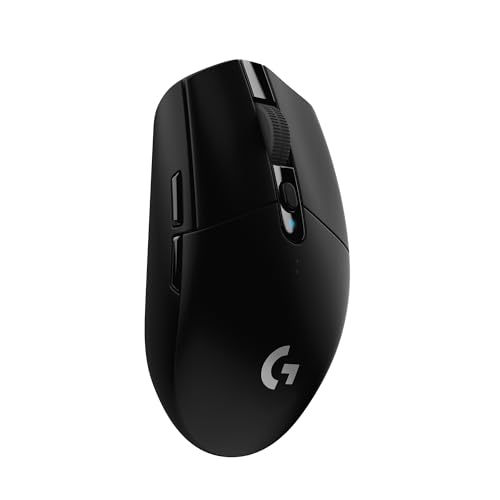
Logitech G305 Lightspeed — the original formula, verified and still formidable
Badge: Best budget wireless mouse, full stop
- Sensor: HERO, 12,000 DPI per the verified listing
- Battery: single AA, up to 250 hours as listed
- Buttons: 6 programmable
- Memory: on-board profile storage
- Connection: LIGHTSPEED wireless receiver
Every lightweight discussion of this mouse has to start with what the original already got right, because the list is long. The HERO sensor in the G305 tracks with an honesty that embarrassed the industry: no acceleration surprises, no smoothing smearing your flicks, performance that instrumented testing has repeatedly placed within a whisker of flagship sensors costing far more. The LIGHTSPEED wireless link is the same technology family the professional line built its reputation on, which is why this budget mouse never developed the wireless anxiety that plagued its price rivals. And the battery arrangement is a small masterpiece of priorities — one AA cell, months of ordinary play, a receiver stored inside the shell for travel, and a weight that, while heavier than the flagships, sits in a range most players adapt to within a day. This is the mouse the X Superlight treatment set out to sharpen, and understanding its completeness explains why the treatment focused on weight rather than rescue.
The original’s compromises are equally specific. Its shell is compact and somewhat egg-shaped, glorious under small hands and fingertip grips, cramped under large palms. Its weight, centred slightly rearward by the battery, is noticeable during the fastest low-sensitivity sweeps once you have felt a 60-gram flagship — the comparison that creates upgrade desire in the first place. Its switches are conventional mechanicals with conventional behaviour, its charging story is a battery drawer rather than a USB-C port, and its design language is from an earlier, more utilitarian Logitech era. None of these are failures at its price; all of them are the coordinates the lightweight evolution and the flagships aim at. A buyer choosing between the original and its lighter evolution is really choosing which of those coordinates matter enough to pay to move.
Strengths
- Sensor and wireless performance that flagship money barely improves
- AA battery delivers months of play and ten-second revival anywhere
- Compact shell is a gift to small hands, fingertip grips and travel bags
Trade-offs
- Heavier than flagships, with the battery biasing weight rearward
- Compact shape excludes large hands and committed palm grips
- Conventional switches and battery swaps instead of rechargeable convenience
Best for: budget-conscious players, small hands, travellers, and anyone’s backup mouse. Not suited for: large-handed palm grippers or players chasing the lightest possible shell.

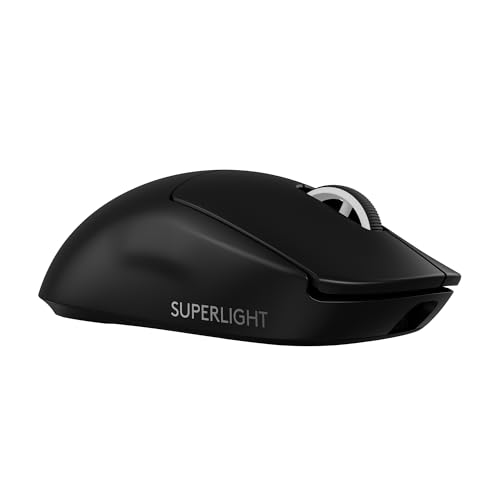
Logitech G Pro X Superlight 2 — the philosophy at flagship funding
Badge: Best step-up for G305 owners who want the finished article
- Sensor: HERO 2, up to 32,000 DPI per the listing
- Switches: LIGHTFORCE hybrid optical-mechanical
- Buttons: 5 programmable
- Charging: USB-C rechargeable
- Shape: symmetrical Pro lineage
The Superlight 2 is what the G305’s design brief becomes with a flagship budget: a larger, more sculpted symmetrical shell that accommodates more hands and grips, hybrid switches that fire optically while feeling mechanical, a rechargeable battery with USB-C, and a weight in the low sixties of grams that makes the G305 feel dense by comparison. For a G305 owner, the revelation is not any single specification — it is the accumulation of small removals. The mouse stops being an object you are aware of during aim; corrections begin from the fingers without the preliminary heave a heavier, rear-biased shell demands. Players who compete seriously and have plateaued on the G305 will find this the honest flagship step: same brand, same wireless trust, every compromise of the budget formula addressed in turn.
The counter-argument is price and preference. The Superlight 2 costs flagship money, its five buttons are a minimal set for players with heavy keybind habits, and its larger shell is a worse fit than the G305 for the smallest hands — an upgrade that is a downgrade for the exact players the little mouse serves best. G305 owners should therefore upgrade for refinement, not from dissatisfaction with performance, because the sensor gap between the two mice is the smallest part of the difference. What the money buys is feel, finish and lightness, and those are legitimate things to buy once technique has made you sensitive to them.
Strengths
- Flagship weight and balance transform fast aim for fingertip and claw players
- Hybrid switches pair optical speed with a crisp mechanical feel
- Rechargeable USB-C convenience replaces battery management
Trade-offs
- Flagship price for refinement rather than a sensor leap
- Larger shell fits the smallest hands worse than the G305 does
- Five buttons limits MMO and heavy-macro players
Best for: competitive players upgrading from budget mice who want the proven flagship. Not suited for: the smallest hands, or buyers whose budget has higher priorities elsewhere in the setup.

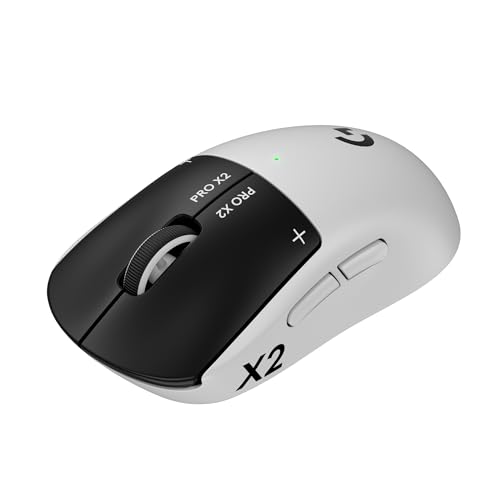
Logitech G Pro X2 Superstrike — the leapfrog option
Badge: Best for tap-fire specialists skipping a generation
- Weight: 61 grams per the listing
- Switches: magnetic analog main clicks with rapid trigger
- Extras: adjustable actuation and click haptics
- Connection: wireless, USB-C charging
The Superstrike exists in this comparison to answer one specific question: if you are leaving the G305 tier, should you leap past the conventional flagship to the analog one? Its magnetic main clicks reset the instant a press reverses, its actuation depth is tunable, and its haptics let the click feel be set independently of its function — a genuinely new capability that our dedicated Superstrike review examines in depth. For the G305 graduate whose games are built on tap-firing and burst discipline, the leapfrog is defensible: you are changing switch generations anyway, so changing to the newest one costs no extra adjustment. For everyone else, the Superlight 2’s proven path remains the wiser flagship, because the Superstrike’s advantages concentrate in a narrower band of play than its price suggests.
Strengths
- Rapid trigger clicks shorten the interval between repeated shots
- Tunable actuation suits both hovering and heavy resting fingers
- Flagship weight, shape lineage and wireless in one package
Trade-offs
- Benefits concentrate in semi-automatic and tap-fire play
- First-generation mechanism carries early-adopter uncertainty
- The most expensive route out of the G305 tier
Best for: tap-fire specialists making a once-in-years upgrade. Not suited for: all-rounders who would pay for features their games cannot use.
What the lightweight treatment actually changes
Weight and the physics of small corrections
Aim is mostly corrections. The initial flick toward a target gets the glory, but ranked play is decided by the dozen micro-adjustments that follow — the two-millimetre settle onto a head at distance, the tracking nudge as a strafing opponent changes direction. Every correction begins by overcoming the mouse’s inertia, and inertia is weight wearing a lab coat. A lighter shell starts moving sooner under the same finger force and stops with less overshoot, which is why players describe light mice as feeling more connected even when their sensors are no better. The G305’s sensor was never the problem; its mass was the tax on its own precision. That is the entire logic of applying the Superlight treatment to this mouse, and why the treatment is about grams rather than electronics.
Balance matters as much as the number
Two mice at the same weight can feel entirely different if one carries its mass at the rear. The G305’s AA battery sits toward the back, and experienced owners can feel that bias during lift-and-reset motions, when the rear-heavy shell tips subtly in the fingers. Lightweight redesigns earn their keep as much by relocating mass toward the sensor as by removing it. When you compare any light mouse against the original G305, judge the balance in a slow diagonal drag: a well-balanced light shell tracks the line without the tail wagging, and that steadiness, more than the headline gram count, is what your aim will notice in the first week.
What weight cannot fix
Honesty requires the converse: if the G305’s shape is wrong for your hand, a lighter version of the same shape is still wrong, only faster. Cramped fingers, a palm that cannot rest, a grip that fatigues by the second match — these are geometry complaints, and geometry is inherited, not cured, by the X treatment. Players with shape complaints should spend their upgrade on a different silhouette entirely, and the Superlight 2’s larger frame or an ergonomic rival will serve them better than any gram removed from a shell their hand has already voted against.
Choosing between the original, the light treatment and the flagships
Stay with the original G305 if…
Your budget is the binding constraint, your hands are small, your games are varied rather than specialised, or your technique is still visibly improving month to month. In all four cases the original delivers the formula’s essence — trustworthy wireless, honest sensor, endless battery — and the money saved serves better elsewhere: a better mousepad, a monitor that does your aim justice, or simply the next game. There is no shame tier in this line; the G305 is the rare budget product that professionals have genuinely used as a travel and backup mouse, and owning one is a decision, not a compromise narrative.
Choose the lightweight evolution if…
You love the G305’s size and shape, play at low sensitivity with fingertip or claw control, and have begun to feel the original’s weight during long sessions or fast corrections. This is the connoisseur’s upgrade inside the same geometry: everything familiar, sharpened. It also suits the player who travels with their setup, because the line’s compactness and durability were always travel virtues, and less weight in the bag is a small but real continuation of them.
Jump to a flagship if…
Your hand wants a larger shell, your games reward exotic switch behaviour, or your setup has reached the point where the mouse is genuinely the oldest technology on the desk. The Superlight 2 is the default flagship answer; the Superstrike is the specialist’s. Either way, keep the G305. Flagship owners discover quickly that a trusted backup — for a dead battery before a match, a loan to a friend, a second desk — is worth more than the little mouse’s resale value, and the G305’s AA appetite means it is always ready in the drawer.
Getting the most from a light mouse: setup habits
Step one: revisit your sensitivity after the weight change
A lighter mouse makes your current sensitivity feel faster, because the same hand motion now meets less resistance. Resist changing settings on day one; play three sessions at your trained sensitivity and let your hand recalibrate to the new inertia. If small corrections still overshoot after those sessions, lower sensitivity slightly in one step and live with it for a week. Players who chase settings daily after a hardware change end up trained on nothing.
Step two: match the mousepad to the new glide
Light mice expose pad condition mercilessly. A worn centre spot that a heavy mouse ploughed through becomes a skating rink under a light shell, and an overly rough pad turns glide into grain. If your pad predates the mouse by years, a fresh control-oriented pad is the cheapest completion of the upgrade — the pairing of light shell and consistent surface is where the precision you paid for actually lives.
Step three: manage the battery like a professional
On the AA-powered G305, keep a spare cell in the desk and swap at the first low-battery warning rather than mid-match; consider the weight difference between battery chemistries if you are chasing grams, since lighter cells exist and the mouse’s balance notices them. On rechargeable flagships, build a weekly charging habit tied to something you already do, so the cable never becomes an emergency.
Step four: set lift-off and polling for your surface
Light-mouse players lift and reset constantly, so confirm the lift-off distance suits your pad — too high and the cursor swims during resets, too low and dark pads can lose tracking at tilt angles. Polling should be the highest rate your system holds stably. Both settings live in the software you installed once and forgot; the upgrade is the occasion to remember they exist.
Side-by-side comparison
| Mouse | Power | Switches | Character | Best audience |
|---|---|---|---|---|
| G305 Lightspeed | AA battery, months of runtime | Conventional mechanical | Budget benchmark, compact | Value buyers, small hands, travel |
| G Pro X Superlight 2 | Rechargeable USB-C | Hybrid optical-mechanical | Proven flagship refinement | Competitive all-rounders upgrading |
| G Pro X2 Superstrike | Rechargeable USB-C | Magnetic analog, rapid trigger | Specialist flagship, 61g | Tap-fire and burst-discipline players |
The pattern across the table is that the G305’s descendants compete on feel and features, not on the fundamentals the original nailed. That is the highest compliment a budget product can earn, and it frames the buying decision correctly: you are not escaping a bad mouse, you are refining a good one, and refinement should be bought deliberately, for named reasons, at the moment your play can actually feel it.
Common mistakes when leaving the budget tier
Assuming the flagship’s sensor will fix your aim
It will not, because your G305’s sensor was not broken. What changes at flagship level is weight, shape, switches and convenience. Players who upgrade expecting a tracking revelation are disappointed; players who upgrade for the named refinements are delighted. Set the expectation correctly before the box opens.
Buying a larger shell because it is more expensive
Flagships trend larger than the G305, and small-handed players regularly upgrade into a worse fit, seduced by the price ladder. Price is not a sizing system. If the little mouse fits your hand like it was moulded there, the lightweight evolution of that same geometry is your flagship, whatever the marketing hierarchy says.
Throwing away the AA advantage without noticing
Months of battery and instant revival are real features that rechargeable flagships quietly remove. Players who travel, compete at venues, or simply hate cables should count that loss honestly. For some G305 owners, the correct flagship is a second G305 and a very good mousepad.
Final recommendation
The G305 line remains the easiest recommendation in gaming mice because its priorities were right from the start: sensor honesty, wireless trust, battery sanity, and a shape that serves the hands other mice ignore. Choose the original when value leads, the lightweight evolution when the shape is home and your aim has outgrown the original’s mass, and a flagship — Superlight 2 for most, Superstrike for tap-fire specialists — when the rest of your setup and your technique have both earned it. In every case you are buying inside a family whose entry level embarrasses rivals, which is the safest neighbourhood in peripherals to spend money in.
Why the G305 became the budget benchmark in the first place
Context explains why a lightweight sequel to this particular mouse matters more than the same treatment applied to a forgettable one. When the G305 arrived, wireless gaming mice were still fighting a reputation for lag and interference earned in an earlier era, and the safe advice was a cable. Logitech’s countermove was to put its flagship wireless technology and a genuinely excellent sensor into a mouse priced for students, and to power it with a battery that lasted so long the charging question simply evaporated. The market’s centre of gravity shifted within a couple of years: wireless became the default assumption, rivals launched their own budget wireless answers, and the G305 settled into the role of control group — the mouse every new budget release is measured against, and the one reviewers keep in a drawer for exactly that purpose. A product does not hold that position for this long by accident. It holds it because its priorities matched what players actually needed, in an order the industry had been getting wrong.
The shape, taken seriously
Compact mice are often reviewed as though smallness were a limitation to apologise for, when for a large population of hands it is the entire point. The G305’s shell gives a fingertip player a mouse they can steer with finger flexion alone, which is the fastest and most precise steering a hand can do; it gives a claw player a rear hump close enough to anchor against without committing the palm; and it gives smaller hands — including many younger players and many women players whom flagship sizing routinely ignores — a performance mouse that does not feel like borrowed equipment. The lightweight treatment respects all of that by changing mass rather than geometry. Buyers measuring their own hands should compare against the mouse they already own: if your current shell leaves your fingers hanging off the front or your palm dragging behind, you are in this line’s home territory, and its size is a feature written for you.
Travel, LANs and the second-desk life
Some mice are furniture; the G305 line has always been luggage. The receiver stores inside the shell, the battery means no cable needs packing, the build shrugs off bag life, and the price means a loss is an annoyance rather than a catastrophe. That travel character explains the line’s second career as the backup and away mouse for players whose home desk carries a flagship: the same wireless trust, in a package that can live in a laptop sleeve for months and wake up ready. The lightweight evolution extends the logic by the only metric travel cares about after reliability — grams in the bag. Students moving between dorm, library and home, and professionals who game from hotels, are not a niche for this line; historically, they are close to its core constituency, and any review that treats the mouse purely as desk equipment has misunderstood who kept it famous.
Durability and the economics of a mouse that ages well
Budget mice are often bought as disposable, and the G305’s quiet rebellion is how many of them are still in service years later. The failure modes of the design are gentle: switches eventually soften, feet wear smooth, the battery door loosens — a decline measured in years and announced gradually, rather than the sudden double-click death or dead lithium cell that retires fancier mice. Replacement feet are cheap, the shell cleans easily, and because the mouse asks for no software account or ecosystem to function, it cannot be orphaned by a product decision at its maker. Priced across a five-year life, the cost per year of a G305 approaches the cost of the mousepad under it, which reframes the upgrade question entirely: the flagships are not competing with a bad mouse’s replacement cost, they are competing with nearly free continued ownership of a good one. That is why this review insists upgrades be justified by named refinements. Against a baseline this durable and this cheap to keep, only real improvements deserve your money.
Sensor honesty: what the HERO’s reputation rests on
The claim that a budget sensor matches flagships invites scepticism, so it is worth stating precisely what is and is not being claimed. A modern optical sensor’s job is to report the mouse’s motion truthfully: no invented acceleration, no angle snapping straightening your lines without consent, no smoothing that smears fast flicks into averages, and no spin-outs when you move faster than the pad should allow. The HERO family earned its reputation by doing exactly that, at a power draw low enough to make AA-powered wireless practical, which is why it anchors both this mouse and generations of Logitech flagships. What flagship sensors add is headroom — higher ceilings for speed and resolution that human hands cannot spend — plus refinements in lift-off behaviour and wireless efficiency. A player choosing between the G305 and a flagship is therefore not choosing between truthful and untruthful tracking. They are choosing between truthful tracking in a heavier compact shell and truthful tracking in a lighter larger one, which is a much more comfortable decision, and the correct one to be making.
What a week of adjustment looks like when you go lighter
Players switching to a substantially lighter mouse should expect the same motor-learning arc described in our Superstrike review, in a milder dose. The first sessions feel quick and slightly uncontrolled, because your hand’s force calibration was trained against more inertia; small targets get overshot, and tracking a strafing opponent feels like chasing rather than following. The instinct to lower sensitivity immediately should be resisted for the first several sessions, because much of the overshoot is the hand learning, not the setting being wrong. By the end of a week of ordinary play the calibration settles, and what remains is the durable part of the change: corrections that begin sooner, less fatigue across long sessions, and a fingertip vocabulary that a heavier shell could not express. Players who judge a light mouse on its first evening are measuring their own adaptation curve. Give the change the week it asks for, and judge the settled state — that is the mouse you actually bought.
The competitive reality check: what actually loses you fights
It is worth grounding the upgrade question in the fights themselves. Watch a recording of your own defeats and sort them honestly: the large majority will name positioning, timing, crosshair placement, information and decisions — the crafts of the game. A small remainder will name mechanics, and within that remainder a smaller slice still will name the mouse, and within that slice the honest culprits are usually a shape that never fit or a sensor from a genuinely bad mouse, not the difference between a G305 and a flagship. This is not an argument against upgrading; it is an argument for upgrading in the right order and with the right expectations. The player who buys the lightweight evolution because their fingers tire in long sessions, or because the original’s rear bias fights their lift-and-reset habit, is buying a named improvement and will feel it. The player who buys it hoping to be promoted by their peripherals is purchasing disappointment at any weight. Mice are the most honest peripherals in gaming: they return exactly the control you bring to them, slightly sharpened, and the sharpening is worth paying for precisely when you have enough control to notice it.
Pairing the mouse with the rest of a budget-honest setup
The G305 line’s natural habitat is a setup built on the same priorities, and a few pairings deserve mention for buyers assembling one. The mousepad is the highest-value companion purchase in all of gaming: a consistent control pad transforms any mouse in this review more than a tier of sensor upgrades would. The keyboard pairing that mirrors this mouse’s philosophy is a solid tenkeyless board that leaves it room — our G Pro X TKL Rapid review covers the flagship end of that idea, and the principle scales down to budget boards unchanged. The monitor matters more than either for aim, because a high-refresh display shows you the corrections the mouse is making; a player choosing between a flagship mouse and a first high-refresh monitor should choose the monitor every time, and let the G305’s competence carry their hand until the display is sorted. That ordering — display, pad, mouse refinement — is the budget-honest path, and the fact that this mouse makes the ordering possible, by never being the emergency, is its deepest virtue.
For parents, gift-buyers and the people who actually purchase many of these mice
A significant share of G305s are bought by someone other than their player — a parent equipping a teenager’s first real setup, a partner upgrading a birthday desk — and those buyers deserve a direct paragraph. This line is the safe gift in gaming mice: the sensor and wireless are beyond reproach, the price will not embarrass anyone if the hobby fades, the battery means no charging ecosystem to explain, and the size suits the younger, smaller hands that flagship mice often fit worst. The only question to ask the recipient, if asking is possible, is whether their current mouse feels too big or about right; if the answer is that every gaming mouse they have tried felt like holding a grapefruit, you have found their mouse. Gift-buyers should skip the flagships unless the player has named one — a mouse is the most personal peripheral in the setup, and the expensive guess is the one most likely to be politely shelved.
Environmental and practical footnotes that rarely make reviews
The AA battery cuts both ways environmentally, and honesty requires a sentence for each direction. Disposable cells create waste that a rechargeable flagship avoids, and players who keep the G305 for years should use rechargeable AA cells, which the mouse accepts happily and which erase most of the objection while keeping the instant-swap virtue. In the other direction, a mouse with no sealed lithium cell cannot be retired by its battery, and a five-year service life is itself an environmental argument when the alternative is a flagship replaced at year three for a tired cell. Neither consideration should dominate a purchase, but both belong in a complete account of a design that has now been in continuous service long enough for its long-term character to be a matter of record rather than speculation.
The second-hand market and what it tells you
Few peripherals hold a second-hand market as healthy as this mouse’s, and the market is itself a review. Used G305s sell briskly because the failure modes are known, gentle and cheap to remedy — a worn set of feet, a tired battery door — and because the mouse’s performance does not depend on any account, subscription or software ecosystem that a second owner would need to inherit. Buyers shopping used should check the scroll wheel’s steps for mushiness, confirm the receiver is included since it lives inside the shell and is easily lost by sellers, and test the side buttons, which live the hardest life on any mouse. Sellers, in turn, can expect the little mouse to find a new desk quickly, which quietly lowers the true cost of upgrading to the flagships: the G305 you replace is worth real money or a real gift to a newer player. Either way, its journey through several owners and several desks is the line’s biography in miniature — a tool built correctly enough that the market refuses to let it retire.
A final word on the philosophy the name carries
Superlight began as a flagship’s surname and has become a design philosophy: that a gaming mouse should disappear, leaving only the player’s intention and the sensor’s honesty. Applying that philosophy to the G305 is symbolically tidy because the little mouse always embodied the philosophy’s other half — that performance is a matter of priorities, not price. The original proved you did not need to spend flagship money for truthful tracking and trusted wireless; the lightweight treatment adds that you need not accept flagship weight either, and it does so without disturbing the shape and habits of the players who made the mouse matter. Whether you buy the original, its lighter evolution, or leap to the flagships reviewed alongside it, you are buying inside the most honest lineage in gaming mice — and in a market addicted to spectacle, honesty at this longevity is its own kind of flagship.
How the line serves different games, honestly sorted
Not every genre asks the same of a mouse, and the G305 family’s fit varies by title in ways a buyer should hear plainly. Tactical shooters are its home ground: compact shape, fingertip steering, a sensor that tells the truth during counter-strafed shots, and a click feel that has carried a generation of pistol rounds. Battle royales suit it nearly as well, with the caveat that players who bind many abilities to the mouse will feel the two side buttons as a real limit and should plan their keybinds around the keyboard. MOBAs and RTS titles, where the mouse is in constant small motion for hours, reward the light weight and punish nothing about the design except, again, button count for the macro-heavy. MMO players are the one audience this review steers away without hesitation: a twelve-button side grid is a different tool for a different job, and no amount of sensor honesty substitutes for it. Simulation and strategy players who drive their games from the keyboard will find the little mouse entirely sufficient and its battery life a genuine quality-of-life feature during long campaigns. Sorting your own library against that map is the last step before the decision, and for the majority of mixed libraries the map reads kindly.
Troubleshooting the few complaints this line ever earns
Ownership of a G305-family mouse is mostly complaint-free, but the handful of recurring issues each has a known answer worth printing. A cursor that stutters at distance is almost always a receiver problem — the receiver wants to be close to the mouse and away from metal enclosures and USB 3 hubs, and the extension habit of bringing it to the desk surface cures most cases in a minute. A mouse that feels scratchy after a year is asking for fresh feet, not replacement; the glide returns entirely with a new set. Occasional double-registering clicks late in a switch’s life can sometimes be postponed by a firmware debounce setting where offered, and are otherwise the honest signal of a well-used mouse approaching retirement — on a product at this price and age, a signal to accept with gratitude rather than grievance. And a wheel that scrolls loosely after years of service is the one wear item with no home remedy, which is why the second-hand advice above tells buyers to test it first. Notice what is absent from that list: sensor failures, wireless dropouts as a character trait, batteries dying young. The complaints this line earns are the complaints of old age, and a peripheral whose problems are all geriatric is a peripheral that was built properly.
The verdict after the longest possible look
Reviews of famous budget products carry a temptation to be contrarian — to announce that the beloved mouse was overrated all along. The evidence does not support the performance. The G305’s sensor honesty, wireless reliability, battery endurance and hand-friendly shape have been tested by more owners, over more years, than any rival in its class, and the verdict of that enormous jury is the reputation this article began with. The lightweight evolution respects the verdict and refines the one dimension time exposed. Buy the original for value, the evolution for feel, a flagship for the full ceremony — and know that in a market of loud claims, this quiet line earned its name the way the name suggests: by being, for an unusual number of players, simply enough mouse, for an unusual number of years.
A note for players coming from a wired mouse
Many G305 buyers are making their first wireless jump, and two reassurances are worth printing for them. The first is that the latency question has been settled for years at this technology level: a LIGHTSPEED-class link is not the bottleneck in any human hand, and the players who still swear by cables are usually defending a habit, a charging anxiety this mouse’s battery specifically dissolves, or a tournament rule from another decade. The second is that the freedom is bigger than it sounds — the absence of cable drag changes flicks, the absence of a cable changes desk tidiness, and the ability to take the mouse to the sofa for a film changes what the peripheral is for. Players who make the jump with this line rarely return to wired mice at any price, which is why so many flagship owners began exactly here. If you are hesitating at the edge of wireless, this is the shallow end of the pool, and it has been full of happy swimmers for years. The practical onboarding is equally gentle: plug the receiver into a front or desk-level port, let the mouse pair itself, set your sensitivity once in the software, and then forget the software exists — a forgotten settings application is, for this class of mouse, the sound of a product doing its job. Keep the old wired mouse in the drawer for the first month if it comforts you; by the second month it will have become the loaner, and by the third it will be the answer to a guest’s setup rather than a temptation to return.
Frequently asked questions
Is the G305 X Superlight just a lighter G305?
That is the essence of the treatment: the G305’s shape, sensor philosophy and wireless character carried into a lighter shell, in the spirit of Logitech’s Superlight flagships. The verified purchasable listing in Logitech’s catalogue data for this review is the G305 Lightspeed itself, which is the product linked here; the article discusses the lightweight evolution as the direction of the line and is explicit about that anchor.
How much does mouse weight really matter?
It matters in proportion to how much of your aim is small, fast corrections — which for fingertip and claw players at low sensitivity is most of it. Arm-aiming palm players at high sensitivity feel weight changes least. The honest test is a week with a lighter mouse; the difference is muscular, not numerical, and your hand will deliver the verdict.
Should I upgrade from a G305 to a Superlight 2?
If your technique has plateaued, your hand suits the larger shell, and you want rechargeable convenience and flagship lightness, yes — it is the natural step. If you are still improving rapidly or your hands are small, the G305 or its lightweight evolution will serve you better for another season, and the savings will not be wasted elsewhere in your setup.
Why does the G305 use an AA battery in a rechargeable era?
Because it buys months of runtime, instant revival with a drawer battery, and freedom from charging cables and ageing lithium cells — at the cost of weight and a battery to swap occasionally. Many owners consider it the line’s best feature. Judge it by your habits: travellers and the forgetful benefit most.
Which grip suits the G305 shape best?
Fingertip first, claw second, palm only for small hands. The compact shell gives fingers room to steer and a claw room to perch, while a full palm grip on a medium or large hand runs out of mouse. Grip honesty matters more than any specification in this review.
Can a budget mouse like the G305 handle competitive play?
It has been doing so for years. Its sensor and wireless link were never the limiting factor for any player below the very top, and its presence in tournament bags as a backup is a matter of record in the community. What flagships add is refinement — meaningful, purchasable, and entirely different from permission to compete.
How do I tell a tired battery apart from a connection problem?
When a wireless mouse begins stuttering, the battery is the suspect everyone reaches for first, yet the two faults behave differently enough to separate with a minute of observation. A weakening battery tends to announce itself gradually, with responsiveness fading across a whole session and the mouse sometimes sleeping sooner than it used to between movements. A connection problem is ruder and more local: the pointer freezes or jumps while the mouse sits in one particular spot on the desk, then behaves perfectly when you move your hand a short distance away, because something nearby is crowding the wireless path. Before replacing anything, shift the receiver closer using the extension cable most owners leave in the box, move metal objects and USB hubs away from the signal path, and try again in the exact spot that failed. If the fault follows the location rather than the hour, you have learned it was never the battery, and you have saved yourself a drawer of half-used spares bought on suspicion.
What desk habits make a light mouse feel even lighter?
Weight on the box is only half the story, because friction decides how much of that weight your hand actually argues with. A worn mouse pad with a shiny centre patch will make any mouse feel heavier than a fresh pad does, since the feet drag instead of gliding, so rotating or replacing a tired pad is often a bigger upgrade than the next mouse on your list. Keep the sensor lens and the feet clean with a dry cloth every few weeks; dust and skin oils accumulate invisibly until a swipe that should feel free starts to feel supervised. Finally, give the cable-free desk an honest layout, with the pad positioned so your forearm rests naturally rather than reaching forward. Players chase grams in product pages while surrendering far more to posture and friction at their own desk, and correcting the desk is the rare improvement that costs an afternoon instead of a purchase.
Related guides
the Superstrike analog-click flagship reviewed
our G Pro X TKL Rapid keyboard review
best gaming mouse pads for control and speed