Disclosure: As an Amazon Associate, reviewstook.com earns from qualifying purchases. Links on this page are affiliate links; they cost you nothing extra. Prices and availability change often, so check the current Amazon listing before you buy.
Tap a cymbal in a rhythm game and hear it a beat later, or watch an actor’s lips move a fraction before the line arrives, and you have met bluetooth audio latency in its least welcome form. It is not a defect in your particular headphones so much as a property of how wireless audio is assembled: sound is captured, compressed, transmitted, buffered, decompressed, and converted, and every stage bills you a few milliseconds. The total decides whether Bluetooth feels invisible or unusable, and it varies enormously with codec, device, and what you are doing.
This explainer breaks bluetooth audio latency into its component delays, puts honest numbers on the codecs you will actually encounter, and separates the activities where a quarter-second lag is irrelevant from the ones where thirty milliseconds is already too much. It also covers the fixes that genuinely work — codec choices, game modes, wired fallbacks, transmitter upgrades — and the ones that merely rearrange the problem. By the end you should be able to predict, before buying, whether a given wireless setup will feel responsive in your hands.
Key takeaways
- Total delay is a chain: encoding, transmission, buffering, and decoding each add their share
- Codec choice is the biggest lever most users control — SBC at its worst is several times slower than modern low-latency options
- Video apps compensate automatically; games and music-making cannot, which is why they expose latency cruelly
- A low-latency mode trades a little stability and quality for speed, and for gaming that trade is usually right
In this guide
Bluetooth Audio Latency, stage by stage
Follow one drum hit through a phone and a pair of earbuds. The app renders the sound and hands it to the operating system’s audio mixer, which may resample it. The Bluetooth stack then encodes a frame of audio — SBC might work in chunks that already represent twenty-odd milliseconds of sound — and queues it for a radio slot. The radio transmits, possibly retransmits if the airwaves are busy, and the earbud holds the arriving frames in a jitter buffer sized to absorb those hiccups. Finally the earbud decodes, converts to analogue, and plays. Add the stages and typical totals run from under forty milliseconds on the best modern chains to well past three hundred on the worst.
Two of those stages surprise people. The jitter buffer is deliberately wasteful: it sacrifices speed for smoothness, because a buffer that runs dry produces a dropout, which listeners hate more than delay. Manufacturers tune it conservatively for music, where nobody can tell whether a song started 200 milliseconds late. The operating system mixer is the other quiet contributor, especially on devices that route audio through effects, spatial processing, or hearing-accessibility features, each of which queues its own frames.
Codec numbers you can plan around
SBC, the mandatory baseline codec, spans the widest range: well-implemented SBC on a short buffer can land near 100 milliseconds, while lazy implementations drift toward 250. AAC behaves excellently inside Apple’s ecosystem, where the whole chain is tuned for it, and more variably on Android, where the encoder quality differs by manufacturer. The aptX family splits by generation: classic aptX sits around 120-180 milliseconds in typical products, aptX HD is slower still, and aptX Low Latency was engineered down toward 40 milliseconds but saw limited adoption because both ends needed the same rare support.
The modern answers are aptX Adaptive, which can scale its delay down toward 50-80 milliseconds in gaming scenarios, and LE Audio’s LC3, whose frame structure was designed with short intervals in mind and can reach the 20-30 millisecond region in favourable implementations. Samsung’s proprietary codec and Sony’s LDAC prioritise fidelity over speed — LDAC in particular is a quality-first codec whose delay can exceed half a second in high-bitrate modes, a fact that baffles owners who bought it expecting an upgrade in every dimension at once.
Why films forgive and games do not
Video playback cheats, honourably: the player knows its audio pipeline delay and simply holds the picture back to match, so lips and lines stay together. Netflix, YouTube, and local players all perform this compensation, which is why a headset that feels hopeless for gaming can be flawless for films. The cheat fails for anything generated live in response to you. A game cannot delay your button press retroactively, so the sound of your action arrives late by the full pipeline delay, and rhythm games — where the entire mechanic is timing — become unplayable well before shooters do.
Music production is the strictest case. A pianist tolerates roughly ten milliseconds between key and sound before the instrument feels detached; a drummer notices less. No Bluetooth chain in general consumer use meets that standard, which is why studio wireless systems are specialist radio products rather than Bluetooth, and why every honest guide to recording with consumer earbuds ends at the same advice: for tracking and playing instruments, use a cable. Knowing which category your use falls into saves more money than any product choice.
Measuring your own setup without laboratory gear
You can estimate your chain’s delay with nothing exotic. Film your screen and a tap or gunshot in slow motion on another phone, then count frames between the visual event and the audible one through your headphones; at 240 frames per second each frame is about four milliseconds. Simpler still, several rhythm games include calibration screens that report effective delay, and their numbers, while approximate, are honest enough to compare headsets with. Repeat the test with any game mode toggled, because the difference is the entire point of the feature.
Test under realistic interference, too. A chain that measures 60 milliseconds on a quiet desk may double in a busy station as retransmissions pile up and buffers protect themselves. If your use is a commute, measure on the commute. Latency figures printed in reviews were earned in someone else’s radio environment, and the gap between environments is frequently larger than the gap between codecs.
Game modes and low-latency modes, demystified
The gaming mode on modern earbuds is not a placebo, but it is a compromise with a marketing name. It typically shrinks the jitter buffer, shortens codec frames where the codec allows, and sometimes drops to a lower bitrate to keep the pipeline thin. The result can cut perceived delay by half or more. The costs are real: dropouts become likelier in crowded spectrum, maximum volume or quality may dip, and battery drains a little faster. For a film the trade is pointless; for a shooter it is the difference between sound that informs and sound that merely decorates.
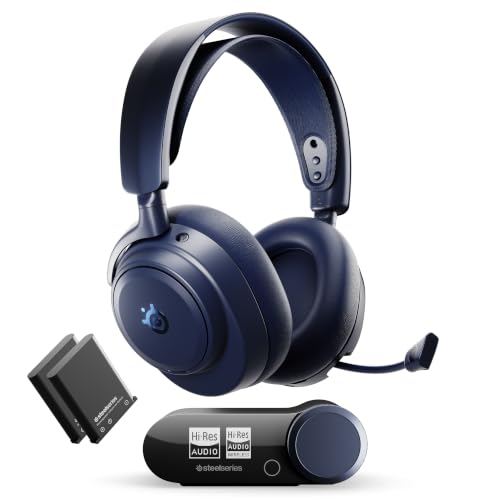
Both ends negotiate the mode, so an earbud’s gaming mode needs a phone or dongle willing to play along. Dedicated USB transmitters bundled with gaming headsets sidestep the negotiation entirely by running a proprietary 2.4 GHz link with delays in the 10-20 millisecond class — technically not Bluetooth at all, which is precisely why they win. When responsiveness is the priority and the device lives at one desk, that dongle architecture remains the benchmark every Bluetooth chain is chasing.
The transmitter you forgot you were using
Desktop PCs and older laptops hide a latency variable in their Bluetooth hardware. A bargain USB dongle built on an elderly chipset may support only basic codecs and add its own buffering, quietly sabotaging a good headset. Console controllers and handhelds each have their own stacks with their own habits; the same earbuds can feel snappy on a phone and sluggish on a handheld for reasons that live entirely on the host side. Before blaming headphones, test them against a second host — the comparison isolates which end owns the problem in one minute.
Television is the classic trap. Many TVs add heavy audio buffering of their own, and their Bluetooth implementations target convenience rather than sync, which is why a film can drift even though the TV is compensating in principle. A dedicated low-latency transmitter plugged into the TV’s optical or headphone output, paired with earbuds that share its codec, fixes late-night viewing properly. It costs less than replacing the television and less than replacing the earbuds, and it addresses the actual bottleneck.
Buying for low latency without wasting money
Shop the chain, not the product. List your host devices first, note which codecs and LE Audio support they offer, and then choose earbuds whose low-latency features your hosts can actually invoke. An aptX Adaptive earbud paired with a phone that never enables it is an SBC earbud with a nicer box. Where the host cannot be changed — a work laptop, a console — a headset with its own USB dongle removes the host from the equation, which is why gaming headsets converged on that design.
Treat headline latency claims as best-case laboratory numbers and look for the conditions attached: which codec, which mode, measured how. A claim without conditions is a mood, not a measurement. Also weigh the microphone path if you play with voice chat: the moment a headset switches to its hands-free profile for the microphone, classic Bluetooth audio quality and delay characteristics change entirely, and many gaming complaints trace back to that profile switch rather than to the codec being blamed.
When the honest answer is a wire
Some latency budgets cannot be met wirelessly at consumer prices, and recognising them early is a form of expertise. Live instrument playing, competitive rhythm gaming, broadcast monitoring, and any work where you speak and hear yourself — sidetone through a delayed chain is genuinely disorienting — all belong on cables or on specialist radio systems. A three-metre cable costs very little and has a latency of effectively zero, forever, with no battery. Reaching for it in the situations that demand it is not defeat; it is matching the tool to the tolerance.
For everything else — films, podcasts, casual gaming, calls, commutes — modern Bluetooth is comfortably inside the tolerance, provided the codec and mode suit the task. The technology’s reputation for lag was earned in the SBC era and has been expiring model by model ever since. Judge the chain in front of you, with your hosts and your content, and the reputation becomes irrelevant either way.
Latency budgets by activity, in one place
It helps to hold the tolerances side by side. Film and television forgive everything, because the player compensates; up to several hundred milliseconds of chain delay disappears into the sync adjustment. Podcasts and audiobooks forgive nearly as much, since nothing on screen moves its lips. Casual gaming tolerates the 100-200 millisecond region with mild grumbling; action gaming tightens to under 100 before most players feel the sound trailing the event; competitive and rhythm play want under 50 and under 30 respectively; and live musicianship, at roughly 10, remains beyond Bluetooth’s reach entirely and should stop being asked of it.
Printed on one line each, those budgets convert shopping into arithmetic: measure or estimate your chain, compare it with your activity’s budget, and the product decision makes itself. Most disappointment in this category is a budget error, not a product error — a 200-millisecond chain bought for a 40-millisecond hobby. The technologies in this explainer all exist to move a chain between budget bands; none of them repeals the bands themselves, and a buyer who knows their band will never be sold the wrong miracle.
Bluetooth latency and the hearing-accessibility dividend
One constituency benefits from low-latency Bluetooth in ways the gaming market rarely mentions: people who use hearing devices and streamers. LE Audio was designed with hearing aids as first-class citizens, and its low-delay, low-power profile means a television’s dialogue can arrive in sync with its picture through devices worn all day — a lip-sync problem that older hearing-aid streaming solved badly or not at all. The same Auracast broadcast feature lets venues transmit audio directly to many listeners’ devices at once, in theatres, stations, and places of worship.
The relevance to a general reader is that these requirements pushed the standard toward the low-latency engineering gamers also enjoy. Accessibility budgets are unforgiving — a hearing device cannot ask its wearer to tolerate delay — and standards shaped by unforgiving budgets tend to serve everyone downstream. When the next Bluetooth audio revision advertises its delay figures, some of the credit belongs to the listeners for whom latency was never about games at all.
Where the milliseconds actually go, stage by stage
Latency advice often fails because it treats the delay as one number owned by one device, when in truth the delay is a relay race with at least six runners. The game or video app renders audio into a buffer, the operating system mixes and resamples it, the Bluetooth encoder compresses it into codec frames, the radio transmits those frames in scheduled slots, the headphone decodes them, and its own digital signal processor may buffer again for noise cancelling or spatial effects. Each stage adds its own toll, and fixing the wrong stage changes nothing you can feel.
| Stage | Typical contribution | What influences it |
|---|---|---|
| App and game engine buffer | Small but variable; larger in games that prioritise smooth mixing over speed | The app’s own audio settings and whether it requests a low-latency output path |
| Operating system mixer | Usually modest on modern phones and PCs | Sample-rate mismatches that force resampling, and effects chains applied system-wide |
| Codec encoding | The heavyweight: basic codecs buffer whole frame groups before sending | Which codec the two devices negotiated, and whether a low-latency mode is active |
| Radio transmission and retries | Grows sharply in crowded spectrum | Distance, walls, Wi-Fi congestion on the same band, and other radios nearby |
| Headphone decoding and DSP | Noticeable on feature-heavy models | Noise cancelling, spatial audio, and equaliser processing inside the headphone |
| Video-side compensation | Negative latency when it works: the player delays video to meet the audio | Whether the app and device share timing information honestly |
The practical lesson of the relay is that codec choice dominates everything else for gaming and music production, while environment dominates for calls and casual listening in busy places. A player who switches codecs and gains nothing should stop shopping for headphones and start investigating the radio environment and the game’s own audio buffer, because the bottleneck was never in the encoder. Conversely, a musician fighting delay in a quiet studio has an environment that is already innocent, and only the codec and buffer stages deserve attention.
It also explains why the same headphones feel instant on one phone and sluggish on a laptop. The headphone carried only its decoding stage across; every other runner changed when the source changed. Judging a headphone’s latency from a single pairing is like judging a relay team by timing one runner on a different track.
A measurement routine you can trust more than your ears
Human ears are excellent at noticing that lip sync is wrong and terrible at saying by how much, which is why latency tweaks so often chase improvements that never happened. A simple repeatable routine replaces impressions with comparisons you can defend, using nothing more exotic than a phone camera and a metronome-style test video or a rhythm game with a calibration screen.
- Pick one fixed test scene. Choose a short clip with a sharp visual event tied to a sharp sound: a drum hit, a clap, a gunshot in a familiar game scene. Every comparison from now on uses this same scene, at the same volume, on the same source device.
- Record the screen and the headphone together. Film the display with your phone while holding one earcup near the phone’s microphone. Playing the recording back frame by frame shows the gap between the visual event and its sound arriving, in a form you can count rather than sense.
- Change exactly one setting per round. Codec first, then the game’s audio mode, then distance to the source, then DSP features on the headphones. A round that changes two things and improves tells you nothing about which thing mattered, and the wrong one will betray you later.
- Write the results down in plain words. Better, same, or worse, plus the setting changed. Three rounds of notes beat an evening of vibes, because they stop you re-testing a dead end next month when you have forgotten it was a dead end.
- Test in the room where you actually play. Latency measured beside the router in a quiet kitchen flatters every setting. The crowded evening living room, with two phones, a console, and a microwave nearby, is the environment your settings must survive.
Rhythm and fighting game players get a shortcut here: most such games include an audio calibration tool that reports delay numerically. Run it after every change instead of recalibrating by feel, and keep the number it reports with your notes. When a future update or new headphone changes the feel of the game, that stored number tells you immediately whether the delay moved or your timing did.
Latency by activity: what good enough looks like
Film and television, where the player can cheat for you
Video is the forgiving case because the picture can wait. Streaming apps routinely hold the picture back so dialogue lands with the lips, and most viewers cannot detect delay that the player has compensated. Trouble appears in apps that do not compensate, in downloaded files played through basic players, and in live broadcasts where compensation budgets are smaller. If films feel fine but a particular app drifts, the headphones are innocent and the app is the fix target.
Competitive games, where sound is information
In a shooter, footsteps and reload sounds are tactical data arriving late, and delay costs information rather than comfort. This is the scenario where codec choice, a wired fallback for ranked sessions, and disabling heavy headphone DSP all earn their keep. It is also where per-game audio settings matter most: some titles hide a low-latency or headphone mode that trims the engine buffer, and finding it can gain more than any hardware change.
Music making, where delay fights your hands
Playing a software instrument through Bluetooth is the harshest test in this article, because the delay sits between your fingers and your ears and the brain refuses to adapt beyond a small threshold. The honest answer for recording and practice is a cable or a purpose-built low-latency wireless system, with Bluetooth reserved for listening back to finished takes. Treating that as a defeat misses the point: each tool in the chain is being asked to do the job it is actually good at.
Calls and meetings, where nobody notices until they do
Conversation tolerates surprising amounts of delay before people start talking over each other, which is why call quality complaints usually trace to dropouts rather than lag. When a meeting does feel awkward, check whether one participant’s setup adds a second wireless hop, such as a laptop relaying to a headset through a phone hotspot arrangement. Removing a hop beats optimising either hop.
Mistakes that keep latency high no matter what you buy
- Judging delay while a second Bluetooth device streams nearby. A watch, a second phone, or a wireless controller sharing the same radio space adds retries that inflate delay for everything. Test with the usual crowd present, but diagnose with the crowd removed, so you know which problem you have.
- Leaving spatial audio and heavy EQ on for games. Processing inside the headphone adds its own buffering, and the features that flatter music quietly tax timing. Most gaming headsets and earbuds let you store separate profiles; use that separation instead of one compromise profile for everything.
- Assuming the newest codec won the negotiation. Two devices use the best codec they share, not the best codec either owns. A flagship headphone paired to an older laptop may be running a basic codec the whole time, and the fix is a transmitter or adapter, not new headphones.
- Chasing delay while the video player double-processes. Television motion processing and game modes change the video side of the sync equation. A TV with game mode off can make perfect audio feel late, because the picture is the thing arriving behind.
- Testing once, in one place, and generalising. Spectrum congestion changes by room and by hour. A setup that feels instant at midnight may drift at dinner time, and settings chosen from one midnight test get blamed for an environmental problem.
Every mistake on that list shares a shape: effort spent on the stage that was easiest to change rather than the stage that was actually slow. The stage-by-stage table earlier in this guide exists to break that habit. Name the slow stage first, with the little measurement routine if needed, and only then spend money or settings time.
Codec negotiations decoded: why your devices pick what they pick
When two Bluetooth devices connect, they hold a short, silent auction of capabilities before any music plays. Each side lists the codecs it supports, in an order that reflects its maker’s priorities, and the pair settles on a common entry. The user is not consulted, the result is rarely displayed, and yet this invisible negotiation decides more about your latency than any other single event in the connection’s life. Understanding the auction explains the field’s most confusing experience: the same headphones behaving like different products on different sources.
Phones from different makers stock different codec shelves, laptops vary by their operating system and Bluetooth stack, and game consoles have historically offered no Bluetooth audio negotiation at all, which is why dedicated dongles exist for them. A headphone that supports an impressive list of codecs only gets to use the intersection with the source’s list, and intersections can be surprisingly small. The basic codec every device shares is the universal fallback: always present, rarely the fastest, and the silent reason a premium headphone can feel ordinary on the wrong laptop.
- Check the negotiated codec, not the supported list. Many phones expose the active codec in developer settings or the Bluetooth device page, and some headphone apps display it directly. Knowing what you actually got converts codec debates from theology into observation.
- Low-latency modes are negotiated too. Gaming modes and low-latency codec variants must be offered by the headphone and accepted by the source, and some sources need the mode enabled in their own settings before the auction can reach it.
- Sample-rate mismatches add a hidden stage. When the source’s audio rate and the codec’s expectations differ, a resampling step joins the chain. It is small, but in a budget being counted in milliseconds, small line items are the budget.
- Multipoint splits the auction’s attention. A headset maintaining two connections may renegotiate when the active source changes, and the second device’s codec shelf can be poorer than the first’s, which is why latency can change when you switch from phone to laptop on the same headset.
- Transmitters are negotiation prosthetics. A USB or optical Bluetooth transmitter for a TV or console brings its own modern codec list to a source that had none, which is why a modest transmitter can transform a flagship headphone’s latency on a television.
The buyer’s translation of all this is a two-list habit: before purchasing any wireless audio product, write down the codecs your main source supports, and buy only products whose lists intersect yours at a codec you actually want. It takes four minutes, it prevents the most common disappointment in the category, and no review can do it for you because the missing half of the intersection is sitting in your pocket.
The video side of sync: when the picture is the problem
Sync complaints are filed against audio almost by reflex, but the picture has its own latency life, and in living rooms it is frequently the slower partner. Televisions process incoming pictures through scaling, motion interpolation, and noise reduction, each stage holding frames in a queue before display. A television in its cinematic picture mode can trail a game console’s output by an amount that dwarfs Bluetooth delay, and the viewer’s brain, quite reasonably, reports the mismatch as sound arriving early or late depending on which side of the queue it notices.
Game mode exists precisely to empty those queues, which is why enabling it is the first move for any console-plus-headphones setup, and why some puzzling sync problems vanish the moment it is switched on even though nothing about the audio changed. Streaming sticks and boxes add their own smaller queues, and projectors add more, so the complete sync budget of a living-room setup is a sum across devices that no single manufacturer controls or confesses to.
The practical method is to assign blame empirically: watch the same scene through the television’s own speakers, then through a wired connection, then through Bluetooth. Each step adds exactly one suspect. Viewers who skip the wired step routinely spend money replacing headphones for a delay their television manufactured, and the wired step costs one cable and five minutes. In latency work, the cheapest experiments are the ones that eliminate the most expensive purchases.
Latency across a day: five small case studies
The commuter whose podcast drifted only on the train
A listener noticed lip-sync drift in downloaded video only during train journeys, never at home. The download was innocent; the train’s crowded radio environment was inflating retransmissions, and the video player, which compensated cheerfully at home, exhausted its compensation budget in the carriage. The fix was environmental humility: audio-focused listening on the train, video at home, and a lower-latency codec enabled for the journey. The case generalises into a rule: latency that moves with location belongs to the environment, not the equipment.
The streamer’s audience heard the game before she did
A small streamer discovered her viewers reacting to game sounds a beat before she heard them herself, because her capture pipeline took the console’s audio directly while her own monitoring travelled through a Bluetooth headset. The audience was not psychic; her monitoring chain was simply the longest path in the room. Routing her own monitoring through the same direct path as the capture, with the headset reserved for chat, aligned the room. Multi-device setups accumulate these path differences silently, and the cure is drawing the paths on paper once.
The pianist who blamed the wrong device for a year
A keyboard player practising with a tablet app and wireless earbuds assumed the earbuds were hopeless for music, until a wired test revealed most of the delay living in the app’s own buffer settings, which a single menu change halved. The earbuds contributed their share and were eventually replaced for practice, but the year of frustration belonged to a setting. The moral recurs throughout this guide: measure the stages before sentencing the hardware, because the loudest suspect is often just the most visible one.
Wired comparisons and hybrid setups: knowing when to stop optimising wireless
Every latency investigation should include one wired listening session, not as a surrender but as a measurement. The wired session establishes the floor: the delay contributed by the game, the app, and the operating system with the radio removed entirely. If the wired floor already feels sluggish, no codec or headphone can rescue the experience, and the investigation belongs in the software’s settings. If the wired floor feels instant, the difference between it and your wireless session is the radio chain’s true bill, stated in a form your ears can price against the convenience wireless buys.
Hybrid setups are the mature conclusion many players reach. A wired connection for the desk, where the cable costs nothing because you are stationary anyway, and wireless for the sofa, the commute, and the kitchen, where the cable would cost everything. Headphones that offer both connections make this a single purchase rather than a pair, and the latency question dissolves from a specification argument into a seating decision, which is where it always belonged.
There is a middle technology worth naming for television especially: dedicated low-latency wireless systems with their own transmitters, sold for TV listening and gaming, which bypass the television’s Bluetooth entirely. For a household whose core complaint is film sync through a TV, such a system can be a more surgical purchase than new headphones, because it replaces the specific stage, the television’s radio and stack, that was manufacturing the delay.
Latency in voice: calls, chat, and the echo nobody mentions
Voice latency obeys different psychology from music latency. In conversation, delay does not announce itself as a number but as a social texture: two people beginning to speak at once, pauses that read as hesitation, laughter arriving a beat after the joke’s moment has passed. Research into conversation puts the comfort threshold in the low hundreds of milliseconds, which Bluetooth chains can approach when a call traverses a phone, a headset, and a network simultaneously, each adding its own toll to the round trip your voice must make.
Gaming voice chat stacks the deck further, because the chat may travel a different path from the game audio: console to controller to headset in one design, phone app to earbuds in another, with the game’s own sounds arriving by a third route. Players who feel that voice and game are subtly out of agreement are often hearing two chains of different lengths describing the same explosion. Consolidating chat and game onto one device, where the platform allows it, removes the disagreement even when it cannot shorten either chain.
Echo is latency’s cousin in these setups: your own voice returning from a teammate’s open speakers through their microphone, delayed by exactly the sum of both your chains. Headsets prevent it structurally, which is one more reason the push for voice chat through headphones is about the whole squad’s experience and not merely your own. When echo appears, the fix is at the open-speaker end of the conversation, and no setting in your own chain will cure it.
A buyer’s latency checklist for the next purchase
- Write your sources first. List the phone, computer, console, and television the new headphones must serve, with each source’s codec support beside it. The intersection of those lists with the candidate’s is the product you are actually buying.
- Demand a low-latency mode with a name. Whether it is a gaming mode in the app or a codec variant, the candidate should offer a specific, documented answer to latency rather than a general promise of speed.
- Check the wired fallback. A headphone that can go wired gives you the measurement floor and the permanent escape hatch in one feature. For latency-sensitive buyers, its absence should require justification.
- Read owner reports by use case, not by star. Search reviews for your exact scenario, rhythm games, console play, music production, because latency satisfaction is scenario-shaped and the average of all scenarios describes none of them.
- Keep the return window sacred. Your room, your sources, and your ears are the only laboratory whose results you will live with. Buy where the experiment can be run honestly at home.
That checklist converts a specification that manufacturers measure inconsistently into a set of facts you can verify personally, which is the only form in which latency information has ever been trustworthy. The number printed in milliseconds will keep varying by test method; your own fixed test scene, described earlier in this guide, will not.
Latency terms, translated for buyers
| Term | Plain meaning | Latency significance |
|---|---|---|
| Codec | The language audio is compressed into for the radio journey and expanded from at the ear | The largest single controllable contributor to delay in most chains |
| Bitrate | How much data per second the codec sends, trading quality against robustness | Higher rates can mean larger frames and more buffering; stability settings often cap it |
| Buffer | A small reservoir of audio held to smooth out irregular delivery | Every buffer is delay by design; the art is sizing them honestly |
| Jitter | Irregularity in when audio packets arrive, as opposed to how late they arrive on average | High jitter forces bigger buffers, so congestion taxes latency twice |
| Round trip | The full journey of your voice to a listener and their reply back to you | The figure conversation actually feels, and roughly double the one-way numbers usually quoted |
| Game mode (audio) | A headphone or source setting that prioritises delay over quality or features | Often the largest single improvement available without buying anything |
| Multiplex advantage | The tendency of quoted latency figures to be measured in ideal, empty spectrum | Your crowded room will always be worse than the laboratory’s number |
| LE Audio | The newer Bluetooth audio architecture built on low-energy radio | Designed with lower and more flexible delay behaviour, arriving product by product |
| Transmitter | A device that gives a source Bluetooth audio it lacks, or a better version of it | The surgical fix when the source is the chain’s weakest stage |
| Compensation | A video player delaying its picture to meet delayed audio | Why films can feel perfect on a chain that games expose instantly |
With those translations in hand, product pages and forum arguments become legible in a new way: claims can be sorted into the stage they describe, and stages can be priced against your own chain’s measurements. Latency stops being a single scary number attached to a headphone and becomes what it always was, a property of a system you own and can therefore audit.
The latency audit for your current setup, on one page
- Run the wired floor test. Same content, same device, cable connected. Note how the delay feels in your fixed test scene; this is your system’s irreducible remainder.
- Read the negotiated codec. Find it in your source’s settings or the headphone’s app, and write it down. If it is the basic fallback and your gear supports better, you have found a free improvement.
- Toggle every low-latency mode you own. Headphone gaming mode, the game’s own audio setting, the television’s game mode for the picture side. Test after each single change with the same scene.
- Move the test into your worst room at your worst hour. If the setup survives the crowded evening test, it is finished; if it only survives the quiet one, the environment owns the remaining delay.
- Decide by category, not by guilt. Films forgiven by compensation, calls governed by round trips, games and music-making held to the strict standard. A chain can honestly pass two categories and fail the third, and the fix should be bought only for the failing one.
That audit, performed once and recorded, converts every future latency question into a comparison against your own baseline. It is the same evidentiary habit this guide has recommended for crashes, dropouts, and settings alike, because in consumer technology the disciplined amateur with a notebook outperforms the enthusiast with a shopping cart almost every time.
Latency and the living room television, revisited as a system
The television deserves a second visit because it is where the most latency money is wasted. A modern TV is a computer running an audio stack of its own, and its Bluetooth implementation is frequently an afterthought beside its picture processing. Owners who route the television’s sound through a soundbar with its own Bluetooth, or through a dedicated transmitter fed by the TV’s optical or audio-return output, are not buying accessories; they are replacing the weakest stage in the chain with a competent one, and the improvement routinely exceeds what a headphone upgrade delivered. The diagnostic that proves the stage guilty is the same wired test used everywhere in this guide: if the TV’s own speakers and a wired headphone agree with each other and disagree with Bluetooth, the radio stage has confessed.
Projectors multiply the lesson. Their picture queues are longer, their Bluetooth rarer and weaker, and their owners sit farther from the screen, which adds a genuinely acoustic delay across large rooms that no electronics can remove, because sound itself takes time to cross a cinema-sized space. At those distances the speed of sound becomes a line item in the budget, a fact that recalibrates expectations: perfection in a large media room is a smaller number than perfection at a desk, and chasing the desk’s number in the media room buys frustration at reference prices.
What to do with a chain that cannot be fixed
Some chains resist every remedy in this guide: the console with no Bluetooth and a television with poor compensation, the work laptop locked down by policy, the beloved older phone whose radio is simply slow. The mature response is routing rather than fighting. Give the stubborn source a wired or transmitter path for the latency-critical content and let Bluetooth serve it for podcasts and calls, where its delay is invisible. Splitting content by sensitivity, rather than demanding one chain serve every sensitivity, is the same hybrid wisdom this guide recommended for headphones, applied to sources.
- Keep a long cable where the stubborn source lives. A cable that reaches the sofa or the desk chair converts the worst chain into the best one for the sessions that matter, at the price of a wire you only see during those sessions.
- Let the phone be the media player. Where a television’s apps are the problem, casting or mirroring from a phone whose Bluetooth behaves can move the audio negotiation to the healthier device entirely.
- Document the chain’s verdict. A note that this source, with these headphones, in this room, fails games and passes films prevents the next owner of the problem, often you in six months, from re-running the whole investigation.
There is no defeat in a routed-around chain. Latency is a system property, and systems are managed by architecture as much as by components; the listener who architects theirs has understood the subject completely.
The short history of why Bluetooth audio is like this
Bluetooth was designed for cable replacement in an era of phone calls and data trickles, and its audio architecture carries that ancestry honestly. The classic audio profiles were built for reliability and compatibility across a chaotic device landscape, with latency as a secondary concern in a world whose reference was the telephone. Every subsequent improvement, the codecs, the low-latency modes, the new low-energy audio architecture, is an attempt to retrofit a real-time media discipline onto foundations laid for a different job, and the surprising thing is not that the retrofit is imperfect but that it works as well as it does.
That history predicts the trajectory better than any launch event. The new architecture will spread device by device, source by source, and for years the lived experience of wireless audio will be a negotiation between generations, which is precisely the skill this guide has been teaching: read the chain, find the stage, price the fix. Owners fluent in the chain will surf the transition calmly, buying the specific link that unlocks their scenario each time the ecosystem offers one, while owners chasing a single number will keep replacing headphones that were never the problem.
Questions readers ask about this topic
How much latency is noticeable when gaming?
Most players start sensing delay in action sounds around 60-80 milliseconds, and by 150 milliseconds nearly everyone feels the disconnect between a press and its sound. Rhythm games tighten the threshold dramatically because timing is the game. Dedicated gaming links and the best LE Audio chains sit below the sensing threshold for most people; a lazy SBC chain at 250 milliseconds sits far above it.
Why does my headset lag in games but not in films?
Film and streaming apps delay the picture to match the audio, hiding the pipeline delay completely. Games generate sound in response to your input and cannot apply that trick, so you hear the full delay. The headset is behaving identically in both cases; only the compensation differs, which is why the same product can earn opposite reviews from a film fan and a rhythm gamer.
Does Bluetooth 5.3 fix latency?
Not directly. Version 5.3 improves connection housekeeping and interference handling, which can reduce the retransmissions that inflate delay in busy environments, but the codec and buffer design set the baseline. LE Audio, introduced with 5.2, is the feature that structurally lowers audio delay. A 5.3 badge without LE Audio or a low-latency codec changes little for gaming.
What is the lowest-latency Bluetooth option for a PC?
Strictly, the lowest-latency wireless option for PC gaming is usually not Bluetooth but a headset’s bundled 2.4 GHz USB dongle, which reaches the 10-20 millisecond range. Within Bluetooth itself, LE Audio with LC3 or aptX Adaptive in its low-delay mode, supported at both ends, gets closest. If your PC’s built-in Bluetooth is old, an updated dongle or the headset’s own transmitter matters more than the headset model.
Why does my voice sound delayed on calls?
Calls add network delay on top of the Bluetooth chain, and the hands-free profile used for microphones has its own characteristics. If you also hear your own voice in your earbuds, that sidetone has travelled the full round trip. A wired headset or the phone’s own earpiece removes the Bluetooth portion instantly, which is the quickest diagnostic: if the echo persists, the network owns it.
Can an app reduce my headphone latency?
An app cannot shorten the radio pipeline, but players with manual audio-delay controls can re-sync video, and some games offer latency calibration that shifts their timing windows to match your chain. Those are compensations, not reductions, and they help exactly the content types that allow compensation. For interactive sound, only the codec, mode, buffer, and host can move the real number.
Why does latency feel worse in some games than others on the same headphones?
Because the headphone is only one stage of the relay. Games differ in their internal audio buffers, in whether they offer a low-latency output mode, and in how much simultaneous sound they mix, and those engine-side choices can outweigh the codec entirely. A title with a large safety buffer will feel sluggish on any wireless headset, while a lean engine can feel responsive on modest hardware. That is also why per-game audio menus deserve a look before any purchase: the cheapest latency fix in gaming is frequently a setting the game shipped with and nobody opened.
Does turning off noise cancelling reduce delay?
It can, modestly, on models where the cancelling and effects processing shares the same digital pipeline as decoding, because fewer processing stages generally means less internal buffering. The gain is usually smaller than a codec change and varies a lot between models, so treat it as a fine-tuning step to test with the measurement routine rather than a guaranteed improvement. If the difference does not show up in your fixed test scene, leave the cancelling on and enjoy it; comfort you can hear beats latency you cannot measure.
Related guides
Bluetooth 5.0 versus 5.3 compared
how multipoint connections work
fixing a headset that keeps cutting out
Bose QuietComfort 45 versus Sony WH-1000XM4