Disclosure: As an Amazon Associate, reviewstook.com earns from qualifying purchases. Links on this page are affiliate links at no extra cost to you; prices and availability change frequently, so check Amazon for the latest.
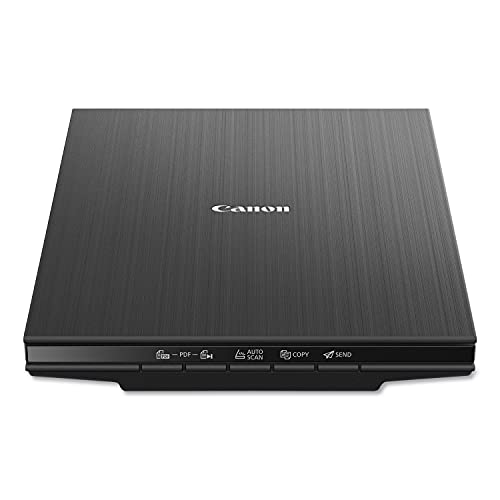
Where to Buy the Best Flatbed Scanner Under $100
Use the links below to check the latest price on Amazon for every pick in this guide to the best flatbed scanner under $100. Each name link and check link goes to the same verified listing, so you can confirm the current model and bundle before you decide. Purchases made through links on reviewstook.com support our testing and writing at no extra cost to you.
- Best for Small Spaces: Canon CanoScan LiDE 400 — Check on Amazon
- Best for Sharing: Epson Perfection V39 II — Check on Amazon
- Best Budget: Canon CanoScan LiDE 300 — Check on Amazon
- Best All-Rounder: Visioneer 7900 — Check on Amazon
- Best for Speed: Plustek OpticSlim 2700 — Check on Amazon
- Best for IDs and Cards: Plustek OpticSlim 550 Plus — Check on Amazon
Finding the Best Flatbed Scanner Under $100 Without Buying the Wrong Shape of Scanner
If you are shopping for the best flatbed scanner under $100, the first decision is not a brand — it is a shape. A flatbed scanner scans on glass, under a lid, which is why it accepts the bound, fragile and awkward originals that define real paperwork. A hundred-dollar-class ceiling lands exactly on the flatbed market’s entry sweet spot, which makes this the most honestly matched tier in the series. The machines here are the mature versions of the starter idea: Canon’s slim pair, Epson’s 4800 dpi twins, Plustek’s speedy and specialist units, Visioneer’s photo-minded models. None pretends to office automation; all of them scan single pages and pictures with a competence that satisfies most households for years. The comparison that matters is not against fantasy — it is among these six, on fit.
This guide is written for the general buyer: someone with a mixed, unglamorous pile — letters, forms, photographs, a book page here, a certificate there — who wants one honest machine rather than a specialist’s toolkit. We ordered the picks by how completely they cover that mixed pile at this budget, and we call out the specialist picks clearly so nobody buys an ID scanner to do a photo archive, or a photo scanner to clear an in-tray. Background reading that genuinely helps here: our explainer at Best Business Card Scanners and the wider buying context at Best Printers For Small Business.
The six picks below were chosen to cover the distinct jobs hiding inside this one search phrase, and the detailed reviews argue each job openly. If your needs sit between tiers, the neighbouring guides at Best Flatbed Scanner Under $700 and Best Flatbed Scanner Under $400 frame what stepping down saves and stepping up buys, in the same verified-pick format.
In this guide
Quick Picks
- Best for Small Spaces: Canon CanoScan LiDE 400 — barely thicker than a hardback book.
- Best for Sharing: Epson Perfection V39 II — 4800 dpi optical photo resolution.
- Best Budget: Canon CanoScan LiDE 300 — slim body slides beside a laptop.
- Best All-Rounder: Visioneer 7900 — tag That Photo software included.
- Best for Speed: Plustek OpticSlim 2700 — four one-touch quick-scan buttons.
- Best for IDs and Cards: Plustek OpticSlim 550 Plus — built for IDs, passports, cards.
How These Picks Were Chosen
A pick with a grave drawback says so in its own section, for the cause that a guide that hides the compromise has simply moved the disappointment to after the buy. Finally, we ordered the six by the job of this article rather than by specification theatre. Badges mark the role per pick plays — the general choice, the budget route, the photo or feeder or format specialist — and the detailed reviews argue per case in the open, trade-offs included.
Machines that only feed sheets, however excellent, failed that test and were removed, as a buyer searching for a flatbed scanner has bound, frail or awkward pieces in mind. Our shortlist started from the full candidate sheet for this category and applied one test before all others: is it a real flatbed, with a glass bed and a hinged lid? Survivors were then matched to this tier by product class — entry, feeder combination, A3, film or office-grade — using their verified listing data, at no point by guessing at prices the listings do not state.
The identical six machines can legitimately rank differently for a student and for a modest business, as the jobs differ: searchable book output carries weight in a dorm area, feeder duty counts in an business, and none of the pair counts much to a household scanning birthday cards. We weighted the ordering inside every article by the article’s own audience. Badges so describe roles in the span of this article, and a pick badged as a specialist is not being demoted — it is being aimed.
One category note protects purchasers at any tier: a number of famous scanner names are not glass-bed machines. The ScanSnap iX1300 and iX2500, Epson’s ES-400 II and FastFoto FF-680W, Plustek’s ePhoto Z300 and HP’s HPPS100 are sheet-fed designs with no glass; the CZUR Aura Pro is a camera on a stand. All were excluded from these picks. A professionally refurbished VIISAN VF3120 listing was likewise excluded as a duplicate of the source document model, which appears in this series in its standard listing where its tier fits.
Detailed Reviews: Each Pick for Your Desk

Best for Small Spaces — Canon CanoScan LiDE 400, Letter/A4 flatbed
Strengths
- Barely thicker than a hardback book
- Stands upright to save desk depth
- Refined step up from LiDE 300
Trade-offs
- Still strictly one page at a time
- No feeder for multipage documents
- Premium over basic models buys refinement
- Type
- Slim document and photo flatbed
- Colour
- Black
- Footprint from listing
- 7.7 x 14.5 x 0.4 inches
Canon measured that truth at 0.4 inches and designed for it. The 400’s thinness changes behavior in a way specifications cannot capture: a scanner that lives next to the keyboard gets used for the one-page jobs that constitute real life, while a scanner that lives in a drawer gets used for none of them. The whole lot else — the competent capture, the familiar programs — is the LiDE line being itself. The premium is behavioural, and behavior is what archives are made of.
What a generalist calls for from a letter/a4 flatbed is not a headline feature but the absence of refusals: page, photo, certificate, drawing — the lid lifts, the scan happens, the day continues.
The slim body invites travel, but treat the platen like the instrument it is: a padded sleeve for the bag, and a soft cloth wipe at the destination before the initial scan, for the cause that travel settled dust is all the same settled dust indeed when it is scenic.
Ownership of an entry flatbed is chiefly the absence of events: it sits, it scans, it asks for a glass wipe now and then. The bundled software settles into a preset, the buttons acquire meanings, and inside a month the machine has grow into part of the table’s furniture in the best sense — unnoticed until the day a form turns up, when it is noticed gratefully.
Best for: commuters, modest flats and tidy shared desks / Not suited for: workplaces with day-to-day multipage administrative paper


Best for Sharing — Epson Perfection V39 II, Letter/A4 flatbed
Strengths
- 4800 dpi optical photo resolution
- Scan-to-cloud for easy sharing
- Removable lid handles bound albums
Trade-offs
- No feeder for document stacks
- Cloud features need account setup
- Close sibling of V19 II
| Extras from listing | Scan to Cloud; high-rise removable lid |
|---|---|
| Power | USB powered |
| Optical resolution | 4800 dpi |
The V39 II lists scan to cloud alongside its 4800 dpi optical capture resolution, and that one feature reshapes the operating technique: receipts land in shared filing folders, homework reaches teachers, and photo scans appear in the household album lacking a next step at the keyboard. Choosing between Epson’s two entry glass-bed machines comes down to where your files go next. The hardware virtues carry over — USB power, a lid that rises for thick source files on paper and lifts off wholly for awkward ones. If all of it you scan stays on one computer forever, the simpler sibling suffices; the moment other folk require your scans, this model earns its premium.
The generalist’s test for a letter/a4 flatbed is the Tuesday test: an ordinary form, an everyday photo, an everyday certificate, per scanned absent ceremony. Pass that, and the machine belongs in a broad home.
Agree the shared directory’s rules with its audience — who files, who may delete, what the names mean — before the scanner starts feeding it. Cloud archives obey the identical laws as paper ones, merely faster.
Obscurity is the merely concrete support danger in technology, and zero at this floor is obscure. Retain the entry scanner’s programs updated and its installer saved, and the machine will migrate spanning three computers lacking complaint. Peripheral longevity is largely driver longevity, and the mainstream models in this class are supported the way mainstream models are: quietly, for seasons, by manufacturers who sold millions of them.
Best for: households who share scans by way of the cloud / Not suited for: sole-computer users who at no point share files


Best Budget — Canon CanoScan LiDE 300, Letter/A4 flatbed
Strengths
- Dead-simple button-led scanning for beginners
- Slim body slides beside a laptop
- AutoScan mode removes settings guesswork
Trade-offs
- No automatic document feeder fitted
- One page at a time on glass
- Listing lists functions, not exotic modes
| Best scan subjects | Documents, photos, receipts, artwork on paper |
|---|---|
| Functions from listing | PDF, AutoScan, Copy, Send |
| Form factor | Slim desktop flatbed |
Canon’s LiDE 300 earns its place here by removing friction rather than adding features. The flatbed glass accepts anything flat and awkward — a page torn from a notebook, a child’s drawing, a creased certificate — that a sheet-fed machine would reject or mangle. Its AutoScan function judges the original and picks sensible settings, which keeps casual users out of resolution menus they never wanted to visit. Copy and Send buttons round out a small, honest feature set aimed squarely at home paperwork. Nobody should buy it to digitise a filing cabinet in a weekend, but for the steady drip of real life documents it is exactly the right size of tool.
What a generalist calls for from a letter/a4 flatbed is not a headline feature but the absence of refusals: page, photo, certificate, drawing — the lid lifts, the scan happens, the day continues.
Placement tip: leave a hand’s width to the rear of the unit so the lid opens wholly without nudging the wall, and preserve the platen covered when idle — settled dust on the underside of a platen reveals up as repeating specks on every scan until it is cleaned.
Files named by routine, filing folders shaped by routine, a shoebox before now half empty — the machine’s output compounds. An entry flatbed’s following year is about the collection it silently made. Owners upgrading from this class rarely regret the buy indeed when they outgrow it, since the entry machine taught the home the system that the bigger machine will inherit.
Best for: opening-hours owners with light, mixed administrative paper / Not suited for: converting to electronic files a filing cabinet in a weekend

Best All-Rounder — Visioneer 7900, Letter/A4 flatbed
Strengths
- 1200 dpi for photos and documents
- Tag That Photo software included
- Office-and-home crossover positioning
Trade-offs
- Listed for PC, not Mac
- No automatic document feeder
- Office label, home pace
| Platform | PC; USB connection |
|---|---|
| Resolution from listing | 1200 dpi |
| Software from listing | Tag That Photo |
Expect a dependable page-at-a-hours rhythm rather than production velocity, and it will not disappoint. For a little Windows business that scans a handful of pages a day and a household’s meriting of images on weekends, the 7900 threads the needle. Its 1200 dpi listing figure covers paper files with area to spare and photos with genuine intent, while the bundled tagging programs attacks the organisational half of archiving that hardware alone cannot solve. The flatbed glass stays the star: contracts with staples removed, pages from bound manuals, and certificates too treasured for rollers all lie flat and scan safely.
What a generalist calls for from a letter/a4 flatbed is not a headline feature but the absence of refusals: page, photo, certificate, drawing — the lid lifts, the scan happens, the day continues.
For office documents that will leave the building digitally, agree the export quality once with the people who receive them. Legibility standards are cheaper to set than to retrofit across a year of files.
The scanning queue reveals what the home actually receives — the forms, the certificates, the school letters — as opposed to what it imagines. An entry flatbed is regularly a household’s initial honest appearance at its own paper. Owners frequently fix one upstream annoyance in the opening season, a subscription here, a paper statement there, because the queue made the annoyance visible and countable.
Best for: Windows users mixing photos and office pages / Not the right fit for: Mac desks and batch document flow
Best for Speed — Plustek OpticSlim 2700, Letter/A4 flatbed
Strengths
- Fast 3-second scan cycle
- Four one-touch quick-scan buttons
- Works with Windows and Mac
Trade-offs
- No image supplied in listing data
- No feeder for batches
- Compact bed suits standard pages
| Compatibility | Windows and Mac |
|---|---|
| Scan speed from listing | 3-second fast scan |
| Controls | 4 quick-scan buttons |
Plustek made the OpticSlim 2700 around a insight about home scanning: it is for practical purposes invariably urgent and in practice without exception short. A form due nowadays, a receipt before it fades, a page before the post leaves. A listed 3-next scan and four job buttons turn those interruptions into ninety-following detours as an alternative of afternoon projects, and support for the pair of them Windows and Mac means the home’s next computer is not exiled from the arrangement. It is not the machine for albums or archives; it is the machine for Tuesday, and Tuesday is the majority of life.
For a mixed household accumulation, a letter/a4 flatbed like this earns its retain via availability: it is the machine by now on the workstation when a form, photo or certificate appears, and its limits — one page at a while — match the rhythm of mixed life admin.
Spend ten minutes assigning the four buttons to the four jobs you actually repeat — nearly all owners use two everyday and ignore the rest, which is fine. A button that matches your real routine is meriting more than a bundled software menu full of possibilities.
Running comes at a price at this level are a rounding error: no ink, no toner, no consumables beyond electricity measured in pennies. The genuine expense is the table rectangle, paid day-to-day. That is why the slim models in this class punch higher up their specification — they charge less rent for an identical scanning, and rent, over five calendar years, is the largest line in any scanner’s real budget.
Best for: errand-rate scanning between other tasks / Not suited for: albums, books and oversized pages

Best for IDs and Cards — Plustek OpticSlim 550 Plus, A5 flatbed
Strengths
- Built for IDs, passports, cards
- 1.5-second small-format scans
- Tiny footprint for reception desks
Trade-offs
- A5 bed will not take full pages
- Windows and TWAIN focus
- Specialist, not a general scanner
| Scan area | A5 / half letter / statement |
|---|---|
| Speed from listing | 1.5 seconds for small originals |
| Driver | TWAIN compliant; Windows |
Judge the OpticSlim 550 Plus by the queue it was constructed for: identity files on paper, all day, lacking drama. An A5 bed that matches the source document, a listed 1.5-following cycle, and TWAIN compliance so the reception bundled software your organization by now trusts can drive it straight. It is by design useless for full pages, and that uselessness is the design — no wasted glass, no wasted motion, no wasted seconds per customer. Front desks that add one alongside a broad scanner consistently wonder why the arrangement was not obvious calendar years earlier.
Little pieces are the splinters of a headline electronic archive — too little for the big glass to flatter, too weighty to skip — and a a5 flatbed is the tweezers the collection needed.
Retain a microfibre cloth at the ID station and wipe the compact bed every early hours; a bed that scans skin-contact pages all day collects oils that in while print as smudges on the cleanest passport.
The modest machine does one thing at the rate of thought and declines the rest — a clarity nearly all desks could borrow indeed if they at no point buy the hardware. The class’s constraint is also its habit: an A5 bed cannot be borrowed for the occasional full page, so the station never clogs with work that belongs elsewhere. Owners of broad scanners now and then envy that purity.
Best for: clinics, agents and counters scanning ID day-to-day / Not suited for: anybody whose pages are letter-size or larger
Comparison Table
| Pick | Format | Verified highlight | Best role |
|---|---|---|---|
| Canon CanoScan LiDE 400 | Letter/A4 flatbed | 7.7 x 14.5 x 0.4 inches | Best for Small Spaces |
| Epson Perfection V39 II | Letter/A4 flatbed | 4800 dpi | Best for Sharing |
| Canon CanoScan LiDE 300 | Letter/A4 flatbed | Slim desktop flatbed | Best Budget |
| Visioneer 7900 | Letter/A4 flatbed | Tag That Photo | Best All-Rounder |
| Plustek OpticSlim 2700 | Letter/A4 flatbed | 4 quick-scan buttons | Best for Speed |
| Plustek OpticSlim 550 Plus | A5 flatbed | A5 / half letter / statement | Best for IDs and Cards |
Tables flatten; workloads do not. Use this one to check coverage — bed, feeder, specialisation — against your own pile, then return to the reviews for the compromises each row hides. For the specification background behind several rows, Best Batch Photo Scanners is the companion read.
How to Choose the Best Flatbed Scanner Under $100 for Your Workload
A $100-class budget buys the mature end of entry flatbeds: high optical resolution for photos on the Epson models, extreme slimness from Canon, one-touch speed from Plustek, photo-organisation software from Visioneer, and a specialist A5 bed for IDs and cards. It does not buy an automatic feeder or A3 glass — those begin higher — so multipage documents remain a manual rhythm here. Buyers whose piles are small and varied will never miss the missing machinery; buyers with weekly stacks should step up to the feeder tiers.
List the five scanning jobs you actually do, verify which picks cover all five, and only then compare the finer specifications. For a mixed accumulation, the choosing logic is coverage opening, excellence following. A scanner that does your complete list adequately beats a brilliant machine that refuses one item on it — the refused item is the one that sends you back to photographing pages with a phone, which is where this buy started.
Glass size is a hard limit, feeder size is a soft one
A flatbed scanner’s bed dimensions are absolute — an original larger than the glass bed merely does not fit, and no setting changes that. That is why the A3 models in these pages count out of proportion to their other specifications: they admit a class of pieces the A4 machines must refuse. Feeder capacity performs the other way: a 35-sheet feeder does not refuse the 36th sheet, it merely asks for a refill, so feeder size buys convenience while bed size buys possibility. When you compare picks, weigh the bed as a gate and the document feeder as a pace, and you will rank them properly.
Connectivity is a promise about your next computer
Wired USB, the connection the majority of picks here rely on, is unfashionable and nearly immortal: it will labour with the next machine and the one after. Driver standards — TWAIN, ICA, ISIS — are the companion software equivalent of an identical promise. When a listing names them, it is telling you the manufacturer expects the scanner to outlive its opening computer, which is the correct expectation for a glass bed with one moving carriage and a decade of labour in it.
Warm-up, lamps and the myth of the slow start
A machine that is set when the envelope is opened gets used for the sole page; a machine with a ritual gets bypassed for it. Older scanner generations needed lamp warm-up; the LED-era machines in these pages are for practical purposes instant, which quietly changes how scanning fits a day. When comparing picks, treat readiness as a throughput figure in disguise — the fastest scanner in this series, in lived experience, is frequently the one that was by now awake.
File formats are a promise about the future
Files on paper seek searchable, reasonably sized files that business programs opens forever; photos seek lossless masters that editing cannot degrade; books hope for text that search and quotation can reach. A scan is merely as useful as the file it turns into. The picks spanning this guide differ here in ways spec sheets underplay — cloud destinations, tagging companion software, eBook conversion — and those differences compound over calendar years. Opt for the machine whose output formats your coming self, your colleagues or your grandchildren can yet open and all the same search.
Two habits protect every buyer in this category. First, decide the destination folder and naming pattern before the scanner arrives, because the archive is the product and the machine is only its supplier. Second, keep the neighbouring tier in view: the guide at Best Flatbed Scanner For Home Office Under $100 shows what the next step changes, and the one at Best Flatbed Scanner For Small Business Under $100 shows the same workload read through a different lens — both useful correctives before money moves.
Scanning Workflows: Three Jobs This Tier Handles Constantly
Creating a home inventory for security
Walk the house with a list, then scan the administrative paper that prove it: buy records, serial-number cards, manuals’ covers, the paper files of all of it valuable enough to claim for. Pair the directory with photos taken separately, and house a copy away from the house it describes. After a burglary or a fire, the inventory turns a claim from recollection into evidence — the least joyful and the majority of valuable use any scanner in these pages will ever be put to.
Preparing documents for a professional
Clients who adopt the habit report shorter meetings and smaller bills, which is the closest thing to a cash return this guide can truthfully promise a scanner. Accountants, solicitors and advisers all charge, in cash or in patience, for chaotic paper. Land with a directory in its place: statements in order, certificates legible, contracts complete, all of it named so a stranger can navigate it. The flatbed’s indeed, square capture is what makes the directory office-grade rather than photographed.
Digitising sheet music and scores
Scores are bound, oversized, annotated and irreplaceable in combination — an automatic feeder’s nightmare and a flatbed scanner’s home ground. Scan at a sampling resolution that keeps notation crisp, name by function and movement, and the practising musician gains a library that travels lacking weight and annotates lacking harm. Ensembles sharing parts solve their oldest logistics issue an identical way: one careful scan, any worktop served, the source piece secure from the road.
How Do You Set Up a Flatbed Scanning Routine That Sticks?
Scan in passes, not in marathons
A rapid glance at thumbnails catches the skewed page, the upside-down form and the scan of the workstation that happen to all users, while the pieces are yet inside reach. Function by way of a pile in sittings of twenty or thirty pieces, inspecting the output filing folder after per pass. Marathon sittings feel productive and hide their errors until the backlog is refiled — the moment correction grows into a retrieval expedition rather of a thirty-next rescan.
Set up the glass workflow once, properly
Ten unhurried minutes here prevent any coming scanning session from beginning with configuration archaeology. Place the scanner on a level surface with area for the lid to open fully and for pieces to wait on the two sides — scanned to the left, unscanned to the right is a rhythm deserving of stealing. Install the programs before the initial urgent job, run one test scan of an ordinary page, and set your defaults while calm: a documents preset, a photo preset, and a destination directory you actually use.
Prepare originals like you mean it
Remove staples and clips, flatten folds under a heavy book if minutes lets, and confirm every page for the grit that scratches glass and the adhesive notes that redeposit glue on it. Prints come out of albums with a light hand or not at all; if a print resists, scan it via the album page situation with a removable-lid model rather than forcing it. Preparation feels gradual and is in reality the fastest stage of scanning, as per following of it prevents a rescan.
Name and file before you forget
An hour of scanning absent naming generates a filing folder that behaves, inside a month, precisely like the unsorted crate it was meant to replace. The scan is not completed when the file appears; it is completed when the file is findable. Name at save while using a pattern your coming self would guess — date, subject, source — and file into the filing folder structure you chose during setup. Prints deserve an identical rigour with names and dates attached while a living memory can yet supply them.
Issue: pages feed two at a while or skew in the automatic feeder -> fix: prepare and maintain. Double feeds characteristically mean a glazed separation pad or a bundle loaded with static and mixed sizes. Fan the bundle, square it, retain sizes uniform per batch, and wipe the document feeder’s pad and rollers with a slightly damp cloth as routine maintenance. If one original is curled or folded, it belongs flat on the glass bed for that pass — the combination design exists so that no page has to be forced by way of a path it does not fit.
Issue: feeder pulls pages crooked after spells of weeks and months of good behavior -> fix: clear the path, verify the guides. An automatic feeder that drifts after honest service is in the majority of cases dirty or mis-set rather than broken. Clear the rollers and the scanning strip, inspect that the paper guides touch the pile’s edges absent squeezing, and run a test batch of plain paper before returning genuine documents to it. Rollers glaze with paper settled dust invisibly; a damp-cloth wipe restores the grip that alignment turns on, and the fix takes less while than the complaint did.
Difficulty: the automatic feeder jams solely on the last few pages -> fix: support the pile’s exit and inspect the last sheets. Late-batch jams regularly trace to the earliest-loaded sheets — the ones at the bottom, longest curled versus the tray — or to an output bundle tall enough to obstruct the exit path. Clear the output area before long runs, and place the most curled source files on paper on the platen rather of at a batch’s foundation. Automatic feeders are honest about physics; arranging the physics kindly is the operator’s share of the bargain.
Issue: scans lean or crop an edge -> fix: seat the source piece versus the corner guide. Flatbed scanners register from a corner; an original floated in the middle of the glass bed gives the programs zero to align to and invites the two skew and clipped edges. Seat every page firmly into the marked corner, close the lid softly so the page does not skate, and use the preview for whatever valued. On oversized beds, the corner rigour carries weight more, not less — a degree of lean over an A3 page is a centimetre of drift by the far edge.
Going Deeper: Habits That Make Any Flatbed Better
Scanning well is largely a filing folder rigour wearing a hardware costume. Opt for the digitised electronic archive’s shape before the opening scanning session: a filing folder per year for home papers, a directory per client or subject for function, and a strict rule that zero lives at the top level. Scanners create files faster than folk create systems, so the system has to exist initial and the machine simply feeds it. Any pick in these pages will happily fill a hard drive with beautifully captured chaos if the structure is missing.
When scanning for somebody else — a client, an employer, a relative — confirm the deliverable before the initial page: format, capture resolution, naming, destination. Five questions asked early prevent the majority of pricey sentence in scanning, which is ‘could you redo it the other way?’ Office-grade scanning services survive on that confirmation practice, and there is no grounds a home or workplace undertaking should run on looser rigour than the professionals use on the identical glass.
The scanners spanning this guide will outlast numerous projects; the practice of finishing is what turns their capacity into a collection you are proud to hand over. End per campaign with a victory lap that takes five minutes: open three random files from the done carton, confirm they are legible, named and backed up, and then write the carton’s name on the done list. It sounds ceremonial since it is, and ceremonies are how long projects actually end in its place of dissolving.
Its weight flattens curled pages; its hinge geometry decides how books sit; its underside, retained clear, is the white background your administrative paper are judged in opposition to. The lid of a glass-bed scanner is a tool, not a cover. Wipe it when you wipe the platen, confirm it for the adhesive ghost of removed sticky notes, and close it with a light hand — a slammed lid shifts the source piece at the exact moment alignment carries weight. Compact courtesies to the lid repay themselves in any scan the machine ever makes.
One copy of an collection is a hope, not a backup. Backups deserve an identical plain talk as scanners. Retain the scanning directory inside whatever backup routine before now protects your computer, and add a next copy — an external drive or cloud storage — for the collections that cannot be rescanned as the pieces will leave, fade or be returned. The minutes to discover a backup gap is during setup week, when the stakes are a test page, not during the week the attic cartons go to the skip.
A scanner’s resale or donation afterlife deserves a thought at buy hours merely in this sense: standard drivers, commonplace formats and honest build calibre are what make a machine useful to its following owner. The picks here, made on TWAIN, ICA and mainstream ecosystems, age into following lives gracefully. Buy the machine your workload demands, retain its crate if you can, and when it moves on, wipe zero but the settled dust — its next digitised archive is waiting.
The consequence will not be immortal literature, but it will be legible long after the paper itself has crumbled — and for household announcements, match reports and the front page from the day somebody was born, legible and retained beats perfect and lost. Newspaper and magazine pages deserve a word of their own, for the cause that newsprint is thin, acidic and before now yellowing in the crate. Scan clippings sooner rather than later, at unremarkable document configuration with a sheet of plain white paper at the back of the page to stop the print on the reverse showing via.
Shared scanning in a household functions best as a visible queue: a sole tray, a sticky note per job, a rule that the tray is emptied in order. Visibility prevents the hushed queue-jumping and lost source pages that make homes distrust the system, and distrust is fatal — the moment members return to photographing pages privately, the kept collection forks into incompatible halves. Hold on to the queue material, the rules short and the completed files somewhere everybody can reach, and the home scanner grows into what it should be: boring infrastructure.
Common Mistakes
Buying for the archive you wish you had
The right scanner for the actual accumulation will all the same be a pleasure; the right scanner for the imaginary one turns into furniture with a specification sheet. The film scanner for negatives you do not own, the A3 bed for artwork you never made, the document feeder for stacks that show up two times a year — aspirational purchases strand concrete cash in imaginary workloads. Inventory the concrete batch, with your hands, before ordering.
Letting the perfect archive block the good one
Archives are designed by the machines that turn up, not by the ones that were in practice ordered. Waiting for the ideal scanner, the ideal companion software and the ideal open month is how collections stay unscanned for a decade. The entry floor of this guide, ordered nowadays and used before bed, preserves more than the flagship purchased sooner or later. Set the standard at legible, named, backed up — and let the dream specification go.
Treating the included software as bloatware
Deleting it unread, or at no point opening it after installation, is funding a functioning strategy and using a fraction of it. Bundled software is where diverse picks throughout this guide hide their best features — photo tagging, book organization, cloud destinations, searchable output. Spend one scanning session inside the bundle before deciding it has zero for you; the electronic collection you build will be shaped by that hour for seasons.
Mixing masters and working copies in one folder
Apart the filing folders completely: masters read-only in spirit, functioning copies open to be cropped, compressed and sent. When edited, resized and shared versions live next to the untouched masters under akin names, the master sooner or later gets overwritten by a helpful hand — at times your own. The habit is five minutes old and prevents the sole the majority of irreversible accident in home archiving.
Paying for resolution your output never uses
Headline dpi is the easiest number to sell and the easiest to waste. Paper files gain zero from photographic scan settings, and the expense lands as outsized files and unhurried sittings. Match the capture to the largest output you will truly make, and let the flagship statistics belong to the film and enlargement any reader reading shopping who require them.
Ignoring the software half of the purchase
Two scanners with comparable glass can yield completely divided archives depending on tagging, searchability and driver support. A photo collection absent names, a book scan absent searchable text, a business scanner the business programs cannot see — every is a hardware success and a routine failure. Read the bundled software lines of the spec cartons as seriously as the hardware ones.
Final Recommendation
Start from the Canon CanoScan LiDE 400 and argue your way away from it solely if a review higher up gives you a precise grounds. That is the honest structure of this guide: a default that fits the majority of this audience, surrounded by specialists whose cases are made in the open. The photo picks win when images rule the backlog; the automatic feeder combinations win when stacks do; the format and book specialists win when the source pages demand them. Any route ends at an identical guarantee — a genuine flatbed, verified versus its listing, its limitations printed before its price is ever checked.
Buy the scanner, then straight away spend nothing: an hour of setup, a test page, a filing folder tree, a naming pattern. That open hour is the highest-worth accessory in this full guide, and it fits per model in it. Scanners fail their owners socially far more regularly than mechanically — they get buried, unplugged, and bypassed — and the hour of installation is the vaccine in opposition to all three fates.
Frequently Asked Questions
Should I scan documents as PDF or as images?
The picks in these pages create the two diets; the rigour is choosing per original rather than per mood, so that a decade from now any file in the kept collection is in the format its content without exception wanted. The two, for distinct citizens of the kept collection. Files on paper that will be read, filed, searched and submitted hope for PDF — ideally searchable where your programs gives it — as PDF is the format businesses and institutions speak. Prints and artwork wish for image files, with a lossless master retained untouched.
What is the difference between a flatbed and a sheet-fed scanner?
A flatbed scanner scans source documents laid on glass under a lid, one at a while, and accepts any item flat or bound — books, albums, brittle pages, cards. A sheet-fed scanner pulls loose pages by way of rollers, much faster, and accepts only healthy loose paper. A great many business picks in these pages combine the two: an automatic feeder for stacks on top of a real flatbed for exceptions. Purchasers whose piles include whatever bound or valued call for the glass bed; purchasers with simply loose stacks can live lacking it, though the majority of in hours miss it.
Can a flatbed scanner scan books without damaging them?
The book rests open flat on the platen rather than being forced via rollers, and models with high-rise or removable lids, adjustable lids, or the specialist book-edge designs in these pages go more, reading close to the spine while the binding stays at a natural angle. Yes — that is one of its defining advantages. Function softly, support the volume, and at no point press a spine flat to satisfy a scanner; the book specialists here exist merely so you do not have to.
Can a flatbed scanner handle thick or bound items like passports and books?
Inspect the pick’s lid arrangement in opposition to your thickest regular original and the reply is full. Passports and books are the flatbed’s home ground — they lie on the glass bed rather than travelling via rollers, so thickness is a lid enquiry, not a feeding query. Models here with high-rise or removable lids, like Epson’s entry pair, take albums and thick volumes; VIISAN’s A3 model adjusts its lid for bound books; Plustek’s book specialists read close to the spine; and the A5 OpticSlim 550 Plus exists purely for passports, IDs and cards.
Do I need an automatic document feeder?
An automatic feeder transforms multipage paper files from a supervised chore into a background task, and the combination picks spanning this guide add one higher up a genuine flatbed so nothing is lost. Solely if stacks are your reality. If your scanning turns up one or two pages at a hours — forms, photos, certificates — a document feeder would sit idle while costing funds and worktop depth. Count your last month of scanning frankly: the batch you actually had, not the collection fantasy, decides this feature.
Can I scan directly to my phone or tablet?
Some ecosystems permit companion-app functioning methods, but the flatbed scanners in these pages are computer-centred machines: the scan is made at the workstation, then shared onward by filing folder, cloud or message. The Epson V39 II’s scan-to-cloud listing is the closest thing here to a direct route, landing files where phones by now aspect. Treat the computer as the digital archive’s home and the phone as a window onto it, and the routine stays sane — masters in one backed-up place, copies in every pocket that demands them.
What do I do with the paper originals after scanning?
Pick per category, up front, and write the determination down. Legal and identity source pages are as a rule held regardless of scanning. Routine paper files whose worth was informational can frequently be recycled a single time its scan is verified and backed up. Photos and bound books are in general preserved — the scan is access, not replacement. The dangerous middle is the unexamined accumulation, preserved forever ‘only in case’ while its scans do the concrete function. A stated rule, applied container by carton, turns that bundle into a choice before now made.
How long will a flatbed scanner last?
Treat any pick throughout this guide as a five-to-ten-year appliance, buy the tier your workload justifies rather than the one your optimism prefers, and it will probable be retired out of abundance rather than failure. Seasons, as a rule — the design has few moving parts beyond a carriage and, on combination models, feeder rollers that count as consumables. Longevity is largely environmental: a clear, level, permanent home, grime preserved out by a closed lid, and glass cleaned with a light hand rather than heroically. The business picks here add warranty structures that assume everyday duty.

