A barcode is a printed pattern that stores a short piece of data so a scanner can read it fast and without typing errors. Most codes you meet in shipping and inventory work fall into two families: linear codes made of bars, and two-dimensional (2D) codes made of squares or dots. The right family depends on how much data you need and what device will read it. This guide covers the common types, how to match one to a job, and what usually goes wrong when a code will not scan.

Linear Codes: Data in a Single Line
A linear code is read left to right by a laser or imager. Because it only grows in one direction, it suits short values such as an item number, a bin number or a tracking reference.
- Code 128: handles letters, digits and symbols in a compact width, so it is a common choice for internal labels and shipping labels.
- Code 39: an older code that takes more width for the same data, still found in industrial and equipment tagging.
- UPC and EAN: numeric item codes used at retail checkouts. The numbers come from an official numbering system, so do not invent your own for goods sold in shops.
- Interleaved 2 of 5: numbers only, often seen on cartons and cases.
In this guide
2D Codes: More Data in Less Space
A 2D code stores data across both height and width, so a small square can carry far more than a line of bars. These codes need a camera-style imager, and most phone cameras can read some of them.
- QR code: holds text or a web address and is easy to scan from a phone.
- Data Matrix: very small and popular for marking tiny parts and components.
- PDF417: a stacked code that carries longer records and appears on some shipping and ID documents.
Many 2D codes include error correction, which lets a scanner read the code even if part of it is smudged. How much damage a code can take varies by type and setting, so check the software guide.
Quick Comparison
| Code | Family | Typical use |
|---|---|---|
| Code 128 | Linear | Bin, shelf and shipping labels |
| Code 39 | Linear | Asset and equipment tags |
| UPC / EAN | Linear | Retail item numbers |
| QR code | 2D | Links and longer text |
| Data Matrix | 2D | Small parts and components |
Matching a Code to the Job
- Write down what the code must say: a short ID, or a longer record.
- Check what your scanners can read. Older laser units may read only linear codes.
- Measure the label space. A short ID in a linear code needs width; a 2D code needs a small square.
- Check whether a partner, carrier or retailer requires a specific code type, and follow their current instructions.
- Print a few sample labels and scan them before you print a large batch.
Worked Walkthrough: Labeling Workshop Bins
Suppose you want to label storage bins for fasteners and drill bits so any bin can be looked up on a phone or handheld scanner. The values below are invented examples.
- Decide the content. A short ID such as “BIN-0042” is enough. The details about what is inside live in a spreadsheet or inventory list, keyed by that ID.
- Choose the family. Eight characters fit well in a linear code, and Code 128 handles letters, digits and the hyphen.
- Check the scanner. Confirm in its guide that Code 128 is on the supported list and enabled.
- Set the size. Leave a blank border, often called a quiet zone, on both ends of the bars. Without it, the scanner may not find where the code begins.
- Print a sample. Use the label stock you plan to use and print at the printer’s native resolution, without scaling.
- Scan from realistic distances. Try a handheld scanner at arm’s length and a phone close up, on the bin as it will sit on the shelf.
- Print the batch only after the sample reads cleanly every time.
Common Scenarios
Shipping and parcel labels
These are normally produced by the shipping tool in the format the carrier needs. Do not redraw them. Print them at actual size and check the carrier’s current instructions for placement.
Tiny parts and components
Space is the issue, so a Data Matrix is a typical choice. It needs an imager, so confirm your reader supports it.
Linking a label to a web page
A QR code works well, but remember that the page address is stored inside it. If the address changes later, the printed code goes stale, so keep the destination stable.
Retail products
UPC and EAN numbers are issued through an official numbering system. Use those, not self-made numbers, for goods sold through shops.
Quick Troubleshooting
| Symptom | Likely cause | What to try |
|---|---|---|
| Scanner beeps but shows nothing | Code type not enabled on the scanner | Check supported symbologies in the scanner guide |
| Code reads slowly or sometimes | Too small, faint or low contrast | Enlarge the code and improve print darkness |
| Scanner misreads a character | Missing quiet zone or smudged bars | Add margin and check the print head |
| Phone will not read the code | Glare, curve or poor focus distance | Change the angle and distance |
| Code scans but the data is wrong | Wrong data in the label file | Check the source record before printing again |
Mistakes to Avoid
- Squeezing the code to fit. Narrow bars are harder for the scanner to separate, so shrink the text before shrinking the code.
- Dropping the blank margin. The quiet zone tells the scanner where the code begins and ends.
- Printing on glossy or curved surfaces without a check. Glare and curvature can break a scan that works on a flat sheet.
- Using low contrast colors. Dark bars on a light background work best. Light bars on a dark background may need a scanner that supports inverted codes.
- Skipping a sample scan. A code can look perfect and still fail on the device that matters.
Care and Upkeep Over Time
Barcodes fade, scratch and peel. Keep labels away from constant rubbing, strong sunlight and solvents, and replace any that scan slowly. Clean the scanner window with a soft dry cloth, following its manual. If you print the codes yourself, keep the print head clean as the printer guide describes, since dirt leaves streaks that can cut through bars. Keep a master list of what each code means, so a label can be reprinted exactly if it wears out.
How a Scanner Actually Reads a Code
Understanding the reading process makes it easier to pick the right symbol and fix problems. A linear scanner shines a thin beam or a line of light across the code and measures the reflection. Dark bars absorb light and light spaces reflect it, so the scanner turns the pattern of widths into a digital signal. An imaging scanner, including a phone camera, takes a picture and uses software to find and decode the pattern, which is why cameras can read 2D symbols and even several codes at once.
Because of this, three physical factors matter more than almost anything else: contrast between dark and light, size of the narrowest bar or module, and clean margins around the code. If any of these fail, no choice of symbology will rescue it.
Check Digits, Data Capacity and Error Correction
Different codes protect their data in different ways, and this affects how well they survive damage.
- Check digits: many linear codes include a calculated final digit. The scanner recomputes it and rejects the scan if it does not match, which catches most misreads. Retail formats such as UPC and EAN have a mandatory check digit. Some formats, including Code 39, make it optional.
- Data capacity: simple retail codes carry just a number of 8 to 13 digits. Code 128 encodes full ASCII text and is used for shipping and logistics. 2D codes can hold hundreds or thousands of characters, depending on the symbol and the version.
- Error correction: QR codes and Data Matrix use error-correcting codes so that a scratched or partly covered symbol may still scan. QR codes offer several levels that trade capacity for damage tolerance. Linear codes have no such redundancy beyond the check digit.
- Density: the same data fits in a smaller area with 2D symbols than with linear codes, which is why tiny parts and circuit boards often carry Data Matrix.
When in doubt, use more error correction for labels that will be handled roughly, and shorter data for labels that need to be read quickly from a distance.
Sizing, Placement and Print Quality
A well-chosen code can still fail if it is printed badly. Keep these guidelines in mind, and follow any standard or customer requirement that applies to your labels.
- Size: the narrowest bar or module needs to be large enough for the scanner to resolve. Retail codes have a nominal size and a permitted scaling range. Do not shrink them below the recommended minimum.
- Quiet zone: leave a blank margin on each side of a linear code, and around a 2D code as the symbol specification requires. QR codes need a margin on all four sides. Text or graphics creeping into this margin is a frequent cause of failed scans.
- Contrast: black on white is the safest. Dark blue or dark green on a light background can work, but red on white or low-contrast gray often fails with red-light scanners.
- Surface: glossy or curved surfaces cause glare and distortion. Matte labels and flat placement help. Do not put a code across a fold, seam or corner.
- Print method: thermal transfer printing generally produces sharper bars than low-resolution inkjet. Low print resolution can blur narrow bars. Check the printer’s resolution against the code size.
- Orientation: ladder-style codes (bars arranged vertically) and picket-fence codes (bars arranged side by side) can behave differently in a scanner. Follow the scanner’s guidance for the best orientation.
Step-by-Step: Choosing a Code for a New Project
Use this checklist when you need to label something and are not sure what to use.
- Step 1: Define what the code must hold. A short ID number, a URL, a long text string or a serial number with date and batch information?
- Step 2: Identify who or what will scan it. A customer with a phone, a warehouse handheld, a conveyor scanner, or a retailer’s checkout?
- Step 3: Check external requirements. Retailers, carriers and industry groups often require a specific symbology. Do not choose your own if one is mandated.
- Step 4: Measure the available space and the viewing distance. A big label read from several feet away needs larger modules.
- Step 5: Pick the symbology. Code 128 or Code 39 for internal inventory and shipping IDs, UPC or EAN for retail products, QR code for links and consumer scanning, Data Matrix for very small parts.
- Step 6: Generate a sample and test it with the actual scanner, from the actual distance, on the actual label material.
- Step 7: Print a small batch, test several labels from different positions, and only then print in quantity.
Free Tools, Cost Considerations and Standards
Many free generators and word-processor add-ins can create linear codes and QR codes. Retail product codes, though, are different: UPC and EAN numbers are assigned through GS1 membership, and retailers and marketplaces generally expect numbers that come from that registry. Buying numbers from unofficial resellers can lead to conflicts and rejected listings, so check the current requirements of your selling platform and the GS1 guidance for your country.
For internal use such as bins, tools and file folders, you can pick your own numbering scheme in Code 128 or QR code without registering anything. Costs then come from the printer and label stock rather than the code itself. A basic label printer is a modest purchase, while industrial scanners and high-resolution thermal printers cost considerably more. Choose according to volume, not to the most capable model.
Troubleshooting Codes That Will Not Scan
- Check the quiet zone first. Crowded margins are the most common issue.
- Look for smudging, light printing or banding. Print a test at a higher darkness setting or higher resolution.
- Check the scanner’s enabled symbologies. Some scanners ship with certain code types turned off and must be configured by scanning setup codes from the manual.
- Test with a different scanner or a phone camera to tell whether the problem is the label or the reader.
- Reduce glare by changing the angle of the scan or moving to a matte label.
- Verify that the data is valid, such as the correct check digit or character set for the chosen symbology.
If a label printing process is critical to a business, consider a barcode verifier that grades quality against industry standards, or ask your printer or supplier for guidance. For home and small workshop use, careful testing with your own scanner is usually enough.
Stylish Codes: Logos, Colors and Damage
Designers often want a QR code that carries a logo or brand colors. This can work, but every change eats into the code’s safety margin. A small logo centered on a QR code depends on error correction to fill in the hidden modules, so choose a higher error-correction level, keep the logo small and test thoroughly. Inverted codes (light modules on a dark background) fail on many scanners, and rounded or dotted module styles may not be read by older readers.
Think about the life of the label too. A code on a tool handle or a shipping carton will be scraped, wet and smeared, so use a protective laminate or overlay where possible, choose a higher error-correction level, and print a little larger than the minimum. For outdoor use, pick weather-resistant label stock and inks. Before committing to a design, scan the final printed label with at least two different phones and one dedicated scanner, from several angles and distances. Keep the plain, high-contrast version on file as a fallback.
Keeping a Label Register
If you label many items, a simple register prevents chaos. Use a spreadsheet with one row per code, listing the encoded value, what it refers to, where it is used and the date it was created. Never reuse a value for a different item, because old labels may still be in circulation. Choose a consistent numbering pattern, such as a short prefix for the type of item followed by a sequence number, so values stay readable to humans. Print the readable number beneath the code as a fallback in case the scanner fails. Back up the register, and note which symbology and size you used so future labels match.
Ready to Buy? Start Here
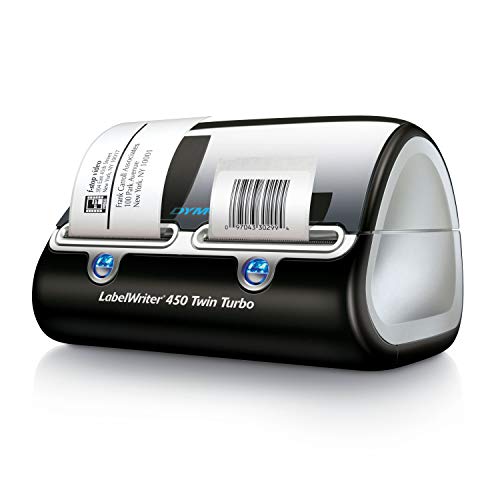
If this guide helped you decide what to look for, these products are a place to start.

As an Amazon Associate we earn from qualifying purchases. Prices and availability are shown on Amazon.
The Two Families in Plain Terms: How 1D and 2D Codes Differ
Every barcode belongs to one of two families, and understanding the families matters more than memorising individual code names. One-dimensional codes, the classic barcodes, store data in the widths of parallel bars read along a single line. Two-dimensional codes store data in a pattern spread across both width and height, in a square or rectangle of small modules. That single structural difference explains almost everything else: how much each can hold, how each behaves when damaged, what hardware reads each comfortably, and which jobs each family suits.
The 1D family: a line of data
A 1D code is best pictured as a single line of text translated into bars. Because data runs in one direction, capacity grows only by making the code longer, which is why a 1D code typically carries a short identifier, a product number or a serial key, rather than a paragraph of information. The real information lives elsewhere, in the till system, warehouse database or spreadsheet that the identifier unlocks. This division of labour is a strength: the code stays small and fast to scan, and the data behind it can change without reprinting a single label.
Reading a 1D code needs a scan line that crosses all the bars, which simple laser and LED scanners do superbly at speed, even on a moving conveyor. The weaknesses follow from the structure too. Damage across the bars can destroy the only copy of the data, because there is no second dimension holding a backup. And a long string of data makes a physically long code that will not fit on a small item. Within the family, individual symbologies differ in the characters they allow, their density and their checking rules, which is why names like Code 128 and Code 39 describe variations on one idea rather than different technologies.
The 2D family: a pattern of data
A 2D code spreads its data across an area, so it can hold far more in a small footprint: not just an identifier but a web address, a block of text, or a structured bundle of fields. Many 2D codes also build in error correction, meaning a portion of the pattern can be scratched, dirty or missing and the code still reads, because the information is stored with deliberate redundancy. That toughness, plus the fact that phone cameras read 2D codes natively, explains their spread into everyday life, from parcel drop-off codes to menus and payment screens.
The trade-offs are real. A 2D code needs a camera-style imager to read it; an older laser scanner built for 1D codes physically cannot. Very small 2D codes demand good print quality, because the tiny modules must stay distinct. And because a 2D code can carry a full web address or instruction, it can also carry a malicious one, which is why codes from unknown sources deserve a moment of caution before following what they open. None of this diminishes the family; it simply defines where each family earns its keep.
Choosing by application, not by fashion
Start the choice with three questions. First, how much data must the code itself carry? A short identifier points to 1D; anything longer, or a web address, points to 2D. Second, what will read it? If the readers are existing 1D scanners, the answer is chosen for you; if the readers are phones, 2D is the natural fit. Third, what will the code endure? Rough handling, small size and dirty environments favour 2D with its error correction, while clean, high-speed, identifier-only work is where 1D remains unbeatable.
| Application | Usual family | Reasoning in brief |
|---|---|---|
| Retail product identification | 1D | A standard product number is all the code must carry; tills are built for it |
| Warehouse bins and asset tags | Either | Short IDs suit 1D; 2D adds toughness and phone scanning |
| Linking a physical item to a web page | 2D | The address itself must fit inside the code |
| Tiny components and electronics | 2D | A compact square holds the ID where a long 1D code cannot fit |
| Shipping labels | Both together | Carrier labels commonly combine a 1D code with a 2D code for different systems |
| Tickets and drop-off codes on phones | 2D | Camera reading and enough capacity for a secure reference |
Notice how often the honest answer is both. A modern shipping label carries the families side by side because the network uses each where it is strongest. A small business might keep 1D codes on shelf bins for its handheld scanner while putting 2D codes on product cards for customers phones. Choosing a family per application, rather than pledging loyalty to one, is the mark of a labeling system designed around its readers and its data instead of around a favourite technology.
Print quality rules that apply to both families
Whichever family you choose, the printing fundamentals are shared. Contrast must be high, conventionally dark modules on a light background, because scanners read differences in reflected light, not colours as humans see them. The quiet zone, the clear margin around the code, is part of the code and must stay empty. Size must suit the reading distance and the scanner; a code scanned at arm length in a warehouse needs to be larger than one scanned at a till. And the surface must present the code flat and undistorted, since a code wrapped around a tight curve stretches its geometry beyond what readers tolerate. Most scanning failures blamed on a code type are, on inspection, failures of contrast, margin, size or surface that either family would have suffered.
Test the way your reader will work. A code that scans on your phone at close range may still fail on the handheld scanner across a bench, or in the bright light of a loading area. Print a small test set, scan each code with every device that will read it, in the place it will be read, and adjust size or contrast before committing to a full run of labels. That five-minute test is the difference between a code system that feels magical and one that generates a daily trickle of small frustrations.
Reading Environments and Standards: The Context Around the Code
A barcode never works alone. It works inside a system made of a printer, a surface, a reader, a light level, a working distance and a database, and it works inside a world of shared standards that let one organisation code be read by another organisation equipment. The earlier sections covered the codes themselves; this section covers the context, because most real-world barcode decisions are really decisions about readers, environments and agreements, with the code itself chosen almost automatically once those are clear.
Standards: why a code printed at home can be read across the world
Barcode symbologies are public specifications, maintained so that any compliant printer and any compliant reader agree on what the bars or modules mean. On top of the symbologies sit numbering systems, administered by standards organisations, that allocate the identifiers used on retail products so that two manufacturers never issue the same product number. That is why a code you print for your own bins can be any sensible symbology with your own numbering, while a code intended for retail sale must carry a properly allocated product number in the expected symbology. The distinction matters: inventing a retail-style number risks colliding with a real product, while using an allocated number in the wrong symbology confuses the tills. For internal use, freedom; for the outside world, follow the system that world reads.
Reading environments: light, distance, motion and wear
Picture where the code will actually be read. A till reads at close range, in controlled light, with the code presented by hand. A warehouse reads at arm length or further, sometimes from a moving vehicle, in light that ranges from bright bays to dim racking. A phone reads wherever the customer happens to be. Each environment argues for different size, contrast and code choices. Distance demands size, because the reader must resolve the smallest bar or module from where it stands. Motion demands a code and reader pairing that captures quickly. Wear and dirt demand either a protected placement or a code family with error correction that tolerates partial damage.
Test in the environment, not at the desk. A code that scans beautifully under your kitchen light may hesitate under the flickering light of a store room or against the glare of a sunny loading area. Print a sample set, take them to the real location, and scan with the real reader at the real distance and angle. Adjust size first, then contrast, then placement. This five-minute field test discovers problems that no amount of desk testing can, and it is the step that separates systems that feel effortless from systems staff quietly work around.
The database behind the code
For identifier codes, the database is the system and the code is merely its key. That relationship deserves deliberate design. Decide what one code identifies: a product type, or one individual item. Those are different systems; the first suits stock counting, the second suits asset tracking and warranties, and mixing them produces records nobody trusts. Keep the register, the list linking codes to items, backed up and owned by a named person, because a drawer of perfectly printed codes pointing at a lost spreadsheet is a system that has already failed. When an item leaves, is sold or is scrapped, update the register at that moment; a code system decays through stale records far more often than through unreadable labels.
Future-proofing a small code system
Small systems outgrow their first design quietly. A workshop labels bins, then tools, then loaned equipment, and one day the numbering collides or the register overflows its original shape. Leave room from the start: use a code with capacity beyond your first need, keep numbers sequential with spare range, and avoid embedding meaning, dates, locations, personal names, into the identifier itself, because meaning changes and identifiers should not. Meaning belongs in the database record, where it can be edited; the code on the label should stay a dumb, stable key. That one design rule, dumb code, rich record, is what lets a system started on a kitchen table survive becoming a business.
Revisit the reader fleet before revisiting the codes. When scanning feels slow, the cause is often an ageing reader, a dirty reader window or a reader mismatched to the code family, not the labels. Clean the reader, test it against a known-good code, and check its settings before reprinting a wall of labels. Codes are cheap to print and expensive to replace everywhere at once, so treat the code stock as the last suspect, not the first, and your system will stay stable for years.
Worked Decisions: Four Small Projects, Reasoned From Start to Finish
Theory settles into knowledge when you watch it being used. The four short projects below reason through real-shaped decisions using only the principles in this guide: identify the data, identify the readers, identify the environment, and let the code family choose itself. None of them requires specialist knowledge, and each shows a different principle doing the deciding.
A community library lending tools
A volunteer-run tool library lends drills, ladders and garden equipment to members. Each tool needs an identity that survives outdoor use, and loans must be recorded against members. The data is a short asset number; the richness, tool name, condition notes, loan history, lives in the library register. The readers are volunteers phones at a garden gate, in variable light, sometimes with muddy hands. That combination argues for a 2D code: phones read it natively, error correction forgives grime and scratches, and the code can even carry the library web address for the register page. Print quality and a tough label material matter more than the exact symbology, and a test at the gate, in real light, settles the size.
A bakery labelling loaves for a market stall
The bakery labels are read by nobody with a scanner; customers read them with their eyes, and the till works from prices displayed at the stall. Here the honest conclusion is that no machine-readable code is needed on the loaf label at all, and adding one would be decoration pretending to be system. A code earns its place on the stock boxes in the van, where the baker own phone checks what was loaded, and perhaps on a card at the stall linking to ingredients and allergen information online, where a 2D code does a job eyes cannot. The lesson generalises: the absence of a code, chosen deliberately, is a legitimate design outcome, and codes should appear where a reader and a record actually wait for them.
A workshop bringing order to spare parts
A small repair workshop stores hundreds of parts in bins and loses time hunting. The readers are a handheld scanner at the shelves and the owner phone. The data is a bin location plus a part number, both short. Either family could work, which makes this the interesting case: the deciding factors become label size and existing habits. The bins are small, favouring compact codes; the scanner reads both families; the owner prefers phone checks away from the bench. A compact 2D code wins on footprint and phone convenience, while a neighbouring workshop with a legacy 1D-only scanner would rationally choose the opposite. Same job, different installed base, different right answer: that is why this guide keeps returning to the readers.
A seller adding codes to product packaging
An online seller wants packaging that connects buyers to setup videos and a review page. The readers are customers phones, the data is a web address, and the environment is a kitchen table. Only a 2D code can carry the address itself, so the family is chosen in one step; the remaining decisions are size, placement and honesty. The code sits flat on the box where it will not be creased by opening, large enough to scan at arm length, with its quiet zone respected even where the packaging design crowds it. Beside it, one printed line explains what the code leads to, because a code without an invitation is ignored, and a code that promises one thing and delivers another is scanned exactly once per customer.
A pocket checklist for any new code project
Whatever the project, the same six questions, answered in order, produce a sound code decision without specialist help. What data must the code carry: a short identifier, or the content itself? Who or what will read it, and is every reader able to read the family you have in mind? How large can the code be on the smallest item it must fit? What will happen to it: sunlight, cold, abrasion, cleaning, years in a drawer? How will the record behind it be kept, backed up and owned? And how will you test it: with which reader, in which place, before how many labels are printed? Write the answers down, however briefly. A project that can answer all six is ready to print; a project that stalls on one has just shown you its real problem, which is almost never the choice between two similar code types. Keep the answers with the label register, and the next project starts from your own experience instead of from a blank page, which is how small code systems quietly become reliable ones.
Revisit the checklist after the project has lived for a month, because real use edits every plan. A reader position that seemed convenient may prove to be in the wrong light; a code size chosen for the shelf may be scanned mostly from a step further away; a register kept by one person may need a second owner. Small corrections made from that first month of evidence are worth more than any amount of additional theory gathered beforehand. Systems that are reviewed once, early, and adjusted without drama tend to stay in service for years, while systems treated as finished on day one tend to be worked around, then quietly abandoned, one unscanned label at a time.
FAQ
Can one scanner read every barcode type?
Not always. Many modern imagers read both families, but some basic scanners are limited to linear codes. Check the scanner guide for the list of supported symbologies, and confirm each one you need is enabled.
Is a QR code a barcode?
Yes. It is a 2D barcode, and it is read by an imager or camera rather than a line laser.
What is a quiet zone?
It is the blank margin around a code. Scanners use it to find where the code begins and ends, so printing text or lines inside it can cause failed reads.
Does the code have to be black and white?
Dark on light gives the most reliable contrast. Colored codes can work, but the contrast must stay strong for the scanner you use, so run a sample scan first.
Do I need a check digit?
Some formats, such as UPC and EAN, include one by definition. Others offer it as an option. It lets the reader catch many misreads, so use it where the format allows it.
What is the difference between Code 128 and Code 39?
Code 128 is denser and encodes the full ASCII character set with a built-in check character, so it fits more data in less space. Code 39 is simpler, older and encodes uppercase letters, digits and a few symbols, with an optional check digit. Code 128 is common in shipping, while Code 39 appears in some industrial and government uses.
What is a Data Matrix code used for?
A Data Matrix is a square 2D symbol that stores a lot of data in a very small area and includes error correction. It is often used to mark tiny parts, electronics and medical items. It needs an imaging scanner or a camera app that supports it, since standard line scanners cannot read it.
Can I make my own UPC code for free?
You can generate a UPC-style image for free, but the number itself matters for retail. Marketplaces and stores generally expect numbers licensed through GS1. A made-up number might conflict with another company’s product. For internal inventory, use Code 128 or a QR code with your own numbering instead.
Why does my barcode scan on a phone but not on a handheld scanner?
Phones use a camera and software that tolerate lower contrast, tilt and blur. Handheld laser scanners need crisp bars, strong contrast and a clear quiet zone. Check that the scanner has that symbology enabled, then improve print quality, contrast and margins and test again.
How long can a barcode be?
It depends on the symbology and the available space. Retail UPC and EAN codes have fixed lengths of 8 to 13 digits. Code 128 can hold long strings but becomes wide and hard to scan if overloaded. For lots of data, use a QR code or Data Matrix, or encode a short ID that links to a database.
Can a 2D code replace a 1D code everywhere?
Technically it can hold the same identifiers, but replacement only works where every reader is a camera-style imager. Warehouses and tills with 1D-only scanners would be unable to read the new codes. In practice the families coexist, and changes happen reader by reader. Choose per application, and check the readers before changing any established code.
Why do shipping labels carry two different codes?
Because different systems along the journey read different formats. One code may serve the carrier sorting equipment while another serves handheld devices, customer service lookups or a partner network. Carrying both costs a little label space and buys compatibility at every stage, so the parcel never meets a reader that cannot understand it.
Does a bigger code always scan better?
Up to a point. A code must be large enough for its modules or bars to be resolved by the reader at the working distance. Beyond that, extra size adds little and can even hurt if it forces the code onto a curved or crowded area. The right size is the smallest one that scans instantly, first time, with the actual reader in the actual place.
How much information should I put in a code?
As little as the job allows. A short identifier linked to a database stays small, prints crisply and scans fast, and the data behind it can be updated without reprinting. Put longer content in the code itself only when there is no database to link to, or when the reader must work without any connection, and accept the larger, denser code that results.
The Short Version
Choose a linear code such as Code 128 for short IDs and a 2D code such as Data Matrix or QR when you need more data in a small space. Confirm your scanners support the code before printing, keep the blank margin intact, and always scan a sample label first.

