Disclosure: As an Amazon Associate, reviewstook.com earns from qualifying purchases. Links on this page are affiliate links at no extra cost to you; prices and availability change frequently, so check Amazon for the latest.
Gaming PC Build Pros and Cons: The Honest Ledger, Weighed Properly
Every gaming PC build pros and cons list on the internet will tell you the same five things in the same order, and most of them will be selling something by the end. This one is organised differently. Building your own gaming PC is neither the obviously correct choice its enthusiasts describe nor the risky hobby its detractors warn about — it is a trade, with a specific set of gains on one side and a specific set of costs on the other, and whether the trade favours you depends on facts about your life: your time, your patience for troubleshooting, your appetite for learning, and how long you intend to keep the machine.
So this article weighs the ledger properly. Each advantage gets examined for when it is real and when it evaporates; each disadvantage gets the same treatment, including the mitigations that experienced builders use without thinking. Throughout, we reference six current prebuilt machines — each verified against Amazon’s catalogue data — because a prebuilt is the standing alternative to every build, and the pros and cons only mean something against the thing you would otherwise buy. By the end you should be able to say, with reasons, which side of the trade you belong on.
In this guide
Where to Buy the Reference Machines
These six verified prebuilts are the comparison points used throughout this article — the machines a builder is implicitly choosing not to buy. Check the exact configuration on each listing before drawing conclusions, since model names span multiple specifications. References from reviewstook.com point to the configurations described here.
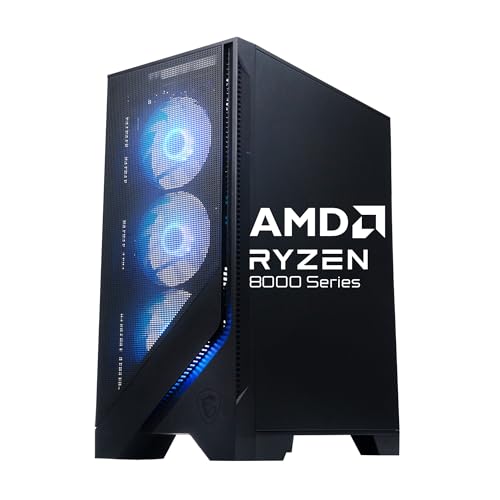
- MSI Codex Z2, AMD Ryzen 7-8700F, RTX 5060 Ti, 16GB DDR5, 1TB SSD — the mainstream prebuilt benchmark
- MSI Codex Z2, AMD Ryzen 7-8700F, RTX 5070, 32GB DDR5, 2TB SSD — the balanced prebuilt benchmark
- iBUYPOWER Element, AMD Ryzen 9 7900X, NVIDIA GeForce RTX 5070 12GB, 32GB DDR5, 1TB NVMe SSD — the creator-leaning benchmark
- Alienware Aurora, RTX 5070, Intel Core Ultra 7 265F, 32GB DDR5, 1TB SSD — the support-led benchmark
- KOTIN Gaming PC, Ryzen 7 9700X, RX 9070 XT 16GB, 32GB DDR5, 1TB SSD — the transparent-specification benchmark
- Skytech Azure 3, Ryzen 7 9850X3D, RX 9070 XT, 32GB RAM, 2TB SSD — the enthusiast prebuilt benchmark
The Short Version
The case for building, compressed: total control over every component including the ones listings hide; budget allocated exactly where your games benefit; a machine you understand well enough to upgrade and repair yourself; no assembly labour in the price; and a platform chosen for its future rather than a warehouse’s inventory.
The case against, compressed: your time, spent researching, assembling, and occasionally troubleshooting; warranty fragmented across every component maker instead of one phone number; compatibility and assembly risk carried entirely by you; and a set of small forgotten costs — operating system, tools, peripherals — that narrow the apparent saving.
One more framing before the detail, because it changes how every section should be read: none of these pros and cons are properties of the machines. They are properties of the relationship between a machine and its owner. The identical unstated power supply is a triviality to the owner who never upgrades and a genuine defect to the owner who will. Keep your own ownership pattern in view throughout, and be suspicious of any section — including ours — that seems to score a point without reference to it.
Readers who want the raw material before the argument can skim the reference machines in the next section first and return; the ledger sections repeatedly point back to them, deliberately, because an abstract pro is worth less than the moment you can attach it to a specific tower with a specific specification sheet. Neither reading order changes the conclusion — it only changes whether you meet the evidence before or after the argument built on it.
Neither compression is wrong, and neither is sufficient. The sections below take each item seriously, because the difference between a good decision and a regretted one lives in the qualifiers.
Pro: You Choose Every Component — Including the Ones Listings Hide
The deepest advantage of building is not price; it is information. A self-builder knows the exact power supply model, the motherboard’s chipset and slot layout, whether the memory is one stick or two, and how many storage bays remain empty — because they chose each of those things. Compare the reference machines: the KOTIN states its 850W Gold power supply and 360mm liquid cooler outright, and the Skytech states its 850W Gold ATX 3 unit, but several other verified listings in this very article leave the power supply unstated. That is not a scandal; it is simply the prebuilt market’s normal information asymmetry, and building abolishes it.
Why it matters: the hidden components are precisely the ones that govern upgrades, noise, and longevity. A builder who specifies a quality power supply with headroom has pre-approved their own future graphics card upgrade. A buyer of a machine with an unstated PSU has deferred that question to the worst possible day — the day they want the upgrade. Control is not an abstract virtue here; it is a list of specific future afternoons that go smoothly because of decisions made at build time.
When this pro shrinks: if you intend to keep the machine exactly as bought until replacement, the hidden components matter less, because the whole system is warrantied as a unit for its working life. Control is worth most to owners who will open the case again — which is a fact about you worth knowing before you weigh it.
Pro: The Budget Goes Where Your Games Actually Benefit
A builder allocates asymmetrically on purpose: the largest share to the graphics card, a deliberate platform choice, memory and storage at the comfort figures, and a plain case if the desk does not care about glass. Prebuilt line-ups, by contrast, must be sellable to everyone, so they converge on balanced, photogenic configurations — sometimes balanced in ways that do not match your monitor at all.
The reference machines show the spectrum. The MSI Codex Z2 with the RTX 5070, 32GB of memory, and 2TB of storage is a genuinely builder-like allocation — it spends on exactly the components this site recommends — which is why it anchors so many of our comparisons. The Alienware Aurora spends additionally on design, networking, and support infrastructure, which is a rational allocation for its buyer but a different one. Building lets you refuse every allocation except your own; the con side of this coin, examined later, is that you must actually know your allocation, which takes the research time that appears in the costs column.
Pro: The Machine Stays Yours — Upgrades and Repairs Without Permission
A self-built PC is assembled from standard parts with standard interfaces, and its owner holds the manual for every one of them. Upgrading storage is an errand. Doubling memory is an errand. Replacing a failing fan, a tired power supply, or the graphics card itself is an afternoon with a screwdriver, not a shipping label and a fortnight without a computer. Over a five-to-seven-year ownership, this maintainability compounds: the builder’s machine evolves in small, affordable steps, while a sealed or proprietary design can turn the same steps into a replacement decision.
There is a knowledge dividend too. The person who assembled a machine troubleshoots it differently — they know which cable does what, which component a symptom implicates, and how to isolate a fault by swapping a part. That competence is worth real money and real evenings across the machine’s life, and it transfers to every computer you will ever own afterwards. It is also, not incidentally, the part of building that enthusiasts are actually describing when they call it fun: the machine stops being an appliance and becomes understood equipment.
When this pro shrinks: proprietary design is a spectrum, not a binary. The mainstream prebuilt towers in our reference set use largely standard layouts, and their makers sell parts and publish documentation. The Alienware’s design language is the most proprietary here, and even it is serviceable — the gap between building and buying on this axis is real but narrower than forum folklore claims.
Pro: No One Else’s Software Decisions Ship in the Box
A self-build starts from a clean operating system installation: the drivers you choose, the utilities you actually use, nothing else. Prebuilts arrive with the maker’s software layer — sometimes genuinely useful control centres, sometimes a stratum of trials and updaters that owners spend their first evening removing. This is the smallest pro on the list and we rank it accordingly, but for buyers who keep a machine for many years, beginning from a known-clean software state has a quiet, compounding tidiness to it.
Con: Your Time Is the Labour Cost, and It Is Not Small
Now the other side, with equal honesty. A first build consumes time in three instalments: research (learning the component landscape well enough to allocate a budget — guides like our Gaming PC Build Buying Guide exist to compress this, not eliminate it), assembly (an unhurried afternoon for a first-timer, with cable management taking as long as everything else combined), and the possibility of troubleshooting, which is where the variance lives. Most builds boot first time. Some do not, and diagnosing a no-boot machine as a beginner — reseating memory, checking front-panel connectors, isolating components — can consume an evening and a quantity of morale.
Price your time honestly. If your hours are scarce or expensive, the labour saving embedded in a prebuilt is not a markup; it is a purchase of evenings. The enthusiasts who call building free are spending a currency they enjoy spending. If you would not enjoy it, it is not free to you, and any pros-and-cons ledger that ignores this is advertising, not analysis.
There is a subtler time cost that rarely gets listed: decision fatigue. The prebuilt buyer makes one decision; the builder makes roughly a dozen interlocking ones, each with its own review ecosystem and forum schisms. Some people find that landscape energising — it is, effectively, a hobby that precedes the hobby — and others find that by the time the parts arrive, the project has already consumed the enthusiasm that was supposed to power the assembly. Know which person you are before the boxes start arriving, because the half-built machine on a dining table is the most expensive outcome in this entire article.
Con: The Warranty Is Fragmented, and You Are the Support Department
Every component in a self-build carries its own warranty, its own returns process, and its own definition of evidence. When a prebuilt fails, one organisation owns the whole problem: the Alienware’s Dell infrastructure and the integrators’ system warranties exist precisely to consolidate this. When a self-build fails, step one is diagnosing which component failed — a step that can require spare parts or a friendly second machine — and step two is a returns process with that component’s maker while the rest of the computer waits.
Mitigations exist and experienced builders apply them by default: buy components from retailers with painless return windows, keep every box and receipt until the machine has survived its first month, and stress-test the assembled system immediately, inside the easiest return period. These habits reduce the con substantially. They do not eliminate the structural fact that the integration risk — the possibility that two individually functional parts misbehave together — belongs to you alone.
Con: Compatibility Is Your Homework, and Mistakes Are Physical
Modern parts are kinder than their ancestors — keyed connectors, standardised sockets, compatibility checkers — but the failure modes that remain are concrete: a graphics card a few millimetres too long for the chosen case, a cooler that fouls the memory slots, a power supply missing the connector a GPU requires, a motherboard that needs a BIOS update before it recognises a newer processor. Each is preventable with checking; each check is another draw on the time account already debited above.
There is also assembly risk in the plain physical sense. A dropped processor, a bent socket pin, an over-tightened cooler mount — rare, usually survivable, occasionally expensive, and entirely uninsured. Buyers with unsteady hands, small children “helping,” or a deep personal history of flat-pack furniture regret should weigh this con at full value rather than the discounted rate enthusiasts quote.
Con: The Forgotten Costs Narrow the Saving
Parts lists lie by omission. The operating system licence is the famous one; then come the screwdriver kit, the thermal paste if the cooler lacks it, the extra case fan the airflow plan assumes, the monitor arm, the cables of correct length, and the keyboard and mouse that a tower-only budget forgets — note that the iBUYPOWER in our reference set includes a gaming keyboard and mouse in the box, quietly accounting for exactly this line item. None of these costs is large. Together they reliably surprise first-time builders, and an honest ledger includes them before declaring building cheaper.
The mature conclusion on cost is narrower than either camp claims: building typically wins on specification-per-money at midrange and enthusiast tiers when the forgotten costs are counted and your time is valued at zero, roughly ties when your time is valued honestly, and can lose at the entry tier where prebuilt volume pricing is aggressive. Anyone who gives you a single universal answer to the cost question is selling certainty, not describing the market.
One more accounting trap deserves naming, because it flatters whichever side the arguer prefers: comparing a build’s parts total against a prebuilt’s price during different market weeks. Graphics card pricing moves enough, month to month, to manufacture either conclusion on demand. If cost is your deciding factor, price both options on the same day, with the same specification target, including every line item this section lists — and then accept the result even if your preferred narrative loses. A ledger you only believe when it agrees with you is not a ledger.
Pro: A Built Machine Holds Its Value in Pieces
An under-discussed line in the ledger: a self-built PC is a portfolio of standard components, each with its own second-hand market. When the machine’s gaming life ends, its graphics card, processor, memory, storage, case, and power supply can be sold individually, donated into a home server, or redistributed into a relative’s computer. A proprietary prebuilt participates in the same markets only as a whole unit, and its unusual parts — a non-standard power supply, a bespoke motherboard — have thin resale demand precisely because they fit nothing else.
This matters most at the enthusiast tier, where individual components retain meaningful value for years, and least at the entry tier, where whole machines change hands cheaply regardless of origin. It also matters psychologically: builders upgrade more willingly when the outgoing part has a known resale channel, which keeps their machines current at lower lifetime cost. The pro is real but slow — it pays out across years, in the currency of options — and it belongs in any ledger that claims to cover the machine’s whole life rather than its first month.
Cost of Ownership: Thinking in Years Instead of Checkout Totals
Both camps argue about the purchase price because it is the only number visible on the day. Ownership cost is the better frame, and it has four components: the initial outlay (parts plus forgotten extras, or the prebuilt’s single price), the mid-life upgrades the machine’s design invites or forbids, the failure costs (your time and per-part returns versus one warranty claim), and the residual value at the end. Building tends to win the first and fourth components narrowly, win the second clearly when the platform was chosen well, and lose the third whenever something actually breaks. Buying inverts that pattern almost exactly.
Tier language keeps this honest without inventing figures. At the entry tier, prebuilt volume pricing compresses the initial-outlay gap to the point where a single warranty event decides the whole comparison in the prebuilt’s favour. At the mainstream tier — the RTX 5060 Ti and 5070 machines that dominate this article’s references — the comparison is genuinely balanced, and the deciding factors become the personal ones: time, enjoyment, troubleshooting appetite. At the enthusiast tier, where a Skytech-class specification or its self-built equivalent represents a serious outlay, the builder’s advantages in allocation and residual value grow, while the prebuilt’s warranty consolidation also grows more valuable in absolute terms — a failed flagship component is the most expensive kind. There is no tier at which the ledger becomes one-sided; there are only tiers at which your personal weights matter more or less.
The Middle Paths Nobody Puts in the Table
The build-versus-buy framing hides at least three hybrid routes, and a complete pros-and-cons analysis should name them, because for many readers the right answer is one of these.
Buy the platform, upgrade the rest. Purchase a mainstream prebuilt with a strong platform — the AM5 Codex machines are the reference-set example — and treat its memory and storage as the starting configuration rather than the final one. You receive the consolidated warranty on the expensive core, keep the upgrade pros that matter most, and skip the assembly con entirely. The caveat is warranty fine print: know which self-service upgrades your maker blesses before opening the case.
Build around one anchor part. A builder with a serviceable case, power supply, and storage from a previous machine is not choosing between a full build and a prebuilt at all; the incremental build — motherboard, processor, memory, graphics card — is dramatically cheaper than either headline option and carries proportionally less assembly risk. Ledgers that ignore the parts you already own overstate the cost of building for exactly the readers most likely to enjoy it.
Commission the build. Local shops and integrator custom lines will assemble a parts list you specify, for a labour fee, with a system warranty. You keep the allocation and information pros, surrender the knowledge dividend, and pay honestly for the time con instead of pretending it away. For buyers whose objection to building is purely the screwdriver, this route deserves a quote before the decision is made.
What About Skipping the Tower Entirely?
Completeness demands one paragraph for the alternatives outside the frame. A games console under the television answers the time, warranty, and troubleshooting cons more completely than any prebuilt — at the cost of the entire upgrade, allocation, and versatility side of the ledger, plus a library tied to one storefront. A gaming laptop trades the tower’s upgrade path for portability and remains the right answer for players whose life genuinely moves between rooms and cities. Neither invalidates this article’s ledger; they simply weight its rows differently, and readers whose circumstances match them should notice that the pros of building shrink fastest exactly where portability or the couch is the point. Our Gaming PC Build Reviews roundup covers how tower owners themselves score the decision after living with it.
The Ledger in One Table
| Factor | Building your own | Buying a prebuilt |
|---|---|---|
| Component knowledge | Complete — you chose every part | Partial — some parts unstated in listings |
| Budget allocation | Exactly matched to your monitor and games | Balanced for a general audience |
| Time cost | Research + assembly + possible troubleshooting | Unbox, update, play |
| Warranty | Per component, self-diagnosed | Single system warranty and support line |
| Upgrade path | Standard parts, owner-controlled | Varies by maker and design |
| Software state | Clean installation, your choices only | Maker’s software layer included |
| Risk | Compatibility and assembly risk is yours | Integration risk is the maker’s |
| Cost shape | Parts + forgotten extras + your time | Single price, labour and support included |
The Alternative, Taken Seriously: Six Prebuilts as Build Substitutes
A pros-and-cons article that never examines the alternative is a pamphlet. Here are the six reference machines assessed specifically as substitutes for building — what each one gives up versus a self-build, and what it hands back.

Mainstream Benchmark — MSI Codex Z2, Ryzen 7-8700F and RTX 5060 Ti
Strengths
- AM5 platform and DDR5 keep the builder’s favourite upgrade property intact.
- USB Type-C and VR-Ready status broaden connectivity from day one.
- MSI’s support network stands behind the whole system.
Trade-offs
- Power supply unspecified — the exact information a builder would know.
- 16GB of memory and 1TB of storage are the floor figures.
- Allocation is the market’s balance, not yours.
| Specification | Detail |
|---|---|
| Processor | AMD Ryzen 7-8700F |
| Graphics | NVIDIA GeForce RTX 5060 Ti |
| Memory | 16GB DDR5 |
| Storage | 1TB SSD |
| Model | Codex Z2 A8NVM-671US |
As a build substitute, this machine concedes the information pro and the allocation pro, and returns the time and warranty pros in full. For a buyer whose ledger was close, that is often the deciding shape.
Best for: buyers whose pros-and-cons balance tipped on time and warranty / Not suited for: buyers whose balance tipped on component-level control

Balanced Benchmark — MSI Codex Z2, RTX 5070, 32GB DDR5, 2TB SSD
Strengths
- The allocation a builder would choose: GPU tier, memory, and storage all at comfort figures.
- RTX 5070 performance covers 1440p without negotiation.
- Nothing requires upgrading for years, which neutralises the maintainability pro.
Trade-offs
- The unstated power supply still defers one future question.
- You pay for assembly you might have enjoyed doing.
- The configuration is fixed; asymmetric tweaks are not on offer.
| Specification | Detail |
|---|---|
| Processor | AMD Ryzen 7-8700F |
| Graphics | NVIDIA GeForce RTX 5070 |
| Memory | 32GB DDR5 |
| Storage | 2TB SSD |
| Model | Codex Z2 A8NVP-436US |
This is the strongest build substitute in the set, because it attacks building’s allocation pro directly: there is little here a thoughtful builder would specify differently. When the prebuilt’s allocation matches yours, the remaining pros of building are knowledge and enjoyment — real, but personal rather than financial.
Best for: buyers who would have built exactly this specification / Not suited for: buyers who want the building itself, not just the result


Creator Benchmark — iBUYPOWER Element, Ryzen 9 7900X and RTX 5070 12GB
Strengths
- Twelve cores serve the dual-purpose workloads a gaming-only ledger ignores.
- Keyboard and mouse included — the forgotten-costs con, pre-answered.
- 32GB of memory fitted from the factory.
Trade-offs
- Pure gamers fund cores they will not use.
- 1TB of storage is the specification to raise first.
- Bundled peripherals are functional starters.
| Specification | Detail |
|---|---|
| Processor | AMD Ryzen 9 7900X |
| Graphics | NVIDIA GeForce RTX 5070 12GB |
| Memory | 32GB DDR5 |
| Storage | 1TB NVMe SSD |
| Model | Element EWA9N5702 |
The creator benchmark reframes the ledger: for a dual-purpose buyer, the relevant comparison is not build-versus-buy for gaming but one machine versus two. A single warrantied system that edits and games collapses a great deal of complexity, and this machine’s specification takes that role seriously.
Best for: creator-gamers consolidating two machines into one / Not suited for: single-purpose gaming budgets


Support Benchmark — Alienware Aurora, RTX 5070 and Core Ultra 7 265F
Strengths
- The warranty con of building, answered with the industry’s largest support structure.
- Wi-Fi 7 and Killer 2.5Gb Ethernet lead the reference set’s networking.
- 32GB of DDR5 and a current Intel platform.
Trade-offs
- Proprietary design narrows the maintainability pro most of any machine here.
- 1TB of storage at this level invites an early addition.
- Part of the price is design and brand, consciously paid.
| Specification | Detail |
|---|---|
| Processor | Intel Core Ultra 7 265F |
| Graphics | NVIDIA GeForce RTX 5070 |
| Memory | 32GB DDR5 |
| Storage | 1TB SSD |
| Connectivity | Wi-Fi 7, Bluetooth, Killer 2.5Gb Ethernet |
| Model | Aurora ACT1250 |
The Aurora is the anti-build, and it knows it: every con of building — time, fragmented warranty, integration risk — is the product it sells relief from. Buyers who read the cons sections above with recognition rather than excitement will find this machine’s proposition coherent, and should not let enthusiast consensus talk them out of it.
Best for: buyers who want the cons of building professionally absorbed / Not suited for: owners who intend to open the case regularly

Transparency Benchmark — KOTIN Gaming PC, Ryzen 7 9700X and RX 9070 XT 16GB
Strengths
- Stated 850W Gold PSU and 360mm liquid cooling erase the information gap.
- 16GB of VRAM is the reference set’s most durable graphics specification.
- WiFi 7 and 32GB of memory complete a builder-style sheet.
Trade-offs
- A smaller brand’s support is not a national network.
- The smart display and ARGB presentation are acquired tastes.
- AMD’s ecosystem trade-offs apply in specific titles.
| Specification | Detail |
|---|---|
| Processor | AMD Ryzen 7 9700X |
| Graphics | AMD Radeon RX 9070 XT 16GB |
| Memory | 32GB DDR5 |
| Storage | 1TB SSD |
| Power supply | 850W Gold |
| Cooling | 360mm liquid cooler |
The KOTIN is the most interesting machine in this article, because it concedes almost nothing on the information pro: the specification reads like a builder’s own parts list, published. What it cannot return is the knowledge dividend — you still did not assemble it — but for buyers whose building urge was really a specification urge, that distinction decides the purchase.
Best for: specification-driven buyers who do not need to hold the screwdriver / Not suited for: buyers for whom the assembly experience is the point

Enthusiast Benchmark — Skytech Azure 3, Ryzen 7 9850X3D and RX 9070 XT
Strengths
- X3D processor, 16GB VRAM, 32GB memory, 2TB storage — every pro a builder chases, pre-assembled.
- 850W Gold ATX 3 PSU and 360mm AIO stated in full.
- DDR5 5600 and Gen4 NVMe keep the platform current.
Trade-offs
- Wi-Fi 5 trails the set’s best networking.
- The specification’s cost buys capability many players will not use.
- As with all prebuilts, the knowledge dividend stays unclaimed.
| Specification | Detail |
|---|---|
| Processor | AMD Ryzen 7 9850X3D |
| Graphics | AMD Radeon RX 9070 XT |
| Memory | 32GB DDR5 5600 |
| Storage | 2TB Gen4 NVMe SSD |
| Power supply | 850W Gold ATX 3 |
| Cooling | 360mm ARGB AIO |
The enthusiast benchmark exists to test the strongest form of the building case. If even this specification — which mirrors what a demanding builder would assemble — tempts you, then your pros were never really about the parts; they were about time, warranty, and the wish to play this weekend. That is a legitimate set of priorities, and recognising it is the entire purpose of weighing the ledger honestly. The step-by-step selection method in How To Choose A Gaming PC Build will then serve you better than any parts list.
Best for: enthusiasts who want the specification without the build weekend / Not suited for: buyers who would miss the assembly itself
If You Build Anyway: How to Shrink the Cons
For readers whose ledger lands on building, the cons are manageable with habits rather than hope. Research in the right order — display, graphics card, platform, memory, storage, power — using the method in How To Choose A Gaming PC Build. Verify every compatibility dimension physically: card length against case clearance, cooler height, connector counts. Buy from retailers with generous return windows and keep packaging for a month. Assemble on a clear table, ground yourself, photograph each stage, and stress-test the finished machine immediately with a demanding game and a memory test while every return route is open.
Problem: the finished build does not power on. Fix: work the beginner’s litany before panicking — power supply switch on, front-panel connectors on the correct pins, memory fully seated until both clips click, graphics card power cables connected. This sequence resolves the overwhelming majority of first-build no-boots, because most are seating errors, not dead parts.
Problem: the build boots but a component runs hot or loud. Fix: confirm the cooler’s protective film was removed, check fan orientation (intake at the front, exhaust at the rear and top), and reseat the cooler with fresh paste before suspecting a defective part.
Problem: Windows will not activate or drivers misbehave on first boot. Fix: install the operating system cleanly, then chipset drivers from the motherboard maker, then the graphics driver from NVIDIA or AMD directly — in that order — before connecting any RGB or peripheral software.
A Decision Worksheet: Score Your Own Ledger in Five Minutes
Analysis only helps if it terminates in a decision, so here is the worksheet form of this entire article. Answer each question with the side it favours; a clear majority is your answer, and a tie means the middle paths above deserve your serious attention.
One: do you expect to open the case within the machine’s first two years — for storage, memory, or curiosity? Yes favours building (or a platform-first prebuilt). Two: if the machine failed to boot on a Friday night, would diagnosing it feel like a puzzle or a ruined weekend? Puzzle favours building; ruined weekend favours buying, heavily. Three: is your time this month scarcer than your money? Scarcity favours buying at almost any specification parity. Four: do you have a specific, unusual requirement — silence, tiny footprint, a particular processor for competitive play — that mainstream line-ups serve poorly? Yes favours building, because allocation is where building wins most clearly. Five: will this machine be upgraded in steps over five-plus years, or replaced whole in three? Steps favour building and standard platforms; whole replacement neutralises building’s best pros and favours whichever machine is best today.
Notice what the worksheet never asks: which option is “better.” That question has no answer at the level of the category, and the five questions above are the category-level truth decomposed into the only form in which it can actually be answered — yours. If two answers surprised you, that surprise is the worksheet working; most people discover their ledger was inherited from forums and friends rather than derived from their own circumstances, and re-deriving it is the cheapest upgrade in this entire article.
Common Mistakes in Weighing This Decision
Valuing your time at zero because a forum did. The ledger is personal. An evening you would enjoy building is a benefit; the same evening endured is a cost, and only you know which.
Comparing a parts list against a prebuilt without the forgotten costs. Add the operating system, tools, and peripherals to the build column before declaring a winner — the iBUYPOWER’s bundled keyboard and mouse are a reminder that honest accounting cuts both ways.
Treating the decision as permanent. Many owners buy their first machine and build their second, armed with a year of knowing what they actually play. That sequence is not indecision; it is the knowledge pro acquired at retail. Our value-focused companion, Is A Gaming PC Build Worth It, examines the money side of the same question.
The Subjective Ledger: Noise, Looks, and the Room It Lives In
Not every pro and con fits in a specification table, and pretending otherwise is how buyers end up with a technically correct machine they dislike. Building lets you optimise for silence with deliberate fan and cooler choices, or for appearance with a coordinated case and lighting scheme, or for smallness with a compact enclosure that a generalist prebuilt line-up rarely offers. The reference set spans the taste spectrum on purpose: the KOTIN’s smart display and ARGB presentation are a deliberate aesthetic statement, the Alienware’s design language is another, and a self-builder can out-minimalist or out-spectacle either of them. What you cannot do is have the choice made for you and also claim it as a pro — which is why the subjective rows of the ledger quietly favour building for anyone with strong preferences, and favour buying for anyone whose preference is simply “a good one, please.”
Noise deserves its own sentence because it is the subjective factor with objective consequences: a machine that is loud under load gets played less, at lower settings, or through headphones its owner did not want. Builders control fan curves, cooler size, and case airflow from first principles. Prebuilt buyers should weight owner reports about acoustics heavily — they are the specification no listing table carries — and the verified catalogue data we worked from, candidly, does not carry it either.
Longevity and Waste: The Slowest Pro of All
A standardised, owner-maintainable machine tends to stay in service longer, because its end rarely arrives as a single failure: parts are replaced as they tire, the platform absorbs a new graphics card, and the eventual retirement is a demotion to a second room or a second owner rather than a disposal. Proprietary designs short-circuit that cascade at whichever component was bespoke. Over a decade and two machines, the difference is a meaningful amount of hardware not manufactured, shipped, or landfilled — a consideration that will not decide most purchases and should not be forced to, but which belongs in an honest ledger for the readers who weigh it. It is also, practically, the same property as the resale pro and the upgrade pro viewed from a longer distance: standard parts keep options alive, and options are the through-line of every advantage building genuinely has.
Final Verdict
Build if the control, allocation, and knowledge pros describe things you will genuinely use — if you will open the case again, upgrade in steps, and enjoy understanding the machine. Buy if the cons describe your real constraints — scarce evenings, low troubleshooting appetite, a preference for one warranty and a working computer this weekend. The six reference machines prove that buying no longer means accepting a poor specification, and the modern parts market proves that building no longer means accepting chaos. The only wrong answer is the one chosen from someone else’s ledger. For the deep single-machine view, read Gaming PC Build Review; for the aggregated owner picture, Gaming PC Build Reviews.
Frequently Asked Questions
Is building a gaming PC actually cheaper than buying one?
At midrange and enthusiast tiers, usually yes on specification alone — but the honest comparison adds the operating system, tools, and peripherals to the build’s column and values your assembly and research time. Counted fully, the gap narrows considerably and can reverse at the entry tier, where prebuilt volume pricing is strongest.
How hard is it to build a gaming PC for the first time?
Mechanically, it is closer to careful furniture assembly than to electronics work: components are keyed, connectors are labelled, and the sequence is well documented. The difficulty lives in the exceptions — a machine that does not boot first time requires methodical diagnosis, which is the part beginners should honestly assess themselves for.
What is the biggest disadvantage of building your own PC?
Consolidated responsibility. When anything goes wrong, diagnosis and warranty claims are yours, component by component. Every other con — time, compatibility homework, forgotten costs — can be planned around; that one is structural, and it is the pro that prebuilt support organisations are really selling relief from.
What is the biggest advantage of building?
Complete component knowledge and control, with the upgrade path it creates. Knowing your power supply’s headroom, your motherboard’s free slots, and your memory configuration turns every future improvement into a small planned step instead of a research project or a replacement.
Do prebuilt gaming PCs use worse parts than self-builds?
Not categorically. The verified machines referenced here use current processors, current graphics cards, DDR5 memory, and NVMe storage; some, like the KOTIN and Skytech, publish power supply and cooling specifications that many builders would choose themselves. The durable difference is information and allocation, not a universal quality gap.
How long does a first build take?
Plan an unhurried afternoon for assembly itself, plus the research time beforehand — realistically spread across several evenings of reading and comparing. Troubleshooting, if needed, is the wildcard; most builds boot first time, and the standard seating checks resolve most of the rest.
Can I buy a prebuilt now and still become a builder later?
Yes, and it is a common, sensible path. A year of ownership teaches you your real games, your real performance targets, and whether you enjoy opening the case for small upgrades. Many second machines are self-built by people whose first was a prebuilt — with a far better-informed ledger the second time.


