Disclosure: As an Amazon Associate, reviewstook.com earns from qualifying purchases. Links to Amazon on this page are affiliate links; they cost you nothing extra.
Not all chargers charge equally fast, and the wrong charger or cable can slow your phone or even stop it charging at full speed. This guide explains watts, standards and cables so you can choose a charger that is quick, safe and compatible.
This guide is based on product listings and general technical knowledge, not our own testing.
By the Reviewstook Editorial Team. Last updated: October 31, 2026.
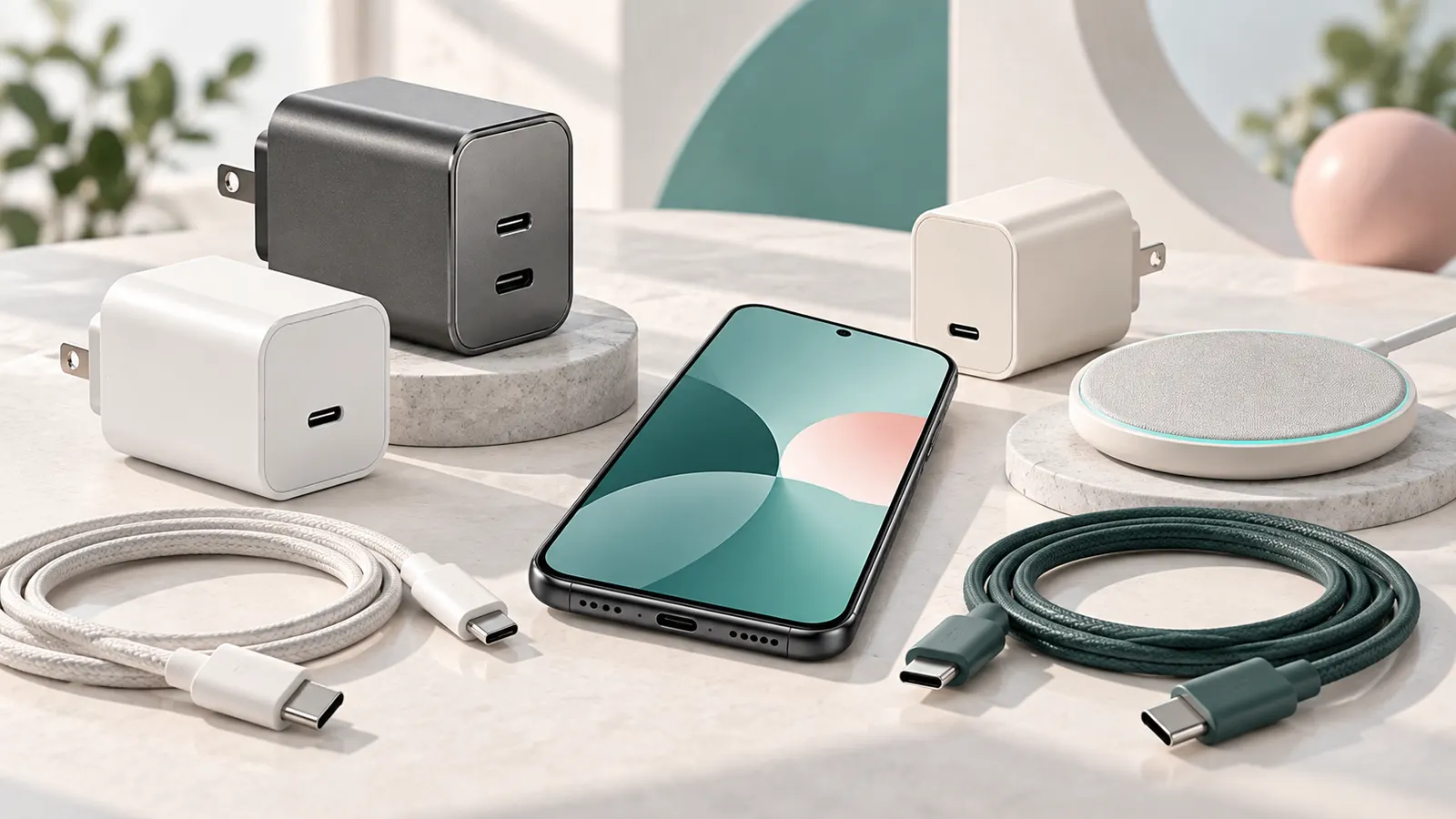
Watts, Volts and Amps
Charging speed is measured in watts. A phone only draws what it supports, so a more powerful charger will not harm it, but it will not charge faster than the phone allows. Check your phone’s maximum charging speed in the listing.
In this guide
USB-C Power Delivery and Other Standards
USB-C Power Delivery (PD) is common across phones, tablets and laptops. Some phones use extra protocols such as Programmable Power Supply (PPS) or maker-specific fast charging. For the fastest charge, the charger, cable and phone should all support the same standard.
The Cable Matters
A low-quality cable can limit speed or fail. For higher power, use a cable rated for it. Choose cables from known makers; see our USB-C cables for Android and fast chargers.
GaN Chargers and Multi-Port Chargers
GaN chargers are smaller for the same power. Multi-port chargers can charge several devices, but share power between ports. Check the output when multiple ports are in use.
Wireless Chargers
Wireless charging is convenient but slower and less efficient than wired. Check the supported standard (Qi) and the power. See our wireless chargers for Android.
Car Chargers and Power Banks
In the car, a charger with enough power helps navigation drain less battery; see car chargers. For off-grid use consider solar chargers.
Safety
Buy chargers from reputable makers with safety certifications. Avoid damaged cables and unbranded chargers with no markings. Do not charge under pillows.
Finding Your Phone’s Real Charging Limit
Before buying any charger, find out what your phone can actually accept. The number on the box of a charger describes what the charger can supply, not what your phone will draw. Look for the maximum wired charging speed on the phone maker’s specification page, and check which standards it supports. Many phones list a headline fast-charging figure that applies only with the maker’s own charger or a specific standard, so read the details instead of relying on marketing.
Once you know the limit, buying a charger with a little headroom is sensible. A charger well below the phone’s maximum will charge it more slowly, while a charger far above it adds cost and size you cannot use. Because chargers are often shared among devices, think about what else you will plug in, such as a tablet, earbuds or a laptop. A higher-power charger with several ports can serve them all.
- Check the phone maker’s page for the supported charging standards.
- Read the output listing on the charger, which shows the voltage and current combinations it can deliver.
- Note whether the phone charges fastest only with a particular standard.
- Remember that charging slows down as the battery fills, and this is normal.
Also remember that fast charging generates heat. Phones manage this by slowing the speed when hot, so charging in a warm place, in a thick case or in direct sun can reduce the speed. If charging seems slow, try removing the case and moving the phone to a cooler spot before assuming the charger is at fault.
Cable Ratings, Connectors and Length
The cable is part of the charging system, and it limits what the system can do. Cables differ in how much current they are built to carry. Some cables are intended for lower power and will limit a fast charger, and some carry data slowly or not at all. For higher power levels, a cable must be rated for it, and these cables may contain a small chip that tells the charger what it can handle. The product listing should state the power rating, so check that it matches or exceeds your needs.
Length affects performance. Long cables have more resistance, and very thin cables heat up and lose power. For a bedside charger a longer cable is convenient, but for the fastest charging a shorter, well-made cable is a safer choice. The ends matter too. A loose or worn connector can charge intermittently, and bent plugs are signs of wear.
- Choose a cable that matches the connectors on your charger and phone.
- Look for a stated power rating, not only a general claim about fast charging.
- Keep a short cable for your fastest charger and a longer one for convenience.
- Avoid bending cables sharply near the plug.
If a cable gets hot, frays, exposes wires, or only works when held at an angle, stop using it. Cables are cheap compared with phones, and replacing a worn cable is one of the easiest ways to restore normal charging speed.
Multi-Port Chargers and How Power Is Shared
A charger with several ports is handy for homes, desks and travel, but the total power is shared between the ports. A charger labelled with one large power figure may supply that full amount only to a single port, and drop to lower figures when several devices are plugged in. The listing should show how the power is split for different combinations. Read it before you buy, particularly if you plan to charge a laptop and a phone together.
Mixed port types, such as USB-C and USB-A, often have different capabilities. The older type usually supplies lower power. If you plan to use two fast chargers at the same time, look for two USB-C ports and read the split in the output table. Some chargers manage power intelligently and adjust as devices finish charging, while others use fixed splits.
- Add up the power each device needs when used together.
- Check which port gives the highest output, and use it for your most demanding device.
- Consider the size and shape, since large chargers can block adjacent sockets.
- Look at whether the plug folds or whether the charger comes with a cable.
Smaller chargers that use newer designs can pack more power into a compact body, which is useful for travel. Compact does not mean weaker, but check the real output specifications and the safety markings on the unit and in the listing. For travel, also check that the plug type fits the sockets in your destination and that the charger accepts the local voltage.
Wireless Charging in Daily Use
Wireless charging suits desks, bedside tables and cars where you drop the phone down without handling a cable. Its trade-offs are lower efficiency and more heat than wired charging, and the phone must be aligned with the coil. A phone that sits off-centre may charge slowly or not at all, so look for pads with guides, magnets or stands that hold the phone in the correct spot. If your phone supports magnetic alignment accessories, check which charger designs it works with.
Cases affect wireless charging. Thin cases usually work, but thick cases, metal plates, wallet attachments and magnetic rings that are not designed for the charger can block or slow charging. If charging stops, remove the case to test. Heat is the other issue: if a phone and charger become warm, the phone reduces speed to protect the battery. A stand that allows airflow helps.
- Check the supported standard on the charger and the phone.
- Look at the power output and compare it with what your phone supports.
- Use the charger supplied or recommended for the pad, as a weak power adaptor limits speed.
- Keep metal objects, such as cards and coins, away from the pad.
Use wireless charging for convenience and top-ups, and use a cable when you need speed. Many people combine them: a pad on the desk for the day, and a wired fast charger for quick boosts.
Battery Care Habits and Replacement Signs
How you charge influences how long the battery lasts. Lithium batteries age with use and heat, and the most helpful habits are simple. Avoid leaving the phone in hot places such as a car dashboard, and avoid charging under pillows or blankets where heat builds up. Many phones offer settings that limit the charge level or slow overnight charging, which can reduce stress on the battery. Check the battery settings on your phone and use what suits your routine.
Frequent top-ups are fine; there is no need to drain a phone completely. Very low and very high charge levels are the extremes, and staying in the middle range when convenient is gentle on the battery, but do not let this complicate your day. If you need a full charge for a long trip, charge fully.
- Remove thick cases during fast charging if the phone gets hot.
- Do not use damaged chargers or cables.
- Keep charging ports free of lint, which can stop the plug seating fully.
- Unplug chargers during storms if you are concerned about surges, or use a protected socket.
Signs that it is time to replace a charger include a hot body, a burning smell, buzzing, cracked casing, loose plug blades or intermittent charging. Signs for the phone battery include rapid drain, sudden shutdowns, a swollen back or screen, and charging that is slow with a known good charger. A swollen battery is a safety issue, so stop using the phone and contact the maker or a qualified repair service.
Matching a Charger to Your Phone: A Simple Process
Finding the right charger is easier when you work from your phone outward. Begin with the information on your phone maker website or manual, which lists the charging standards it supports and the maximum speed it can accept. Then choose a charger that supports the same standards, with equal or higher output. A stronger charger will not harm a phone that draws less, because the phone and the charger negotiate the power level.
- Look up your phone model and note the supported charging standard and maximum wattage.
- Check the port type on the phone, such as USB-C or a proprietary connector.
- Choose a charger with the same standard and the output you need.
- Pick a cable that supports that level of power and the length you prefer.
- Consider extras such as multiple ports, travel plugs or a folding prong.
If your phone shipped without a charger, the maker website often lists suitable power adapters.
Charging Terms in One Table
Marketing names for charging can be confusing, since some are standards and others are brand terms. The table below gives a plain summary.
| Term | Meaning | What to check |
|---|---|---|
| Watt | Power, equal to volts multiplied by amps | Higher numbers can mean faster charging if the phone supports it |
| USB Power Delivery | A widely used fast-charging standard over USB-C | Both phone and charger must support it |
| Programmable power supply | An extension that allows fine voltage steps | Some phones need it for top speeds |
| Proprietary fast charging | A maker-specific method | May need the maker charger for full speed |
| Qi wireless charging | A common wireless standard | Check the supported wattage of your phone |
| GaN | A semiconductor material that allows smaller chargers | Look for compact designs with the output you need |
When in doubt, trust the maker specifications for your phone rather than a headline on a listing.
Cable Quality, Length and Wear
A charger is only as good as the cable that carries its power. A thin or low-quality cable can slow charging or fail early. Look for cables that state which standards and power levels they support, and be wary of unnamed products with no specifications. Length matters too. A short cable is neat and efficient, while a longer one suits a bedside table or a sofa.
Inspect cables regularly for fraying, bent connectors or exposed wire. Do not use a damaged cable, and replace it. Avoid sharp bends at the connector, which is a common failure point. When you wrap a cable, use loose loops instead of tight turns. If you travel, keep a spare cable in your bag.
Charging Safely at Home and on the Road
Chargers and cables carry electricity, so treat them with care. Buy products that carry appropriate safety markings for your region, and avoid unbranded items from unclear sources. Keep chargers away from water, and do not use them on soft surfaces such as beds or sofas where heat can build up. Do not cover a charging phone with pillows or blankets.
Unplug a charger that feels very hot, smells odd or shows damage, and contact the maker. In cars, use a charger designed for vehicle sockets, and follow the manual for your car. In airports and hotels, bring your own plug adapter if needed, and be careful about public ports and shared cables. A power bank can be a useful backup, but check airline rules for carrying batteries.
Building a Small, Sensible Charging Kit
Most people need only a few items: a main wall charger for home, a cable for the desk, a cable for the bedside, and a compact charger plus cable for travel. Add a car charger if you commute, and a wireless pad if you like to drop your phone on a stand. Label cables if you use several, so you grab the right one.
Keep the setup tidy with cable clips or a small organizer. Go over the kit once a year, and replace any item that looks worn. A thoughtful set of chargers keeps your phone ready without clutter or confusion.
Multi-Port Chargers and Sharing Power Between Devices
A single charger with several ports is handy for a desk or a bedside, but the total output is shared. If a charger is listed with a combined wattage, each port may deliver less when several devices are plugged in at once. Read the specification to see how the power is split, and check whether the highest output is available on only one port.
Think about what you charge together. A phone and a pair of earbuds draw little, while a phone and a laptop together may need a larger unit. Choose a charger with enough total power for your busiest moment, and keep the cables neat. If one port seems slow, try another before you blame the cable.
Wireless Charging in Everyday Life
Wireless pads and stands are convenient, but they work differently from cables. Place the phone so the coils line up with the pad, and remove thick cases or metal objects between them if charging is slow or stops. Wireless charging typically produces more heat and is usually slower than a good wired connection, so many people use it for overnight top-ups and keep a cable for quick boosts.
Check the wattage supported by your phone and the pad, and use a power adapter that meets the pad requirements. Keep the pad on a hard, flat surface with some airflow around it, and away from credit cards and magnetic items.


Products Worth a Look
As an Amazon Associate, Reviews Took earns from qualifying purchases. These picks come from our guide: 6 Best Wireless Car Chargers (October 2026).
-
LISEN 15W MagSafe Car Mount Charger
-
Wireless Car Charger Auto-Clamping Air Vent Mount
 Wireless Car Charger Mount,Motorized 90° Rotating Auto-Clamping Air Vent Car Phone Hold...
-
3-in-1 Wireless Car Charger Mount
 BothLin 3-in-1 Wireless Car Charger Mount
Matching the Charger to the Battery You Actually Have
Charging speed is a negotiation between the charger, the cable and the phone, and the slowest of the three sets the pace. A powerful wall charger cannot help a phone that only accepts a modest input, and a capable phone gains nothing from a cable that cannot carry the current. Start from the phone maker stated maximum charging speed, then choose a charger that meets it with a little headroom, rather than paying for output you can never use.
Heat is the hidden cost of speed. Fast charging generates the most heat in the early part of the cycle, which is why phones typically slow down as they fill. Charging overnight on a gentler charger is not a compromise; for battery longevity it can be the kinder pattern, with fast charging reserved for the quick top-up before you leave the house. Many phones also offer a battery-protection setting that limits the maximum charge for people who charge overnight every night.
Keep one fast setup and one simple setup. The fast charger lives where you get ready in the morning; the simple one lives by the bed or in a travel bag. That division covers urgency and routine without overbuying, and it means a forgotten charger is an inconvenience rather than a crisis.
Cables Deserve as Much Thought as Chargers
Cables fail more often than chargers, and they limit more charging sessions than most people realise. A cable current rating decides whether a high-output charger can deliver its speed, and long cables trade convenience for a little more resistance. For the fastest charging, use a cable rated for the job and keep it reasonably short; for bedside use, length and flexibility matter more than peak speed.
Connector wear shows up as intermittent charging: the phone charges at some angles and not others, or drops out when the cable moves. Replace cables at that stage rather than blaming the phone or charger. Braided jackets resist fraying at the ends, but the strain relief design matters more than the jacket material; a cable that bends sharply at the plug will fail there whatever it is wrapped in.
Label your cables if your household has several that look alike. A slow cable used by mistake makes a good charger look faulty, and a good cable left in a drawer helps no one. A small label or a different colour for the fast cable ends the guesswork.
Wireless Charging Without the Guesswork
Wireless charging trades speed for effortlessness, and it works best when alignment is reliable. Magnetic systems solve the alignment problem by snapping the phone into the sweet spot; pad-based systems ask you to place the phone carefully and leave it alone. Either way, a thick case, a metal plate or a card holder between phone and charger can slow charging or stop it entirely.
Expect wireless charging to feel warmer and slower than a cable, and plan around that: it suits desks and nightstands, where the phone sits for hours, better than a rushed top-up before leaving. If the phone feels unusually hot, remove the case for that session and check that nothing metallic has slipped between phone and pad.
For travel, a small wired charger still beats a wireless pad on speed, weight and reliability in unfamiliar hotel rooms. Many travellers carry both: the pad for the nightstand habit they enjoy at home, the cable for certainty. The buying guide above gives the standards background; your routine should make the final call.
Building Your Charging Setup Deliberately
Start with an audit: list the devices you charge daily, where they sleep, and which of them ever needs a fast rescue. Most households discover they need one fast point, one gentle overnight point and one travel kit, and that everything else is duplication bought by habit. The standards explained in this guide then tell you what each point requires.
Buy the cable with the charger decision, not after it. A charger is only as capable as the cable attached to it, and pairing a new fast charger with the oldest cable in the drawer is the most common reason a good purchase feels disappointing on day one.
Set up battery-protection features during the same session, while you are thinking about charging at all. Five minutes in the phone settings, choosing overnight limits and optimised charging, quietly pays back across the whole life of the battery.
Troubleshooting Slow, Hot or Intermittent Charging
Slow charging has three usual suspects, and they should be tested in order: the cable, the charger, and the phone temperature. Swap the cable first because it fails most often and costs least to test. If speed returns, the mystery is solved and the old cable should be retired, not kept as a confusing spare.
Heat during charging is normal within limits; a phone that becomes uncomfortably hot is telling you something. Remove the case for that session, move the phone off soft furnishings, and avoid using demanding apps while fast charging. Persistent heat with different chargers deserves a check of the phone itself.
Intermittent charging, where the phone connects and disconnects, is almost always physical: lint in the port, a worn plug, or a cable damaged internally. Clean the port gently, test another cable, and only then suspect the charger or the phone.
Power Banks and Charging Away From Sockets
A power bank is a charger with a battery in the middle, so the same rules apply with one addition: the bank itself must be charged, and its capacity shrinks in real use through conversion losses. Judge a power bank by whether it can return your phone to a comfortable level once or twice, not by comparing its printed capacity directly with your phone battery size, because the two numbers are measured differently.
Charging speed from a power bank depends on its output standard matching your phone, exactly as with a wall charger. A bank that fast-charges one phone family may only slow-charge another, so check the standards it offers against the guide above before assuming travel days are covered.
Build the travel habit of charging the bank whenever you charge the phone at night. A power bank remembered only when it is empty is dead weight; a power bank on the same nightly routine as the phone is a genuine second battery for your bag.
Safety Checks for Chargers, Cables and Public Ports
Inspect charging gear the way you would inspect any electrical equipment: cables with damaged jackets, plugs that wobble in sockets, and chargers that run unusually hot or make noise should be retired, not tolerated. Charging happens unattended, often overnight and near bedding, which is exactly why tired equipment deserves no second chances.
Prefer chargers and cables from makers who state their standards and safety certifications plainly, and be suspicious of listings that promise extreme output with no explanation of how it is delivered. The standards sections of this guide give you the vocabulary to spot the difference between a specification and a slogan.
In public places, use your own wall charger in a power socket rather than a bare public USB port where you can. It is faster, it is yours, and it avoids data connections to equipment you know nothing about. A small charger in your bag is both a speed upgrade and a safety habit.
When to Replace a Charger or Cable
Replace a cable at the first reliable sign of intermittent behaviour: charging that depends on the angle, a plug that feels loose, or visible fraying near either end. Cables rarely heal, and an intermittent cable makes every other part of the system look guilty, wasting your time in troubleshooting.
Replace a charger when it becomes inconsistent across several known-good cables and devices, when it runs far hotter than it used to, or when its plug or casing is damaged. Chargers are sealed units; there is no user maintenance inside, and opening one is never the right answer.
When you replace gear, recycle the old through an electronics recycling point rather than a drawer. The drawer of dead cables helps no one, and a household with only working, labelled charging gear in circulation is a calmer household every single evening.
How to Turn This Guide Into a Decision
Start by naming the job in one sentence. Every guide like this one, covering phone charger buying guide, contains picks that look similar until the job is stated plainly, at which point they separate quickly. A phone bought mainly for a parent, a tripod bought for standing video, a charger bought for travel: the sentence does the sorting, and the tables and reviews in this guide then confirm or challenge it.
Next, list your non-negotiables separately from your preferences. Non-negotiables are compatibility facts: the network, connector, model or size that must be right or nothing else matters. Preferences are the qualities you would enjoy but can trade. Checking non-negotiables against the product pages first, in the order this guide presents its picks, prevents the common heartbreak of falling for a pick that was never going to fit your setup.
Then decide with a time horizon. Ask how long you expect to keep the product and what would make you replace it early. Picks that cost a little more in money or bulk often repay it by not needing replacement, while the simplest pick wins when the need is temporary or experimental. Neither instinct is wrong; matching the horizon to the pick is the skill.
Last, do a final sense-check against the mistakes sections of this guide. Most returns in this category come from a short list of avoidable errors: wrong variant, wrong compatibility assumption, or buying for an imagined use. Five minutes re-reading those warnings, with your chosen pick in mind, is the cheapest insurance in the whole purchase.
Matching the Pick to Real Life: Three Common Situations
Guides are easiest to use when they are translated into situations. Here are three of the most common ones for this category, and how the picks in this guide divide among them.
The overnight routine
A gentle bedside charger and a battery-protection setting suit the phone that charges while you sleep. Save the fast charger for mornings, and the battery ages gracefully.
The morning rescue
A few rushed minutes before leaving is where fast charging earns its place. Keep the capable charger and its proper cable where you get ready, not in a kitchen drawer.
The family charging station
Several phones, one socket area, endless cable confusion. A multi-port charger with labelled cables ends the nightly negotiation and keeps the fast cable identifiable.
Charging for Families and Shared Homes
Shared charging fails on logistics, not technology. Cables wander between rooms, the fast charger disappears into one person bag, and guests arrive with a different connector entirely. The fix that works is a fixed charging point that nobody is allowed to dismantle: charger plugged in, cables captive or labelled, and a spare guest cable that covers the other connector family.
Agree the house rules once: the shared station is for charging, personal fast chargers live with their owners, and dead cables go in the recycling, not back in the drawer. Households that make these tiny agreements stop having the nightly negotiation about whose charger is whose and why the tablet is still empty.
For children devices and older relatives phones, the shared station has a safety benefit too: one known-good charger and cable set, checked occasionally, instead of a lottery of ageing adapters collected over a decade of phones.
Understanding Charger Listings and Labels
A charger listing should tell you four things plainly: the total output, what each port can deliver on its own, which standards are supported, and whether a cable is included and what it is rated for. If any of the four is missing or buried, treat the missing item as a question to answer on the product page before ordering, not as a detail to discover afterwards.
Per-port figures matter because multi-port chargers divide their total. A charger that is generous with one device connected may be ordinary with three, which is fine for overnight use and disappointing for a quick charge before leaving. Match the division behaviour to the job, using the same routine-versus-rescue thinking as the rest of this guide.
Certification marks and maker reputation are the trust layer. Charging equipment connects your most expensive devices to the mains while you sleep; that is a category where an unknown listing with spectacular claims deserves more scepticism than almost any other accessory in this site guides.
Frequently Asked Questions
Can a more powerful charger damage my phone?
No. The phone draws only what it supports.
Why is my phone charging slowly?
The charger, cable or port may not support the fast-charge standard, or the phone may be hot.
Do I need an original charger?
No, but use a good-quality one that supports your phone’s standard.
Can I use a laptop charger for my phone?
Often yes if it supports a compatible standard and has a suitable port, because the phone only draws what it needs. Check that the charger lists a lower-voltage option your phone accepts.
Does fast charging damage the battery?
Phones are designed to manage heat and speed, and they slow down as they fill. Keeping the phone cool and using quality chargers helps preserve battery health.
Why does my phone charge slowly overnight?
Some phones slow charging or pause at a set level to protect the battery. Check the battery settings, and note that charging also slows when the battery is nearly full.
Should I buy a charger without a cable included?
It is fine if you already have a good cable rated for the power you need. Otherwise, check that the cable in the box matches your charger and phone.
Is it safe to use third-party chargers?
Reputable ones with proper markings are generally fine. Avoid unmarked or damaged chargers, and check the listing for safety information.
Do I need a special charger when travelling abroad?
You may need a plug adaptor, and the charger should accept the local voltage. Check the label on the charger for its input range.
Can I charge my phone from a power bank at full speed?
Only if the power bank supports a standard your phone uses at that power. Check the output specifications and use a suitable cable.
Is fast charging bad for the battery?
Fast charging creates more heat, and heat is what ages batteries, but phones manage this by slowing down as they fill and by offering protection settings. Using fast charging when you need it and gentler charging overnight is a balanced pattern that most people can adopt without worry.
Why is my new charger not charging at full speed?
Work through the chain: the phone own maximum, the charger output for that phone standard, and the cable rating. Any one of the three can be the limit, and a slow cable is the most common surprise. Also check that the phone is not hot, since phones reduce charging speed to protect themselves.
Can one charger serve phones, tablets and a laptop?
Often yes, if its total output and per-port standards cover the largest device. Multi-port chargers share their total output, so speeds drop when several devices charge together. That is acceptable overnight and frustrating in a hurry, which is why many households keep one shared station and one dedicated fast charger.
Are braided cables worth it?
Braiding resists surface wear and tangling, but cables usually fail at the ends where they bend. A braided cable with good strain relief is a sound buy; a braided cable with stiff, sharp ends is not automatically better than a plain one. Handling matters most: pull plugs, not cables.
Should I leave the phone charging overnight?
Modern phones stop drawing full power when full, and protection settings can cap the charge level for nightly charging. Use a gentle charger, keep the phone off hot bedding surfaces, and overnight charging becomes a normal, low-stress habit rather than a battery dilemma.
Is it safe to charge from a public USB port?
A power socket with your own charger is the better choice: it charges faster and keeps your phone data connection out of unfamiliar equipment. If a public USB port is the only option, use a charge-only cable or adapter where you can, and avoid unlocking the phone or approving any data prompt that appears.
Why does charging slow down near full?
Phones deliberately reduce charging speed as the battery fills, to manage heat and protect the battery. The fast portion of charging is the early portion, which is why a short top-up from low is so effective and why the last stretch always feels slow by comparison. It is design, not a fault.
Does airplane mode make charging faster?
Slightly, because the phone spends less power on radios while it charges, but the difference is small next to using the right charger and cable. Treat it as a marginal trick for emergencies rather than a strategy, and remember to switch it off again if you are expecting calls.
Can I charge two phones from one socket while travelling?
Yes, with a multi-port charger, accepting that the total output is shared and both phones may charge more slowly. For overnight travel charging that trade is invisible; for a quick airport top-up, charge the phone you need most on its own first.
How should I store charging gear between trips?
Coil cables loosely rather than wrapping them tightly around the charger, keep plugs protected from being crushed, and store the kit somewhere dry. Cables stored under tension age at their ends, which is where they will eventually fail; a loose coil in a pouch is a longer life for free.
Bottom Line
Match the charger, cable and phone on the same fast-charging standard, buy from reputable brands and prefer USB-C Power Delivery. See our best USB-C fast chargers.
Related Reading
- Phone Camera Buying Guide: Sensors, Zoom, Night Mode
- 5 Best Phone Camera Grips: TELESIN, COMITOK
- 6 Best Phone Microscope Lenses and Digital Microscopes
More Phone Accessory Guides
- Best USB-C Fast Chargers for Android
- Best Car Chargers for Android Phones
- Best Wireless Chargers for Android
- Best USB-C Cables for Android
- Best Wireless Earbuds for Android Phones
- Best Smartwatches for Android Phones
- Best Mobile Game Controllers for Android
- Best Phone Gimbals and Vlogging Tripods
- Best Phone Lens Kits
- Best Samsung Galaxy Phone Cases
- Best Phone Tripods and Selfie Sticks
- Best USB-C Headphone Adapters for Android
- All ‘+hubLabel.toLowerCase()+’ guides


